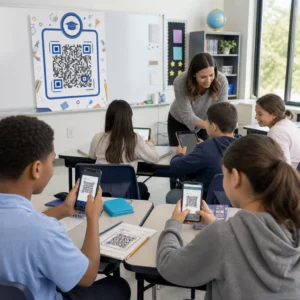
Verlassen sich Ihre Subunternehmer immer noch auf Telefonanrufe, gedruckte Pläne und Mängellisten aus Papier, um koordiniert zu bleiben? Fehlkommunikation und schlechte Projektdaten sind für fast die Hälfte aller Nacharbeiten auf US-Baustellen verantwortlich – was die Branche jedes Jahr Milliarden kostet. QR-Codes bieten Ihnen eine praktische Möglichkeit, diese Lücken zu schließen, indem sie die richtigen Informationen im richtigen Moment in die richtigen Hände legen.
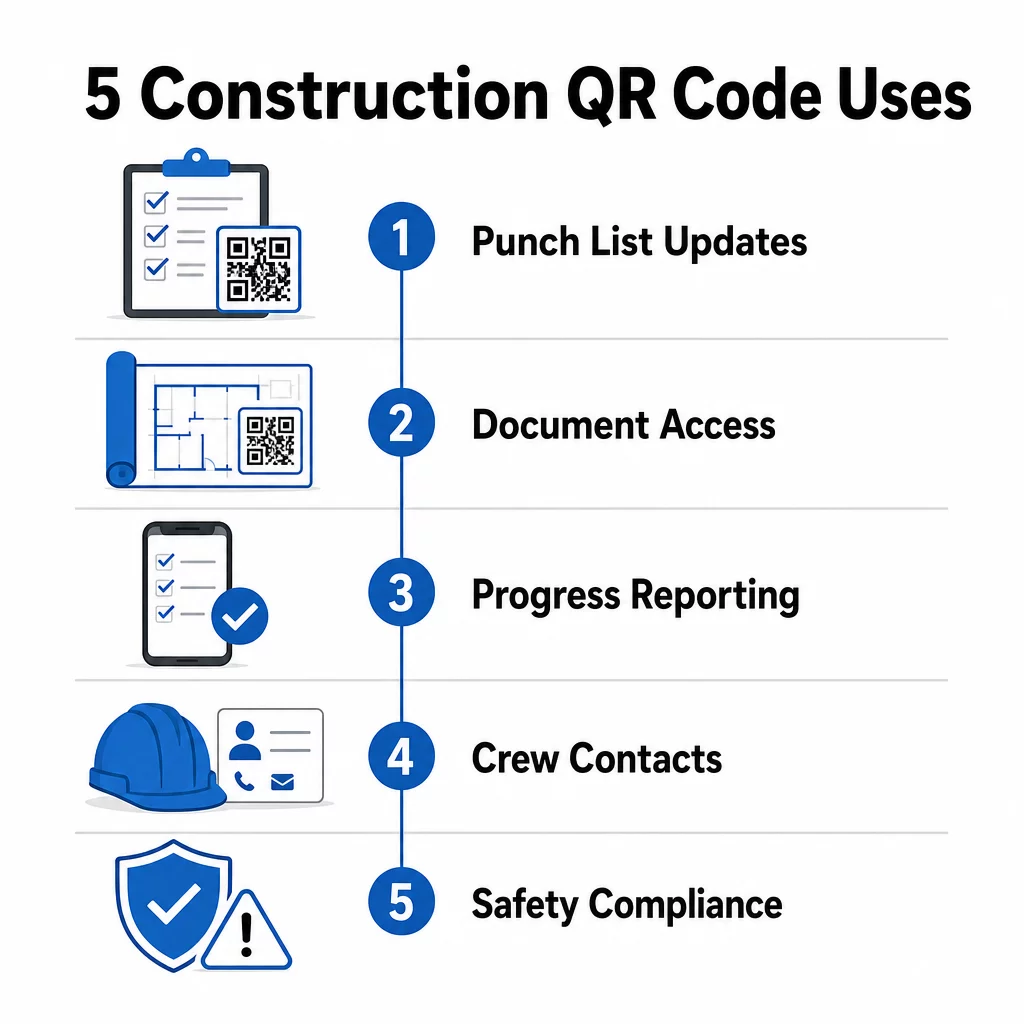
Hier sind fünf konkrete Möglichkeiten, wie Bauprojektmanager QR-Codes nutzen können, um die Kommunikation mit Subunternehmern zu verbessern – vom Mängellistenmanagement bis zur Einhaltung von Sicherheitsvorschriften.
Mängellistenmanagement und Aufgabenaktualisierungen
Mängellisten aus Papier verlangsamen alle. Aktualisierungen brauchen Stunden, um auf der Baustelle anzukommen, Handschriften werden falsch gelesen und erledigte Punkte werden ohne Dokumentation angefochten. Das Ersetzen durch QR-Codes schafft eine direkte Verbindung zwischen der Baustelle und Ihrem Projektmanagementsystem.
Platzieren Sie einen QR-Code in jeder Arbeitszone oder fügen Sie ihn einem Arbeitsauftrag bei. Wenn ein Subunternehmer ihn scannt, sieht er sofort seine aktuell zugewiesenen Aufgaben mit bereits angewendeten jüngsten Überarbeitungen. Er kann Elemente mit Zeitstempel und Foto als erledigt markieren, Probleme kennzeichnen und Notizen hinterlassen – alles von seinem Telefon aus, ohne das Büro anrufen zu müssen.
Der Hauptvorteil ist, dass dynamische QR-Codes automatisch aktualisiert werden. Ein Code, der während der Fundamentarbeiten platziert wurde, kann später Rahmen-Checklisten, Abschlussaufgaben oder Endabnahme-Anforderungen anzeigen. Sie aktualisieren den verknüpften Inhalt einmal, und jeder Scan von diesem Zeitpunkt an spiegelt die Änderung wider – kein Neudruck erforderlich.
Für Subunternehmer, die mehrere Baustellen gleichzeitig betreuen, bieten QR-Codes auch sofortigen Zugriff auf projektspezifische Anweisungen, Materialspezifikationen und besondere Anforderungen, die an jede Zone gebunden sind.
Mängellisten ohne Neudruck aktuell halten Verwenden Sie die Dynamischer QR-Code Generator um Codes zu erstellen, die automatisch die neuesten Aufgabenaktualisierungen widerspiegeln, sodass Ihre Subunternehmer immer mit aktuellen Informationen arbeiten.
Dokumentenfreigabe und Sofortzugriff
Bauprojekte erzeugen enorme Mengen an Papierkram – Baupläne, Spezifikationen, Änderungsaufträge, Einreichungen und Sicherheitsprotokolle. Wenn Subunternehmer mit veralteten Zeichnungen arbeiten, passieren Fehler. Wenn sie die neueste Version aufspüren müssen, geht Zeit verloren.
Das Verknüpfen von QR-Codes mit in der Cloud gehosteten Dokumenten löst beide Probleme. Ein Subunternehmer scannt den Code auf einem gedruckten Plan oder Baustellenschild und öffnet sofort die aktuellste Version dieses Dokuments auf seinem Telefon – kein Login, keine Suche, kein Warten.
Die PDF QR-Code Generator ist hier besonders nützlich. Laden Sie Ihre Sicherheitsanleitungen, Spezifikationsblätter oder detaillierten Zeichnungen als PDFs hoch, generieren Sie einen Code und platzieren Sie ihn dort, wo er relevant ist – auf Baustellenschildern, gedruckten Plänen oder Geräten. Wenn Architekten Zeichnungen überarbeiten oder Projektmanager Spezifikationen aktualisieren, wird der verknüpfte Inhalt sofort aktualisiert. Jeder Scan liefert die neueste Version, ohne den physischen Code zu berühren.
Sie können auch QR-Codes generieren, die direkt verlinken zu Google-Dokumente für Dokumente, die häufig gemeinsam bearbeitet werden müssen, oder verwenden Sie die Link-QR-Code-Generator um Mitarbeiter mit jeder in der Cloud gehosteten Ressource zu verbinden.
Für Anleitungen zum Konvertieren von Dateien jeglichen Typs in scannbare Codes, siehe die Anleitung Datei zu QR-Code oder erfahren Sie mehr über das Generieren von QR-Codes für Cloud-Dateien.
Fortschrittsverfolgung und Berichterstattung
Auf wöchentliche Überprüfungen zu warten, um den Fortschritt auf der Baustelle zu verstehen, ist ein Rezept für Überraschungen. QR-Codes ermöglichen es Subunternehmern, Updates in Echtzeit, direkt von der Baustelle, ohne zusätzliche Apps oder manuelle Dateneingabe zu übermitteln.
Platzieren Sie QR-Codes an wichtigen Arbeitsbereichen. Wenn ein Subunternehmer einen scannt, kann er ein einfaches Formular ausfüllen, das den Fertigstellungsgrad, den Materialverbrauch oder Qualitätsanmerkungen abdeckt. Verknüpfen Sie diese Formulare mit dem Google Forms QR-Code erstellen damit die Antworten direkt in ein gemeinsames Dashboard einfließen, das Vorgesetzte über alle aktiven Gewerke und Standorte hinweg überwachen können.
Die Fotodokumentation fügt sich nahtlos in diesen Workflow ein. Ein Subunternehmer scannt den Zonen-Code, lädt Vorher-Nachher-Fotos oder Fortschrittsaufnahmen hoch, und diese Bilder werden sofort dem entsprechenden Aufgabenprotokoll zugeordnet. Dies erstellt eine zeitgestempelte visuelle Aufzeichnung für Qualitätskontrolle, Streitbeilegung und Rechnungsprüfung.
Da QR-Codes dynamische Links verwenden, können sich die Formulare, mit denen sie verbunden sind, mit dem Projekt weiterentwickeln. Ein Code, der während der Baustellenvorbereitung verwendet wird, kann später zu Fortschrittsformularen für den Rohbau leiten, dann zu Checklisten für Systeminspektionen – alles ohne einen neuen Code zu generieren oder etwas neu zu drucken.
Verfolgung von Scan-Analysen bietet Projektmanagern eine zusätzliche Ebene der Überwachung. Sie können sehen, welche Codes gescannt werden, wie oft und von welchen Standorten aus – was Ihnen hilft, Bereiche zu identifizieren, in denen die Berichterstattung möglicherweise hinterherhinkt, und Engpässe zu beheben, bevor sie den Zeitplan beeinträchtigen.
Kontaktinformationen und Teamkoordination
Auf einer belebten Baustelle veralten Kontaktlisten schnell. Personen wechseln Rollen, Telefonnummern werden falsch gespeichert und Schichten ändern sich, ohne dass jeder die Information erhält. QR-Codes machen die Teamkoordination deutlich zuverlässiger.
Subunternehmer können QR-Codes zu ihren Visitenkarten oder Ausweisen hinzufügen, die beim Scannen sofort ihre vollständigen Kontaktdaten – Name, Firma, Durchwahl, E-Mail und Notfallkontakt – auf dem Telefon des Scanners speichern. Keine manuelle Eingabe bedeutet keine Übertragungsfehler.
Dynamische Kontaktcodes sind besonders praktisch, wenn sich das Personal während eines Projekts ändert. Aktualisieren Sie die verknüpften Informationen einmal, und jeder, der den Code ab diesem Zeitpunkt scannt, erhält die aktuellen Details. Für größere Teams können QR-Codes in Baucontainern oder Pausenräumen angebracht werden, die auf Live-Planungstools verweisen, sodass die Mitarbeiter immer die aktuelle Schicht, den Besprechungsort oder die Mannschaftszuweisung sehen, ohne auf eine Gruppennachricht warten zu müssen.
Erfahren Sie, wie QR-Codes für das Baugewerbe kann die Koordination der Mannschaft neben anderen Anforderungen des Baustellenmanagements unterstützen.
Sicherheitskonformität und Zugangskontrolle
Die Baustandards der OSHA verlangen von Arbeitgebern, regelmäßige Sicherheitsinspektionen durchzuführen, Arbeitnehmerschulungen anzubieten und zugängliche Dokumentationen zur Gefahrenkommunikation, einschließlich Sicherheitsdatenblättern und Schulungsunterlagen, zu führen. Papierbasierte Systeme machen diese Compliance-Last schwieriger als nötig.
QR-Codes, die an Baustelleneingängen oder Arbeitsbereichen platziert werden, ermöglichen Subunternehmern sofortigen Zugriff auf die aktuellen Sicherheitsprotokolle, die für diese Zone relevant sind – Gefahrenhinweise, erforderliche PSA und baustellenspezifische Regeln – ohne Ordner durchsuchen oder einen Vorgesetzten aufspüren zu müssen. Wenn sich OSHA-Vorschriften ändern oder sich die Baustellenbedingungen verschieben, aktualisieren Sie das verknüpfte Dokument einmal, und jeder nachfolgende Scan spiegelt die neuen Informationen automatisch wider.
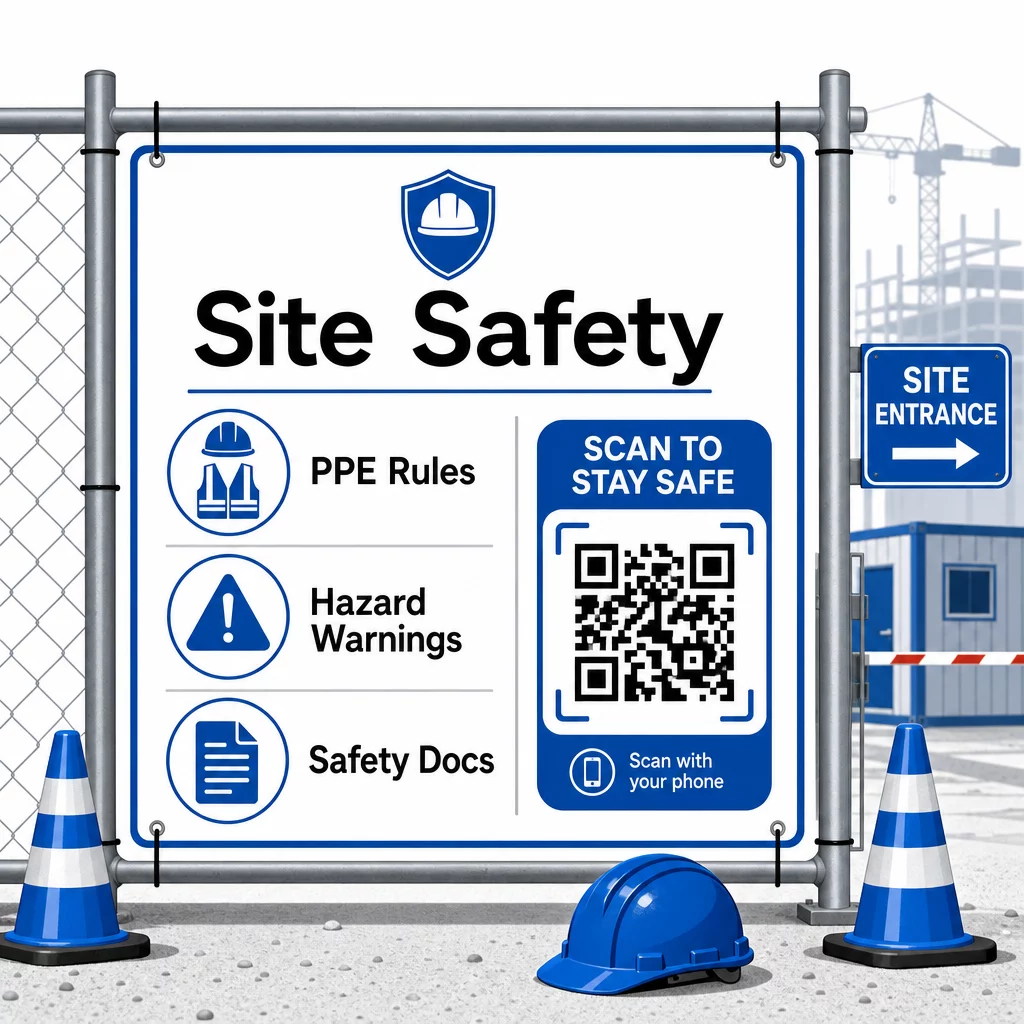
Für die Zugangskontrolle können QR-fähige Check-in-Systeme Anmeldeinformationen überprüfen, abgeschlossene Sicherheitsschulungen bestätigen und den Zutritt digital protokollieren – wodurch physische Schlüssel oder manuelle Anwesenheitslisten überflüssig werden.
Die Überprüfung von Schulungen ist gleichermaßen unkompliziert. Subunternehmer scannen einen Code, um digitale Zertifikate über abgeschlossene Sicherheitskurse anzuzeigen, was eine schnelle und zuverlässige Überprüfung vor Ort durch Vorgesetzte ermöglicht.
Für sensible Compliance-Dokumente, befolgen Sie Best Practices für die sichere QR-Code-Generierung um den Zugriff auf autorisiertes Personal zu beschränken und ein digitales Protokoll darüber zu führen, wer die Informationen wann eingesehen hat. Dieser Audit-Trail ist bei Inspektionen oder Unfalluntersuchungen von unschätzbarem Wert.
Analysen tragen ebenfalls zum Sicherheitsmanagement bei. Sie können verfolgen, welche Protokolle am häufigsten aufgerufen werden, Bereiche identifizieren, in denen möglicherweise zusätzliche Schulungen erforderlich sind, und bestätigen, dass die Mitarbeiter die erforderlichen Briefings vor Arbeitsbeginn überprüft haben.
Digitalisieren Sie Ihre Sicherheitsdokumentation Verwenden Sie die PDF QR-Code Generator um Sicherheitshandbücher, Sicherheitsdatenblätter und Compliance-Dokumente mit scannbaren Codes zu verknüpfen – und Inhalte sofort zu aktualisieren, wenn sich Vorschriften ändern.
QR-Codes im Vergleich zu traditionellen Methoden
Die Effizienzgewinne werden deutlich, wenn man jede Kommunikationsherausforderung nebeneinander betrachtet.
| Faktor | Traditionelle Methoden | QR-Code-Ansatz |
|---|---|---|
| Geschwindigkeit der Informationsbereitstellung | Updates um Stunden oder Tage verzögert | Sofortiger Scan |
| Dokumentenaktualisierungsprozess | Neu drucken und neu verteilen | Verknüpfte Inhalte einmal aktualisieren |
| Zugriffsverfolgung | Manuell, oft unvollständig | Automatisierte Scan-Analysen |
| Speicherung | Physische Ablagesysteme | Cloud-basiert, skalierbar |
| Wetterbeständigkeit | Papier unter schlechten Bedingungen beschädigt | Digitale Dateien unbeeinflusst |
| Aufzeichnungen zur Einhaltung der Sicherheitsvorschriften | Papierprotokolle, leicht zu verlieren | Digitaler Audit-Trail mit Zeitstempeln |
Die Lernkurve ist minimal. Subunternehmer tragen bereits Smartphones bei sich und wissen, wie man QR-Codes scannt. Eine Fortschrittsaktualisierung einzureichen oder einen Bauplan aufzurufen, wird so schnell wie das Öffnen der Kamera.
Für Teams, die mehrere Subunternehmer verschiedener Gewerke verwalten, reduziert die Erstellung eindeutiger Codes für jede Rolle – Elektriker erhalten Inspektionsformulare, Installateure greifen auf Installations-Checklisten zu, Bauleiter sehen die Personalplanung – die Verwirrung und stellt sicher, dass jeder Arbeiter genau das erreicht, was er benötigt.
Für Platzierungs- und Größenhinweise, um sicherzustellen, dass Ihre Codes unter Feldbedingungen zuverlässig scannen, lesen Sie die Best Practices für die Lesbarkeit von QR-Codes.
Wenn Sie abwägen, ob Sie statische oder dynamische Codes für bestimmte Anwendungen verwenden sollen, ist die Vergleich von statischen vs. dynamischen QR-Codes deckt die wesentlichen Unterschiede ab und wann jeder Typ sinnvoll ist. Für die meisten Anwendungsfälle in der Baukommunikation sind dynamische Codes die richtige Wahl – sie aktualisieren sich ohne Neudruck und liefern die Analysen, die zur Verwaltung einer komplexen Baustelle mit mehreren Gewerken erforderlich sind.
Pageloots QR-Code-Lösungen für das Baugewerbe unterstützen die gesamte Bandbreite dieser Anwendungsfälle, von der Sicherheitsdokumentation über den Bauplan-Austausch bis zur Koordination der Teams, mit Markenanpassung und einem zentralisierten Dashboard zur Verwaltung all Ihrer aktiven Codes.
Beginnen Sie mit der Implementierung von QR-Codes in Ihrem nächsten Projekt mit den kostenlosen QR-Code-Tools von Pageloot und geben Sie Ihren Subunternehmern den sofortigen Zugang zu Informationen, der die Arbeit am Laufen hält.
Häufig gestellte Fragen
Nein. Jede moderne Smartphone-Kamera kann einen QR-Code ohne eine spezielle App scannen. Mitarbeiter öffnen einfach ihre Kamera, richten sie auf den Code und tippen auf die erscheinende Benachrichtigung, um den verknüpften Inhalt in ihrem Browser zu öffnen.
Mit dynamischen QR-Codes aktualisieren Sie den verknüpften Inhalt einmal in Ihrem Dashboard, und jeder nachfolgende Scan spiegelt automatisch die neue Version wider. Der physische Code selbst ändert sich nicht und muss nicht neu gedruckt oder ersetzt werden.
Dynamische QR-Codes, die mit Sicherheitsdokumentation verknüpft sind, erstellen eine digitale Aufzeichnung darüber, welche Informationen vor Ort verfügbar waren und wann sie zuletzt aktualisiert wurden. Scan-Analysen zeigen, auf welche Protokolle die Arbeiter zugegriffen haben und wann, und bieten einen Prüfpfad, der Inspektoren aktive Compliance-Bemühungen demonstriert.