Vai jūsu apakšuzņēmēji joprojām paļaujas uz tālruņa zvaniem, drukātiem plāniem un papīra defektu sarakstiem, lai saglabātu koordināciju? Nepareiza komunikācija un slikti projektu dati veido gandrīz pusi no visiem pārstrādes darbiem ASV būvlaukumos – katru gadu izmaksājot nozarei miljardus. QR kodi sniedz jums praktisku veidu, kā novērst šīs nepilnības, nododot pareizo informāciju pareizajās rokās tieši tad, kad tā ir nepieciešama.
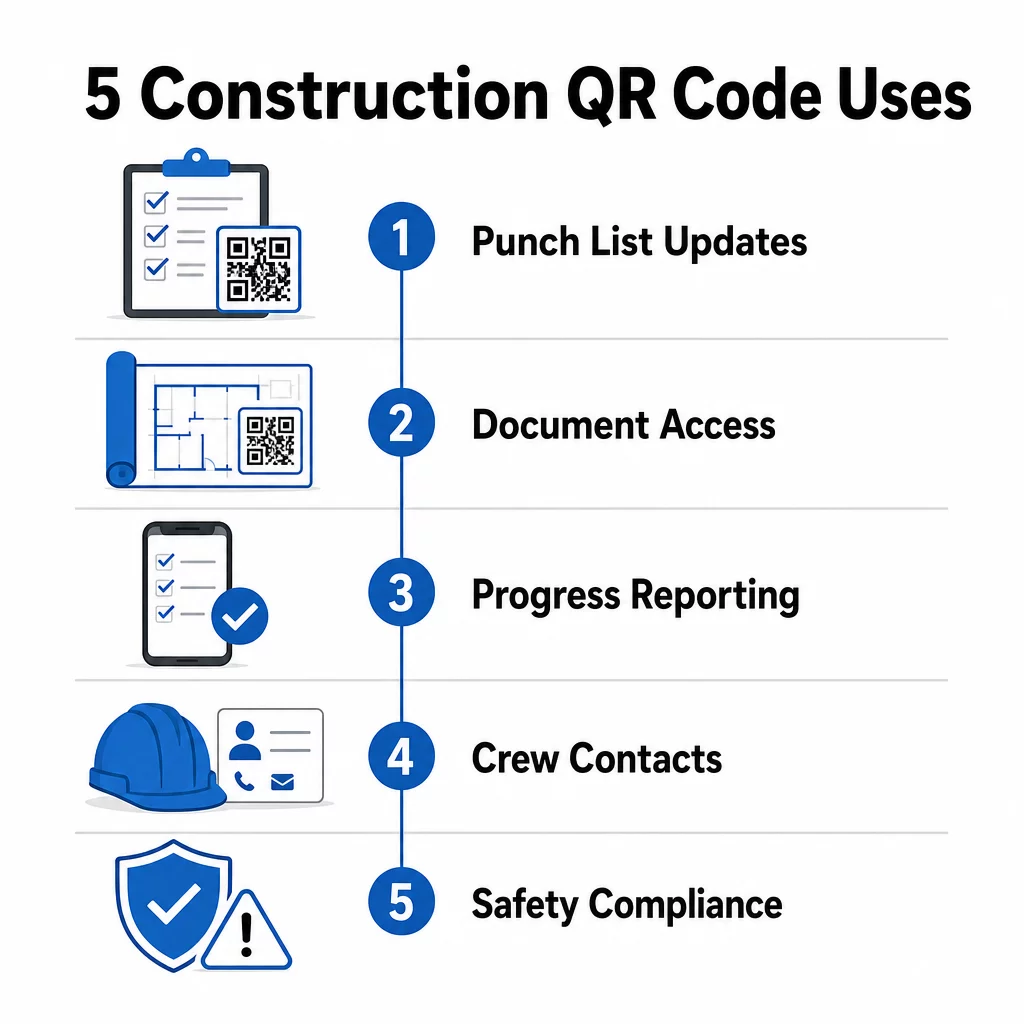
Lūk, pieci konkrēti veidi, kā būvniecības projektu vadītāji var izmantot QR kodus, lai uzlabotu apakšuzņēmēju komunikāciju – no defektu sarakstu pārvaldības līdz drošības atbilstībai.
Defektu sarakstu pārvaldība un uzdevumu atjauninājumi
Papīra defektu saraksti palēnina visus. Atjauninājumi nonāk laukā stundām ilgi, rokraksts tiek nepareizi nolasīts, un pabeigtie vienumi tiek apstrīdēti bez dokumentācijas. Aizstājot tos ar QR kodiem, tiek izveidota tieša saikne starp būvlaukumu un jūsu projektu vadības sistēmu.
Novietojiet QR kodu katrā darba zonā vai pievienojiet to darba pasūtījumam. Kad apakšuzņēmējs to skenē, viņš nekavējoties redz savus pašreizējos piešķirtos uzdevumus ar jau piemērotām jaunākajām izmaiņām. Viņi var atzīmēt vienumus kā pabeigtus ar laika zīmogu un fotoattēlu, atzīmēt problēmas un atstāt piezīmes – visu no sava tālruņa, nezvanot uz biroju.
Galvenā priekšrocība ir tā, ka dinamiskie QR kodi atjauninās automātiski. Kods, kas ievietots pamatu darbu laikā, vēlāk var parādīt karkasa kontrolsarakstus, apdares uzdevumus vai galīgās pārbaudes prasības. Jūs atjaunināt saistīto saturu vienreiz, un katra skenēšana no šī brīža atspoguļo izmaiņas – nav nepieciešama atkārtota drukāšana.
Apakšuzņēmējiem, kas strādā vairākos būvlaukumos, QR kodi nodrošina arī tūlītēju piekļuvi projekta specifiskām instrukcijām, materiālu specifikācijām un īpašām prasībām, kas saistītas ar katru zonu.
Uzturiet defektu sarakstus aktuālus bez atkārtotas drukāšanas Izmantojiet Dinamisks QR kodu ģenerators lai izveidotu kodus, kas automātiski atspoguļo jaunākos uzdevumu atjauninājumus, lai jūsu apakšuzņēmēji vienmēr strādātu ar aktuālu informāciju.
Dokumentu koplietošana un tūlītēja piekļuve
Būvniecības projekti rada milzīgu daudzumu dokumentu – rasējumus, specifikācijas, izmaiņu rīkojumus, iesniegumus un drošības protokolus. Kad apakšuzņēmēji strādā ar novecojušiem rasējumiem, rodas kļūdas. Kad viņiem ir jāmeklē jaunākā versija, tiek zaudēts laiks.
QR kodu saistīšana ar mākonī mitinātiem dokumentiem atrisina abas problēmas. Apakšuzņēmējs skenē kodu uz drukāta plāna vai objekta zīmes un nekavējoties atver jaunāko šī dokumenta versiju savā tālrunī – bez pieteikšanās, bez meklēšanas, bez gaidīšanas.
Portāls PDF QR kodu ģenerators ir īpaši noderīga šeit. Augšupielādējiet savas drošības rokasgrāmatas, specifikāciju lapas vai detalizētus rasējumus kā PDF failus, ģenerējiet kodu un novietojiet to visur, kur tas ir aktuāli – uz objekta izkārtnēm, drukātiem plāniem vai aprīkojuma. Kad arhitekti pārskata rasējumus vai projektu vadītāji atjaunina specifikācijas, saistītais saturs tiek atsvaidzināts nekavējoties. Katra skenēšana nodrošina jaunāko versiju, nepieskaroties fiziskajam kodam.
Varat arī ģenerēt QR kodus, kas tieši saistīti ar Google dokumenti dokumentiem, kuriem nepieciešama bieža sadarbības rediģēšana, vai izmantot saites QR koda ģenerators lai savienotu darbiniekus ar jebkuru mākoņpakalpojumu resursu.
Norādījumus par jebkura veida failu pārvēršanu skenējamos kodos skatiet faila pārvēršanas QR kodā ceļvedī vai uzziniet vairāk par QR kodu ģenerēšanu mākoņfailiem.
Progresa izsekošana un ziņošana
Gaidīšana uz iknedēļas pārbaudēm, lai saprastu darba vietas progresu, ir recepte pārsteigumiem. QR kodi ļauj apakšuzņēmējiem iesniegt atjauninājumus reāllaikā, no lauka, bez papildu lietotnēm vai manuālas datu ievades.
Izvietojiet QR kodus galvenajās darba zonās. Kad apakšuzņēmējs to skenē, viņš var aizpildīt vienkāršu veidlapu, kas aptver pabeigšanas procentu, materiālu izlietojumu vai kvalitātes piezīmes. Saistiet šīs veidlapas, izmantojot Google Form QR koda ģenerators lai atbildes tieši nonāktu kopīgā informācijas panelī, ko vadītāji var uzraudzīt visās aktīvajās nozarēs un atrašanās vietās.
Foto dokumentācija dabiski integrējas šajā darba plūsmā. Apakšuzņēmējs skenē zonas kodu, augšupielādē fotogrāfijas pirms un pēc vai progresa attēlus, un šie attēli tiek nekavējoties pievienoti attiecīgajam uzdevuma ierakstam. Tas rada laika zīmogu vizuālu ierakstu kvalitātes kontrolei, strīdu risināšanai un rēķinu pārbaudei.
Tā kā QR kodi izmanto dinamiskas saites, veidlapas, ar kurām tie savienojas, var attīstīties kopā ar projektu. Kods, ko izmantoja vietas sagatavošanas laikā, vēlāk var novirzīt uz karkasa progresa veidlapām, pēc tam uz sistēmu pārbaudes kontrolsarakstiem – viss bez jauna koda ģenerēšanas vai jebkādas atkārtotas drukāšanas.
Skenēšanas analītikas izsekošana sniedz projektu vadītājiem papildu uzraudzības līmeni. Jūs varat redzēt, kuri kodi tiek skenēti, cik bieži un no kurām vietām – palīdzot identificēt zonas, kurās ziņošana varētu atpalikt, un novērst šķēršļus, pirms tie ietekmē grafiku.
Kontaktinformācija un komandas koordinācija
Noslogotā darba vietā kontaktu saraksti ātri noveco. Cilvēki maina lomas, tālruņu numuri tiek saglabāti nepareizi, un maiņas mainās, visiem nezinot. QR kodi padara komandas koordināciju ievērojami uzticamāku.
Apakšuzņēmēji var pievienot QR kodus savām vizītkartēm vai ID kartēm, kas, skenējot, nekavējoties saglabā viņu pilnu kontaktinformāciju – vārdu, uzņēmumu, tiešo tālruņa numuru, e-pastu un avārijas kontaktu – skenera tālrunī. Manuālas ievades trūkums nozīmē, ka nav transkripcijas kļūdu.
Dinamiskie kontaktu kodi ir īpaši praktiski, ja projekta laikā mainās personāls. Atjauniniet saistīto informāciju vienreiz, un ikviens, kurš skenē kodu no tā brīža, saņem aktuālo informāciju. Lielākām komandām izvietojiet QR kodus darba piekabēs vai atpūtas telpās, kas saistīti ar tiešsaistes plānošanas rīkiem, lai darbinieki vienmēr redzētu aktuālo maiņu, tikšanās vietu vai komandas uzdevumu, negaidot grupas īsziņu.
Izpētiet, kā QR kodi būvniecībai var atbalstīt komandas koordināciju līdztekus citām objekta pārvaldības vajadzībām.
Drošības atbilstība un piekļuves kontrole
OSHA būvniecības standarti pieprasa darba devējiem veikt regulāras drošības pārbaudes, nodrošināt darbinieku apmācību un uzturēt pieejamu bīstamības komunikācijas dokumentāciju, tostarp drošības datu lapas un apmācību ierakstus. Uz papīra balstītas sistēmas padara šo atbilstības slogu grūtāku, nekā tam vajadzētu būt.
QR kodi, kas izvietoti objekta ieejās vai darba zonās, nodrošina apakšuzņēmējiem tūlītēju piekļuvi aktuālajiem drošības protokoliem, kas attiecas uz šo zonu – brīdinājumiem par bīstamību, nepieciešamajiem IAL un objekta specifiskajiem noteikumiem – bez rakņāšanās pa mapēm vai vadītāja meklēšanas. Kad mainās OSHA noteikumi vai objekta apstākļi, jūs atjaunojat saistīto dokumentu vienreiz, un katra nākamā skenēšana automātiski atspoguļo jauno informāciju.
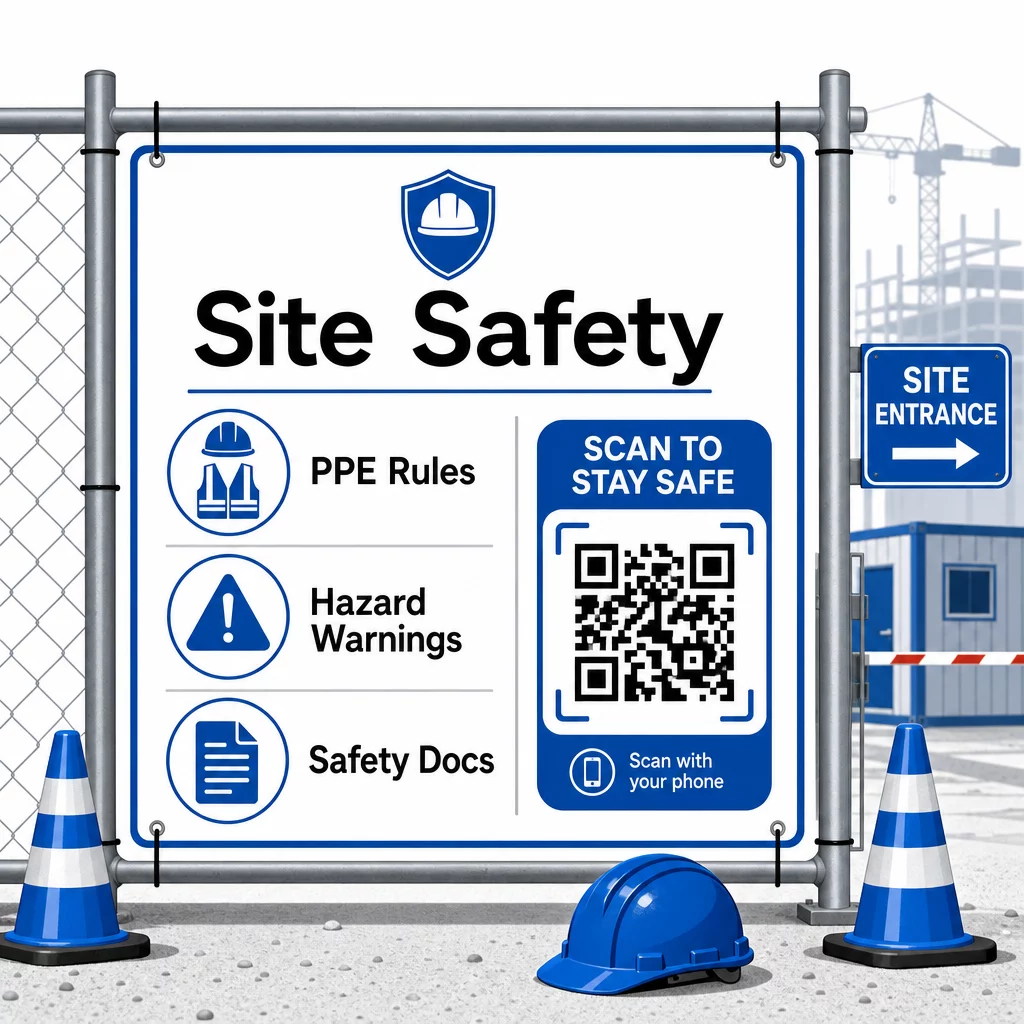
Piekļuves kontrolei QR kodu iespējotas reģistrācijas sistēmas var pārbaudīt akreditācijas datus, apstiprināt pabeigtu drošības apmācību un digitāli reģistrēt ieeju – tādējādi novēršot vajadzību pēc fiziskām atslēgām vai manuālām reģistrācijas lapām.
Apmācību pārbaude ir tikpat vienkārša. Apakšuzņēmēji skenē kodu, lai parādītu pabeigto drošības kursu digitālos sertifikātus, padarot vadītāju veiktās pārbaudes uz vietas ātras un uzticamas.
Jutīgiem atbilstības dokumentiem ievērojiet Drošu QR kodu ģenerēšanas labākā prakse lai ierobežotu piekļuvi pilnvarotam personālam un uzturētu digitālu žurnālu par to, kas un kad skatījis informāciju. Šis audita ceļš ir nenovērtējams pārbaužu vai incidentu izmeklēšanas laikā.
Analītika arī veicina drošības pārvaldību. Jūs varat izsekot, kuri protokoli tiek piekļūti visbiežāk, identificēt jomas, kurās var būt nepieciešama papildu apmācība, un apstiprināt, ka darbinieki ir pārskatījuši nepieciešamās instruktāžas pirms darba uzsākšanas.
Digitalizējiet savu drošības dokumentāciju Izmantojiet PDF QR kodu ģenerators lai saistītu drošības rokasgrāmatas, SDS lapas un atbilstības dokumentus ar skenējamiem kodiem – pēc tam nekavējoties atjauninātu saturu, mainoties noteikumiem.
QR kodu salīdzināšana ar tradicionālajām metodēm
Efektivitātes pieaugums kļūst skaidrs, aplūkojot katru komunikācijas izaicinājumu blakus.
| Faktors | Tradicionālās metodes | QR kodu pieeja |
|---|---|---|
| Informācijas piegādes ātrums | Atjauninājumi aizkavējas par stundām vai dienām | Tūlītēja skenēšana |
| Dokumentu atjaunināšanas process | Pārpublicēt un izplatīt | Atjaunināt saistīto saturu vienreiz |
| Piekļuves izsekošana | Manuāli, bieži nepilnīgi | Automatizēta skenēšanas analīze |
| Glabāšana | Fiziskās kartotēkas sistēmas | Mākoņbāzēta, mērogojama |
| Laikapstākļu izturība | Papīrs bojāts sliktos apstākļos | Digitālie faili neietekmēti |
| Drošības atbilstības ieraksti | Papīra žurnāli, viegli pazaudējami | Digitāls audita pieraksts ar laika zīmogiem |
Mācīšanās līkne ir minimāla. Apakšuzņēmēji jau nēsā viedtālruņus un zina, kā skenēt QR kodus. Progresa atjauninājuma iesniegšana vai rasējuma atvēršana kļūst tikpat ātra kā kameras atvēršana.
Komandām, kas pārvalda vairākus apakšuzņēmējus dažādās nozarēs, atsevišķu kodu izveide katrai lomai – elektriķi saņem pārbaudes veidlapas, santehniķi piekļūst santehnikas kontrolsarakstiem, būvlaukuma vadītāji redz komandas grafiku – samazina apjukumu un nodrošina, ka katrs darbinieks piekļūst tieši tam, kas viņam nepieciešams.
Lai iegūtu norādījumus par izvietojumu un izmēriem, lai nodrošinātu, ka jūsu kodi droši skenējas lauka apstākļos, pārskatiet labāko praksi QR kodu lasāmībā.
Ja jūs apsverat, vai izmantot statiskos vai dinamiskos kodus konkrētām lietojumprogrammām, statiskā vs. dinamiskā QR koda salīdzinājums aptver galvenās atšķirības un to, kad katrs veids ir piemērots. Lielākajai daļai būvniecības komunikācijas lietošanas gadījumu dinamiskie kodi ir pareizā izvēle – tie atjauninās bez atkārtotas drukāšanas un nodrošina nepieciešamo analītiku sarežģīta, daudznozaru būvlaukuma pārvaldībai.
Pageloot būvniecības QR kodu risinājumi atbalsta pilnu šo lietošanas gadījumu klāstu, no drošības dokumentācijas līdz rasējumu koplietošanai un komandas koordinācijai, ar zīmola pielāgošanu un centralizētu informācijas paneli visu jūsu aktīvo kodu pārvaldībai.
Sāciet ieviest QR kodus savā nākamajā projektā ar Pageloot bezmaksas QR kodu rīki un dodiet saviem apakšuzņēmējiem tūlītēju piekļuvi informācijai, kas nodrošina darba virzību.
Biežāk uzdotie jautājumi
Nē. Jebkura moderna viedtālruņa kamera var skenēt QR kodu bez īpašas lietotnes. Darbinieki vienkārši atver savu kameru, pavērš to pret kodu un pieskaras paziņojumam, kas parādās, lai atvērtu saistīto saturu savā pārlūkprogrammā.
Ar dinamiskajiem QR kodiem jūs atjaunināt saistīto saturu vienreiz savā vadības panelī, un katra nākamā skenēšana automātiski atspoguļo jauno versiju. Pats fiziskais kods nemainās un nav jāpārprintē vai jānomaina.
Dinamiskie QR kodi, kas saistīti ar drošības dokumentāciju, rada digitālu ierakstu par to, kāda informācija bija pieejama objektā un kad tā pēdējo reizi tika atjaunināta. Skenēšanas analīze parāda, kuriem protokoliem darbinieki piekļuva un kad, nodrošinot audita pierakstu, kas inspektoriem demonstrē aktīvus atbilstības centienus.