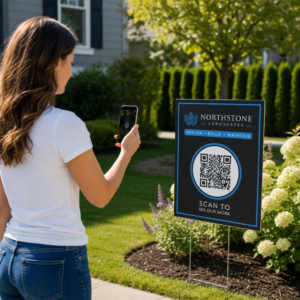
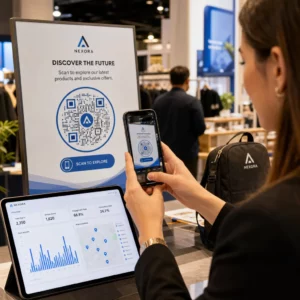
Luottavatko alihankkijasi edelleen puheluihin, painettuihin suunnitelmiin ja paperisiin puutelistoihin pysyäkseen koordinoituina? Virheellinen viestintä ja puutteelliset projektitiedot aiheuttavat lähes puolet kaikesta uudelleentyöstä Yhdysvaltain rakennustyömailla – maksaen alalle miljardeja vuosittain. QR-koodit tarjoavat käytännöllisen tavan korjata nämä puutteet, saattaen oikean tiedon oikeisiin käsiin juuri silloin, kun sitä tarvitaan.
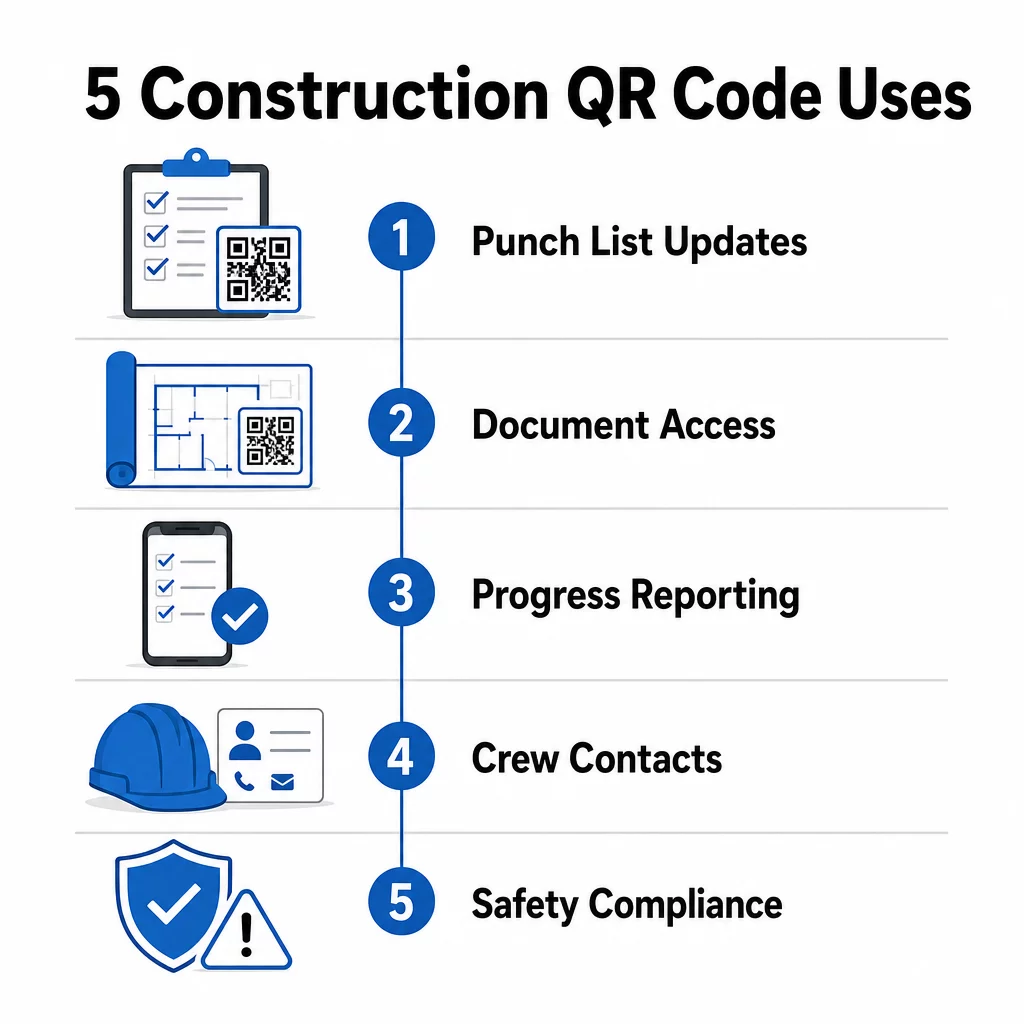
Tässä on katsaus viiteen konkreettiseen tapaan, joilla rakennusprojektipäälliköt voivat käyttää QR-koodeja parantaakseen alihankkijoiden viestintää – puutelistan hallinnasta turvallisuusvaatimusten noudattamiseen.
Puutelistan hallinta ja tehtäväpäivitykset
Paperiset puutelista hidastavat kaikkia. Päivitysten saapuminen kentälle kestää tunteja, käsiala luetaan väärin, ja valmiista kohteista kiistellään ilman dokumentaatiota. Niiden korvaaminen QR-koodeilla luo suoran yhteyden työmaan ja projektinhallintajärjestelmäsi välille.
Aseta QR-koodi jokaiselle työalueelle tai liitä se työtilaukseen. Kun alihankkija skannaa sen, he näkevät välittömästi nykyiset heille osoitetut tehtävät kaikkine jo sovellettuine viimeisimpine tarkistuksineen. He voivat merkitä kohteita valmiiksi aikaleimalla ja valokuvalla, ilmoittaa ongelmista ja jättää muistiinpanoja – kaikki puhelimestaan, soittamatta toimistoon.
Tärkein etu on, että dynaamiset QR-koodit päivittyvät automaattisesti. Perustustöiden aikana asetettu koodi voi myöhemmin näyttää runkorakenteiden tarkistuslistoja, viimeistelytehtäviä tai lopputarkastusvaatimuksia. Päivität linkitetyn sisällön kerran, ja jokainen skannaus siitä eteenpäin heijastaa muutosta – uudelleen tulostusta ei tarvita.
Alihankkijoille, jotka jongleeraavat useilla työmailla, QR-koodit tarjoavat myös välittömän pääsyn projektikohtaisiin ohjeisiin, materiaalimäärityksiin ja erityisvaatimuksiin, jotka liittyvät kuhunkin alueeseen.
Pidä puutelista ajan tasalla ilman uudelleen tulostusta Käytä Dynaaminen QR-koodi generaattori luoda koodeja, jotka heijastavat automaattisesti uusimpia tehtäväpäivityksiä, jotta alihankkijasi työskentelevät aina ajantasaisen tiedon pohjalta.
Asiakirjojen jakaminen ja välitön pääsy
Rakennusprojektit tuottavat valtavia määriä paperityötä – piirustuksia, määrityksiä, muutostilauksia, alistuksia ja turvallisuusprotokollia. Kun alihankkijat työskentelevät vanhentuneiden piirustusten pohjalta, virheitä tapahtuu. Kun heidän on etsittävä uusin versio, aikaa kuluu hukkaan.
QR-koodien linkittäminen pilvipalvelussa oleviin asiakirjoihin ratkaisee molemmat ongelmat. Alihankkija skannaa koodin painetusta suunnitelmasta tai työmaakyltistä ja avaa välittömästi kyseisen asiakirjan uusimman version puhelimellaan – ei kirjautumista, ei etsintää, ei odottelua.
Se PDF QR-koodi generaattori on erityisen hyödyllinen tässä. Lataa turvallisuuskäsikirjasi, määrityslomakkeesi tai yksityiskohtaiset piirustuksesi PDF-tiedostoina, luo koodi ja aseta se minne tahansa se on relevantti – työmaakyltteihin, painettuihin suunnitelmiin tai laitteisiin. Kun arkkitehdit tarkistavat piirustuksia tai projektipäälliköt päivittävät määrityksiä, linkitetty sisältö päivittyy välittömästi. Jokainen skannaus toimittaa uusimman version koskematta fyysiseen koodiin.
Voit myös luoda QR-koodeja, jotka linkittävät suoraan Google Docs asiakirjoille, jotka vaativat usein yhteistyössä tapahtuvaa muokkausta, tai käyttää linkin QR-koodigeneraattori yhdistää työntekijät mihin tahansa pilvipohjaiseen resurssiin.
Ohjeita minkä tahansa tyyppisten tiedostojen muuntamisesta skannattaviksi koodeiksi löydät tiedostosta QR-koodiksi -oppaasta tai lue lisää QR-koodien luomisesta pilvitiedostoille.
Edistymisen seuranta ja raportointi
Viikoittaisten tarkistusten odottaminen työmaan edistymisen ymmärtämiseksi on resepti yllätyksille. QR-koodit antavat alihankkijoiden lähettää päivityksiä reaaliaikaisesti, kentältä, ilman ylimääräisiä sovelluksia tai manuaalista tiedonsyöttöä.
Aseta QR-koodit keskeisille työalueille. Kun alihankkija skannaa yhden, he voivat täyttää yksinkertaisen lomakkeen, joka kattaa valmistumisprosentin, materiaalinkulutuksen tai laatuhuomautukset. Linkitä nämä lomakkeet käyttämällä Google Forms QR-koodi generaattori jotta vastaukset syötetään suoraan jaettuun hallintapaneeliin, jota esimiehet voivat seurata kaikilla aktiivisilla ammattialoilla ja sijainneissa.
Valokuvadokumentaatio integroituu luonnollisesti tähän työnkulkuun. Alihankkija skannaa aluekoodin, lataa ennen ja jälkeen -kuvia tai edistymiskuvia, ja nämä kuvat liitetään välittömästi asiaankuuluvaan tehtäväkirjaukseen. Tämä luo aikaleimatun visuaalisen tiedon laadunvalvontaa, riitojen ratkaisua ja laskutuksen todentamista varten.
Koska QR-koodit käyttävät dynaamisia linkkejä, niiden yhdistämät lomakkeet voivat kehittyä projektin mukana. Rakennuspaikan valmistelun aikana käytetty koodi voi myöhemmin ohjata runkorakenteen edistymislomakkeisiin, sitten järjestelmien tarkastuslistoihin – kaikki ilman uuden koodin luomista tai mitään uudelleen tulostamista.
Skannausanalytiikan seuranta antaa projektipäälliköille lisäkerroksen valvontaa. Voit nähdä, mitä koodeja skannataan, kuinka usein ja mistä sijainneista – auttaen sinua tunnistamaan alueet, joilla raportointi saattaa olla jäljessä, ja puuttumaan pullonkauloihin ennen kuin ne vaikuttavat aikatauluun.
Yhteystiedot ja miehistön koordinointi
Kiireisellä työmaalla yhteystiedot vanhenevat nopeasti. Ihmiset vaihtavat rooleja, puhelinnumerot tallennetaan virheellisesti, ja vuorot vaihtuvat ilman, että kaikki saavat tiedon. QR-koodit tekevät miehistön koordinoinnista huomattavasti luotettavampaa.
Alihankkijat voivat lisätä QR-koodeja käyntikortteihinsa tai henkilökortteihinsa, jotka skannattaessa tallentavat välittömästi heidän täydelliset yhteystietonsa – nimi, yritys, suora puhelinnumero, sähköposti ja hätäyhteyshenkilö – skannaajan puhelimeen. Ei manuaalista syöttöä tarkoittaa ei transkriptiovirheitä.
Dynaamiset yhteystiedokoodit ovat erityisen käytännöllisiä, kun henkilöstö vaihtuu projektin aikana. Päivitä linkitetty tieto kerran, ja kuka tahansa, joka skannaa koodin siitä eteenpäin, saa ajantasaiset tiedot. Suuremmille tiimeille voit kiinnittää QR-koodeja työmaaparakkeihin tai taukotiloihin, jotka linkittävät reaaliaikaisiin aikataulutustyökaluihin, jotta työntekijät näkevät aina nykyisen vuoron, kokouspaikan tai miehistön tehtävän odottamatta ryhmätekstiviestiä.
Tutustu siihen, miten QR-koodit rakentamiseen voi tukea miehistön koordinointia muiden työmaan hallintatarpeiden ohella.
Turvallisuusvaatimusten noudattaminen ja kulunvalvonta
OSHA:n rakennusalan standardit edellyttävät työnantajilta säännöllisiä turvallisuustarkastuksia, työntekijöiden koulutusta ja saatavilla olevien vaarallisten aineiden tiedotusasiakirjojen, kuten käyttöturvallisuustiedotteiden ja koulutusrekisterien, ylläpitoa. Paperipohjaiset järjestelmät tekevät tästä vaatimusten noudattamisen taakasta tarpeettoman vaikean.
Työmaan sisäänkäynneille tai työalueille sijoitetut QR-koodit antavat alihankkijoille välittömän pääsyn kyseiseen alueeseen liittyviin ajantasaisiin turvallisuusprotokolliin – vaaramerkintöihin, vaadittuihin henkilösuojaimiin ja työmaakohtaisiin sääntöihin – ilman kansioiden selaamista tai esimiehen etsimistä. Kun OSHA:n säännökset muuttuvat tai työmaan olosuhteet vaihtuvat, päivität linkitetyn asiakirjan kerran, ja jokainen myöhempi skannaus heijastaa uutta tietoa automaattisesti.
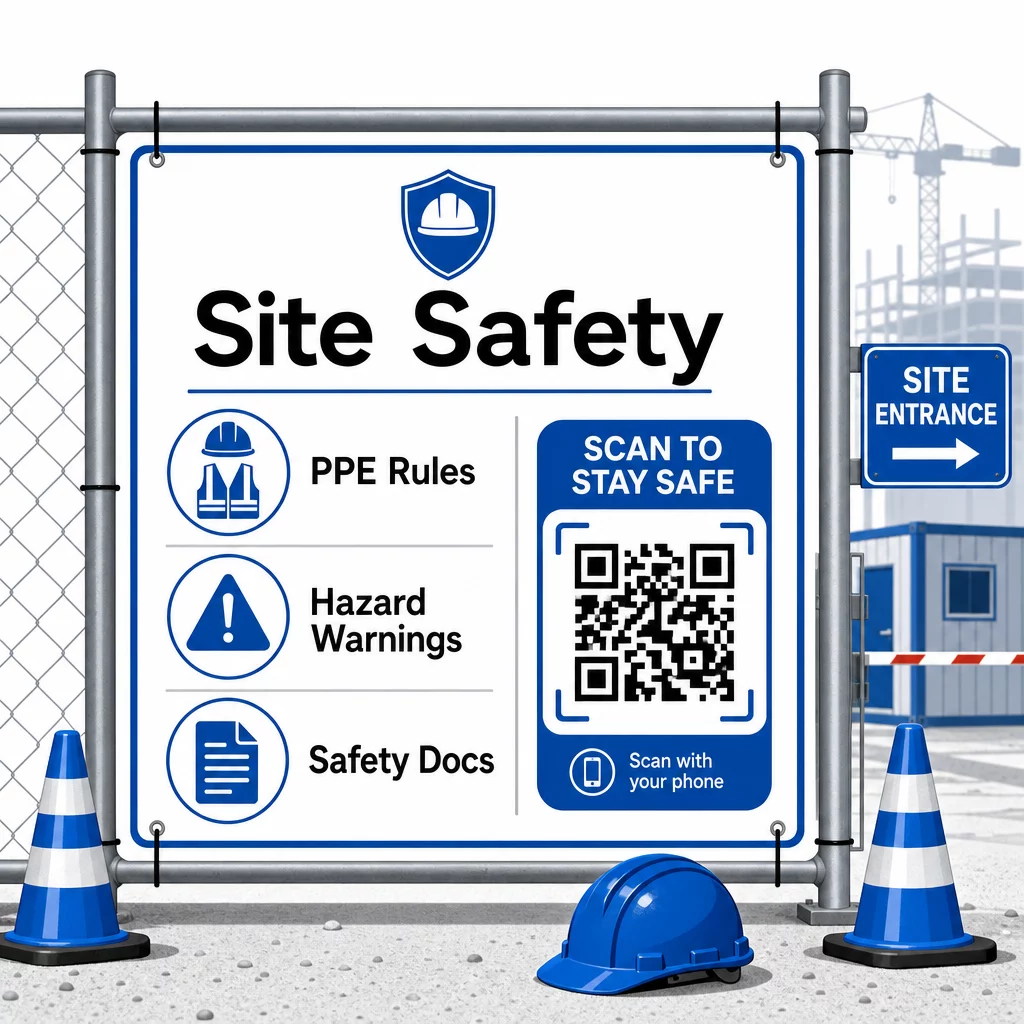
Kulunvalvonnassa QR-koodipohjaiset sisäänkirjautumisjärjestelmät voivat tarkistaa valtakirjat, vahvistaa suoritetun turvallisuuskoulutuksen ja kirjata sisäänkäynnin digitaalisesti – poistaen fyysisten avainten tai manuaalisten allekirjoituslistojen tarpeen.
Koulutuksen todentaminen on yhtä suoraviivaista. Alihankkijat skannaavat koodin näyttääkseen digitaaliset todistukset suoritetuista turvallisuuskursseista, mikä tekee esimiesten paikan päällä suorittamasta todentamisesta nopeaa ja luotettavaa.
Arkaluonteisten vaatimustenmukaisuusasiakirjojen osalta noudata turvalliset QR-koodin luomisen parhaat käytännöt rajoittaaksesi pääsyn valtuutetuille henkilöille ja ylläpitääksesi digitaalista lokia siitä, kuka tietoja tarkasteli ja milloin. Tämä tarkastuspolku on korvaamaton tarkastusten tai tapausten tutkinnan aikana.
Analytiikka edistää myös turvallisuusjohtamista. Voit seurata, mitä protokollia käytetään useimmin, tunnistaa alueita, joilla lisäkoulutusta saattaa tarvita, ja varmistaa, että työntekijät ovat tarkastelleet vaaditut tiedotteet ennen työn aloittamista.
Digitalisoi turvallisuusdokumentaatiosi Käytä PDF QR-koodi generaattori linkittääksesi turvallisuuskäsikirjat, käyttöturvallisuustiedotteet ja vaatimustenmukaisuusasiakirjat skannattaviin koodeihin – ja päivittääksesi sisällön välittömästi säännösten muuttuessa.
QR-koodien vertailu perinteisiin menetelmiin
Tehokkuushyödyt käyvät selviksi, kun tarkastelet jokaista viestintähaastetta rinnakkain.
| Tekijä | Perinteiset menetelmät | QR-koodimenetelmä |
|---|---|---|
| Tiedon toimitusnopeus | Päivitykset viivästyvät tunneilla tai päivillä | Välitön skannaus |
| Asiakirjan päivitysprosessi | Uudelleenpainatus ja uudelleenjakelu | Päivitä linkitetty sisältö kerran |
| Käytön seuranta | Manuaalinen, usein puutteellinen | Automatisoitu skannausanalytiikka |
| Tallennus | Fyysiset arkistointijärjestelmät | Pilvipohjainen, skaalautuva |
| Säänkestävyys | Paperi vaurioituu huonoissa olosuhteissa | Digitaaliset tiedostot eivät vaurioidu |
| Turvallisuusvaatimusten mukaiset tiedot | Paperilokit, helppo kadottaa | Digitaalinen tarkastusketju aikaleimoilla |
Oppimiskäyrä on minimaalinen. Aliurakoitsijoilla on jo älypuhelimet ja he osaavat skannata QR-koodeja. Edistymispäivityksen lähettäminen tai piirustuksen avaaminen on yhtä nopeaa kuin kameran avaaminen.
Tiimeille, jotka hallinnoivat useita aliurakoitsijoita eri ammattialoilla, luomalla erilliset koodit kullekin roolille – sähköasentajat saavat tarkastuslomakkeet, putkimiehet pääsevät käsiksi putkityölistoihin, työmaavalvojat näkevät miehistön aikataulutuksen – vähentää sekaannusta ja varmistaa, että jokainen työntekijä löytää juuri sen, mitä tarvitsee.
Sijoitus- ja kokooppaaseen varmistaaksesi, että koodisi skannautuvat luotettavasti kenttäolosuhteissa, tutustu parhaita käytäntöjä QR-koodin luettavuudelle.
Jos pohdit, käytätkö staattisia vai dynaamisia koodeja tiettyihin sovelluksiin, niin staattisten vs. dynaamisten QR-koodien vertailu kattaa keskeiset erot ja sen, milloin kumpikin tyyppi on järkevä. Useimmissa rakennusalan viestinnän käyttötapauksissa dynaamiset koodit ovat oikea valinta – ne päivittyvät ilman uudelleenpainatusta ja tarjoavat analytiikan, jota tarvitaan monimutkaisen, usean ammattialan työmaan hallintaan.
Pagelootin rakennusalan QR-koodiratkaisut tukevat kaikkia näitä käyttötapauksia, turvallisuusdokumentaatiosta piirustusten jakamiseen ja miehistön koordinointiin, brändäyksen mukauttamisella ja keskitetyllä hallintapaneelilla kaikkien aktiivisten koodien hallintaan.
Aloita QR-koodien käyttöönotto seuraavassa projektissasi Pagelootin ilmaisilla QR-koodityökaluilla ja anna aliurakoitsijoillesi välitön pääsy tietoon, joka pitää työn käynnissä.
Usein kysytyt kysymykset
Ei. Mikä tahansa moderni älypuhelimen kamera voi skannata QR-koodin ilman erillistä sovellusta. Työntekijät avaavat vain kameransa, osoittavat sen koodiin ja napauttavat ilmestyvää ilmoitusta avatakseen linkitetyn sisällön selaimessaan.
Dynaamisilla QR-koodeilla päivität linkitetyn sisällön kerran hallintapaneelissasi, ja jokainen myöhempi skannaus heijastaa automaattisesti uutta versiota. Itse fyysinen koodi ei muutu, eikä sitä tarvitse uudelleenpainaa tai vaihtaa.
Dynaamiset turvallisuusdokumentaatioon linkitetyt QR-koodit luovat digitaalisen tallenteen siitä, mitä tietoa oli saatavilla paikan päällä ja milloin se viimeksi päivitettiin. Skannausanalytiikka näyttää, mitä protokollia työntekijät käyttivät ja milloin, tarjoten tarkastusketjun, joka osoittaa aktiivisia vaatimustenmukaisuustoimia tarkastajille.