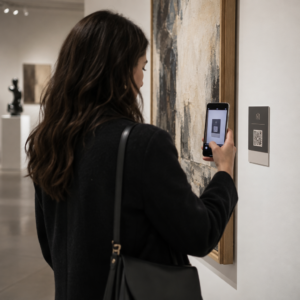
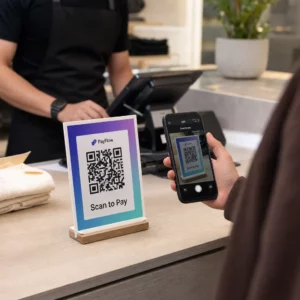
Czy personel Twojego taproomu spędza zbyt dużo czasu na odpowiadaniu na te same pytania dotyczące Twoich piw? Pomiędzy rotacyjnymi listami piw z kranu, szczegółami ABV, parowaniem z jedzeniem i sezonowymi premierami, informowanie klientów bez przeciążania zespołu jest prawdziwym wyzwaniem operacyjnym. Ten przewodnik opisuje, jak browary wykorzystują kody QR do rozwiązania tego problemu – od cyfrowych list piw z kranu po narzędzia do zbierania opinii klientów.
Dlaczego taproomy zwracają się ku kodom QR
Taproomy i brewpuby stanowią 73% wszystkich amerykańskich rzemieślniczych browarów, a jednocześnie odpowiadają za zaledwie 15% całkowitej objętości piwa rzemieślniczego. Taka struktura kładzie ogromny nacisk na doświadczenie bezpośredniej obsługi klienta, a wytyczne branżowe coraz częściej wskazują na podwojenie wysiłków w zakresie doświadczeń w taproomach jako drogę naprzód dla browarników rzemieślniczych.
Kody QR naturalnie wpisują się w tę strategię. Pojedynczy kod do zeskanowania na stole może zastąpić stos zalaminowanych menu, zapewnić klientom natychmiastowy dostęp do notatek degustacyjnych i szczegółów piwa oraz zaprosić ich do śledzenia Twojego browaru w mediach społecznościowych – wszystko to bez konieczności odchodzenia personelu od baru.
Dla firm w branży hotelarsko-gastronomicznej, kody QR oferują niedrogi sposób łączenia przestrzeni fizycznych z treściami cyfrowymi. Browary są szczególnie dobrym rozwiązaniem, ponieważ informacje, których szukają klienci – ABV, IBU, opisy stylów, opcje degustacji – zmieniają się regularnie i korzystają z możliwości aktualizacji bez ponownego drukowania.
Cyfrowa lista piw z kranu: Twój najbardziej praktyczny przypadek użycia
Najbardziej bezpośrednim zastosowaniem jest zastąpienie lub uzupełnienie drukowanej listy piw z kranu cyfrową wersją, do której klienci mogą uzyskać dostęp, skanując kod przy barze, na namiotach stołowych lub przy wejściu.
A kod QR menu pozwala zbudować cyfrową listę piw z kranu, która pokazuje nazwy piw, style, ABV, IBU, notatki degustacyjne i ceny według rozmiaru nalewki. Menu browarów często zawiera również próbki i zestawy degustacyjne, dzięki czemu możesz ustrukturyzować swoje cyfrowe menu tak, aby odzwierciedlało wszystkie dostępne opcje bez ograniczeń formatowania tablicy kredowej lub papierowej karty.
Kluczową zaletą operacyjną jest to, że możesz aktualizować menu bez dotykania fizycznego kodu QR. Kiedy beczka się kończy i zastępuje ją nowe piwo sezonowe, aktualizujesz cyfrowe miejsce docelowe – wydrukowany kod na stole pozostaje ten sam. Ma to znaczenie w środowisku, gdzie lista piw z kranu może zmieniać się codziennie lub co tydzień.
Stwórz cyfrową listę piw z kranu dla swojego browaru Gotowy, aby stworzyć menu, do którego Twoi klienci będą mieli dostęp za pomocą jednego skanu? Użyj Generator kodów QR do menu aby przesłać swoją listę piw z kranu jako plik PDF lub zbudować interaktywne menu mobilne – i aktualizować je w dowolnym momencie bez ponownego drukowania.
Co uwzględnić w cyfrowym menu browaru
Dobrze ustrukturyzowana cyfrowa lista piw z kranu pomaga klientom szybciej podejmować decyzje i zmniejsza konieczność ciągłego dopytywania personelu. Rozważ zorganizowanie jej wokół następujących elementów:
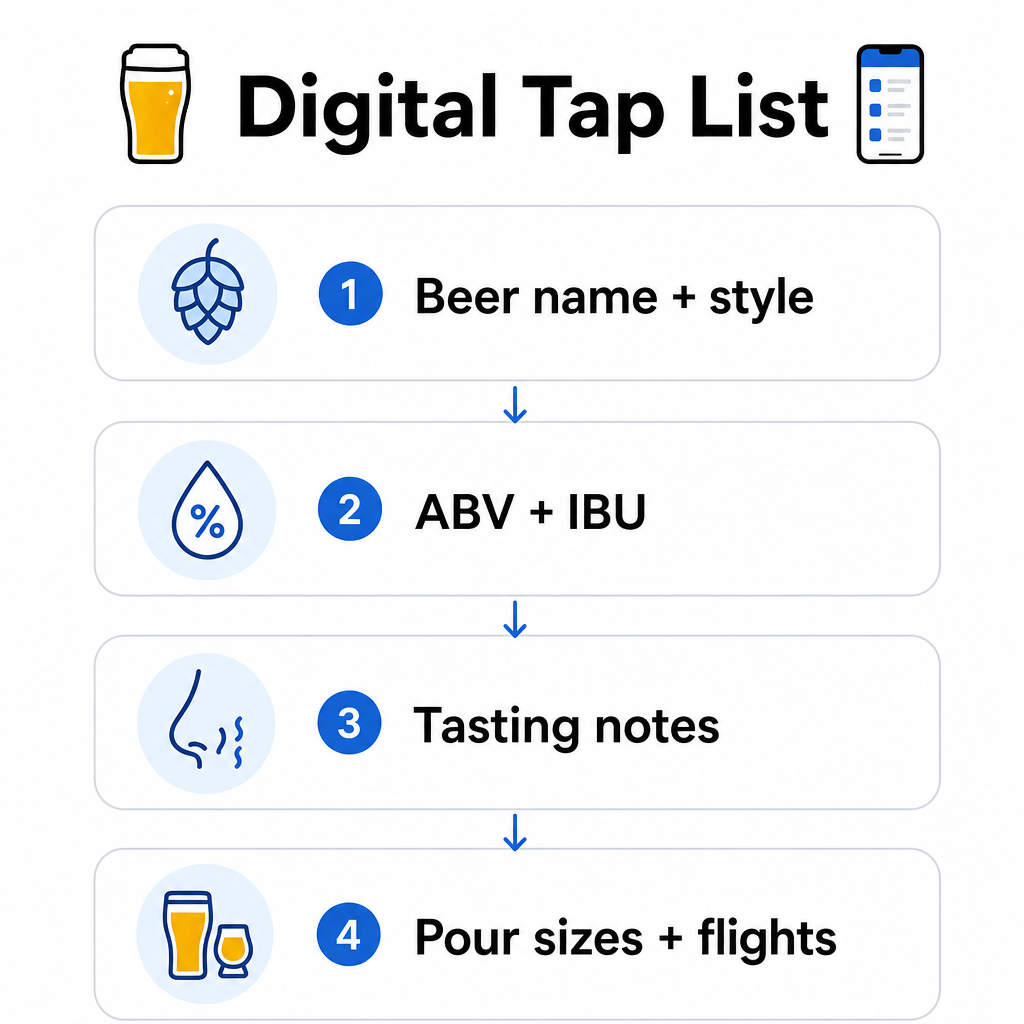
- Nazwa i styl piwa – np. West Coast IPA, Hazy Double IPA, Dry Irish Stout
- ABV i IBU – pomaga klientom ocenić moc i goryczkę na pierwszy rzut oka
- Notatki degustacyjne lub deskryptory smaku – “cytrusowe z wytrawnym finiszem” jest bardziej przydatne niż samo “IPA”
- Dostępne rozmiary nalewek i ceny – jeśli oferujesz 5 uncji, 10 uncji i pintę, każdy rozmiar powinien mieć podaną własną cenę
- Opcje zestawów degustacyjnych i próbek – jasno pokaż, jak zestawy degustacyjne są skonstruowane i wycenione
- Sezonowe lub limitowane edycje – wyróżnij je, aby klienci wiedzieli, co jest nowe
Jeśli Twój browar serwuje również jedzenie, ten sam kod QR może prowadzić do pełnego menu jedzenia i napojów. Dla gości z ograniczeniami dietetycznymi lub obawami dotyczącymi alergenów, format cyfrowy ułatwia zamieszczenie szczegółowych informacji o składnikach. Należy pamiętać, że etykietowanie alergenów TTB dla etykiet alkoholi pozostaje dobrowolne zgodnie z obowiązującymi przepisami, ale proaktywne udostępnianie tych informacji za pośrednictwem cyfrowego menu jest dobrą praktyką budującą zaufanie klientów.
Używanie kodów QR PDF do menu piwnych i materiałów promocyjnych
Jeśli masz już zaprojektowaną listę piw z kranu w formacie PDF, możesz wygenerować kod QR, który prowadzi bezpośrednio do tego pliku. Klienci skanują, a plik PDF otwiera się na ich telefonie – bez konieczności instalowania aplikacji.
To podejście sprawdza się w kilku scenariuszach specyficznych dla browarów:
- Sezonowe karty menu, które przeprojektowujesz co kwartał
- Arkusze edukacyjne o piwie na wydarzenia typu tap takeover lub inne imprezy
- Drukowane materiały promocyjne do wycieczek po browarze, które chcesz rozszerzyć cyfrowo
- Przewodniki degustacyjne ustrukturyzowane wokół zestawów degustacyjnych
Kody QR PDF są szczególnie praktyczne, ponieważ możesz podmienić połączony plik PDF bez zmiany wydrukowanego kodu. Jeśli wydrukujesz serię namiotów stołowych na wydarzenie sezonowe, a menu zmieni się w trakcie, aktualizujesz plik PDF zamiast ponownie drukować kody. Te szersze zastosowania kodów QR PDF dla firm obejmują dodatkowe sposoby zastosowania tego podejścia w marketingu i operacjach.
Zbieranie Opinii Google, Gdy Klienci Są Nadal Zaangażowani
Najlepszy moment na prośbę o opinię jest tuż po pozytywnym doświadczeniu – co w taproomie oznacza, gdy ktoś kończy świetny kufel, a nie trzy dni później, gdy zapomnieli nazwy piw.
A kodu QR do opinii Google umieszczony na Twoim stole, podkładce lub paragonie przenosi klientów bezpośrednio na Twoją stronę z opiniami Google Business za pomocą jednego skanu. Dodanie krótkiej zachęty, takiej jak “Podobała Ci się wizyta? Powiedz innym” sprawia, że prośba wydaje się naturalna, a nie natarczywa.
Więcej opinii pomaga Twojemu browarowi w rankingu lokalnych wyników wyszukiwania i buduje wiarygodność wśród nowych gości, którzy decydują, gdzie spędzić popołudnie. To punkt styku o niskim nakładzie pracy z rzeczywistym wpływem na ruch pieszy.
Poza Menu: Inne Zastosowania Kodów QR w Taproomie
Kody QR mogą pełnić kilka innych funkcji w ramach Twoich operacji taproomu.
Media społecznościowe i zapisy do newslettera – A kodu QR z linku na namiotach stołowych lub blacie baru może skierować gości na Twój Instagram, stronę na Facebooku lub formularz zapisu na e-mail. Goście, którzy dobrze się bawili, są otwarci na pozostanie w kontakcie, więc daj im łatwy sposób, aby to zrobić, póki doświadczenie jest jeszcze świeże.
Ogłoszenia o wydarzeniach i premierach – Połącz kod QR ze stroną docelową z nadchodzącymi wydarzeniami, datami premier piw lub zmianami godzin otwarcia taproomu. Ponieważ dynamiczne kody QR można aktualizować po wydrukowaniu, możesz używać tego samego fizycznego kodu do promowania różnych nadchodzących wydarzeń w czasie, bez ponownego drukowania czegokolwiek.
Edukacja piwna i historia browaru – Niektóre browary używają kodu QR, aby podzielić się historią stojącą za piwem – szczep drożdży, odmiana chmielu, inspiracja do receptury. Tego rodzaju treści pogłębiają doświadczenie taproomu bez konieczności dostarczania przez personel pełnego wyjaśnienia przy każdym nalewaniu. Działa to szczególnie dobrze w przypadku limitowanych edycji lub wydań kolaboracyjnych, gdzie historia jest częścią atrakcyjności.
Płatności zbliżeniowe – Opcje płatności oparte na QR mogą przyspieszyć proces płatności w ruchliwych taproomach. Klienci skanują, przeglądają swój rachunek i płacą – zmniejszając ruch przy barze w godzinach szczytu. The korzyści z płatności kodami QR w ustawieniach restauracyjnych mają zastosowanie bezpośrednio również do operacji taproomu.
Połącz Każdy Punkt Styku Taproomu z Treściami Cyfrowymi Użyj Generator kodów QR aby tworzyć markowe, śledzalne kody dla Twojej listy piw, mediów społecznościowych, wydarzeń i nie tylko – wszystko zarządzane z jednego pulpitu nawigacyjnego.
Dynamiczne vs. Statyczne Kody QR: Co Browary Powinny Wiedzieć
Istnieją dwa typy kodów QR: statyczne oraz Dynamiczny. Zrozumienie różnicy pomaga wybrać odpowiednie narzędzie dla każdego zastosowania.
| FUNKCJA | Statyczny kod QR | Dynamiczny kod QR |
|---|---|---|
| Docelowy URL | Ustalone przy tworzeniu | Można aktualizować w dowolnym momencie |
| STATYSTYKI | Brak | Skanowania, lokalizacje, typy urządzeń, czasy |
| Najlepsze dla | Jednorazowe lub stałe linki | Listy piw, wydarzenia, rotacyjna zawartość |
| Wymagane ponowne drukowanie po aktualizacji? | Tak | Nie |
Dla większości zastosowań browarniczych – zwłaszcza list piw i promocji wydarzeń – dynamiczne kody QR są właściwym wyborem. Lista piw się zmienia. Wydarzenia przychodzą i odchodzą. Sezonowe menu rotują. Dynamiczny kod pozwala aktualizować cel bez wyrzucania wydrukowanych materiałów, co ma znaczenie, gdy zainwestowałeś w niestandardowo drukowane namioty stołowe lub podkładki.
Dynamiczne kody dają również analitykę: ile razy kod został zeskanowany, z jakiej lokalizacji, na jakich urządzeniach i o jakich porach. Te dane mówią, czy goście faktycznie angażują się w Twoje cyfrowe menu, czy je ignorują – co pomaga zdecydować, gdzie umieścić kody i jak je zaprojektować dla lepszej widoczności. Aby uzyskać pełne zestawienie tego, co śledzą dynamiczne kody i dlaczego to ma znaczenie, zobacz jakie dane zbierają dynamiczne kody QR.
Projektowanie Kodów QR dla Środowiska Taproomu
Taproomy prezentują specyficzne warunki fizyczne, które należy wziąć pod uwagę: oświetlenie otoczenia, które może wahać się od jasnego do słabo oświetlonego, powierzchnie, które obejmują drewno, tablicę i szkło, oraz gości, którzy mogą skanować z odległości ramienia, siedząc na stołku barowym.
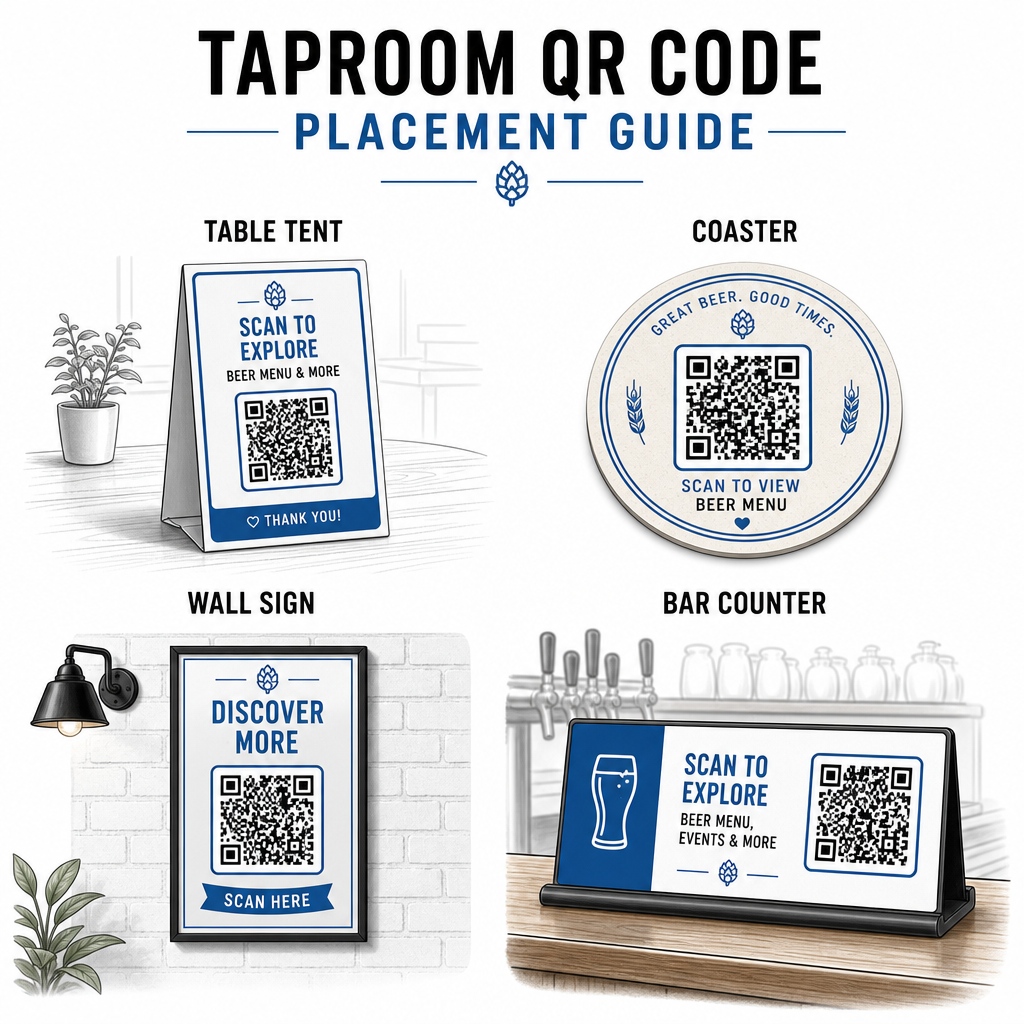
Kilka praktycznych wskazówek zaczerpniętych z najlepszymi praktykami w zakresie czytelności kodów QR:
- Rozmiar – Użyj minimum 2 × 2 cm (około 0,8 × 0,8 cala) do skanowania z bliskiej odległości. Dla kodów umieszczonych na ścianach lub tablicach, gdzie goście skanują z większej odległości, zastosuj zasadę 10:1: szerokość kodu powinna wynosić co najmniej jedną dziesiątą oczekiwanej odległości skanowania.
- Kontrast – Zachowaj silny kontrast między wzorem kodu a jego tłem. Ciemny wzór na jasnym tle jest standardem. Unikaj umieszczania kodów bezpośrednio na ciemnym drewnie bez białego pola tła za nimi.
- Strefa ciszy – Pozostaw wyraźny margines wokół kodu – około 0,25 cala – aby skaner mógł znaleźć i odczytać kod bez zakłócania przez otaczające elementy.
- Powierzchnia – Unikaj zakrzywionych lub teksturowanych powierzchni, takich jak butelki. Namioty stołowe, podkładki, drukowane menu i znaki ścienne to najlepsze miejsca. Używanie kodów QR na namiotach stołowych omawia szczegóły umieszczenia bardziej szczegółowo.
- Format pliku – Pobierz swoje kody w formacie SVG, EPS lub PDF do wysokiej jakości druku. Formaty rastrowe, takie jak JPG, ulegają degradacji przy większych rozmiarach wydruku i mogą stać się nieczytelne.
Jeśli dodasz logo swojego browaru do kodu – co pomaga w rozpoznawalności marki – użyj poziomu korekcji błędów Q lub H i zachowaj logo na nie więcej niż 30% powierzchni kodu, aby uniknąć zakłócania możliwości skanowania.
Uczciwe Ograniczenia do Zaplanowania
Kody QR są przydatne, ale najlepiej sprawdzają się jako uzupełnienie doświadczenia w Twoim taproomie, a nie jako pełne zastąpienie każdego analogowego punktu styku.
Badania konsekwentnie pokazują, że znaczna część gości nadal preferuje fizyczne menu. Dane z ankiet wskazują, że 67% gości preferuje posiadanie zarówno cyfrowych, jak i tradycyjnych opcji menu, zamiast jednej lub drugiej. Utrzymywanie dostępnych wydrukowanych lub tablicowych menu obok kodów QR jest zgodne z preferencjami większości gości i pozwala uniknąć zrażania tych, którzy uważają konfiguracje tylko z kodami QR za frustrujące.
Istnieją również kwestie dostępności warte bezpośredniego rozwiązania:
- Goście bez smartfonów lub ze starszymi urządzeniami, które mają problemy ze skanowaniem, potrzebują dostępnej alternatywnej opcji
- Menu dostarczane jako pliki PDF zawierające tylko obrazy mogą być niedostępne dla gości korzystających z czytników ekranu – menu w formie ustrukturyzowanego tekstu lub HTML są bardziej inkluzywne
- Słabe Wi-Fi w starszych budynkach taproomów może spowalniać czasy ładowania menu, frustrując gości – upewnij się, że Twoja wewnętrzna sieć poradzi sobie z zapotrzebowaniem, zanim całkowicie usuniesz fizyczne menu
Rozwiązanie tych problemów z góry – utrzymywanie dostępnego zapasowego menu papierowego, zapewnienie szybkiego ładowania treści cyfrowych i testowanie kodów w rzeczywistych warunkach oświetleniowych Twojego taproomu – sprawia, że kody QR są udogodnieniem, a nie punktem tarcia dla Twoich gości.
Śledzenie tego, co działa
Jedną z niedocenianych zalet dynamicznych kodów QR w taproomie jest warstwa analityczna. Jeśli umieścisz kody przy barze, na stołach i w pobliżu wejścia, możesz zobaczyć, które lokalizacje generują najwięcej skanów. Jeśli prowadzisz sezonową promocję i połączysz ją za pomocą kodu QR, możesz zmierzyć, ile osób faktycznie się nią zainteresowało.
Z biegiem czasu te dane pomagają podejmować lepsze decyzje dotyczące rozmieszczenia, zrozumieć, które treści rezonują z gośćmi, i mierzyć, czy Twoje cyfrowe zaangażowanie rośnie wraz z ruchem pieszym. Pomaga również zidentyfikować martwe strefy – lokalizacje, w których kody są umieszczone, ale rzadko skanowane – abyś mógł odpowiednio dostosować.
Ten rodzaj pomiaru jest szczególnie istotny dla taproomów, które w dużym stopniu polegają na powtarzających się wizytach i poleceniach ustnych. Aby uzyskać szerszy obraz tego, jak kody QR służą branży hotelarskiej, w tym strategie śledzenia i zaangażowania, zasób branży hotelarskiej przedstawia pełny obraz.
Prowadzenie efektywnego taproomu oznacza szybkie dostarczanie gościom informacji, których potrzebują, jednocześnie utrzymując personel skupiony na tym, co robi najlepiej. Kody QR obsługują warstwę informacyjną – listy piw z kranu, szczegóły piw, ogłoszenia o wydarzeniach i prośby o recenzje – bez dodawania złożoności operacyjnej. Zacznij od dynamicznego kodu QR menu na swoich stołach, dodaj prośbę o recenzję Google i użyj analityki skanowania, aby udoskonalić rozmieszczenie i zawartość.
Rozpocznij z Kodami QR dla Taproomów Stwórz swój pierwszy kod QR w kilka minut z Pageloot Generator kodów QR – dostosuj go do brandingu swojego browaru, połącz go z listą piw z kranu lub dowolnym cyfrowym miejscem docelowym i aktualizuj go w dowolnym momencie bez ponownego drukowania.
Najczęściej zadawane pytania
Tak, jeśli używasz dynamicznego kodu QR. Dynamiczne kody używają adresu URL przekierowania zarządzanego przez platformę, więc możesz zaktualizować docelową zawartość – taką jak nowy plik PDF z listą piw lub strona z aktualnym menu – w dowolnym momencie bez generowania nowego kodu lub zastępowania fizycznego kodu na Twoich stołach lub podkładkach.
Miej fizyczne lub tablicowe menu dostępne jako kopię zapasową. Dane z ankiet pokazują, że 67% gości preferuje posiadanie zarówno cyfrowych, jak i tradycyjnych opcji menu, więc podejście hybrydowe obsługuje najszerszy zakres gości. Kody QR sprawdzają się najlepiej jako uzupełnienie, a nie zamiennik, analogowych alternatyw.
Z dynamicznymi kodami QR uzyskujesz dostęp do analityki skanów – w tym całkowitej liczby skanów, czasów skanowania, typów urządzeń i danych o lokalizacji. Umieść różne kody w różnych miejscach (bar, stoły, wejście), aby porównać zaangażowanie według obszaru, i wykorzystaj te dane do optymalizacji rozmieszczenia i projektu w czasie.