Apakah subkontraktor Anda masih mengandalkan panggilan telepon, cetak biru, dan daftar periksa kertas untuk tetap terkoordinasi? Miskomunikasi dan data proyek yang buruk menyumbang hampir setengah dari semua pengerjaan ulang di lokasi konstruksi AS – merugikan industri miliaran setiap tahun. Kode QR memberi Anda cara praktis untuk menutup celah tersebut, menempatkan informasi yang tepat di tangan yang tepat saat dibutuhkan.
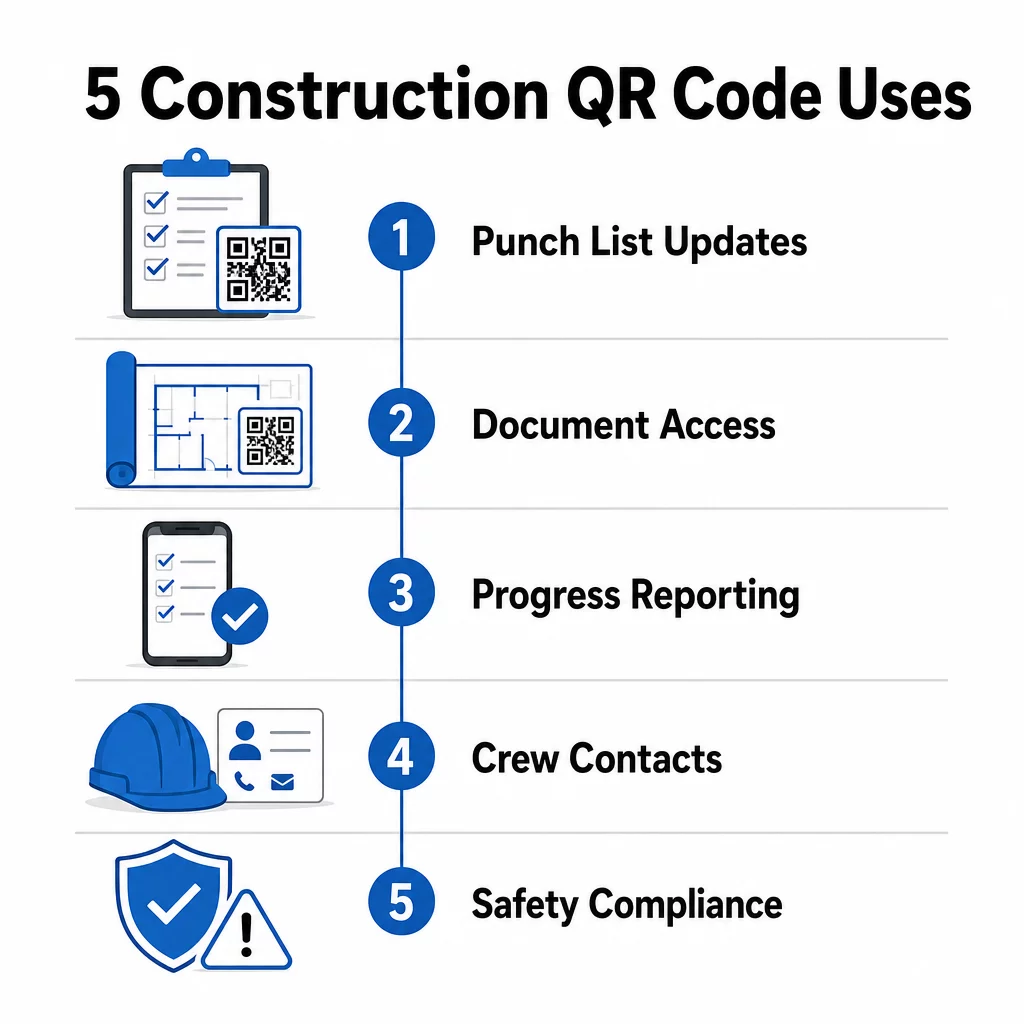
Berikut adalah lima cara konkret manajer proyek konstruksi dapat menggunakan kode QR untuk meningkatkan komunikasi subkontraktor – mulai dari manajemen daftar periksa hingga kepatuhan keselamatan.
Manajemen Daftar Periksa dan Pembaruan Tugas
Daftar periksa kertas memperlambat semua orang. Pembaruan membutuhkan waktu berjam-jam untuk mencapai lapangan, tulisan tangan salah dibaca, dan item yang sudah selesai diperdebatkan tanpa dokumentasi apa pun. Menggantinya dengan kode QR menciptakan jalur langsung antara lokasi kerja dan sistem manajemen proyek Anda.
Tempatkan kode QR di setiap zona kerja atau lampirkan ke perintah kerja. Ketika subkontraktor memindainya, mereka segera melihat tugas-tugas yang ditugaskan saat ini dengan revisi terbaru yang sudah diterapkan. Mereka dapat menandai item selesai dengan stempel waktu dan foto, menandai masalah, dan meninggalkan catatan – semuanya dari ponsel mereka, tanpa menelepon kantor.
Keuntungan utamanya adalah kode QR dinamis diperbarui secara otomatis. Kode yang ditempatkan selama pekerjaan pondasi nantinya dapat menampilkan daftar periksa rangka, tugas penyelesaian, atau persyaratan inspeksi akhir. Anda memperbarui konten yang ditautkan sekali, dan setiap pemindaian dari titik itu dan seterusnya mencerminkan perubahan – tidak perlu mencetak ulang.
Bagi subkontraktor yang menangani beberapa lokasi kerja, kode QR juga menyediakan akses langsung ke instruksi khusus proyek, spesifikasi material, dan persyaratan khusus yang terkait dengan setiap zona.
Jaga Daftar Periksa Tetap Terkini Tanpa Mencetak Ulang Menggunakan Generator QR Code Dinamis untuk membuat kode yang secara otomatis mencerminkan pembaruan tugas terbaru, sehingga subkontraktor Anda selalu bekerja dari informasi terkini.
Berbagi Dokumen dan Akses Instan
Proyek konstruksi menghasilkan sejumlah besar dokumen – cetak biru, spesifikasi, perintah perubahan, pengajuan, dan protokol keselamatan. Ketika subkontraktor bekerja dari gambar yang sudah usang, kesalahan terjadi. Ketika mereka harus melacak versi terbaru, waktu terbuang.
Menautkan kode QR ke dokumen yang di-hosting di cloud memecahkan kedua masalah. Seorang subkontraktor memindai kode pada cetak biru atau tanda lokasi dan segera membuka versi dokumen yang paling mutakhir di ponsel mereka – tanpa login, tanpa mencari, tanpa menunggu.
Itu Ubah PDF ke QR Code sangat berguna di sini. Unggah manual keselamatan Anda, lembar spesifikasi, atau gambar detail sebagai PDF, buat kode, dan tempatkan di mana pun relevan – pada rambu lokasi, cetak biru, atau peralatan. Ketika arsitek merevisi gambar atau manajer proyek memperbarui spesifikasi, konten yang ditautkan akan diperbarui secara instan. Setiap pemindaian memberikan versi terbaru tanpa menyentuh kode fisik.
Anda juga dapat membuat kode QR yang menautkan langsung ke Google Documents untuk dokumen yang memerlukan pengeditan kolaboratif yang sering, atau gunakan pembuat kode QR tautan untuk menghubungkan pekerja ke sumber daya yang di-hosting di cloud mana pun.
Untuk panduan tentang mengubah file jenis apa pun menjadi kode yang dapat dipindai, lihat panduan file ke kode QR atau pelajari lebih lanjut tentang membuat kode QR untuk file cloud.
Pelacakan dan Pelaporan Kemajuan
Menunggu laporan mingguan untuk memahami kemajuan lokasi kerja adalah resep untuk kejutan. Kode QR memungkinkan subkontraktor mengirimkan pembaruan secara real-time, dari lapangan, tanpa aplikasi tambahan atau entri data manual.
Tempel kode QR di zona kerja utama. Ketika subkontraktor memindai salah satunya, mereka dapat mengisi formulir sederhana yang mencakup persentase penyelesaian, penggunaan material, atau catatan kualitas. Tautkan formulir tersebut menggunakan Ubah Link Google Form ke QR Code sehingga tanggapan langsung masuk ke dasbor bersama yang dapat dipantau oleh supervisor di semua pekerjaan dan lokasi yang aktif.
Dokumentasi foto terintegrasi secara alami ke dalam alur kerja ini. Seorang subkontraktor memindai kode zona, mengunggah foto sebelum dan sesudah atau foto kemajuan, dan gambar-gambar tersebut segera dilampirkan ke catatan tugas yang relevan. Ini menciptakan catatan visual berstempel waktu untuk kontrol kualitas, penyelesaian sengketa, dan verifikasi penagihan.
Karena kode QR menggunakan tautan dinamis, formulir yang terhubung dengannya dapat berkembang seiring proyek. Kode yang digunakan selama persiapan lokasi dapat kemudian mengarahkan ke formulir kemajuan kerangka, lalu ke daftar periksa inspeksi sistem – semuanya tanpa membuat kode baru atau mencetak ulang apa pun.
Melacak analitik pemindaian memberikan manajer proyek lapisan pengawasan tambahan. Anda dapat melihat kode mana yang dipindai, seberapa sering, dan dari lokasi mana – membantu Anda mengidentifikasi zona di mana pelaporan mungkin tertinggal dan mengatasi hambatan sebelum memengaruhi jadwal.
Informasi Kontak dan Koordinasi Kru
Di lokasi kerja yang sibuk, daftar kontak cepat kedaluwarsa. Orang-orang berganti peran, nomor telepon disimpan dengan salah, dan shift berubah tanpa semua orang mendapatkan pemberitahuan. Kode QR membuat koordinasi kru jauh lebih andal.
Subkontraktor dapat menambahkan kode QR ke kartu nama atau lencana ID mereka yang, ketika dipindai, langsung menyimpan detail kontak lengkap mereka – nama, perusahaan, nomor langsung, email, dan kontak darurat – ke ponsel pemindai. Tidak ada entri manual berarti tidak ada kesalahan transkripsi.
Kode kontak dinamis sangat praktis ketika personel berubah selama proyek. Perbarui informasi yang terhubung sekali, dan siapa pun yang memindai kode dari titik itu dan seterusnya akan mendapatkan detail terkini. Untuk tim yang lebih besar, tempelkan kode QR di trailer kerja atau ruang istirahat yang terhubung ke alat penjadwalan langsung, sehingga pekerja selalu melihat shift saat ini, lokasi rapat, atau penugasan kru tanpa menunggu pesan teks grup.
Jelajahi bagaimana QR code untuk konstruksi dapat mendukung koordinasi kru di samping kebutuhan manajemen lokasi lainnya.
Kepatuhan Keselamatan dan Kontrol Akses
Standar konstruksi OSHA mewajibkan pemberi kerja untuk melakukan inspeksi keselamatan rutin, menyediakan pelatihan pekerja, dan memelihara dokumentasi komunikasi bahaya yang mudah diakses termasuk Lembar Data Keselamatan dan catatan pelatihan. Sistem berbasis kertas membuat beban kepatuhan ini lebih sulit dari yang seharusnya.
Kode QR yang ditempatkan di pintu masuk lokasi atau area kerja memberikan akses instan kepada subkontraktor ke protokol keselamatan terkini yang relevan dengan zona tersebut – peringatan bahaya, APD yang diperlukan, dan aturan khusus lokasi – tanpa harus mencari-cari di dalam map atau melacak supervisor. Ketika peraturan OSHA berubah atau kondisi lokasi bergeser, Anda memperbarui dokumen yang terhubung sekali dan setiap pemindaian berikutnya secara otomatis mencerminkan informasi baru.
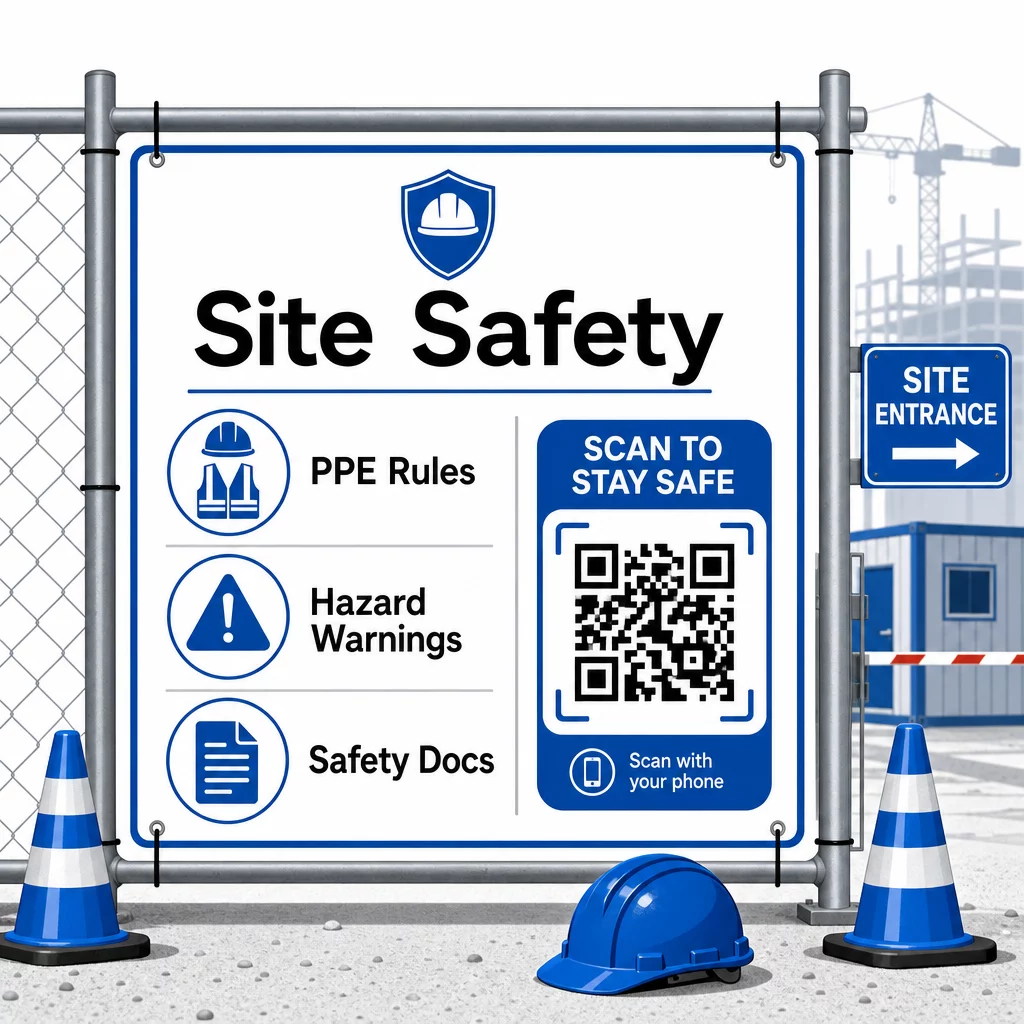
Untuk kontrol akses, sistem check-in berkemampuan QR dapat memverifikasi kredensial, mengonfirmasi pelatihan keselamatan yang telah diselesaikan, dan mencatat entri secara digital – menghilangkan kebutuhan akan kunci fisik atau lembar masuk manual.
Verifikasi pelatihan sama mudahnya. Subkontraktor memindai kode untuk menampilkan sertifikat digital kursus keselamatan yang telah diselesaikan, membuat verifikasi di tempat oleh supervisor menjadi cepat dan andal.
Untuk dokumen kepatuhan yang sensitif, ikuti praktik terbaik pembuatan kode QR yang aman untuk membatasi akses ke personel yang berwenang dan memelihara log digital tentang siapa yang melihat informasi dan kapan. Jejak audit tersebut sangat berharga selama inspeksi atau investigasi insiden.
Analitik juga berkontribusi pada manajemen keselamatan. Anda dapat melacak protokol mana yang paling sering diakses, mengidentifikasi area di mana pelatihan tambahan mungkin diperlukan, dan mengonfirmasi bahwa pekerja telah meninjau pengarahan yang diperlukan sebelum memulai pekerjaan.
Digitalisasi Dokumentasi Keselamatan Anda Menggunakan Ubah PDF ke QR Code untuk menautkan manual keselamatan, lembar SDS, dan dokumen kepatuhan ke kode yang dapat dipindai – lalu perbarui konten secara instan saat peraturan berubah.
Membandingkan Kode QR dengan Metode Tradisional
Peningkatan efisiensi menjadi jelas ketika Anda melihat setiap tantangan komunikasi secara berdampingan.
| Faktor | Metode Tradisional | Pendekatan Kode QR |
|---|---|---|
| Kecepatan pengiriman informasi | Pembaruan tertunda berjam-jam atau berhari-hari | Pindai instan |
| Proses pembaruan dokumen | Cetak ulang dan distribusikan kembali | Perbarui konten tertaut sekali |
| Pelacakan akses | Manual, seringkali tidak lengkap | Analitik pemindaian otomatis |
| Penyimpanan | Sistem pengarsipan fisik | Berbasis cloud, dapat diskalakan |
| Ketahanan cuaca | Kertas rusak dalam kondisi buruk | Berkas digital tidak terpengaruh |
| Catatan kepatuhan keselamatan | Log kertas, mudah hilang | Jejak audit digital dengan stempel waktu |
Kurva pembelajaran minimal. Subkontraktor sudah membawa ponsel pintar dan tahu cara memindai kode QR. Mengirim pembaruan kemajuan atau membuka cetak biru menjadi secepat membuka kamera.
Untuk tim yang mengelola banyak subkontraktor di berbagai bidang pekerjaan, membuat kode yang berbeda untuk setiap peran – teknisi listrik mendapatkan formulir inspeksi, tukang ledeng mengakses daftar periksa pipa, pengawas lokasi melihat jadwal kru – mengurangi kebingungan dan memastikan setiap pekerja mendapatkan persis apa yang mereka butuhkan.
Untuk panduan penempatan dan ukuran guna memastikan kode Anda dapat dipindai dengan andal dalam kondisi lapangan, tinjau praktik terbaik untuk keterbacaan kode QR.
Jika Anda mempertimbangkan apakah akan menggunakan kode statis atau dinamis untuk aplikasi tertentu, kode QR statis vs. dinamis mencakup perbedaan utama dan kapan setiap jenis masuk akal. Untuk sebagian besar kasus penggunaan komunikasi konstruksi, kode dinamis adalah pilihan yang tepat – kode tersebut diperbarui tanpa perlu dicetak ulang dan menyediakan analitik yang diperlukan untuk mengelola lokasi kerja yang kompleks dengan banyak bidang pekerjaan.
Pageloot solusi kode QR konstruksi mendukung berbagai kasus penggunaan ini, mulai dari dokumentasi keselamatan hingga berbagi cetak biru hingga koordinasi kru, dengan penyesuaian merek dan dasbor terpusat untuk mengelola semua kode aktif Anda.
Mulai terapkan kode QR pada proyek Anda berikutnya dengan alat kode QR gratis Pageloot dan berikan subkontraktor Anda akses instan ke informasi yang membuat pekerjaan terus berjalan.
Pertanyaan yang sering diajukan
Tidak. Kamera ponsel pintar modern mana pun dapat memindai kode QR tanpa aplikasi khusus. Pekerja cukup membuka kamera mereka, mengarahkannya ke kode, dan mengetuk notifikasi yang muncul untuk membuka konten yang tertaut di peramban mereka.
Dengan kode QR dinamis, Anda memperbarui konten yang tertaut sekali di dasbor Anda dan setiap pemindaian berikutnya secara otomatis mencerminkan versi baru. Kode fisik itu sendiri tidak berubah dan tidak perlu dicetak ulang atau diganti.
Kode QR dinamis yang terhubung ke dokumentasi keselamatan menciptakan catatan digital tentang informasi apa yang tersedia di lokasi dan kapan terakhir diperbarui. Analisis pemindaian menunjukkan protokol mana yang diakses pekerja dan kapan, menyediakan jejak audit yang menunjukkan upaya kepatuhan aktif kepada inspektur.