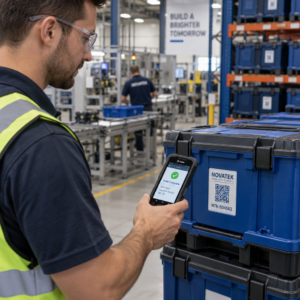
Чи ваші субпідрядники все ще покладаються на телефонні дзвінки, друковані плани та паперові списки недоліків для координації? Непорозуміння та неякісні проектні дані становлять майже половину всіх переробок на будівельних майданчиках США – щороку коштує галузі мільярди. QR-коди дають вам практичний спосіб усунути ці прогалини, надаючи потрібну інформацію потрібним людям у потрібний момент.
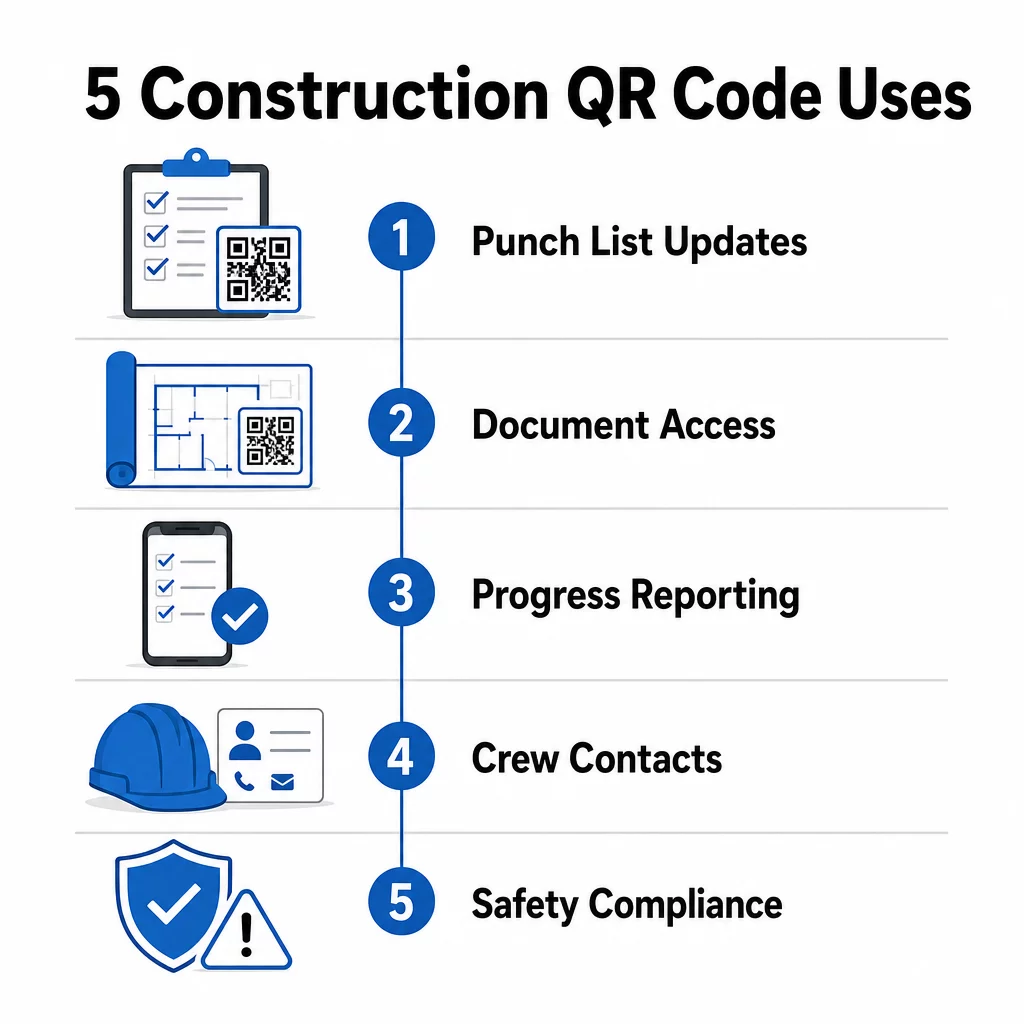
Ось п'ять конкретних способів, як керівники будівельних проектів можуть використовувати QR-коди для покращення комунікації з субпідрядниками – від управління списками недоліків до дотримання правил безпеки.
Управління списками недоліків та оновлення завдань
Паперові списки недоліків уповільнюють усіх. Оновлення годинами доходять до об'єкта, почерк неправильно читається, а виконані пункти оскаржуються без будь-якої документації. Заміна їх QR-кодами створює прямий зв'язок між будівельним майданчиком та вашою системою управління проектами.
Розмістіть QR-код у кожній робочій зоні або прикріпіть його до робочого замовлення. Коли субпідрядник сканує його, він негайно бачить свої поточні призначені завдання з усіма нещодавніми змінами, які вже застосовані. Вони можуть позначати пункти як виконані з відміткою часу та фотографією, позначати проблеми та залишати нотатки – все зі свого телефону, не телефонуючи в офіс.
Ключова перевага полягає в тому, що динамічні QR-коди оновлюються автоматично. Код, розміщений під час фундаментних робіт, пізніше може відображати контрольні списки каркасу, оздоблювальні завдання або вимоги до остаточної перевірки. Ви оновлюєте пов'язаний вміст один раз, і кожне сканування з цього моменту відображає зміну – повторний друк не потрібен.
Для субпідрядників, які працюють на кількох об'єктах, QR-коди також забезпечують негайний доступ до інструкцій, специфікацій матеріалів та особливих вимог, пов'язаних з кожною зоною.
Зберігайте списки недоліків актуальними без повторного друку Використовувати Динамічний QR код: генератор для створення кодів, які автоматично відображають останні оновлення завдань, щоб ваші субпідрядники завжди працювали з актуальною інформацією.
Обмін документами та миттєвий доступ
Будівельні проекти генерують величезну кількість паперової роботи – креслення, специфікації, зміни до замовлень, подання та протоколи безпеки. Коли субпідрядники працюють за застарілими кресленнями, трапляються помилки. Коли їм доводиться шукати останню версію, час втрачається.
Прив'язка QR-кодів до хмарних документів вирішує обидві проблеми. Субпідрядник сканує код на друкованому плані або табличці на об'єкті та негайно відкриває найактуальнішу версію цього документа на своєму телефоні – без входу, без пошуку, без очікування.
Цей QR-код у форматі PDF особливо корисний тут. Завантажте свої посібники з безпеки, специфікації або детальні креслення у форматі PDF, згенеруйте код і розмістіть його там, де це доречно – на табличках на об'єкті, друкованих планах або обладнанні. Коли архітектори переглядають креслення або керівники проектів оновлюють специфікації, пов'язаний вміст миттєво оновлюється. Кожне сканування надає останню версію, не торкаючись фізичного коду.
Ви також можете генерувати QR-коди, які посилаються безпосередньо на Документи Google для документів, які потребують частого спільного редагування, або використовувати генератор QR-кодів посилань для підключення працівників до будь-якого хмарного ресурсу.
Для отримання вказівок щодо перетворення файлів будь-якого типу на скановані коди дивіться посібник з перетворення файлу на QR-код або дізнайтеся більше про генерування QR-кодів для хмарних файлів.
Відстеження прогресу та звітність
Очікування щотижневих перевірок для розуміння прогресу на будівельному майданчику — це рецепт для несподіванок. QR-коди дозволяють субпідрядникам надсилати оновлення в реальному часі, з поля, без додаткових програм або ручного введення даних.
Розмістіть QR-коди в ключових робочих зонах. Коли субпідрядник сканує один з них, він може заповнити просту форму, що охоплює відсоток завершення, використання матеріалів або примітки щодо якості. Зв'яжіть ці форми за допомогою Google Form QR: генератор для Google Форм щоб відповіді надходили безпосередньо до спільної інформаційної панелі, яку керівники можуть відстежувати по всіх активних видах робіт та локаціях.
Фотодокументація природно інтегрується в цей робочий процес. Субпідрядник сканує код зони, завантажує фотографії до та після або знімки прогресу, і ці зображення негайно прикріплюються до відповідного запису завдання. Це створює візуальний запис з відміткою часу для контролю якості, вирішення спорів та перевірки рахунків.
Оскільки QR-коди використовують динамічні посилання, форми, до яких вони підключаються, можуть змінюватися разом з проєктом. Код, використаний під час підготовки майданчика, пізніше може перенаправляти до форм прогресу каркасу, потім до контрольних списків перевірки систем – все це без створення нового коду або повторного друку чогось.
Відстеження аналітики сканувань надає керівникам проєктів додатковий рівень нагляду. Ви можете бачити, які коди скануються, як часто та з яких місць – це допомагає виявити зони, де звітність може відставати, та усунути вузькі місця до того, як вони вплинуть на графік.
Контактна інформація та координація екіпажу
На зайнятому будівельному майданчику списки контактів швидко застарівають. Люди змінюють ролі, номери телефонів зберігаються неправильно, а зміни відбуваються без того, щоб усі отримали повідомлення. QR-коди роблять координацію екіпажу значно надійнішою.
Субпідрядники можуть додавати QR-коди до своїх візитних карток або ідентифікаційних бейджів, які при скануванні миттєво зберігають повні контактні дані – ім'я, компанію, прямий номер, електронну пошту та контакт для екстрених випадків – на телефон сканера. Відсутність ручного введення означає відсутність помилок транскрипції.
Динамічні контактні коди особливо практичні, коли персонал змінюється під час проєкту. Оновіть пов'язану інформацію один раз, і кожен, хто сканує код з цього моменту, отримає актуальні дані. Для великих команд розміщуйте QR-коди в будівельних вагончиках або кімнатах відпочинку, що посилаються на інструменти живого планування, щоб працівники завжди бачили поточну зміну, місце зустрічі або призначення бригади, не чекаючи групового повідомлення.
Дізнайтеся, як QR-коди для будівництва може підтримувати координацію бригад поряд з іншими потребами управління об'єктом.
Дотримання правил безпеки та контроль доступу
Будівельні стандарти OSHA вимагають від роботодавців проводити регулярні перевірки безпеки, забезпечувати навчання працівників та підтримувати доступну документацію з комунікації щодо небезпек, включаючи паспорти безпеки та записи про навчання. Паперові системи роблять цей тягар дотримання вимог складнішим, ніж він має бути.
QR-коди, розміщені на входах на об'єкт або в робочих зонах, надають субпідрядникам миттєвий доступ до поточних протоколів безпеки, що стосуються цієї зони – попереджень про небезпеку, необхідних ЗІЗ та правил, специфічних для об'єкта – без перегляду папок або пошуку керівника. Коли правила OSHA змінюються або умови на об'єкті змінюються, ви оновлюєте пов'язаний документ один раз, і кожне наступне сканування автоматично відображає нову інформацію.
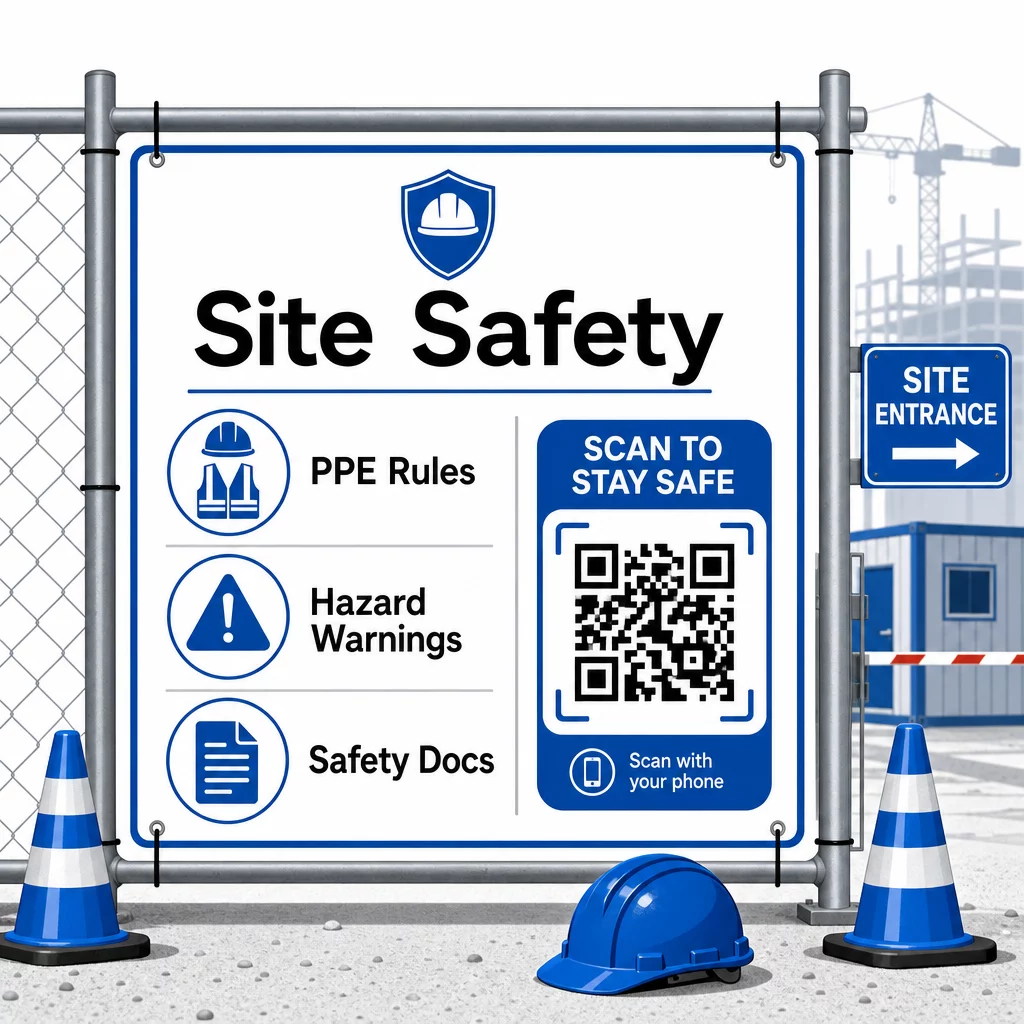
Для контролю доступу системи реєстрації з підтримкою QR-кодів можуть перевіряти облікові дані, підтверджувати завершення навчання з безпеки та реєструвати вхід у цифровому форматі – усуваючи потребу у фізичних ключах або ручних журналах реєстрації.
Перевірка навчання є однаково простою. Субпідрядники сканують код, щоб відобразити цифрові сертифікати про проходження курсів безпеки, що робить перевірку на місці керівниками швидкою та надійною.
Для конфіденційних документів відповідності дотримуйтесь безпечні найкращі практики генерації QR-кодів щоб обмежити доступ до авторизованого персоналу та вести цифровий журнал того, хто і коли переглядав інформацію. Цей аудиторський слід є безцінним під час перевірок або розслідувань інцидентів.
Аналітика також сприяє управлінню безпекою. Ви можете відстежувати, які протоколи використовуються найчастіше, виявляти області, де може знадобитися додаткове навчання, та підтверджувати, що працівники ознайомилися з необхідними інструктажами перед початком роботи.
Оцифруйте свою документацію з безпеки Використовувати QR-код у форматі PDF щоб пов'язати посібники з безпеки, паспорти безпеки та документи відповідності зі сканованими кодами – а потім миттєво оновлювати вміст при зміні правил.
Порівняння QR-кодів з традиційними методами
Зростання ефективності стає очевидним, коли ви розглядаєте кожну проблему комунікації поруч.
| Фактор | Традиційні методи | Підхід з QR-кодами |
|---|---|---|
| Швидкість доставки інформації | Оновлення затримуються на години або дні | Миттєве сканування |
| Процес оновлення документів | Передрукувати та розповсюдити | Оновити пов'язаний вміст один раз |
| Відстеження доступу | Вручну, часто неповне | Автоматизована аналітика сканування |
| Зберігання | Фізичні системи зберігання | Хмарне, масштабоване |
| Стійкість до погодних умов | Папір пошкоджується в несприятливих умовах | Цифрові файли не пошкоджуються |
| Записи про дотримання правил безпеки | Паперові журнали, легко загубити | Цифровий аудиторський слід з мітками часу |
Крива навчання мінімальна. Субпідрядники вже мають смартфони та знають, як сканувати QR-коди. Надсилання оновлення прогресу або відкриття креслення стає таким же швидким, як відкриття камери.
Для команд, що керують кількома субпідрядниками різних спеціальностей, створення окремих кодів для кожної ролі – електрики отримують форми перевірки, сантехніки отримують доступ до контрольних списків сантехнічних робіт, керівники об'єктів бачать графік роботи бригад – зменшує плутанину та гарантує, що кожен працівник отримує саме те, що йому потрібно.
Щоб отримати рекомендації щодо розміщення та розміру, які забезпечать надійне сканування ваших кодів у польових умовах, перегляньте найкращих практик для читабельності QR-кодів.
Якщо ви роздумуєте, чи використовувати статичні або динамічні коди для конкретних застосувань, порівняння статичних і динамічних QR-кодів охоплює ключові відмінності та коли кожен тип є доцільним. Для більшості випадків використання комунікації в будівництві динамічні коди є правильним вибором – вони оновлюються без повторного друку та надають аналітику, необхідну для управління складним, багатопрофільним будівельним майданчиком.
Pageloot’s рішення QR-кодів для будівництва підтримують повний спектр цих випадків використання, від документації з безпеки до обміну кресленнями та координації бригад, з налаштуванням брендування та централізованою панеллю керування для всіх ваших активних кодів.
Почніть впроваджувати QR-коди у своєму наступному проекті за допомогою безкоштовних інструментів QR-кодів Pageloot і надайте своїм субпідрядникам миттєвий доступ до інформації, яка підтримує рух роботи.
Поширені запитання
Ні. Будь-яка сучасна камера смартфона може сканувати QR-код без спеціального додатка. Працівники просто відкривають свою камеру, наводять її на код і натискають на сповіщення, що з'являється, щоб відкрити пов'язаний вміст у своєму браузері.
З динамічними QR-кодами ви оновлюєте пов'язаний вміст один раз на своїй інформаційній панелі, і кожне наступне сканування автоматично відображає нову версію. Сам фізичний код не змінюється і не потребує передруку чи заміни.
Динамічні QR-коди, пов'язані з документацією з безпеки, створюють цифровий запис про те, яка інформація була доступна на об'єкті та коли її востаннє оновлювали. Аналітика сканувань показує, до яких протоколів працівники отримували доступ і коли, надаючи аудиторський слід, що демонструє інспекторам активні зусилля щодо дотримання вимог.