Vos sous-traitants dépendent-ils encore des appels téléphoniques, des plans imprimés et des listes de contrôle papier pour rester coordonnés ? Les problèmes de communication et les données de projet médiocres représentent près de la moitié de tous les retouches sur les chantiers de construction américains – coûtant des milliards à l'industrie chaque année. Les codes QR vous offrent un moyen pratique de combler ces lacunes, en mettant la bonne information entre les bonnes mains au moment où elle est nécessaire.
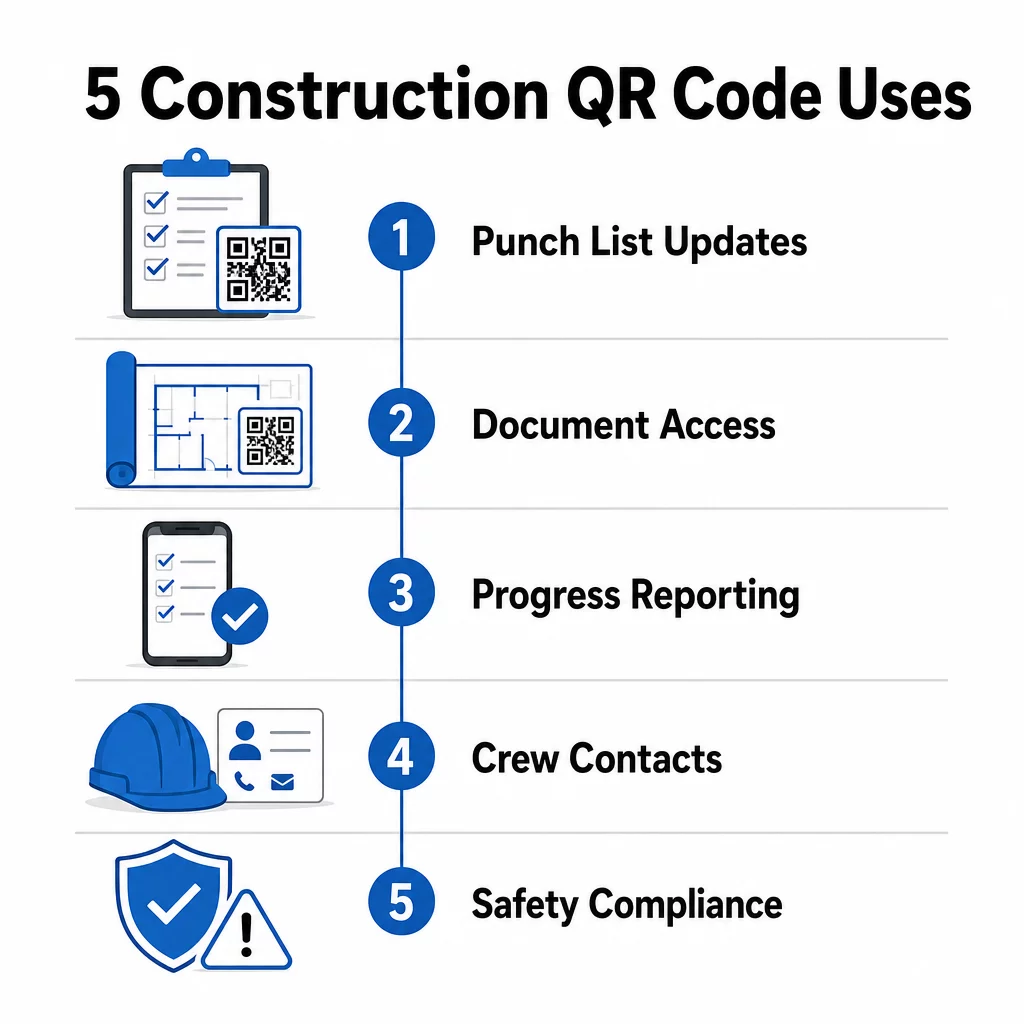
Voici un aperçu de cinq façons concrètes dont les chefs de projet de construction peuvent utiliser les codes QR pour améliorer la communication avec les sous-traitants – de la gestion des listes de contrôle à la conformité en matière de sécurité.
Gestion des listes de contrôle et mises à jour des tâches
Les listes de contrôle papier ralentissent tout le monde. Les mises à jour prennent des heures pour atteindre le terrain, l'écriture manuscrite est mal interprétée et les éléments complétés sont contestés sans aucune documentation. Les remplacer par des codes QR crée une ligne directe entre le chantier et votre système de gestion de projet.
Placez un code QR à chaque zone de travail ou attachez-en un à un ordre de travail. Lorsqu'un sous-traitant le scanne, il voit immédiatement ses tâches actuelles assignées avec toutes les révisions récentes déjà appliquées. Il peut marquer les éléments comme terminés avec un horodatage et une photo, signaler les problèmes et laisser des notes – le tout depuis son téléphone, sans appeler le bureau.
L'avantage clé est que les codes QR dynamiques se mettent à jour automatiquement. Un code placé lors des travaux de fondation peut ensuite afficher des listes de contrôle d'ossature, des tâches de finition ou des exigences d'inspection finale. Vous mettez à jour le contenu lié une seule fois, et chaque scan à partir de ce moment reflète le changement – aucune réimpression n'est nécessaire.
Pour les sous-traitants gérant plusieurs chantiers, les codes QR offrent également un accès immédiat aux instructions spécifiques au projet, aux spécifications des matériaux et aux exigences spéciales liées à chaque zone.
Maintenez les listes de contrôle à jour sans réimpression Utilisez le Générateur de QR code dynamique pour créer des codes qui reflètent automatiquement les dernières mises à jour des tâches, afin que vos sous-traitants travaillent toujours à partir d'informations actuelles.
Partage de documents et accès instantané
Les projets de construction génèrent d'énormes quantités de documents – plans, spécifications, ordres de modification, soumissions et protocoles de sécurité. Lorsque les sous-traitants travaillent à partir de dessins obsolètes, des erreurs se produisent. Lorsqu'ils doivent retrouver la dernière version, du temps est perdu.
Lier les codes QR à des documents hébergés dans le cloud résout les deux problèmes. Un sous-traitant scanne le code sur un plan imprimé ou un panneau de chantier et ouvre immédiatement la version la plus récente de ce document sur son téléphone – pas de connexion, pas de recherche, pas d'attente.
Le Générateur de QR code PDF est particulièrement utile ici. Téléchargez vos manuels de sécurité, fiches techniques ou dessins détaillés au format PDF, générez un code et placez-le là où c'est pertinent – sur la signalisation du site, les plans imprimés ou l'équipement. Lorsque les architectes révisent les dessins ou que les chefs de projet mettent à jour les spécifications, le contenu lié se rafraîchit instantanément. Chaque scan fournit la dernière version sans toucher au code physique.
Vous pouvez également générer des codes QR qui renvoient directement à Google Docs pour les documents nécessitant une édition collaborative fréquente, ou utiliser le générateur de code QR de lien pour connecter les travailleurs à toute ressource hébergée dans le cloud.
Pour obtenir des conseils sur la conversion de fichiers de tout type en codes scannables, consultez le guide de conversion de fichier en code QR ou en savoir plus sur la génération de codes QR pour les fichiers cloud.
Suivi et Rapports d'Avancement
Attendre les points de contrôle hebdomadaires pour comprendre l'avancement du chantier est une recette pour les surprises. Les codes QR permettent aux sous-traitants de soumettre des mises à jour en temps réel, depuis le terrain, sans applications supplémentaires ni saisie manuelle de données.
Affichez des codes QR dans les zones de travail clés. Lorsqu'un sous-traitant en scanne un, il peut remplir un formulaire simple couvrant le pourcentage d'achèvement, l'utilisation des matériaux ou des notes de qualité. Liez ces formulaires en utilisant le Générateur de QR code Google Forms afin que les réponses alimentent directement un tableau de bord partagé que les superviseurs peuvent surveiller pour tous les corps de métier et emplacements actifs.
La documentation photographique s'intègre naturellement à ce flux de travail. Un sous-traitant scanne le code de zone, télécharge des photos avant-après ou des photos d'avancement, et ces images sont immédiatement jointes à l'enregistrement de tâche pertinent. Cela crée un enregistrement visuel horodaté pour le contrôle qualité, la résolution des litiges et la vérification de la facturation.
Parce que les codes QR utilisent des liens dynamiques, les formulaires auxquels ils se connectent peuvent évoluer avec le projet. Un code utilisé pendant la préparation du site peut ensuite rediriger vers des formulaires d'avancement de l'ossature, puis vers des listes de contrôle d'inspection des systèmes – le tout sans générer de nouveau code ni réimprimer quoi que ce soit.
Suivi des analyses de scan offre aux chefs de projet une couche de supervision supplémentaire. Vous pouvez voir quels codes sont scannés, à quelle fréquence et depuis quels emplacements – vous aidant à identifier les zones où le reporting pourrait être en retard et à résoudre les goulots d'étranglement avant qu'ils n'affectent le calendrier.
Informations de Contact et Coordination de l'Équipe
Sur un chantier très fréquenté, les listes de contacts deviennent rapidement obsolètes. Les gens changent de rôle, les numéros de téléphone sont enregistrés incorrectement et les équipes changent sans que tout le monde ne soit informé. Les codes QR rendent la coordination de l'équipe beaucoup plus fiable.
Les sous-traitants peuvent ajouter des codes QR à leurs cartes de visite ou badges d'identification qui, une fois scannés, enregistrent instantanément leurs coordonnées complètes – nom, entreprise, ligne directe, e-mail et contact d'urgence – sur le téléphone du scanner. Aucune saisie manuelle ne signifie aucune erreur de transcription.
Les codes de contact dynamiques sont particulièrement pratiques lorsque le personnel change au cours d'un projet. Mettez à jour les informations liées une seule fois, et toute personne qui scanne le code à partir de ce moment-là obtient les détails actuels. Pour les équipes plus importantes, affichez des codes QR dans les roulottes de chantier ou les salles de repos, les reliant à des outils de planification en direct, afin que les travailleurs voient toujours le quart de travail actuel, le lieu de réunion ou l'affectation de l'équipe sans attendre un message texte de groupe.
Découvrez comment QR codes pour la construction peut soutenir la coordination des équipes parallèlement à d'autres besoins de gestion de site.
Conformité en matière de sécurité et contrôle d'accès
Les normes de construction de l'OSHA exigent des employeurs qu'ils effectuent des inspections de sécurité régulières, qu'ils dispensent une formation aux travailleurs et qu'ils tiennent à jour une documentation accessible sur la communication des dangers, y compris les fiches de données de sécurité et les registres de formation. Les systèmes basés sur le papier rendent cette charge de conformité plus difficile qu'elle ne devrait l'être.
Les codes QR placés aux entrées du site ou dans les zones de travail donnent aux sous-traitants un accès instantané aux protocoles de sécurité actuels pertinents pour cette zone – avertissements de danger, EPI requis et règles spécifiques au site – sans avoir à fouiller dans des classeurs ou à chercher un superviseur. Lorsque les réglementations de l'OSHA changent ou que les conditions du site évoluent, vous mettez à jour le document lié une seule fois et chaque scan ultérieur reflète automatiquement les nouvelles informations.
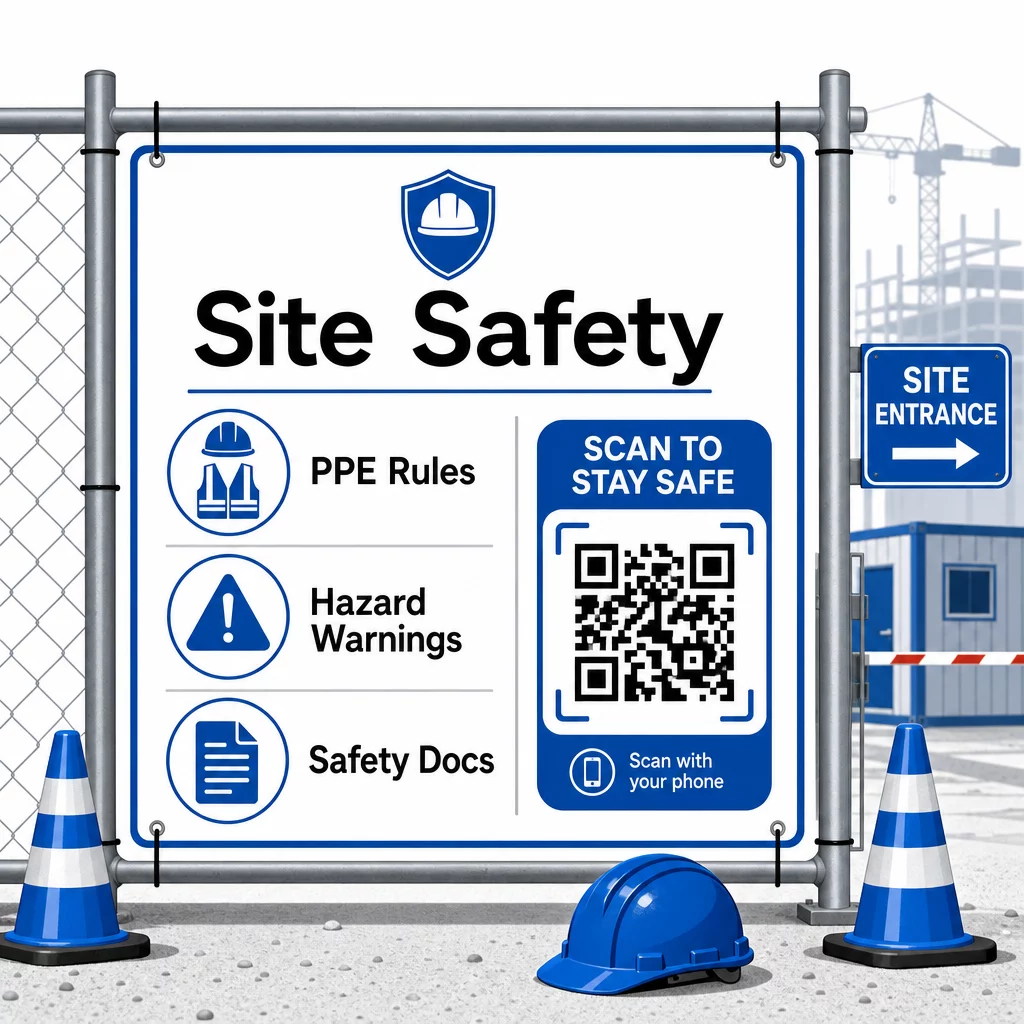
Pour le contrôle d'accès, les systèmes d'enregistrement activés par QR peuvent vérifier les identifiants, confirmer la formation de sécurité complétée et enregistrer l'entrée numériquement – éliminant le besoin de clés physiques ou de feuilles de présence manuelles.
La vérification de la formation est tout aussi simple. Les sous-traitants scannent un code pour afficher les certificats numériques des cours de sécurité complétés, rendant la vérification sur place par les superviseurs rapide et fiable.
Pour les documents de conformité sensibles, suivez bonnes pratiques de génération de codes QR sécurisés pour restreindre l'accès au personnel autorisé et maintenir un journal numérique de qui a consulté l'information et quand. Cette piste d'audit est inestimable lors des inspections ou des enquêtes sur les incidents.
Les analyses contribuent également à la gestion de la sécurité. Vous pouvez suivre les protocoles les plus fréquemment consultés, identifier les domaines où une formation supplémentaire pourrait être nécessaire et confirmer que les travailleurs ont examiné les briefings requis avant de commencer le travail.
Numérisez votre documentation de sécurité Utilisez le Générateur de QR code PDF pour lier les manuels de sécurité, les fiches de données de sécurité (FDS) et les documents de conformité à des codes scannables – puis mettre à jour le contenu instantanément lorsque les réglementations changent.
Comparaison des codes QR aux méthodes traditionnelles
Les gains d'efficacité deviennent clairs lorsque l'on examine chaque défi de communication côte à côte.
| Facteur | Méthodes traditionnelles | Approche par code QR |
|---|---|---|
| Vitesse de livraison de l'information | Mises à jour retardées de plusieurs heures ou jours | Numérisation instantanée |
| Processus de mise à jour des documents | Réimprimer et redistribuer | Mettre à jour le contenu lié une seule fois |
| Suivi des accès | Manuel, souvent incomplet | Analyse automatisée des numérisations |
| Stockage | Systèmes de classement physiques | Basé sur le cloud, évolutif |
| Résistance aux intempéries | Papier endommagé dans de mauvaises conditions | Fichiers numériques non affectés |
| Registres de conformité en matière de sécurité | Registres papier, faciles à perdre | Piste d'audit numérique avec horodatage |
La courbe d'apprentissage est minimale. Les sous-traitants possèdent déjà des smartphones et savent comment scanner les codes QR. Soumettre une mise à jour de l'avancement ou consulter un plan devient aussi rapide que d'ouvrir l'appareil photo.
Pour les équipes gérant plusieurs sous-traitants de différents corps de métier, la création de codes distincts pour chaque rôle – les électriciens obtiennent des formulaires d'inspection, les plombiers accèdent aux listes de contrôle de plomberie, les chefs de chantier voient la planification des équipes – réduit la confusion et garantit que chaque travailleur accède exactement à ce dont il a besoin.
Pour des conseils de placement et de dimensionnement afin de garantir que vos codes scannent de manière fiable sur le terrain, consultez le les meilleures pratiques pour la lisibilité des codes QR.
Si vous hésitez à utiliser des codes statiques ou dynamiques pour des applications spécifiques, le static vs. dynamic QR code comparison couvre les principales différences et quand chaque type est pertinent. Pour la plupart des cas d'utilisation de la communication dans la construction, les codes dynamiques sont le bon choix – ils se mettent à jour sans réimpression et fournissent les analyses nécessaires pour gérer un chantier complexe et multi-corps de métier.
Celui de Pageloot solutions de codes QR pour la construction prennent en charge toute la gamme de ces cas d'utilisation, de la documentation de sécurité au partage de plans en passant par la coordination des équipes, avec personnalisation de la marque et un tableau de bord centralisé pour gérer tous vos codes actifs.
Commencez à implémenter les codes QR sur votre prochain projet avec les outils de codes QR gratuits de Pageloot et donnez à vos sous-traitants un accès instantané à l'information qui maintient le travail en mouvement.
Questions fréquentes
Non. N'importe quel appareil photo de smartphone moderne peut scanner un code QR sans application dédiée. Les travailleurs ouvrent simplement leur appareil photo, le pointent vers le code et touchent la notification qui apparaît pour ouvrir le contenu lié dans leur navigateur.
Avec les codes QR dynamiques, vous mettez à jour le contenu lié une fois dans votre tableau de bord et chaque scan ultérieur reflète automatiquement la nouvelle version. Le code physique lui-même ne change pas et n'a pas besoin d'être réimprimé ou remplacé.
Les codes QR dynamiques liés à la documentation de sécurité créent un enregistrement numérique des informations disponibles sur le site et de la date de leur dernière mise à jour. Les analyses de scan montrent quels protocoles les travailleurs ont consultés et quand, fournissant une piste d'audit qui démontre des efforts de conformité actifs aux inspecteurs.