Oslanjaju li se vaši podizvođači još uvijek na telefonske pozive, ispisane planove i papirnate popise nedostataka kako bi ostali koordinirani? Loša komunikacija i loši projektni podaci čine gotovo polovicu svih preinaka na američkim gradilištima – što industriju košta milijarde svake godine. QR kodovi vam daju praktičan način da premostite te praznine, stavljajući prave informacije u prave ruke u trenutku kada su potrebne.
Evo pet konkretnih načina na koje voditelji građevinskih projekata mogu koristiti QR kodove za poboljšanje komunikacije s podizvođačima – od upravljanja popisom nedostataka do usklađenosti sa sigurnosnim propisima.
Upravljanje popisom nedostataka i ažuriranja zadataka
Papirnati popisi nedostataka usporavaju sve. Ažuriranja satima putuju do terena, rukopis se pogrešno tumači, a dovršene stavke se osporavaju bez ikakve dokumentacije. Zamjena QR kodovima stvara izravnu vezu između gradilišta i vašeg sustava za upravljanje projektima.
Postavite QR kod u svaku radnu zonu ili ga priložite radnom nalogu. Kada ga podizvođač skenira, odmah vidi svoje trenutno dodijeljene zadatke s već primijenjenim nedavnim revizijama. Može označiti stavke dovršenima s vremenskom oznakom i fotografijom, označiti probleme i ostaviti bilješke – sve sa svog telefona, bez pozivanja ureda.
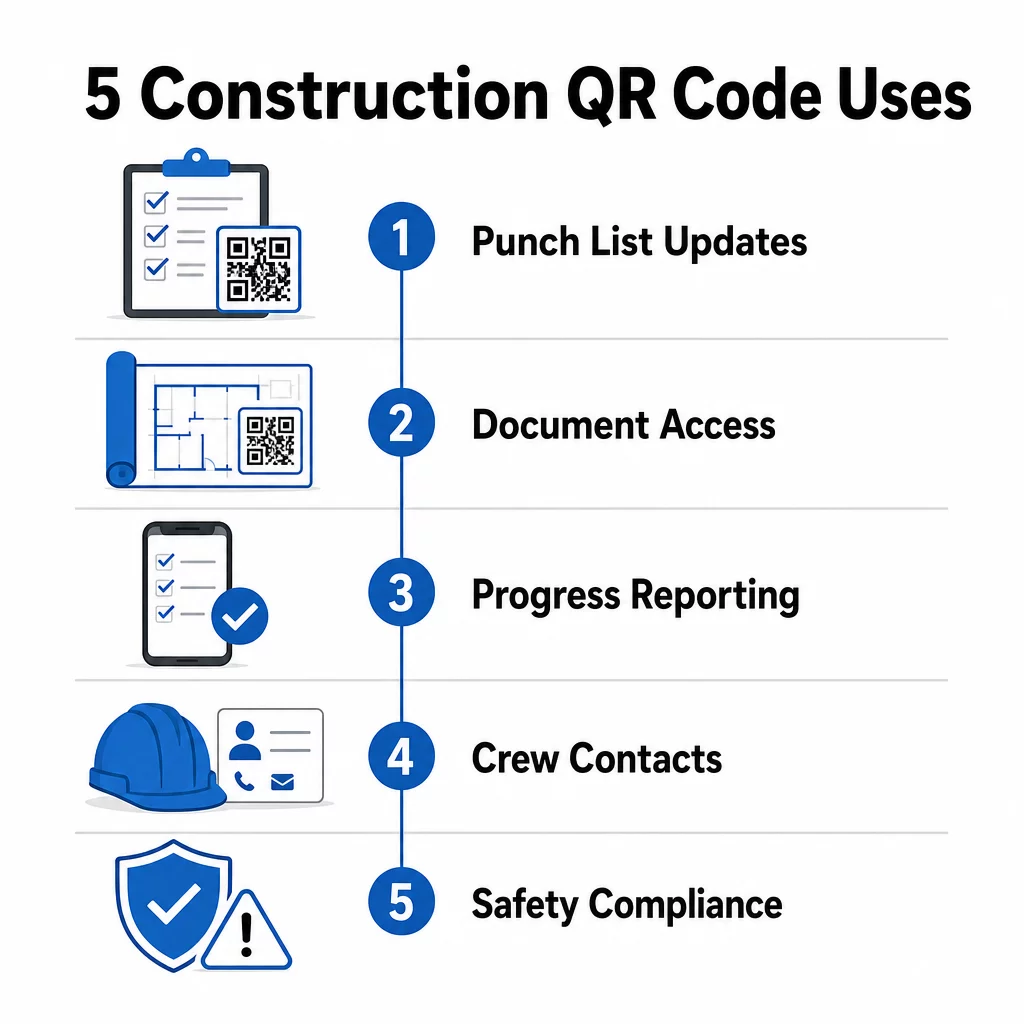
Ključna prednost je što dinamični QR kodovi se automatski ažuriraju. Kod postavljen tijekom radova na temeljima kasnije može prikazivati kontrolne popise za konstrukciju, završne zadatke ili zahtjeve za završnu inspekciju. Povezani sadržaj ažurirate jednom, i svako skeniranje od tog trenutka nadalje odražava promjenu – nije potrebno ponovno ispisivanje.
Za podizvođače koji rade na više gradilišta, QR kodovi također pružaju trenutačan pristup uputama specifičnim za projekt, specifikacijama materijala i posebnim zahtjevima vezanim uz svaku zonu.
Održavajte popise nedostataka ažurnima bez ponovnog ispisa Koristiti Dinamični QR kod generator za stvaranje kodova koji automatski odražavaju najnovija ažuriranja zadataka, tako da vaši podizvođači uvijek rade s aktualnim informacijama.
Dijeljenje dokumenata i trenutačni pristup
Građevinski projekti generiraju ogromne količine papirologije – nacrte, specifikacije, izmjene naloga, podneske i sigurnosne protokole. Kada podizvođači rade s zastarjelim nacrtima, događaju se pogreške. Kada moraju pronaći najnoviju verziju, gubi se vrijeme.
Povezivanje QR kodova s dokumentima pohranjenim u oblaku rješava oba problema. Podizvođač skenira kod na isprintanom planu ili natpisu na gradilištu i odmah otvara najnoviju verziju tog dokumenta na svom telefonu – bez prijave, bez pretraživanja, bez čekanja.
The QR kod PDF generator je ovdje posebno korisno. Učitajte svoje sigurnosne priručnike, specifikacijske listove ili detaljne nacrte kao PDF-ove, generirajte kod i postavite ga gdje god je relevantno – na natpise na gradilištu, ispisane planove ili opremu. Kada arhitekti revidiraju nacrte ili voditelji projekata ažuriraju specifikacije, povezani sadržaj se trenutačno osvježava. Svako skeniranje isporučuje najnoviju verziju bez dodirivanja fizičkog koda.
Također možete generirati QR kodove koji izravno vode na Google dokumenti za dokumente koji zahtijevaju često zajedničko uređivanje, ili koristite generator QR koda veze za povezivanje radnika s bilo kojim resursom hostiranim u oblaku.
Za upute o pretvaranju datoteka bilo koje vrste u kodove koji se mogu skenirati, pogledajte vodič za pretvaranje datoteke u QR kod ili saznajte više o generiranju QR kodova za datoteke u oblaku.
Praćenje napretka i izvještavanje
Čekanje tjednih provjera kako bi se razumio napredak na gradilištu recept je za iznenađenja. QR kodovi omogućuju podizvođačima da podnose ažuriranja u stvarnom vremenu, s terena, bez dodatnih aplikacija ili ručnog unosa podataka.
Postavite QR kodove na ključnim radnim zonama. Kada podizvođač skenira jedan, može ispuniti jednostavan obrazac koji pokriva postotak dovršenosti, upotrebu materijala ili bilješke o kvaliteti. Povežite te obrasce koristeći Google obrazac QR kod generator tako da se odgovori izravno unose u zajedničku nadzornu ploču koju nadzornici mogu pratiti za sve aktivne obrte i lokacije.
Foto dokumentacija se prirodno integrira u ovaj radni proces. Podizvođač skenira kod zone, učitava fotografije prije i poslije ili fotografije napretka, a te se slike odmah prilažu relevantnom zapisu zadatka. To stvara vizualni zapis s vremenskom oznakom za kontrolu kvalitete, rješavanje sporova i provjeru naplate.
Budući da QR kodovi koriste dinamičke veze, obrasci na koje se povezuju mogu se razvijati s projektom. Kod korišten tijekom pripreme gradilišta kasnije se može preusmjeriti na obrasce napretka okvira, zatim na kontrolne liste za inspekciju sustava – sve bez generiranja novog koda ili ponovnog ispisa bilo čega.
Praćenje analitike skeniranja daje voditeljima projekata dodatni sloj nadzora. Možete vidjeti koji se kodovi skeniraju, koliko često i s kojih lokacija – pomažući vam da identificirate zone gdje izvještavanje možda zaostaje i riješite uska grla prije nego što utječu na raspored.
Kontakt podaci i koordinacija tima
Na užurbanom gradilištu, popisi kontakata brzo zastarijevaju. Ljudi mijenjaju uloge, telefonski brojevi se pogrešno spremaju, a smjene se mijenjaju bez da svi dobiju obavijest. QR kodovi čine koordinaciju tima znatno pouzdanijom.
Podizvođači mogu dodati QR kodove na svoje posjetnice ili identifikacijske iskaznice koji, kada se skeniraju, odmah spremaju njihove potpune kontakt podatke – ime, tvrtku, izravnu liniju, e-poštu i kontakt za hitne slučajeve – na telefon skenera. Bez ručnog unosa nema pogrešaka u transkripciji.
Dinamički kodovi za kontakt posebno su praktični kada se osoblje mijenja tijekom projekta. Ažurirajte povezane informacije jednom, i svatko tko skenira kod od tog trenutka nadalje dobiva trenutne detalje. Za veće timove, postavite QR kodove u radne prikolice ili sobe za odmor koji vode do alata za raspoređivanje uživo, tako da radnici uvijek vide trenutnu smjenu, lokaciju sastanka ili dodjelu tima bez čekanja na grupnu poruku.
Istražite kako QR kodovi za građevinarstvo može podržati koordinaciju tima uz ostale potrebe upravljanja gradilištem.
Sukladnost sa sigurnosnim propisima i kontrola pristupa
OSHA-ini građevinski standardi zahtijevaju od poslodavaca da provode redovite sigurnosne inspekcije, osiguraju obuku radnika i održavaju dostupnu dokumentaciju o komunikaciji o opasnostima, uključujući sigurnosno-tehničke listove i evidenciju obuke. Sustavi temeljeni na papiru čine ovaj teret usklađenosti težim nego što bi trebao biti.
QR kodovi postavljeni na ulazima u gradilište ili radnim područjima daju podizvođačima trenutačan pristup trenutnim sigurnosnim protokolima relevantnim za tu zonu – upozorenjima o opasnostima, potrebnoj OZO i pravilima specifičnim za gradilište – bez pretraživanja registratora ili traženja nadzornika. Kada se OSHA propisi promijene ili se uvjeti na gradilištu pomaknu, ažurirate povezani dokument jednom i svako sljedeće skeniranje automatski odražava nove informacije.
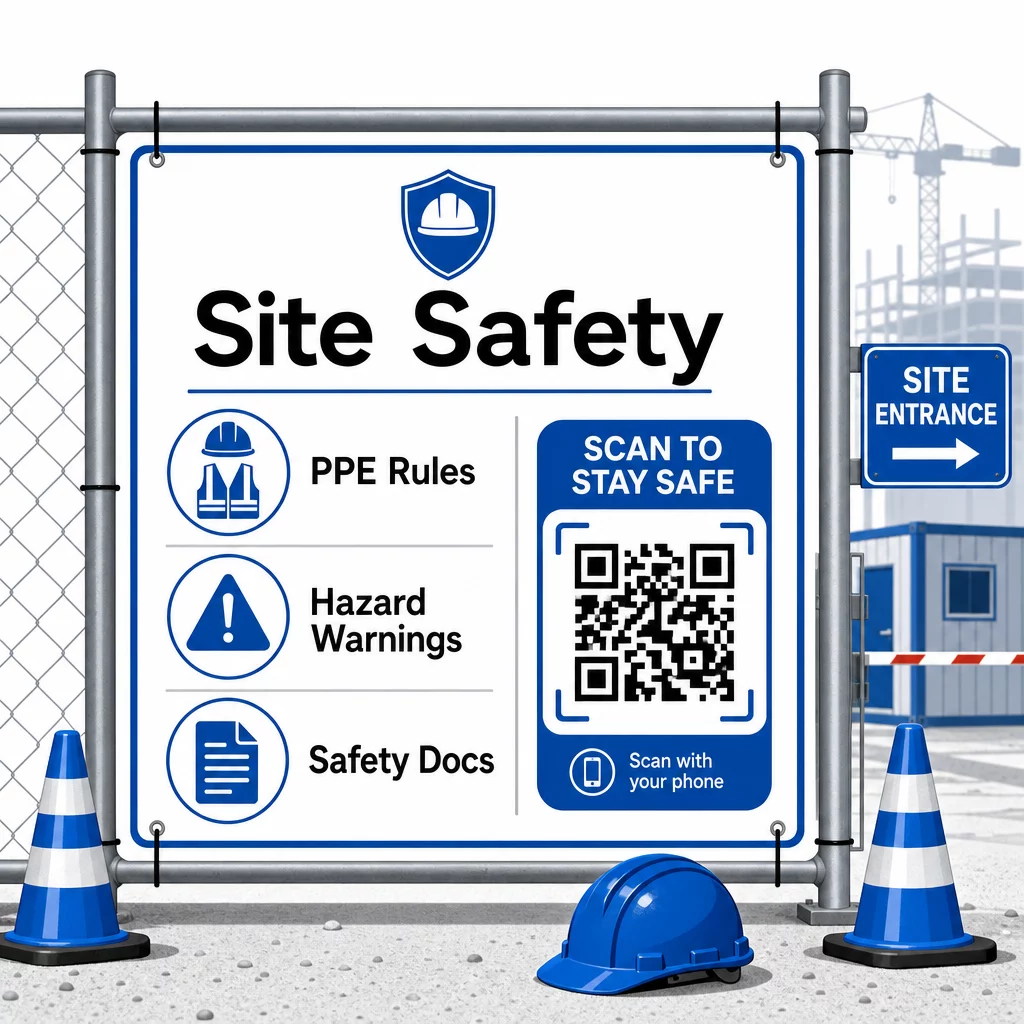
Za kontrolu pristupa, sustavi prijave s omogućenim QR kodovima mogu provjeriti vjerodajnice, potvrditi završenu sigurnosnu obuku i digitalno zabilježiti ulaz – eliminirajući potrebu za fizičkim ključevima ili ručnim listama za prijavu.
Provjera obuke jednako je jednostavna. Podizvođači skeniraju kod kako bi prikazali digitalne potvrde o završenim sigurnosnim tečajevima, čineći provjeru na licu mjesta od strane nadzornika brzom i pouzdanom.
Za osjetljive dokumente o usklađenosti, slijedite sigurne najbolje prakse generiranja QR koda kako biste ograničili pristup ovlaštenom osoblju i održavali digitalni zapis o tome tko je pregledao informacije i kada. Taj revizijski trag neprocjenjiv je tijekom inspekcija ili istraga incidenata.
Analitika također doprinosi upravljanju sigurnošću. Možete pratiti koji se protokoli najčešće pristupaju, identificirati područja gdje je možda potrebna dodatna obuka i potvrditi da su radnici pregledali potrebne brifinge prije početka rada.
Digitalizirajte svoju sigurnosnu dokumentaciju Koristiti QR kod PDF generator za povezivanje sigurnosnih priručnika, SDS listova i dokumenata o usklađenosti sa skeniranim kodovima – zatim odmah ažurirajte sadržaj kada se propisi promijene.
Usporedba QR kodova s tradicionalnim metodama
Dobici u učinkovitosti postaju jasni kada pogledate svaki komunikacijski izazov usporedno.
| Faktor | Tradicionalne metode | Pristup QR kodovima |
|---|---|---|
| Brzina isporuke informacija | Ažuriranja odgođena satima ili danima | Trenutno skeniranje |
| Proces ažuriranja dokumenata | Ponovno ispisivanje i redistribucija | Ažurirajte povezani sadržaj jednom |
| Praćenje pristupa | Ručno, često nepotpuno | Automatizirana analitika skeniranja |
| Pohrana | Fizički sustavi za pohranu | Temeljeno na oblaku, skalabilno |
| Otpornost na vremenske uvjete | Papir oštećen u lošim uvjetima | Digitalne datoteke nepromijenjene |
| Zapisi o usklađenosti sa sigurnosnim propisima | Papirnati zapisi, lako se gube | Digitalni trag revizije s vremenskim oznakama |
Krivulja učenja je minimalna. Podizvođači već nose pametne telefone i znaju skenirati QR kodove. Podnošenje ažuriranja napretka ili otvaranje nacrta postaje brzo kao otvaranje kamere.
Za timove koji upravljaju više podizvođača u različitim obrtima, stvaranje različitih kodova za svaku ulogu – električari dobivaju obrasce za inspekciju, vodoinstalateri pristupaju kontrolnim listama za vodoinstalacije, nadzornici gradilišta vide raspored posade – smanjuje zabunu i osigurava da svaki radnik dođe do točno onoga što mu je potrebno.
Za smjernice o postavljanju i veličini kako biste osigurali pouzdano skeniranje vaših kodova u terenskim uvjetima, pregledajte najbolje prakse za čitljivost QR koda.
Ako razmišljate o tome hoćete li koristiti statičke ili dinamičke kodove za specifične primjene, usporedba statičnih i dinamičnih QR kodova pokriva ključne razlike i kada svaka vrsta ima smisla. Za većinu slučajeva upotrebe komunikacije u građevinarstvu, dinamički kodovi su pravi izbor – ažuriraju se bez ponovnog ispisa i pružaju analitiku potrebnu za upravljanje složenim gradilištem s više obrta.
Pagelootov rješenja za QR kodove u građevinarstvu podržavaju cijeli niz ovih slučajeva upotrebe, od sigurnosne dokumentacije do dijeljenja nacrta i koordinacije posade, uz prilagodbu brendiranja i centraliziranu nadzornu ploču za upravljanje svim vašim aktivnim kodovima.
Započnite s implementacijom QR kodova na svom sljedećem projektu uz Pagelootovi besplatni alati za QR kodove i omogućite svojim podizvođačima trenutačan pristup informacijama koje održavaju rad u pokretu.
Često postavljana pitanja
Ne. Bilo koja moderna kamera pametnog telefona može skenirati QR kod bez namjenske aplikacije. Radnici jednostavno otvore svoju kameru, usmjere je prema kodu i dodirnu obavijest koja se pojavi kako bi otvorili povezani sadržaj u svom pregledniku.
S dinamičnim QR kodovima, ažurirate povezani sadržaj jednom na svojoj nadzornoj ploči i svako sljedeće skeniranje automatski odražava novu verziju. Sam fizički kod se ne mijenja i ne treba ga ponovno tiskati niti zamjenjivati.
Dinamični QR kodovi povezani sa sigurnosnom dokumentacijom stvaraju digitalni zapis o tome koje su informacije bile dostupne na gradilištu i kada su zadnji put ažurirane. Analitika skeniranja pokazuje kojim su protokolima radnici pristupili i kada, pružajući revizorski trag koji inspektorima demonstrira aktivne napore za usklađenost.