Zijn uw toegangsrijen voor evenementen te traag, of verliest u het overzicht wie toegang heeft tot wat? Een bedrukte polsband met een QR-code lost beide problemen op door een fysieke legitimatie direct te verbinden met uw digitale systemen. Deze gids legt uit hoe u QR-code polsbanden ontwerpt, genereert en beheert die betrouwbaar werken van de installatie tot de analyse na het evenement.
Wat QR-code Polsbanden Werkelijk Doen
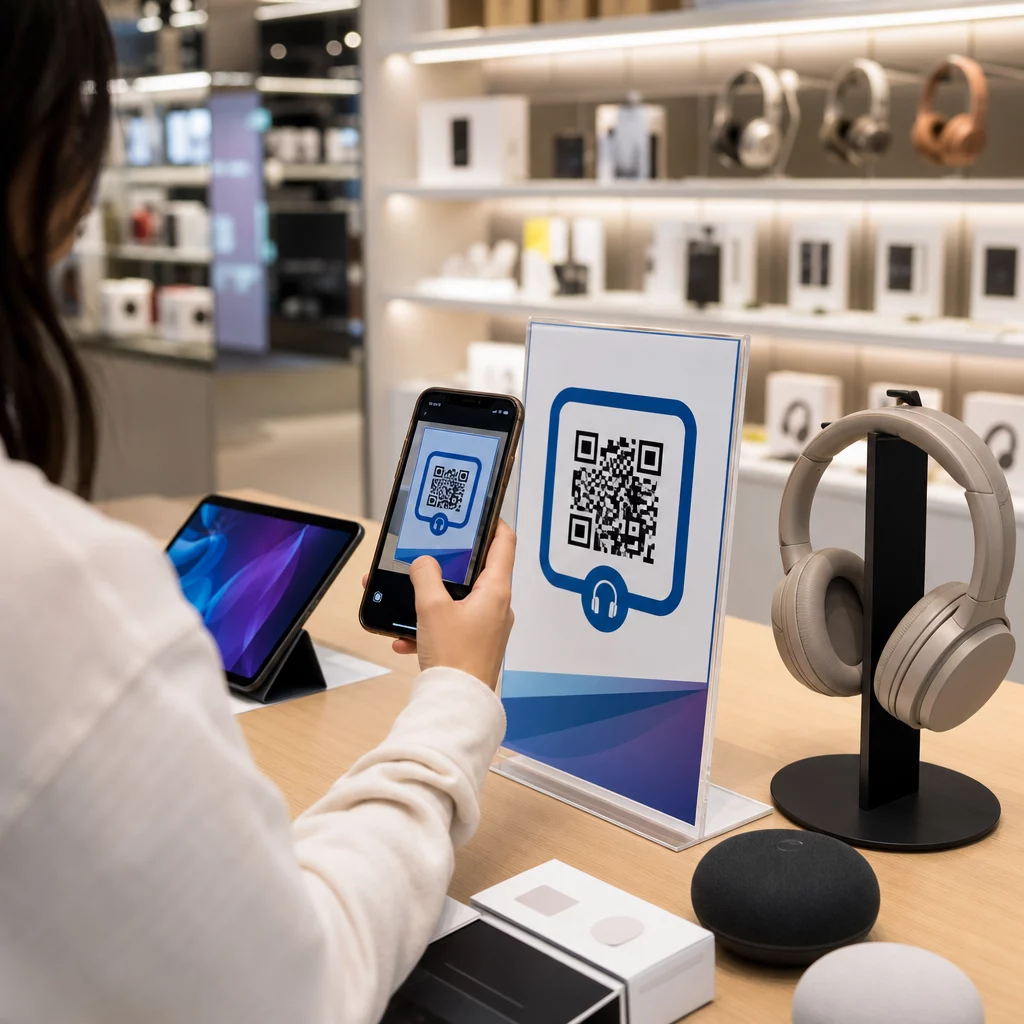
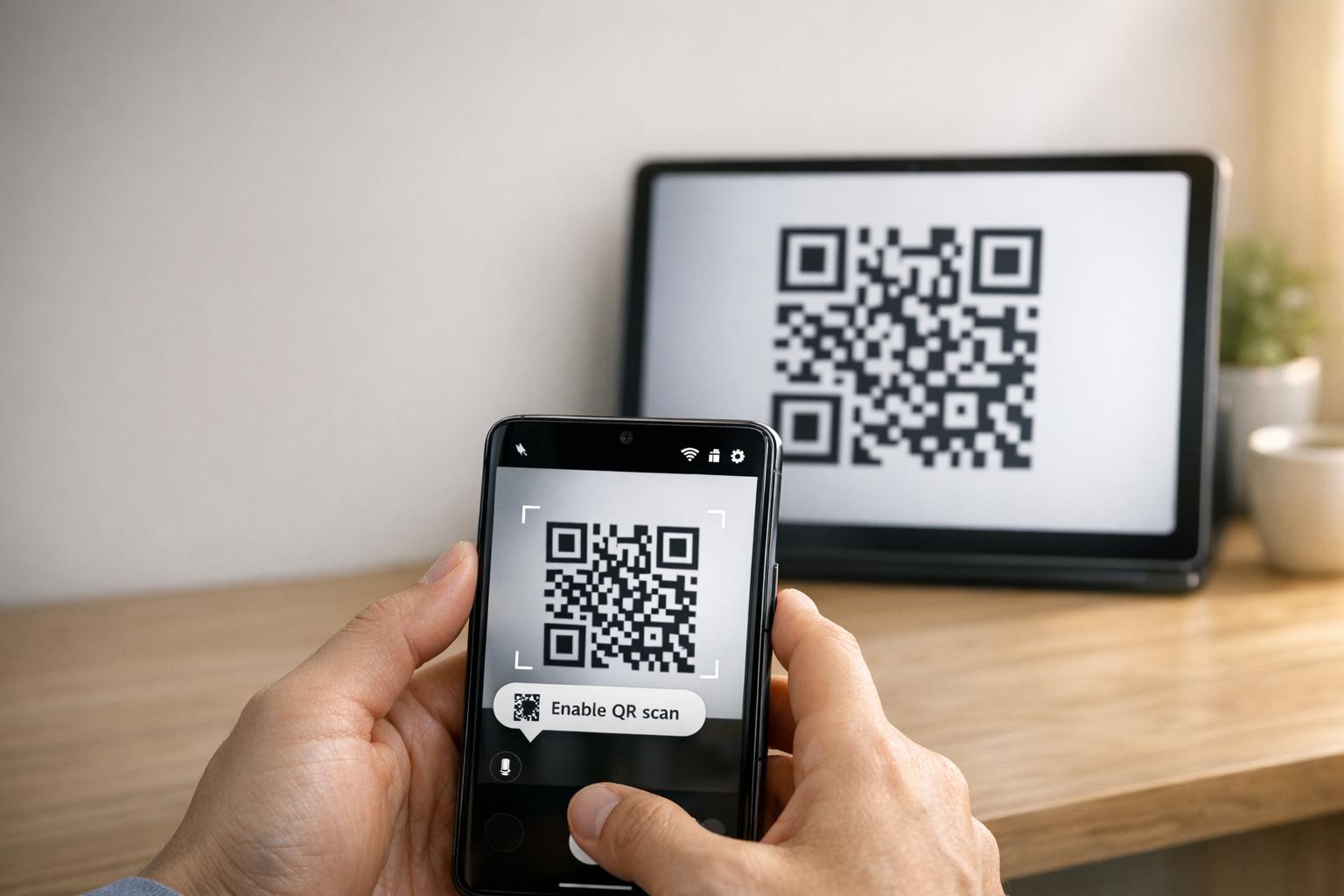
Een QR-code polsband is een fysieke band – stof, vinyl, siliconen of papier – bedrukt met een unieke QR-code die linkt naar een digitaal record of bestemming. Wanneer een medewerker deze scant, valideert de code de toegang van een bezoeker, bevestigt deze hun toegangsniveau, of activeert deze een digitale actie zoals het openen van een profiel of het registreren van aanwezigheid.
Het belangrijkste onderscheid dat het waard is om te begrijpen, is het verschil tussen statisch en Dynamisch QR-codes. Een statische code codeert zijn bestemming permanent – als er iets verandert, moet u opnieuw afdrukken. Een dynamische QR-code verwijst naar een korte omleidings-URL die u op elk moment kunt bijwerken vanuit een managementdashboard, zonder de afgedrukte code op de polsband te wijzigen. Voor evenementen waar schema's, zones of gekoppelde inhoud kunnen verschuiven voor of tijdens het evenement, geven dynamische codes u aanzienlijk meer controle.
Maak Dynamische QR-codes voor Uw Evenement Moet u polsbandbestemmingen bijwerken of scanactiviteit in realtime volgen? Gebruik de QR code voor evenementen maken om dynamische codes te bouwen die u vanuit één dashboard kunt beheren.
Veelvoorkomende Gebruiksscenario's voor QR-polsbanden
Toegang en Toegangscontrole
De meest directe toepassing is het gebruik van elke polsband als een digitaal ticket. Wanneer evenementpolsbanden worden bedrukt met unieke, geserialiseerde QR-codes, fungeert elke polsband als een niet-overdraagbare legitimatie. Een medewerker scant de code bij de poort, markeert deze als gebruikt en voorkomt pogingen tot herbetreding met dezelfde band. Deze aanpak elimineert de noodzaak van aparte papieren tickets en vermindert het risico op vervalsingen.
Als uw evenement meerdere toegangszones heeft – VIP-ruimtes, backstage, algemene toegang – kunt u met variabele QR-codes elke bezoeker aan een specifiek niveau toewijzen. Scannen bij elk controlepunt bevestigt of die polsband toegang verleent tot dat gebied, waardoor u realtime controle heeft over de bezoekersstroom zonder handmatige lijstcontroles. Voor een diepere blik op hoe dit in de praktijk werkt, zie de gids over het gebruik van QR-codes op tickets voor toegangsbeheer.
Aanwezigheidsregistratie
Naast poorttoegang kunt u met QR-polsbanden aanwezigheidsgegevens registreren op meerdere punten gedurende een evenement – sessieruimtes, workshops of breakout-ruimtes. In plaats van handmatige inschrijflijsten, scannen bezoekers op elke locatie en het systeem registreert wie wat en wanneer heeft bijgewoond. Pageloot’s aanwezigheid QR-codetool ondersteunt deze workflow door codes te koppelen aan formulieren of incheckpagina's die deelname automatisch vastleggen.
Toegang tot Evenementinformatie
Een QR-code op een polsband hoeft niet alleen een beveiligingsfunctie te dienen. Door deze te koppelen aan een landingspagina krijgt elke bezoeker on-demand toegang tot het evenementenschema, sprekersbiografieën, plattegronden van de locatie of last-minute updates. Omdat dynamische codes kunnen worden bijgewerkt zonder opnieuw af te drukken, kunt u nieuwe informatie pushen naar elke reeds verspreide polsband – handig wanneer sessietijden veranderen of een ruimte verplaatst wordt.
Netwerken en Contacten Delen
Op professionele conferenties kunnen QR-polsbanden dienen als digitale visitekaartjes. Door een polsbandcode te koppelen aan een vCard kunnen bezoekers hun contactgegevens delen met een snelle scan in plaats van fysieke kaarten uit te wisselen. De vCard QR-code generator voor contactgegevens maakt het eenvoudig om contactcodes te maken die een naam, e-mailadres, telefoonnummer en bedrijf direct opslaan op de telefoon van de scanner.
Voordelen, Inwisselingen en Betrokkenheid
Polsbanden kunnen ook functionele waarde hebben naast identificatie. Geserialiseerde codes gekoppeld aan bezoekersaccounts kunnen vooraf geladen drankmunten, merchandise-rechten of loyaliteitsvoordelen bijhouden. Scangegevens onthullen welke voordelen werden ingewisseld en wanneer, wat organisatoren nuttige gedragsgegevens oplevert naast de operationele functie.
Ontwerpvereisten voor Betrouwbaar Scannen
Een QR-code polsband die niet scant onder echte evenementomstandigheden, creëert frictie op precies het verkeerde moment. Verschillende fysieke ontwerpfactoren bepalen of uw codes betrouwbaar zullen presteren.
Grootte en Scanafstand
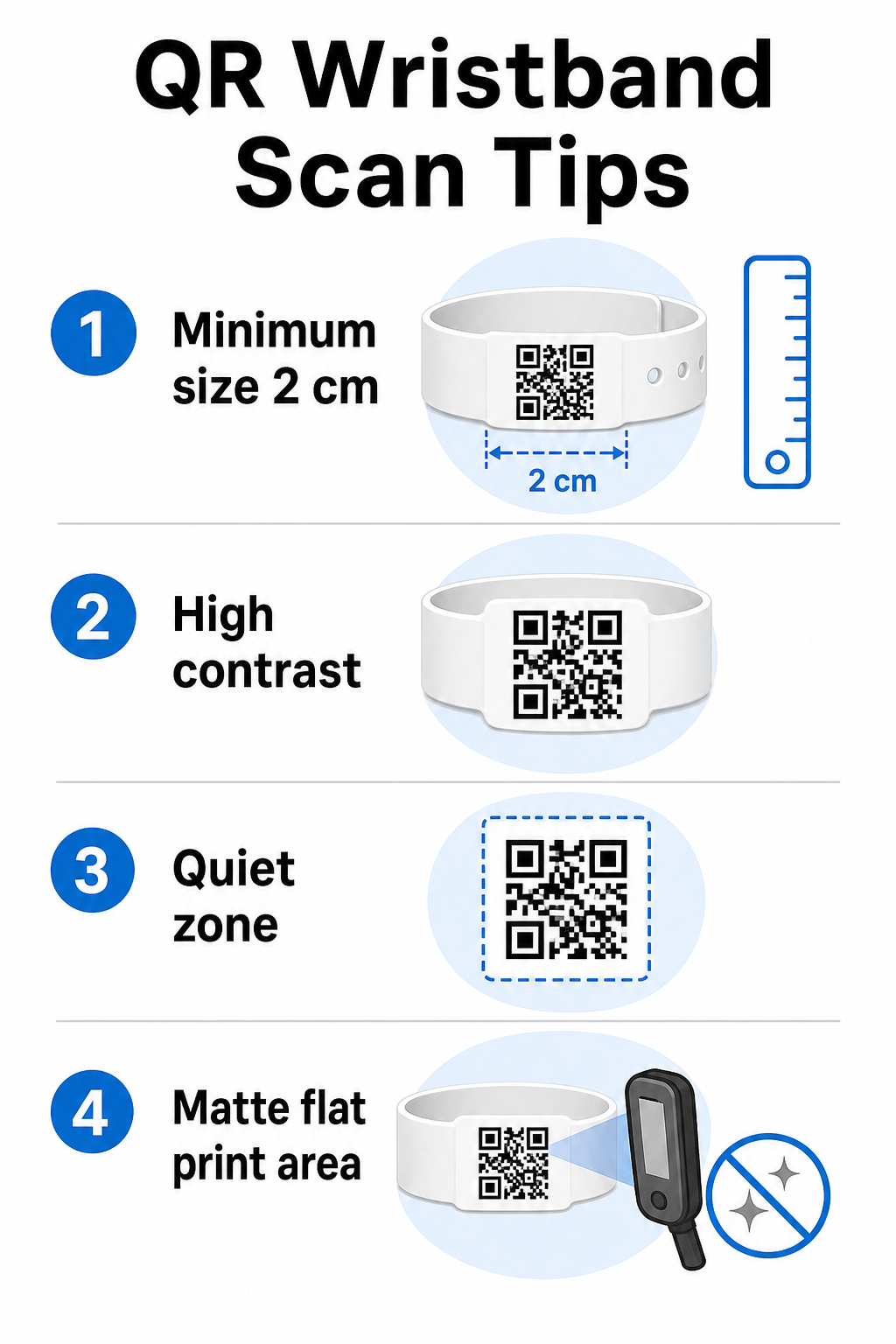
De standaardregel is dat de breedte van een QR-code minimaal moet zijn 1 cm voor elke 10 cm verwachte scanafstand. Voor polsbanden die op armlengte worden gescand met een handheld-apparaat, is een minimale breedte van 2 cm de praktische ondergrens. Dünnere polsbanden die deze maat niet betrouwbaar kunnen accommoderen, zullen scanproblemen veroorzaken. Zie de volledige gids voor QR-codeformaten voor metingen voor verschillende gebruiksscenario's.
Kleurcontrast
Hoge contrast tussen de codemodules en de achtergrond is cruciaal. Donkere modules op een lichte achtergrond – idealiter zwart op wit – geven scanners het duidelijkste signaal. Streef naar een contrastverhouding van minimaal 4:1. Omgekeerde ontwerpen met een lichte code op een donkere achtergrond zijn over het algemeen onbetrouwbaar en moeten worden vermeden.
Rustige zone
Elke QR-code vereist een duidelijke witte rand rondom de omtrek, genaamd een stille zone. Deze marge geeft de scanner aan waar de code begint en eindigt. Het verwijderen of eroverheen printen is een van de meest voorkomende oorzaken van scanfouten op polsbandjes waar de ontwerpplek beperkt is.
Printresolutie en -formaat
Exporteer QR-codes in vectorformaat (SVG of EPS) of rasterbestanden met hoge resolutie op minimaal 300 DPI op de uiteindelijke afgedrukte grootte. Het opschalen van een afbeelding met lage resolutie creëert wazige module-randen die scanners moeilijk kunnen lezen. Voor richtlijnen over het bereiken van consistente afdrukkwaliteit, de gids voor best practices voor de leesbaarheid van QR-codes behandelt de volledige technische checklist.
Oppervlak en afwerking
Polsbandjes worden gedragen op een gebogen oppervlak, wat vervorming introduceert. Print de QR-code op het platste gedeelte van de band en vermijd glanzende of reflecterende afwerkingen over de code – schittering van bovenliggende evenementverlichting interfereert direct met smartphonecamera's. Een matte afwerking over het codegebied presteert consequent beter dan glanzende alternatieven in evenementomgevingen.
Codecomplexiteit
Hoe meer gegevens er in een QR-code zijn gecodeerd, hoe dichter en moeilijker deze te scannen wordt. Gebruik korte URL's of dynamische codes die omleiden via een compacte link om de code visueel eenvoudig en snel te scannen te houden. Pageloot's Link QR-codegenerator verwerkt automatisch URL-verkorting als onderdeel van de workflow voor dynamische codes.
Foutcorrectie
QR-codes hebben ingebouwde foutcorrectie die ze scanbaar houdt, zelfs wanneer een deel van de code beschadigd is. Het hoogste correctieniveau maakt herstel mogelijk wanneer tot ongeveer 30% van het codegebied is bedekt – relevant voor polsbandjes die slijtage, vlekken of lichte schaafwonden ervaren tijdens een meerdaags evenement. Als u een logo aan de code toevoegt, gebruik dan hoge foutcorrectie om het bedekte gebied te compenseren.
QR-codes genereren voor polsbandjes
Het generatieproces volgt een eenvoudige workflow:
- Kies je QR-codetype. Voor toegang werkt een link of evenement-QR-code die naar uw check-insysteem verwijst goed. Voor het delen van contactgegevens gebruikt u een vCard-type. Voor het bijhouden van aanwezigheid, linkt u naar een formulier.
- Gebruik dynamische codes wanneer inhoud kan veranderen. Als uw evenement meerdere dagen duurt of de gekoppelde bestemming mogelijk moet worden bijgewerkt, kunt u met dynamische codes wijzigingen aanbrengen vanuit uw dashboard zonder een enkel polsbandje opnieuw af te drukken.
- Houd de gecodeerde URL kort. Kortere URL's verminderen de codedichtheid en verbeteren de scansnelheid.
- Aanpassen binnen contrastbeperkingen. U kunt uw evenementlogo en merkkleuren toevoegen, maar controleer of het contrast voldoende blijft na aanpassing.
- Downloaden in printklaar formaat. Gebruik SVG-, EPS- of PNG-bestanden met hoge DPI – schaal nooit een kleine JPEG op.
- Testen vóór massale afdrukken. Scan uw proefdruk op meerdere apparaten, bij weinig licht en op de scanafstanden die uw personeel daadwerkelijk zal gebruiken. Deze ene stap voorkomt de meest voorkomende storingen op evenementdagen.
Bouw en volg uw evenement-QR-codes Genereer unieke codes voor elke bezoeker, bewaak scanactiviteit en update gekoppelde inhoud zonder opnieuw af te drukken. Begin met de QR-codegenerator en verken evenementspecifieke opties bij de QR code voor evenementen maken.
Beveiligings- en privacyoverwegingen
QR-polsbandjes die persoonlijke bezoekersinformatie opslaan of ernaar linken, brengen verantwoordelijkheden met zich mee op het gebied van gegevensbescherming.
Versleutel gevoelige gegevens. Als een polsbandcode direct persoonlijke informatie codeert – zoals naam, ticketcategorie of leeftijdsverificatiestatus – moeten die gegevens worden versleuteld zodat ze niet kunnen worden gelezen door ongeautoriseerde scanners. Het gebruik van dynamische codes die verwijzen naar een veilige, geauthenticeerde backend in plaats van ruwe gegevens in de code zelf te coderen, vermindert dit risico aanzienlijk.
Gebruik HTTPS met gevalideerde certificaten. Alle communicatie tussen uw scan-app en de backend-validatieserver moet via versleutelde kanalen verlopen. Dit voorkomt onderschepping van scan-evenementen of bezoekersgegevens tijdens het check-in proces. De gids over het maken van veilige QR-code evenementtickets legt de betrokken technische lagen gedetailleerd uit.
Beperk de toegang tot check-insystemen. Scan-apps en dashboards voor personeel moeten individuele inloggegevens vereisen in plaats van gedeelde wachtwoorden. Dit beperkt de blootstelling als een apparaat verloren gaat en maakt het gemakkelijker om te controleren wie wat heeft gescand.
Pas privacy-by-design principes toe. Verzamel alleen de gegevens die uw operatie vereist. Als u scananalyses gebruikt voor analyse van de bezoekersstroom, zijn geaggregeerde geanonimiseerde gegevens voldoende en vermijdt dit de privacygevolgen van het volgen van identificeerbare individuen. Waar persoonsgegevens worden verwerkt, zorg ervoor dat bezoekers worden geïnformeerd en dat uw processen voldoen aan de toepasselijke regelgeving.
Geef context op het moment van scannen. Bezoekers laten weten wat de polsband-QR-code doet – en wat er gebeurt wanneer personeel deze scant – bouwt vertrouwen op en vermindert verwarring over gegevensgebruik. Voor een bredere kijk op het beveiligen van toegangscontrole met dynamische codes, de gids over dynamische QR-codes voor toegangscontrole behandelt intrekking, audit trails en real-time rechtenbeheer.
Scananalyses gebruiken om toekomstige evenementen te verbeteren
Dynamische QR-codes genereren scangegevens die veel verder gaan dan het tellen van ingangen. Met de analyses van Pageloot kunt u bijhouden wanneer en waar codes worden gescand, welke zones de meeste activiteit zagen, en hoe de bezoekersstroom zich verhield tot uw projecties. Deze gegevens helpen u weloverwogen beslissingen te nemen over de personeelsbezetting van toegangspunten, sessieplanning en het ontwerp van polsbandfuncties voor uw volgende evenement.
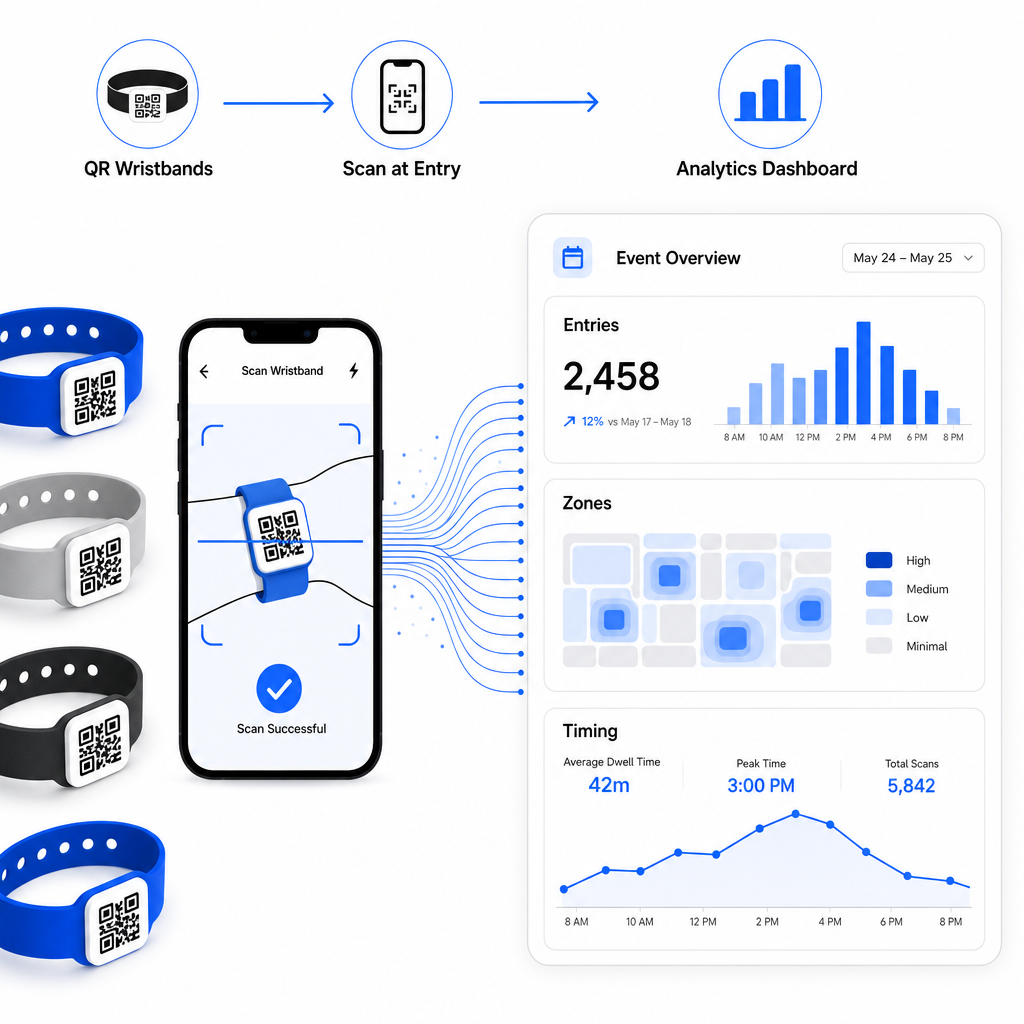
Voor een complete handleiding voor het opzetten van een QR-gebaseerde check-in operatie, de gids over stroomlijnen van evenement-check-in met QR-codes behandelt scanlogistiek, personeelstraining en real-time aanwezigheidsmonitoring in detail.
Een goed ontworpen QR-polsband doet meer dan een bezoeker identificeren – het verbindt een fysieke legitimatie met een live digitaal systeem dat u beheert. De juiste printspecificaties krijgen, dynamische codes gebruiken voor flexibiliteit, en de gegevens achter elke scan beschermen zijn de drie factoren die bepalen of uw polsbandprogramma soepel werkt op de evenementdag. Begin met een geteste proef, niet met een bulkprintrun, en bouw van daaruit verder.
Stel uw polsband-QR-codes vandaag nog in Maak dynamische, traceerbare QR-codes voor uw volgende evenement met de QR code voor evenementen maken en beheer alles vanuit een enkel dashboard.
Veelgestelde vragen
Het praktische minimum is 2 cm breed voor scannen op korte afstand. Als algemene regel geldt, houd rekening met ten minste 1 cm codebreedte voor elke 10 cm verwachte scanafstand. Kleiner gaan verhoogt het risico op scanfouten, vooral op gebogen of flexibele oppervlakken van polsbandjes.
Ja, als u dynamische QR-codes gebruikt. Dynamische codes wijzen naar een korte omleidings-URL die u vanuit een dashboard beheert. Het wijzigen van de bestemming – zoals het bijwerken van een evenementenroosterpagina of het wisselen van een incheckformulier – wordt onmiddellijk van kracht op alle geprinte polsbandjes zonder fysieke veranderingen.
Vermijd het coderen van ruwe persoonlijke gegevens zoals namen, ticket-ID's of details voor leeftijdsverificatie direct in de code zelf, aangezien elke QR-scanner het kan lezen. Gebruik in plaats daarvan de code om te verwijzen naar een veilige, geauthenticeerde backend-systeem dat controleert welke informatie wordt onthuld en aan wie. Deze aanpak houdt gevoelige deelnemersgegevens van het polsbandje-oppervlak en vermindert uw blootstelling aan ongeautoriseerde toegang.