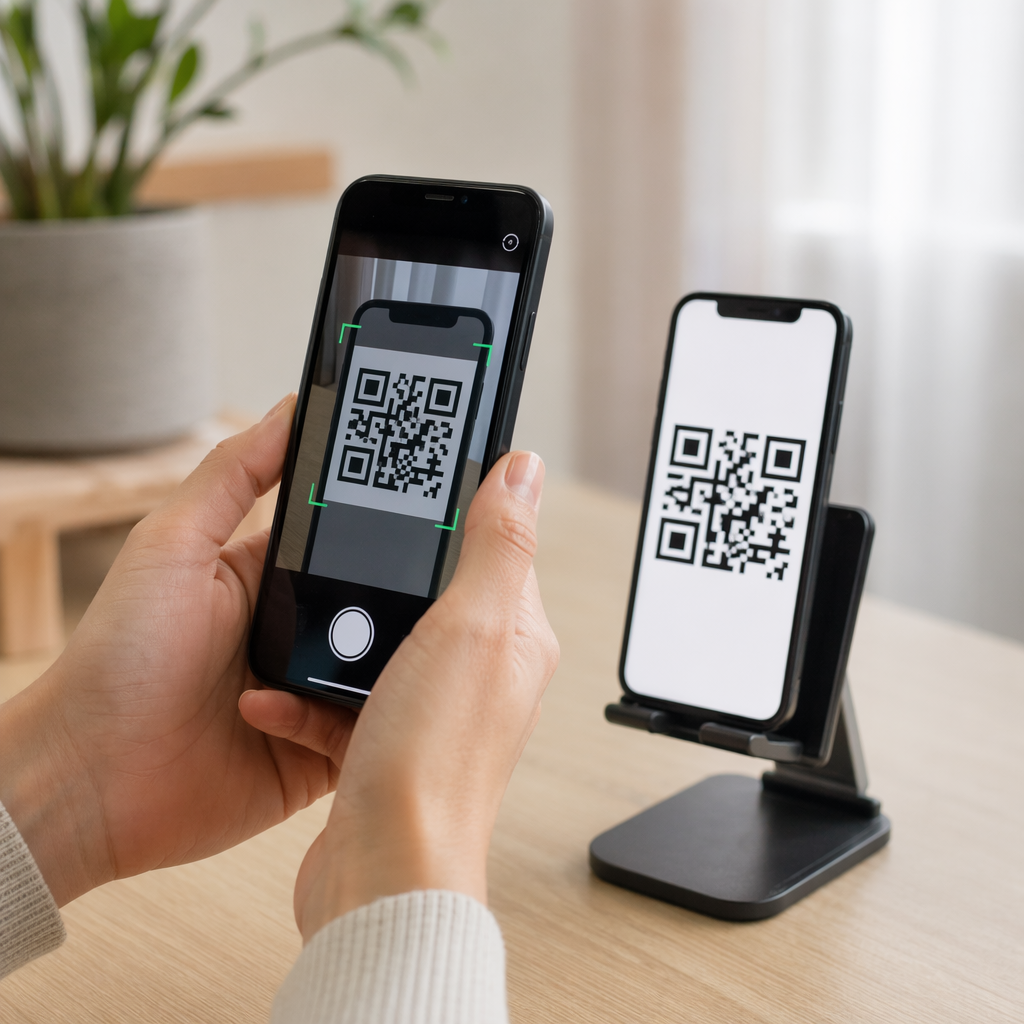
Basılı kampanyaların veya mağaza teşhirlerinin satışları gerçekten artırdığını kanıtlamakta zorlanıyor musunuz? Açık bir ilişkilendirme olmadan çevrimdışı kanallara bütçe ayırmak, maliyetleri haklı çıkarmayı veya stratejinizi optimize etmeyi imkansız hale getirir. İzlenebilir QR kodlarını UTM parametreleri ve web analitiği ile eşleştirerek, fiziksel temas noktalarını doğrudan dijital dönüşümlerle bağlayabilir ve kesin yatırım getirinizin ölçebilirsiniz.
Çevrimdışı Kampanyalar Neden Dinamik İlişkilendirme Gerektirir
Basılı materyaller, doğrudan postalama ve fiziksel tabelalar temel pazarlama araçlarıdır, ancak finansal performanslarını ölçmek tarihsel olarak bir zorluk teşkil etmiştir. Birisi bir mağaza teşhiri gördüğünde veya bir kartpostal aldığında ve daha sonra web sitenizi ziyaret ettiğinde, standart web analitiği bu ziyaretçiyi doğrudan trafik veya organik arama olarak sınıflandırır. Sonuç olarak, fiziksel temas noktası, ortaya çıkan satış için sıfır kredi alır.
İzlenebilir QR kodları, fiziksel temas noktalarını ölçülebilir dijital giriş noktalarına dönüştürerek bu boşluğu kapatır. Bir müşteri basılı bir materyaldeki kodu taradığında, analitik platformunuz tarama olayını kaydeder ve o kullanıcının yolculuğunu potansiyel müşteri formları, kaydolmalar veya e-ticaret satın alımları aracılığıyla izler.
Doğru ilişkilendirme verilerini yakalamak için, statik ve dinamik kodlar arasındaki temel operasyonel farklılıkları anlamalısınız:
- Statik QR kodları sabit bir hedef URL'yi doğrudan piksel desenine kodlar. Herhangi bir takip yeteneği sunmazlar ve basıldıktan sonra güncellenemezler.
- Dinamik QR kodları tarayıcıyı esnek bir kısa bağlantı aracılığıyla nihai açılış sayfanıza yönlendirir. Tarama verilerini gerçek zamanlı olarak kaydederler – tarama zamanı, konumu ve cihaz türü dahil olmak üzere – ve basım yapmadan hedef bağlantıları istediğiniz zaman güncellemenize olanak tanır. Şunlara güvenmek pazarlama için dinamik QR kodları tam kampanya ölçümü için gerekli temeli sağlar.
Fiziksel Temas Noktaları İçin Özel UTM Parametreleri Oluşturma
UTM (Urchin Tracking Module) parametreleri, bir hedef URL'nin sonuna eklenen standartlaştırılmış metin etiketleridir. Bir akıllı telefon kamerası bu etiketleri içeren bir kodu taradığında, Google Analytics 4 (GA4) gibi web analizi araçları parametreleri okur ve kullanıcı oturumunu belirli çevrimdışı kaynağa atar. UTM etiketleri olmadan, analitik platformları QR kodu trafiğini genel doğrudan trafik altında gruplandırır ve kampanya yöneticilerini hangi el ilanı, poster veya basılı reklamın ziyareti sağladığına dair görünürlükten mahrum bırakır.
Takip Bağlantılarınızı Yapılandırma
Sağlam bir çevrimdışı takip bağlantısı, belirli parametre alanlarına dayanır:
| Parametre | Amaç | Önerilen Çevrimdışı Biçimlendirme | Örnek Değer |
|---|---|---|---|
| utm_source | Fiziksel kanalı veya konumu tanımlar | Belirli basılı öğe veya gösterim alanı | directmailpostcard |
| utm_medium | Kapsamlı pazarlama ortamını tanımlar | “qr” veya “offline” gibi standartlaştırılmış kanal etiketi | qr |
| utm_campaign | Belirli promosyonu veya teklifi tanımlar | Promosyonun adı ve yılı | springsale2025 |
| utm_content | Tasarım veya yerleşim varyasyonlarını ayırt eder | Yerleşim detayı veya yaratıcı varyantı | frontsayfaqr |
| utm_term | Hedef kitle segmentlerini takip eder | Demografik segment veya e-posta listesi kodu | existing_customers |
Adlandırma Kurallarını Standartlaştırma
Web analizlerinizi temiz tutmak ve parçalanmış raporlamayı önlemek için standart biçimlendirme kurallarına uyun:
- Tutarlı olarak küçük harf kullanın: Analitik araçları büyük ve küçük harf etiketlerini ayrı ayrı işler, bu da “QR” ve “qr” için yinelenen kanal girişleri oluşturur.
- Kelimeleri alt çizgi ile ayırın: Avoid spaces, which create percent-encoding symbols (“%20”) that clutter tracking URLs.
- Tek tip ortam etiketlerini koruyun: Rapor görünümlerinde tüm tarama trafiğinin tek bir kanal grubunda birleşmesi için tüm basılı materyallere tek bir ortam değeri uygulayın.
Web analiz platformları için izleme URL'lerini yapılandırma konusunda daha fazla rehberlik için, bu ayrıntılı ipuçlarını inceleyin QR kodları için UTM parametreleri.
İzleme URL'lerini Dinamik QR Kodlarına Dönüştürme
Etiketlenmiş bir URL oluşturduktan sonra, onu taranabilir bir koda dönüştürün. Uzmanlaşmış bir bağlantı QR kod oluşturucunuzun veya kapsamlı bir Dinamik QR Kod Oluşturucu, tam etiketlenmiş URL'nizi girin (örneğin, “https://yourwebsite.com/promo?utmkaynak=baharbroşür&utmortam=qr&utmkampanya=perakende_genişleme”).
Basılı Ortamda Kullanım İçin En İyi Uygulamalar
Yüksek taranabilirliği sürdürmek ve fiziksel medyada güvenilir veri yakalama sağlamak için:
- Her fiziksel yerleşim için benzersiz kodlar atayın: Benzersiz “utmkaynak” veya “utmiçerik” değerleri her fiziksel konum için. Mağaza posterleri ve kasa broşürleri için ayrı kodlar kullanmak, konum performansını doğrudan karşılaştırmanıza olanak tanır.
- Güçlü görsel kontrastı koruyun: Koyu QR kodu modüllerini düz, açık bir arka plan üzerine yerleştirin. Yüksek kontrast, telefon kameralarının piksel desenlerini anında tanımlamasını ve çözmesini sağlar.
- Uygun baskı boyutu yönergelerini uygulayın: Promosyon gibi kol mesafesinden taranan basılı materyaller El ilanları veya doğrudan posta kartpostallar, minimum 0.8 × 0.8 inç (2 × 2 cm) boyutunda olmalıdır. Daha büyük tabelalar için, tarama mesafesi ile kod genişliği arasında 10:1 oranını koruyun.
- Tasarımları vektör dosya formatlarında dışa aktarın: Profesyonel baskı sırasında pikselleşmeyi önlemek için, son QR kodu grafiklerini JPEG gibi raster görüntüler yerine her zaman vektör formatlarında (.SVG veya .PDF) indirin.
Basılı Kampanyalarınızı İzlemeye Başlayın Hangi çevrimdışı kanalların dönüştüğünü tahmin etmeyi bırakın. Pageloot’un Dinamik QR Kod Oluşturucu ile anında tarama analizi ve sorunsuz yatırım getirisi raporlaması sunan izlenebilir QR kodları oluşturun.
Tarama Takibi ve Dönüşüm Verilerini Analiz Etme
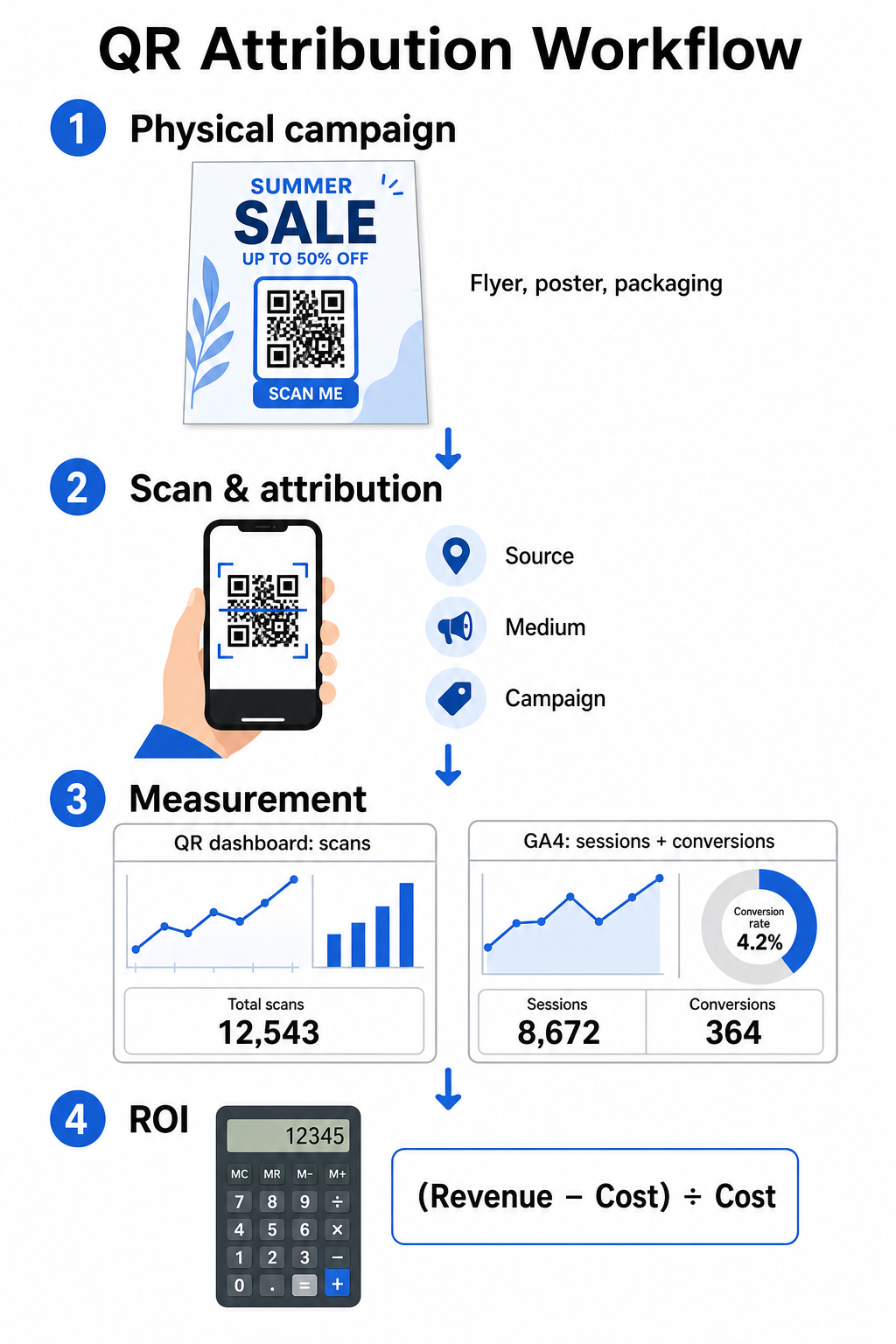
ROI'yi ölçmek, huninin üst kısmındaki fiziksel etkileşimleri huninin alt kısmındaki dijital dönüşümlerle birleştirmeyi gerektirir. Kampanya verilerini iki entegre ortamda toplayacaksınız: QR yönetim panonuz ve web analizi yazılımınız.
Panonuzda Huninin Üst Kısmındaki Verileri Yakalama
QR yönetim platformunuz fiziksel tarama etkileşim verilerini anında kaydeder. Siz QR kodu taramalarını gerçek zamanlı olarak takip etmek, panonuz kritik etkileşim metriklerini gösterir:
- Toplam tarama vs. benzersiz tarama: Toplam taramalar her tarama örneğini kaydederken, benzersiz taramalar ayrı ayrı cihaz etkileşimlerini izole eder.
- Coğrafi tarama dağılımı: Haritalar, en iyi performans gösteren şehirleri ve posta bölgelerini belirler.
- Etkileşim zamanlaması trendleri: Saatlik ve günlük tarama dağılımları, hedef kitleler için en yoğun etkinlik zamanlarını ortaya koyar.
- Cihaz işletim sistemleri: İşletim sistemi metrikleri, açılış sayfalarının iOS ve Android cihazlarda sorunsuz çalışmasını sağlar.
Merkezi bir QR kodu analiz panonuz kullanmak, kampanya yöneticilerine web analizi işleme gecikmelerini beklemeden anında performans geri bildirimi sağlar.
Google Analytics 4'te Dönüşümleri Değerlendirme
Tarama panonuz fiziksel etkileşimleri ölçerken, GA4 ziyaretçiler web sitenize ulaştıktan sonraki kullanıcı davranışını izler.
GA4'te kampanya trafiğini değerlendirmek için:
- Şuraya gidin: Raporlar > Edinme > Trafik edinimi.
- Birincil raporlama boyutunu şuna değiştirin: Oturum kaynağı / ortamı veya Oturum kampanyası.
- Özel ortam etiketiniz için arama yapın (örneğin “qr”).
- Aşağıdakiler dahil olmak üzere temel performans göstergelerini analiz edin: Etkileşimli oturumlar, Etkileşim oranı, ve Anahtar etkinlikler (dönüşümler).
E-ticaret satın alımları, form gönderimleri veya bülten abonelikleri gibi çevrimiçi eylemler GA4'te anahtar etkinlikler olarak belirlendiğinde, platform bu dönüşümleri doğrudan baskı kampanyanızın kaynak parametrelerine atfeder.
Kampanya ROI'si ve Performans Metriklerini Hesaplama
Kampanya harcaması kaydedildikten ve atfedilen gelir web analizlerinde izlendikten sonra, standart finansal formüller kullanarak tam Yatırım Getirisini (ROI) hesaplayabilirsiniz.
ROI Hesaplama Formülü
Standart denklemi kullanarak kampanya ROI'sini hesaplayın:
ROI (%) = [(Atfedilen Gelir − Toplam Kampanya Maliyeti) ÷ Toplam Kampanya Maliyeti] × 100
Pratik ROI Hesaplama Örneği
Çevrimiçi hizmet rezervasyonları oluşturmak için hazırlanan doğrudan posta broşür kampanyasını düşünün:
- Toplam Kampanya Maliyeti: 2.500 $ (grafik tasarım, baskı ve posta ücretini kapsar).
- Toplam QR Tarama Sayısı: Toplam 800 tarama (650 benzersiz tarama).
- Atfedilen Web Dönüşümleri: “utmsource=directmail_flyer” kaynağlı 50 tamamlanmış rezervasyon.
- Toplam Atfedilen Gelir: 6.000 $ doğrudan satış geliri.
Hesaplama formülünü uygulayarak:
ROI = [($6,000 − $2,500) ÷ $2,500] × 100 = ($3,500 ÷ $2,500) × 100 = 0
Kampanya 0 net yatırım getirisi sağladı.
İkincil Verimlilik Metrikleri
Farklı fiziksel materyaller ve yerleşimler arasındaki verimliliği karşılaştırmak için şu destekleyici performans göstergelerini izleyin:
- Tarama Başına Maliyet (CPS): Toplam kampanya maliyetini toplam tarama sayısına bölün (2.500 $ ÷ 800 = tarama başına 3.12 $).
- Tarama-Dönüşüm Oranı: Atfedilen dönüşümleri benzersiz tarama sayısına bölün ve 100 ile çarpın ((50 ÷ 650) × 100 = %7,69).
- Edinme Başına Maliyet (CPA): Toplam kampanya maliyetini atfedilen dönüşümlere bölün (2.500 $ ÷ 50 = dönüşüm başına 50.00 $).
- Tarama Başına Gelir (RPS): Toplam atfedilen geliri toplam tarama sayısına bölün (6.000 $ ÷ 800 = tarama başına 7.50 $).
Çevrimdışı Medyada Performansı Karşılaştırma
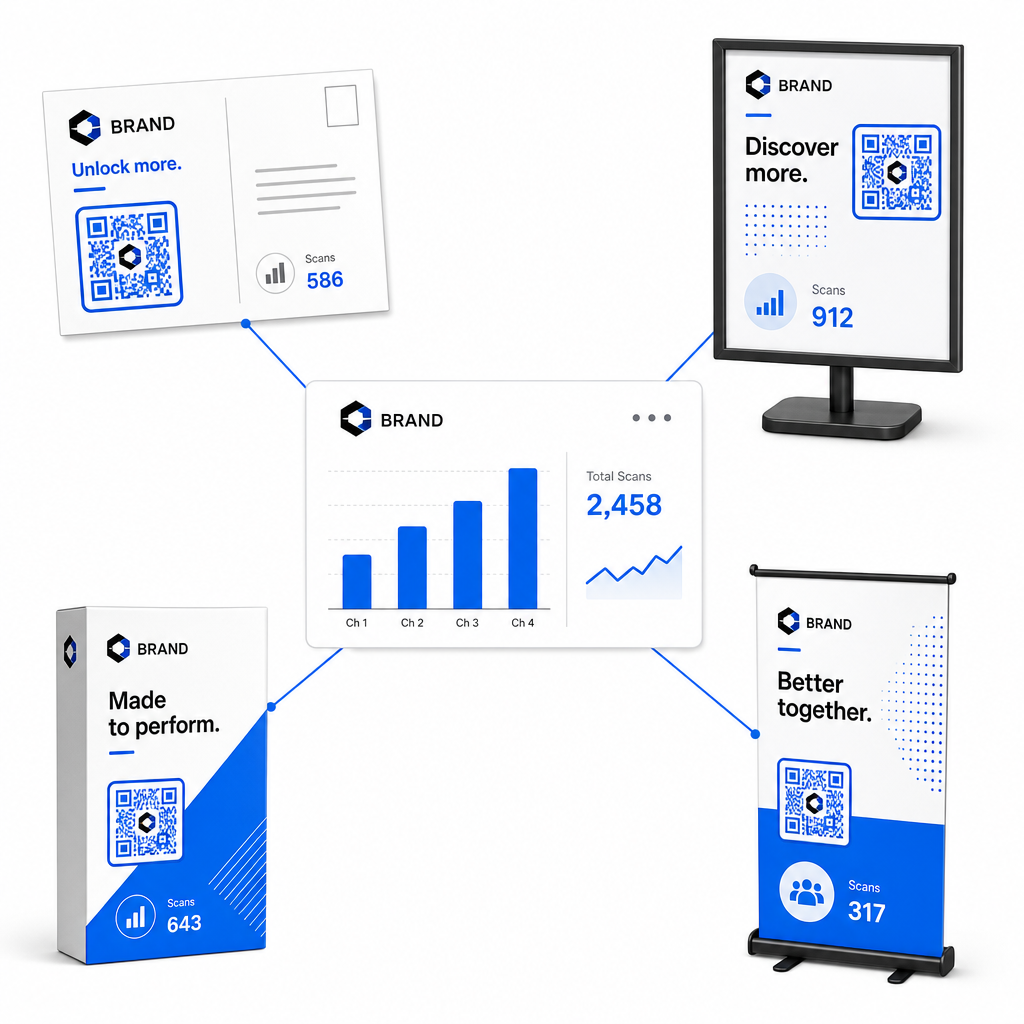
Fiziksel yerleşimlerdeki performansı değerlendirmek, gelecekteki baskı bütçelerini yüksek verimli materyal türlerine ayırmaya yardımcı olur.
| Pazarlama Materyali | Hedef KPI | Optimizasyon Stratejisi |
|---|---|---|
| Doğrudan Posta & Kartpostallar | Dönüşüm Oranı & CPA | Koda doğrudan bitişik net bir teşvik veya indirim teklifi konumlandırın. |
| Mağaza İçi Posterler & Teşhir Ürünleri | Tarama Hacmi & Tarama Hızı | Teşhir yüksekliğini ayarlayın ve kodları yoğun trafikli, göz hizasındaki odak noktalarına doğru hareket ettirin. |
| Ürün ambalajı | Tekrar Eden Taramalar & Etkileşim Oranı | Kullanıcıları dijital kullanım kılavuzlarına, garanti aktivasyon formlarına veya yeniden sipariş indirimlerine yönlendirin. |
| Etkinlik Tabelaları & Bannerlar | Potansiyel Müşteri Yakalama Oranı | İletişim bilgileri karşılığında indirilebilir kaynaklar veya promosyonel hediyeler sunun. |
Geleneksel basılı medyada kodları uygulamak için ek stratejiler keşfetmek amacıyla, bu rehberi inceleyin: QR kodlarını izleme.
Çevrimdışı Kampanya Taramalarını En Üst Düzeye Çıkarma Yönergeleri
Dönüşüm oranlarını en üst düzeye çıkarmak ve doğru kampanya verilerini korumak için şu temel operasyonel standartlara uyun:
- Açık, eylem odaklı metin ekleyin: Bağlam olmadan bağımsız kodları yazdırmaktan kaçının. Kod çerçevesinin yanına, örneğin, “Satın alımınızda indirim için tarayın” veya “Tüm menüyü görüntülemek için tarayın”.
- Mobil açılış sayfalarını optimize edin: Tarama yalnızca mobil cihazlarda gerçekleşir. Hedef sayfaların iki saniyeden kısa sürede yüklenmesini ve parmak dostu düzen tasarımlarına sahip olmasını sağlayın.
- Toplu dağıtımdan önce izleme URL'lerini test edin: Tüm UTM etiketlerinin açılış sayfasına sorunsuz bir şekilde geçtiğini ve gerçek zamanlı analizlerde kaydedildiğini doğrulamak için birden fazla mobil işletim sistemi cihazında canlı tarama testleri yapın.
- Hedef bağlantıları dinamik yönetimini güncelleyin: Açılış sayfası bağlantıları değişirse veya promosyonlar güncellenirse, basılı materyalleri yeniden yazdırmadan hedef URL'lerini değiştirmek için yönetim panelinizi kullanın. Etkili uygulama hakkında daha fazla bilgiyi şu kaynakta bulabilirsiniz: QR kodları nasıl kullanılır.
Dinamik yönetim özelliklerini yapılandırılmış UTM bağlantılarıyla birleştirmek, basılı medyayı tahmin edilebilir, ölçülebilir bir büyüme kanalına dönüştürür. Özel dinamik kodları şununla oluşturun: Pageloot QR Kodu Oluşturucu basılı pazarlama yatırımınız üzerinde tam ölçüm elde etmek için.
Sıkça sorulan sorular
Evet, dinamik QR kodu yönetim platformları tarama hacmini, cihaz işletim sistemlerini, tarama zaman damgalarını ve coğrafi konumları otomatik olarak takip eder. Ancak, hedef bağlantılara UTM parametreleri eklemek, web analizi ve CRM platformlarının sonraki web sitesi oturumlarını, satın alımları ve potansiyel müşteri formu gönderilerini belirli fiziksel kampanyanızı geri bağlamasına olanak tanır.
Dinamik QR kodları oluşturduysanız, fiziksel tasarımınızı yeniden bastırmanıza gerek kalmadan, yönetim panonuz aracılığıyla hedef URL'yi ve UTM parametrelerini istediğiniz zaman güncelleyebilirsiniz. Statik QR kodları, hedef web adresini baskı tasarımına kalıcı olarak kodlar ve basıldıktan sonra değiştirilemez.
Her fiziksel konuma veya materyal türüne ayrı UTM parametreleri (örneğin “utmcontent=windowposter” ve “utmcontent=checkoutflyer” gibi) içeren benzersiz bir dinamik QR kodu atayın. Bu kurulum, analiz raporlamanızda bireysel yerleşimlerde tarama hacimlerini, dönüşüm oranlarını ve ilişkilendirilen geliri ayırmanıza olanak tanır.