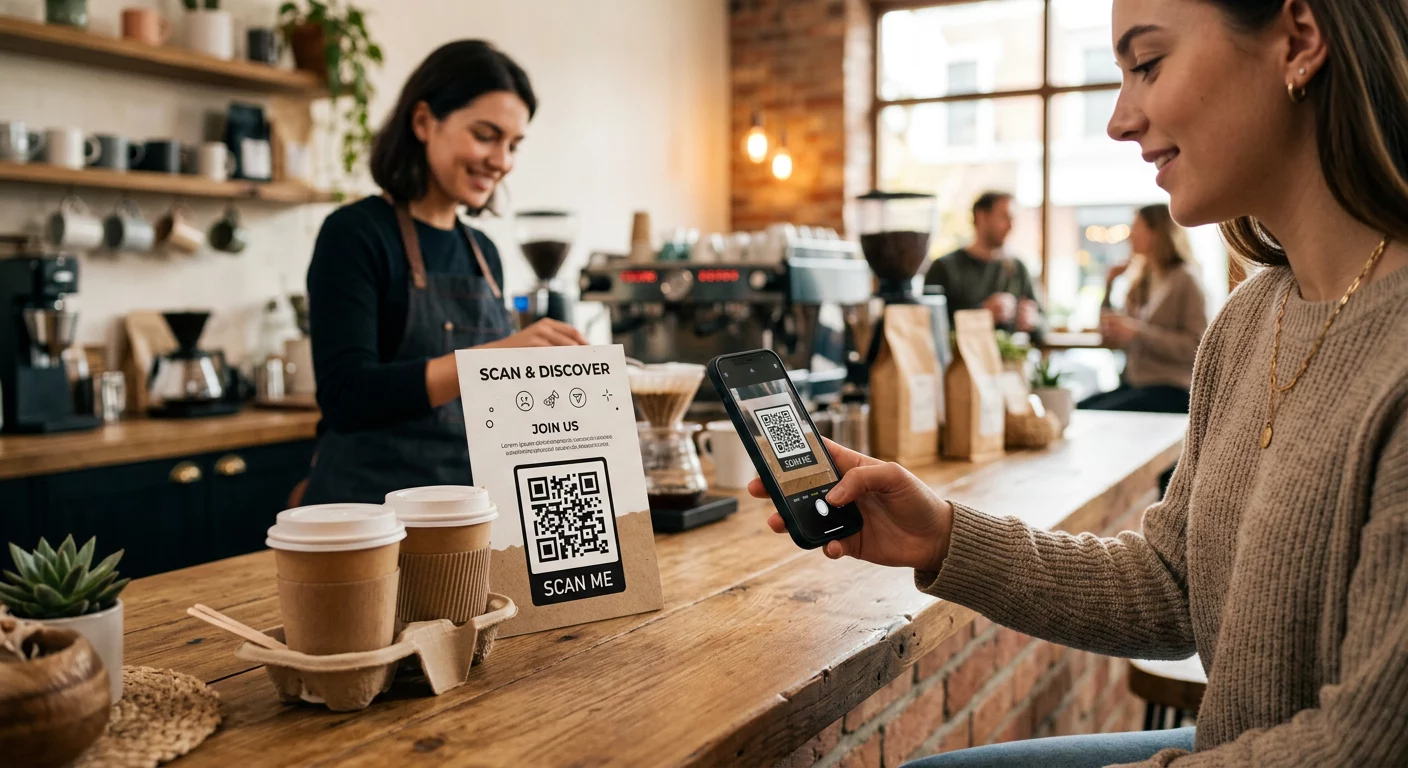
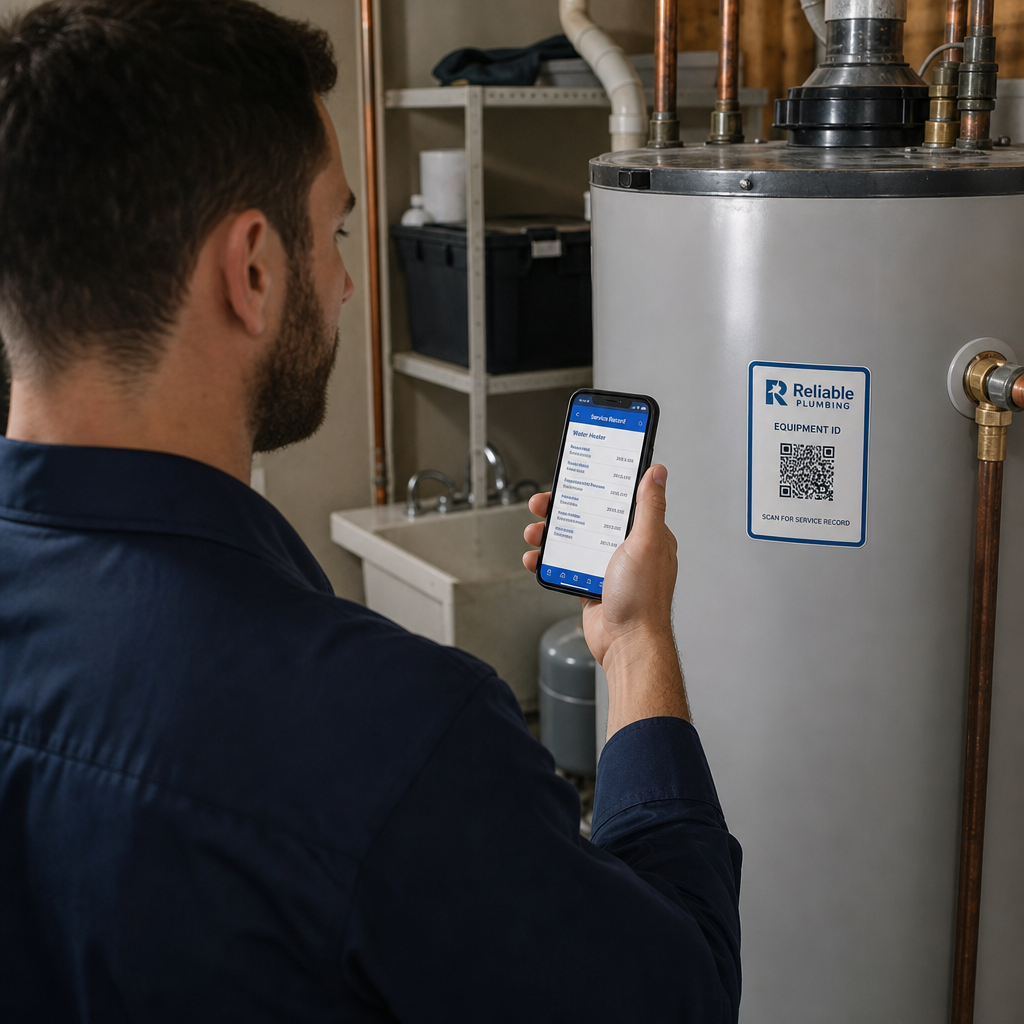
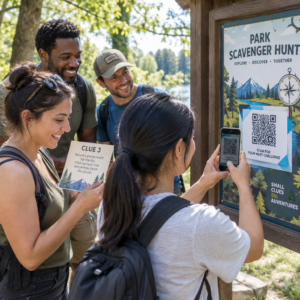
Máte problém dokázať, ktoré tlačové kampane alebo vystavenie v obchodoch skutočne generujú predaje? Investovanie rozpočtu do offline kanálov bez jasnej atribúcie znemožňuje odôvodniť náklady alebo optimalizovať vašu stratégiu. Spojením sledovateľných QR kódov s parametrami UTM a webovou analytikou môžete prepojiť fyzické kontaktné body priamo s digitálnymi konverziami a merať presnú návratnosť investícií.
Prečo offline kampane vyžadujú dynamickú atribúciu
Tlačené materiály, priama pošta a fyzické pútače sú základnými marketingovými nástrojmi, ale meranie ich finančnej výkonnosti historicky predstavovalo výzvu. Keď niekto vidí vystavenie v obchode alebo dostane pohľadnicu a neskôr navštívi vašu webovú stránku, štandardná webová analytika klasifikuje tohto návštevníka ako priamu návštevnosť alebo organické vyhľadávanie. V dôsledku toho fyzický kontaktný bod nedostane žiadnu zásluhu za výsledný predaj.
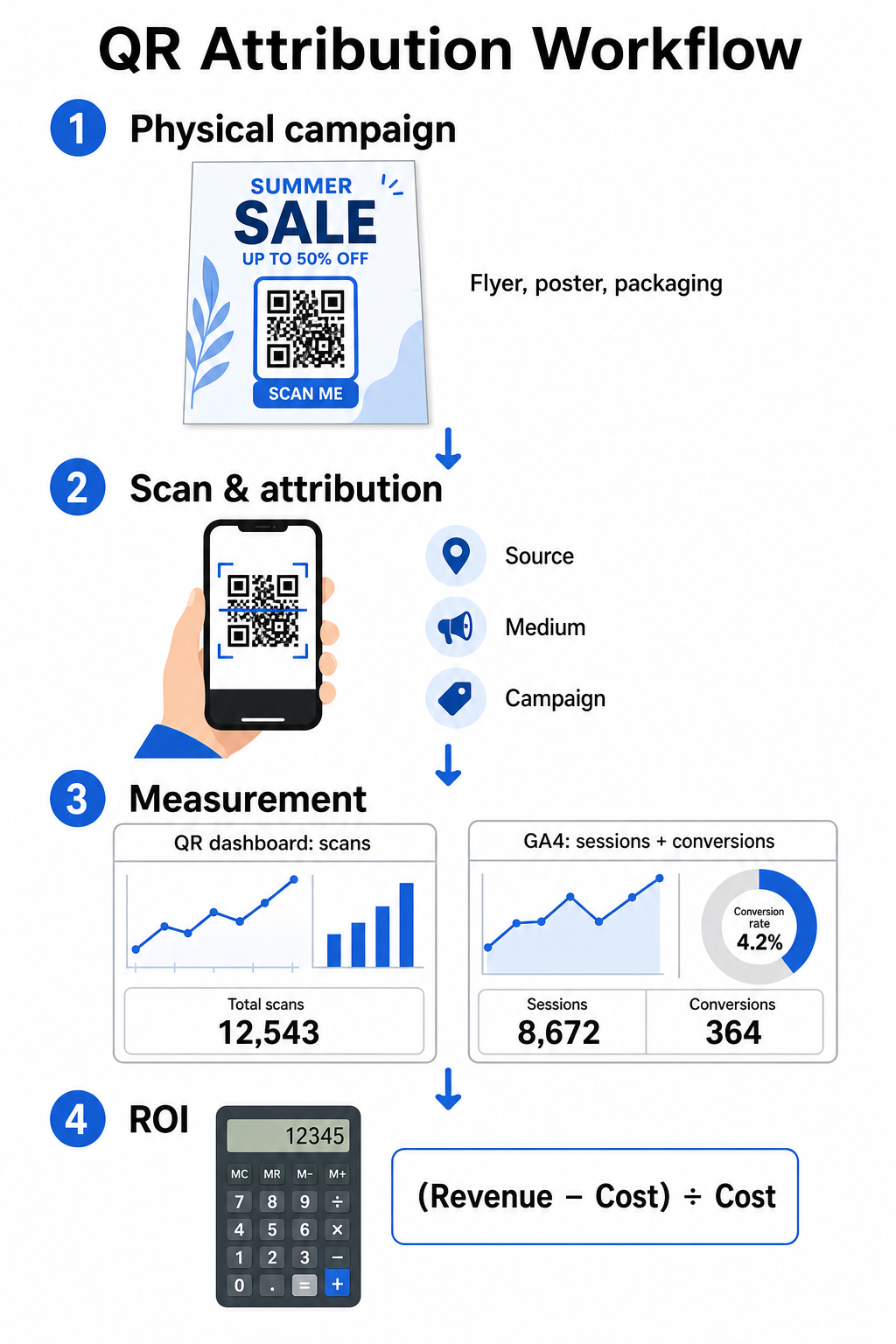
Sledovateľné QR kódy prekonávajú túto medzeru tým, že premieňajú fyzické kontaktné body na merateľné digitálne vstupné body. Keď zákazník naskenuje kód na tlačenom materiáli, vaša analytická platforma zaznamená udalosť skenovania a sleduje cestu tohto používateľa cez formuláre na získanie potenciálnych zákazníkov, registrácie alebo e-commerce nákupy.
Ak chcete zachytiť presné atribučné údaje, musíte pochopiť kľúčové prevádzkové rozdiely medzi statickými a dynamickými kódmi:
- Statické kódy QR zakódujú pevnú cieľovú URL priamo do vzoru pixelov. Neponúkajú žiadne možnosti sledovania a nemožno ich aktualizovať po vytlačení.
- Dynamické kódy QR presmerujú skener cez flexibilný krátky odkaz na vašu konečnú vstupnú stránku. Zaznamenávajú údaje o skenovaní v reálnom čase – vrátane času skenovania, polohy a typu zariadenia – a umožňujú vám kedykoľvek aktualizovať cieľové odkazy bez opätovného tlače. Spoliehanie sa na dynamické QR kódy pre marketing poskytuje základ potrebný pre úplné meranie kampane.
Vytváranie vlastných parametrov UTM pre fyzické kontaktné body
Parametre UTM (Urchin Tracking Module) sú štandardizované textové značky pridané na koniec cieľovej URL adresy. Keď fotoaparát smartfónu naskenuje kód obsahujúci tieto značky, nástroje webovej analýzy, ako je Google Analytics 4 (GA4), prečítajú parametre a priradia používateľskú reláciu konkrétnemu offline zdroju. Bez značiek UTM analytické platformy zoskupujú prenos z QR kódov pod všeobecný priamy prenos, čo manažérom kampaní znemožňuje vidieť, ktorý leták, plagát alebo tlačová reklama viedla k návšteve.
Štruktúrovanie vašich sledovacích odkazov
Robustný offline sledovací odkaz sa opiera o špecifické polia parametrov:
| Parameter | Účel | Odporúčané offline formátovanie | Príklad hodnoty |
|---|---|---|---|
| „utm_source“ | Identifikuje fyzický kanál alebo umiestnenie | Konkrétna tlačovina alebo miesto zobrazenia | „directmailpostcard“ |
| „utm_medium“ | Identifikuje zastrešujúce marketingové médium | Štandardizovaná značka kanála ako „qr“ alebo „offline“ | „qr“ |
| „utm_campaign“ | Identifikuje konkrétnu propagáciu alebo ponuku | Názov propagácie a rok | „springsale2025“ |
| „utm_content“ | Rozlišuje variácie dizajnu alebo umiestnenia | Detail umiestnenia alebo kreatívny variant | „frontstránkeqr“ |
| „utm_term“ | Sleduje segmenty cieľového publika | Demografický segment alebo kód poštového zoznamu | „existing_customers“ |
Štandardizácia názvoslovia
Ak chcete udržať svoju webovú analýzu čistú a zabrániť fragmentovanému reportingu, dodržujte štandardné pravidlá formátovania:
- Dôsledne používajte malé písmená: Nástroje na analýzu dát spracúvajú veľké a malé písmená značiek oddelene, čím vytvárajú duplicitné záznamy kanálov pre „QR“ a „qr“.
- Oddeľujte slová podčiarkovníkmi: Avoid spaces, which create percent-encoding symbols (“%20”) that clutter tracking URLs.
- Udržujte jednotné značky média: Použite jednu hodnotu média pre všetky tlačové materiály, aby sa všetok prenos zo skenovania zlúčil pod jednu skupinu kanálov v prehľadoch.
Pre ďalšie usmernenia k štruktúrovaniu sledovacích URL pre platformy webovej analýzy si prečítajte tieto podrobné tipy na používanie parametrov UTM pre QR kódy.
Konverzia sledovacích URL adries na dynamické QR kódy
Keď vytvoríte označenú URL, preveďte ju na skenovateľný kód. Použitím špecializovaného generátor QR kódov odkazov alebo komplexného Dynamický QR kód generátor, zadajte svoju kompletnú označenú URL (napr., „https://yourwebsite.com/promo?utmsource=springflyer&utmmedium=qr&utmcampaign=retail_expansion“).
Osvedčené postupy pre nasadenie do tlače
Pre udržanie vysokej skenovateľnosti a zabezpečenie spoľahlivého zberu dát naprieč fyzickými médiami:
- Priraďte jedinečné kódy pre každé fyzické umiestnenie: Generujte odlišné dynamické QR kódy s jedinečnými „utmsource“ alebo „utmcontent“ hodnotami pre každé fyzické umiestnenie. Používanie samostatných kódov pre plagáty vo výkladoch a letáky pri pokladniach vám umožňuje priamo porovnávať výkonnosť umiestnení.
- Zachovajte silný vizuálny kontrast: Umiestnite tmavé moduly QR kódu na jednoduché svetlé pozadie. Vysoký kontrast umožňuje kamerám telefónov okamžite identifikovať a dekódovať obrazové vzory.
- Použite správne pokyny pre veľkosť tlače: Tlačené materiály skenované z dĺžky paže, ako napríklad propagačné Letáky alebo priama pošta pohľadnice, vyžadujú minimálnu veľkosť 0,8 × 0,8 palca (2 × 2 cm). Pre väčšie značenie zachovajte pomer 10:1 medzi vzdialenosťou skenovania a šírkou kódu.
- Exportujte návrhy vo vektorových formátoch súborov: Vždy sťahujte finálne grafiky QR kódov vo vektorových formátoch (.SVG alebo .PDF) namiesto rastrových obrázkov ako JPEG, aby ste predišli pixelácii počas profesionálnej tlače.
Začnite sledovať svoje tlačové kampane Prestaňte hádať, ktoré offline kanály konvertujú. Použite Pageloot's Dynamický QR kód generátor na vytvorenie sledovateľných QR kódov, ktoré poskytujú okamžitú analýzu skenovania a bezproblémové vykazovanie ROI.
Monitorovanie skenov a analýza konverzných údajov
Meranie ROI si vyžaduje prepojenie fyzických interakcií z hornej časti lievika s digitálnymi konverziami z dolnej časti lievika. Údaje o kampani budete zhromažďovať v dvoch integrovaných prostrediach: na paneli správy QR kódov a vo vašom softvéri na webovú analýzu.
Zaznamenávanie údajov z hornej časti lievika na vašom paneli
Vaša platforma na správu QR kódov zaznamenáva údaje o fyzickej interakcii so skenom okamžite. Keď sledovať skeny QR kódov v reálnom čase, váš panel zobrazuje kľúčové metriky angažovanosti:
- Celkový počet vs. unikátne skeny: Celkové skeny zaznamenávajú každú inštanciu skenovania, zatiaľ čo unikátne skeny izolujú interakcie jednotlivých zariadení.
- Geografické rozloženie skenov: Mapy presne určujú najvýkonnejšie mestá a poštové regióny.
- Trendy časovania angažovanosti: Hodinové a denné rozloženia skenov odhaľujú okná špičkovej aktivity pre cieľové publiká.
- Operačné systémy zariadení: Metriky operačného systému zaisťujú bezproblémové fungovanie vstupných stránok na zariadeniach iOS a Android.
Použitie centrálneho analytický panel QR kódov poskytuje správcom kampaní okamžitú spätnú väzbu o výkone bez čakania na oneskorenia spracovania webovej analýzy.
Hodnotenie konverzií v Google Analytics 4
Zatiaľ čo váš panel skenov meria fyzické interakcie, GA4 sleduje správanie používateľov po príchode návštevníkov na vašu webovú stránku.
Ak chcete vyhodnotiť návštevnosť kampane v GA4:
- Prejdite na Prehľady > Akvizícia > Akvizícia návštevnosti.
- Zmeňte hlavnú dimenziu prehľadov na Zdroj / médium relácie alebo Kampaň relácie.
- Vyhľadajte svoju vlastnú značku média (napríklad „qr“).
- Analyzujte kľúčové ukazovatele výkonu vrátane Angažované relácie, Miera angažovanostia Kľúčové udalosti (konverzie).
Keď sú online akcie – ako napríklad nákupy v e-commerce, odoslania formulárov alebo prihlásenia na odber noviniek – označené ako kľúčové udalosti v GA4, platforma priradí tieto konverzie priamo k zdrojovým parametrom vašej tlačovej kampane.
Výpočet ROI kampane a metrík výkonnosti
Po zaznamenaní výdavkov kampane a sledovaní pripísaných príjmov vo webovej analýze môžete vypočítať presnú návratnosť investícií (ROI) pomocou štandardných finančných vzorcov.
Vzorec na výpočet ROI
Vypočítajte ROI kampane pomocou štandardnej rovnice:
ROI (%) = [(Pripísané príjmy − Celkové náklady na kampaň) ÷ Celkové náklady na kampaň] × 100
Príklad praktického výpočtu ROI
Zvážte kampaň s letákmi priamou poštou, vytvorenú na generovanie online rezervácií služieb:
- Celkové náklady na kampaň: 2 500 $ (zahŕňa grafický dizajn, tlač a poštovné).
- Celkový počet skenov QR: 800 celkových skenov (650 unikátnych skenov).
- Pripísané webové konverzie: 50 dokončených rezervácií pochádzajúcich z „utmsource=directmail_flyer“.
- Celkové pripísané príjmy: 6 000 $ v priamych tržbách.
Použitie vzorca na výpočet:
ROI = [($6 000 − $2 500) ÷ $2 500] × 100 = ($3 500 ÷ $2 500) × 100 = 140%
Kampaň vygenerovala 140% čistú návratnosť investícií.
Sekundárne metriky efektivity
Na porovnanie efektivity naprieč rôznymi fyzickými materiálmi a umiestneniami sledujte tieto podporné ukazovatele výkonu:
- Náklady na sken (CPS): Celkové náklady na kampaň vydelte celkovým počtom skenov (2 500 $ ÷ 800 = 3,12 $ za sken).
- Miera skenovania ku konverzii: Pripísané konverzie vydelte unikátnymi skenmi a vynásobte 100 ((50 ÷ 650) × 100 = 7,69 %).
- Náklady na akvizíciu (CPA): Celkové náklady na kampaň vydelte pripísanými konverziami (2 500 $ ÷ 50 = 50,00 $ za konverziu).
- Výnos na sken (RPS): Celkové pripísané príjmy vydelte celkovým počtom skenov (6 000 $ ÷ 800 = 7,50 $ za sken).
Porovnávanie výkonu naprieč offline médiami
Vyhodnocovanie výkonu naprieč fyzickými umiestneniami pomáha prideľovať budúce rozpočty na tlač smerom k typom materiálov s vysokým výnosom.
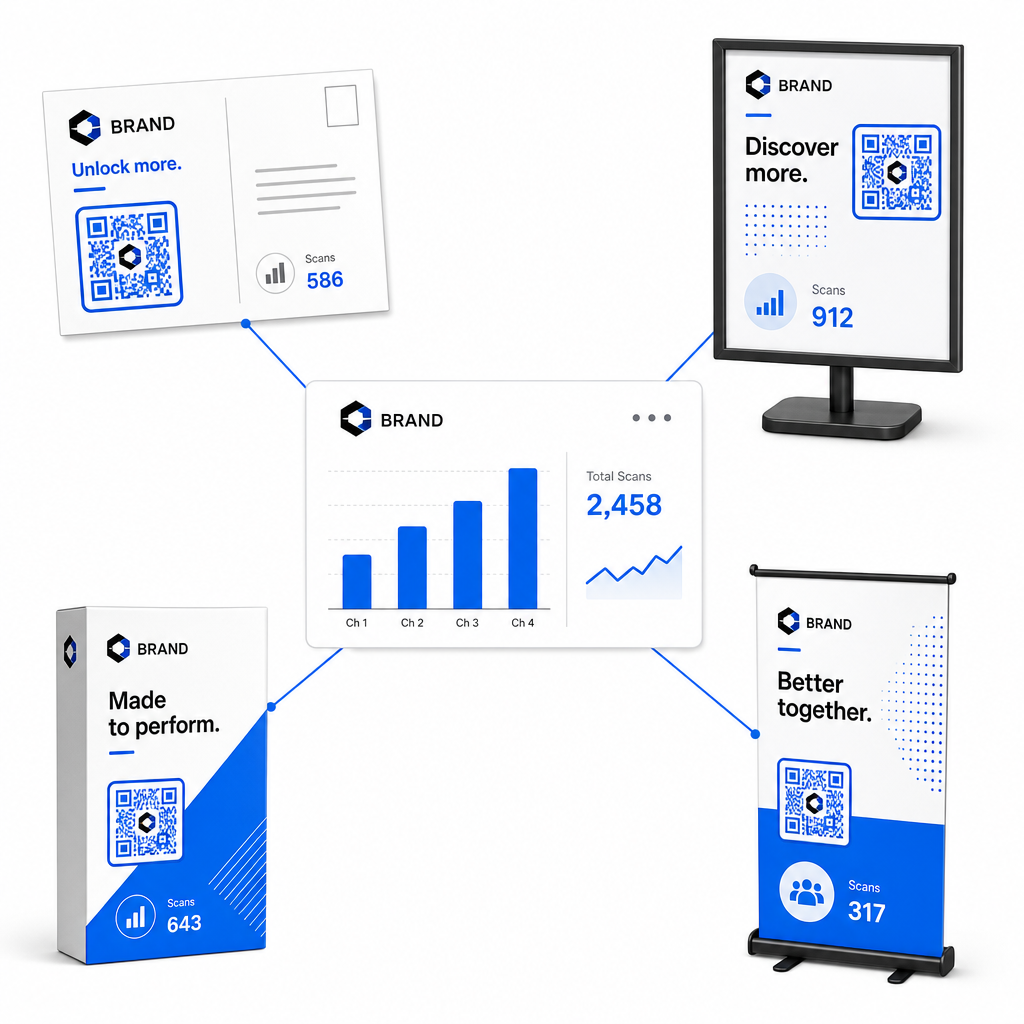
| Marketingový materiál | Cieľový KPI | Optimalizačná stratégia |
|---|---|---|
| Priama pošta a pohľadnice | Miera konverzie a CPA | Umiestnite jasnú motiváciu alebo ponuku zľavy priamo vedľa kódu. |
| Plagáty a displeje v predajni | Objem skenov a rýchlosť skenovania | Nastavte výšku displeja a presuňte kódy smerom k vysoko frekventovaným ohniskovým bodom na úrovni očí. |
| Obal produktu | Opakované skenovanie a miera zapojenia | Nasmerujte používateľov na digitálne návody na použitie, formuláre na aktiváciu záruky alebo zľavy na opätovné objednávky. |
| Označenie a bannery podujatí | Miera získavania potenciálnych zákazníkov | Ponúknite stiahnuteľné zdroje alebo propagačné darčeky výmenou za kontaktné informácie. |
Ak chcete preskúmať ďalšie stratégie implementácie kódov naprieč tradičnými tlačenými médiami, prečítajte si tohto sprievodcu o sledovanie QR kódov.
Pokyny pre maximalizáciu skenov offline kampaní
Pre maximalizáciu konverzných mier a udržanie presných údajov o kampani dodržujte tieto kľúčové prevádzkové štandardy:
- Zahrňte jasný text zameraný na akciu: Vyhnite sa tlači samostatných kódov bez kontextu. Umiestnite explicitné výzvy k akcii vedľa rámčeka kódu, ako napríklad „Naskenujte pre odomknutie 15% zľavy z nákupu“ alebo „Naskenujte pre zobrazenie celého menu“.
- Optimalizujte mobilné vstupné stránky: Skenovanie prebieha výlučne na mobilných zariadeniach. Zabezpečte, aby sa cieľové stránky načítali za menej ako dve sekundy a mali rozloženie vhodné pre palec.
- Otestujte sledovacie URL adresy pred hromadnou distribúciou: Vykonajte živé testy skenovania naprieč viacerými mobilnými OS zariadeniami, aby ste potvrdili, že všetky UTM tagy sa čisto prenesú na vstupnú stránku a zaznamenajú sa v analytike v reálnom čase.
- Aktualizujte dynamickú správu cieľových odkazov: Ak sa zmenia odkazy vstupných stránok alebo sa aktualizujú propagačné akcie, použite svoj administratívny panel na zmenu cieľových URL adries bez opätovnej tlače materiálov. Viac o efektívnej implementácii sa dozviete v tomto zdroji o ako používať QR kódy.
Kombinácia funkcií dynamického riadenia so štruktúrovanými UTM odkazmi mení tlačové médiá na predvídateľný a merateľný rastový kanál. Vytvorte si vlastné dynamické kódy pomocou Generátor QR kódov Pageloot pre získanie kompletného merania vašej investície do tlačeného marketingu.
Často kladené otázky
Áno, platformy na správu dynamických QR kódov automaticky sledujú objem skenovania, operačné systémy zariadení, časové pečiatky skenovania a geografické polohy. Avšak, pridanie UTM parametrov k cieľovým odkazom umožňuje platformám webovej analýzy a CRM platformám priradiť následné relácie na webových stránkach, nákupy a odoslania formulárov potenciálnych zákazníkov späť k vašej konkrétnej fyzickej kampani.
Ak ste vygenerovali dynamické QR kódy, môžete kedykoľvek aktualizovať cieľovú URL adresu a parametre UTM prostredníctvom vášho správcovského panela bez potreby opätovnej tlače vášho fyzického umeleckého diela. Statické QR kódy zakódujú cieľovú webovú adresu natrvalo do návrhu tlače a nemožno ich po vytlačení upravovať.
Priraďte jedinečný dynamický QR kód s odlišnými UTM parametrami (ako napríklad „utmcontent=windowposter“ oproti „utmcontent=checkoutflyer“) každému fyzickému umiestneniu alebo typu materiálu. Toto nastavenie vám umožňuje izolovať objemy skenov, miery konverzie a pripísané príjmy naprieč jednotlivými umiestneniami vo vašich analytických prehľadoch.