Kæmper du med at bevise, hvilke printkampagner eller butiksudstillinger der faktisk driver salg? At investere budget i offline kanaler uden klar attribution gør det umuligt at retfærdiggøre omkostninger eller optimere din strategi. Ved at parre sporbare QR-koder med UTM-parametre og webanalyse kan du forbinde fysiske berøringspunkter direkte til digitale konverteringer og måle dit præcise investeringsafkast.
Hvorfor offlinekampagner kræver dynamisk attribution
Trykt materiale, direct mail og fysisk skiltning er essentielle marketingværktøjer, men at måle deres finansielle ydeevne har historisk set været en udfordring. Når nogen ser en butiksudstilling eller modtager et postkort og senere besøger din hjemmeside, klassificerer standard webanalyse den besøgende som direkte trafik eller organisk søgning. Som et resultat får det fysiske berøringspunkt ingen anerkendelse for det resulterende salg.
Sporbare QR-koder bygger bro over dette hul ved at omdanne fysiske berøringspunkter til målbare digitale indgangspunkter. Når en kunde scanner en kode på trykt materiale, logger din analyseplatform scanningsbegivenheden og sporer den brugers rejse gennem lead-formularer, tilmeldinger eller e-handelstransaktioner.
For at indsamle nøjagtige attributiondata skal du forstå de vigtigste operationelle forskelle mellem statiske og dynamiske koder:
- Statiske QR-koder koder en fast destinations-URL direkte ind i pixelmønsteret. De tilbyder ingen sporingsmuligheder og kan ikke opdateres efter udskrivning.
- Dynamiske QR-koder dirigerer scanneren gennem et fleksibelt kort link til din endelige landingsside. De logger scanningsdata i realtid – herunder scanningstid, placering og enhedstype – og giver dig mulighed for at opdatere destinationslinks til enhver tid uden at genudskrive. Ved at stole på dirigerer dynamiske QR-koder til markedsføring giver det nødvendige grundlag for fuld kampagnemåling.
Opbygning af tilpassede UTM-parametre til fysiske berøringspunkter
UTM (Urchin Tracking Module) parametre er standardiserede tekst-tags, der tilføjes i slutningen af en destinations-URL. Når et smartphonekamera scanner en kode, der indeholder disse tags, læser webanalyseværktøjer som Google Analytics 4 (GA4) parametrene og tilskriver brugersessionen den specifikke offlinekilde. Uden UTM-tags grupperer analyseplatforme QR-kodetrafik under generel direkte trafik, hvilket efterlader kampagnechefer uden indsigt i, hvilken flyer, plakat eller printannonce der drev besøget.
Strukturering af dine sporingslinks
Et robust offline sporingslink er afhængigt af specifikke parameterfelter:
| Parameter | Formål | Anbefalet offlineformatering | Eksempelværdi |
|---|---|---|---|
| “utm_source” | Identificerer den fysiske kanal eller placering | Specifikt printprodukt eller visningssted | “directmailpostcard” |
| “utm_medium” | Identificerer det overordnede markedsføringsmedie | Standardiseret kanal-tag som “qr” eller “offline” | “qr” |
| “utm_campaign” | Identificerer den specifikke kampagne eller tilbud | Navn på kampagnen og årstal | “springsale2025″ |
| “utm_content” | Adskiller design- eller placeringsvariationer | Placeringsdetalje eller kreativ variant | “frontsideqr” |
| “utm_term” | Sporer målgruppesegmenter | Demografisk segment eller mailinglistekode | “existing_customers” |
Standardisering af navngivningskonventioner
For at holde din webanalyse ren og forhindre fragmenteret rapportering, følg standardformateringsreglerne:
- Brug konsekvent små bogstaver: Analyseværktøjer behandler tags med store og små bogstaver separat, hvilket skaber dobbelte kanalposteringer for “QR” og “qr”.
- Adskil ord med understregninger: Avoid spaces, which create percent-encoding symbols (“%20”) that clutter tracking URLs.
- Oprethold ensartede medium-tags: Anvend en enkelt medium-værdi på tværs af alt printmateriale, så al scannet trafik konsolideres under én kanal-gruppe i rapportvisninger.
For yderligere vejledning om strukturering af sporings-URL'er til webanalyseplatforme, gennemgå disse detaljerede tips om brug af UTM-parametre for QR-koder.
Konvertering af sporings-URL'er til dynamiske QR-koder
Når du har oprettet en tagget URL, skal du konvertere den til en scanbar kode. Ved at bruge en specialiseret link QR-kodegenerator eller en omfattende Dynamisk QR-kode generator, indtast din komplette taggede URL (f.eks. “https://yourwebsite.com/promo?utmsource=springflyer&utmmedium=qr&utmcampaign=retail_expansion”).
Bedste praksis for udskrivning
For at opretholde høj scanningsbarhed og sikre pålidelig dataindsamling på tværs af fysiske medier:
- Tildel unikke koder pr. fysisk placering: Generer særskilte dynamiske QR-koder med unikke “utmsource” eller “utmcontent” værdier for hver fysisk placering. Ved at bruge separate koder til butiksfacadeplakater og kasseflyers kan du direkte sammenligne placeringens ydeevne.
- Oprethold stærk visuel kontrast: Placer mørke QR-kode moduler mod en ensfarvet lys baggrund. Høj kontrast gør det muligt for telefonkameraer at identificere og afkode pixelmønstre øjeblikkeligt.
- Anvend korrekte retningslinjer for printstørrelse: Trykt materiale scannet på armslængde, såsom salgsfremmende Flyers eller direkte post postkort, kræver en minimumsstørrelse på 0,8 × 0,8 tommer (2 × 2 cm). For større skilte skal der opretholdes et forhold på 10:1 mellem scanningsafstand og kodebredde.
- Eksporter designs i vektorfilformater: Download altid endelige QR-kode-grafikker i vektorformater (.SVG eller .PDF) i stedet for rasterbilleder som JPEGs for at forhindre pixelering under professionel udskrivning.
Begynd at spore dine printkampagner Stop med at gætte, hvilke offlinekanaler der konverterer. Brug Pageloot’s Dynamisk QR-kode generator til at oprette sporingsbare QR-koder, der leverer øjeblikkelig scanningsanalyse og problemfri ROI-rapportering.
Overvågning af scanninger og analyse af konverteringsdata
At måle ROI kræver, at man forbinder fysiske interaktioner i toppen af tragten med digitale konverteringer i bunden af tragten. Du vil indsamle kampagnedata på tværs af to integrerede miljøer: dit QR-styringsdashboard og din webanalyse-software.
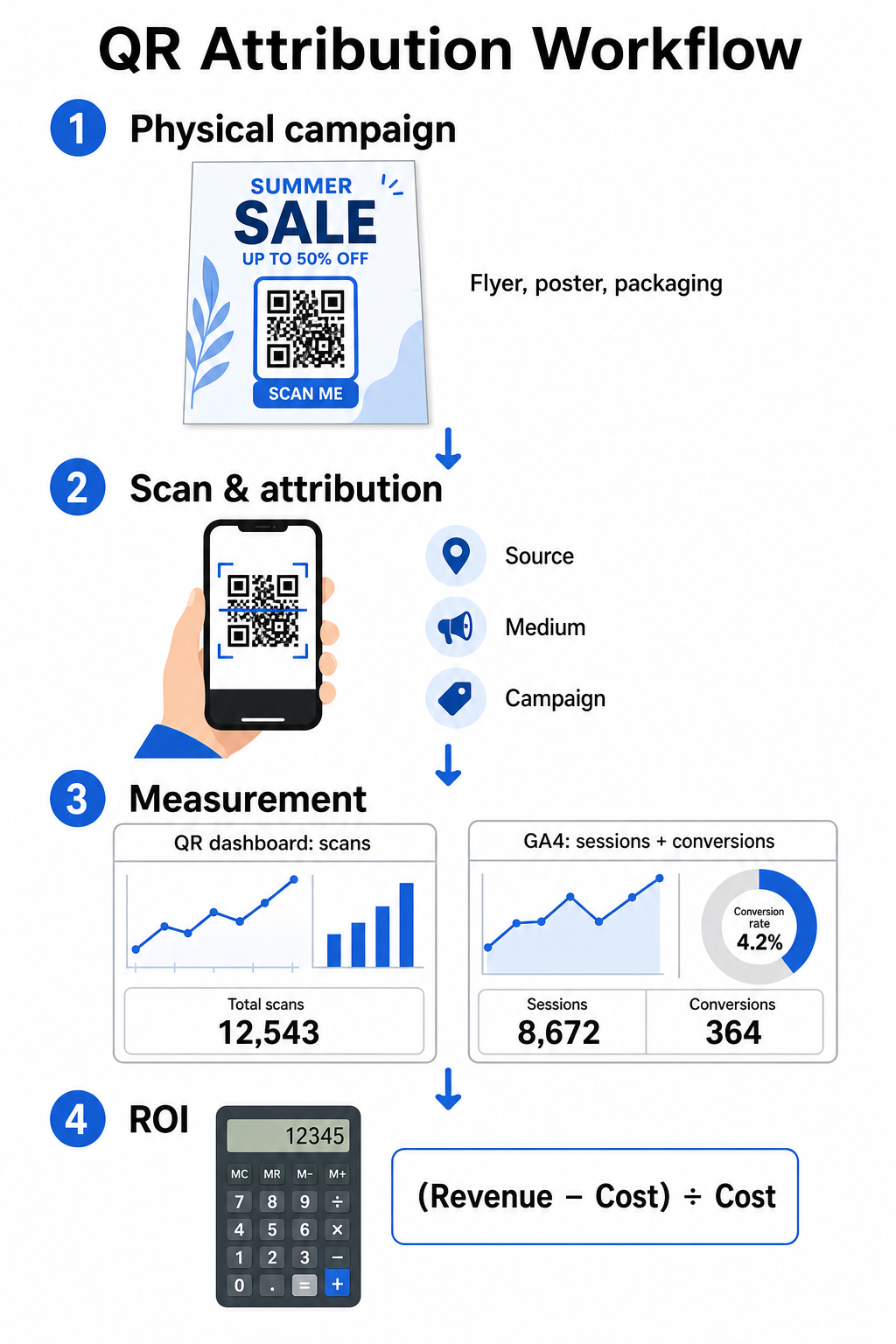
Indsamling af data i toppen af tragten i dit dashboard
Din QR-styringsplatform registrerer øjeblikkeligt fysiske scanningsinteraktionsdata. Når du spore QR-kodescanninger i realtid, viser dit dashboard kritiske engagement metrics:
- Totale vs. unikke scanninger: Totale scanninger registrerer hver scanningshændelse, mens unikke scanninger isolerer individuelle enhedsinteraktioner.
- Geografisk scanningsfordeling: Kort identificerer bedst ydende byer og postområder.
- Tendenser i engagementstidspunkter: Time- og daglige scanningsfordelinger afslører spidsbelastningsvinduer for målgrupper.
- Enhedsoperativsystemer: Operativsystemmetrik sikrer, at landingssider fungerer problemfrit på tværs af iOS- og Android-enheder.
Brug af et centralt QR-kode analyse-dashboard giver kampagneansvarlige øjeblikkelig feedback på ydeevne uden at skulle vente på forsinkelser i webanalysebehandlingen.
Evaluering af konverteringer i Google Analytics 4
Mens dit scanningsdashboard måler fysiske interaktioner, sporer GA4 brugeradfærd, efter besøgende ankommer til din hjemmeside.
For at evaluere kampagnetrafik i GA4:
- Naviger til Rapporter > Erhvervelse > Trafikerhvervelse.
- Ændr den primære rapporteringsdimension til Sessionskilde / medie eller Sessionskampagne.
- Søg efter dit brugerdefinerede mediumtag (såsom “qr”).
- Analyser nøglepræstationsindikatorer, herunder Engagerede sessioner, Engagementsrate, og Nøglebegivenheder (konverteringer).
Når onlinehandlinger – såsom e-handel køb, formularindsendelser eller tilmeldinger til nyhedsbreve – er udpeget som nøglebegivenheder i GA4, tilskriver platformen disse konverteringer direkte tilbage til dine printkampagnes kildeparametre.
Beregning af kampagne-ROI og præstationsmålinger
Når kampagneudgifter er registreret, og den tilskrevne indtægt spores i webanalyse, kan du beregne den nøjagtige Return on Investment (ROI) ved hjælp af standard finansielle formler.
ROI-beregningsformlen
Beregn kampagne-ROI ved hjælp af standardligningen:
ROI (%) = [(Tilskrevet omsætning − Samlede kampagneomkostninger) ÷ Samlede kampagneomkostninger] × 100
Praktisk eksempel på ROI-beregning
Overvej en direct mail-flyerkampagne oprettet for at generere online servicebookinger:
- Samlede kampagneomkostninger: $2,500 (dækker grafisk design, trykning og porto).
- Samlede QR-scanninger: 800 samlede scanninger (650 unikke scanninger).
- Tilskrevne webkonverteringer: 50 gennemførte bookinger, der stammer fra “utmsource=directmail_flyer”.
- Samlet tilskrevet omsætning: $6,000 i direkte salgsindtægter.
Anvendelse af beregningsformlen:
ROI = [($6,000 − $2,500) ÷ $2,500] × 100 = ($3,500 ÷ $2,500) × 100 = 140%
Kampagnen genererede en 140 % nettoafkast af investeringen.
Sekundære effektivitetsmålinger
For at sammenligne effektiviteten på tværs af forskellige fysiske materialer og placeringer skal du overvåge disse understøttende præstationsindikatorer:
- Omkostning pr. scanning (CPS): Divider samlede kampagneomkostninger med samlede scanninger ($2,500 ÷ 800 = $3,12 pr. scanning).
- Scan-til-konverteringsrate: Divider tilskrevne konverteringer med unikke scanninger og multiplicer med 100 ((50 ÷ 650) × 100 = 7,69 %).
- Omkostning pr. anskaffelse (CPA): Divider samlede kampagneomkostninger med tilskrevne konverteringer ($2,500 ÷ 50 = $50,00 pr. konvertering).
- Omsætning pr. scanning (RPS): Divider samlet tilskrevet omsætning med samlede scanninger ($6,000 ÷ 800 = $7,50 pr. scanning).
Sammenligning af ydeevne på tværs af offline medier
Evaluering af ydeevne på tværs af fysiske placeringer hjælper med at allokere fremtidige printbudgetter mod materialetyper med højt udbytte.
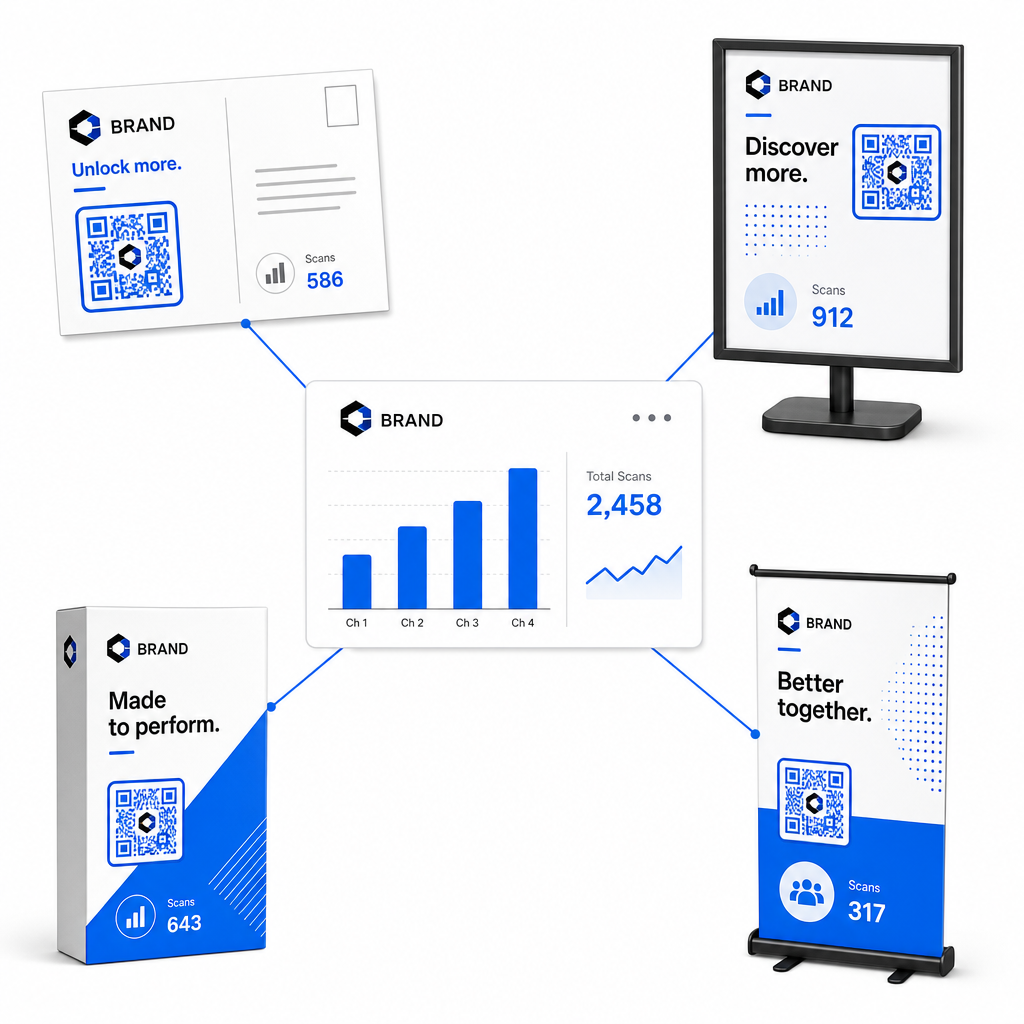
| Marketingmateriale | Mål-KPI | Optimeringsstrategi |
|---|---|---|
| Direct mail & postkort | Konverteringsrate & CPA | Placer et tydeligt incitament eller rabattilbud direkte ved siden af koden. |
| Plakater & displays i butik | Scanningsvolumen & scanningshastighed | Juster displayhøjde og flyt koder mod øjenhøjde-fokuspunkter med høj trafik. |
| Produktemballage | Gentagne scanninger & engagementsrate | Henvis brugere til digitale instruktionsmanualer, garantiaktiveringsformularer eller genbestillingsrabatter. |
| Event-skilte & bannere | Lead-opsamlingsrate | Tilbyd downloadbare ressourcer eller kampagnetilbud i bytte for kontaktoplysninger. |
For at udforske yderligere strategier til implementering af koder på tværs af traditionelle trykte medier, gennemgå denne guide om sporing af QR-koder.
Retningslinjer for maksimering af offline kampagnescanninger
For at maksimere konverteringsrater og opretholde nøjagtige kampagnedata, følg disse centrale driftsstandarder:
- Inkluder klar handlingsorienteret tekst: Undgå at udskrive enkeltstående koder uden kontekst. Placer eksplicitte opfordringer til handling ved siden af kodestellet, såsom “Scan for at låse op for 15% rabat på dit køb” eller “Scan for at se hele menuen”.
- Optimer mobile landingssider: Scanning sker udelukkende på mobile enheder. Sørg for, at destinationssider indlæses på under to sekunder og har tommelfinger-venlige layoutdesigns.
- Test sporings-URL'er før massedistribution: Udfør live scanningstests på tværs af flere mobile OS-enheder for at bekræfte, at alle UTM-tags overføres korrekt til landingssiden og registreres i realtidsanalyse.
- Opdater dynamisk administration af destinationslinks: Hvis landingsside-links ændres, eller kampagner opdateres, brug dit administrative dashboard til at ændre destinations-URL'er uden at genudskrive materiale. Lær mere om effektiv udførelse i denne ressource om hvordan man bruger QR-koder.
Ved at kombinere dynamiske administrationsfunktioner med strukturerede UTM-links omdanner du trykte medier til en forudsigelig, målbar vækstkanal. Opret brugerdefinerede dynamiske koder med Pageloot QR-kodegenerator for at opnå fuld måling af din investering i printmarkedsføring.
Ofte stillede spørgsmål
Ja, dynamiske QR-kodestyringsplatforme sporer automatisk scanningsvolumen, enhedens operativsystemer, scanningstidspunkter og geografiske placeringer. Men ved at tilføje UTM-parametre til destinationslinks giver det webanalyse- og CRM-platforme mulighed for at tilskrive efterfølgende websitesessioner, køb og indsendelser af kundeemneformularer tilbage til din specifikke fysiske kampagne.
Hvis du har genereret dynamiske QR-koder, kan du til enhver tid opdatere destinations-URL'en og UTM-parametrene via dit administrationsdashboard uden at genoptrykke dit fysiske kunstværk. Statiske QR-koder koder den målrettede webadresse permanent ind i printdesignet og kan ikke ændres, når de først er udskrevet.
Tildel en unik dynamisk QR-kode med særskilte UTM-parametre (såsom “utmcontent=windowposter” vs “utmcontent=checkoutflyer”) til hver fysiske placering eller materiale type. Dette setup giver dig mulighed for at isolere scanningsvolumen, konverteringsrater og tilskreven omsætning på tværs af individuelle placeringer i din analyserapport.