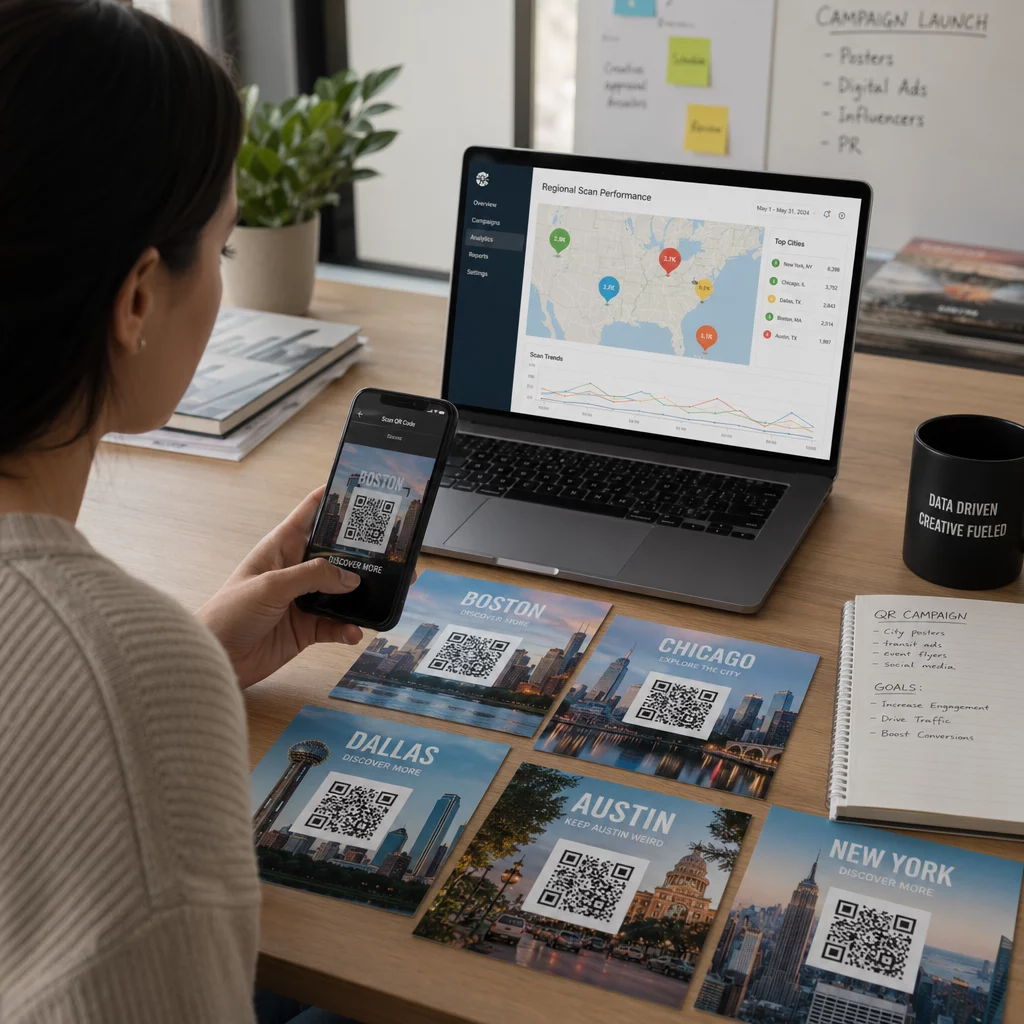
Snažíte se prokázat, které tiskové kampaně nebo vystavení v prodejnách skutečně pohánějí prodeje? Investování rozpočtu do offline kanálů bez jasné atribuce znemožňuje ospravedlnit náklady nebo optimalizovat vaši strategii. Spojením sledovatelných QR kódů s parametry UTM a webovou analytikou můžete propojit fyzické kontaktní body přímo s digitálními konverzemi a změřit přesnou návratnost investice.
Proč offline kampaně vyžadují dynamickou atribuci
Tištěné materiály, přímá pošta a fyzické cedule jsou základními marketingovými nástroji, ale měření jejich finanční výkonnosti historicky představovalo výzvu. Když někdo vidí vystavení v obchodě nebo obdrží pohlednici a později navštíví váš web, standardní webová analytika klasifikuje tohoto návštěvníka jako přímou návštěvnost nebo organické vyhledávání. V důsledku toho fyzický kontaktní bod nezíská žádný kredit za výsledný prodej.
Sledovatelné QR kódy překlenují tuto mezeru tím, že převádějí fyzické kontaktní body na měřitelné digitální vstupní body. Když zákazník naskenuje kód na tištěném materiálu, vaše analytická platforma zaznamená událost skenování a sleduje uživatelovu cestu přes formuláře pro potenciální zákazníky, registrace nebo e-commerce nákupy.
Pro získání přesných atribučních dat musíte pochopit klíčové provozní rozdíly mezi statickými a dynamickými kódy:
- Statické QR kódy kódují pevnou cílovou URL adresu přímo do pixelového vzoru. Nenabízejí žádné možnosti sledování a nelze je aktualizovat po tisku.
- Dynamické QR kódy přesměrují skener přes flexibilní krátký odkaz na vaši finální vstupní stránku. Zaznamenávají data skenování v reálném čase – včetně času skenování, polohy a typu zařízení – a umožňují vám kdykoli aktualizovat cílové odkazy bez opětovného tisku. Spoléhání se na dynamické QR kódy pro marketing poskytuje základ potřebný pro úplné měření kampaně.
Vytváření vlastních UTM parametrů pro fyzické kontaktní body
Parametry UTM (Urchin Tracking Module) jsou standardizované textové značky přidané na konec cílové URL. Když kamera chytrého telefonu naskenuje kód obsahující tyto značky, nástroje pro webovou analýzu, jako je Google Analytics 4 (GA4), přečtou parametry a přiřadí uživatelskou relaci ke konkrétnímu offline zdroji. Bez značek UTM seskupují analytické platformy provoz z QR kódů pod obecný přímý provoz, což správcům kampaní brání v přehledu o tom, který leták, plakát nebo tištěná reklama vedla k návštěvě.
Strukturování vašich sledovacích odkazů
Spolehlivý offline sledovací odkaz se spoléhá na konkrétní pole parametrů:
| Parametr | Účel | Doporučené offline formátování | Příklad hodnoty |
|---|---|---|---|
| „utm_source“ | Identifikuje fyzický kanál nebo umístění | Konkrétní tiskovina nebo místo zobrazení | „directmailpostcard“ |
| „utm_medium“ | Identifikuje zastřešující marketingové médium | Standardizovaná značka kanálu jako „qr“ nebo „offline“ | „qr“ |
| „utm_campaign“ | Identifikuje konkrétní propagaci nebo nabídku | Název propagace a rok | „springsale2025“ |
| „utm_content“ | Rozlišuje varianty designu nebo umístění | Detail umístění nebo kreativní varianta | „frontstranaqr“ |
| „utm_term“ | Sleduje segmenty cílové skupiny | Demografický segment nebo kód mailing listu | „existing_customers“ |
Standardizace názvosloví
Chcete-li udržet čistotu webové analýzy a zabránit fragmentovanému reportování, dodržujte standardní pravidla formátování:
- Důsledně používejte malá písmena: Analytické nástroje zachází s velkými a malými písmeny značek odděleně, což vytváří duplicitní záznamy kanálů pro „QR“ a „qr“.
- Oddělujte slova podtržítky: Avoid spaces, which create percent-encoding symbols (“%20”) that clutter tracking URLs.
- Udržujte jednotné značky média: Použijte jednotnou hodnotu média napříč všemi tiskovinami, aby se veškerý skenovaný provoz konsolidoval pod jednu skupinu kanálů v přehledech.
Pro další pokyny ohledně strukturování sledovacích URL pro webové analytické platformy si prostudujte tyto podrobné tipy k použití parametrů UTM pro QR kódy.
Převod sledovacích URL na dynamické QR kódy
Jakmile vytvoříte označenou URL, převeďte ji na skenovatelný kód. Pomocí specializovaného generátor QR kódů odkazů nebo komplexního Dynamický QR kód, zadejte svou kompletní označenou URL (např. „https://yourwebsite.com/promo?utmzdroj=jaroleták&utmmédium=qr&utmkampaň=rozšíření_maloobchodu“).
Osvědčené postupy pro nasazení v tisku
Pro zachování vysoké skenovatelnosti a zajištění spolehlivého sběru dat napříč fyzickými médii:
- Přiřaďte jedinečné kódy pro každé fyzické umístění: Generujte odlišné dynamické QR kódy s unikátními „utmzdroj“ nebo „utmobsah“ hodnotami pro každé fyzické umístění. Použití samostatných kódů pro plakáty ve výloze a letáky u pokladny vám umožní přímo porovnávat výkon jednotlivých míst.
- Udržujte silný vizuální kontrast: Umístěte tmavé moduly QR kódu na jednoduché světlé pozadí. Vysoký kontrast umožňuje fotoaparátům telefonů okamžitě identifikovat a dekódovat obrazové vzory.
- Použijte správné pokyny pro velikost tisku: Tištěné materiály skenované z délky paže, jako jsou propagační Letáky nebo přímé pošty pohlednice, vyžadují minimální velikost 0,8 × 0,8 palce (2 × 2 cm). U větších značek udržujte poměr 10:1 mezi vzdáleností skenování a šířkou kódu.
- Exportujte návrhy ve vektorových formátech souborů: Vždy stahujte finální grafiku QR kódů ve vektorových formátech (.SVG nebo .PDF) namísto rastrových obrázků, jako jsou JPEG, abyste zabránili pixelaci během profesionálního tisku.
Začněte sledovat své tiskové kampaně Přestaňte hádat, které offline kanály konvertují. Použijte Pageloot's Dynamický QR kód k vytvoření sledovatelných QR kódů, které poskytují okamžité analytiky skenování a bezproblémové hlášení ROI.
Monitorování skenování a analýza konverzních dat
Měření ROI vyžaduje propojení fyzických interakcí z horní části trychtýře s digitálními konverzemi z dolní části trychtýře. Data kampaně budete shromažďovat ve dvou integrovaných prostředích: na vašem dashboardu pro správu QR kódů a ve vašem softwaru pro webovou analytiku.
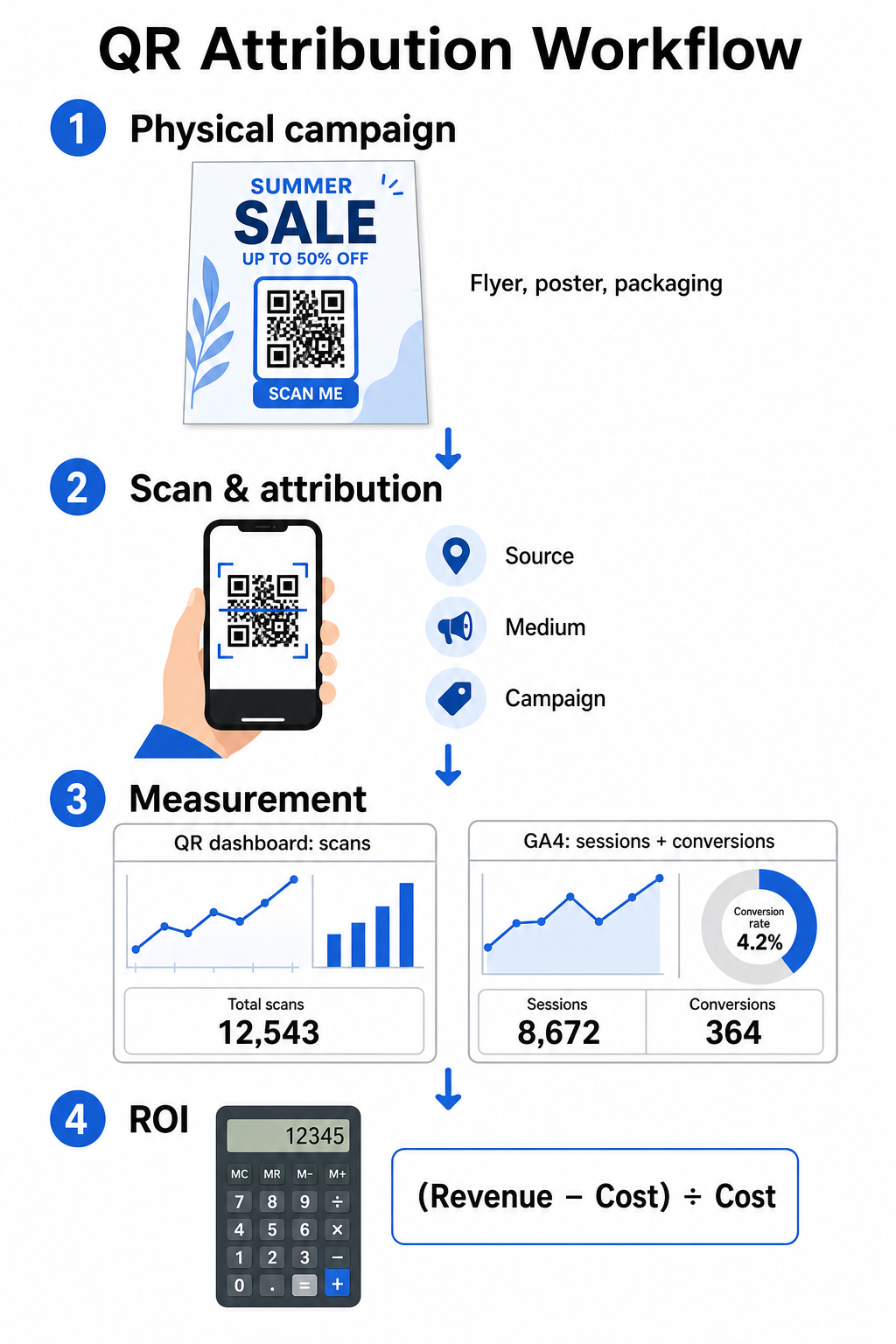
Získávání dat z horní části trychtýře na vašem dashboardu
Vaše platforma pro správu QR kódů okamžitě zaznamenává data o interakcích s fyzickými skeny. Když vy sledovat skenování QR kódů v reálném čase, váš dashboard zobrazuje klíčové metriky zapojení:
- Celkový počet vs. unikátní skeny: Celkový počet skenů zaznamenává každou instanci skenování, zatímco unikátní skeny izolují interakce jednotlivých zařízení.
- Geografické rozložení skenů: Mapy ukazují nejvýkonnější města a PSČ regiony.
- Trendy načasování zapojení: Hodinové a denní rozložení skenů odhaluje období špičkové aktivity pro cílové publikum.
- Operační systémy zařízení: Metriky operačních systémů zajišťují bezproblémové fungování vstupních stránek napříč zařízeními iOS a Android.
Používání centrálního analytický panel QR kódů poskytuje správcům kampaní okamžitou zpětnou vazbu o výkonu bez čekání na zpoždění zpracování webové analytiky.
Vyhodnocení konverzí v Google Analytics 4
Zatímco váš skenovací dashboard měří fyzické interakce, GA4 sleduje chování uživatelů poté, co návštěvníci dorazí na váš web.
Pro vyhodnocení provozu kampaní v GA4:
- Přejděte na Přehledy > Akvizice > Akvizice návštěvnosti.
- Změňte primární dimenzi reportování na Zdroj / médium relace nebo Kampaň relace.
- Vyhledejte svou vlastní značku média (například “qr”).
- Analyzujte klíčové ukazatele výkonu, včetně Angažované relace, Míra zapojení, a Klíčové události (konverze).
Když jsou online akce – jako jsou e-commerce nákupy, odeslání formulářů nebo přihlášení k odběru newsletteru – v GA4 označeny jako klíčové události, platforma tyto konverze přímo připisuje zpět parametrům zdroje vaší tiskové kampaně.
Výpočet ROI kampaně a metrik výkonu
Jakmile jsou zaznamenány výdaje kampaně a přiřazené příjmy jsou sledovány ve webové analytice, můžete vypočítat přesnou návratnost investic (ROI) pomocí standardních finančních vzorců.
Vzorec pro výpočet ROI
Vypočítejte ROI kampaně pomocí standardní rovnice:
ROI (%) = [(Připsané Příjmy − Celkové Náklady Kampaně) ÷ Celkové Náklady Kampaně] × 100
Příklad praktického výpočtu ROI
Zvažte kampaň s letáky přímé pošty vytvořenou za účelem generování online rezervací služeb:
- Celkové náklady kampaně: 2 500 $ (zahrnuje grafický design, tisk a poštovné).
- Celkový počet skenů QR: 800 celkových skenů (650 unikátních skenů).
- Připsané webové konverze: 50 dokončených rezervací pocházejících z „utmsource=directmail_flyer“.
- Celkové připsané příjmy: 6 000 $ z přímých prodejů.
Použití vzorce pro výpočet:
ROI = [($6,000 − $2,500) ÷ $2,500] × 100 = ($3,500 ÷ $2,500) × 100 = 140%
Kampaň vygenerovala 140% čistou návratnost investic.
Sekundární metriky efektivity
Pro porovnání efektivity napříč různými fyzickými materiály a umístěními sledujte tyto podpůrné ukazatele výkonu:
- Náklady na sken (CPS): Vydělte celkové náklady kampaně celkovým počtem skenů (2 500 $ ÷ 800 = 3,12 $ za sken).
- Míra konverze ze skenů: Vydělte připsané konverze unikátními skeny a vynásobte 100 ((50 ÷ 650) × 100 = 7,69 %).
- Cena za akvizici (CPA): Vydělte celkové náklady kampaně připsanými konverzemi (2 500 $ ÷ 50 = 50,00 $ za konverzi).
- Příjem na sken (RPS): Vydělte celkové připsané příjmy celkovým počtem skenů (6 000 $ ÷ 800 = 7,50 $ za sken).
Porovnání výkonu napříč offline médii
Hodnocení výkonu napříč fyzickými umístěními pomáhá alokovat budoucí tiskové rozpočty na typy materiálů s vysokou výnosností.
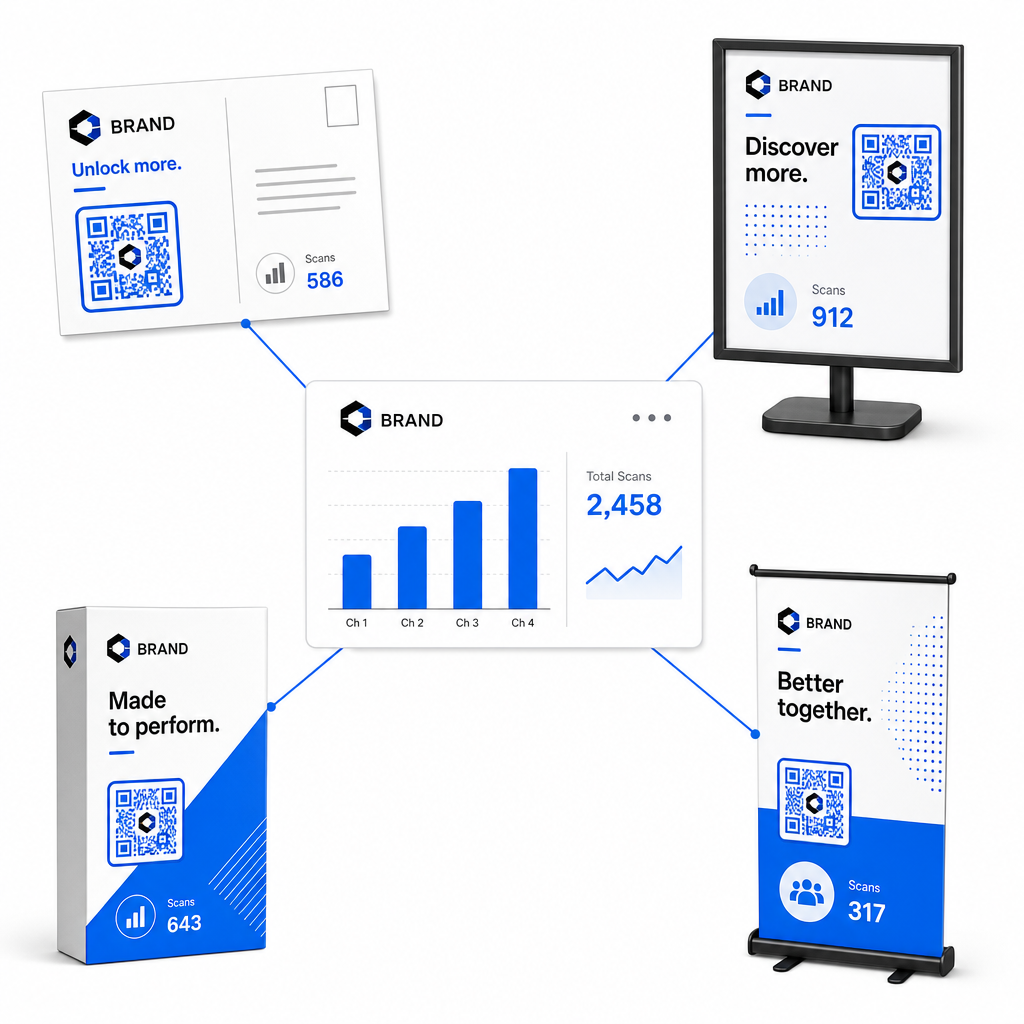
| Marketingový materiál | Cílový KPI | Optimalizační strategie |
|---|---|---|
| Přímá pošta a pohlednice | Konverzní poměr a CPA | Umístěte jasnou pobídku nebo slevovou nabídku přímo vedle kódu. |
| Plakáty a displeje v prodejnách | Objem skenů a rychlost skenování | Upravte výšku displeje a přesuňte kódy k ohniskovým bodům na úrovni očí v oblastech s vysokou návštěvností. |
| Obaly produktů | Opakované skeny a míra zapojení | Směřujte uživatele k digitálním návodům, formulářům pro aktivaci záruky nebo slevám na opakované objednávky. |
| Označení akcí a bannery | Míra získávání leadů | Nabídněte stahovatelné zdroje nebo propagační dárky výměnou za kontaktní informace. |
Chcete-li prozkoumat další strategie pro implementaci kódů napříč tradičními tiskovými médii, prostudujte si tuto příručku k tématu sledování QR kódů.
Pokyny pro maximalizaci skenů offline kampaní
Chcete-li maximalizovat míru konverze a udržovat přesná data kampaní, dodržujte tyto základní provozní standardy:
- Zahrňte jasný text orientovaný na akci: Vyvarujte se tisku samostatných kódů bez kontextu. Umístěte explicitní výzvy k akci vedle rámečku s kódem, například „Naskenujte a získejte 15% slevu na nákup“ nebo „Naskenujte pro zobrazení celého menu“.
- Optimalizujte mobilní vstupní stránky: Skenování probíhá výhradně na mobilních zařízeních. Zajistěte, aby se cílové stránky načítaly do dvou sekund a měly design rozvržení přátelský pro palec.
- Testujte sledovací URL před hromadnou distribucí: Proveďte živé testy skenování napříč více mobilními OS zařízeními, abyste potvrdili, že všechny UTM tagy jsou čistě předány na vstupní stránku a zaznamenány v analytice v reálném čase.
- Aktualizujte dynamickou správu cílových odkazů: Pokud se změní odkazy na vstupní stránky nebo se aktualizují propagační akce, použijte svůj administrativní panel ke změně cílových URL bez opětovného tisku propagačních materiálů. Více o efektivní implementaci se dozvíte v tomto zdroji na téma jak používat QR kódy.
Kombinace funkcí dynamické správy se strukturovanými UTM odkazy transformuje tisková média na předvídatelný, měřitelný růstový kanál. Vytvořte si vlastní dynamické kódy pomocí Generátor QR kódu Pageloot pro získání kompletního měření vaší investice do tiskového marketingu.
Často kladené otázky
Ano, platformy pro správu dynamických QR kódů automaticky sledují objem skenování, operační systémy zařízení, časy skenování a geografické polohy. Nicméně, přidání UTM parametrů k cílovým odkazům umožňuje webovým analytickým a CRM platformám přiřadit následné relace na webových stránkách, nákupy a odeslání kontaktních formulářů zpět k vaší konkrétní fyzické kampani.
Pokud jste vygenerovali dynamické QR kódy, můžete kdykoli aktualizovat cílovou URL adresu a parametry UTM prostřednictvím svého administračního panelu, aniž byste museli znovu tisknout své fyzické umělecké dílo. Statické QR kódy zakódují cílovou webovou adresu trvale do tiskového návrhu a nelze je po vytištění upravit.
Přiřaďte jedinečný dynamický QR kód s odlišnými UTM parametry (například „utmcontent=windowposter“ vs „utmcontent=checkoutflyer“) každé fyzické lokalitě nebo typu propagačního materiálu. Toto nastavení vám umožní izolovat objemy skenování, míru konverze a přiřazené příjmy napříč jednotlivými umístěními ve vašich analytických reportech.