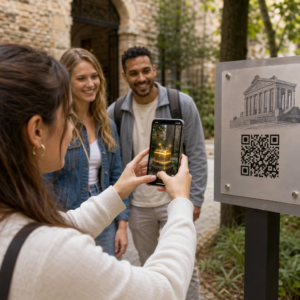
Heeft u moeite om te bewijzen welke printcampagnes of winkeldisplays daadwerkelijk tot verkoop leiden? Het investeren van budget in offline kanalen zonder duidelijke attributie maakt het onmogelijk om kosten te rechtvaardigen of uw strategie te optimaliseren. Door traceerbare QR-codes te koppelen aan UTM-parameters en webanalyse, kunt u fysieke contactpunten rechtstreeks verbinden met digitale conversies en uw exacte rendement op investering meten.
Waarom offline campagnes dynamische attributie vereisen
Gedrukt promotiemateriaal, direct mail en fysieke bewegwijzering zijn essentiële marketinghulpmiddelen, maar het meten van hun financiële prestaties was van oudsher een uitdaging. Wanneer iemand een winkeldisplay ziet of een ansichtkaart ontvangt en later uw website bezoekt, classificeert standaard webanalyse die bezoeker als direct verkeer of organische zoekopdracht. Als gevolg hiervan krijgt het fysieke contactpunt geen enkele erkenning voor de uiteindelijke verkoop.
Traceerbare QR-codes overbruggen deze kloof door fysieke contactpunten om te zetten in meetbare digitale toegangspunten. Wanneer een klant een code op gedrukt materiaal scant, registreert uw analyseplatform de scan-gebeurtenis en volgt het de reis van die gebruiker via leadformulieren, aanmeldingen of e-commerce aankopen.
Om accurate attributiegegevens vast te leggen, moet u de belangrijkste operationele verschillen tussen statische en dynamische codes begrijpen:
- Statische QR codes coderen een vaste bestemmings-URL rechtstreeks in het pixelpatroon. Ze bieden geen trackingmogelijkheden en kunnen na het afdrukken niet worden bijgewerkt.
- Dynamische QR codes leiden de scanner via een flexibele korte link naar uw uiteindelijke landingspagina. Ze registreren scandata in realtime – inclusief scantijd, locatie en apparaattype – en stellen u in staat om bestemmingslinks op elk moment bij te werken zonder opnieuw te printen. Vertrouwen op dynamische QR-codes voor marketing biedt de basis die nodig is voor volledige campagnemeting.
Aangepaste UTM-parameters opbouwen voor fysieke contactpunten
UTM-parameters (Urchin Tracking Module) zijn gestandaardiseerde tekstlabels die aan het einde van een bestemmings-URL worden toegevoegd. Wanneer een smartphonecamera een code scant die deze labels bevat, lezen webanalysetools zoals Google Analytics 4 (GA4) de parameters en schrijven ze de gebruikerssessie toe aan de specifieke offline bron. Zonder UTM-tags groeperen analyseplatforms het QR-codetrafiek onder generiek direct verkeer, waardoor campagnemanagers geen inzicht hebben in welke flyer, poster of printadvertentie het bezoek heeft gestimuleerd.
Je trackinglinks structureren
Een robuuste offline trackinglink is afhankelijk van specifieke parametervelden:
| Parameter | Doel | Aanbevolen offline opmaak | Voorbeeldwaarde |
|---|---|---|---|
| “utm_source” | Identificeert het fysieke kanaal of de locatie | Specifiek gedrukt item of displaylocatie | “directmailansichtkaart” |
| “utm_medium” | Identificeert het overkoepelende marketingmedium | Gestandaardiseerde kanaaltag zoals “qr” of “offline” | “qr” |
| “utm_campaign” | Identificeert de specifieke promotie of aanbieding | Naam van de promotie en het jaar | “lenteuitverkoop2025” |
| “utm_content” | Onderscheidt ontwerp- of plaatsingsvarianten | Plaatsingsdetail of creatieve variant | “voorbladzijdeqr” |
| “utm_term” | Volgt doelgroepsegmenten | Demografisch segment of mailinglijstcode | “bestaande_klanten” |
Naamgevingsconventies standaardiseren
Om je webanalyse schoon te houden en gefragmenteerde rapportage te voorkomen, volg je standaard opmaakregels:
- Gebruik consequent kleine letters: Analysetools behandelen hoofdletter- en kleine lettertags afzonderlijk, waardoor dubbele kanaalinvoeren ontstaan voor “QR” en “qr”.
- Scheid woorden met underscores: Avoid spaces, which create percent-encoding symbols (“%20”) that clutter tracking URLs.
- Hanteer uniforme mediumtags: Pas één mediumwaarde toe op alle gedrukte materialen, zodat al het scanverkeer wordt geconsolideerd onder één kanaalgroep in rapportoverzichten.
Voor verdere richtlijnen over het structureren van tracking-URL's voor webanalyseplatforms, bekijk deze gedetailleerde tips over het gebruik van UTM-parameters voor QR-codes.
Tracking-URL's omzetten in dynamische QR-codes
Zodra u een getagde URL heeft gemaakt, zet u deze om in een scanbare code. Door gebruik te maken van een gespecialiseerde link QR-codegenerator of een uitgebreide Dynamische QR code generator, voer uw volledige getagde URL in (bijv. “https://yourwebsite.com/promo?utmsource=springflyer&utmmedium=qr&utmcampaign=retail_expansion”).
Beste praktijken voor printimplementatie
Om hoge scanbaarheid te behouden en betrouwbare gegevensregistratie over fysieke media te garanderen:
- Wijs unieke codes toe per fysieke plaatsing: Genereer afzonderlijke dynamische QR-codes met unieke “utmsource” of “utmcontent” waarden voor elke fysieke locatie. Het gebruik van afzonderlijke codes voor etalageposters en kassaflyers stelt u in staat om de prestaties van locaties direct te vergelijken.
- Handhaaf een sterk visueel contrast: Plaats donkere QR-codemodules tegen een effen lichte achtergrond. Hoog contrast stelt telefooncamera's in staat om pixelpatronen direct te identificeren en te decoderen.
- Pas de juiste afdrukformaatrichtlijnen toe: Gedrukte materialen die op armlengte worden gescand, zoals promotionele Flyers of direct mail ansichtkaarten, vereisen een minimale grootte van 0.8 × 0.8 inch (2 × 2 cm). Voor grotere bewegwijzering dient een verhouding van 10:1 tussen scanafstand en codewidth te worden aangehouden.
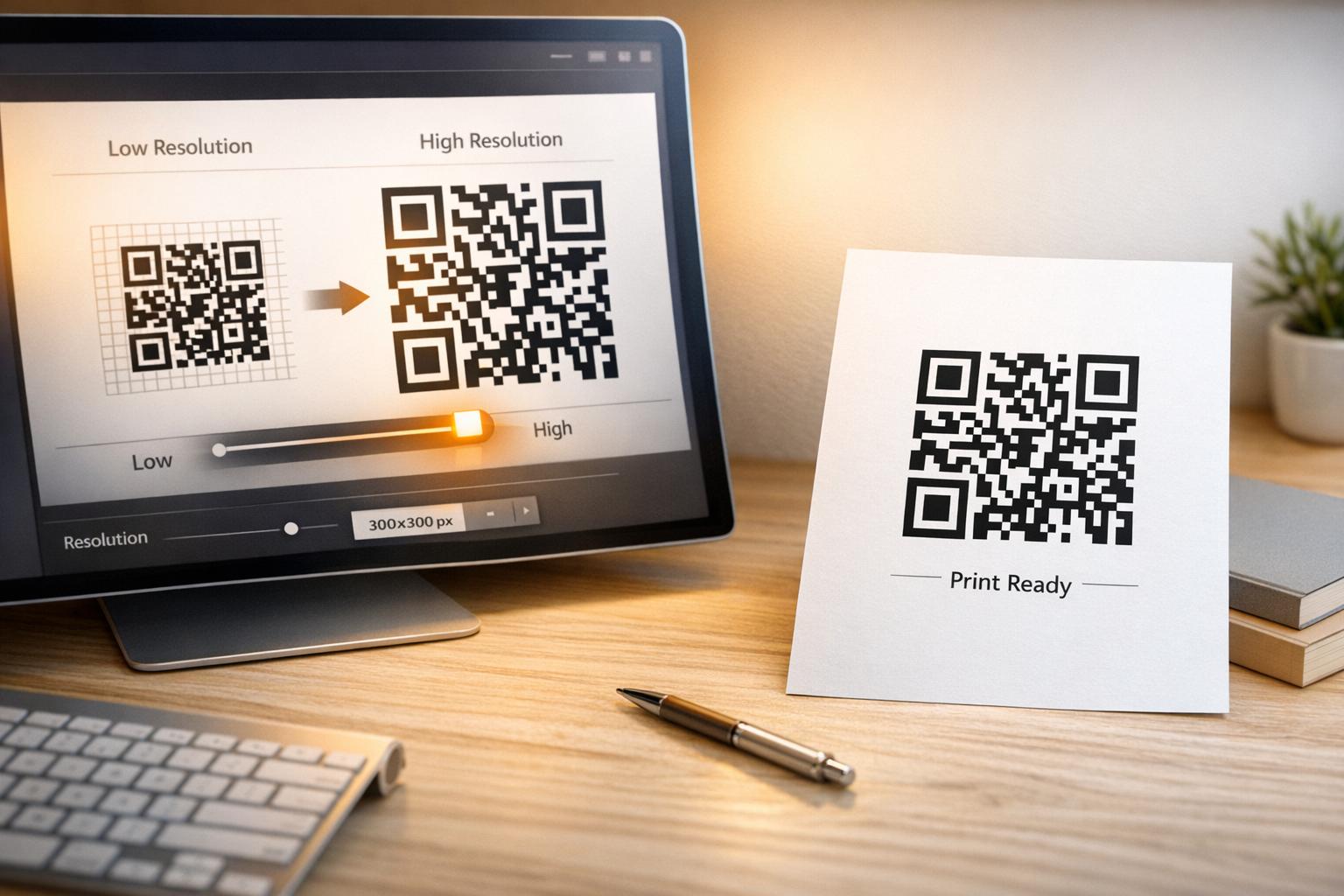
- Exporteer ontwerpen in vectorbestandsformaten: Download altijd definitieve QR-codegrafieken in vectorformaten (.SVG of .PDF) in plaats van rasterafbeeldingen zoals JPEGs om pixelatie tijdens professioneel printen te voorkomen.
Begin met het bijhouden van uw printcampagnes Stop met raden welke offline kanalen converteren. Gebruik Pageloot’s Dynamische QR code generator om traceerbare QR-codes te maken die directe scananalyses en naadloze ROI-rapportage leveren.
Scans monitoren en conversiegegevens analyseren
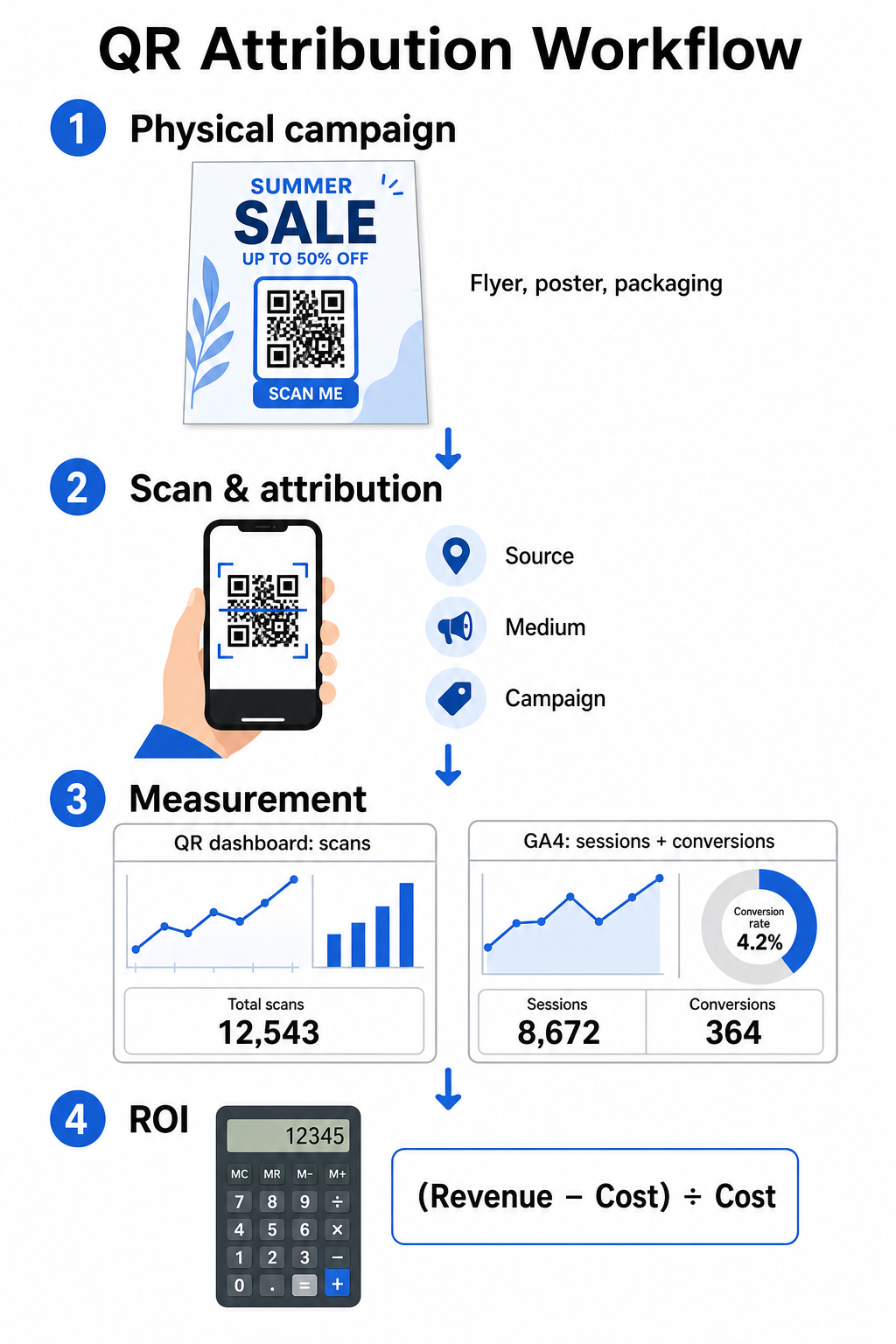
Het meten van ROI vereist het verbinden van fysieke interacties bovenaan de funnel met digitale conversies onderaan de funnel. Je verzamelt campagnedata in twee geïntegreerde omgevingen: je QR-managementdashboard en je webanalysesoftware.
Bovenaan de funnel-gegevens vastleggen in je dashboard
Je QR-managementplatform registreert fysieke scaninteractiegegevens onmiddellijk. Wanneer je QR-codescans in realtime volgen, toont je dashboard cruciale engagementstatistieken:
- Totaal aantal scans vs. unieke scans: Totale scans registreren elke scan-instantie, terwijl unieke scans individuele apparaatinteracties isoleren.
- Geografische scanverdeling: Kaarten wijzen top-presterende steden en postregio's aan.
- Trends in engagementtiming: Uurlijkse en dagelijkse scanverdelingen onthullen piekactiviteitsperioden voor doelgroepen.
- Besturingssystemen van apparaten: Statistieken van besturingssystemen zorgen ervoor dat landingspagina's naadloos functioneren op zowel iOS- als Android-apparaten.
Het gebruik van een centraal QR-code analyse dashboard geeft campagnemanagers onmiddellijke prestatiefeedback zonder te wachten op verwerkingsvertragingen van webanalyses.
Conversies evalueren in Google Analytics 4
Terwijl je scandashboard fysieke interacties meet, volgt GA4 het gebruikersgedrag nadat bezoekers op je website zijn aangekomen.
Om campagneverkeer in GA4 te evalueren:
- Navigeer naar Rapporten > Acquisitie > Verkeersacquisitie.
- Wijzig de primaire rapportagedimensie naar Sessiebron / medium of Sessiecampagne.
- Zoek naar je aangepaste mediumtag (zoals “qr”).
- Analyseer belangrijke prestatie-indicatoren, waaronder Betrokken sessies, Betrokkenheidspercentageen Belangrijke gebeurtenissen (conversies).
Wanneer online acties – zoals e-commerce aankopen, formulierinzendingen of nieuwsbriefaanmeldingen – zijn aangewezen als belangrijke gebeurtenissen in GA4, schrijft het platform die conversies direct toe aan de bronparameters van je printcampagne.
Campagne ROI en prestatiestatistieken berekenen
Zodra de campagne-uitgaven zijn vastgelegd en de toegeschreven omzet wordt bijgehouden in webanalyse, kun je de exacte Return on Investment (ROI) berekenen met behulp van standaard financiële formules.
De ROI-berekeningsformule
Bereken campagne-ROI met behulp van de standaardvergelijking:
ROI (%) = [(Toegerekende Opbrengst − Totale Campagnekosten) ÷ Totale Campagnekosten] × 100
Praktisch Voorbeeld van ROI-berekening
Overweeg een direct mailing flyer-campagne die is opgezet om online serviceboekingen te genereren:
- Totale Campagnekosten: $2.500 (inclusief grafisch ontwerp, drukwerk en portokosten).
- Totaal aantal QR-scans: 800 totale scans (650 unieke scans).
- Toegerekende Webconversies: 50 voltooide boekingen afkomstig van 'utmsource=directmail_flyer'.
- Totale Toegerekende Opbrengst: $6.000 aan directe verkoopopbrengsten.
Toepassing van de berekeningsformule:
ROI = [($6,000 − $2,500) ÷ $2,500] × 100 = ($3,500 ÷ $2,500) × 100 = 140%
De campagne genereerde een nettorendement van 140% op de investering.
Secundaire Efficiëntie Metrieken
Om de efficiëntie te vergelijken tussen verschillende fysieke materialen en plaatsingen, controleer de volgende ondersteunende prestatie-indicatoren:
- Kosten per Scan (KPS): Deel de totale campagnekosten door het totale aantal scans ($2.500 ÷ 800 = $3,12 per scan).
- Scan-naar-Conversiepercentage: Deel toegerekende conversies door unieke scans en vermenigvuldig met 100 ((50 ÷ 650) × 100 = 7,69%).
- Kosten per Acquisitie (KPA): Deel de totale campagnekosten door toegerekende conversies ($2.500 ÷ 50 = $50,00 per conversie).
- Opbrengst per Scan (OPS): Deel de totale toegerekende opbrengst door het totale aantal scans ($6.000 ÷ 800 = $7,50 per scan).
Prestaties Vergelijken tussen Offline Media
Het evalueren van de prestaties van fysieke plaatsingen helpt bij het toewijzen van toekomstige printbudgetten aan hoogrenderende promotiematerialen.
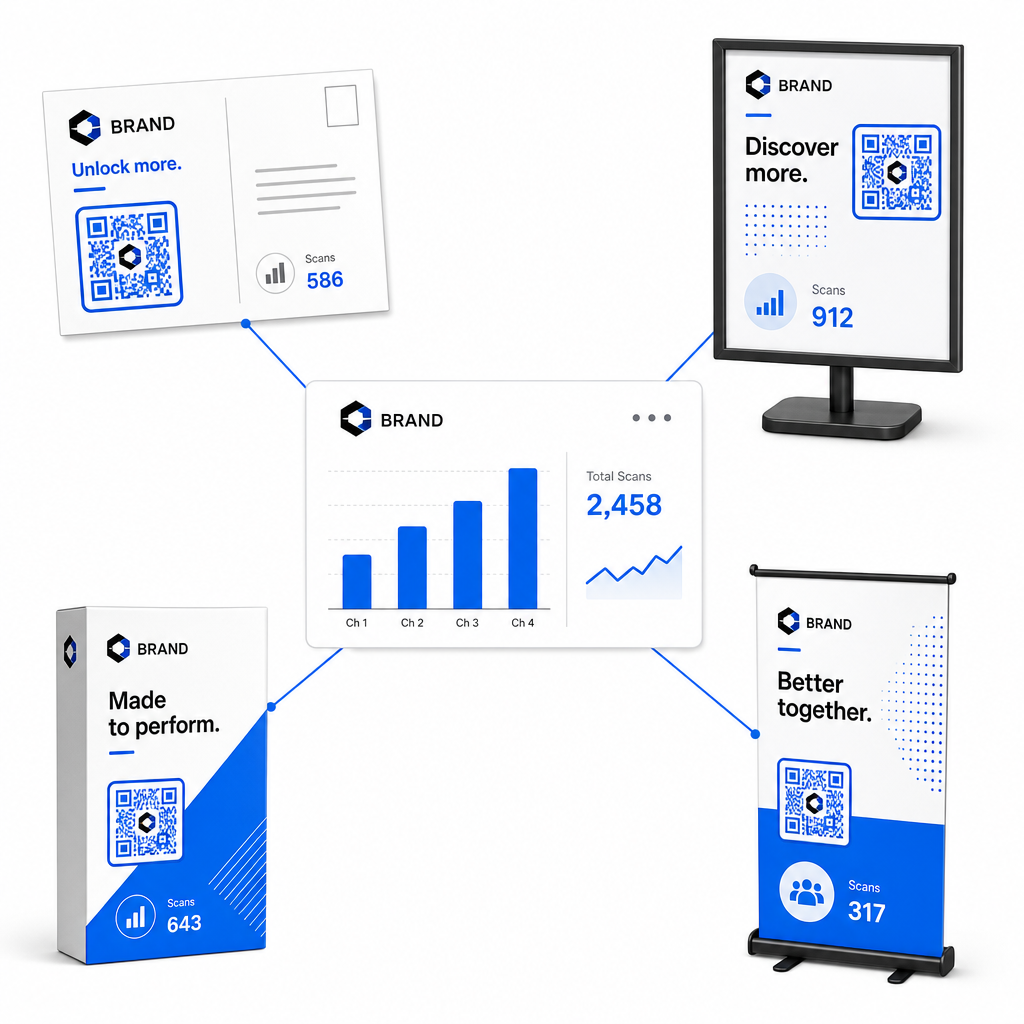
| Marketingmateriaal | Doel-KPI | Optimalisatiestrategie |
|---|---|---|
| Direct Mail & Ansichtkaarten | Conversiepercentage & KPA | Plaats een duidelijke stimulans of kortingsaanbieding direct naast de code. |
| Posters & Displays in de Winkel | Scanvolume & Scansnelheid | Pas de displayhoogte aan en verplaats codes naar goed zichtbare focuspunten op ooghoogte in gebieden met veel verkeer. |
| Productverpakkingen | Herhaalde Scans & Betrokkenheidspercentage | Leid gebruikers naar digitale handleidingen, garantie-activeringsformulieren of kortingen voor herbestellingen. |
| Evenementborden & Banners | Leadopnamepercentage | Bied downloadbare hulpmiddelen of promotionele weggevertjes aan in ruil voor contactgegevens. |
Om aanvullende strategieën te verkennen voor het implementeren van codes in traditionele printmedia, bekijk deze gids over het bijhouden van QR-codes.
Richtlijnen voor het Maximaliseren van Scans van Offline Campagnes
Volg deze operationele kernstandaarden om conversiepercentages te maximaliseren en nauwkeurige campagnedata te behouden:
- Voeg duidelijke actiegerichte tekst toe: Vermijd het afdrukken van losse codes zonder context. Plaats expliciete oproepen tot actie naast het kader van de code, zoals “Scan om 15% korting op uw aankoop te ontgrendelen” of “Scan om het volledige menu te bekijken”.
- Optimaliseer mobiele landingspagina's: Scannen gebeurt uitsluitend op mobiele apparaten. Zorg ervoor dat doelpuntpagina's in minder dan twee seconden laden en duimvriendelijke lay-outontwerpen hebben.
- Test tracking-URL's vóór massale distributie: Voer live scan-tests uit op meerdere mobiele OS-apparaten om te bevestigen dat alle UTM-tags correct worden doorgestuurd naar de landingspagina en worden vastgelegd in realtime analyses.
- Dynamisch beheer van bestemmingslinks bijwerken: Als landingspaginalinks wijzigen of promoties worden bijgewerkt, gebruik dan uw administratieve dashboard om bestemmings-URL's te wijzigen zonder het drukwerk opnieuw af te drukken. Leer meer over effectieve uitvoering in deze bron over hoe gebruik je QR-codes.
Het combineren van dynamische beheerfuncties met gestructureerde UTM-links transformeert printmedia in een voorspelbaar, meetbaar groeikanaal. Maak aangepaste dynamische codes met de Pageloot QR-codegenerator om volledige metingen van uw printmarketinginvestering te verkrijgen.
Veelgestelde vragen
Ja, dynamische QR-codebeheerplatforms houden automatisch het scanvolume, de besturingssystemen van apparaten, scantijdstippen en geografische locaties bij. Het toevoegen van UTM-parameters aan bestemmingslinks stelt webanalyse- en CRM-platforms echter in staat om latere websitebezoeken, aankopen en inzendingen van leadformulieren toe te schrijven aan uw specifieke fysieke campagne.
Als u dynamische QR-codes hebt gegenereerd, kunt u de doel-URL en UTM-parameters op elk gewenst moment via uw beheerderdashboard bijwerken zonder uw fysieke artwork opnieuw af te drukken. Statische QR-codes coderen het doelwebadres permanent in het printontwerp en kunnen niet meer worden gewijzigd nadat ze zijn afgedrukt.
Wijs een unieke dynamische QR-code met afzonderlijke UTM-parameters (zoals “utmcontent=windowposter” versus “utmcontent=checkoutflyer”) toe aan elke fysieke locatie of type drukwerk. Deze opzet stelt u in staat om scanvolumes, conversiepercentages en toegeschreven inkomsten over individuele plaatsingen in uw analyserapportage te isoleren.