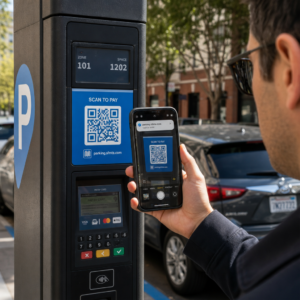
Kas teil on raskusi tõestamisega, millised trükikampaaniad või kaupluste väljapanekud tegelikult müüki kasvatavad? Eelarve investeerimine võrguvälistesse kanalitesse ilma selge omistamiseta muudab kulude õigustamise või strateegia optimeerimise võimatuks. Jälgitavate QR-koodide sidumisel UTM-parameetrite ja veebianalüütikaga saate ühendada füüsilised puutepunktid otse digitaalsete konversioonidega ja mõõta oma täpset investeeringutasuvust.
Miks võrguvälised kampaaniad vajavad dünaamilist omistamist
Trükimaterjalid, otsepostitus ja füüsilised sildid on olulised turundusvahendid, kuid nende finantstulemuste mõõtmine on ajalooliselt olnud väljakutse. Kui keegi näeb kaupluse väljapanekut või saab postkaardi ja külastab hiljem teie veebisaiti, klassifitseerivad tavalised veebianalüütika süsteemid selle külastaja otseveoks või orgaaniliseks otsinguks. Selle tulemusena ei saa füüsiline puutepunkt tekkinud müügi eest mingit tunnustust.
Jälgitavad QR-koodid ületavad selle lõhe, muutes füüsilised puutepunktid mõõdetavateks digitaalseteks sisenemispunktideks. Kui klient skaneerib trükimaterjalil olevat koodi, logib teie analüüsiplatvorm skaneerimissündmuse ja jälgib selle kasutaja teekonda läbi müügivormide, registreerumiste või e-kaubanduse ostude.
Täpse omistamisandmete kogumiseks peate mõistma staatiliste ja dünaamiliste koodide peamisi operatiivseid erinevusi:
- Staatilised QR-koodid kodeerivad fikseeritud siht-URL-i otse pikslmustrisse. Need ei paku jälgimisvõimalusi ja neid ei saa pärast printimist värskendada.
- Dünaamilised QR-koodid suunavad skanneri paindliku lühilingi kaudu teie lõplikule sihtlehele. Need logivad skaneerimisandmeid reaalajas – sealhulgas skaneerimisaeg, asukoht ja seadme tüüp – ning võimaldavad teil sihtlinke igal ajal värskendada ilma uuesti printimata. Tuginedes dünaamilised QR-koodid turunduseks pakub täieliku kampaania mõõtmiseks vajaliku aluse.
Kohandatud UTM-parameetrite loomine füüsiliste puutepunktide jaoks
UTM (Urchin Tracking Module) parameetrid on standardiseeritud tekstisildid, mis lisatakse siht-URL-i lõppu. Kui nutitelefoni kaamera skaneerib neid silte sisaldavat koodi, loevad veebianalüüsi tööriistad, nagu Google Analytics 4 (GA4), parameetreid ja omistavad kasutaja seansi konkreetsele võrguvälisele allikale. Ilma UTM-siltideta rühmitavad analüüsiplatvormid QR-koodi liikluse üldise otsepromotsiooni alla, jättes kampaaniajuhtidele nähtavuse puudumise selles osas, milline flaier, plakat või trükireklaam külastuse esile kutsus.
Teie jälgimislinkide struktureerimine
Tugev võrguväline jälgimislink tugineb konkreetsetele parameetriväljadele:
| Parameeter | Eesmärk | Soovitatav võrguväline vormindus | Näidisväärtus |
|---|---|---|---|
| „utm_source“ | Identifitseerib füüsilise kanali või asukoha | Konkreetne trükis või kuvamiskoht | „directmailpostcard“ |
| „utm_medium“ | Identifitseerib üldise turundusmeedia | Standardiseeritud kanalisilt, näiteks „qr“ või „offline“ | „qr“ |
| „utm_campaign“ | Identifitseerib konkreetse kampaania või pakkumise | Kampaania nimi ja aasta | „springsale2025″ |
| „utm_content“ | Eristab disaini või paigutuse variatsioone | Paigutuse detail või loominguline variant | „frontleheleqr“ |
| „utm_term“ | Jälgib sihtrühma segmente | Demograafiline segment või meililisti kood | „existing_customers“ |
Nimetamiskonventsioonide standardiseerimine
Veebianalüütika puhtana hoidmiseks ja fragmenteeritud aruandluse vältimiseks järgige standardseid vormindusreegleid:
- Kasutage järjepidevalt väiketähti: Analüüsitööriistad käsitlevad suurtähti ja väiketähti eraldi, luues duplikaatkanalikanded „QR“ ja „qr“ jaoks.
- Eraldage sõnad alakriipsudega: Avoid spaces, which create percent-encoding symbols (“%20”) that clutter tracking URLs.
- Säilitage ühtsed meediumisildid: Rakendage kõigile trükimaterjalidele ühtne meediumiväärtus, et kogu skaneeritud liiklus koondataks aruandevaadetes ühe kanalirühma alla.
Veebianalüütika platvormide jaoks jälgimis-URL-ide struktureerimise kohta lisateabe saamiseks vaadake neid üksikasjalikke näpunäiteid, kuidas kasutada UTM-parameetrid QR-koodidele.
Jälgimis-URL-ide teisendamine dünaamilisteks QR-koodideks
Kui olete märgendatud URL-i loonud, teisendage see skannitavaks koodiks. Kasutades spetsiaalset lingi QR-koodi generaator või terviklikku Dünaamilise QR koodi generaator, sisestage oma täielik märgendatud URL (nt “https://teiewebisait.com/kampaania?utmallikas=kevadflaier&utmmeedia=qr&utmkampaania=jaekaubanduse_laienemine”).
Parimad tavad trükiste kasutuselevõtuks
Kõrge skaneeritavuse säilitamiseks ja usaldusväärse andmehõive tagamiseks füüsilisel meedial:
- Määrake iga füüsilise paigutuse jaoks unikaalsed koodid: Looge ainulaadseid dünaamilisi QR-koode, millel on ainulaadsed “utmallikas” või “utmsisu” väärtused iga füüsilise asukoha jaoks. Eraldi koodide kasutamine kaupluseplakatite ja kassafiailerite jaoks võimaldab teil asukohtade jõudlust otse võrrelda.
- Säilitage tugev visuaalne kontrast: Asetage tumedad QR-koodi moodulid ühevärvilise heleda tausta vastu. Kõrge kontrast võimaldab telefonikaameratel pikslimustreid koheselt tuvastada ja dekodeerida.
- Rakendage õigeid trükisuuruse juhiseid: Trükimaterjalid, mida skannitakse käeulatusest, näiteks reklaam Flaierid või otsepostitus postkaardid, nõuavad minimaalset suurust 0,8 × 0,8 tolli (2 × 2 cm). Suuremate siltide puhul hoidke skaneerimiskauguse ja koodi laiuse vahel suhet 10:1.
- Eksportige kujundused vektorfailivormingutesse: Laadige lõplikud QR-koodi graafikad alati alla vektorfailivormingutes (.SVG või .PDF) rastepiltide (nt JPEG-de) asemel, et vältida pikslite moodustumist professionaalse printimise käigus.
Alustage oma trükikampaaniate jälgimist Lõpetage arvamine, millised võrguvälised kanalid konverteerivad. Kasutage Pagelooti Dünaamilise QR koodi generaator jälgitavate QR-koodide loomiseks, mis pakuvad kohest skaneerimisanalüüsi ja sujuvat ROI aruandlust.
Skaneeringute jälgimine ja konversiooniandmete analüüsimine
ROI mõõtmine nõuab lehtri ülemise otsa füüsiliste interaktsioonide ühendamist lehtri alumise otsa digitaalsete konversioonidega. Kampaania andmeid kogute kahes integreeritud keskkonnas: teie QR-halduse armatuurlaual ja teie veebianalüüsi tarkvaras.
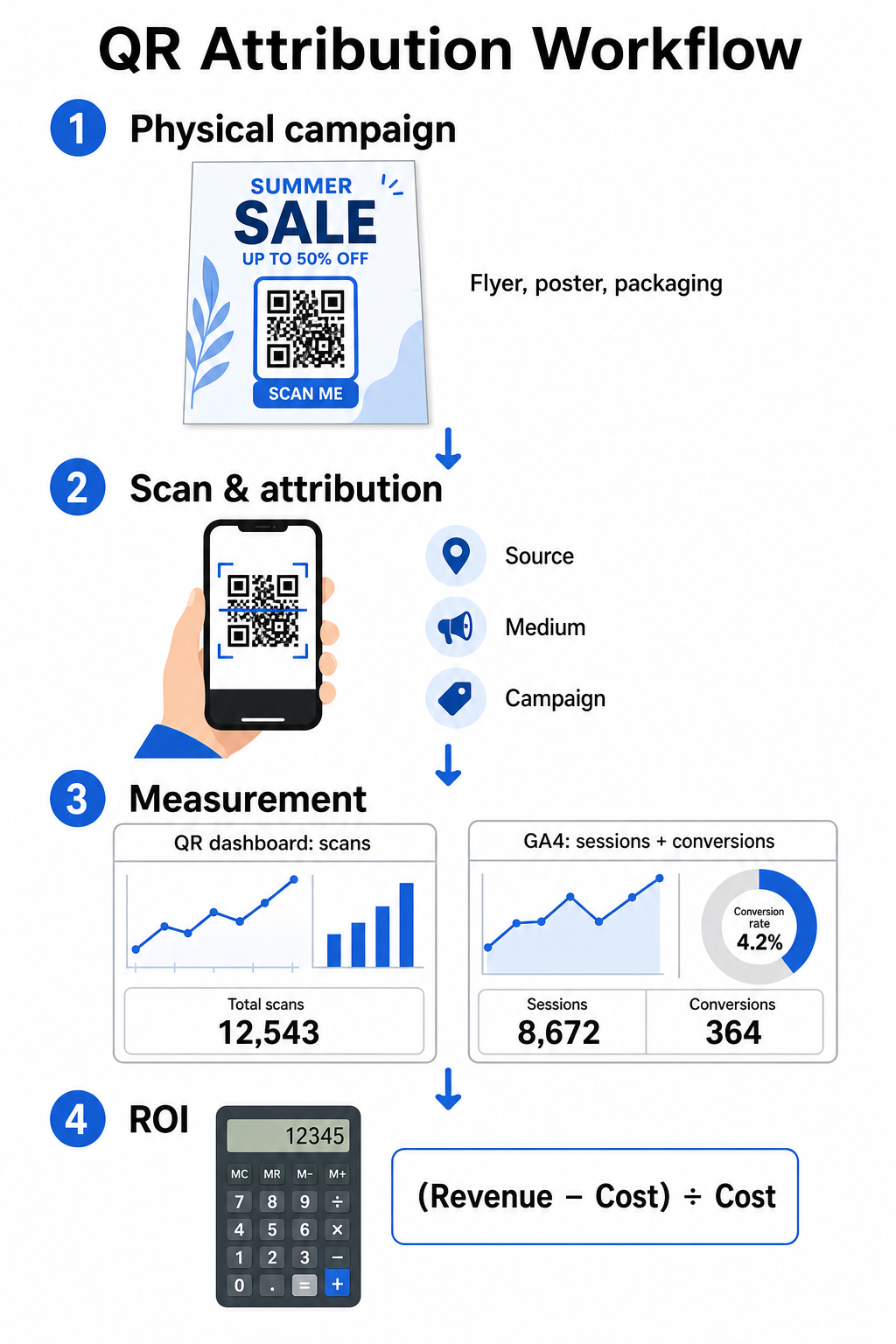
Lehtri ülemise otsa andmete kogumine teie armatuurlaual
Teie QR-halduse platvorm salvestab füüsilise skannimise interaktsioonide andmed koheselt. Kui te jälgida QR-koodi skaneeringuid reaalajas, kuvab teie armatuurlaud kriitilisi kaasamise näitajaid:
- Skaneeringute koguarv vs. unikaalsed skaneeringud: Skannimiste koguarv salvestab iga skannimise juhtumi, samas kui unikaalsed skannimised eraldavad üksikud seadme interaktsioonid.
- Geograafiline skannimiste jaotus: Kaardid näitavad täpselt parimate tulemustega linnu ja postipiirkondi.
- Kaasamise ajastuse trendid: Tunnine ja päevane skannimiste jaotus näitab sihtrühmade tippaktiivsuse aegu.
- Seadmete operatsioonisüsteemid: Operatsioonisüsteemi näitajad tagavad, et maandumislehed toimivad sujuvalt iOS-i ja Androidi seadmetes.
Kasutades tsentraalset QR-koodi analüüsi armatuurlaud annab kampaaniajuhtidele kohese tulemuslikkuse tagasiside, ootamata veebianalüütika töötlemise viivitusi.
Konversioonide hindamine Google Analytics 4-s
Kuigi teie skannimise armatuurlaud mõõdab füüsilisi interaktsioone, jälgib GA4 kasutajate käitumist pärast külastajate teie veebisaidile jõudmist.
Kampaanialiikluse hindamiseks GA4-s:
- Navigeerige kohta Aruanded > Omandamine > Liikluse omandamine.
- Muutke peamine aruandlusdimensioon järgmiseks Seansi allikas / meedium või Seansi kampaania.
- Otsige oma kohandatud meediumisilti (näiteks "qr").
- Analüüsige peamisi tulemusnäitajaid, sealhulgas Kaasatud seansid, Kaasamise määr, ja Võtmesündmused (konversioonid).
Kui veebipõhised toimingud – nagu e-kaubanduse ostud, vormide esitamised või uudiskirja tellimused – on GA4-s määratud võtmesündmusteks, omistab platvorm need konversioonid otse teie trükikampaania allika parameetritele.
Kampaania ROI ja tulemusnäitajate arvutamine
Kui kampaania kulutused on registreeritud ja omistatud tulu on veebianalüütikas jälgitud, saate arvutada täpse investeeringutasuvuse (ROI), kasutades standardseid finantsvalemeid.
ROI arvutamise valem
Arvutage kampaania ROI, kasutades standardset võrrandit:
ROI (%) = [(Omistatud tulu – Kampaania kogukulu) ÷ Kampaania kogukulu] × 100
Praktiline ROI arvutamise näide
Kaaluge otsepostituse flaieri kampaaniat, mis loodi veebipõhiste teenuste broneeringute loomiseks:
- Kampaania kogukulu: 2500 dollarit (katab graafilise disaini, trükkimise ja postikulu).
- QR-skaneeringute koguarv: 800 skaneeringut kokku (650 unikaalset skaneeringut).
- Omistatud veebikonversioonid: 50 lõpetatud broneeringut, mis pärinevad “utmsource=directmail_flyer”.
- Omistatud tulu kokku: 6000 dollarit otsemüügitulu.
Arvutusvalemi rakendamine:
ROI = [($6,000 − $2,500) ÷ $2,500] × 100 = ($3,500 ÷ $2,500) × 100 = 140%
Kampaania genereeris 140% puhas investeeringu tootlus.
Teisesed efektiivsuse mõõdikud
Erinevate füüsiliste materjalide ja paigutuste tõhususe võrdlemiseks jälgige neid toetavaid toimivusnäitajaid:
- Kulu skaneeringu kohta (CPS): Jagage kampaania kogukulu skaneeringute koguarvuga ($2,500 ÷ 800 = $3.12 skaneeringu kohta).
- Skaneerimisest konversioonini määr: Jagage omistatud konversioonid unikaalsete skaneeringutega ja korrutage 100-ga ((50 ÷ 650) × 100 = 7.69%).
- Kulu soetamise kohta (CPA): Jagage kampaania kogukulu omistatud konversioonidega ($2,500 ÷ 50 = $50.00 konversiooni kohta).
- Tulu skaneeringu kohta (RPS): Jagage omistatud kogutulu skaneeringute koguarvuga ($6,000 ÷ 800 = $7.50 skaneeringu kohta).
Jõudluse võrdlemine erinevates võrguvälise meedia kanalites
Füüsiliste paigutuste jõudluse hindamine aitab jaotada tulevasi trükieelarveid suure tootlikkusega reklaammaterjalidele.
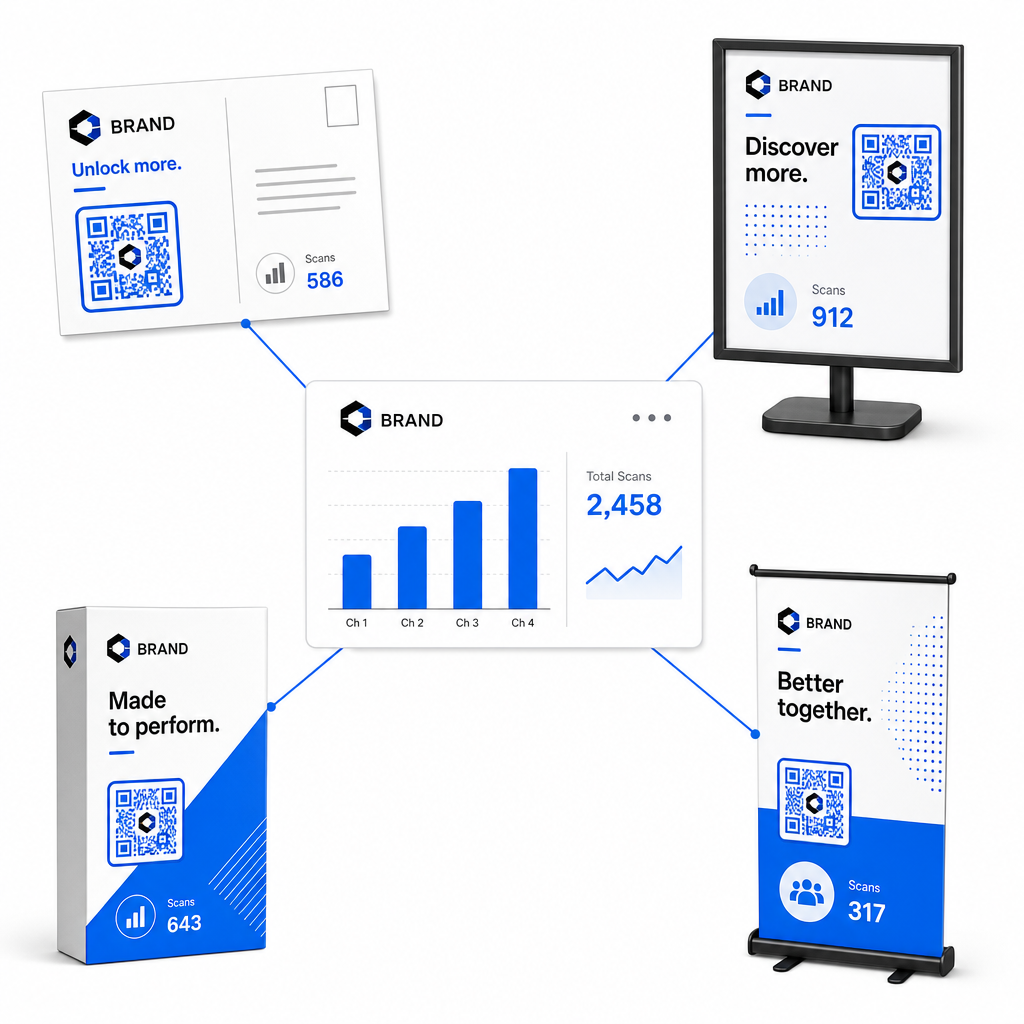
| Turundusmaterjal | Siht-KPI | Optimeerimisstrateegia |
|---|---|---|
| Otsepostitus & Postkaardid | Konversioonimäär & CPA | Paigutage selge soodustus- või allahindluspakkumine otse koodi kõrvale. |
| Kauplusesisesed plakatid & väljapanekud | Skaneeringute maht & Skaneeringute kiirus | Reguleerige ekraani kõrgust ja liigutage koode suure liiklusega silmade kõrgusel asuvate fookuspunktide poole. |
| Tootepakend | Korduvad skaneeringud & Kaasamismäär | Suunake kasutajad digitaalsetele kasutusjuhenditele, garantiiaaktivatsioonivormidele või kordustellimuse allahindlustele. |
| Ürituse sildid & Bännerid | Plii hankimise määr | Pakkuge allalaaditavaid ressursse või promokinke kontaktinfo vastu. |
Et uurida lisastrateegiaid koodide rakendamiseks traditsioonilises trükimeedias, vaadake seda juhendit: QR-koodide jälgimine.
Juhised võrguühenduseta kampaaniate skaneeringute maksimeerimiseks
Konversioonimäärade maksimeerimiseks ja täpsete kampaaniandmete säilitamiseks järgige neid põhilisi operatiivstandardeid:
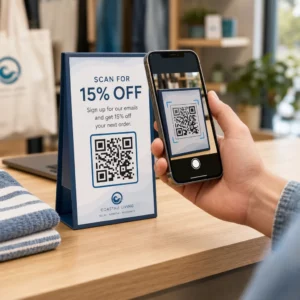
- Lisage selge tegevusele suunatud tekst: Vältige kontekstita eraldiseisvate koodide printimist. Paigutage selgesõnalised üleskutsed tegevusele koodiraami kõrvale, näiteks „Skaneeri, et saada oma ostult 15% allahindlust” või „Skaneeri, et näha täielikku menüüd”.
- Optimeerige mobiilseid sihtlehti: Skaneerimine toimub ainult mobiilseadmetel. Veenduge, et sihtlehed laadiksid alla kahe sekundi ja oleksid pöidlasõbraliku paigutusega.
- Testige jälgimis-URL-e enne masslevitamist: Tehke reaalajas skaneerimiskatseid mitme mobiilse operatsioonisüsteemi seadmega, et kinnitada, et kõik UTM-märgised edastatakse puhtalt sihtlehele ja registreeritakse reaalajas analüütikas.
- Uuendage sihtlinkide dünaamilist haldust: Kui sihtlehe lingid muutuvad või pakkumised uuenevad, kasutage oma halduskeskkonda siht-URL-ide muutmiseks ilma materjale uuesti printimata. Lisateavet tõhusa teostuse kohta leiate sellest ressursist: kuidas kasutada QR-koode.
Dünaamiliste haldusfunktsioonide ja struktureeritud UTM-linkide kombineerimine muudab trükimeedia prognoositavaks ja mõõdetavaks kasvukanaliks. Looge kohandatud dünaamilisi koode Pageloot QR-koodi generaator et saavutada täielik mõõdetavus oma trükireklaami investeeringu üle.
Korduma kippuvad küsimused
Jah, dünaamilised QR-koodi haldamise platvormid jälgivad automaatselt skaneerimiste mahtu, seadmete operatsioonisüsteeme, skaneerimise ajatempleid ja geograafilisi asukohti. Kuid UTM-parameetrite lisamine sihtlinkidele võimaldab veebianalüüsi- ja CRM-platvormidel omistada veebisaidi järgnevad seansid, ostud ja müügivihjete vormide esitamised tagasi teie konkreetsele füüsilisele kampaaniale.
Kui olete loonud dünaamilised QR-koodid, saate siht-URL-i ja UTM-parameetreid igal ajal oma halduspaneeli kaudu värskendada, ilma et peaksite oma füüsilist kujundust uuesti printima. Staatilised QR-koodid kodeerivad sihtveebiaadressi püsivalt trükikujundusse ja neid ei saa pärast printimist muuta.
Määrake igale füüsilisele asukohale või materjalitüübile unikaalne dünaamiline QR-kood eristuvate UTM-parameetritega (nagu “utmcontent=windowposter” vs “utmcontent=checkoutflyer”). See seadistus võimaldab teil analüütilises aruandluses eraldada skaneeringute mahud, konversioonimäärad ja omistatud tulu üksikute paigutuste lõikes.