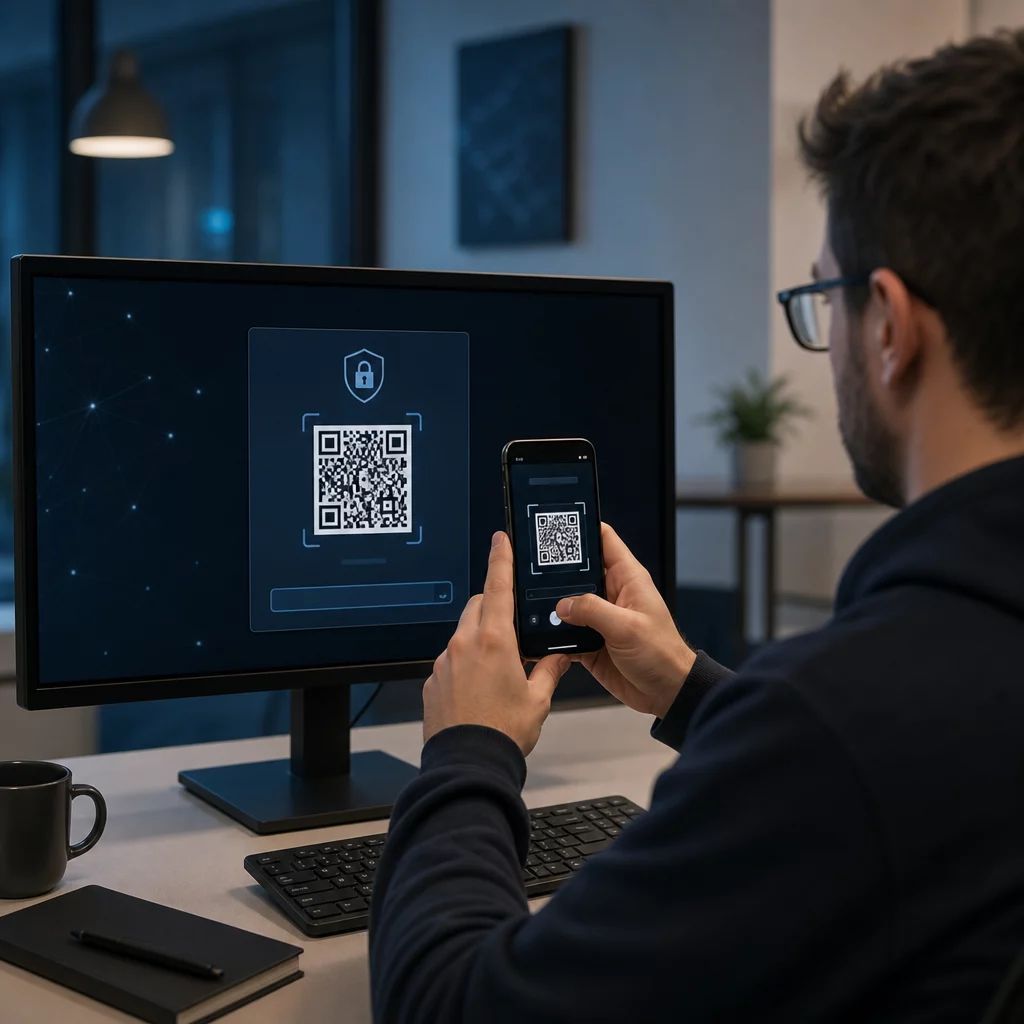
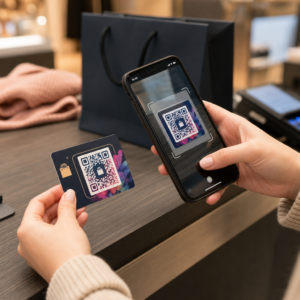
Apakah Anda kesulitan membuktikan kampanye cetak atau pajangan toko mana yang benar-benar mendorong penjualan? Menginvestasikan anggaran di saluran offline tanpa atribusi yang jelas membuat mustahil untuk membenarkan biaya atau mengoptimalkan strategi Anda. Dengan memasangkan kode QR yang dapat dilacak dengan parameter UTM dan analitik web, Anda dapat menghubungkan titik kontak fisik secara langsung ke konversi digital dan mengukur laba atas investasi Anda secara tepat.
Mengapa Kampanye Offline Membutuhkan Atribusi Dinamis
Materi cetak, surat langsung, dan papan nama fisik adalah alat pemasaran yang penting, tetapi mengukur kinerja keuangannya secara historis menghadirkan tantangan. Ketika seseorang melihat pajangan toko atau menerima kartu pos dan kemudian mengunjungi situs web Anda, analitik web standar mengklasifikasikan pengunjung tersebut sebagai lalu lintas langsung atau pencarian organik. Akibatnya, titik kontak fisik tersebut tidak mendapatkan kredit sama sekali untuk penjualan yang dihasilkan.
Kode QR yang dapat dilacak menjembatani kesenjangan ini dengan mengubah titik kontak fisik menjadi titik masuk digital yang terukur. Ketika pelanggan memindai kode pada materi cetak, platform analitik Anda mencatat peristiwa pemindaian dan melacak perjalanan pengguna tersebut melalui formulir prospek, pendaftaran, atau pembelian e-commerce.
Untuk mendapatkan data atribusi yang akurat, Anda harus memahami perbedaan operasional utama antara kode statis dan dinamis:
- Kode QR statis menyematkan URL tujuan tetap secara langsung ke dalam pola piksel. Kode-kode ini tidak menawarkan kemampuan pelacakan dan tidak dapat diperbarui setelah dicetak.
- Kode QR dinamis mengarahkan pemindai melalui tautan pendek yang fleksibel ke halaman arahan akhir Anda. Kode-kode ini mencatat data pemindaian secara real-time – termasuk waktu pemindaian, lokasi, dan jenis perangkat – dan memungkinkan Anda memperbarui tautan tujuan kapan saja tanpa perlu mencetak ulang. Mengandalkan kode QR dinamis untuk pemasaran memberikan dasar yang diperlukan untuk pengukuran kampanye secara menyeluruh.
Membangun Parameter UTM Kustom untuk Titik Kontak Fisik
Parameter UTM (Urchin Tracking Module) adalah tag teks terstandarisasi yang ditambahkan ke akhir URL tujuan. Ketika kamera ponsel memindai kode yang berisi tag ini, alat analisis web seperti Google Analytics 4 (GA4) membaca parameter tersebut dan mengaitkan sesi pengguna ke sumber offline tertentu. Tanpa tag UTM, platform analitik mengelompokkan lalu lintas kode QR di bawah lalu lintas langsung generik, membuat manajer kampanye tidak memiliki visibilitas tentang brosur, poster, atau iklan cetak mana yang mendorong kunjungan tersebut.
Struktur Tautan Pelacakan Anda
Tautan pelacakan offline yang kuat bergantung pada bidang parameter tertentu:
| Parameter | Tujuan | Format Offline yang Direkomendasikan | Nilai Contoh |
|---|---|---|---|
| “utm_source” | Mengidentifikasi saluran fisik atau lokasi | Item cetak atau lokasi tampilan tertentu | “directmailpostcard” |
| “utm_medium” | Mengidentifikasi medium pemasaran secara keseluruhan | Tag saluran terstandarisasi seperti “qr” atau “offline” | “qr” |
| “utm_campaign” | Mengidentifikasi promosi atau penawaran tertentu | Nama promosi dan tahun | “springsale2025″ |
| “utm_content” | Membedakan variasi desain atau penempatan | Detail penempatan atau varian kreatif | “fronthalamanqr” |
| “utm_term” | Melacak segmen audiens target | Segmen demografi atau kode daftar surat | “existing_customers” |
Standarisasi Konvensi Penamaan
Untuk menjaga analitik web Anda tetap bersih dan mencegah pelaporan yang terfragmentasi, ikuti aturan pemformatan standar:
- Gunakan huruf kecil secara konsisten: Alat analitik memperlakukan tag huruf besar dan huruf kecil secara terpisah, membuat entri saluran duplikat untuk “QR” dan “qr”.
- Pisahkan kata dengan garis bawah: Avoid spaces, which create percent-encoding symbols (“%20”) that clutter tracking URLs.
- Pertahankan tag medium yang seragam: Terapkan satu nilai medium di semua materi cetak agar semua lalu lintas pindai terkonsolidasi di bawah satu grup saluran dalam tampilan laporan.
Untuk panduan lebih lanjut tentang menyusun URL pelacakan untuk platform analitik web, tinjau tips terperinci ini tentang penggunaan parameter UTM untuk kode QR.
Mengubah URL Pelacakan menjadi Kode QR Dinamis
Setelah Anda membuat URL yang ditandai, ubah menjadi kode yang dapat dipindai. Menggunakan alat khusus pembuat kode QR tautan atau alat yang komprehensif Generator QR Code Dinamis, masukkan URL bertanda lengkap Anda (misalnya, “https://yourwebsite.com/promo?utmsource=springflyer&utmmedium=qr&utmcampaign=retail_expansion”).
Praktik Terbaik untuk Penempatan Cetak
Untuk menjaga kemampuan pindai yang tinggi dan memastikan pengambilan data yang andal di seluruh media fisik:
- Menetapkan kode unik per penempatan fisik: Hasilkan kode QR dinamis yang berbeda dengan “utmsource” atau “utmcontent” untuk setiap lokasi fisik. Menggunakan kode terpisah untuk poster etalase toko dan selebaran kasir memungkinkan Anda membandingkan kinerja lokasi secara langsung.
- Pertahankan kontras visual yang kuat: Posisikan modul kode QR gelap di atas latar belakang terang polos. Kontras tinggi memungkinkan kamera ponsel mengidentifikasi dan mendekode pola piksel secara instan.
- Terapkan panduan ukuran cetak yang tepat: Materi cetak yang dipindai dari jarak jangkauan tangan, seperti materi promosi Flyer atau surat langsung kartu pos, memerlukan ukuran minimum 0,8 × 0,8 inci (2 × 2 cm). Untuk papan nama yang lebih besar, pertahankan rasio 10:1 antara jarak pemindaian dan lebar kode.
- Ekspor desain dalam format file vektor: Selalu unduh grafik kode QR akhir dalam format vektor (.SVG atau .PDF) alih-alih gambar raster seperti JPEG untuk mencegah pikselasi selama pencetakan profesional.
Mulai Lacak Kampanye Cetak Anda Berhenti menebak saluran offline mana yang menghasilkan konversi. Gunakan alat Pageloot Generator QR Code Dinamis untuk membuat kode QR yang dapat dilacak yang memberikan analitik pemindaian instan dan pelaporan ROI yang mulus.
Memantau Pemindaian dan Menganalisis Data Konversi
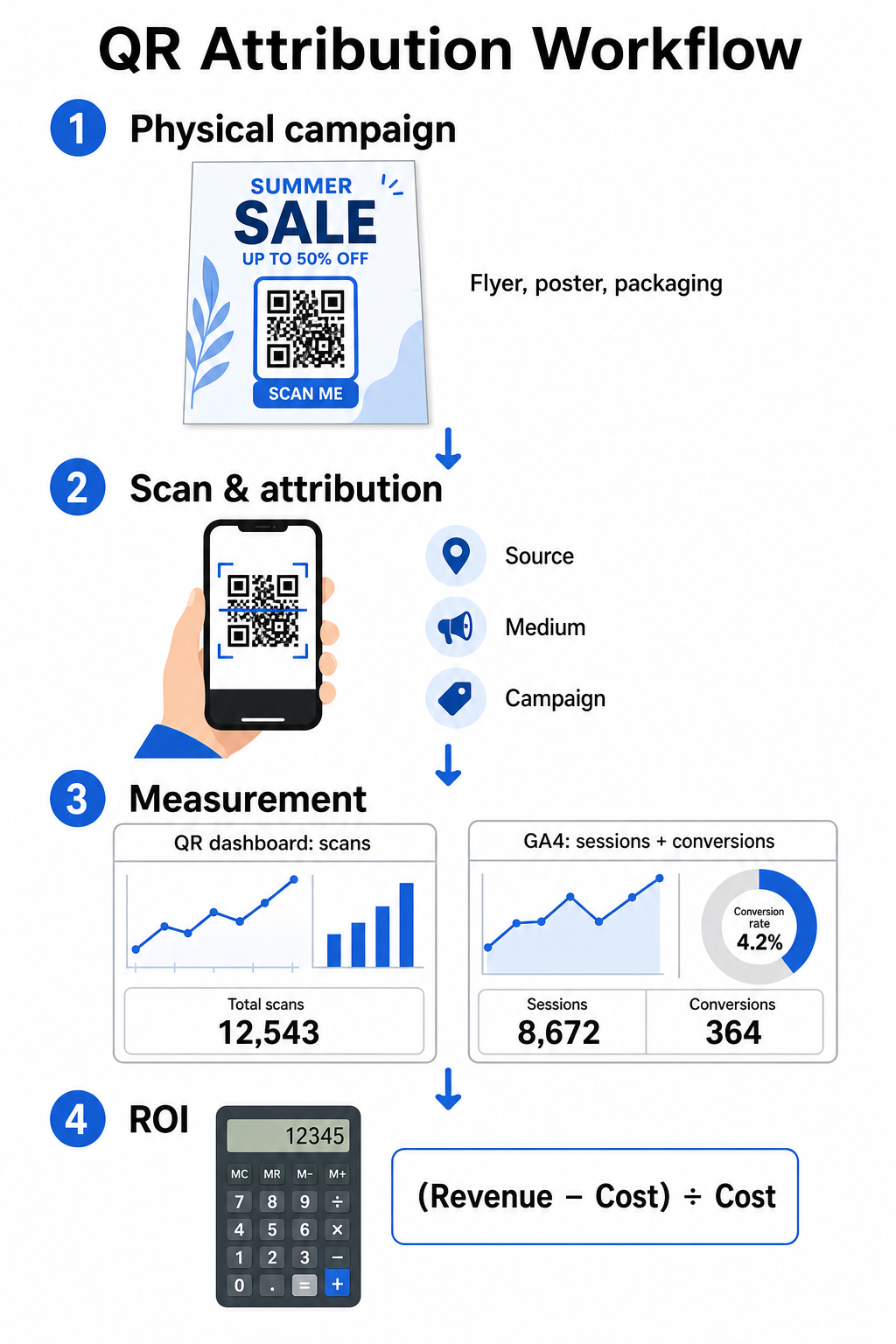
Mengukur ROI membutuhkan penghubung interaksi fisik di bagian atas funnel dengan konversi digital di bagian bawah funnel. Anda akan mengumpulkan data kampanye dari dua lingkungan terintegrasi: dasbor manajemen QR Anda dan perangkat lunak analitik web Anda.
Mengumpulkan Data Top-of-Funnel di Dasbor Anda
Platform manajemen QR Anda segera merekam data interaksi pemindaian fisik. Saat Anda melacak pemindaian kode QR secara real time, dasbor Anda menampilkan metrik engagement penting:
- Total vs. pemindaian unik: Total pemindaian merekam setiap instance pemindaian, sedangkan pemindaian unik mengisolasi interaksi perangkat individual.
- Distribusi pemindaian geografis: Peta menunjukkan kota dan wilayah pos dengan kinerja terbaik.
- Tren waktu engagement: Distribusi pemindaian per jam dan harian mengungkapkan waktu aktivitas puncak untuk audiens target.
- Sistem operasi perangkat: Metrik sistem operasi memastikan halaman arahan berfungsi dengan lancar di seluruh perangkat iOS dan Android.
Menggunakan pusat dasbor analitik kode QR memberikan manajer kampanye umpan balik kinerja instan tanpa menunggu penundaan pemrosesan analitik web.
Mengevaluasi Konversi di Google Analytics 4
Sementara dasbor pemindaian Anda mengukur interaksi fisik, GA4 melacak perilaku pengguna setelah pengunjung tiba di situs web Anda.
Untuk mengevaluasi lalu lintas kampanye di GA4:
- Navigasi ke Laporan > Akuisisi > Akuisisi lalu lintas.
- Ubah dimensi pelaporan utama menjadi Sumber/medium sesi atau Kampanye sesi.
- Cari tag medium kustom Anda (seperti “qr”).
- Analisis indikator kinerja utama, termasuk Sesi berinteraksi, Tingkat engagement, dan Event kunci (konversi).
Ketika tindakan online – seperti pembelian e-commerce, pengiriman formulir, atau pendaftaran buletin – ditetapkan sebagai event kunci di GA4, platform mengaitkan konversi tersebut langsung kembali ke parameter sumber kampanye cetak Anda.
Menghitung ROI Kampanye dan Metrik Kinerja
Setelah pengeluaran kampanye dicatat dan pendapatan yang diatribusikan dilacak di analitik web, Anda dapat menghitung Return on Investment (ROI) yang tepat menggunakan rumus keuangan standar.
Rumus Perhitungan ROI
Hitung ROI kampanye menggunakan persamaan standar:
ROI (%) = [(Pendapatan yang Dikaitkan − Total Biaya Kampanye) ÷ Total Biaya Kampanye] × 100
Contoh Perhitungan ROI Praktis
Pertimbangkan kampanye selebaran pos langsung yang dibuat untuk menghasilkan pemesanan layanan online:
- Total Biaya Kampanye: $2.500 (meliputi desain grafis, pencetakan, dan ongkos kirim).
- Total Pindaian QR: 800 total pindaian (650 pindaian unik).
- Konversi Web yang Dikaitkan: 50 pemesanan yang selesai berasal dari “utmsource=directmail_flyer”.
- Total Pendapatan yang Dikaitkan: $6.000 dalam pendapatan penjualan langsung.
Menerapkan rumus perhitungan:
ROI = [($6.000 − $2.500) ÷ $2.500] × 100 = ($3.500 ÷ $2.500) × 100 = 140%
Kampanye ini menghasilkan pengembalian investasi bersih sebesar 140%.
Metrik Efisiensi Sekunder
Untuk membandingkan efisiensi di berbagai materi fisik dan penempatan, pantau indikator kinerja pendukung ini:
- Biaya per Pindai (BPP): Bagi total biaya kampanye dengan total pindaian ($2.500 ÷ 800 = $3,12 per pindaian).
- Tingkat Pindai-ke-Konversi: Bagi konversi yang dikaitkan dengan pindaian unik dan kalikan dengan 100 ((50 ÷ 650) × 100 = 7,69%).
- Biaya Per Akuisisi (BPA): Bagi total biaya kampanye dengan konversi yang dikaitkan ($2.500 ÷ 50 = $50,00 per konversi).
- Pendapatan Per Pindai (PPP): Bagi total pendapatan yang dikaitkan dengan total pindaian ($6.000 ÷ 800 = $7,50 per pindaian).
Membandingkan Kinerja di Berbagai Media Offline
Mengevaluasi kinerja di berbagai penempatan fisik membantu mengalokasikan anggaran cetak di masa mendatang ke jenis agunan yang menghasilkan keuntungan tinggi.
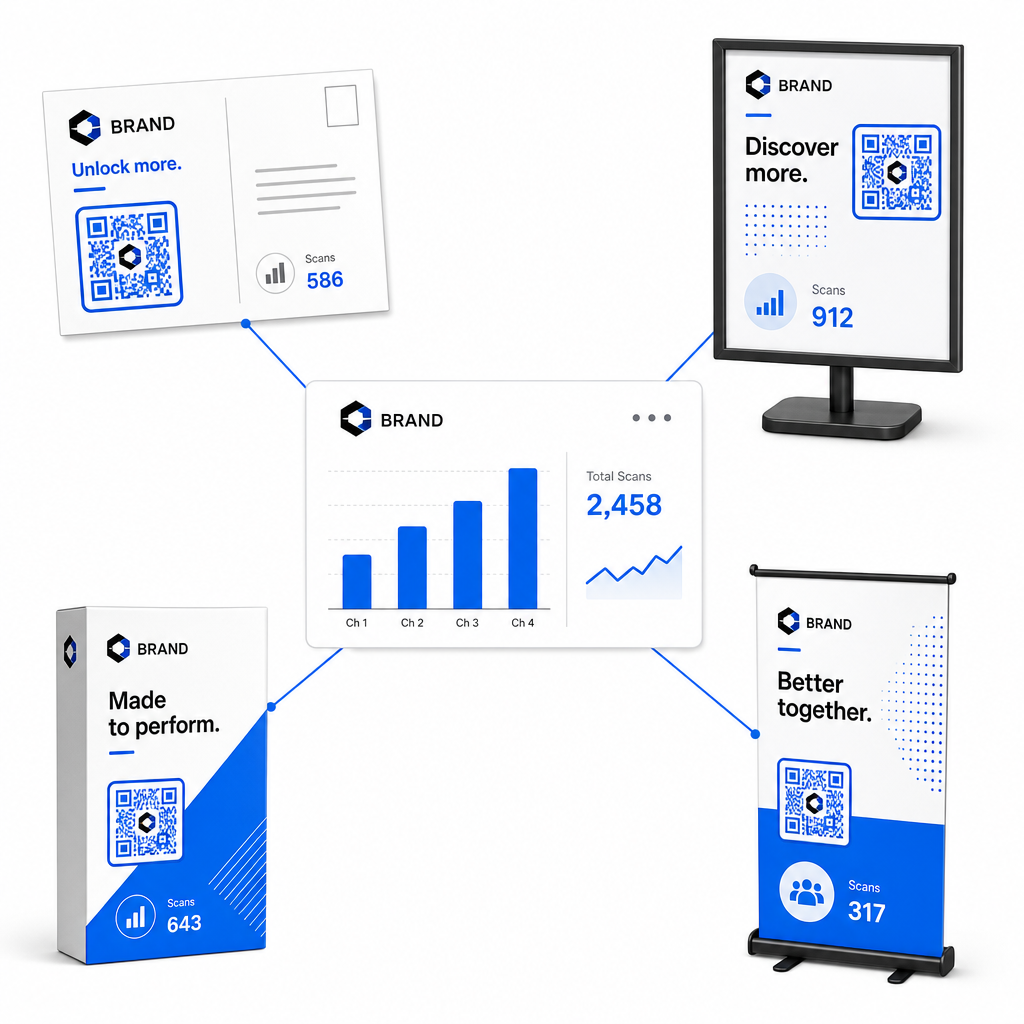
| Materi Pemasaran | KPI Target | Strategi Optimalisasi |
|---|---|---|
| Surat Langsung & Kartu Pos | Tingkat Konversi & BPA | Tempatkan insentif atau penawaran diskon yang jelas tepat di samping kode. |
| Poster & Display Dalam Toko | Volume Pindai & Kecepatan Pindai | Sesuaikan ketinggian tampilan dan pindahkan kode ke titik fokus setinggi mata di area lalu lintas tinggi. |
| Kemasan produk | Pindai Berulang & Tingkat Keterlibatan | Arahkan pengguna ke manual instruksi digital, formulir aktivasi garansi, atau diskon pemesanan ulang. |
| Papan Nama & Spanduk Acara | Tingkat Penangkapan Prospek | Tawarkan sumber daya yang dapat diunduh atau hadiah promosi sebagai imbalan atas informasi kontak. |
Untuk mengeksplorasi strategi tambahan dalam menerapkan kode di media cetak tradisional, tinjau panduan ini tentang melacak kode QR.
Panduan untuk Memaksimalkan Pemindaian Kampanye Offline
Untuk memaksimalkan tingkat konversi dan menjaga data kampanye yang akurat, ikuti standar operasional inti berikut:
- Sertakan teks yang berorientasi tindakan yang jelas: Hindari mencetak kode mandiri tanpa konteks. Tempatkan ajakan bertindak (call-to-action) yang eksplisit di samping bingkai kode, seperti “Pindai untuk mendapatkan diskon 15% untuk pembelian Anda” atau “Pindai untuk melihat menu lengkap”.
- Optimalkan halaman arahan (landing page) seluler: Pemindaian terjadi secara eksklusif pada perangkat seluler. Pastikan halaman target dimuat dalam waktu kurang dari dua detik dan menampilkan desain tata letak yang ramah jempol.
- Uji URL pelacakan sebelum distribusi massal: Lakukan uji pemindaian langsung di berbagai perangkat OS seluler untuk memastikan bahwa semua tag UTM diteruskan dengan bersih ke halaman arahan dan terekam dalam analitik waktu nyata.
- Perbarui manajemen dinamis tautan tujuan: Jika tautan halaman arahan berubah atau promosi diperbarui, gunakan dasbor administratif Anda untuk mengubah URL tujuan tanpa mencetak ulang materi. Pelajari lebih lanjut tentang eksekusi efektif dalam sumber daya ini tentang cara menggunakan kode QR.
Menggabungkan fitur manajemen dinamis dengan tautan UTM terstruktur mengubah media cetak menjadi saluran pertumbuhan yang dapat diprediksi dan terukur. Buat kode dinamis khusus dengan Pembuat Kode QR Pageloot untuk mendapatkan pengukuran lengkap atas investasi pemasaran cetak Anda.
Pertanyaan yang sering diajukan
Ya, platform pengelolaan kode QR dinamis secara otomatis melacak jumlah pemindaian, sistem operasi perangkat, waktu pemindaian, dan lokasi geografis. Namun, menambahkan parameter UTM ke tautan tujuan memungkinkan platform analitik web dan CRM untuk mengaitkan sesi situs web berikutnya, pembelian, dan pengiriman formulir prospek kembali ke kampanye fisik spesifik Anda.
Jika Anda membuat kode QR dinamis, Anda dapat memperbarui URL tujuan dan parameter UTM kapan saja melalui dasbor manajemen Anda tanpa mencetak ulang materi fisik Anda. Kode QR statis menyandikan alamat web target secara permanen ke dalam desain cetak dan tidak dapat diubah setelah dicetak.
Tetapkan kode QR dinamis unik dengan parameter UTM berbeda (seperti “utmcontent=windowposter” vs “utmcontent=checkoutflyer”) untuk setiap lokasi fisik atau jenis materi promosi. Pengaturan ini memungkinkan Anda untuk mengisolasi volume pemindaian, tingkat konversi, dan pendapatan yang diatribusikan di setiap penempatan individual dalam laporan analitik Anda.