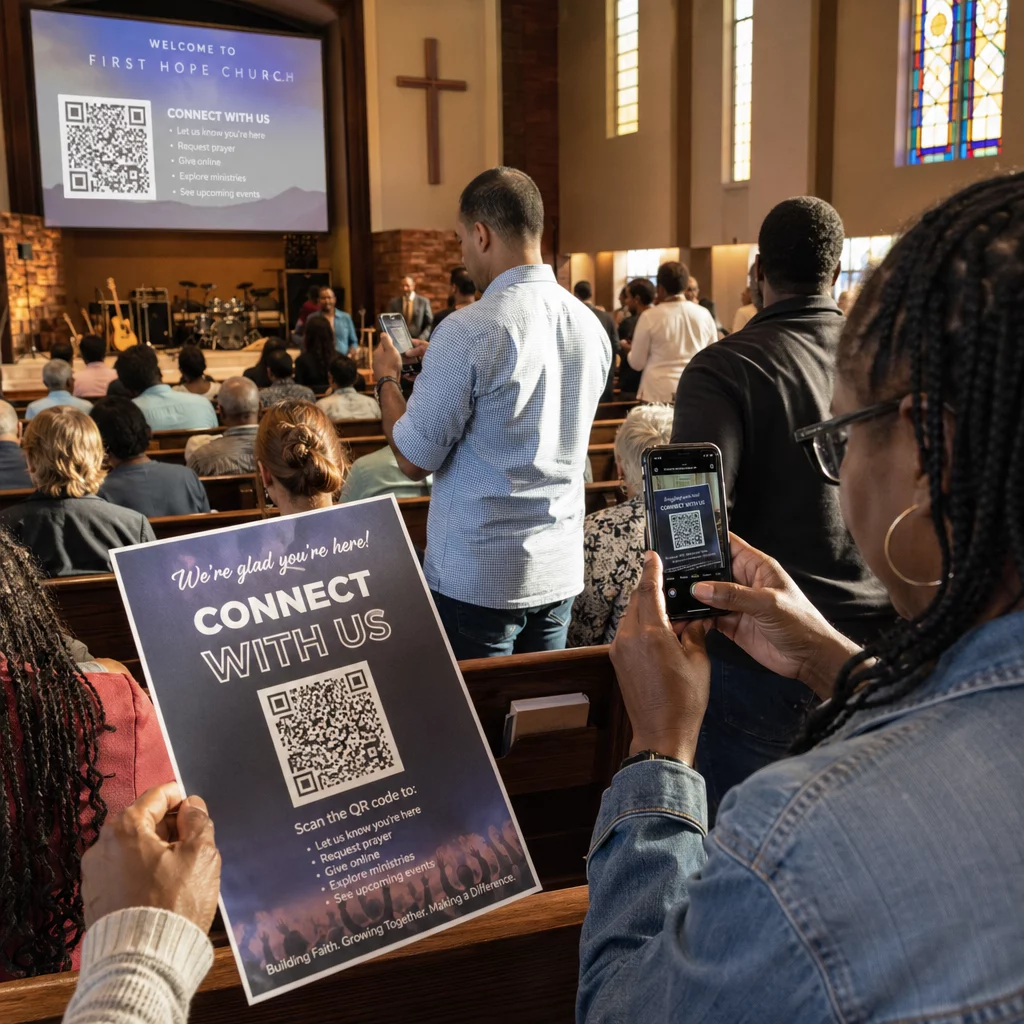
Чи важко вам довести, які друковані кампанії або вітрини магазинів насправді збільшують продажі? Інвестування бюджету в офлайн-канали без чіткої атрибуції унеможливлює виправдання витрат або оптимізацію вашої стратегії. Поєднуючи QR-коди, що відстежуються, з UTM-параметрами та веб-аналітикою, ви можете безпосередньо зв'язати фізичні точки контакту з цифровими конверсіями та виміряти точну рентабельність інвестицій.
Чому офлайн-кампанії вимагають динамічної атрибуції
Друкована продукція, пряма поштова розсилка та фізичні вивіски є важливими маркетинговими інструментами, але вимірювання їх фінансових показників історично становило проблему. Коли хтось бачить вітрину магазину або отримує листівку, а потім відвідує ваш вебсайт, стандартна веб-аналітика класифікує цього відвідувача як прямий трафік або органічний пошук. У результаті фізична точка контакту не отримує жодної заслуги за отриманий продаж.
QR-коди, що відстежуються, долають цей розрив, перетворюючи фізичні точки контакту на вимірювані цифрові точки входу. Коли клієнт сканує код на друкованому матеріалі, ваша аналітична платформа реєструє подію сканування та відстежує шлях цього користувача через форми для лідів, реєстрації або покупки в електронній комерції.
Щоб отримати точні дані атрибуції, ви повинні розуміти ключові експлуатаційні відмінності між статичними та динамічними кодами:
- Статичні QR-коди кодують фіксовану цільову URL-адресу безпосередньо в піксельний шаблон. Вони не надають можливостей відстеження та не можуть бути оновлені після друку.
- Динамічні QR-коди направляють сканер через гнучке коротке посилання на вашу кінцеву цільову сторінку. Вони реєструють дані сканування в режимі реального часу – включаючи час сканування, місцезнаходження та тип пристрою – і дозволяють оновлювати цільові посилання в будь-який час без повторного друку. Опираючись на динамічні QR-коди для маркетингу забезпечує основу, необхідну для повного вимірювання кампанії.
Створення користувацьких UTM-параметрів для фізичних точок контакту
Параметри UTM (Urchin Tracking Module) — це стандартизовані текстові теги, які додаються в кінець URL-адреси призначення. Коли камера смартфона сканує код, що містить ці теги, інструменти веб-аналітики, такі як Google Analytics 4 (GA4), зчитують параметри та приписують сесію користувача до певного офлайн-джерела. Без тегів UTM аналітичні платформи групують трафік QR-кодів під загальним прямим трафіком, залишаючи менеджерам кампаній без розуміння того, який флаєр, плакат або друкована реклама спричинили відвідування.
Структурування ваших посилань для відстеження
Надійне офлайн-посилання для відстеження покладається на конкретні поля параметрів:
| Параметр | Мета | Рекомендоване офлайн-форматування | Приклад значення |
|---|---|---|---|
| "utm_source" | Визначає фізичний канал або місцезнаходження | Конкретний друкований матеріал або місце розміщення | "directmailpostcard" |
| "utm_medium" | Визначає загальний маркетинговий засіб | Стандартизований тег каналу, наприклад "qr" або "offline" | "qr" |
| "utm_campaign" | Визначає конкретну акцію або пропозицію | Назва акції та рік | "springsale2025" |
| "utm_content" | Розрізняє варіації дизайну або розміщення | Деталі розміщення або креативний варіант | "frontсторінкиqr" |
| "utm_term" | Відстежує сегменти цільової аудиторії | Демографічний сегмент або код списку розсилки | "existing_customers" |
Стандартизація угод про найменування
Щоб зберегти чистоту вашої веб-аналітики та запобігти фрагментованій звітності, дотримуйтесь стандартних правил форматування:
- Послідовно використовуйте малі літери: Інструменти аналітики розглядають теги у верхньому та нижньому регістрах окремо, створюючи дублюючі записи каналів для "QR" та "qr".
- Розділяйте слова підкресленнями: Avoid spaces, which create percent-encoding symbols (“%20”) that clutter tracking URLs.
- Підтримуйте єдині теги носія: Застосовуйте єдине значення носія для всіх друкованих матеріалів, щоб весь трафік сканувань консолідувався в одній групі каналів у вікнах звітів.
Для отримання додаткових рекомендацій щодо структурування URL-адрес відстеження для платформ веб-аналітики, перегляньте ці детальні поради щодо використання UTM-параметри для QR-кодів.
Перетворення URL-адрес відстеження на динамічні QR-коди
Створивши позначений URL, перетворіть його на код, що сканується. Використовуючи спеціалізований генератор QR-кодів посилань або комплексний Динамічний QR код: генератор, введіть свою повну позначену URL-адресу (наприклад, “https://yourwebsite.com/promo?utmsource=springflyer&utmmedium=qr&utmcampaign=retail_expansion”).
Найкращі практики для розміщення в друкованих матеріалах
Щоб забезпечити високу сканованість та надійне збирання даних на фізичних носіях:
- Призначайте унікальні коди для кожного фізичного розміщення: Генеруйте окремі динамічні QR-коди з унікальними “utmsource” або “utmcontent” для кожного фізичного місця. Використання окремих кодів для плакатів на вітринах і флаєрів на касі дозволяє безпосередньо порівнювати ефективність розташування.
- Підтримуйте сильний візуальний контраст: Розміщуйте темні модулі QR-коду на простому світлому фоні. Високий контраст дозволяє камерам телефонів миттєво ідентифікувати та декодувати піксельні візерунки.
- Застосовуйте належні рекомендації щодо розмірів для друку: Друковані матеріали, що скануються на відстані витягнутої руки, такі як рекламні Флаєри або прямої пошти листівки, потребують мінімального розміру 0.8 × 0.8 дюйма (2 × 2 см). Для більших вивісок дотримуйтесь співвідношення 10:1 між відстанню сканування та шириною коду.
- Експортуйте макети у векторних форматах файлів: Завжди завантажуйте фінальні графічні зображення QR-кодів у векторних форматах (.SVG або .PDF) замість растрових зображень, таких як JPEG, щоб запобігти пікселізації під час професійного друку.
Почніть відстежувати свої друковані кампанії Припиніть вгадувати, які офлайн-канали конвертують. Використовуйте Pageloot’s Динамічний QR код: генератор для створення QR-кодів, що відстежуються та забезпечують миттєву аналітику сканувань і безперебійну звітність про ROI.
Моніторинг сканувань та аналіз даних про конверсії
Вимірювання ROI вимагає зв'язування фізичних взаємодій на верхньому рівні воронки з цифровими конверсіями на нижньому рівні. Ви збиратимете дані кампанії з двох інтегрованих середовищ: вашої інформаційної панелі керування QR-кодами та вашого програмного забезпечення для веб-аналітики.
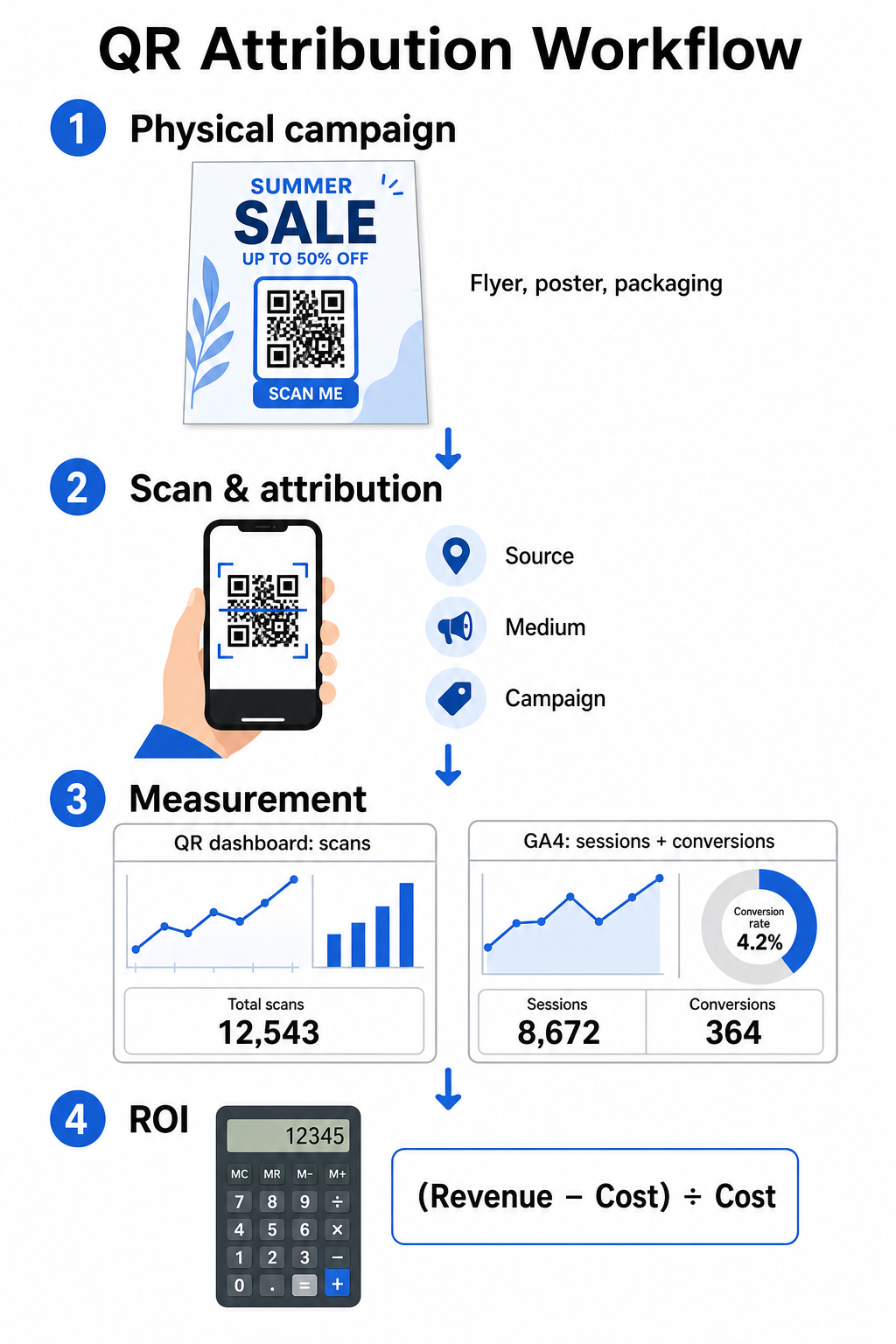
Збір даних верхнього рівня воронки на вашій інформаційній панелі
Ваша платформа керування QR-кодами негайно записує дані про фізичні взаємодії сканування. Коли ви відстежувати сканування QR-кодів у реальному часі, ваша інформаційна панель відображає ключові показники залучення:
- Загальна кількість сканувань проти унікальних: Загальна кількість сканувань фіксує кожен випадок сканування, тоді як унікальні сканування виокремлюють взаємодії окремих пристроїв.
- Географічний розподіл сканувань: Карти точно визначають міста та поштові регіони з найвищою продуктивністю.
- Тенденції часу залучення: Годинний та денний розподіл сканувань показує пікові періоди активності для цільової аудиторії.
- Операційні системи пристроїв: Показники операційних систем гарантують безперебійну роботу цільових сторінок на пристроях iOS та Android.
Використання централізованої панель аналітики QR-кодів надає менеджерам кампаній негайний відгук про продуктивність, не чекаючи затримок обробки веб-аналітики.
Оцінка конверсій у Google Analytics 4
Поки ваша інформаційна панель сканувань вимірює фізичні взаємодії, GA4 відстежує поведінку користувачів після того, як відвідувачі потрапляють на ваш веб-сайт.
Для оцінки трафіку кампанії в GA4:
- Перейдіть до Звіти > Залучення > Залучення трафіку.
- Змініть основний параметр звітування на Джерело / засіб сесії або Кампанія сесії.
- Знайдіть свій спеціальний тег джерела (наприклад, “qr”).
- Проаналізуйте ключові показники ефективності, включаючи Залучені сесії, Рівень залучення, і Ключові події (конверсії).
Коли онлайн-дії – такі як покупки в електронній комерції, подання форм або підписки на розсилку – позначаються як ключові події в GA4, платформа приписує ці конверсії безпосередньо параметрам джерела вашої друкованої кампанії.
Розрахунок ROI кампанії та показників ефективності
Після того, як витрати на кампанію зафіксовані, а приписаний дохід відстежується у веб-аналітиці, ви можете розрахувати точний показник рентабельності інвестицій (ROI) за допомогою стандартних фінансових формул.
Формула розрахунку ROI
Розрахуйте ROI кампанії за допомогою стандартного рівняння:
ROI (%) = [(Віднесений дохід − Загальна вартість кампанії) ÷ Загальна вартість кампанії] × 100
Приклад практичного розрахунку ROI
Розглянемо кампанію з прямої поштової розсилки листівок, створену для генерації онлайн-бронювань послуг:
- Загальна вартість кампанії: $2 500 (що охоплює графічний дизайн, друк та поштові витрати).
- Загальна кількість сканувань QR: 800 загальних сканувань (650 унікальних сканувань).
- Приписані веб-конверсії: 50 завершених бронювань, що походять з “utmsource=directmail_flyer”.
- Загальний віднесений дохід: $6 000 прямого доходу від продажів.
Застосовуючи формулу розрахунку:
ROI = [($6 000 − $2 500) ÷ $2 500] × 100 = ($3 500 ÷ $2 500) × 100 = 140%
Кампанія згенерувала 140% чистого прибутку на інвестиції.
Додаткові показники ефективності
Для порівняння ефективності різних фізичних матеріалів та розміщень відстежуйте ці допоміжні показники ефективності:
- Вартість за сканування (CPS): Розділіть загальну вартість кампанії на загальну кількість сканувань ($2 500 ÷ 800 = $3.12 за сканування).
- Коефіцієнт сканування до конверсії: Розділіть приписані конверсії на унікальні сканування та помножте на 100 ((50 ÷ 650) × 100 = 7.69%).
- Вартість за залучення (CPA): Розділіть загальну вартість кампанії на приписані конверсії ($2 500 ÷ 50 = $50.00 за конверсію).
- Дохід за сканування (RPS): Розділіть загальний віднесений дохід на загальну кількість сканувань ($6 000 ÷ 800 = $7.50 за сканування).
Порівняння ефективності офлайн-медіа
Оцінка ефективності різних фізичних розміщень допомагає розподіляти майбутні бюджети на друк на високоефективні види матеріалів.
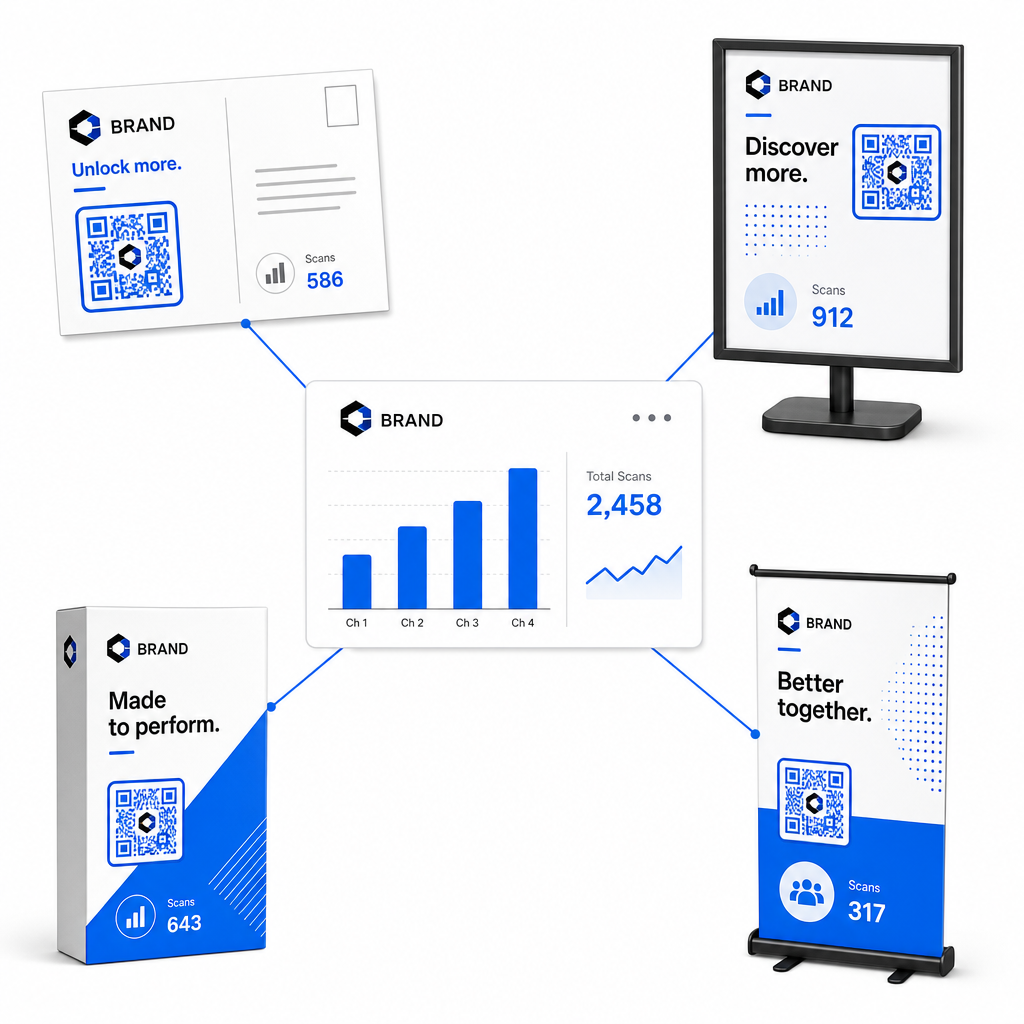
| Маркетинговий матеріал | Цільовий KPI | Стратегія оптимізації |
|---|---|---|
| Пряма поштова розсилка & Листівки | Коефіцієнт конверсії & CPA | Розмістіть чітку пропозицію стимулу або знижки безпосередньо поруч із кодом. |
| Плакати & Дисплеї в магазинах | Обсяг сканувань & Швидкість сканувань | Відрегулюйте висоту дисплея та перемістіть коди до фокусних точок на рівні очей з високою відвідуваністю. |
| Пакування товарів | Повторні сканування & Коефіцієнт залучення | Направляйте користувачів до цифрових інструкцій, форм активації гарантії або знижок на повторні замовлення. |
| Вивіски та банери для подій | Показник захоплення лідів | Пропонуйте завантажувані ресурси або рекламні подарунки в обмін на контактну інформацію. |
Щоб дослідити додаткові стратегії впровадження кодів у традиційних друкованих ЗМІ, перегляньте цей посібник про відстеження QR-кодів.
Рекомендації щодо максимізації сканувань в офлайн-кампаніях
Щоб максимізувати коефіцієнти конверсії та підтримувати точні дані кампанії, дотримуйтесь цих основних операційних стандартів:
- Включіть чіткий текст, орієнтований на дію: Уникайте друку окремих кодів без контексту. Розміщуйте чіткі заклики до дії поруч із рамкою коду, наприклад “Скануйте, щоб отримати знижку 15% на вашу покупку” або “Скануйте, щоб переглянути повне меню”.
- Оптимізуйте мобільні цільові сторінки: Сканування відбувається виключно на мобільних пристроях. Переконайтеся, що цільові сторінки завантажуються менш ніж за дві секунди та мають зручний для великого пальця дизайн макета.
- Тестуйте URL-адреси відстеження перед масовим розповсюдженням: Виконайте тестові сканування на кількох мобільних пристроях з різними ОС, щоб підтвердити, що всі UTM-мітки чисто передаються на цільову сторінку та записуються в аналітику в реальному часі.
- Оновлюйте динамічне керування посиланнями призначення: Якщо посилання на цільові сторінки змінюються або оновлюються акції, використовуйте свою адміністративну панель для зміни URL-адрес призначення без повторного друку супутніх матеріалів. Дізнайтеся більше про ефективне виконання в цьому ресурсі про як користуватися QR-кодами.
Поєднання функцій динамічного керування зі структурованими UTM-посиланнями перетворює друковані ЗМІ на передбачуваний, вимірний канал зростання. Створюйте власні динамічні коди за допомогою Генератор QR-кодів Pageloot щоб отримати повний вимір ваших інвестицій у друкований маркетинг.
Поширені запитання
Так, платформи для керування динамічними QR-кодами автоматично відстежують обсяг сканувань, операційні системи пристроїв, час сканувань та географічні розташування. Проте, додавання UTM-параметрів до цільових посилань дозволяє платформам веб-аналітики та CRM приписувати подальші сесії веб-сайту, покупки та подання форм заявок назад до вашої конкретної фізичної кампанії.
Якщо ви створили динамічні QR-коди, ви можете оновлювати цільову URL-адресу та параметри UTM у будь-який час через свою панель управління без повторного друку вашого фізичного матеріалу. Статичні QR-коди назавжди кодують цільову веб-адресу в дизайн друку і не можуть бути змінені після друку.
Призначте унікальний динамічний QR-код з відмінними UTM-параметрами (такими як “utmcontent=windowposter” проти “utmcontent=checkoutflyer”) для кожного фізичного розташування або типу супутнього матеріалу. Ця конфігурація дозволяє ізолювати обсяги сканувань, коефіцієнти конверсії та приписаний дохід для окремих розміщень у вашій аналітичній звітності.