Memoriāla plānošana, vienlaikus pārvarot sēras, ir pietiekami grūta – izdomāt, kā kopīgot nekrologu, piemiņas video vai bēru programmu ar viesiem, nevajadzētu palielināt šo slogu. Bez vienkārša tilta starp drukātiem materiāliem un digitālo saturu, jēgpilnas piemiņas bieži paliek nepamanītas. Šis ceļvedis precīzi parāda, kā izmantot QR kodus, lai savienotu fizisku pakalpojumu ar digitālajām atmiņām, kas ir vissvarīgākās.
Kāpēc QR kodi ir jēgpilni piemiņas pasākumos
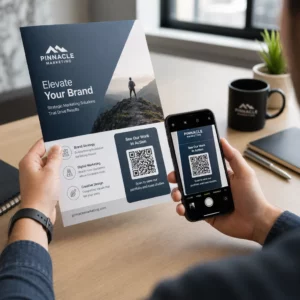
Bēru pakalpojumi pulcē visu vecumu cilvēkus, daudzi ierodas no citām pilsētām, un visi vēlas godināt kādu, ko viņi mīl. QR kods, kas iespiests uz dievkalpojuma kārtības, piemiņas kartītes vai bēru programmas, katram viesim nodrošina tūlītēju savienojumu ar bagātīgāku saturu – piemiņas video, fotogaleriju, tiešsaistes nekrologu vai digitālo viesu grāmatu – neprasot viņiem meklēt, rakstīt vai jautāt pēc saites.
Viedtālruņu īpašumtiesības ir plaši izplatītas pat gados vecāku cilvēku vidū: 90% ASV pieaugušo vecumā no 50 līdz 64 gadiem un 78% no tiem, kas ir 65 gadus veci un vecāki, pieder viedtālrunis. Tas nozīmē, ka lielākā daļa viesu piemiņas pasākumā jau ir aprīkoti, lai skenētu QR kodu, izmantojot sava tālruņa iebūvēto kameru, bez nepieciešamības pēc atsevišķas lietotnes.
Papildus ērtībām, QR kodi atrisina reālu koordinācijas problēmu ģimenēm, kas pārvalda gan klātienes, gan attālinātu apmeklējumu. Daudzi apbedīšanas biroji tagad piedāvā tiešraides pakalpojumus, lai attāli ģimenes locekļi varētu piedalīties virtuāli, un ieraksti bieži tiek saglabāti kā pastāvīga digitālā piemiņa. QR kods uz fiziskas piemiņas kartītes dod tiem, kas apmeklē klātienē, tādu pašu piekļuvi šim ierakstam ilgi pēc pakalpojuma beigām – pārvēršot drukātu piemiņas lietu par ilgstošu savienojumu.
Ko varat saistīt ar piemiņas QR kodu
Pareizais QR koda veids ir atkarīgs no tā, kādu digitālo saturu vēlaties, lai viesi sasniegtu. Šeit ir visbiežāk sastopamie piemiņas pasākumu lietošanas gadījumi.
Tiešsaistes nekrologs vai piemiņas lapa. Saistiet viesus tieši ar piemiņas lapu, kur ģimene un draugi var atstāt ziņas, kopīgot fotogrāfijas un iedegt virtuālās sveces. Izmantojiet the Saites QR koda ģenerators lai norādītu kodu uz jebkuru URL, tostarp nekrologu, ko mitina apbedīšanas birojs vai īpaša piemiņas platforma.
Piemiņas vai memoriālais video. Video, kas svin kāda cilvēka dzīvi, ir viena no jēgpilnākajām lietām, ko varat kopīgot. Ja esat augšupielādējis piemiņas video pakalpojumā YouTube, the YouTube QR koda ģenerators ļauj viesiem skenēt un skatīties tieši no sava tālruņa. Lai iegūtu pilnīgu aprakstu, skatiet ceļvedi par Kā izveidot QR kodu videoklipam?.
Digitālā bēru programma vai dievkalpojuma kārtība. Drukāta programma ir tradicionāla piemiņas lieta, taču PDF versija var ietvert vairāk – fotogrāfijas, himnu vārdus, lasījumus, pilnu dzīvesstāstu. Augšupielādējiet savu programmu un ģenerējiet kodu ar the PDF QR kodu ģenerators. Viesi saglabā fizisko kartīti; PDF sniedz viņiem pilnu versiju, ko pārskatīt mājās.
Fotogalerija. Skenēšana atver fotogrāfiju kolekciju, kas aptver visu mūžu. The Attēla QR koda ģenerators ļauj jums izveidot kopīgojamu galeriju, ko viesi var skatīt un saglabāt no saviem tālruņiem.
Vairākas saites vienā lapā. Ja vēlaties, lai viesi piekļūtu nekrologam, piemiņas video, fotoalbumam un ziedojumu saitei ar vienu skenēšanu, the Saites QR koda ģenerators var izveidot vienkāršu galveno lapu, kas visu sakārto vienuviet.
Kopīgojiet visu ar vienu skenēšanu Vai vēlaties, lai viesi piekļūtu piemiņas video, fotogalerijai un tiešsaistes nekrologam no viena QR koda? Izmantojiet the Saites QR koda ģenerators lai izveidotu galveno lapu, kas visu apvieno.
Kā izveidot QR kodu piemiņas pasākumam
Piemiņas QR koda izveide aizņem tikai dažas minūtes. Šeit ir process no sākuma līdz beigām.
Vispirms savāciet savu digitālo saturu. Augšupielādējiet savu piemiņas video pakalpojumā YouTube, mitiniet savu PDF programmu vai apstipriniet tiešsaistes nekrologa URL, uz kuru vēlaties saistīt. Pēc tam izvēlieties pareizo ģeneratoru savam satura veidam – PDF ģeneratoru dokumentiem, YouTube ģeneratoru video vai saišu ģeneratoru jebkuram URL.

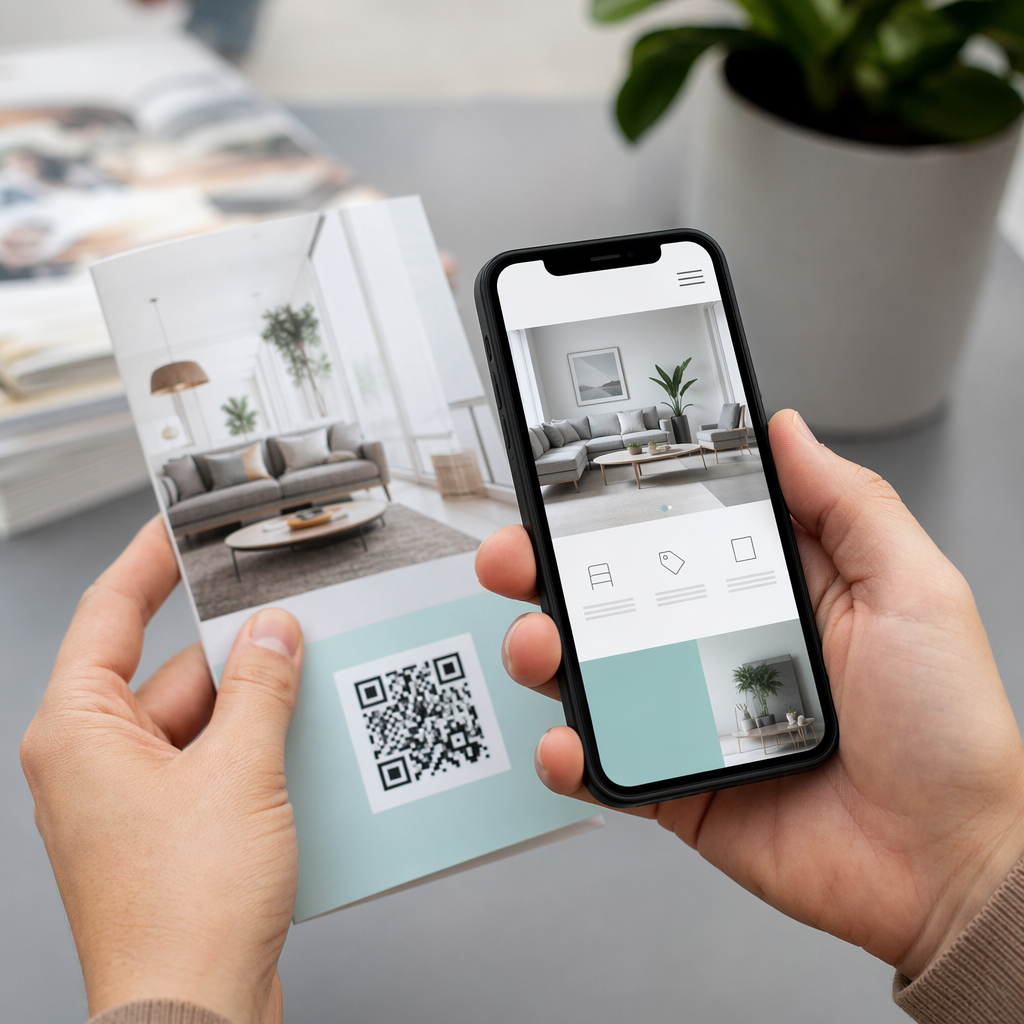
Kad esat izvēlējies ģeneratoru, ielīmējiet saiti vai augšupielādējiet failu, un rīks nekavējoties izveidos skenējamu kodu. Pēc tam pielāgojiet izskatu: pielāgojiet krāsas, lai tās atbilstu piemiņas estētikai, saglabājiet to vienkāršu ar klasisku melnu uz balta, vai pievienojiet nelielu rāmi ar tekstu, piemēram, “Skenēt, lai skatītu piemiņu”, lai viesi zinātu, ko sagaidīt. Kad esat apmierināts, lejupielādējiet kodu drukāšanai gatavā formātā – SVG, EPS vai PDF – augstas izšķirtspējas drukāšanai uz programmām, piemiņas kartītēm vai dievkalpojumu biļeteniem.
Pirms jebkādas drukāšanas, pārbaudiet kodu pats gan iPhone, gan Android ierīcē, lai pārliecinātos, ka tas atver pareizo saturu. Lai iegūtu detalizētu aprakstu par dokumenta pārvēršanu QR kodā, skatiet ceļvedi par Kā konvertēt failu par QR kodu?.
Izveidojiet savu piemiņas QR kodu Gatavs sākt? Izmantojiet QR koda izveide: bezmaksas QR kodu ģenerators lai izveidotu kodu dažu minūšu laikā – nav nepieciešama tehniskā pieredze.
Kāpēc dinamiskie QR kodi ir labāka izvēle piemiņas pasākumiem
Plānojot pakalpojumu laika spiedienā, notiek kļūdas. Saite mainās, video tiek atkārtoti augšupielādēts, vai ģimene nolemj mainīt nekrologu platformas pēc tam, kad programmas jau ir izdrukātas.
A dinamiskais QR kods atrisina to, atdalot izdrukāto kodu no galamērķa, uz kuru tas norāda. Pats kods nekad nemainās, bet lapa, uz kuru tas novirza viesus, var tikt atjaunināta jebkurā laikā no vadības paneļa. Ja jūs izdrukājāt 200 bēru programmas un vēlāk atklājat, ka piemiņas video saite ir bojāta, jūs atjaunināt galamērķi dažu sekunžu laikā – nav atkārtotas drukāšanas, nav atkritumu, nav neveiklu labojumu pakalpojumā.
Dinamiskie QR kodi nodrošina arī skenēšanas analīzi: cik daudz cilvēku skenēja kodu, kad un no kurienes. Ģimenēm, kuras vēlas saprast, cik plaši tika skatīts piemiņas pasākums, vai bēru plānotājiem, kas koordinē pakalpojumus vairākām ģimenēm, šie dati sniedz jēgpilnu ieskatu par to, kā viesi mijiedarbojās ar piemiņas saturu.
Portāls Dinamisks QR kodu ģenerators apstrādā visu to no viena vadības paneļa.
Rediģēt Jūsu piemiņas QR kodu pēc drukāšanas Izdrukātas programmas pirms piemiņas video saites pabeigšanas? Ar a Dinamiskais QR kods, jūs varat atjaunināt galamērķi jebkurā laikā – nav nepieciešama atkārtota drukāšana.
Dizaina padomi piemiņas QR kodiem
Izskatam ir nozīme bēru vai piemiņas pasākuma kontekstā. Labi izstrādāts QR kods cieņpilni iekļaujas drukātajos materiālos, vienlaikus saglabājot vieglu skenēšanu. Ņemiet vērā šīs praktiskās vadlīnijas.

- Izmantojiet augstu kontrastu. Tumšs kods uz gaiša fona ir visuzticamākā kombinācija. Melns kods uz balta vai krēmkrāsas papīra tiek konsekventi skenēts visās ierīcēs un apgaismojuma apstākļos. Lai iegūtu detalizētus krāsu norādījumus, skatiet QR kodu krāsu kontrasta labāko praksi.
- Saglabājiet to pietiekami lielu. Izdrukājiet savu QR kodu vismaz 0,8 × 0,8 collas (aptuveni 2 × 2 cm) tuvās distances skenēšanai. Uz salocītas programmas vai piemiņas kartītes izmērs no 1 līdz 1,5 collām darbojas uzticami lielākajai daļai viesu.
- Saglabājiet kluso zonu. Atstājiet skaidru, neapdrukātu malu vismaz četru moduļu platumā ap kodu no visām pusēm. Novietojot tekstu vai dekoratīvas apmales pārāk tuvu malām, skeneriem ir grūtāk noteikt, kur kods sākas un beidzas.
- Pievienojiet aicinājuma uz darbību etiķeti. Īsa rindiņa zem koda – “Skenējiet, lai skatītos piemiņas video” vai “Skenējiet, lai apskatītu piemiņas lapu” – vada viesus, kuri var nebūt pazīstami ar QR kodiem.
- Iekļaujiet URL kā rezerves variantu. Izdrukājiet galamērķa saiti mazā tekstā pie koda, lai viesi, kuriem ir grūtības skenēt, vai kuri dod priekšroku rakstīšanai, joprojām var piekļūt saturam.
Lai iegūtu pilnīgāku atsauci par izmēriem, klusajām zonām un kontrastu, skatiet labāko praksi QR kodu lasāmībā.
Kur novietot QR kodus piemiņas pasākumā
Izvietojums nosaka, vai viesi patiešām izmanto kodu. Zemāk esošajā tabulā ir norādītas bieži sastopamās drukāšanas un attēlošanas vietas ar saturu, kas vislabāk darbojas katrā no tām.
| novietojums | Ko saistīt |
|---|---|
| Izdrukāta dievkalpojuma kārtība vai programma | Piemiņas video, programmas digitālā versija |
| Piemiņas kartīte vai lūgšanu kartīte | Tiešsaistes nekrologs, foto galerija |
| Ziedu kompozīcijas displeja kartīte | Piemiņas ziedojumu lapa, tiešsaistes piemiņas pasākums |
| Viesu grāmatas galds | Tiešsaistes viesu grāmata vai piemiņas lapa |
| Piemiņas galds ar fotogrāfijām | Foto galerija, dzīvesstāsta video |
| E-pasta paziņojums vai piemiņas vietne | Viss iepriekš minētais, izmantojot vairāku saišu galveno lapu |
Pakalpojumiem ar klātienes un attālinātiem apmeklētājiem, ievietojot QR kodu redzamā vietā e-pasta paziņojumos, nodrošina, ka attālinātie ģimenes locekļi var piekļūt tam pašam piemiņas saturam kā tie, kas bija klāt telpā.
Piemiņas satura padarīšana pieejamu visiem viesiem
Ne katrs viesis jutīsies ērti, skenējot QR kodu, un pieejamībai ir nozīme šajā kontekstā vairāk nekā parasti. Daži vienkārši soļi nodrošina, ka neviens netiek atstāts novārtā.
- Parādiet URL blakus kodam. Izdrukājiet pilnu tīmekļa adresi salasāmā tekstā, lai viesi varētu to ievadīt pārlūkprogrammā, ja nepieciešams.
- Informējiet amatpersonu vai ģimenes locekli. Palūdziet kādam mutiski vadīt viesus uz QR kodu pakalpojuma laikā – vienkārša pieminēšana, piemēram, “programmā ir QR kods, lai skatītos piemiņas video mājās”, novērš jebkādu vilcināšanos.
- Izvēlieties lielus, augsta kontrasta dizainus. Vecāki viesi ar zemākas kvalitātes tālruņu kamerām vai pavājinātu redzi gūst labumu no lielākiem kodiem, drukātiem ar spēcīgu kontrastu starp kodu un tā fonu.
- Pārbaudiet uz vecākas ierīces. Ja varat aizņemties tālruni, kas ir trīs vai četrus gadus vecs, skenējiet kodu uz tā pirms drukāšanas, lai apstiprinātu, ka tas darbojas dažādās aparatūrās.
Pageloot QR kodu risinājumi katrai nozarei aptver dizaina un pieejamības apsvērumus dažādās fiziskās vidēs, ja vēlaties izpētīt turpmākos lietošanas gadījumus.
QR kods uz piemiņas kartītes vai bēru programmas pārvērš vienkāršu drukātu piemiņas lietu par ilgstošu saikni ar veltījumu, fotogrāfijām un vārdiem, kas dalīti par kāda cilvēka dzīvi. Izvēlieties dinamisku kodu, lai pēc drukāšanas varētu brīvi atjaunināt galamērķi, pareizi pielāgojiet tā izmēru materiālam, uz kura tas parādās, saglabājiet augstu kontrastu un vienmēr iekļaujiet URL kā rezerves variantu. Rūpīgi izdarīts, tas ir viens no vienkāršākajiem veidiem, ko varat darīt, lai piemiņas pasākums justos pilnīgs katram viesim – neatkarīgi no tā, vai viņi atrodas telpā vai sēro no attāluma.
Sāciet ar QR koda izveide: bezmaksas QR kodu ģenerators lai izveidotu savu pirmo piemiņas QR kodu šodien.
Biežāk uzdotie jautājumi
Jā, ja jūs izmantojat dinamisku QR kodu. Dinamiskie kodi norāda uz novirzīšanas URL, ko jūs kontrolējat no vadības paneļa. Ja piemiņas video saite mainās vai jūs pārvietojat nekrologu uz citu platformu, jūs atjaunināt galamērķi, un izdrukātais kods turpina darboties bez atkārtotas drukāšanas. Dinamiskais QR kodu ģenerators ļauj jums veikt šīs izmaiņas nekavējoties.
Ja video tiek mitināts pakalpojumā YouTube, izmantojiet YouTube QR kodu ģeneratoru – nokopējiet video kopīgošanas saiti, ielīmējiet to ģeneratorā, un kods atvērs video tieši, kad tas tiks skenēts. Ja video tiek mitināts citur, izmantojiet Saites QR kodu ģeneratoru ar tiešo video URL, vai ģenerējiet dinamisku kodu, izmantojot Dinamisko QR kodu ģeneratoru, lai varētu atjaunināt galamērķi, ja video kādreiz tiek pārvietots.
Vienmēr drukājiet galamērķa URL mazā tekstā blakus QR kodam, lai viesi, kuri dod priekšroku adreses ievadīšanai, varētu tieši piekļūt tam pašam saturam. Viesiem, kuriem ir mazāk ērti lietot viedtālruņus, lūdziet ģimenes loceklim vai ceremonijas vadītājam īsi pieminēt kodu pakalpojuma laikā. Nodrošinot vairākus piekļuves ceļus – QR kodu, izdrukātu URL un tiešu e-pastu ar saiti – tiek nodrošināts, ka ikviens var sasniegt veltījumu neatkarīgi no viņu tehniskā komforta līmeņa.