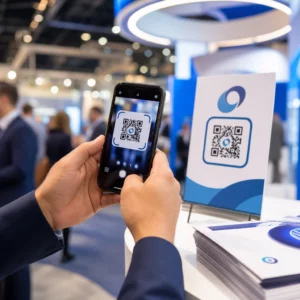
Planuoti atminimo renginį, tvarkantis su sielvartu, yra pakankamai sunku – galvoti, kaip pasidalinti nekrologu, atminimo vaizdo įrašu ar laidotuvių programa su svečiais, neturėtų didinti šios naštos. Be paprasto tilto tarp spausdintos medžiagos ir skaitmeninio turinio, prasmingi atminimo ženklai dažnai lieka nepastebėti. Šis vadovas tiksliai parodo, kaip naudoti QR kodus, kad sujungtumėte fizinę paslaugą su svarbiausiais skaitmeniniais prisiminimais.
Kodėl QR kodai yra prasmingi atminimo renginiuose
Laidotuvių paslaugos suburia įvairaus amžiaus žmones, daugelis atvyksta iš kitų miestų, visi norėdami pagerbti mylimą žmogų. QR kodas, atspausdintas ant paslaugų tvarkos, atminimo kortelės ar laidotuvių programos, suteikia kiekvienam svečiui tiesioginį ryšį su turtingesniu turiniu – atminimo vaizdo įrašu, nuotraukų galerija, internetiniu nekrologu ar skaitmenine svečių knyga – nereikalaujant ieškoti, rašyti ar prašyti nuorodos.
Išmaniųjų telefonų nuosavybė yra plačiai paplitusi net tarp vyresnio amžiaus suaugusiųjų: 90% JAV suaugusiųjų nuo 50 iki 64 metų ir 78% vyresnių nei 65 metų turi išmanųjį telefoną. Tai reiškia, kad didžioji dauguma atminimo renginio svečių jau turi galimybę nuskaityti QR kodą naudodami savo telefono integruotą kamerą, be jokios atskiros programėlės.
Be patogumo, QR kodai išsprendžia realią koordinavimo problemą šeimoms, tvarkančioms tiek asmeninį, tiek nuotolinį dalyvavimą. Daugelis laidojimo namų dabar siūlo tiesiogiai transliuojamas paslaugas, kad tolimi šeimos nariai galėtų dalyvauti virtualiai, o įrašai dažnai išsaugomi kaip nuolatinis skaitmeninis atminimas. QR kodas ant fizinės atminimo kortelės suteikia tiems, kurie dalyvauja asmeniškai, tą pačią prieigą prie to įrašo ilgai po paslaugos pabaigos – paverčiant atspausdintą atminimo dovaną ilgalaikiu ryšiu.
Prie ko galite susieti atminimo QR kodą
Tinkamas QR kodo tipas priklauso nuo to, kokį skaitmeninį turinį norite, kad svečiai pasiektų. Štai dažniausiai pasitaikantys naudojimo atvejai atminimo renginiuose.
Internetinis nekrologas arba atminimo puslapis. Nukreipkite svečius tiesiai į atminimo puslapį, kur šeima ir draugai gali palikti žinutes, dalintis nuotraukomis ir uždegti virtualias žvakes. Naudokite Nuorodos QR kodo generatorius nukreipti kodą į bet kurį URL, įskaitant laidojimo namų talpinamą nekrologą arba specialią atminimo platformą.
Pagarbos arba atminimo vaizdo įrašas. Vaizdo įrašas, švenčiantis kažkieno gyvenimą, yra vienas prasmingiausių dalykų, kuriuo galite pasidalinti. Jei įkėlėte pagarbos vaizdo įrašą į „YouTube“, YouTube QR kodo generatorius leidžia svečiams nuskaityti ir žiūrėti tiesiai iš savo telefono. Išsamų aprašymą rasite vadove apie kaip sukurti QR kodą vaizdo įrašui.
Skaitmeninė laidotuvių programa arba apeigų tvarka. Spausdinta programa yra tradicinis atminimo ženklas, tačiau PDF versijoje gali būti daugiau – nuotraukų, giesmių žodžių, skaitinių, visa gyvenimo istorija. Įkelkite savo programą ir sugeneruokite kodą naudodami PDF QR kodo generatorius. Svečiai pasilieka fizinę kortelę; PDF suteikia jiems visą versiją, kurią galima peržiūrėti namuose.
Nuotraukų galerija. Nuskaitymas atveria nuotraukų kolekciją, apimančią visą gyvenimą. Paveikslėlio QR kodo generatorius leidžia jums sukurti bendrinamą galeriją, kurią svečiai gali peržiūrėti ir išsaugoti iš savo telefonų.
Kelių nuorodų viename puslapyje. Jei norite, kad svečiai pasiektų nekrologą, pagarbos vaizdo įrašą, nuotraukų albumą ir aukojimo nuorodą viską iš vieno nuskaitymo, Nuorodos QR kodo generatorius gali sukurti paprastą nukreipimo puslapį, kuris viską sutvarko vienoje vietoje.
Pasidalykite viskuo iš vieno nuskaitymo Reikia, kad svečiai pasiektų pagarbos vaizdo įrašą, nuotraukų galeriją ir internetinį nekrologą iš vieno QR kodo? Naudokite Nuorodos QR kodo generatorius norėdami sukurti nukreipimo puslapį, kuris viską sujungia.
Kaip sukurti QR kodą atminimo ceremonijai
Atminimo QR kodo sukūrimas užtrunka tik kelias minutes. Štai visas procesas nuo pradžios iki pabaigos.
Pirmiausia surinkite savo skaitmeninį turinį. Įkelkite savo pagarbos vaizdo įrašą į „YouTube“, talpinkite savo PDF programą arba patvirtinkite internetinio nekrologo, į kurį norite nukreipti, URL. Tada pasirinkite tinkamą generatorių savo turinio tipui – PDF generatorių dokumentams, „YouTube“ generatorių vaizdo įrašams arba nuorodų generatorių bet kuriam URL.

Pasirinkę generatorių, įklijuokite nuorodą arba įkelkite failą, ir įrankis iškart sukurs nuskaitomą kodą. Tada pritaikykite išvaizdą: koreguokite spalvas, kad atitiktų memorialo estetiką, palikite paprastą su klasikine juoda ant balto, arba pridėkite nedidelį rėmelį su tekstu, pvz., “Nuskaitykite, kad peržiūrėtumėte pagerbimą”, kad svečiai žinotų, ko tikėtis. Kai būsite patenkinti, atsisiųskite kodą spausdinimui paruoštu formatu – SVG, EPS arba PDF – aukštos raiškos spausdinimui ant programų, atminimo kortelių ar paslaugų biuletenių.
Prieš spausdinant, patys išbandykite kodą tiek „iPhone“, tiek „Android“ įrenginyje, kad įsitikintumėte, jog jis atidaro teisingą turinį. Išsamų dokumento konvertavimo į QR kodą aprašymą rasite vadove apie kaip konvertuoti failą į QR kodą.
Sukurkite savo atminimo QR kodą Pasiruošę pradėti? Naudokite Nemokamas QR kodo generatorius kad sukurtumėte kodą per kelias minutes – nereikia jokios techninės patirties.
Kodėl dinaminiai QR kodai yra geresnis pasirinkimas atminimo renginiams
Planuojant paslaugą esant laiko spaudimui, pasitaiko klaidų. Nuoroda pasikeičia, vaizdo įrašas įkeliamas iš naujo, arba šeima nusprendžia pakeisti nekrologų platformas, kai programos jau atspausdintos.
A dinaminis QR kodas tai išsprendžia atskirdamas atspausdintą kodą nuo paskirties vietos, į kurią jis nukreipia. Pats kodas niekada nesikeičia, tačiau puslapis, į kurį jis nukreipia svečius, gali būti atnaujintas bet kuriuo metu iš valdymo pulto. Jei atspausdinote 200 laidotuvių programų ir vėliau pastebite, kad pagerbimo vaizdo įrašo nuoroda neveikia, paskirties vietą atnaujinate per kelias sekundes – nereikia perspausdinti, jokios atliekos, jokių nepatogių pataisymų paslaugos metu.
Dinaminiai QR kodai taip pat teikia nuskaitymo analizę: kiek žmonių nuskenavo kodą, kada ir iš kur. Šeimoms, norinčioms suprasti, kaip plačiai buvo peržiūrėtas pagerbimas, arba laidotuvių planuotojams, koordinuojantiems paslaugas kelioms šeimoms, šie duomenys suteikia prasmingos įžvalgos apie tai, kaip svečiai bendravo su atminimo turiniu.
Tas Dinaminis QR kodo generatorius visa tai tvarko iš vieno valdymo pulto.
Redaguokite savo atminimo QR kodą po spausdinimo Atspausdinote programas prieš galutinai patvirtindami pagerbimo vaizdo įrašo nuorodą? Su a Dinaminis QR kodas, paskirties vietą galite atnaujinti bet kada – nereikia perspausdinti.
QR kodų dizaino patarimai atminimo renginiams
Išvaizda yra svarbi laidotuvių ar atminimo renginio kontekste. Gerai suprojektuotas QR kodas pagarbiai įsilieja į spausdintą medžiagą, išlikdamas lengvai nuskaitomas. Turėkite omenyje šias praktines gaires.

- Naudokite didelį kontrastą. Tamsus kodas šviesiame fone yra patikimiausias derinys. Juodas kodas ant balto ar kreminės spalvos popieriaus nuskaitomas nuosekliai visuose įrenginiuose ir apšvietimo sąlygomis. Išsamesnes spalvų gaires rasite čia: QR kodo spalvų kontrasto geriausios praktikos.
- Padarykite jį pakankamai didelį. Spausdinkite savo QR kodą mažiausiai 0,8 × 0,8 colio (apie 2 × 2 cm) dydžio, kad būtų galima nuskaityti iš arti. Ant sulankstytos programos ar atminimo kortelės 1–1,5 colio dydis patikimai veikia daugumai svečių.
- Išsaugokite ramiąją zoną. Palikite aiškų, nespausdintą bent keturių modulių pločio kraštą aplink kodą iš visų pusių. Teksto ar dekoratyvinių rėmelių išdėstymas per arti kraštų apsunkina skaitytuvams nustatyti, kur kodas prasideda ir baigiasi.
- Pridėkite raginimo veikti etiketę. Trumpa eilutė po kodu – “Nuskaitykite, kad pažiūrėtumėte atminimo vaizdo įrašą” arba “Nuskaitykite, kad peržiūrėtumėte atminimo puslapį” – padeda svečiams, kurie gali būti nepažįstami su QR kodais.
- Įtraukite URL kaip atsarginį variantą. Atspausdinkite paskirties nuorodą mažu šriftu šalia kodo, kad svečiai, kuriems sunku nuskaityti arba kurie nori įvesti tekstą, vis tiek galėtų pasiekti turinį.
Išsamesnę informaciją apie dydį, ramiąsias zonas ir kontrastą rasite čia: geriausia praktika QR kodo skaitomumui.
Kur patalpinti QR kodus atminimo renginyje
Išdėstymas lemia, ar svečiai iš tikrųjų naudoja kodą. Žemiau esančioje lentelėje pateikiamos dažniausios spausdinimo ir rodymo vietos su turiniu, kuris geriausiai tinka kiekvienai iš jų.
| vieta | Ką susieti |
|---|---|
| Spausdinta paslaugų tvarka arba programa | Atminimo vaizdo įrašas, skaitmeninė programos versija |
| Atminimo kortelė arba maldos kortelė | Internetinis nekrologas, nuotraukų galerija |
| Gėlių kompozicijos rodymo kortelė | Atminimo aukojimo puslapis, internetinis atminimas |
| Svečių knygos stalas | Internetinė svečių knyga arba atminimo puslapis |
| Atminimo stalas su nuotraukomis | Nuotraukų galerija, gyvenimo istorijos vaizdo įrašas |
| El. paštu siunčiamas pranešimas arba atminimo svetainė | Visa tai per nukreipiamąjį puslapį su keliomis nuorodomis |
Renginiams, kuriuose dalyvauja ir gyvai, ir nuotoliu, aiškiai matomoje vietoje įdėjus QR kodą į el. paštu siunčiamus pranešimus užtikrinama, kad tolimi šeimos nariai galėtų pasiekti tą patį pagerbimo turinį kaip ir tie, kurie dalyvavo vietoje.
Atminimo turinio prieinamumas visiems svečiams
Ne kiekvienam svečiui bus patogu nuskaityti QR kodą, o prieinamumas šiame kontekste yra svarbesnis nei daugelyje kitų. Keli paprasti žingsniai užtikrina, kad niekas neliktų nuošalyje.
- Rodykite URL adresą šalia kodo. Atspausdinkite visą interneto adresą įskaitomu tekstu, kad svečiai galėtų jį įvesti į naršyklę, jei prireiktų.
- Informuokite ceremonijos vedėją arba šeimos narį. Paprašykite, kad kas nors žodžiu nukreiptų svečius prie QR kodo per ceremoniją – paprastas paminėjimas, pavyzdžiui, “programoje yra QR kodas, skirtas peržiūrėti pagerbimo vaizdo įrašą namuose”, pašalina bet kokį dvejojimą.
- Pasirinkite didelius, didelio kontrasto dizainus. Vyresnio amžiaus svečiams, turintiems prastesnės kokybės telefonų kameras arba silpnesnį regėjimą, naudingi didesni kodai, atspausdinti su stipriu kontrastu tarp kodo ir jo fono.
- Išbandykite senesniame įrenginyje. Jei galite pasiskolinti trejų ar ketverių metų senumo telefoną, nuskaitykite kodą juo prieš spausdinant, kad patvirtintumėte, jog jis veikia su įvairia aparatine įranga.
Pagelooto QR kodo sprendimai kiekvienai pramonės šakai apima dizaino ir prieinamumo aspektus įvairiose fizinėse aplinkose, jei norite ištirti tolesnius naudojimo atvejus.
QR kodas ant atminimo kortelės ar laidotuvių programos paprastą atspausdintą atminimo dovaną paverčia ilgalaikiu ryšiu su pagerbimu, nuotraukomis ir žodžiais, pasidalintais apie kažkieno gyvenimą. Pasirinkite dinaminį kodą, kad galėtumėte laisvai atnaujinti paskirties vietą po spausdinimo, tinkamai nustatykite jo dydį pagal medžiagą, ant kurios jis pasirodo, išlaikykite aukštą kontrastą ir visada įtraukite URL kaip atsarginį variantą. Kruopščiai atlikus, tai yra vienas iš paprasčiausių dalykų, kuriuos galite padaryti, kad atminimo paslauga jaustųsi išbaigta kiekvienam svečiui – nesvarbu, ar jie yra kambaryje, ar gedi iš toli.
Pradėkite nuo Nemokamas QR kodo generatorius norėdami sukurti savo pirmąjį atminimo QR kodą šiandien.
Dažniausiai užduodami klausimai
Taip, jei naudojate dinaminį QR kodą. Dinaminiai kodai nukreipia į nukreipimo URL, kurį jūs valdote iš prietaisų skydelio. Jei pagerbimo vaizdo įrašo nuoroda pasikeičia arba jūs perkeliate nekrologą į kitą platformą, jūs atnaujinate paskirties vietą ir atspausdintas kodas toliau veikia be jokio pakartotinio spausdinimo. Dinaminis QR kodo generatorius leidžia jums atlikti šiuos pakeitimus akimirksniu.
Jei vaizdo įrašas talpinamas „YouTube“, naudokite „YouTube“ QR kodo generatorių – nukopijuokite vaizdo įrašo bendrinimo nuorodą, įklijuokite ją į generatorių, ir kodas atidarys vaizdo įrašą tiesiogiai, kai bus nuskaitytas. Jei vaizdo įrašas talpinamas kitur, naudokite nuorodos QR kodo generatorių su tiesiogine vaizdo įrašo URL, arba sugeneruokite dinaminį kodą per dinaminį QR kodo generatorių, kad galėtumėte atnaujinti paskirties vietą, jei vaizdo įrašas kada nors bus perkeltas.
Visada atspausdinkite paskirties URL mažu tekstu šalia QR kodo, kad svečiai, kurie nori įvesti adresą, galėtų tiesiogiai pasiekti tą patį turinį. Svečiams, mažiau patogiai besijaučiantiems su išmaniaisiais telefonais, paprašykite šeimos nario arba ceremonijos vedėjo trumpai paminėti kodą per ceremoniją. Suteikiant kelis prieigos kelius – QR kodą, atspausdintą URL ir tiesioginį el. laišką su nuoroda – užtikrinama, kad visi galėtų pasiekti pagerbimą, nepriklausomai nuo jų techninio patogumo lygio.