At planlægge en mindehøjtidelighed, mens man håndterer sorg, er svært nok – at finde ud af, hvordan man deler en nekrolog, en hyldestvideo eller et begravelsesprogram med gæster, bør ikke føje til den byrde. Uden en simpel bro mellem trykte materialer og digitalt indhold forbliver meningsfulde hyldester ofte usete. Denne guide viser dig præcis, hvordan du bruger QR-koder til at forbinde en fysisk ceremoni med de digitale minder, der betyder mest.
Hvorfor QR-koder giver mening ved mindehøjtideligheder
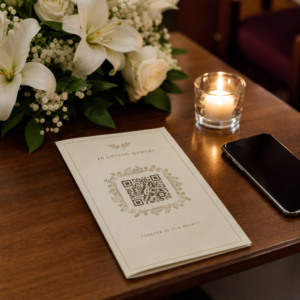
Begravelsesceremonier samler mennesker i alle aldre, mange rejser langvejsfra, alle ønsker at ære en, de elsker. En QR-kode trykt på en ordensservice, et mindekort eller et begravelsesprogram giver hver gæst en øjeblikkelig forbindelse til rigere indhold – en hyldestvideo, et fotogalleri, en online nekrolog eller en digital gæstebog – uden at de behøver at søge, skrive eller bede om et link.
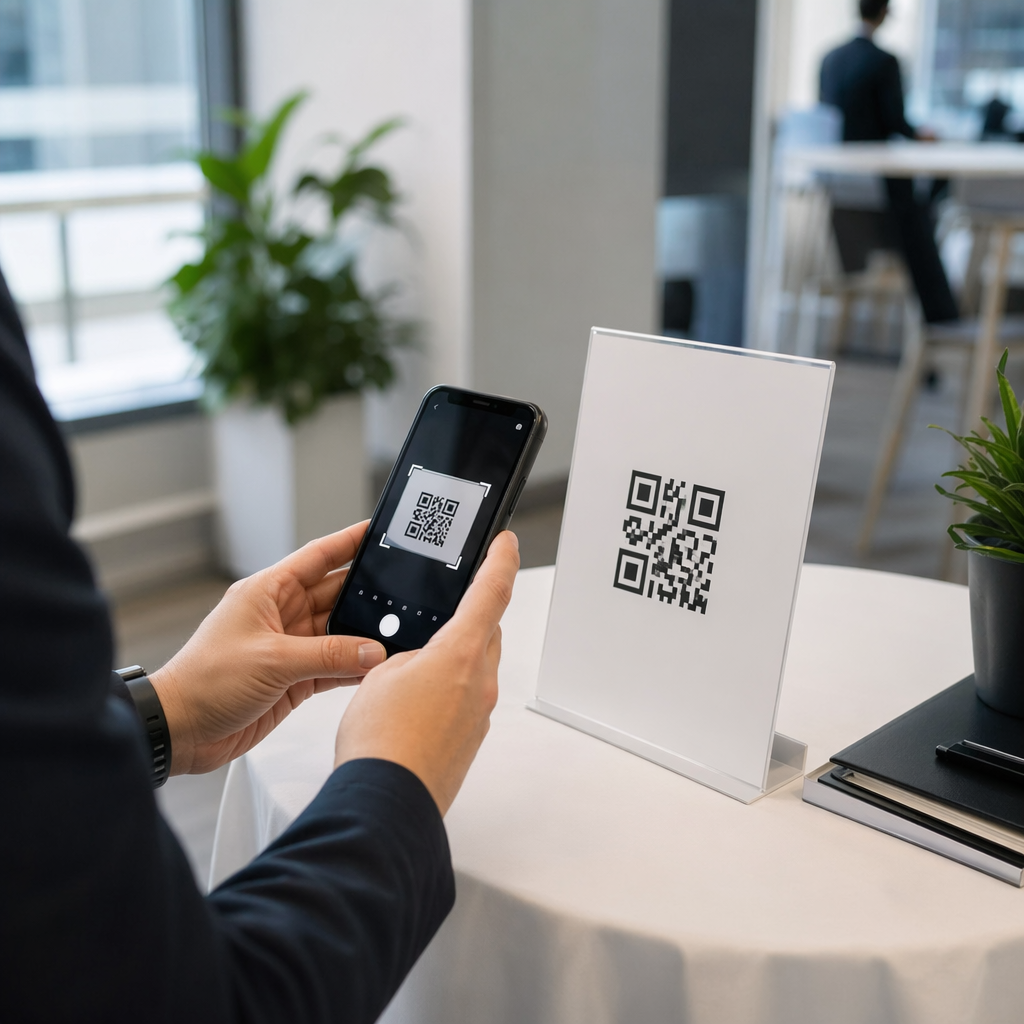
Smartphoneejerskab er udbredt selv blandt ældre voksne: 90% af amerikanske voksne i alderen 50-64 år og 78% af dem på 65 år og ældre ejer en. Det betyder, at langt de fleste gæster ved en mindehøjtidelighed allerede er udstyret til at scanne en QR-kode ved hjælp af deres telefons indbyggede kamera, uden at der kræves en separat app.
Ud over bekvemmelighed løser QR-koder et reelt koordinationsproblem for familier, der håndterer både personligt og fjernfremmøde. Mange bedemænd tilbyder nu livestreamede ceremonier, så fjerne familiemedlemmer kan deltage virtuelt, med optagelser ofte gemt som et permanent digitalt minde. En QR-kode på et fysisk mindekort giver dem, der deltager personligt, den samme adgang til den optagelse længe efter ceremonien er slut – og forvandler et trykt minde til en varig forbindelse.
Hvad du kan linke en minde-QR-kode til
Den rigtige type QR-kode afhænger af, hvilket digitalt indhold du ønsker, at gæsterne skal have adgang til. Her er de mest almindelige anvendelsestilfælde for mindehøjtideligheder.
Online nekrolog eller hyldestside. Link gæster direkte til en mindeside, hvor familie og venner kan efterlade beskeder, dele fotos og tænde virtuelle lys. Brug Link QR-kodegenerator til at pege koden på enhver URL, herunder en nekrolog hostet af en bedemand eller en dedikeret mindeplatform.
Hyldest- eller mindevideo. En video, der fejrer nogens liv, er en af de mest meningsfulde ting, du kan dele. Hvis du har uploadet hyldesten til YouTube, lader YouTube QR-kode generator gæsterne scanne og se direkte fra deres telefon. For en fuld gennemgang, se guiden om hvordan man laver en QR-kode til en video.
Digitalt begravelsesprogram eller ordensservice. Et trykt program er et traditionelt minde, men en PDF-version kan indeholde mere – fotos, salmetekster, læsninger, en fuld livshistorie. Upload dit program og generer en kode med PDF QR-kode generator. Gæsterne beholder det fysiske kort; PDF'en giver dem den fulde version til at genbesøge derhjemme.
Fotogalleri. Scanning åbner en samling fotografier, der spænder over et helt liv. Billede QR-kode generator lader dig oprette et delbart galleri, som gæster kan se og gemme fra deres telefoner.
Flere links på én side. Hvis du ønsker, at gæsterne skal have adgang til nekrologen, hyldestvideoen, fotoalbummet og et donationslink alt sammen fra en enkelt scanning, kan Link QR-kodegenerator bygge en simpel landingsside, der organiserer alt på ét sted.
Del alt fra en enkelt scanning Har du brug for, at gæsterne får adgang til hyldestvideoen, fotogalleriet og online nekrologen fra én QR-kode? Brug Link QR-kodegenerator til at bygge en landingsside, der samler det hele.
Sådan opretter du en QR-kode til en mindehøjtidelighed
At oprette en minde-QR-kode tager kun få minutter. Her er processen fra start til slut.
Først skal du samle dit digitale indhold. Upload din hyldestvideo til YouTube, host dit PDF-program, eller bekræft URL'en til den online nekrolog, du vil linke til. Dernæst skal du vælge den rigtige generator til din indholdstype – PDF-generatoren til dokumenter, YouTube-generatoren til videoer eller linkgeneratoren til enhver URL.

Når du har valgt en generator, indsætter du linket eller uploader filen, og værktøjet opretter straks en scannbar kode. Derfra kan du tilpasse udseendet: juster farverne, så de matcher mindesmærkets æstetik, hold det enkelt med klassisk sort på hvidt, eller tilføj en lille ramme med tekst som “Scan for at se hyldest”, så gæsterne ved, hvad de kan forvente. Når du er tilfreds, downloader du koden i et printklart format – SVG, EPS eller PDF – til højopløsningsprint på programmer, mindekort eller servicebulletiner.
Før noget går i tryk, skal du selv teste koden på både en iPhone og en Android-enhed for at bekræfte, at den åbner det korrekte indhold. For en detaljeret gennemgang af, hvordan man konverterer et dokument til en QR-kode, se guiden om Sådan laver du en fil om til en QR-kode.
Opret din minde-QR-kode Klar til at komme i gang? Brug Gratis QR-kode generator at oprette en kode på få minutter – ingen teknisk erfaring nødvendig.
Hvorfor dynamiske QR-koder er det bedre valg til mindehøjtideligheder
Når man planlægger en tjeneste under tidspres, sker der fejl. Et link ændres, en video genuploades, eller familien beslutter at skifte nekrologplatform, efter at programmerne allerede er trykt.
EN dynamisk QR-kode løser dette ved at adskille den trykte kode fra den destination, den peger på. Selve koden ændres aldrig, men den side, den dirigerer gæsterne til, kan opdateres når som helst fra et dashboard. Hvis du trykte 200 begravelsesprogrammer og senere opdager, at linket til hyldestvideoen er brudt, opdaterer du destinationen på få sekunder – ingen genoptryk, intet spild, ingen akavede rettelser ved tjenesten.
Dynamiske QR-koder giver også scanningsanalyse: hvor mange mennesker der scannede koden, hvornår og hvorfra. For familier, der ønsker at forstå, hvor bredt en hyldest blev set, eller for begravelsesplanlæggere, der koordinerer tjenester for flere familier, giver disse data meningsfuld indsigt i, hvordan gæsterne engagerede sig i mindeindholdet.
Det Dynamisk QR-kode generator håndterer alt dette fra et enkelt dashboard.
Rediger din minde-QR-kode efter udskrivning Trykte programmer før færdiggørelse af linket til hyldestvideoen? Med en Dynamisk QR-kode, kan du opdatere destinationen når som helst – ingen genoptryk påkrævet.
Designtips til minde-QR-koder
Udseende betyder noget i forbindelse med en begravelse eller mindehøjtidelighed. En veldesignet QR-kode falder respektfuldt ind i trykte materialer, samtidig med at den forbliver nem at scanne. Husk disse praktiske retningslinjer.

- Brug høj kontrast. Mørk kode på en lys baggrund er den mest pålidelige kombination. En sort kode på hvidt eller cremefarvet papir scanner konsekvent på tværs af alle enheder og lysforhold. For detaljeret farvevejledning, se bedste praksis for farvekontrast i QR-koder.
- Hold den stor nok. Udskriv din QR-kode med et minimum på 0,8 × 0,8 tommer (ca. 2 × 2 cm) til scanning på kort afstand. På et foldet program eller mindekort fungerer en størrelse på 1 til 1,5 tommer pålideligt for de fleste gæster.
- Bevar den stille zone. Efterlad en klar, utrykt margen på mindst fire modulbredder omkring koden på alle sider. At placere tekst eller dekorative kanter for tæt på kanterne gør det sværere for scannere at opdage, hvor koden begynder og slutter.
- Tilføj en call-to-action-etiket. En kort linje under koden – “Scan for at se hyldestvideoen” eller “Scan for at se mindesiden” – guider gæster, der måske ikke er bekendt med QR-koder.
- Inkluder URL'en som en fallback. Udskriv destinationslinket med lille tekst nær koden, så gæster, der har svært ved at scanne, eller som foretrækker at skrive, stadig kan få adgang til indholdet.
For en mere komplet reference om størrelse, stille zoner og kontrast, se bedste praksis for QR-kodelæsbarhed.
Hvor man skal placere QR-koder ved en mindehøjtidelighed
Placering afgør, om gæsterne faktisk bruger koden. Tabellen nedenfor kortlægger almindelige print- og visningssteder til det indhold, der fungerer bedst på hvert enkelt.
| PLACERING | Hvad man skal linke til |
|---|---|
| Trykt rækkefølge af tjeneste eller program | Hyldestvideo, digital version af programmet |
| Mindekort eller bedekort | Online nekrolog, fotogalleri |
| Visningskort til blomsterarrangement | Mindedonationsside, online hyldest |
| Gæstebord | Online gæstebog eller mindeside |
| Mindebord med fotografier | Fotogalleri, livshistorievideo |
| E-mailannoncering eller mindehjemmeside | Alt det ovenstående via en landingsside med flere links |
For tjenester med både personlige og fjernbaserede deltagere sikrer placering af QR-koden prominent i e-mailannonceringer, at fjerne familiemedlemmer kan få adgang til det samme hyldestindhold som dem, der var til stede i rummet.
Gør mindeindhold tilgængeligt for alle gæster
Ikke alle gæster vil være komfortable med at scanne en QR-kode, og tilgængelighed betyder mere i denne sammenhæng end i de fleste. Et par enkle trin sikrer, at ingen udelades.
- Vis URL'en sammen med koden. Udskriv den fulde webadresse med læselig tekst, så gæster kan indtaste den i en browser, hvis det er nødvendigt.
- Orienter præsten eller et familiemedlem. Bed nogen om mundtligt at guide gæsterne til QR-koden under tjenesten – en simpel bemærkning som “programmet inkluderer en QR-kode til at se hyldestvideoen derhjemme” fjerner enhver tøven.
- Vælg store designs med høj kontrast. Ældre gæster med telefonkameraer af lavere kvalitet eller nedsat syn drager fordel af større koder trykt med stærk kontrast mellem koden og dens baggrund.
- Test på en ældre enhed. Hvis du kan låne en telefon, der er tre eller fire år gammel, scan koden på den, før du udskriver, for at bekræfte, at den fungerer på tværs af en række hardware.
Pageloots QR-kodeløsninger til enhver branche dækker design- og tilgængelighedsovervejelser på tværs af en række fysiske miljøer, hvis du vil udforske yderligere brugsscenarier.
En QR-kode på et mindekort eller begravelsesprogram forvandler et simpelt trykt minde til en varig forbindelse til hyldesten, fotografierne og de delte ord om nogens liv. Vælg en dynamisk kode, så du frit kan opdatere destinationen efter udskrivning, tilpas den korrekt til det materiale, den vises på, hold kontrasten høj, og inkluder altid URL'en som en fallback. Når det gøres omhyggeligt, er det en af de enkleste ting, du kan gøre for at få en mindehøjtidelighed til at føles komplet for hver gæst – uanset om de er i rummet eller sørger på afstand.
Start med Gratis QR-kode generator for at bygge din første minde-QR-kode i dag.
Ofte stillede spørgsmål
Ja, hvis du bruger en dynamisk QR-kode. Dynamiske koder peger på en omdirigerings-URL, som du styrer fra et dashboard. Hvis linket til hyldestvideoen ændres, eller du flytter nekrologen til en anden platform, opdaterer du destinationen, og den printede kode fortsætter med at virke uden genprintning. Den Dynamiske QR-kodegenerator lader dig foretage disse ændringer øjeblikkeligt.
Hvis videoen er hostet på YouTube, brug YouTube QR-kodegeneratoren – kopier videoens delingslink, indsæt det i generatoren, og koden vil åbne videoen direkte, når den scannes. Hvis videoen er hostet et andet sted, brug Link QR-kodegeneratoren med den direkte video-URL, eller generer en dynamisk kode via den dynamiske QR-kodegenerator, så du kan opdatere destinationen, hvis videoen nogensinde flyttes.
Altid udskriv destinations-URL'en med lille tekst ved siden af QR-koden, så gæster, der foretrækker at indtaste adressen, kan få direkte adgang til det samme indhold. For gæster, der er mindre fortrolige med smartphones, bed et familiemedlem eller præsten kort at nævne koden under ceremonien. At tilbyde flere adgangsveje – QR-kode, udskrevet URL og en direkte e-mail med linket – sikrer, at alle kan nå hyldesten uanset deres tekniske komfortniveau.