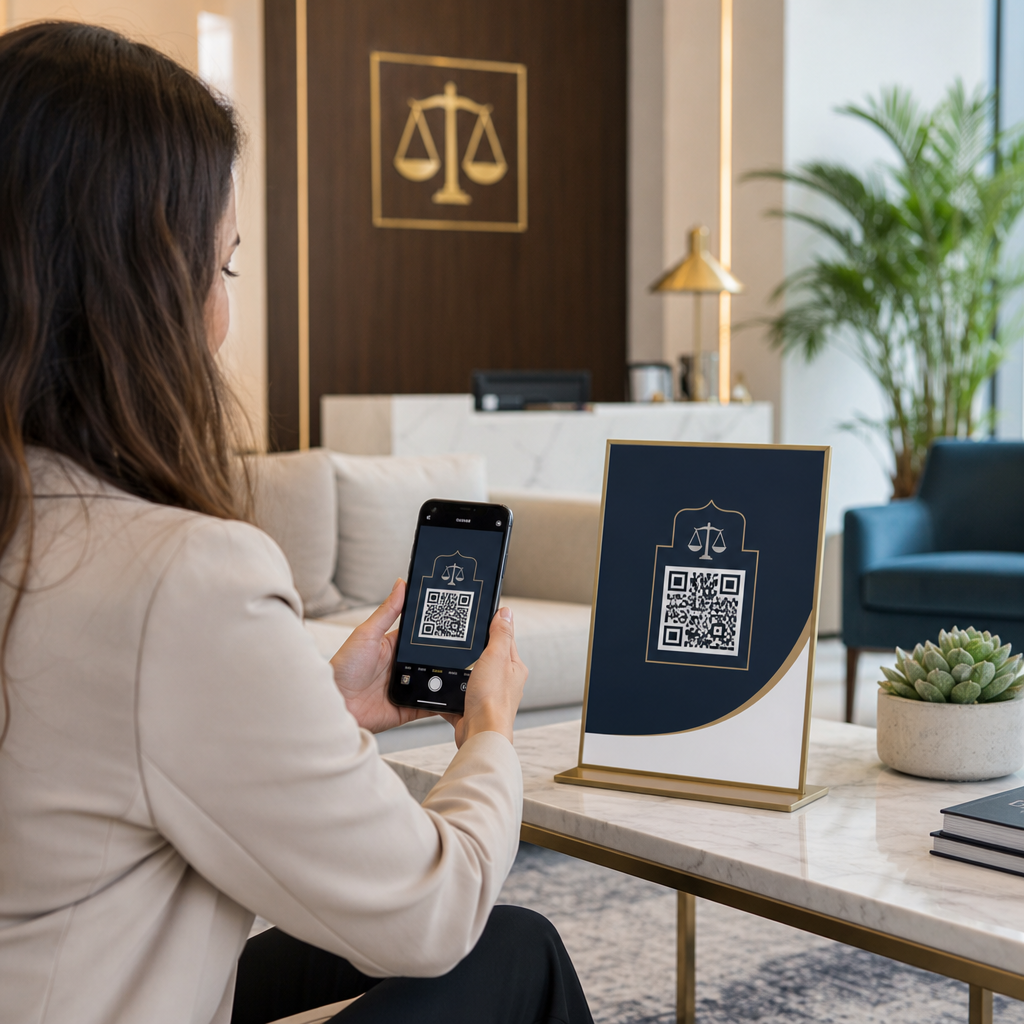
Planifier un hommage tout en gérant le deuil est déjà assez difficile – trouver comment partager un avis de décès, une vidéo hommage ou un programme funéraire avec les invités ne devrait pas ajouter à ce fardeau. Sans un pont simple entre les documents imprimés et le contenu numérique, les hommages significatifs passent souvent inaperçus. Ce guide vous montre exactement comment utiliser les codes QR pour connecter un service physique aux souvenirs numériques qui comptent le plus.
Pourquoi les codes QR sont pertinents lors des services commémoratifs
Les services funéraires rassemblent des personnes de tous âges, beaucoup venant d'autres villes, toutes désireuses d'honorer quelqu'un qu'elles aiment. Un code QR imprimé sur un ordre de service, une carte commémorative ou un programme funéraire offre à chaque invité une connexion instantanée à un contenu plus riche – une vidéo hommage, une galerie de photos, un avis de décès en ligne ou un livre d'or numérique – sans qu'ils aient besoin de chercher, de taper ou de demander un lien.
La possession de smartphones est répandue même chez les adultes plus âgés : 90 % des adultes américains âgés de 50 à 64 ans et 78 % de ceux de 65 ans et plus en possèdent un. Cela signifie que la grande majorité des invités à un service commémoratif sont déjà équipés pour scanner un code QR à l'aide de l'appareil photo intégré de leur téléphone, sans qu'une application séparée ne soit requise.
Au-delà de la commodité, les codes QR résolvent un réel problème de coordination pour les familles gérant à la fois la présence en personne et à distance. De nombreuses maisons funéraires proposent désormais des services diffusés en direct afin que les membres de la famille éloignés puissent participer virtuellement, les enregistrements étant souvent conservés comme un hommage numérique permanent. Un code QR sur une carte souvenir physique donne à ceux qui assistent en personne le même accès à cet enregistrement longtemps après la fin du service – transformant un souvenir imprimé en une connexion durable.
Ce que vous pouvez lier à un code QR commémoratif
Le bon type de code QR dépend de quel contenu numérique vous souhaitez que les invités atteignent. Voici les cas d'utilisation les plus courants pour les services commémoratifs.
Avis de décès en ligne ou page hommage. Liez les invités directement à une page commémorative où la famille et les amis peuvent laisser des messages, partager des photos et allumer des bougies virtuelles. Utilisez le Générateur de codes QR de liens pour diriger le code vers n'importe quelle URL, y compris un avis de décès hébergé par une maison funéraire ou une plateforme commémorative dédiée.
Vidéo hommage ou commémorative. Une vidéo célébrant la vie de quelqu'un est l'une des choses les plus significatives que vous puissiez partager. Si vous avez téléchargé l'hommage sur YouTube, le Générateur de QR code YouTube permet aux invités de scanner et de regarder directement depuis leur téléphone. Pour une présentation complète, consultez le guide sur comment créer un code QR pour une vidéo.
Programme funéraire numérique ou ordre de service. Un programme imprimé est un souvenir traditionnel, mais une version PDF peut inclure davantage – photos, paroles d'hymnes, lectures, une histoire de vie complète. Téléchargez votre programme et générez un code avec le Générateur de QR code PDF. Les invités conservent la carte physique ; le PDF leur donne la version complète à revoir chez eux.
Galerie de photos. Le scan ouvre une collection de photographies couvrant toute une vie. Le Générateur de QR code image vous permet de créer une galerie partageable que les invités peuvent consulter et enregistrer depuis leur téléphone.
Plusieurs liens sur une seule page. Si vous souhaitez que les invités accèdent à l'avis de décès, à la vidéo hommage, à l'album photo et à un lien de don le tout à partir d'un seul scan, le Générateur de codes QR de liens peut créer une page de destination simple qui organise tout en un seul endroit.
Partagez tout à partir d'un seul scan Besoin que les invités accèdent à la vidéo hommage, à la galerie de photos et à l'avis de décès en ligne à partir d'un seul code QR ? Utilisez le Générateur de codes QR de liens pour créer une page de destination qui rassemble tout.
Comment créer un code QR pour un service commémoratif
La création d'un code QR commémoratif ne prend que quelques minutes. Voici le processus du début à la fin.
Tout d'abord, rassemblez votre contenu numérique. Téléchargez votre vidéo hommage sur YouTube, hébergez votre programme PDF ou confirmez l'URL de l'avis de décès en ligne vers lequel vous souhaitez créer un lien. Ensuite, choisissez le bon générateur pour votre type de contenu – le générateur PDF pour les documents, le générateur YouTube pour les vidéos ou le générateur de liens pour toute URL.

Une fois que vous avez sélectionné un générateur, collez le lien ou téléchargez le fichier et l'outil crée immédiatement un code scannable. À partir de là, personnalisez l'apparence : ajustez les couleurs pour correspondre à l'esthétique de l'hommage, gardez-le simple avec du noir classique sur blanc, ou ajoutez un petit cadre avec du texte comme “ Scannez pour voir l'hommage ” afin que les invités sachent à quoi s'attendre. Lorsque vous êtes satisfait, téléchargez le code dans un format prêt à imprimer – SVG, EPS ou PDF – pour une impression haute résolution sur les programmes, les cartes commémoratives ou les bulletins de service.
Avant toute impression, testez le code vous-même sur un iPhone et un appareil Android pour confirmer qu'il ouvre le bon contenu. Pour une présentation détaillée de la conversion d'un document en code QR, consultez le guide sur Convertir un fichier en QR code : PDF, images, Office.
Créez votre code QR commémoratif Prêt à commencer ? Utilisez le Générateur de QR code gratuit pour créer un code en quelques minutes – aucune expérience technique nécessaire.
Pourquoi les codes QR dynamiques sont le meilleur choix pour les commémorations
Lors de la planification d'un service sous la pression du temps, des erreurs se produisent. Un lien change, une vidéo est re-téléchargée, ou la famille décide de changer de plateforme d'avis de décès après que les programmes ont déjà été imprimés.
UNE code QR dynamique résout ce problème en séparant le code imprimé de la destination vers laquelle il pointe. Le code lui-même ne change jamais, mais la page vers laquelle il dirige les invités peut être mise à jour à tout moment depuis un tableau de bord. Si vous avez imprimé 200 programmes funéraires et découvrez plus tard que le lien de la vidéo hommage est rompu, vous mettez à jour la destination en quelques secondes – pas de réimpression, pas de gaspillage, pas de corrections gênantes lors du service.
Les codes QR dynamiques fournissent également des analyses de scan : combien de personnes ont scanné le code, quand et d'où. Pour les familles qui veulent comprendre à quel point un hommage a été largement vu, ou pour les organisateurs de funérailles coordonnant des services pour plusieurs familles, ces données offrent un aperçu significatif de la façon dont les invités ont interagi avec le contenu commémoratif.
Le Générateur de QR code dynamique gère tout cela depuis un tableau de bord unique.
Modifiez votre code QR commémoratif après l'impression Programmes imprimés avant de finaliser le lien de la vidéo hommage ? Avec un Code QR dynamique, vous pouvez mettre à jour la destination à tout moment – aucune réimpression requise.
Conseils de conception pour les codes QR commémoratifs
L'apparence compte dans le contexte d'un service funéraire ou commémoratif. Un code QR bien conçu s'intègre respectueusement dans les documents imprimés tout en restant facile à scanner. Gardez ces directives pratiques à l'esprit.

- Utilisez un contraste élevé. Un code sombre sur un fond clair est la combinaison la plus fiable. Un code noir sur du papier blanc ou crème se scanne de manière cohérente sur tous les appareils et dans toutes les conditions d'éclairage. Pour des conseils détaillés sur les couleurs, voir meilleures pratiques de contraste des couleurs des codes QR.
- Gardez-le suffisamment grand. Imprimez votre code QR à un minimum de 0,8 × 0,8 pouces (environ 2 × 2 cm) pour un scan à courte portée. Sur un programme plié ou une carte commémorative, une taille de 1 à 1,5 pouces fonctionne de manière fiable pour la plupart des invités.
- Préservez la zone de silence. Laissez une marge claire et non imprimée d'au moins quatre largeurs de module autour du code sur tous les côtés. Placer du texte ou des bordures décoratives trop près des bords rend plus difficile pour les scanners de détecter où le code commence et se termine.
- Ajoutez une étiquette d'appel à l'action. Une courte ligne sous le code – “ Scannez pour regarder la vidéo hommage ” ou “ Scannez pour voir la page commémorative ” – guide les invités qui pourraient ne pas être familiers avec les codes QR.
- Incluez l'URL comme solution de repli. Imprimez le lien de destination en petit texte près du code afin que les invités qui ont des difficultés à scanner, ou qui préfèrent taper, puissent toujours accéder au contenu.
Pour une référence plus complète sur le dimensionnement, les zones de silence et le contraste, voir le les meilleures pratiques pour la lisibilité des codes QR.
Où placer les codes QR lors d'un service commémoratif
Le placement détermine si les invités utilisent réellement le code. Le tableau ci-dessous associe les emplacements d'impression et d'affichage courants au contenu qui fonctionne le mieux à chacun d'eux.
| EMPLACEMENT | Quoi lier |
|---|---|
| Ordre de service ou programme imprimé | Vidéo hommage, version numérique du programme |
| Carte commémorative ou carte de prière | Avis de décès en ligne, galerie de photos |
| Carte d'affichage d'arrangement floral | Page de don commémoratif, hommage en ligne |
| Table du livre d'or | Livre d'or en ligne ou page commémorative |
| Table commémorative avec photographies | Galerie de photos, vidéo d'histoire de vie |
| Annonce par e-mail ou site web commémoratif | Tout ce qui précède via une page de destination multi-liens |
Pour les services avec des participants en personne et à distance, placer le code QR de manière proéminente dans les annonces envoyées par e-mail garantit que les membres de la famille éloignés peuvent accéder au même contenu hommage que ceux qui étaient présents dans la pièce.
Rendre le contenu commémoratif accessible à tous les invités
Tous les invités ne seront pas à l'aise pour scanner un code QR, et l'accessibilité est plus importante dans ce contexte que dans la plupart des autres. Quelques étapes simples garantissent que personne n'est laissé de côté.
- Affichez l'URL à côté du code. Imprimez l'adresse web complète en texte lisible afin que les invités puissent la taper dans un navigateur si nécessaire.
- Informez l'officiant ou un membre de la famille. Demandez à quelqu'un de guider verbalement les invités vers le code QR pendant le service – une simple mention comme “ le programme inclut un code QR pour visionner la vidéo hommage à la maison ” supprime toute hésitation.
- Choisissez des designs grands et à contraste élevé. Les invités plus âgés avec des appareils photo de téléphone de moindre qualité ou une vision réduite bénéficient de codes plus grands imprimés avec un fort contraste entre le code et son arrière-plan.
- Testez sur un appareil plus ancien. Si vous pouvez emprunter un téléphone vieux de trois ou quatre ans, scannez le code dessus avant d'imprimer pour confirmer qu'il fonctionne sur une gamme de matériels.
Celui de Pageloot Solutions de codes QR pour chaque industrie couvre la conception et les considérations d'accessibilité dans une gamme d'environnements physiques si vous voulez explorer d'autres cas d'utilisation.
Un code QR sur une carte commémorative ou un programme funéraire transforme un simple souvenir imprimé en une connexion durable au hommage, aux photographies et aux mots partagés sur la vie de quelqu'un. Choisissez un code dynamique afin de pouvoir mettre à jour la destination librement après l'impression, dimensionnez-le correctement pour le matériau sur lequel il apparaît, maintenez un contraste élevé et incluez toujours l'URL comme solution de repli. Lorsque cela est fait avec soin, c'est l'une des choses les plus simples que vous puissiez faire pour qu'un service commémoratif se sente complet pour chaque invité – qu'il soit dans la pièce ou en deuil à distance.
Commencez par le Générateur de QR code gratuit pour créer votre premier code QR commémoratif aujourd'hui.
Questions fréquentes
Oui, si vous utilisez un code QR dynamique. Les codes dynamiques pointent vers une URL de redirection que vous contrôlez depuis un tableau de bord. Si le lien de la vidéo hommage change ou si vous déplacez l'avis de décès vers une autre plateforme, vous mettez à jour la destination et le code imprimé continue de fonctionner sans aucune réimpression. Le générateur de codes QR dynamiques vous permet d'effectuer ces modifications instantanément.
Si la vidéo est hébergée sur YouTube, utilisez le générateur de code QR YouTube – copiez le lien de partage de la vidéo, collez-le dans le générateur, et le code ouvrira la vidéo directement lorsqu'il sera scanné. Si la vidéo est hébergée ailleurs, utilisez le générateur de code QR de lien avec l'URL directe de la vidéo, ou générez un code dynamique via le générateur de code QR dynamique afin de pouvoir mettre à jour la destination si la vidéo est déplacée.
Imprimez toujours l'URL de destination en petits caractères à côté du code QR afin que les invités qui préfèrent taper l'adresse puissent accéder directement au même contenu. Pour les invités moins à l'aise avec les smartphones, demandez à un membre de la famille ou à l'officiant de mentionner brièvement le code pendant le service. Offrir plusieurs chemins d'accès – code QR, URL imprimée et un e-mail direct avec le lien – garantit que tout le monde peut accéder à l'hommage quel que soit son niveau de confort technique.