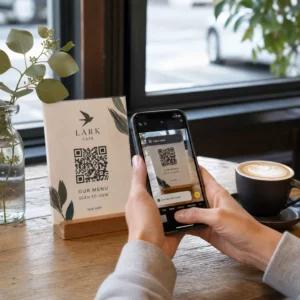
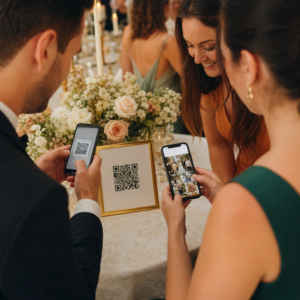
Planificarea unui memorial în timp ce gestionezi durerea este destul de greu – să-ți dai seama cum să partajezi un necrolog, un videoclip tribut sau un program de înmormântare cu invitații nu ar trebui să adauge la această povară. Fără o punte simplă între materialele tipărite și conținutul digital, tributele semnificative rămân adesea nevăzute. Acest ghid îți arată exact cum să folosești codurile QR pentru a conecta un serviciu fizic cu amintirile digitale care contează cel mai mult.
De ce codurile QR au sens la serviciile memoriale
Serviciile funerare reunesc oameni de toate vârstele, mulți călătorind din afara orașului, toți dorind să onoreze pe cineva drag. Un cod QR imprimat pe o ordine de serviciu, o carte memorială sau un program de înmormântare oferă fiecărui invitat o conexiune instantanee la conținut mai bogat – un videoclip tribut, o galerie foto, un necrolog online sau o carte de oaspeți digitală – fără a le cere să caute, să tasteze sau să ceară un link.
Proprietatea de smartphone-uri este larg răspândită chiar și în rândul adulților în vârstă: 90% dintre adulții din S.U.A. cu vârste cuprinse între 50 și 64 de ani și 78% dintre cei de 65 de ani și peste dețin unul. Asta înseamnă că marea majoritate a invitaților la un serviciu memorial sunt deja echipați să scaneze un cod QR folosind camera încorporată a telefonului lor, fără a fi necesară o aplicație separată.
Dincolo de comoditate, codurile QR rezolvă o problemă reală de coordonare pentru familiile care gestionează atât prezența fizică, cât și cea la distanță. Multe case funerare oferă acum servicii transmise în direct, astfel încât membrii familiei aflați la distanță pot participa virtual, înregistrările fiind adesea salvate ca un memorial digital permanent. Un cod QR pe o carte fizică de amintire oferă celor care participă în persoană același acces la acea înregistrare mult timp după încheierea serviciului – transformând un memento tipărit într-o conexiune durabilă.
La ce poți lega un cod QR memorial
Tipul potrivit de cod QR depinde de conținutul digital la care dorești ca invitații să ajungă. Iată cele mai comune cazuri de utilizare pentru serviciile memoriale.
Necrolog online sau pagină de tribut. Leagă invitații direct la o pagină memorială unde familia și prietenii pot lăsa mesaje, partaja fotografii și aprinde lumânări virtuale. Folosește Generator de coduri QR pentru linkuri pentru a direcționa codul către orice URL, inclusiv un necrolog găzduit de o casă funerară sau o platformă memorială dedicată.
Videoclip tribut sau memorial. Un videoclip care celebrează viața cuiva este unul dintre cele mai semnificative lucruri pe care le poți partaja. Dacă ai încărcat tributul pe YouTube, Generator cod QR YouTube le permite invitaților să scaneze și să vizioneze direct de pe telefonul lor. Pentru o prezentare completă, vezi ghidul despre cum să creezi un cod QR pentru un videoclip.
Program funerar digital sau ordine de serviciu. Un program tipărit este o amintire tradițională, dar o versiune PDF poate include mai multe – fotografii, versuri de imnuri, lecturi, o poveste completă a vieții. Încarcă programul tău și generează un cod cu Generator cod QR PDF. Invitații păstrează cartea fizică; PDF-ul le oferă versiunea completă pentru a o revedea acasă.
Galerie foto. Scanarea deschide o colecție de fotografii care acoperă o viață întreagă. Foto QR: cod QR pentru imagine îți permite să creezi o galerie partajabilă pe care invitații o pot vizualiza și salva de pe telefoanele lor.
Mai multe linkuri pe o singură pagină. Dacă dorești ca invitații să acceseze necrologul, videoclipul tribut, albumul foto și un link de donație toate dintr-o singură scanare, Generator de coduri QR pentru linkuri poate construi o pagină de destinație simplă care organizează totul într-un singur loc.
Partajează totul dintr-o singură scanare Ai nevoie ca invitații să ajungă la videoclipul tribut, galeria foto și necrologul online dintr-un singur cod QR? Folosește Generator de coduri QR pentru linkuri pentru a construi o pagină de destinație care le reunește pe toate.
Cum să creezi un cod QR pentru un serviciu memorial
Crearea unui cod QR memorial durează doar câteva minute. Iată procesul de la început până la sfârșit.
Mai întâi, adună conținutul tău digital. Încarcă videoclipul tău tribut pe YouTube, găzduiește programul tău PDF sau confirmă URL-ul necrologului online la care dorești să faci legătura. Apoi, alege generatorul potrivit pentru tipul tău de conținut – generatorul PDF pentru documente, generatorul YouTube pentru videoclipuri sau generatorul de linkuri pentru orice URL.

Odată ce ai selectat un generator, lipește linkul sau încarcă fișierul și instrumentul creează imediat un cod scanabil. De acolo, personalizează aspectul: ajustează culorile pentru a se potrivi esteticii memorialului, păstrează-l simplu cu negru clasic pe alb sau adaugă o ramă mică cu text precum “Scanează pentru a vizualiza tributul” pentru ca invitații să știe la ce să se aștepte. Când ești mulțumit, descarcă codul într-un format gata de imprimare – SVG, EPS sau PDF – pentru imprimare de înaltă rezoluție pe programe, cărți memoriale sau buletine de serviciu.
Înainte ca orice să meargă la imprimare, testează codul tu însuți atât pe un dispozitiv iPhone, cât și pe un dispozitiv Android pentru a confirma că deschide conținutul corect. Pentru o prezentare detaliată a conversiei unui document într-un cod QR, vezi ghidul despre cum să convertești un fișier într-un cod QR.
Creează-ți codul QR memorial Ești gata să începi? Folosește Cod QR generator gratuit pentru a crea un cod în câteva minute – nu este necesară experiență tehnică.
De ce codurile QR dinamice sunt alegerea mai bună pentru comemorări
Atunci când planificați o slujbă sub presiunea timpului, se întâmplă greșeli. Un link se schimbă, un videoclip este reîncărcat, sau familia decide să schimbe platformele de obituare după ce programele au fost deja imprimate.
A cod QR dinamic rezolvă acest lucru prin separarea codului imprimat de destinația către care indică. Codul în sine nu se schimbă niciodată, dar pagina către care direcționează oaspeții poate fi actualizată oricând dintr-un tablou de bord. Dacă ați imprimat 200 de programe funerare și mai târziu descoperiți că linkul videoclipului de omagiu este rupt, actualizați destinația în câteva secunde – fără reimprimare, fără risipă, fără corecții stânjenitoare la slujbă.
Codurile QR dinamice oferă, de asemenea, analize de scanare: câte persoane au scanat codul, când și de unde. Pentru familiile care doresc să înțeleagă cât de larg a fost vizualizat un omagiu, sau pentru organizatorii de înmormântări care coordonează servicii pentru mai multe familii, aceste date oferă o perspectivă semnificativă asupra modului în care oaspeții s-au implicat în conținutul memorial.
Cel Generator cod QR dinamic gestionează toate acestea dintr-un singur tablou de bord.
Editați-vă codul QR memorial după imprimare Programe imprimate înainte de a finaliza linkul videoclipului de omagiu? Cu un Cod QR dinamic, puteți actualiza destinația oricând – nu este necesară reimprimarea.
Sfaturi de design pentru codurile QR memoriale
Aspectul contează în contextul unei înmormântări sau al unei slujbe de pomenire. Un cod QR bine conceput se integrează respectuos în materialele tipărite, rămânând în același timp ușor de scanat. Țineți cont de aceste ghiduri practice.

- Utilizați contrast ridicat. Un cod închis pe un fundal deschis este cea mai fiabilă combinație. Un cod negru pe hârtie albă sau crem se scanează constant pe toate dispozitivele și în toate condițiile de iluminare. Pentru ghiduri detaliate privind culorile, consultați cele mai bune practici de contrast de culoare pentru codurile QR.
- Păstrați-l suficient de mare. Imprimați codul QR la un minim de 0,8 × 0,8 inchi (aproximativ 2 × 2 cm) pentru scanare de aproape. Pe un program pliat sau o carte memorială, o dimensiune de 1 până la 1,5 inchi funcționează fiabil pentru majoritatea oaspeților.
- Păstrați zona de liniște. Lăsați o margine clară, neimprimată, de cel puțin patru lățimi de modul în jurul codului pe toate laturile. Plasarea textului sau a bordurilor decorative prea aproape de margini face mai dificilă detectarea de către scanere a locului unde începe și se termină codul.
- Adăugați o etichetă de apel la acțiune. O scurtă linie sub cod – “Scanați pentru a viziona videoclipul de omagiu” sau “Scanați pentru a vizualiza pagina memorială” – ghidează oaspeții care ar putea fi nefamiliarizați cu codurile QR.
- Includeți URL-ul ca soluție de rezervă. Imprimați linkul de destinație cu text mic lângă cod, astfel încât oaspeții care au dificultăți la scanare, sau care preferă să tasteze, să poată accesa în continuare conținutul.
Pentru o referință mai completă privind dimensionarea, zonele de liniște și contrastul, consultați cele mai bune practici pentru lizibilitatea codurilor QR.
Unde să plasați codurile QR la o slujbă de pomenire
Plasarea determină dacă oaspeții utilizează efectiv codul. Tabelul de mai jos mapează locațiile comune de imprimare și afișare la conținutul care funcționează cel mai bine în fiecare.
| POZIȚIE | Ce să legați |
|---|---|
| Ordinea de serviciu sau programul imprimat | Videoclip de omagiu, versiune digitală a programului |
| Carte memorială sau carte de rugăciuni | Necrolog online, galerie foto |
| Card de afișare pentru aranjament floral | Pagina de donații memoriale, omagiu online |
| Masă pentru cartea de oaspeți | Carte de oaspeți online sau pagină memorială |
| Masă memorială cu fotografii | Galerie foto, videoclip cu povestea vieții |
| Anunț prin e-mail sau site web memorial | Toate cele de mai sus printr-o pagină de destinație cu mai multe linkuri |
Pentru slujbele cu participanți atât în persoană, cât și la distanță, plasarea proeminentă a codului QR în anunțurile trimise prin e-mail asigură că membrii familiei aflați la distanță pot accesa același conținut de omagiu ca și cei prezenți în încăpere.
Asigurarea accesibilității conținutului memorial pentru toți oaspeții
Nu toți oaspeții se vor simți confortabil să scaneze un cod QR, iar accesibilitatea contează în acest context mai mult decât în majoritatea. Câțiva pași simpli asigură că nimeni nu este lăsat pe dinafară.
- Afișați URL-ul alături de cod. Imprimați adresa web completă cu text lizibil, astfel încât oaspeții să o poată tasta într-un browser, dacă este necesar.
- Informați oficiantul sau un membru al familiei. Rugați pe cineva să ghideze verbal oaspeții către codul QR în timpul slujbei – o simplă mențiune precum “programul include un cod QR pentru a viziona videoclipul de omagiu acasă” elimină orice ezitare.
- Alegeți designuri mari, cu contrast ridicat. Oaspeții mai în vârstă, cu camere de telefon de calitate inferioară sau cu vedere redusă, beneficiază de coduri mai mari imprimate cu un contrast puternic între cod și fundalul său.
- Testați pe un dispozitiv mai vechi. Dacă puteți împrumuta un telefon vechi de trei sau patru ani, scanați codul pe acesta înainte de imprimare pentru a confirma că funcționează pe o gamă largă de hardware.
Pageloot Soluții de coduri QR pentru fiecare industrie acoperă considerații de design și accesibilitate într-o gamă de medii fizice dacă doriți să explorați cazuri de utilizare suplimentare.
Un cod QR pe o carte de pomenire sau un program de înmormântare transformă o simplă amintire tipărită într-o conexiune durabilă la omagiu, fotografii și cuvintele împărtășite despre viața cuiva. Alegeți un cod dinamic astfel încât să puteți actualiza destinația liber după tipărire, dimensionați-l corect pentru materialul pe care apare, mențineți contrastul ridicat și includeți întotdeauna URL-ul ca soluție de rezervă. Când este făcut cu grijă, este unul dintre cele mai simple lucruri pe care le puteți face pentru a face ca un serviciu de pomenire să se simtă complet pentru fiecare invitat – fie că sunt în cameră sau jelind de la distanță.
Începeți cu Cod QR generator gratuit pentru a construi primul dumneavoastră cod QR de pomenire astăzi.
Întrebări frecvente
Da, dacă utilizați un cod QR dinamic. Codurile dinamice indică o adresă URL de redirecționare pe care o controlați dintr-un tablou de bord. Dacă linkul videoclipului de omagiu se schimbă sau mutați necrologul pe o altă platformă, actualizați destinația și codul tipărit continuă să funcționeze fără nicio retipărire. Generatorul de coduri QR dinamice vă permite să faceți aceste modificări instantaneu.
Dacă videoclipul este găzduit pe YouTube, utilizați Generatorul de coduri QR YouTube – copiați linkul de partajare al videoclipului, lipiți-l în generator, iar codul va deschide videoclipul direct când este scanat. Dacă videoclipul este găzduit în altă parte, utilizați Generatorul de coduri QR pentru link cu URL-ul direct al videoclipului, sau generați un cod dinamic prin Generatorul de coduri QR dinamic astfel încât să puteți actualiza destinația dacă videoclipul este vreodată mutat.
Tipăriți întotdeauna URL-ul de destinație cu caractere mici lângă codul QR, astfel încât oaspeții care preferă să tasteze adresa să poată accesa același conținut direct. Pentru oaspeții mai puțin familiarizați cu smartphone-urile, rugați un membru al familiei sau pe oficiant să menționeze pe scurt codul în timpul serviciului. Oferirea mai multor căi de acces – cod QR, URL tipărit și un e-mail direct cu link-ul – asigură că toată lumea poate ajunge la omagiu, indiferent de nivelul lor de confort tehnic.