Planejar um memorial enquanto se lida com o luto já é difícil o suficiente – descobrir como compartilhar um obituário, vídeo de homenagem ou programa de funeral com os convidados não deveria adicionar a esse fardo. Sem uma ponte simples entre materiais impressos e conteúdo digital, homenagens significativas muitas vezes passam despercebidas. Este guia mostra exatamente como usar códigos QR para conectar um serviço físico com as memórias digitais que mais importam.
Por que Códigos QR Fazem Sentido em Serviços Memoriais
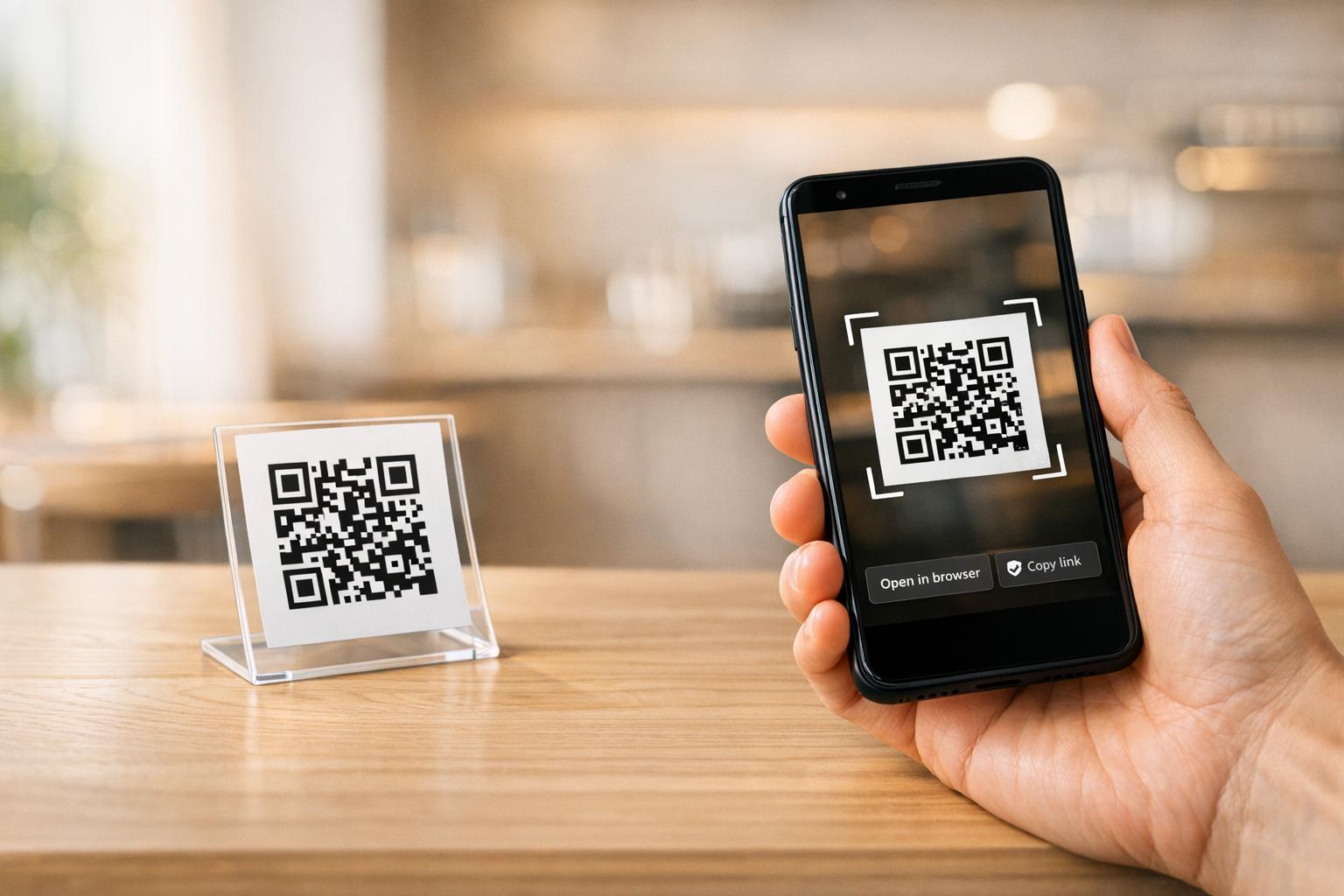
Serviços funerários reúnem pessoas de todas as idades, muitas viajando de fora da cidade, todas querendo homenagear alguém que amam. Um código QR impresso em uma ordem de serviço, cartão memorial ou programa de funeral oferece a cada convidado uma conexão instantânea a um conteúdo mais rico – um vídeo de homenagem, uma galeria de fotos, um obituário online ou um livro de visitas digital – sem exigir que pesquisem, digitem ou peçam um link.
A posse de smartphones é generalizada mesmo entre adultos mais velhos: 90% dos adultos dos EUA com idades entre 50 e 64 anos e 78% daqueles com 65 anos ou mais possuem um. Isso significa que a grande maioria dos convidados em um serviço memorial já está equipada para escanear um código QR usando a câmera embutida de seu telefone, sem a necessidade de um aplicativo separado.
Além da conveniência, os códigos QR resolvem um problema real de coordenação para famílias que gerenciam a participação presencial e remota. Muitas casas funerárias agora oferecem serviços transmitidos ao vivo para que membros da família distantes possam participar virtualmente, com gravações frequentemente salvas como um memorial digital permanente. Um código QR em um cartão de lembrança físico dá àqueles que comparecem pessoalmente o mesmo acesso a essa gravação muito depois do término do serviço – transformando uma lembrança impressa em uma conexão duradoura.
O Que Você Pode Vincular a um Código QR Memorial
O tipo certo de código QR depende do conteúdo digital que você deseja que os convidados alcancem. Aqui estão os casos de uso mais comuns para serviços memoriais.
Obituário online ou página de homenagem. Vincule os convidados diretamente a uma página memorial onde familiares e amigos podem deixar mensagens, compartilhar fotos e acender velas virtuais. Use o Gerador de Código QR de Link para apontar o código para qualquer URL, incluindo um obituário hospedado por uma casa funerária ou uma plataforma memorial dedicada.
Vídeo de homenagem ou memorial. Um vídeo celebrando a vida de alguém é uma das coisas mais significativas que você pode compartilhar. Se você carregou a homenagem para o YouTube, o Gerador de QR Code do YouTube permite que os convidados escaneiem e assistam diretamente de seus telefones. Para um passo a passo completo, consulte o guia sobre como fazer um código QR para um vídeo.
Programa de funeral digital ou ordem de serviço. Um programa impresso é uma lembrança tradicional, mas uma versão em PDF pode incluir mais – fotos, letras de hinos, leituras, uma história de vida completa. Carregue seu programa e gere um código com o Gerador de QR Code de PDF. Os convidados guardam o cartão físico; o PDF lhes dá a versão completa para revisitar em casa.
Galeria de fotos. A digitalização abre uma coleção de fotografias que abrangem uma vida inteira. O Gerador de QR Code de Imagem permite que você crie uma galeria compartilhável que os convidados podem visualizar e salvar de seus telefones.
Vários links em uma página. Se você deseja que os convidados acessem o obituário, vídeo de homenagem, álbum de fotos e um link de doação tudo a partir de uma única digitalização, o Gerador de Código QR de Link pode construir uma página de destino simples que organiza tudo em um só lugar.
Compartilhe Tudo a Partir de Uma Única Digitalização Precisa que os convidados acessem o vídeo de homenagem, a galeria de fotos e o obituário online a partir de um código QR? Use o Gerador de Código QR de Link para construir uma página de destino que reúne tudo.
Como Criar um Código QR para um Serviço Memorial
Criar um código QR memorial leva apenas alguns minutos. Aqui está o processo do início ao fim.
Primeiro, reúna seu conteúdo digital. Carregue seu vídeo de homenagem para o YouTube, hospede seu programa em PDF ou confirme o URL do obituário online ao qual você deseja vincular. Em seguida, escolha o gerador certo para o seu tipo de conteúdo – o gerador de PDF para documentos, o gerador de YouTube para vídeos ou o gerador de link para qualquer URL.

Depois de selecionar um gerador, cole o link ou carregue o arquivo e a ferramenta cria um código escaneável imediatamente. A partir daí, personalize a aparência: ajuste as cores para combinar com a estética do memorial, mantenha-o simples com o clássico preto no branco, ou adicione uma pequena moldura com texto como “Escanear para ver homenagem” para que os convidados saibam o que esperar. Quando estiver satisfeito, baixe o código em um formato pronto para impressão – SVG, EPS ou PDF – para impressão de alta resolução em programas, cartões memoriais ou boletins de serviço.
Antes que algo vá para impressão, teste o código você mesmo em um iPhone e em um dispositivo Android para confirmar que ele abre o conteúdo correto. Para um passo a passo detalhado de como converter um documento em um código QR, consulte o guia sobre Como transformar um arquivo em QR Code.
Crie Seu Código QR Memorial Pronto para começar? Use o Gerador de QR Code grátis para criar um código em minutos – nenhuma experiência técnica necessária.
Por que Códigos QR Dinâmicos São a Melhor Escolha para Memoriais
Ao planejar um serviço sob pressão de tempo, erros acontecem. Um link muda, um vídeo é reenviado, ou a família decide mudar de plataforma de obituário depois que os programas já foram impressos.
UMA código QR dinâmico resolve isso separando o código impresso do destino para o qual ele aponta. O próprio código nunca muda, mas a página para a qual ele direciona os convidados pode ser atualizada a qualquer momento de um painel. Se você imprimiu 200 programas de funeral e depois descobrir que o link do vídeo de homenagem está quebrado, você atualiza o destino em segundos – sem reimpressão, sem desperdício, sem correções embaraçosas no serviço.
Códigos QR dinâmicos também fornecem análises de leitura: quantas pessoas escanearam o código, quando e de onde. Para famílias que querem entender o quão amplamente uma homenagem foi visualizada, ou para planejadores de funerais coordenando serviços para várias famílias, esses dados oferecem uma visão significativa sobre como os convidados interagiram com o conteúdo memorial.
O Gerador de QR Code Dinâmico lida com tudo isso de um único painel.
Edite Seu Código QR Memorial Após a Impressão Programas impressos antes de finalizar o link do vídeo de homenagem? Com um Código QR Dinâmico, você pode atualizar o destino a qualquer momento – sem necessidade de reimpressão.
Dicas de Design para Códigos QR Memoriais
A aparência importa no contexto de um funeral ou serviço memorial. Um código QR bem projetado integra-se respeitosamente em materiais impressos enquanto permanece fácil de escanear. Mantenha estas diretrizes práticas em mente.

- Use alto contraste. Código escuro em um fundo claro é a combinação mais confiável. Um código preto em papel branco ou creme escaneia consistentemente em todos os dispositivos e condições de iluminação. Para orientação detalhada sobre cores, veja melhores práticas de contraste de cores para códigos QR.
- Mantenha-o grande o suficiente. Imprima seu código QR com um mínimo de 0,8 × 0,8 polegadas (aproximadamente 2 × 2 cm) para leitura de perto. Em um programa dobrado ou cartão memorial, um tamanho de 1 a 1,5 polegadas funciona de forma confiável para a maioria dos convidados.
- Preserve a zona de silêncio. Deixe uma margem clara e não impressa de pelo menos quatro larguras de módulo ao redor do código em todos os lados. Colocar texto ou bordas decorativas muito perto das bordas torna mais difícil para os scanners detectarem onde o código começa e termina.
- Adicione um rótulo de chamada para ação. Uma linha curta abaixo do código – “Escaneie para assistir ao vídeo de homenagem” ou “Escaneie para ver a página memorial” – guia os convidados que podem não estar familiarizados com códigos QR.
- Inclua a URL como alternativa. Imprima o link de destino em texto pequeno perto do código para que os convidados que têm dificuldade em escanear, ou que preferem digitar, ainda possam acessar o conteúdo.
Para uma referência mais completa sobre dimensionamento, zonas de silêncio e contraste, veja o melhores práticas para legibilidade de códigos QR.
Onde Colocar Códigos QR em um Serviço Memorial
A colocação determina se os convidados realmente usam o código. A tabela abaixo mapeia locais comuns de impressão e exibição para o conteúdo que funciona melhor em cada um.
| POSIÇÃO | O Que Linkar |
|---|---|
| Ordem de serviço ou programa impresso | Vídeo de homenagem, versão digital do programa |
| Cartão memorial ou cartão de oração | Obituário online, galeria de fotos |
| Cartão de exibição de arranjo floral | Página de doação memorial, homenagem online |
| Mesa do livro de visitas | Livro de visitas online ou página memorial |
| Mesa memorial com fotografias | Galeria de fotos, vídeo da história de vida |
| Anúncio por e-mail ou site memorial | Todos os itens acima via uma página de destino com múltiplos links |
Para serviços com participantes presenciais e remotos, colocar o código QR de forma proeminente em anúncios por e-mail garante que membros da família distantes possam acessar o mesmo conteúdo de homenagem que aqueles que estavam presentes na sala.
Tornando o Conteúdo Memorial Acessível a Todos os Convidados
Nem todo convidado se sentirá confortável escaneando um código QR, e a acessibilidade importa neste contexto mais do que na maioria. Alguns passos simples garantem que ninguém seja deixado de fora.
- Exiba a URL ao lado do código. Imprima o endereço web completo em texto legível para que os convidados possam digitá-lo em um navegador, se necessário.
- Instrua o oficiante ou um membro da família. Peça a alguém para guiar verbalmente os convidados até o código QR durante o serviço – uma simples menção como “o programa inclui um código QR para ver o vídeo de homenagem em casa” remove qualquer hesitação.
- Escolha designs grandes e de alto contraste. Convidados mais velhos com câmeras de telefone de menor qualidade ou visão reduzida se beneficiam de códigos maiores impressos com forte contraste entre o código e seu fundo.
- Teste em um dispositivo mais antigo. Se você puder pegar emprestado um telefone com três ou quatro anos de uso, escaneie o código nele antes de imprimir para confirmar que funciona em uma variedade de hardware.
Da Pageloot Soluções de código QR para cada indústria abrange design e considerações de acessibilidade em uma variedade de ambientes físicos, se você quiser explorar outros casos de uso.
Um código QR em um cartão de memória ou programa de funeral transforma uma simples lembrança impressa em uma conexão duradoura com a homenagem, as fotografias e as palavras compartilhadas sobre a vida de alguém. Escolha um código dinâmico para que você possa atualizar o destino livremente após a impressão, redimensione-o corretamente para o material em que aparece, mantenha o contraste alto e sempre inclua o URL como um fallback. Quando feito com consideração, é uma das coisas mais simples que você pode fazer para fazer com que um serviço memorial se sinta completo para cada convidado – estejam eles na sala ou de luto à distância.
Comece com o Gerador de QR Code grátis para construir seu primeiro código QR memorial hoje.
Perguntas frequentes
Sim, se você usar um código QR dinâmico. Códigos dinâmicos apontam para um URL de redirecionamento que você controla a partir de um painel. Se o link do vídeo de homenagem mudar ou você mover o obituário para uma plataforma diferente, você atualiza o destino e o código impresso continua a funcionar sem qualquer reimpressão. O Gerador de Código QR Dinâmico permite que você faça essas alterações instantaneamente.
Se o vídeo estiver hospedado no YouTube, use o Gerador de Código QR do YouTube – copie o link de compartilhamento do vídeo, cole-o no gerador, e o código abrirá o vídeo diretamente quando escaneado. Se o vídeo estiver hospedado em outro lugar, use o Gerador de Código QR de Link com o URL direto do vídeo, ou gere um código dinâmico através do Gerador de Código QR Dinâmico para que você possa atualizar o destino se o vídeo for movido.
Sempre imprima o URL de destino em texto pequeno ao lado do código QR para que os convidados que preferem digitar o endereço possam acessar o mesmo conteúdo diretamente. Para convidados menos confortáveis com smartphones, peça a um membro da família ou ao celebrante para mencionar brevemente o código durante o serviço. Fornecer múltiplos caminhos de acesso – código QR, URL impresso e um e-mail direto com o link – garante que todos possam acessar a homenagem independentemente do seu nível de conforto técnico.