Plánování vzpomínkové akce zatímco se vyrovnáváte se zármutkem je dost těžké – přijít na to, jak sdílet parte, vzpomínkové video nebo smuteční program s hosty by nemělo přidávat k této zátěži. Bez jednoduchého mostu mezi tištěnými materiály a digitálním obsahem smysluplné pocty často zůstanou nepovšimnuty. Tento průvodce vám přesně ukáže, jak používat QR kódy k propojení fyzické služby s digitálními vzpomínkami, které jsou nejdůležitější.
Proč QR kódy dávají smysl na vzpomínkových akcích
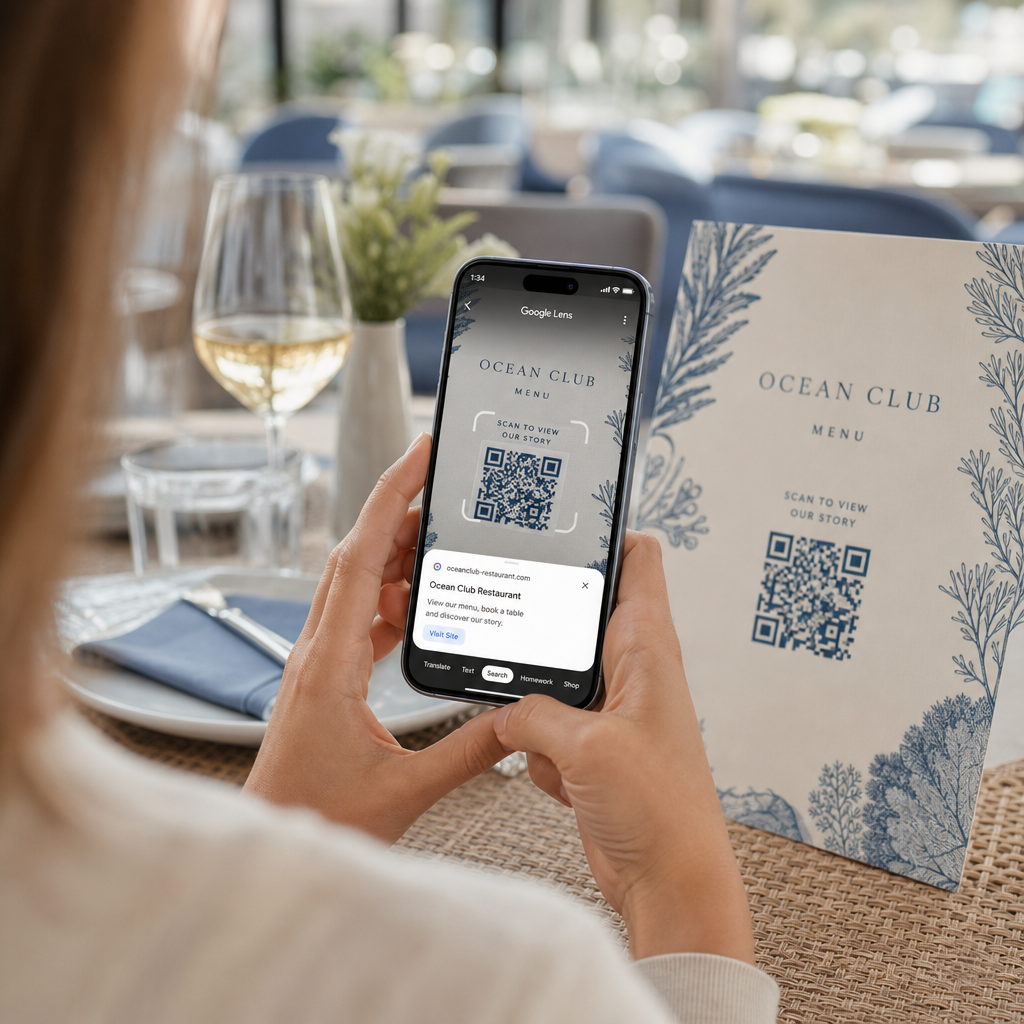
Pohřební služby spojují lidi všech věkových kategorií, mnoho z nich cestuje z jiného města, všichni chtějí uctít někoho, koho milují. QR kód vytištěný na smutečním oznámení, vzpomínkové kartě nebo smutečním programu poskytuje každému hostu okamžité spojení s bohatším obsahem – vzpomínkové video, fotogalerii, online parte nebo digitální kondolenční knihu – aniž by museli hledat, psát nebo žádat o odkaz.
Vlastnictví chytrých telefonů je rozšířené i mezi staršími dospělými: 90 % dospělých v USA ve věku 50–64 let a 78 % těch ve věku 65 a více let jeden vlastní. To znamená, že drtivá většina hostů na vzpomínkové akci je již vybavena k naskenování QR kódu pomocí vestavěné kamery svého telefonu, bez nutnosti samostatné aplikace.
Kromě pohodlí QR kódy řeší skutečný koordinační problém pro rodiny, které spravují osobní i vzdálenou účast. Mnoho pohřebních ústavů nyní nabízí živě streamované služby, aby se vzdálení členové rodiny mohli účastnit virtuálně, přičemž nahrávky jsou často uloženy jako trvalá digitální vzpomínka. QR kód na fyzické pamětní kartě poskytuje těm, kteří se účastní osobně, stejný přístup k této nahrávce dlouho poté, co služba skončí – proměňující tištěnou památku v trvalé spojení.
Co můžete propojit s pamětním QR kódem
Správný typ QR kódu závisí na tom, k jakému digitálnímu obsahu chcete, aby se hosté dostali. Zde jsou nejčastější případy použití pro vzpomínkové akce.
Online parte nebo vzpomínková stránka. Propojte hosty přímo s pamětní stránkou, kde rodina a přátelé mohou zanechat vzkazy, sdílet fotografie a zapálit virtuální svíčky. Použijte Generátor QR kódů pro odkazy k nasměrování kódu na jakoukoli URL adresu, včetně parte hostovaného pohřebním ústavem nebo specializovanou vzpomínkovou platformou.
Vzpomínkové nebo pamětní video. Video oslavující něčí život je jednou z nejsmysluplnějších věcí, které můžete sdílet. Pokud jste nahráli poctu na YouTube, QR kód YouTube generátor umožňuje hostům skenovat a sledovat přímo z jejich telefonu. Pro kompletní návod se podívejte na průvodce jak vytvořit QR kód pro video.
Digitální smuteční program nebo smuteční oznámení. Tištěný program je tradiční památka, ale verze PDF může obsahovat více – fotografie, texty hymnů, čtení, kompletní životní příběh. Nahrajte svůj program a vygenerujte kód pomocí QR kód PDF generátor. Hosté si ponechají fyzickou kartu; PDF jim poskytne plnou verzi k opětovnému prohlédnutí doma.
Fotogalerie. Skenování otevře sbírku fotografií pokrývající celý život. QR kód obrázek: generátor vám umožní vytvořit sdílitelnou galerii, kterou si hosté mohou prohlížet a ukládat ze svých telefonů.
Více odkazů na jedné stránce. Pokud chcete, aby hosté měli přístup k parte, vzpomínkovému videu, fotoalbu a odkazu na darování vše z jednoho skenu, Generátor QR kódů pro odkazy může vytvořit jednoduchou vstupní stránku, která vše uspořádá na jednom místě.
Sdílejte vše z jednoho skenu Potřebujete, aby se hosté dostali k vzpomínkovému videu, fotogalerii a online parte z jednoho QR kódu? Použijte Generátor QR kódů pro odkazy k vytvoření vstupní stránky, která to všechno spojí.
Jak vytvořit QR kód pro vzpomínkovou akci
Vytvoření pamětního QR kódu trvá jen několik minut. Zde je proces od začátku do konce.
Nejprve shromážděte svůj digitální obsah. Nahrajte své vzpomínkové video na YouTube, hostujte svůj PDF program nebo potvrďte URL online parte, na které chcete odkazovat. Dále vyberte správný generátor pro váš typ obsahu – generátor PDF pro dokumenty, generátor YouTube pro videa nebo generátor odkazů pro jakoukoli URL.

Jakmile vyberete generátor, vložte odkaz nebo nahrajte soubor a nástroj okamžitě vytvoří skenovatelný kód. Odtud si přizpůsobte vzhled: upravte barvy tak, aby odpovídaly estetice vzpomínkové akce, udržujte to jednoduché s klasickou černou na bílé, nebo přidejte malý rámeček s textem jako “Naskenujte pro zobrazení pocty”, aby hosté věděli, co očekávat. Až budete spokojeni, stáhněte si kód ve formátu připraveném k tisku – SVG, EPS nebo PDF – pro tisk ve vysokém rozlišení na programy, vzpomínkové karty nebo smuteční oznámení.
Než se cokoli vytiskne, otestujte kód sami na iPhonu i zařízení Android, abyste potvrdili, že otevírá správný obsah. Pro podrobný návod, jak převést dokument na QR kód, se podívejte na průvodce jak převést soubor na QR kód.
Vytvořte si svůj pamětní QR kód Jste připraveni začít? Použijte Generátor QR kódů zdarma vytvořit kód za pár minut – bez nutnosti technických znalostí.
Proč jsou dynamické QR kódy lepší volbou pro vzpomínkové akce
Při plánování obřadu pod časovým tlakem dochází k chybám. Odkaz se změní, video je nahráno znovu, nebo se rodina rozhodne změnit platformu pro smuteční oznámení poté, co byly programy již vytištěny.
A dynamický QR kód řeší to oddělením tištěného kódu od cíle, na který odkazuje. Samotný kód se nikdy nemění, ale stránku, na kterou směřuje hosty, lze kdykoli aktualizovat z ovládacího.
Dynamic QR codes also provide scan analytics: how many people scanned the code, when, and from where. For families who want to understand how widely a tribute was viewed, or for funeral planners coordinating services for multiple families, that data offers meaningful insight into how guests engaged with the memorial content.
Ten Dynamický QR kód handles all of this from a single dashboard.
Edit Your Memorial QR Code After Printing Printed programs before finalizing the tribute video link? With a Dynamický QR kód, you can update the destination anytime – no reprinting required.
Design Tips for Memorial QR Codes
Appearance matters in the context of a funeral or memorial service. A well-designed QR code blends respectfully into printed materials while remaining easy to scan. Keep these practical guidelines in mind.

- Use high contrast. Dark code on a light background is the most reliable combination. A black code on white or cream paper scans consistently across all devices and lighting conditions. For detailed color guidance, see osvědčené postupy pro barevný kontrast QR kódů.
- Keep it large enough. Print your QR code at a minimum of 0.8 × 0.8 inches (approximately 2 × 2 cm) for close-range scanning. On a folded program or memorial card, a size of 1 to 1.5 inches works reliably for most guests.
- Preserve the quiet zone. Ponechte jasný, nepotištěný okraj o šířce alespoň čtyř modulů kolem kódu ze všech stran. Umístění textu nebo ozdobných okrajů příliš blízko k okrajům ztěžuje skenerům detekci, kde kód začíná a končí.
- Přidejte popisek s výzvou k akci. Krátký řádek pod kódem – “Naskenujte pro zhlédnutí vzpomínkového videa” nebo “Naskenujte pro zobrazení pamětní stránky” – navede hosty, kteří nemusí být obeznámeni s QR kódy.
- Uveďte URL adresu jako záložní možnost. Vytiskněte cílový odkaz malým písmem poblíž kódu, aby hosté, kteří mají potíže se skenováním, nebo ti, kteří raději píší, mohli stále přistupovat k obsahu.
Pro podrobnější informace o velikosti, klidových zónách a kontrastu viz osvědčené postupy pro čitelnost QR kódů.
Kam umístit QR kódy na pietní akci
Umístění určuje, zda hosté kód skutečně použijí. Níže uvedená tabulka přiřazuje běžná místa tisku a zobrazení k obsahu, který na každém z nich funguje nejlépe.
| UMÍSTĚNÍ | Na co odkazovat |
|---|---|
| Tištěný smuteční program nebo pořad | Vzpomínkové video, digitální verze programu |
| Vzpomínková nebo modlitební kartička | Online nekrolog, fotogalerie |
| Kartička u květinového aranžmá | Stránka pro dary na památku, online vzpomínka |
| Stůl s kondolenční knihou | Online kondolenční kniha nebo pamětní stránka |
| Pamětní stůl s fotografiemi | Fotogalerie, video o životním příběhu |
| E-mailové oznámení nebo vzpomínkový web | Vše výše uvedené prostřednictvím vstupní stránky s více odkazy |
Pro akce s osobní i vzdálenou účastí, výrazné umístění QR kódu v e-mailových oznámeních zajistí, že vzdálení rodinní příslušníci budou mít přístup ke stejnému vzpomínkovému obsahu jako ti, kteří byli přítomni v místnosti.
Zpřístupnění vzpomínkového obsahu všem hostům
Ne každý host se bude cítit pohodlně při skenování QR kódu a přístupnost je v tomto kontextu důležitější než ve většině ostatních. Několik jednoduchých kroků zajistí, že nikdo nebude opomenut.
- Zobrazte URL adresu vedle kódu. Vytiskněte celou webovou adresu čitelným písmem, aby ji hosté mohli v případě potřeby zadat do prohlížeče.
- Informujte obřadníka nebo člena rodiny. Požádejte někoho, aby hosty ústně navedl k QR kódu během obřadu – jednoduchá zmínka jako “program obsahuje QR kód pro zhlédnutí vzpomínkového videa doma” odstraní jakékoli váhání.
- Zvolte velké, vysoce kontrastní návrhy. Starší hosté s méně kvalitními fotoaparáty v telefonech nebo se zhoršeným zrakem ocení větší kódy vytištěné se silným kontrastem mezi kódem a jeho pozadím.
- Otestujte na starším zařízení. Pokud si můžete půjčit telefon starý tři nebo čtyři roky, naskenujte kód na něm před tiskem, abyste potvrdili, že funguje na různých typech hardwaru.
Pagelootův Řešení QR kódů pro každé odvětví pokrývá úvahy o designu a přístupnosti napříč řadou fyzických prostředí, pokud chcete prozkoumat další případy použití.
QR kód na pamětní kartě nebo smutečním programu promění jednoduchou tištěnou památku v trvalé spojení s poctou, fotografiemi a slovy sdílenými o něčím životě. Zvolte dynamický kód, abyste mohli volně aktualizovat cíl po tisku, správně ho dimenzujte pro materiál, na kterém se objeví, udržujte vysoký kontrast a vždy zahrňte URL jako záložní možnost. Když je to provedeno promyšleně, je to jedna z nejjednodušších věcí, které můžete udělat, aby se pamětní služba cítila kompletní pro každého hosta – ať už jsou v místnosti nebo truchlí z dálky.
Začněte s Generátor QR kódů zdarma k vytvoření vašeho prvního pamětního QR kódu dnes.
Často kladené otázky
Ano, pokud používáte dynamický QR kód. Dynamické kódy odkazují na přesměrovací URL, kterou ovládáte z ovládacího panelu. Pokud se změní odkaz na vzpomínkové video nebo přesunete nekrolog na jinou platformu, aktualizujete cíl a vytištěný kód nadále funguje bez jakéhokoli opětovného tisku. Generátor dynamických QR kódů vám umožňuje provést tyto změny okamžitě.
Pokud je video hostováno na YouTube, použijte generátor QR kódů YouTube – zkopírujte odkaz pro sdílení videa, vložte ho do generátoru a kód otevře video přímo po naskenování. Pokud je video hostováno jinde, použijte generátor QR kódů odkazů s přímou URL videa, nebo vygenerujte dynamický kód prostřednictvím generátoru dynamických QR kódů, abyste mohli aktualizovat cíl, pokud bude video někdy přesunuto.
Vždy tiskněte cílovou URL adresu malým písmem vedle QR kódu, aby hosté, kteří dávají přednost zadání adresy, mohli přistupovat k témuž obsahu přímo. Pro hosty méně zběhlé ve smartphonech požádejte člena rodiny nebo oddávajícího, aby stručně zmínil kód během obřadu. Poskytnutí více přístupových cest – QR kód, vytištěná URL adresa a přímý e-mail s odkazem – zajišťuje, že se každý dostane k poctě bez ohledu na jeho úroveň technické zdatnosti.