Načrtovanje spominske slovesnosti med obvladovanjem žalosti je že dovolj težko – ugotavljanje, kako deliti osmrtnico, spominski video ali pogrebni program z gosti, ne bi smelo povečati tega bremena. Brez preprostega mostu med tiskanimi materiali in digitalno vsebino pomembni pokloni pogosto ostanejo neopaženi. Ta vodnik vam natančno pokaže, kako uporabiti QR kode za povezavo fizične slovesnosti z digitalnimi spomini, ki so najpomembnejši.
Zakaj so QR kode smiselne na spominskih slovesnostih
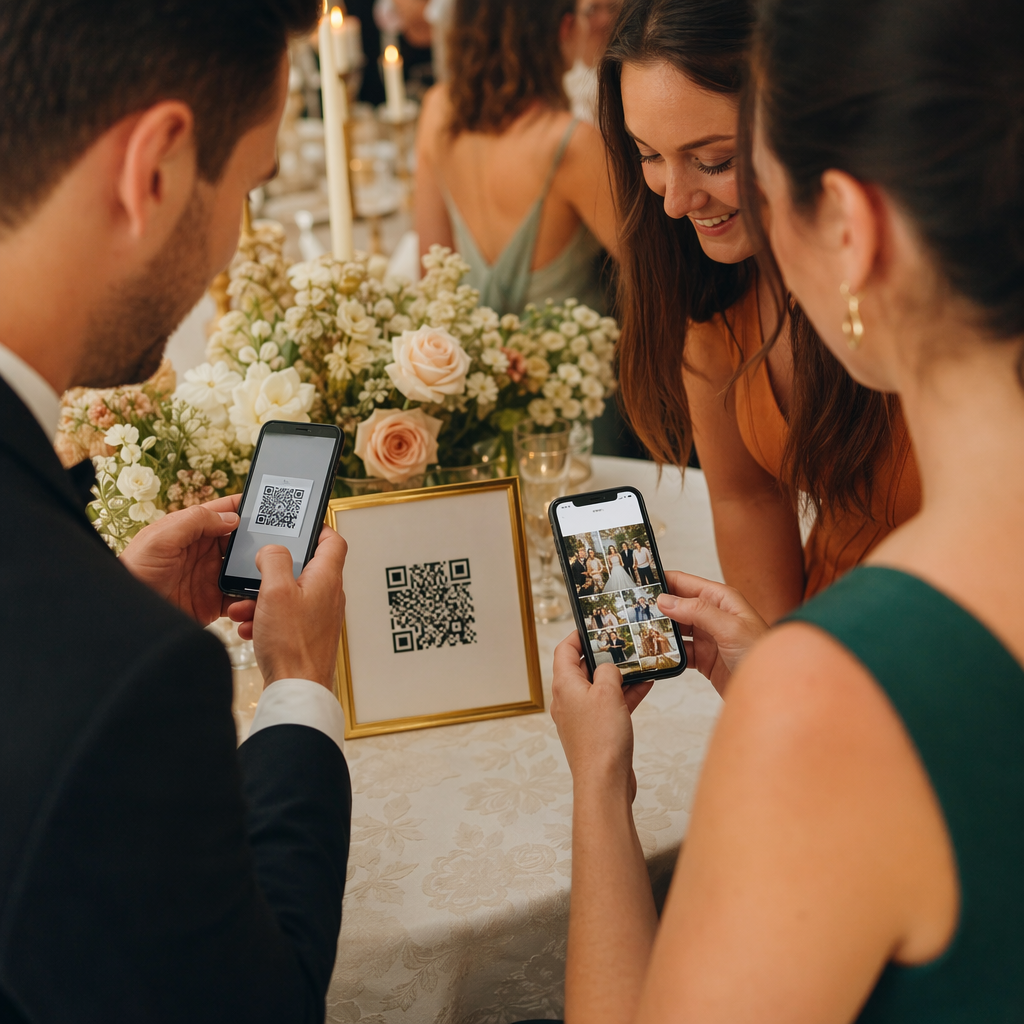
Pogrebne slovesnosti združujejo ljudi vseh starosti, mnogi potujejo od drugod, vsi pa želijo počastiti nekoga, ki ga imajo radi. QR koda, natisnjena na programu slovesnosti, spominski kartici ali pogrebnem programu, vsakemu gostu omogoča takojšnjo povezavo z bogatejšo vsebino – spominskim videom, fotogalerijo, spletno osmrtnico ali digitalno knjigo gostov – ne da bi morali iskati, tipkati ali prositi za povezavo.
Lastništvo pametnih telefonov je razširjeno tudi med starejšimi odraslimi: 90% odraslih v ZDA, starih 50–64 let, in 78% tistih, starih 65 let in več, jih ima v lasti. To pomeni, da je velika večina gostov na spominski slovesnosti že opremljena za skeniranje QR kode z vgrajeno kamero svojega telefona, brez potrebe po ločeni aplikaciji.
Poleg udobja QR kode rešujejo resničen koordinacijski problem za družine, ki upravljajo tako osebno kot oddaljeno udeležbo. Mnoge pogrebne službe zdaj ponujajo storitve v živo, tako da lahko oddaljeni družinski člani sodelujejo virtualno, posnetki pa so pogosto shranjeni kot trajen digitalni spomin. QR koda na fizični spominski kartici omogoča tistim, ki se udeležijo osebno, enak dostop do tega posnetka dolgo po koncu slovesnosti – s čimer se natisnjen spominek spremeni v trajno povezavo.
Na kaj lahko povežete spominsko QR kodo
Pravilna vrsta QR kode je odvisna od tega, do katere digitalne vsebine želite, da gostje dostopajo. Tukaj so najpogostejši primeri uporabe za spominske slovesnosti.
Spletna osmrtnica ali stran za poklon. Povežite goste neposredno na spominsko stran, kjer lahko družina in prijatelji pustijo sporočila, delijo fotografije in prižgejo virtualne sveče. Uporabite Generator QR kod za povezave za usmeritev kode na kateri koli URL, vključno z osmrtnico, ki jo gosti pogrebna služba ali namenska spominska platforma.
Spominski video ali video poklona. Video, ki slavi življenje nekoga, je ena najpomembnejših stvari, ki jih lahko delite. Če ste poklon naložili na YouTube, vam Generator QR kod za YouTube omogoča gostom, da skenirajo in gledajo neposredno s svojega telefona. Za podroben pregled si oglejte vodnik o tem, kako ustvariti QR kodo za video.
Digitalni pogrebni program ali program slovesnosti. Natisnjen program je tradicionalen spominek, vendar lahko različica PDF vključuje več – fotografije, besedila himn, branja, celotno življenjsko zgodbo. Naložite svoj program in ustvarite kodo z Generator QR kod za PDF. Gostje obdržijo fizično kartico; PDF jim omogoča celotno različico za ponovni ogled doma.
Fotogalerija. Skeniranje odpre zbirko fotografij, ki zajemajo celotno življenje. Omogoča vam, da Generator QR kode za slike ustvarite galerijo, ki jo je mogoče deliti in si jo gostje lahko ogledajo in shranijo s svojih telefonov.
Več povezav na eni strani. Če želite, da gostje dostopajo do osmrtnice, spominskega videa, foto albuma in povezave za donacije z enim samim skeniranjem, vam Generator QR kod za povezave lahko ustvari preprosto pristajalno stran, ki organizira vse na enem mestu.
Delite vse z enim samim skeniranjem Želite, da gostje dostopajo do spominskega videa, fotogalerije in spletne osmrtnice z eno QR kodo? Uporabite Generator QR kod za povezave za izdelavo pristajalne strani, ki združuje vse skupaj.
Kako ustvariti QR kodo za spominsko slovesnost
Ustvarjanje spominske QR kode traja le nekaj minut. Tukaj je postopek od začetka do konca.
Najprej zberite svojo digitalno vsebino. Naložite svoj spominski video na YouTube, gostite svoj PDF program ali potrdite URL spletne osmrtnice, na katero želite povezati. Nato izberite pravi generator za vašo vrsto vsebine – generator PDF za dokumente, generator YouTube za videe ali generator povezav za kateri koli URL.

Ko izberete generator, prilepite povezavo ali naložite datoteko in orodje takoj ustvari kodo, ki jo je mogoče skenirati. Nato prilagodite videz: prilagodite barve, da se ujemajo z estetiko spominske slovesnosti, ohranite preprostost s klasično črno na beli, ali dodajte majhen okvir z besedilom, kot je “Skeniraj za ogled poklona”, da bodo gostje vedeli, kaj pričakovati. Ko ste zadovoljni, prenesite kodo v formatu, pripravljenem za tisk – SVG, EPS ali PDF – za visoko ločljivost tiskanja na programe, spominske kartice ali obvestila o slovesnostih.
Preden karkoli gre v tisk, sami preizkusite kodo na napravah iPhone in Android, da potrdite, da odpira pravilno vsebino. Za podroben pregled pretvorbe dokumenta v QR kodo si oglejte vodnik o tem, kako pretvoriti datoteko v QR kodo.
Ustvarite svojo spominsko QR kodo Ste pripravljeni začeti? Uporabite Brezplačen generator QR kod za ustvarjanje kode v nekaj minutah – tehnično znanje ni potrebno.
Zakaj so dinamične QR kode boljša izbira za spominske slovesnosti
Pri načrtovanju slovesnosti pod časovnim pritiskom se zgodijo napake. Povezava se spremeni, video se ponovno naloži ali pa se družina odloči zamenjati platformo za osmrtnice, potem ko so programi že natisnjeni.
A dinamična QR koda to rešuje tako, da loči natisnjeno kodo od cilja, na katerega kaže. Sama koda se nikoli ne spremeni, vendar se stran, na katero usmerja goste, lahko kadar koli posodobi z nadzorne plošče. Če ste natisnili 200 pogrebnih programov in kasneje ugotovite, da je povezava do spominskega videa pokvarjena, cilj posodobite v nekaj sekundah – brez ponovnega tiskanja, brez odpadkov, brez nerodnih popravkov na slovesnosti.
Dinamične QR kode zagotavljajo tudi analitiko skeniranja: koliko ljudi je skeniralo kodo, kdaj in od kod. Za družine, ki želijo razumeti, kako široko je bil ogledan spomin, ali za pogrebne načrtovalce, ki usklajujejo storitve za več družin, ti podatki ponujajo pomemben vpogled v to, kako so se gostje odzvali na spominsko vsebino.
Vprašanje QR generator za dinamične QR kode vse to upravlja z ene same nadzorne plošče.
Uredite svojo spominsko QR kodo po tiskanju Natisnjeni programi, preden ste dokončali povezavo do spominskega videa? Z Dinamična QR koda, lahko kadar koli posodobite cilj – ponovno tiskanje ni potrebno.
Nasveti za oblikovanje spominskih QR kod
Videz je pomemben v kontekstu pogrebne ali spominske slovesnosti. Dobro oblikovana QR koda se spoštljivo zlije z natisnjenimi materiali, medtem ko ostaja enostavna za skeniranje. Upoštevajte te praktične smernice.

- Uporabite visok kontrast. Temna koda na svetlem ozadju je najbolj zanesljiva kombinacija. Črna koda na belem ali krem papirju se dosledno skenira na vseh napravah in v vseh svetlobnih pogojih. Za podrobna navodila glede barv, glejte najboljšim praksam barvnega kontrasta QR kod.
- Naj bo dovolj velika. Natisnite svojo QR kodo v velikosti najmanj 0,8 × 0,8 palca (približno 2 × 2 cm) za skeniranje od blizu. Na zloženem programu ali spominski kartici velikost od 1 do 1,5 palca zanesljivo deluje za večino gostov.
- Ohranite mirno območje. Pustite jasen, nepotiščen rob vsaj štirih širin modulov okoli kode na vseh straneh. Postavljanje besedila ali okrasnih obrob preblizu robov otežuje skenerjem zaznavanje, kje se koda začne in konča.
- Dodajte oznako s pozivom k dejanju. Kratka vrstica pod kodo – “Skenirajte za ogled spominskega videa” ali “Skenirajte za ogled spominske strani” – usmerja goste, ki morda niso seznanjeni s kodami QR.
- Vključite URL kot nadomestno možnost. Natisnite povezavo do destinacije z majhnim besedilom blizu kode, tako da lahko gostje, ki imajo težave s skeniranjem ali raje tipkajo, še vedno dostopajo do vsebine.
Za popolnejšo referenco o velikosti, tihih conah in kontrastu glejte najboljšim praksam za berljivost QR kod.
Kam postaviti kode QR na spominski slovesnosti
Postavitev določa, ali bodo gostje kodo dejansko uporabili. Spodnja tabela prikazuje pogoste lokacije tiskanja in prikazovanja ter vsebino, ki najbolje deluje na vsaki.
| POSTAVITEV | Kaj povezati |
|---|---|
| Natisnjen red slovesnosti ali program | Spominski video, digitalna različica programa |
| Spominska kartica ali molitvena kartica | Spletna osmrtnica, fotogalerija |
| Prikazna kartica za cvetlični aranžma | Stran za spominske donacije, spletni poklon |
| Miza z vpisno knjigo | Spletna vpisna knjiga ali spominska stran |
| Spominska miza s fotografijami | Fotogalerija, video o življenjski zgodbi |
| E-poštno obvestilo ali spletna stran spomina | Vse zgoraj navedeno prek pristajalne strani z več povezavami |
Za slovesnosti z osebnimi in oddaljenimi udeleženci, vidna postavitev kode QR v e-poštnih obvestilih zagotavlja, da lahko oddaljeni družinski člani dostopajo do iste spominske vsebine kot tisti, ki so bili prisotni v prostoru.
Omogočanje dostopnosti spominske vsebine vsem gostom
Ne bo vsak gost udobno skeniral kode QR, in dostopnost je v tem kontekstu pomembnejša kot v večini drugih. Nekaj preprostih korakov zagotavlja, da nihče ne bo izključen.
- Prikažite URL poleg kode. Natisnite celoten spletni naslov z berljivim besedilom, da ga lahko gostje po potrebi vpišejo v brskalnik.
- Poučite uradnika ali družinskega člana. Prosite nekoga, naj ustno usmeri goste k QR kodi med obredom – preprosta omemba, kot je “program vključuje QR kodo za ogled spominskega videa doma”, odpravi vsako obotavljanje.
- Izberite velike, visokokontrastne zasnove. Starejši gostje s slabšimi kamerami na telefonu ali z zmanjšanim vidom imajo koristi od večjih kod, natisnjenih z močnim kontrastom med kodo in njenim ozadjem.
- Preizkusite na starejši napravi. Če si lahko izposodite telefon, star tri ali štiri leta, skenirajte kodo na njem pred tiskanjem, da potrdite, da deluje na različnih vrstah strojne opreme.
Pagelootov Rešitve za QR kode za vsako panogo pokriva oblikovanje in premisleke o dostopnosti v različnih fizičnih okoljih, če želite raziskati nadaljnje primere uporabe.
QR koda na spominski kartici ali pogrebnem programu spremeni preprost natisnjen spominek v trajno povezavo s poklonom, fotografijami in besedami, deljenimi o življenju nekoga. Izberite dinamično kodo, da lahko prosto posodobite destinacijo po tiskanju, pravilno jo dimenzionirajte za material, na katerem se pojavi, ohranite visok kontrast in vedno vključite URL kot nadomestno možnost. Ko je narejeno premišljeno, je to ena najpreprostejših stvari, ki jih lahko storite, da se spominska slovesnost zdi popolna za vsakega gosta – ne glede na to, ali so v sobi ali žalujejo na daljavo.
Začnite z Brezplačen generator QR kod za izdelavo vaše prve spominske QR kode danes.
Pogosta vprašanja
Da, če uporabljate dinamično QR kodo. Dinamične kode kažejo na URL za preusmeritev, ki ga nadzorujete iz nadzorne plošče. Če se povezava do spominskega videa spremeni ali osmrtnico premaknete na drugo platformo, posodobite cilj in natisnjena koda še naprej deluje brez ponovnega tiskanja. Generator dinamičnih QR kod vam omogoča, da te spremembe izvedete takoj.
Če je video gostovan na YouTubu, uporabite generator QR kod za YouTube – kopirajte povezavo za deljenje videa, jo prilepite v generator in koda bo neposredno odprla video, ko bo skenirana. Če je video gostovan drugje, uporabite generator QR kod za povezave z neposrednim URL-jem videa ali ustvarite dinamično kodo prek generatorja dinamičnih QR kod, da lahko posodobite destinacijo, če se video kdaj premakne.
Vedno natisnite ciljni URL z majhnim besedilom poleg QR kode, tako da lahko gostje, ki raje vtipkajo naslov, neposredno dostopajo do iste vsebine. Za goste, ki so manj vešči uporabe pametnih telefonov, prosite družinskega člana ali uradno osebo, da na kratko omenijo kodo med obredom. Zagotavljanje več poti dostopa – QR koda, natisnjen URL in neposredno e-poštno sporočilo s povezavo – zagotavlja, da lahko vsak doseže poklon ne glede na njihovo tehnično raven udobja.