Potansiyel katılımcıları, etkinlik ayrıntılarınızı manuel olarak mobil takvimlerine yazmayı unuttukları için mi kaybediyorsunuz? Konukların tarihinizi kaydetmesini engelleyen sürtünme olduğunda, genel katılım sayıları önemli ölçüde düşer. Özel bir takvim QR kodu oluşturmak, kitlenizin etkinlik ayrıntılarınızı tek bir taramayla doğrudan akıllı telefon takvimlerine eklemesini sağlar.
Takvim Etkinliği QR Kodları Nasıl Çalışır?
Takvim QR kodları, yapılandırılmış etkinlik bilgilerini, mobil işletim sistemlerinin anında okuyabildiği taranabilir bir görüntüye kodlar. Bir kullanıcı kodu akıllı telefon kamerasıyla taradığında, işletim sistemi kodlanmış verileri ayrıştırır ve kullanıcıdan etkinliği doğrudan Apple Takvim, Google Takvim veya Microsoft Outlook'a kaydetmesini ister.
Arka planda, takvim QR kodları etkinlik ayrıntılarını iki ana teknik yöntem kullanarak biçimlendirir:
- iCalendar (.ics) Verileri: Evrensel RFC 5545 takvim standardına göre ham etkinlik söz dizimini doğrudan QR koduna kodlar. Bu yapı, `BEGIN:VCALENDAR`, `DTSTART` (başlangıç tarihi ve saati), `DTEND` (bitiş tarihi ve saati), `SUMMARY` (etkinlik başlığı) ve `LOCATION` gibi temel alanları içerir. Mobil cihazlar bu ham metni yorumlar ve yeni bir giriş oluşturmak için yerel takvim uygulamasını başlatır.
- Takvim Ön Doldurma URL'leri: QR kod hedefini, önceden doldurulmuş etkinlik parametrelerini içeren bir web bağlantısı olarak biçimlendirir. Örneğin, Google Takvim bağlantıları `action=TEMPLATE` gibi belirli URL parametreleri, ISO 8601 UTC formatında `dates` (YYYYMMDDTHHMMSSZ), başlık için `text`, `location` ve etkinlik açıklaması için `details` kullanır.
Özel bir Etkinlik QR Kod Oluşturucu [Brand Name] bu biçimlendirme sürecini otomatikleştirir, böylece karmaşık kod sözdizimini manuel olarak yazmak zorunda kalmazsınız. Dahası, dinamik bir QR kodu seçmek, fiziksel tanıtım materyallerinizi yeniden basmadan etkinlik parametrelerini – başlangıç saatini ayarlama veya bir konumu güncelleme gibi – çevrimiçi panonuzdan değiştirmenize olanak tanır.
Takvim Etkinliği QR Kodu Nasıl Oluşturulur?
Otomatik bir takvim girişi oluşturmak için, nihai grafik dosyanızı indirmeden önce temel etkinlik parametrelerinizi yapılandırmanız gerekir.
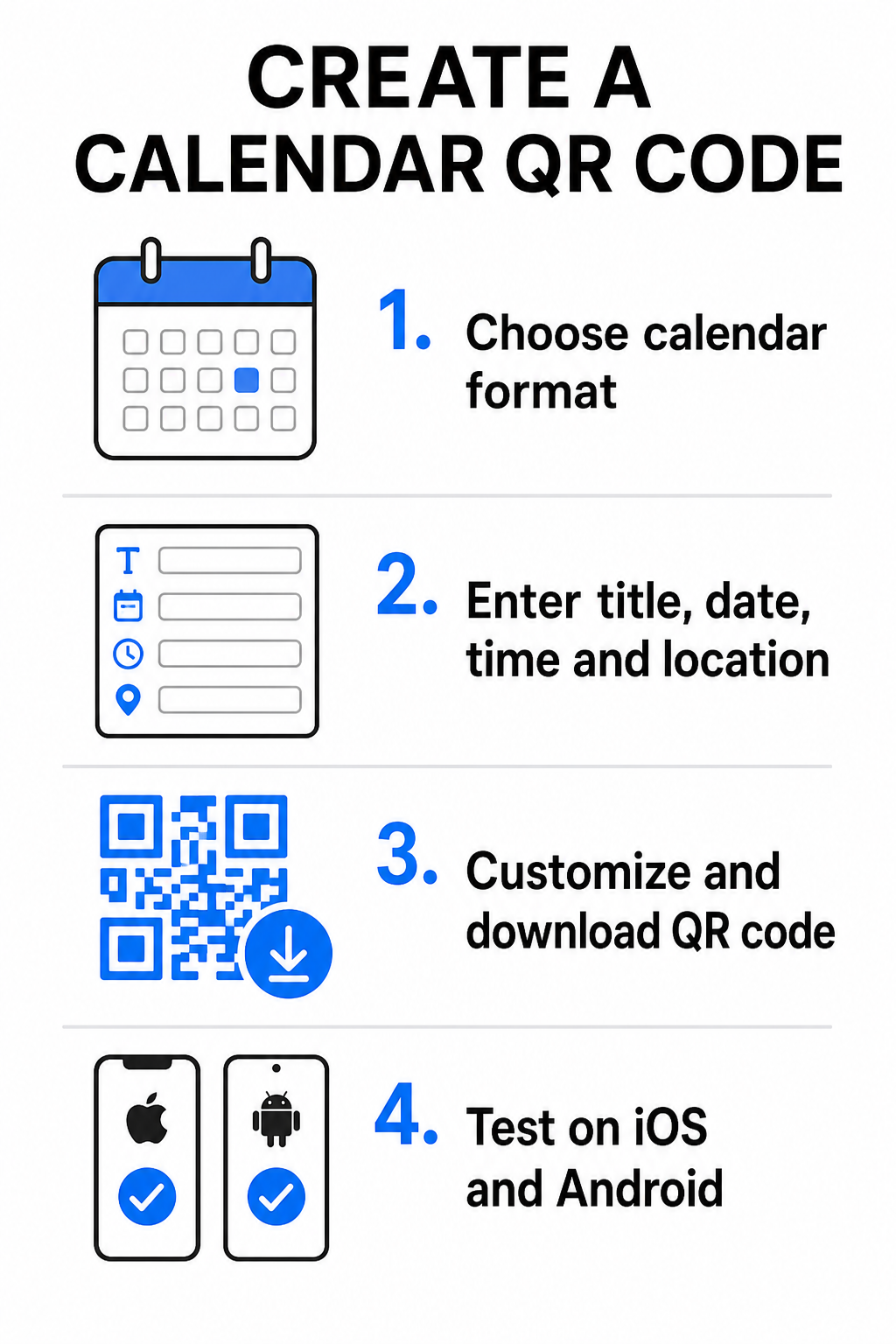
- Etkinlik biçimini seçin: Doğrudan bir Google Takvim davetine bağlantı vermek, bir .ics dosyası indirmesini tetiklemek veya kullanıcıları özel bir etkinlik açılış sayfasına göndermek arasında seçim yapın. Web tabanlı takvim bağlantıları için, şunu kullanın: Google Takvim QR Kod Oluşturucu.
- Temel etkinlik parametrelerini girin: Etkinlik başlığını, tam başlangıç ve bitiş tarihlerini, başlangıç ve bitiş saatlerini, saat dilimini, fiziksel konumu ve açıklamayı girin. Web konferansı bağlantılarını veya mekan notlarını açıklama alanına yerleştirin.
- Görsel tasarımı özelleştirin: Öğeler arasında yüksek kontrastı korurken marka renklerini uygulayın, arka plan desenlerini ayarlayın ve logonuzu ekleyin.
- Yüksek çözünürlüklü vektör dosyalarını indirin: Dosyanızı ticari baskı için SVG veya EPS formatında, dijital görüntüleme için ise yüksek yoğunluklu PNG olarak kaydedin. Vektör formatları, keskin çizgiler sağlar ve büyütüldüğünde pikselleşmeyi önler.
- Mobil cihazlarda test edin: Tamamlanmış kodu iOS ve Android akıllı telefonlar kullanarak tarayın, hem yerel kamera uygulamalarını hem de özel tarayıcı tarayıcılarını kontrol ederek tüm etkinlik alanlarının doğru şekilde doldurulduğunu onaylayın.
Etkinlik Kurulumunuzu Bugün Basitleştirin Katılımı artırmak ve misafir kaydını kolaylaştırmak ister misiniz? Şunu kullanın: Etkinlik QR Kod Oluşturucu saniyeler içinde özelleştirilebilir, izlenebilir takvim kodları oluşturmak için.
Baskı ve Dijital Yerleşim İçin En İyi Uygulamalar
Bir takvim QR kodunun misafir dönüşümlerini artırması için, kullanıcıların onu teknik hatalar olmadan hızlı bir şekilde tarayabilmesi gerekir. Standart fiziksel tasarım ilkelerinin uygulanması, baskılı ve dijital medyada tutarlı taranabilirliği garanti eder.
Boyutlandırma ve Görüntüleme Mesafesi
Şunu uygulayın: 10:1 tarama oranı kuralını QR kodunuzun minimum fiziksel genişliğini belirlemek için uygulayın: beklenen tarama mesafesini 10'a bölün. Bir katılımcı bir posteri 50 cm (yaklaşık 20 inç) uzaktan tararsa, QR kod deseni en az 5 × 5 cm olmalıdır. El ilanları, kartvizitler veya yakın mesafeli baskı materyalleri için, dijital düğün davetiyeleri, minimum 2 × 2 cm (0.8 × 0.8 inç) baskı boyutunu koruyun.
Renk Kontrastı ve Sessiz Bölgeler
Kamera sensörleri, kod modüllerini okumak için ışık yansımasına güvenir. Koyu renkler ışığı emerken, açık renkler ışığı lense geri yansıtır. En azından bir kontrast oranı koruyun 4:1 – veya en azından hedefleyin kontrast koyu ön plan desenleri ile açık arka planlar arasında. Her zaman, metin, grafik katmanları veya arka plan dokularından arındırılmış, kodun etrafındaki boş sınır olan net bir sessiz bölgeyi koruyun.
Stratejik Konum Detayları
Etkinliğiniz fiziksel bir mekanda gerçekleşiyorsa, katılımcıların oraya sorunsuz bir şekilde ulaşmasını sağlayın. Coğrafi koordinatları etkinlik açıklamasına ekleyebilir veya takvim girişinizi bir Google Maps QR Kod Oluşturucu ile eşleştirerek davetiyeden doğrudan adım adım navigasyonu açabilirsiniz.
Açık Eylem Çağrıları
Kullanıcılar ne bekleyeceklerini bildiklerinde tarama etkileşimi önemli ölçüde artar. Bağlam olmadan bağımsız QR kodları göstermekten kaçının. Kodun hemen altına veya çevresine net bir eylem çağrısı metni yerleştirin, örneğin “Etkinliği Takvime Eklemek İçin Tara” veya “Tarihi Kaydetmek İçin Tara.”
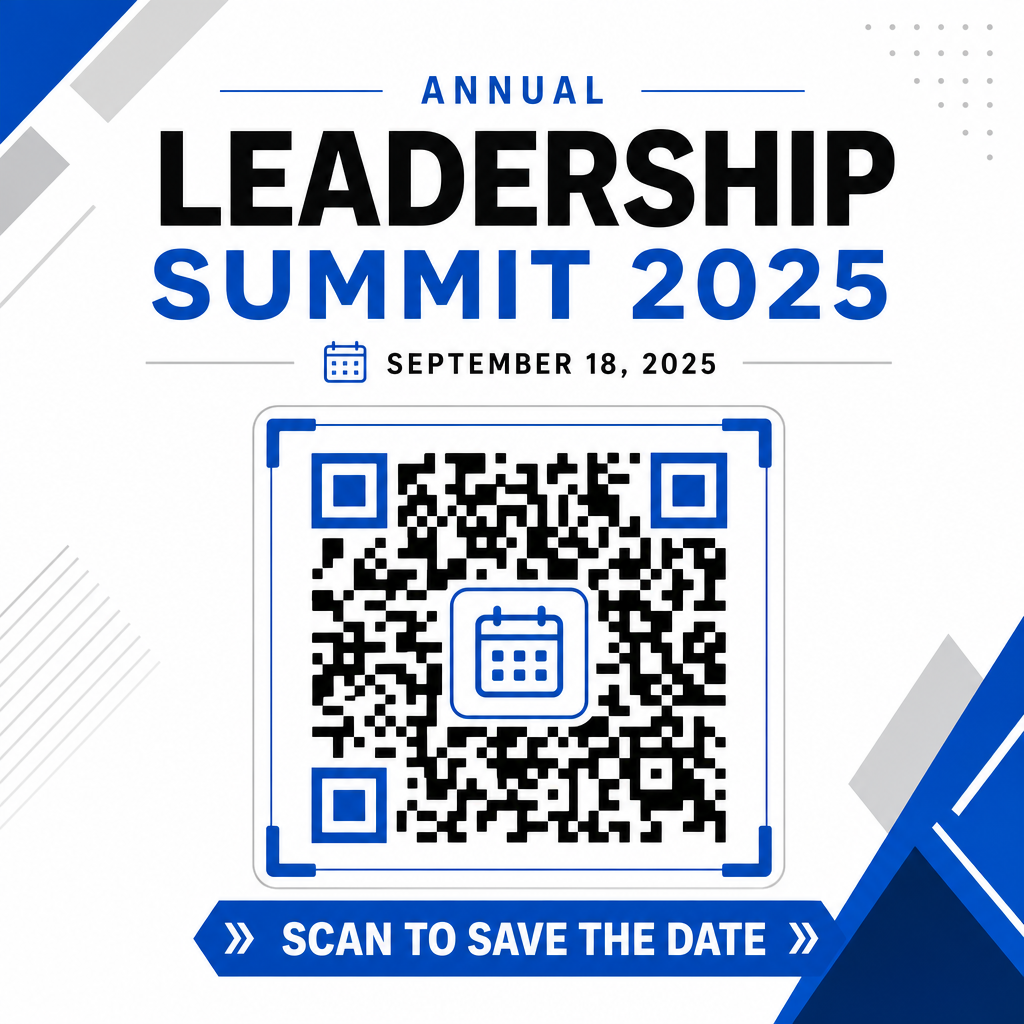
Akıllı Etkinlik Kodları ile Katılımı Maksimize Etme
Otomatik takvim araçlarını entegre etmek, katılımcılarınız için manuel veri girişini ortadan kaldırır ve ilk ilgi ile gerçek katılım arasındaki düşüş oranlarını önemli ölçüde azaltır. Kodlarınızı promosyonel afişler, etkinlik tabelalarına veya fiziksel davetiyelere yerleştirmeniz fark etmeksizin, konuklara programlarını hemen ayarlama imkanı sunmak, etkinliğinizin onların radarında kalmasını sağlar.
Tarama analizi ve baskı sonrası düzenleme sunan dinamik kodları keşfetmek için, bir sonraki etkinliğinizi Pageloot'un hepsi bir arada esnek araçlarını kullanarak ayarlayın QR kod oluşturucu. etkinlikler için RSVP QR kodları ve özel Etkinlikler için QR kodlarıile, ilk taramadan son check-in'e kadar sorunsuz bir dijital akış oluşturabilirsiniz.
Sıkça sorulan sorular
Kodu taramak, kullanıcının varsayılan akıllı telefon takvim uygulamasını başlık, başlangıç ve bitiş zamanları, konum ve açıklama dahil olmak üzere önceden doldurulmuş etkinlik alanlarıyla açar ve etkinliği tek bir dokunuşla kaydetmelerini sağlar.
Evet, dinamik bir QR kodu oluşturmanız koşuluyla. Dinamik kodlar kısa bir yönlendirme URL'si depolar, bu da fiziksel el ilanlarınızı veya posterlerinizi yeniden basmanıza gerek kalmadan çevrimiçi panonuzda etkinliğin tarihini, saatini veya konumunu düzenlemenize olanak tanır.
Standart takvim QR kodları, evrensel iCalendar (.ics) formatlarını ve standart web URL ön doldurma parametrelerini kullanır. Bunlar, Apple Takvim, Google Takvim, Microsoft Outlook ve iOS ile Android'deki çoğu büyük üçüncü taraf takvim uygulaması tarafından yerel olarak desteklenir.