Elveszít potenciális résztvevőket, mert elfelejtik manuálisan beírni az esemény részleteit a mobil naptárukba? Ha a súrlódás megakadályozza a vendégeket az időpont mentésében, az általános részvételi számok jelentősen csökkennek. Egy egyéni naptár QR-kód létrehozásával a közönség egyetlen szkenneléssel hozzáadhatja az esemény részleteit közvetlenül az okostelefonja naptárába.
Hogyan működnek a naptáresemény QR-kódok
A naptár QR-kódok strukturált eseményinformációkat kódolnak egy szkennelhető képbe, amelyet a mobil operációs rendszerek azonnal elolvasnak. Amikor egy felhasználó okostelefonja kamerájával beolvassa a kódot, az operációs rendszer elemzi a kódolt adatokat, és felkéri a felhasználót, hogy mentse el az eseményt közvetlenül az Apple Naptárba, a Google Naptárba vagy a Microsoft Outlookba.
A színfalak mögött a naptár QR-kódok két elsődleges technikai módszerrel formázzák az esemény részleteit:
- iCalendar (.ics) adatok: Nyers esemény szintaxist kódol közvetlenül a QR-kódba az univerzális RFC 5545 naptár szabvány alapján. Ez a struktúra olyan alapvető mezőket tartalmaz, mint a `BEGIN:VCALENDAR`, `DTSTART` (kezdő dátum és idő), `DTEND` (záró dátum és idő), `SUMMARY` (esemény címe) és `LOCATION` (helyszín). A mobil eszközök értelmezik ezt a nyers szöveget, és elindítják a natív naptár alkalmazást egy új bejegyzés létrehozásához.
- Naptár előtöltő URL-ek: A QR-kód célját egy webes linkként formázza, amely előre kitöltött eseményparamétereket tartalmaz. Például a Google Naptár linkek specifikus URL paramétereket használnak, mint például `action=TEMPLATE`, `dates` ISO 8601 UTC formátumban (ÉÉÉÉHHNNTÓÓPPCZ), `text` a címhez, `location` a helyszínhez és `details` az esemény leírásához.
Egy speciális Esemény QR kód generátor automatizálja ezt a formázási folyamatot, így nem kell manuálisan összetett kódszintaxist írnia. Ezenkívül a dinamikus QR-kód választása lehetővé teszi az eseményparaméterek módosítását – például a kezdési időpont beállítását vagy a helyszín frissítését – az online irányítópulton anélkül, hogy újra kellene nyomtatnia fizikai promóciós anyagait.
Hogyan hozzunk létre naptáresemény QR-kódot
Egy automatizált naptárbejegyzés beállítása az esemény legfontosabb paramétereinek konfigurálását igényli, mielőtt letöltené a végleges grafikát.
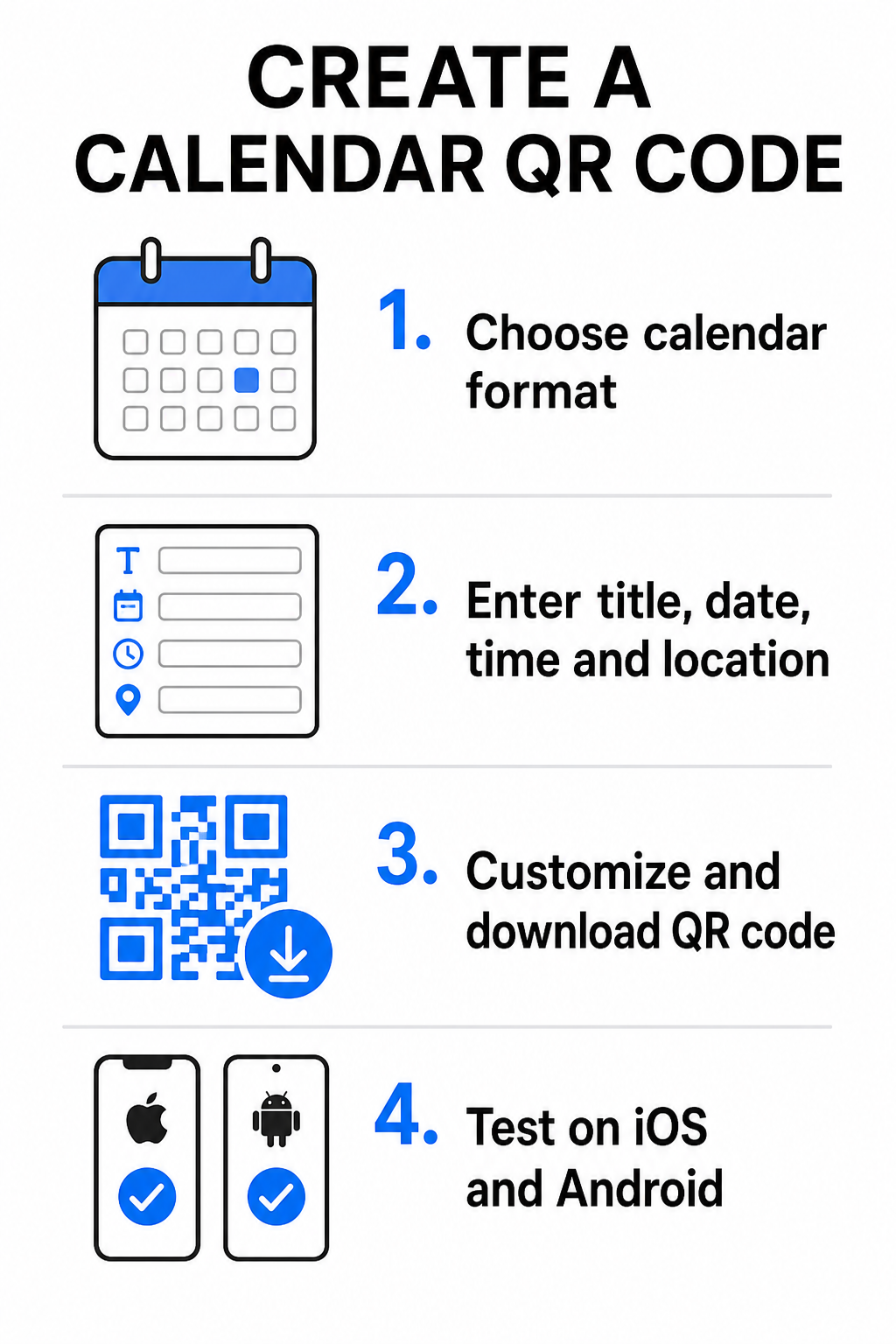
- Válassza ki az esemény formátumát: Válassza ki, hogy közvetlenül Google Naptár meghívóra mutasson a hivatkozás, .ics fájl letöltését indítsa el, vagy egy egyedi esemény-landoló oldalra irányítsa a felhasználókat. Web-alapú naptárlinkekhez használja a Google Naptár QR-kód generátor.
- Adja meg a fontos eseményparamétereket: Adja meg az esemény címét, pontos kezdő és befejező dátumát, kezdő és befejező időpontját, időzónáját, fizikai helyszínét és leírását. Helyezze a webkonferencia-linkeket vagy helyszínnel kapcsolatos megjegyzéseket a leírás mezőbe.
- Szabja testre a vizuális designt: Alkalmazza a márkaszíneket, igazítsa a háttérmintákat, és illessze be logóját, miközben magas kontrasztot tart fenn az elemek között.
- Töltse le a nagy felbontású vektoros fájlokat: Mentse el fájlját SVG vagy EPS formátumban kereskedelmi nyomtatáshoz, vagy nagy sűrűségű PNG-ként digitális megjelenítéshez. A vektoros formátumok éles vonalakat biztosítanak, és megakadályozzák a pixelizációt felnagyításkor.
- Tesztelés mobileszközökön: Szkennelje be az elkészült kódot iOS és Android okostelefonokkal, ellenőrizve mind a natív kameraalkalmazásokat, mind a dedikált böngésző-szkennereket, hogy megbizonyosodjon arról, minden eseménymező helyesen töltődik ki.
Egyszerűsítse eseménybeállításait még ma Szeretné növelni a részvételt és egyszerűsíteni a vendégregisztrációt? Használja a Esemény QR kód generátor hogy másodpercek alatt testreszabható, nyomon követhető naptárkódokat hozzon létre.
Bevált gyakorlatok nyomtatott és digitális elhelyezéshez
Ahhoz, hogy egy naptár QR-kód vendégeket konvertáljon, a felhasználóknak gyorsan, technikai hibák nélkül be kell tudniuk szkennelni azt. A szabványos fizikai tervezési elvek alkalmazása garantálja a konzisztens szkennelhetőséget nyomtatott és digitális médiában egyaránt.
Méret és megtekintési távolság
Alkalmazza a 10:1 szkennelési arány szabályt a QR-kód minimális fizikai szélességének meghatározásához: ossza el a várható szkennelési távolságot 10-zel. Ha egy résztvevő 50 cm-ről (kb. 20 hüvelyk) szkennel be egy plakátot, a QR-kód mintázatának legalább 5 × 5 cm-esnek kell lennie. Közeli nyomtatott anyagok, például szórólapok, névjegykártyák vagy digitális esküvői meghívók, tartson fenn legalább 2 × 2 cm-es (0,8 × 0,8 hüvelyk) nyomtatási méretet.
Színkontraszt és Csendes Zónák
A kameraérzékelők a fényvisszaverődésre támaszkodnak a kódmodulok olvasásakor. A sötétebb színek elnyelik a fényt, míg a világosabb színek visszatükrözik azt a lencsébe. Tartson fenn legalább 4:1 – vagy célozza meg legalább 55% kontrasztot a sötét előtér mintázatok és a világos hátterek között. Mindig tartson fenn egy tiszta csendes zónát (a kód körüli üres szegélyt), szövegtől, grafikus átfedésektől és háttértextúráktól mentesen.
Stratégiai Helyszín Részletek
Ha az eseménye fizikai helyszínen zajlik, biztosítsa, hogy a résztvevők akadálymentesen eljussanak oda. Beágyazhat földrajzi koordinátákat az esemény leírásába, vagy párosíthatja naptárbejegyzését egy Google Térkép QR-kód generátor a részletes útvonaltervezés közvetlen megnyitásához a meghívóból.
Egyértelmű cselekvésre ösztönzés
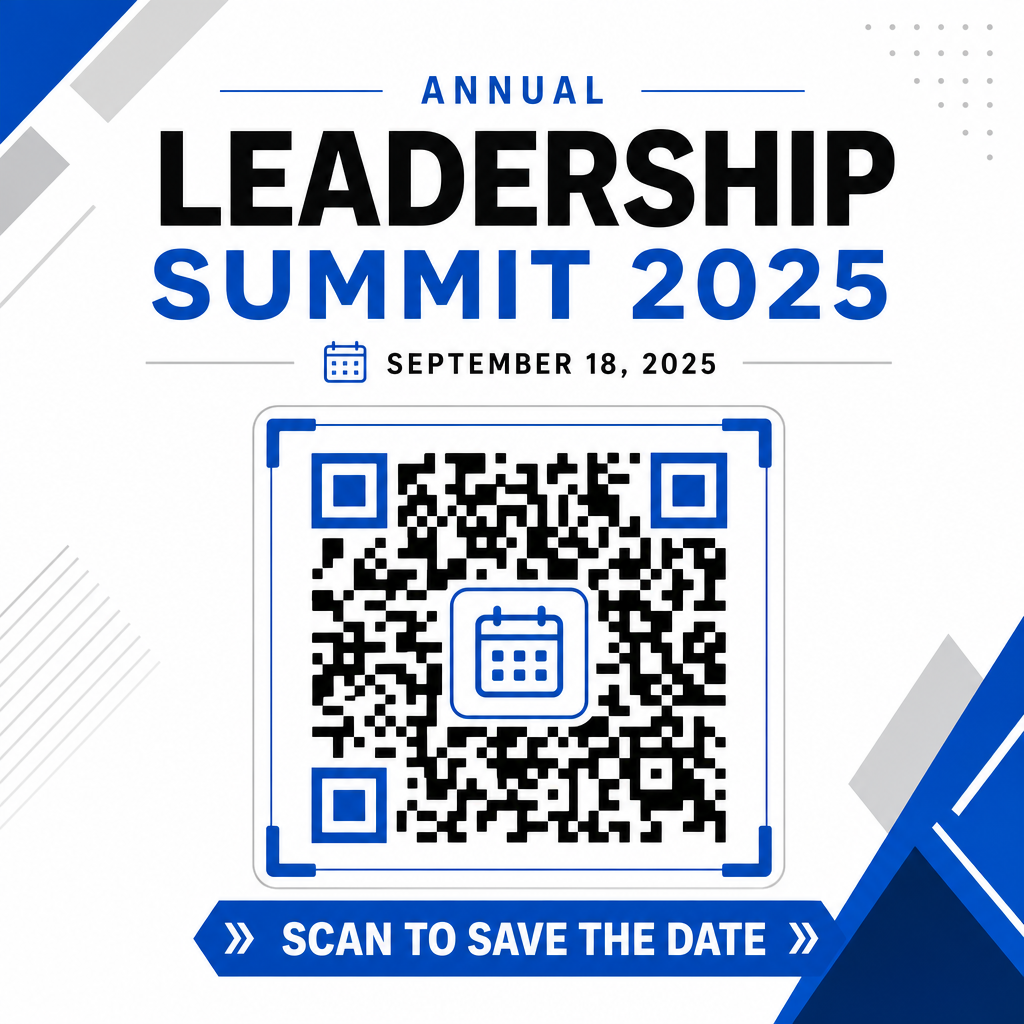
A szkennelési elkötelezettség jelentősen nő, ha a felhasználók tudják, milyen eredményre számíthatnak. Kerülje az önálló QR-kódok kontextus nélküli megjelenítését. Helyezzen el egyértelmű cselekvésre ösztönző szöveget közvetlenül a kód alá vagy köré, például „Szkenneld be az esemény hozzáadásához a naptárhoz” vagy „Szkenneld be az időpont mentéséhez.”
A részvétel maximalizálása intelligens eseménykódokkal
Az automatizált naptáreszközök integrálása megszünteti a manuális adatbevitelt a résztvevők számára, drámaian csökkentve az érdeklődés és a tényleges részvétel közötti lemorzsolódást. Akár promóciós anyagokon helyezi el kódjait, poszterek, eseménytáblákon vagy fizikai meghívókon, a vendégeknek azonnali lehetőséget biztosítva idejük lefoglalására, garantálja, hogy az esemény a látókörükben marad.
A szkennelési analitikát és a nyomtatás utáni szerkesztést kínáló dinamikus kódok felfedezéséhez állítsa be következő eseményét a Pageloot all-in-one QR-kód generátorunk felfedezésével kezdheti.. RSVP QR kódok eseményekhez és dedikált QR-kódok eseményekhez,
Gyakori kérdések
A kód beolvasása megnyitja a felhasználó alapértelmezett okostelefon-naptár alkalmazását előre kitöltött eseményadatokkal – beleértve a címet, kezdő és befejező időpontokat, helyszínt és leírást –, lehetővé téve az esemény egyetlen érintéssel történő mentését.
Igen, feltéve, hogy dinamikus QR-kódot generálsz. A dinamikus kódok egy rövid átirányítási URL-t tárolnak, lehetővé téve, hogy az online irányítópulton módosítsd az esemény dátumát, időpontját vagy helyszínét anélkül, hogy újra kellene nyomtatnod a fizikai szórólapokat vagy plakátokat.
A standard naptár QR kódok univerzális iCalendar (.ics) formátumokat és szabványos webes URL előtöltési paramétereket használnak. Ezeket natívan támogatja az Apple Naptár, a Google Naptár, a Microsoft Outlook és a legtöbb jelentősebb harmadik féltől származó naptáralkalmazás iOS-en és Androidon.