Apakah Anda kehilangan calon peserta karena mereka lupa mengetikkan detail acara Anda secara manual ke kalender ponsel mereka? Ketika hambatan menghentikan tamu untuk menyimpan tanggal Anda, jumlah kehadiran secara keseluruhan akan menurun secara signifikan. Membuat kode QR kalender khusus memungkinkan audiens Anda untuk menambahkan detail acara Anda langsung ke kalender ponsel cerdas mereka hanya dengan satu pemindaian.
Cara Kerja Kode QR Acara Kalender
Kode QR kalender menyandikan informasi acara terstruktur menjadi gambar yang dapat dipindai yang langsung dibaca oleh sistem operasi seluler. Ketika pengguna memindai kode dengan kamera ponsel cerdas mereka, sistem operasi akan mengurai data yang disandikan dan meminta pengguna untuk menyimpan acara tersebut langsung ke Apple Calendar, Google Calendar, atau Microsoft Outlook.
Di balik layar, kode QR kalender memformat detail acara menggunakan dua metode teknis utama:
- Data iCalendar (.ics): Menyandikan sintaks acara mentah langsung ke kode QR berdasarkan standar kalender universal RFC 5545. Struktur ini mencakup bidang-bidang penting seperti `BEGIN:VCALENDAR`, `DTSTART` (tanggal dan waktu mulai), `DTEND` (tanggal dan waktu berakhir), `SUMMARY` (judul acara), dan `LOCATION` (lokasi). Perangkat seluler menafsirkan teks mentah ini dan meluncurkan aplikasi kalender asli untuk membuat entri baru.
- URL Praisi Kalender: Memformat tujuan kode QR sebagai tautan web yang berisi parameter acara yang sudah terisi. Misalnya, tautan Google Calendar menggunakan parameter URL tertentu seperti `action=TEMPLATE`, `dates` dalam format ISO 8601 UTC (YYYYMMDDTHHMMSSZ), `text` untuk judul, `location` untuk lokasi, dan `details` untuk deskripsi acara.
Menggunakan spesialisasi Generator QR Code Acara mengotomatiskan proses pemformatan ini sehingga Anda tidak perlu menulis sintaks kode yang rumit secara manual. Selanjutnya, memilih kode QR dinamis memungkinkan Anda untuk mengubah parameter acara – seperti menyesuaikan waktu mulai atau memperbarui lokasi – di dasbor online Anda tanpa mencetak ulang materi promosi fisik Anda.
Cara Membuat Kode QR Acara Kalender
Menyiapkan entri kalender otomatis memerlukan konfigurasi parameter acara utama Anda sebelum mengunduh file grafis akhir Anda.
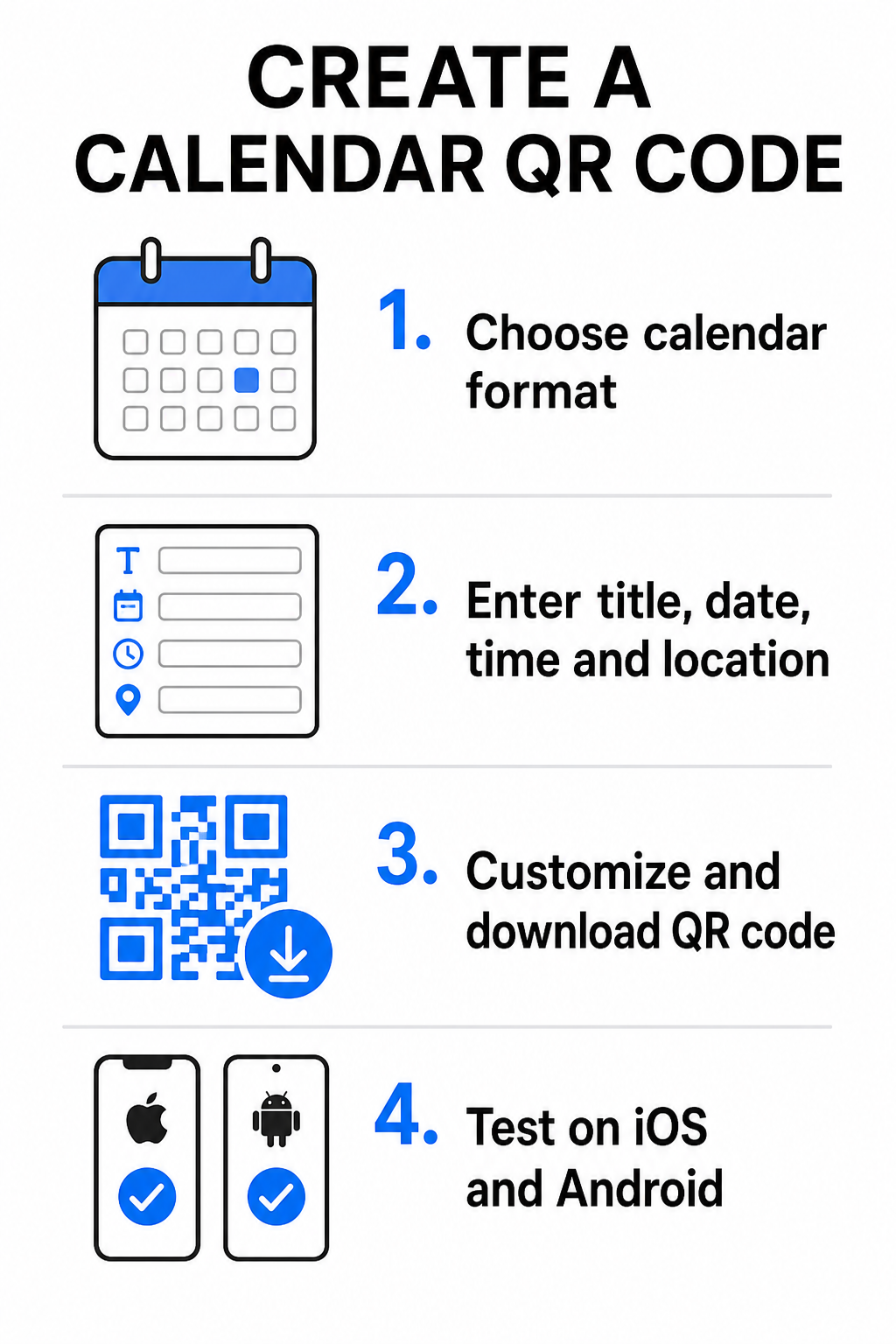
- Pilih format acara: Pilih apakah akan menautkan langsung ke undangan Google Kalender, memicu unduhan file .ics, atau mengirim pengguna ke halaman arahan acara kustom. Untuk tautan kalender berbasis web, gunakan Generator QR Code Google Calendar.
- Masukkan parameter acara penting: Masukkan judul acara, tanggal mulai dan berakhir yang tepat, waktu mulai dan berakhir, zona waktu, lokasi fisik, dan deskripsi. Tempatkan tautan konferensi web atau catatan tempat di kolom deskripsi.
- Sesuaikan desain visual: Terapkan warna merek, sesuaikan pola latar belakang, dan masukkan logo Anda sambil menjaga kontras tinggi antar elemen.
- Unduh file vektor resolusi tinggi: Simpan file Anda dalam format SVG atau EPS untuk pencetakan komersial, atau sebagai PNG dengan kepadatan tinggi untuk tampilan digital. Format vektor memastikan garis yang jelas dan mencegah pikselasi saat diperbesar.
- Uji di berbagai perangkat seluler: Pindai kode yang telah selesai menggunakan smartphone iOS dan Android, periksa aplikasi kamera bawaan dan pemindai browser khusus untuk memastikan semua kolom acara terisi dengan benar.
Sederhanakan Pengaturan Acara Anda Hari Ini Ingin meningkatkan kehadiran dan menyederhanakan pendaftaran tamu? Gunakan Generator QR Code Acara untuk membuat kode kalender yang dapat disesuaikan dan dilacak dalam hitungan detik.
Praktik Terbaik untuk Penempatan Cetak dan Digital
Agar kode QR kalender dapat mendorong konversi tamu, pengguna harus dapat memindainya dengan cepat tanpa kesalahan teknis. Menerapkan prinsip desain fisik standar menjamin kemampuan pemindaian yang konsisten di seluruh media cetak dan digital.
Ukuran dan Jarak Pandang
Terapkan rasio pemindaian 10:1 aturan untuk menentukan lebar fisik minimum kode QR Anda: bagi jarak pemindaian yang diharapkan dengan 10. Jika seorang peserta memindai poster dari jarak 50 cm (sekitar 20 inci), pola kode QR harus berukuran setidaknya 5 × 5 cm. Untuk bahan cetakan jarak dekat seperti selebaran, kartu nama, atau undangan pernikahan digital, pertahankan ukuran cetak minimum 2 × 2 cm (0.8 × 0.8 inci).
Kontras Warna dan Zona Tenang
Sensor kamera mengandalkan pantulan cahaya untuk membaca modul kode. Warna yang lebih gelap menyerap cahaya, sementara warna yang lebih terang memantulkannya kembali ke lensa. Pertahankan rasio kontras setidaknya 4:1 – atau targetkan setidaknya kontras 55% antara pola latar depan yang gelap dan latar belakang yang terang. Selalu jaga zona tenang yang jelas (batas kosong di sekitar kode) bebas dari teks, hamparan grafis, atau tekstur latar belakang.
Detail Lokasi Strategis
Jika acara Anda berlangsung di lokasi fisik, pastikan peserta dapat menavigasi ke sana tanpa hambatan. Anda dapat menyematkan koordinat geografis dalam deskripsi acara atau memasangkan entri kalender Anda dengan Generator QR Code Google Maps untuk membuka navigasi belokan demi belokan langsung dari undangan.
Ajakan Bertindak yang Jelas
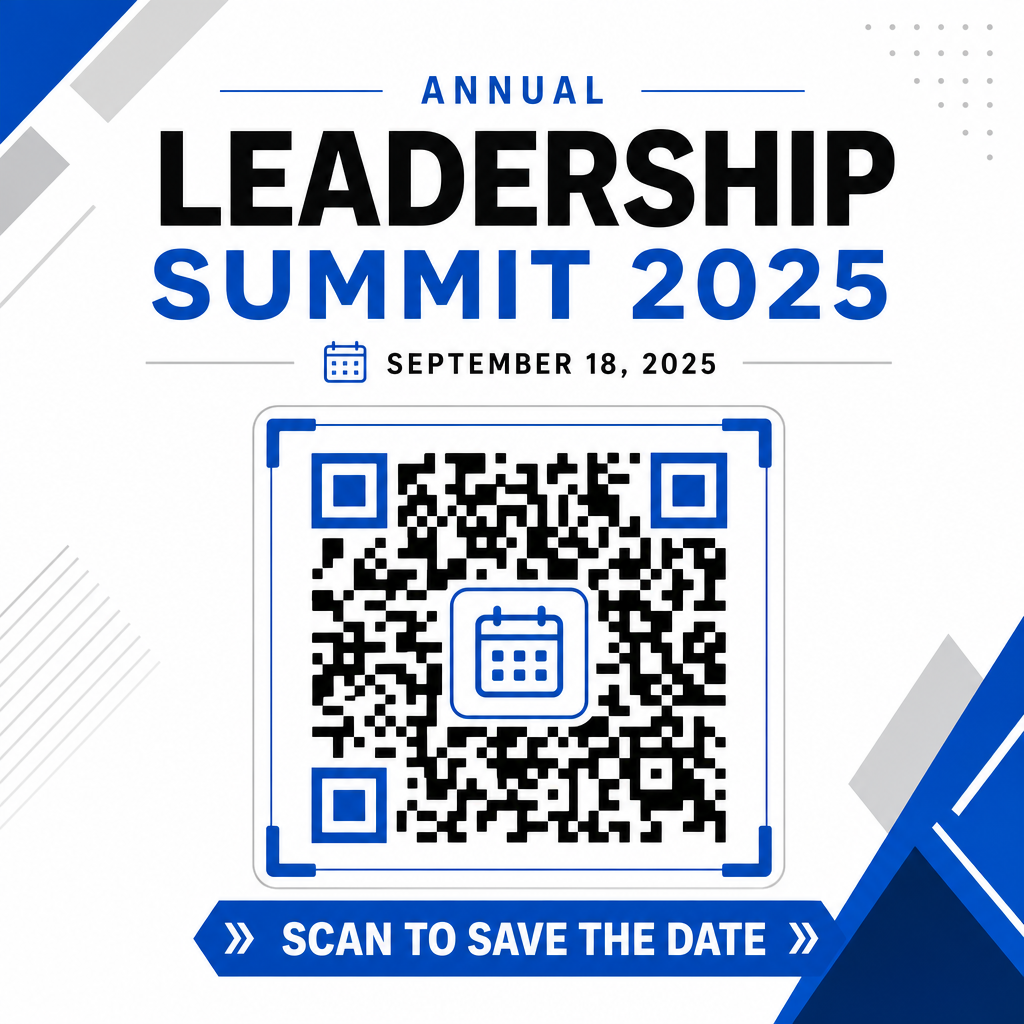
Keterlibatan pemindaian meningkat secara signifikan ketika pengguna tahu hasil apa yang diharapkan. Hindari menampilkan kode QR mandiri tanpa konteks. Letakkan teks ajakan bertindak yang jelas langsung di bawah atau di sekitar kode, seperti “Pindai untuk Menambahkan Acara ke Kalender” atau “Pindai untuk Menyimpan Tanggal.”
Memaksimalkan Kehadiran dengan Kode Acara Cerdas
Mengintegrasikan alat kalender otomatis menghilangkan entri data manual untuk peserta Anda, secara dramatis mengurangi tingkat putus sekolah antara minat awal dan kehadiran aktual. Baik Anda menempatkan kode Anda pada promosi poster, papan acara, atau undangan fisik, memberikan tamu cara langsung untuk memblokir jadwal mereka memastikan acara Anda tetap dalam perhatian mereka.
Untuk menjelajahi kode dinamis yang menawarkan analitik pemindaian dan pengeditan pasca-cetak, siapkan acara Anda berikutnya menggunakan alat fleksibel yang tersedia di platform serba ada Pageloot generator kode QR. kode QR RSVP untuk acara dan khusus Kode QR untuk acara, Anda dapat membangun saluran digital yang mulus dari pemindaian awal hingga check-in akhir.
Pertanyaan yang sering diajukan
Memindai kode akan membuka aplikasi kalender smartphone default pengguna dengan kolom acara yang sudah terisi – termasuk judul, waktu mulai dan berakhir, lokasi, dan deskripsi – memungkinkan mereka untuk menyimpan acara dengan satu ketukan.
Ya, asalkan Anda membuat kode QR dinamis. Kode dinamis menyimpan URL pengalihan pendek, memungkinkan Anda untuk mengedit tanggal, waktu, atau lokasi acara di dasbor online Anda tanpa perlu mencetak ulang selebaran atau poster fisik Anda.
Kode QR kalender standar menggunakan format iCalendar (.ics) universal dan parameter prapengisian URL web standar. Kode ini didukung secara bawaan oleh Apple Calendar, Google Calendar, Microsoft Outlook, dan sebagian besar aplikasi kalender pihak ketiga utama di iOS dan Android.