Förlorar du potentiella deltagare för att de glömmer att manuellt skriva in dina evenemangsdetaljer i sina mobilkalendrar? När friktion hindrar gäster från att spara ditt datum, sjunker de totala deltagarantalen betydligt. Att skapa en anpassad kalender-QR-kod gör att din publik kan lägga till dina evenemangsdetaljer direkt i sin smartphonemobilkalender med en enda skanning.
Hur QR-koder för kalenderhändelser fungerar
Kalender-QR-koder kodar strukturerad evenemangsinformation till en skanningsbar bild som mobila operativsystem läser direkt. När en användare skannar koden med sin smartphonkamera, analyserar operativsystemet den kodade datan och uppmanar användaren att spara evenemanget direkt i Apple Kalender, Google Kalender eller Microsoft Outlook.
Bakom kulisserna formaterar kalender-QR-koder evenemangsdetaljer med hjälp av två huvudsakliga tekniska metoder:
- iCalendar (.ics) Data: Kodar rå evenemangssyntax direkt i QR-koden baserat på den universella kalenderstandarden RFC 5545. Denna struktur inkluderar väsentliga fält som `BEGIN:VCALENDAR`, `DTSTART` (startdatum och tid), `DTEND` (slutdatum och tid), `SUMMARY` (evenemangstitel) och `LOCATION`. Mobila enheter tolkar denna råa text och startar den inbyggda kalenderapplikationen för att skapa en ny post.
- Förifyllda kalender-URL:er: Formaterar QR-kodens destination som en webblänk innehållande förifyllda evenemangsparametrar. Till exempel använder Google Kalender-länkar specifika URL-parametrar som `action=TEMPLATE`, `dates` i ISO 8601 UTC-format (ÅÅÅÅMMDDTHHMMSSZ), `text` för titeln, `location` och `details` för evenemangsbeskrivningen.
Att använda en specialiserad QR-kodgenerator för event automatiserar denna formateringsprocess så att du inte behöver skriva komplex kodsyntax manuellt. Dessutom, att välja en dynamisk QR-kod gör att du kan ändra evenemangsparametrar – som att justera en starttid eller uppdatera en plats – på din online-instrumentpanel utan att behöva trycka om ditt fysiska reklammaterial.
Hur man genererar en QR-kod för kalenderhändelse
Setting up an automated calendar entry requires configuring your key event parameters before downloading your final graphics file.
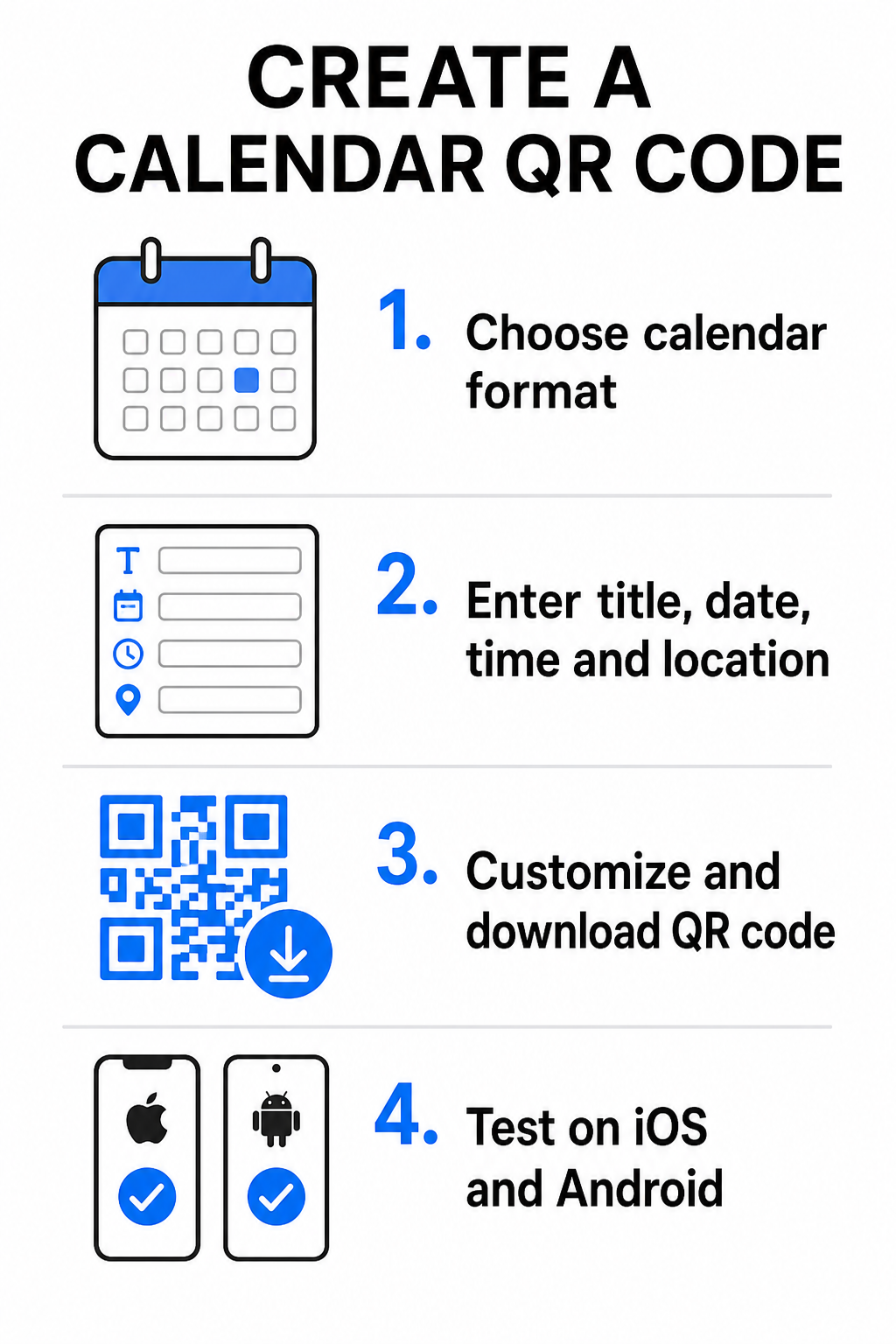
- Select the event format: Choose whether to link directly to a Google Calendar invitation, trigger an .ics file download, or send users to a custom event landing page. For web-based calendar links, use the QR-kodgenerator för Google Kalender.
- Input essential event parameters: Enter the event title, exact start and end dates, start and end times, time zone, physical location, and description. Place web conferencing links or venue notes in the description field.
- Anpassa den visuella designen: Apply brand colors, adjust background patterns, and insert your logo while maintaining high contrast between elements.
- Download high-resolution vector files: Save your file in SVG or EPS format for commercial printing, or as a high-density PNG for digital display. Vector formats ensure crisp lines and prevent pixelation when scaled up.
- Test across mobile devices: Scan the completed code using iOS and Android smartphones, checking both native camera apps and dedicated browser scanners to confirm that all event fields populate correctly.
Simplify Your Event Setup Today Want to boost attendance and streamline guest registration? Use the QR-kodgenerator för event to create customizable, trackable calendar codes in seconds.
Best Practices for Print and Digital Placement
For a calendar QR code to drive guest conversions, users must be able to scan it quickly without technical errors. Applying standard physical design principles guarantees consistent scannability across print and digital media.
Sizing and Viewing Distance
Apply the 10:1 scanning ratio rule to determine the minimum physical width of your QR code: divide the expected scanning distance by 10. If an attendee scans a poster from 50 cm (about 20 inches) away, the QR code pattern must measure at least 5 × 5 cm. For close-range print materials like flyers, business cards, or digital wedding invitations, maintain a minimum print size of 2 × 2 cm (0.8 × 0.8 inches).
Färgkontrast och tysta zoner
Kamerasensorer förlitar sig på ljusreflektion för att läsa kodmoduler. Mörkare färger absorberar ljus, medan ljusare färger reflekterar det tillbaka till linsen. Upprätthåll ett kontrastförhållande på minst 4:1 – eller sikta på minst 55% kontrast mellan mörka förgrundsmönster och ljusa bakgrunder. Bevara alltid en tydlig tyst zon (den tomma kanten runt koden) fri från text, grafiska överlägg eller bakgrundsstrukturer.
Strategiska platsdetaljer
Om ditt evenemang äger rum på en fysisk plats, se till att deltagarna kan navigera dit utan problem. Du kan bädda in geografiska koordinater i evenemangsbeskrivningen eller koppla din kalenderpost med en QR-kodgenerator för Google Maps för att öppna sväng-för-sväng-navigering direkt från inbjudan.
Tydliga uppmaningar till handling
Skanningsengagemanget ökar betydligt när användare vet vilket resultat de kan förvänta sig. Undvik att visa fristående QR-koder utan sammanhang. Placera tydlig uppmaningstext direkt under eller runt koden, som till exempel “Skanna för att lägga till evenemang i kalendern” eller “Skanna för att spara datumet.”
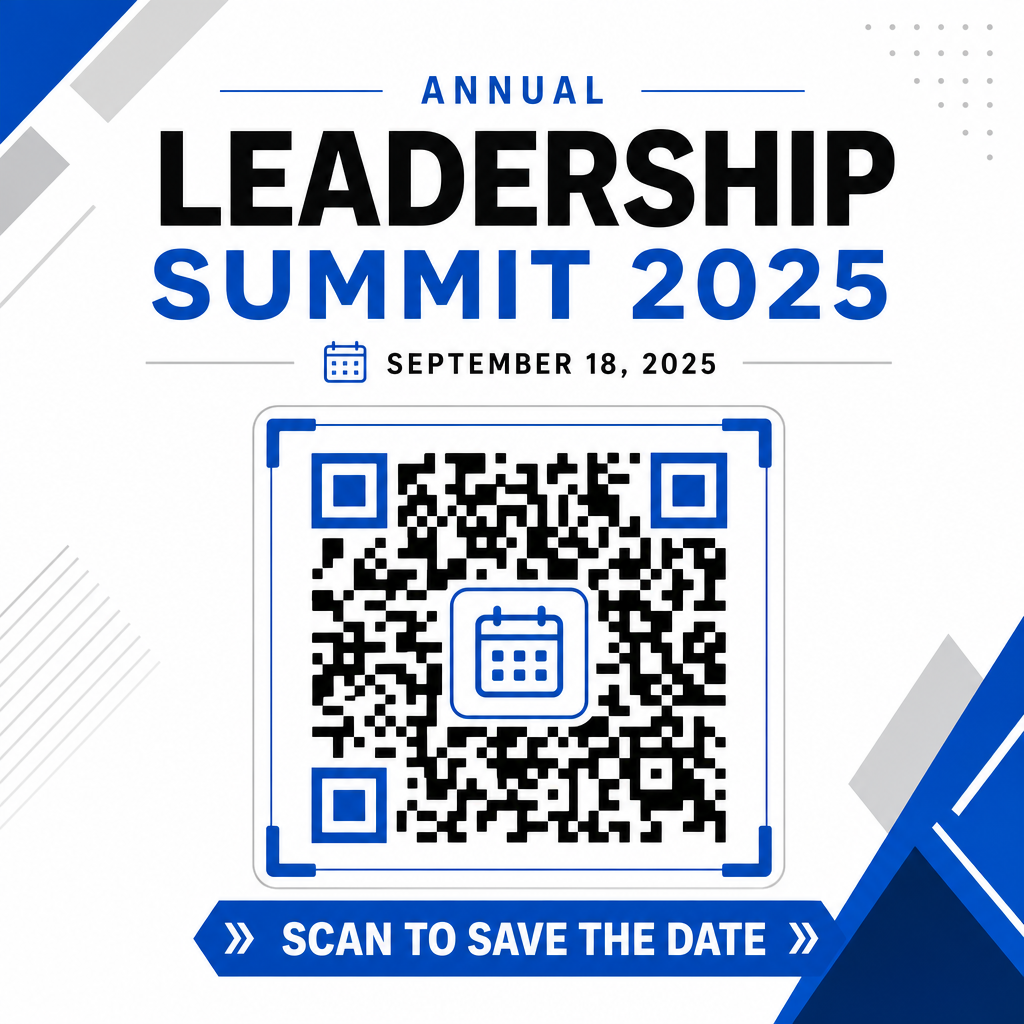
Maximera närvaron med smarta evenemangskoder
Att integrera automatiserade kalenderverktyg eliminerar manuell datainmatning för dina deltagare, vilket dramatiskt minskar bortfallet mellan initialt intresse och faktiskt deltagande. Oavsett om du placerar dina koder på marknadsföringsmaterial, affischer, evenemangsskyltar eller fysiska inbjudningar, ger du gästerna ett omedelbart sätt att blockera sina scheman vilket säkerställer att ditt evenemang förblir på deras radar.
För att utforska dynamiska koder som erbjuder skanningsanalys och redigering efter utskrift, ställ in ditt nästa evenemang med de flexibla verktygen som finns tillgängliga i Pageloots allt-i-ett QR-kodgenerator. Combined with specialized landing pages for OSA QR-koder för evenemang och dedikerade QR-koder för evenemang, kan du bygga en sömlös digital pipeline från första skanning till slutlig incheckning.
Vanliga frågor
Att skanna koden öppnar användarens standardkalenderapplikation på smartphonen med förifyllda evenemangsfält – inklusive titel, start- och sluttider, plats och beskrivning – vilket gör att de kan spara evenemanget med ett enda tryck.
Ja, förutsatt att du genererar en dynamisk QR-kod. Dynamiska koder lagrar en kort omdirigerings-URL, vilket gör att du kan redigera evenemangsdatum, tid eller plats på din online-instrumentpanel utan att behöva trycka om dina fysiska flygblad eller affischer.
Standardiserade kalender-QR-koder använder universella iCalendar (.ics)-format och standardiserade webbadressparametrar för förifyllning. De stöds inbyggt av Apple Kalender, Google Kalender, Microsoft Outlook och de flesta stora tredjeparts kalenderapplikationer på iOS och Android.