Kas kaotate potentsiaalseid osalejaid, sest nad unustavad teie ürituse üksikasjad oma mobiilikalendritesse käsitsi sisestada? Kui hõõrdumine takistab külalisi teie kuupäeva salvestamast, langeb üldine osalejate arv märkimisväärselt. Kohandatud kalendri QR-koodi loomine võimaldab teie publikul lisada teie ürituse üksikasjad otse oma nutitelefoni kalendrisse ühe skaneerimisega.
Kuidas kalendrisündmuse QR-koodid töötavad
Kalendri QR-koodid kodeerivad struktureeritud sündmuse teabe skaneeritavaks pildiks, mida mobiilsed operatsioonisüsteemid koheselt loevad. Kui kasutaja skaneerib koodi oma nutitelefoni kaameraga, parsib operatsioonisüsteem kodeeritud andmed ja palub kasutajal salvestada sündmus otse Apple Calendari, Google Calendari või Microsoft Outlooki.
Lava taga vormindavad kalendri QR-koodid sündmuse üksikasjad kahe peamise tehnilise meetodi abil:
- iCalendari (.ics) andmed: Kodeerib sündmuse toorsüntaksi otse QR-koodi universaalse RFC 5545 kalendristandardi alusel. See struktuur sisaldab olulisi välju nagu `BEGIN:VCALENDAR`, `DTSTART` (alguskuupäev ja -kellaaeg), `DTEND` (lõppkuupäev ja -kellaaeg), `SUMMARY` (sündmuse pealkiri) ja `LOCATION`. Mobiilseadmed tõlgendavad seda toorteksti ja käivitavad uue kirje loomiseks algse kalendrirakenduse.
- Kalendri eeltäidetud URL-id: Vormindab QR-koodi sihtkoha veebilingina, mis sisaldab eeltäidetud sündmuse parameetreid. Näiteks Google Calendari lingid kasutavad konkreetseid URL-parameetreid, nagu `action=TEMPLATE`, `dates` ISO 8601 UTC formaadis (YYYYMMDDTHHMMSSZ), `text` pealkirja jaoks, `location` ja `details` sündmuse kirjelduse jaoks.
Kasutades spetsialiseeritud Ürituse QR koodi loomine automatiseerib selle vormindamisprotsessi, nii et te ei pea keerulist koodsüntaksit käsitsi kirjutama. Lisaks võimaldab dünaamilise QR-koodi valimine teil muuta sündmuse parameetreid – näiteks kohandada algusaega või värskendada asukohta – oma veebipõhisel armatuurlaual ilma füüsilisi reklaammaterjale uuesti printimata.
Kuidas luua kalendrisündmuse QR-koodi
Automatiseeritud kalendrikirje seadistamine eeldab teie peamiste sündmuse parameetrite konfigureerimist enne lõpliku graafilise faili allalaadimist.
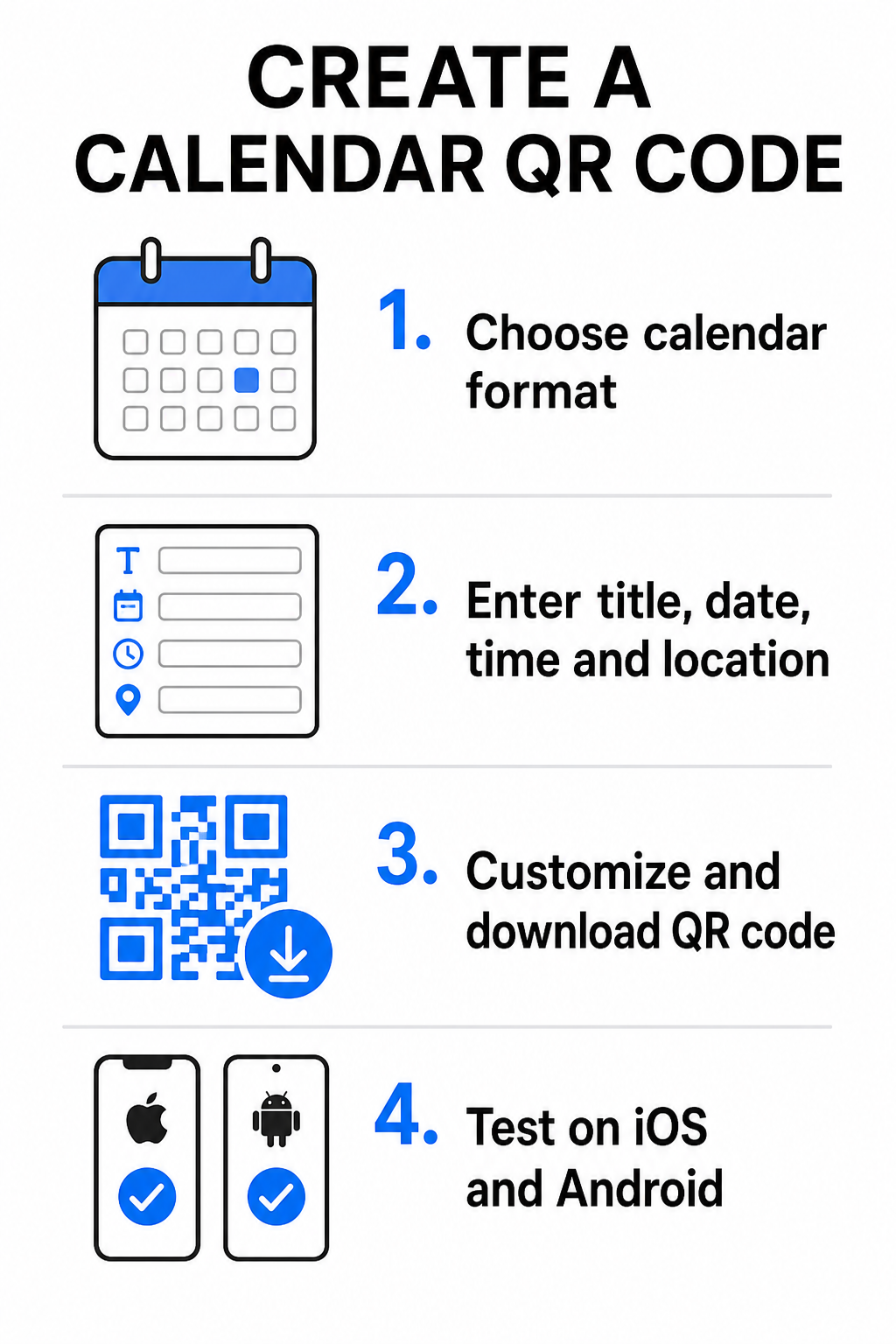
- Valige sündmuse formaat: Valige, kas linkida otse Google Calendari kutsele, käivitada .ics-faili allalaadimine või suunata kasutajad kohandatud sündmuse maandumislehele. Veebipõhiste kalendrilinkide jaoks kasutage Google Calendar QR-koodi generaator.
- Sisestage olulised sündmuse parameetrid: Sisestage sündmuse pealkiri, täpsed algus- ja lõppkuupäevad, algus- ja lõppajad, ajavöönd, füüsiline asukoht ja kirjeldus. Asetage veebikonverentsi lingid või toimumiskoha märkmed kirjeldusväljale.
- Kohandage visuaalset disaini: Rakendage brändi värve, kohandage taustamustreid ja lisage oma logo, säilitades samal ajal elementide vahel kõrge kontrasti.
- Laadige alla kõrge resolutsiooniga vektorfaile: Salvestage oma fail SVG- või EPS-vormingus kommertstrükkimiseks või suure tihedusega PNG-na digitaalseks kuvamiseks. Vektorvormingud tagavad teravad jooned ja hoiavad ära pikslistumise suurendamisel.
- Testige mobiilseadmetes: Skannige valminud koodi iOS-i ja Androidi nutitelefonide abil, kontrollides nii kohalikke kaamerarakendusi kui ka spetsiaalseid brauseriskannereid, et veenduda kõigi sündmuseväljade õiges täitmises.
Lihtsustage oma sündmuse seadistamist juba täna Kas soovite suurendada osavõttu ja lihtsustada külaliste registreerimist? Kasutage Ürituse QR koodi loomine et luua kohandatavaid, jälgitavaid kalendrikoode sekunditega.
Parimad tavad print- ja digitaalseks paigutamiseks
Selleks, et kalendri QR-kood aitaks kaasa külaliste konversioonidele, peavad kasutajad saama seda kiiresti ja ilma tehniliste vigadeta skannida. Standardsete füüsiliste disainipõhimõtete rakendamine tagab järjepideva skannitavuse nii trüki- kui ka digitaalmeedias.
Suurus ja vaatamiskaugus
Rakendage 10:1 skaneerimissuhte reeglit oma QR-koodi minimaalse füüsilise laiuse määramiseks: jagage eeldatav skaneerimiskaugus 10-ga. Kui osaleja skannib plakatit 50 cm (umbes 20 tolli) kauguselt, peab QR-koodi muster olema vähemalt 5 × 5 cm. Lähivaates trükimaterjalide, nagu flaierid, visiitkaardid või digitaalsed pulmakutsed, säilitage minimaalne trükisuurus 2 × 2 cm (0,8 × 0,8 tolli).
Värvikontrast ja vaiksed tsoonid
Kaameraandurid tuginevad koodimoodulite lugemiseks valguse peegeldusele. Tumedamad värvid neelavad valgust, heledamad aga peegeldavad seda läätsele tagasi. Säilitage kontrastsussuhte vähemalt 4:1 – või püüdke saavutada vähemalt 55% kontrast tumedate esiplaanimustrite ja heledate taustade vahel. Hoidke alati selge vaikne tsoon (koodi ümbritsev tühi äär) tekstist, graafilistest ülekattest või taustatekstuuridest vaba.
Strateegilise asukoha üksikasjad
Kui teie üritus toimub füüsilises kohas, veenduge, et osalejad saaksid sinna hõlpsalt navigeerida. Geograafilised koordinaadid saate lisada sündmuse kirjeldusse või siduda oma kalendrikirje Google Maps QR-koodi loomine abil, et avada pöörde-pöörde kaupa navigeerimine otse kutselt.
Selged üleskutse tegevusele
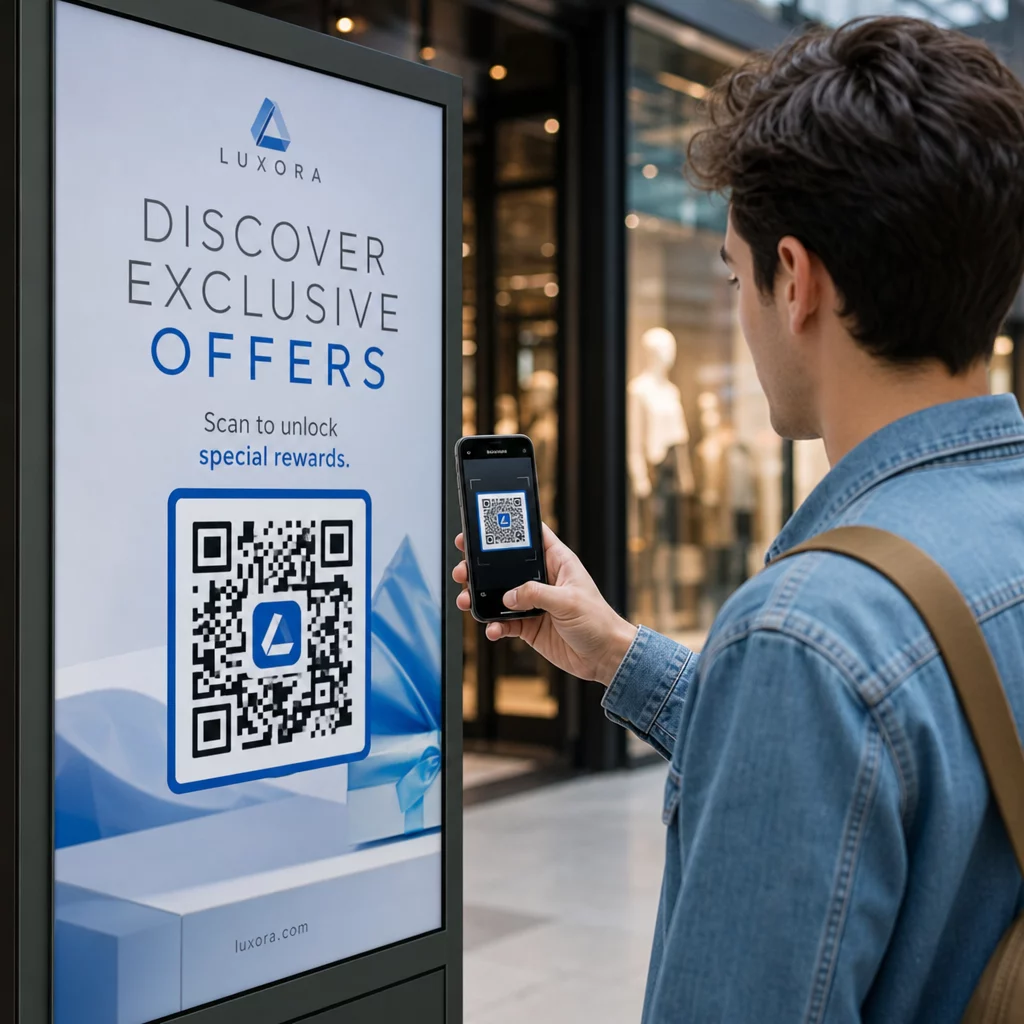
Skaneerimise kaasatus suureneb märkimisväärselt, kui kasutajad teavad, millist tulemust oodata. Vältige eraldiseisvate QR-koodide kuvamist ilma kontekstita. Asetage selge üleskutse tekst otse koodi alla või ümber, näiteks „Skanni, et lisada sündmus kalendrisse“ või „Skanni, et salvestada kuupäev.“
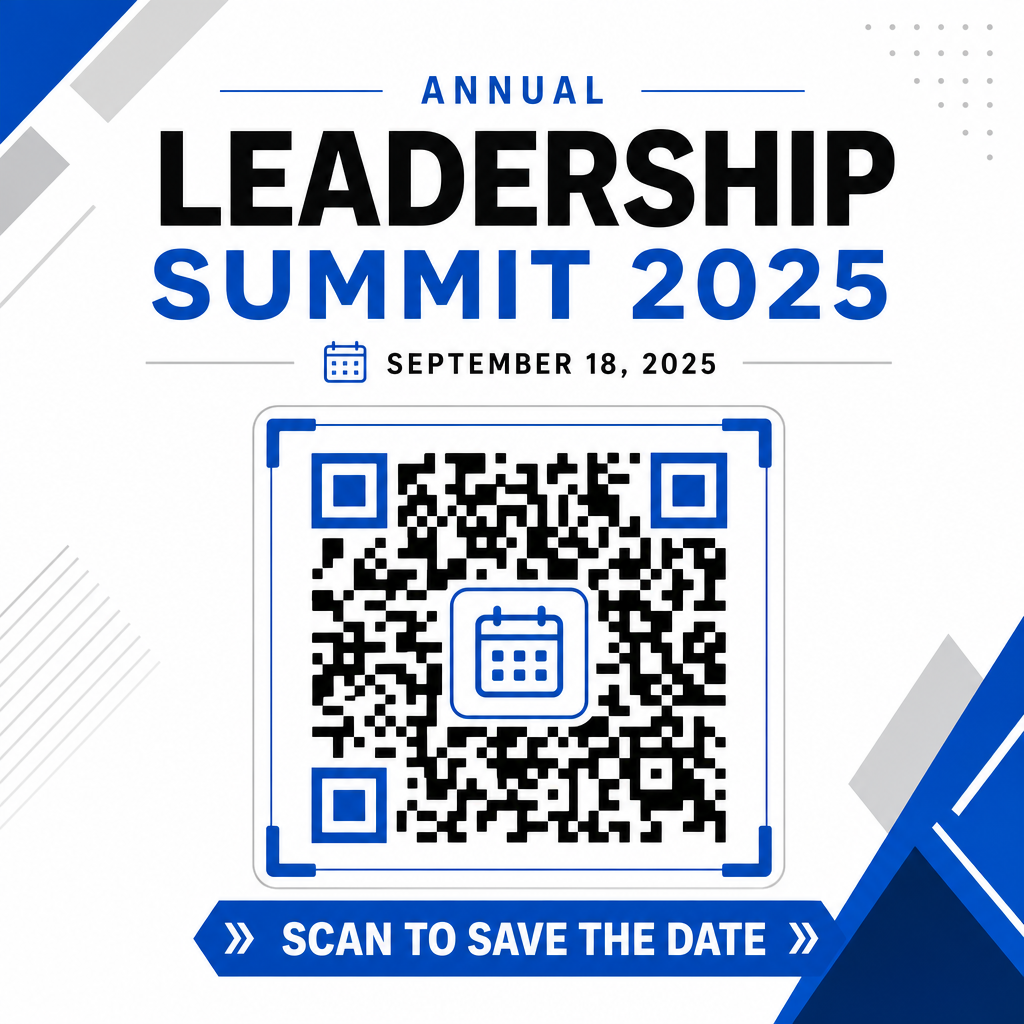
Osalemise maksimeerimine nutikate sündmusekoodidega
Automatiseeritud kalendritööriistade integreerimine välistab osalejate käsitsi andmesisestuse, vähendades oluliselt loobumismäärasid esialgse huvi ja tegeliku osalemise vahel. Olenemata sellest, kas paigutate oma koodid reklaammaterjalidele plakatid, ürituse viitadele või füüsilistele kutsetele, annab külalistele kohese võimaluse oma ajakava broneerida, tagades, et teie üritus jääb nende radari alla.
Dünaamiliste koodide uurimiseks, mis pakuvad skaneerimisanalüüsi ja printimisjärgset redigeerimist, seadistage oma järgmine üritus Pageloot’i kõik-ühes QR-koodi generaator. RSVP QR-koode sündmuste jaoks ja pühendatud QR-koodid sündmuste jaoks, saate luua sujuva digitaalse torujuhtme esialgsest skaneerimisest lõpliku sisseregistreerimiseni.
Korduma kippuvad küsimused
Koodi skaneerimine avab kasutaja vaikimisi nutitelefoni kalendrirakenduse eelnevalt täidetud sündmuseväljadega – sealhulgas pealkiri, algus- ja lõpuajad, asukoht ja kirjeldus – võimaldades neil sündmuse ühe puudutusega salvestada.
Jah, tingimusel, et loote dünaamilise QR-koodi. Dünaamilised koodid salvestavad lühikese ümbersuunamise URL-i, mis võimaldab teil sündmuse kuupäeva, kellaaega või asukohta oma veebipaneelil muuta, ilma et peaksite oma füüsilisi flaiereid või plakateid uuesti printima.
Standardsed kalendri QR-koodid kasutavad universaalseid iCal (.ics) vorminguid ja standardseid veebiaadressi eeltäitmise parameetreid. Neid toetavad loomulikult Apple Calendar, Google Calendar, Microsoft Outlook ja enamik suuremaid kolmandate osapoolte kalendrirakendusi iOS-is ja Androidis.