Ali izgubljate potencialne udeležence, ker pozabijo ročno vnesti podrobnosti o vašem dogodku v svoje mobilne koledarje? Ko trenje preprečuje gostom, da bi si shranili datum, se skupno število udeležencev znatno zmanjša. Ustvarjanje prilagojene QR kode za koledar omogoča vašemu občinstvu, da z enim samim skeniranjem doda podrobnosti o vašem dogodku neposredno v koledar svojega pametnega telefona.
Kako delujejo QR kode za koledarske dogodke
QR kode za koledarje kodirajo strukturirane informacije o dogodkih v sliko, ki jo je mogoče skenirati in jo mobilni operacijski sistemi takoj preberejo. Ko uporabnik skenira kodo s kamero svojega pametnega telefona, operacijski sistem razčleni kodirane podatke in uporabnika pozove, naj dogodek shrani neposredno v Apple Calendar, Google Calendar ali Microsoft Outlook.
V zakulisju QR kode za koledarje oblikujejo podrobnosti o dogodkih z uporabo dveh primarnih tehničnih metod:
- Podatki iCalendar (.ics): Kodira surovo sintakso dogodka neposredno v QR kodo na podlagi univerzalnega koledarskega standarda RFC 5545. Ta struktura vključuje bistvena polja, kot so `BEGIN:VCALENDAR`, `DTSTART` (začetni datum in čas), `DTEND` (končni datum in čas), `SUMMARY` (naslov dogodka) in `LOCATION`. Mobilne naprave interpretirajo to surovo besedilo in zaženejo izvorno koledarsko aplikacijo za ustvarjanje novega vnosa.
- URL-ji za predpolnitev koledarja: Oblikuje destinacijo QR kode kot spletno povezavo, ki vsebuje vnaprej izpolnjene parametre dogodka. Na primer, povezave Google Koledarja uporabljajo specifične URL parametre, kot so `action=TEMPLATE`, `dates` v formatu ISO 8601 UTC (YYYYMMDDTHHMMSSZ), `text` za naslov, `location` in `details` za opis dogodka.
Uporaba specializirane Generator QR kode za dogodke avtomatizira ta postopek oblikovanja, tako da vam ni treba ročno pisati zapletene kodne sintakse. Poleg tega vam izbira dinamične QR kode omogoča spreminjanje parametrov dogodka – kot je prilagoditev začetnega časa ali posodobitev lokacije – na vaši spletni nadzorni plošči, ne da bi morali ponovno tiskati vaše fizično promocijsko gradivo.
Kako ustvariti QR kodo za koledarski dogodek
Nastavitev samodejnega vnosa v koledar zahteva konfiguracijo ključnih parametrov dogodka, preden prenesete končno grafično datoteko.
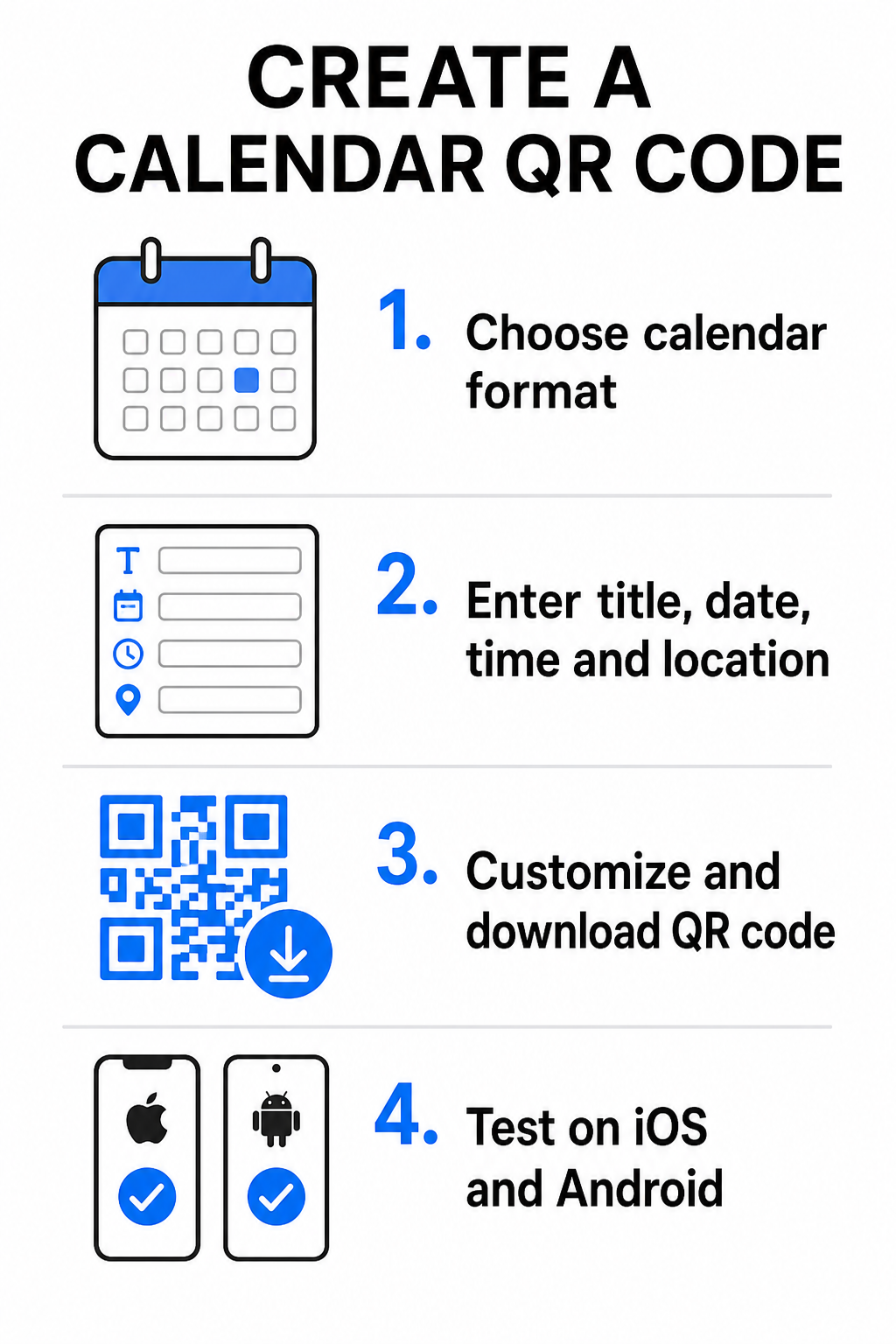
- Izberite format dogodka: Izberite, ali želite neposredno povezati na povabilo v Google Koledar, sprožiti prenos datoteke .ics ali poslati uporabnike na prilagojeno pristajalno stran dogodka. Za spletne koledarske povezave uporabite Generator QR kod za Google Koledar.
- Vnesite bistvene parametre dogodka: Vnesite naslov dogodka, točne datume začetka in konca, ure začetka in konca, časovni pas, fizično lokacijo in opis. Povezave za spletne konference ali opombe o prizorišču vnesite v polje za opis.
- Prilagodite vizualno oblikovanje: Uporabite barve blagovne znamke, prilagodite vzorce ozadja in vstavite svoj logotip, pri tem pa ohranite visok kontrast med elementi.
- Prenesite vektorske datoteke visoke ločljivosti: Shranite datoteko v formatu SVG ali EPS za komercialno tiskanje, ali kot PNG visoke gostote za digitalni prikaz. Vektorski formati zagotavljajo ostre linije in preprečujejo pikselizacijo pri povečanju.
- Testirajte na mobilnih napravah: Skenirajte dokončano kodo z uporabo pametnih telefonov iOS in Android, preverite tako izvorne aplikacije kamere kot tudi namenske brskalne skenerje, da potrdite, da se vsa polja dogodka pravilno izpolnjujejo.
Poenostavite nastavitev dogodka še danes Želite povečati udeležbo in poenostaviti registracijo gostov? Uporabite Generator QR kode za dogodke za ustvarjanje prilagodljivih, sledljivih koledarskih kod v nekaj sekundah.
Najboljše prakse za tisk in digitalno postavitev
Da bi QR koda koledarja spodbujala konverzije gostov, jo morajo uporabniki hitro skenirati brez tehničnih napak. Uporaba standardnih načel fizičnega oblikovanja zagotavlja dosledno skeniranje po tiskanih in digitalnih medijih.
Velikost in razdalja gledanja
Uporabite razmerje skeniranja 10:1 pravilo za določitev minimalne fizične širine vaše QR kode: pričakovano razdaljo skeniranja delite z 10. Če udeleženec skenira plakat z razdalje 50 cm (približno 20 palcev), mora vzorec QR kode meriti vsaj 5 × 5 cm. Za tiskovine na kratko razdaljo, kot so letaki, vizitke ali digitalna poročna vabila, ohranite minimalno velikost tiska 2 × 2 cm (0,8 × 0,8 palca).
Barvni kontrast in mirne cone
Senzorji kamer se zanašajo na odboj svetlobe za branje kodnih modulov. Temnejše barve absorbirajo svetlobo, svetlejše pa jo odbijajo nazaj v objektiv. Vzdržujte kontrastno razmerje vsaj 4:1 – ali si prizadevajte za vsaj 55% kontrasta med temnimi vzorci v ospredju in svetlimi ozadji. Vedno ohranite jasno mirno cono (prazen rob okoli kode), brez besedila, grafičnih prekrivnih elementov ali tekstur ozadja.
Podrobnosti strateške lokacije
Če se vaš dogodek odvija na fizični lokaciji, zagotovite, da lahko udeleženci tja navigirajo brez težav. Geografske koordinate lahko vdelate v opis dogodka ali združite vnos v koledarju z Generator QR kode za Google Maps za odpiranje navigacije po korakih neposredno iz vabila.
Jasni pozivi k akciji
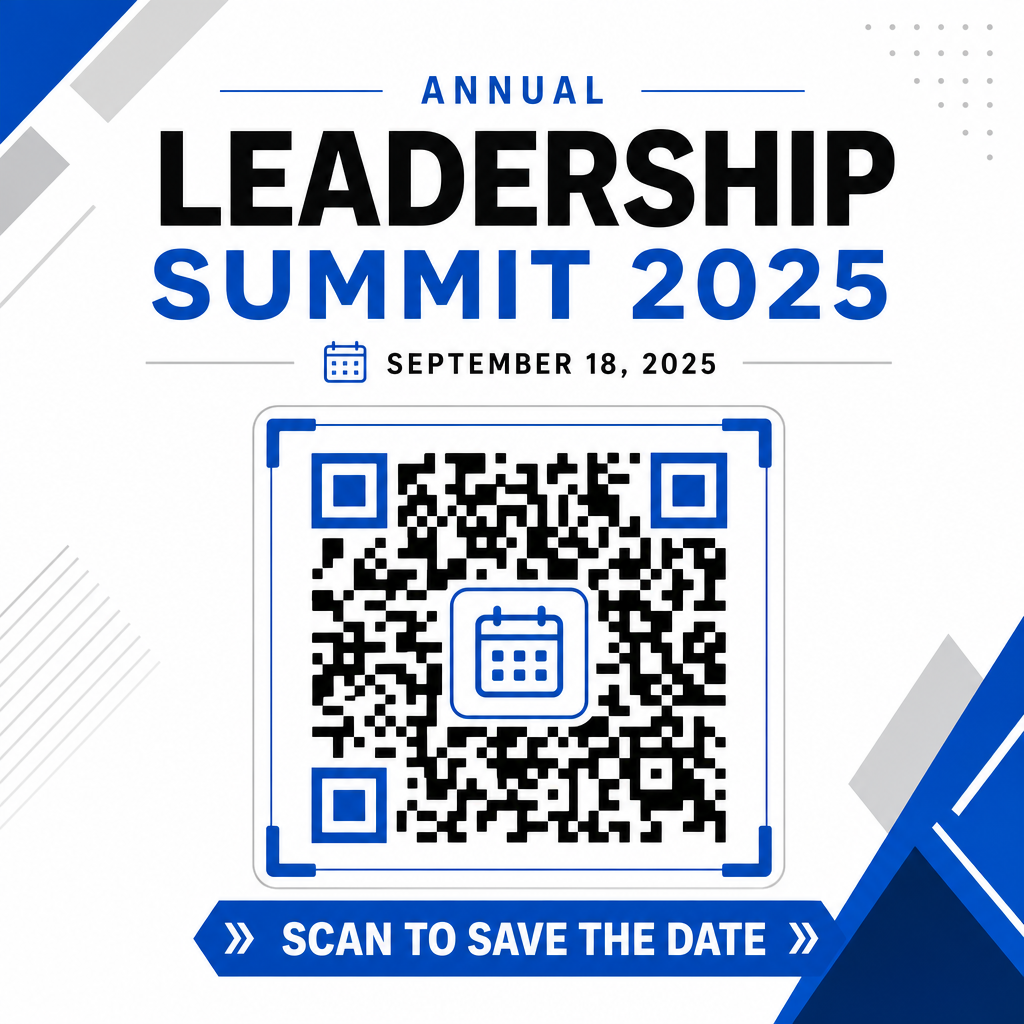
Zanimanje za skeniranje se znatno poveča, ko uporabniki vedo, kakšen izid pričakovati. Izogibajte se prikazovanju samostojnih QR kod brez konteksta. Postavite jasno besedilo poziva k dejanju neposredno pod kodo ali okoli nje, kot je “Skeniraj za dodajanje dogodka v koledar” ali “Skeniraj za shranjevanje datuma.”
Maksimiranje udeležbe s pametnimi kodami dogodkov
Integracija avtomatiziranih orodij za koledar odpravlja ročni vnos podatkov za vaše udeležence, kar dramatično zmanjšuje stopnjo opuščanja med začetnim zanimanjem in dejansko udeležbo. Ne glede na to, ali kode postavite na promocijske plakati, oznake dogodkov ali fizična vabila, saj s tem gostom takoj omogočite, da si blokirajo svoje urnike, kar zagotavlja, da bo vaš dogodek ostal v njihovem spominu.
Če želite raziskati dinamične kode, ki ponujajo analitiko skeniranja in urejanje po tisku, nastavite svoj naslednji dogodek z uporabo prilagodljivih orodij, ki so na voljo v Pagelootovem celovitem generator QR kod. QR kod za potrditev udeležbe za dogodke in namenskim QR kode za dogodke, lahko zgradite brezhibno digitalno pot od začetnega skeniranja do končne prijave.
Pogosta vprašanja
Skeniranje kode odpre privzeto aplikacijo koledarja na uporabnikovem pametnem telefonu z vnaprej izpolnjenimi polji dogodka – vključno z naslovom, začetnim in končnim časom, lokacijo in opisom – kar jim omogoča, da dogodek shranijo z enim samim dotikom.
Da, pod pogojem, da ustvarite dinamično QR kodo. Dinamične kode shranjujejo kratek preusmeritveni URL, kar vam omogoča, da uredite datum, čas ali lokacijo dogodka na vaši spletni nadzorni plošči, ne da bi morali ponovno tiskati svoje fizične letake ali plakate.
Standardne QR kode za koledar uporabljajo univerzalne formate iCalendar (.ics) in standardne spletne URL parametre za predizpolnjevanje. Nativno jih podpirajo Apple Koledar, Google Koledar, Microsoft Outlook in večina pomembnih koledarskih aplikacij tretjih oseb na iOS in Androidu.