ホーム > ユースケース > QR Codes on Receipts: Uses, Setup, and Benefits
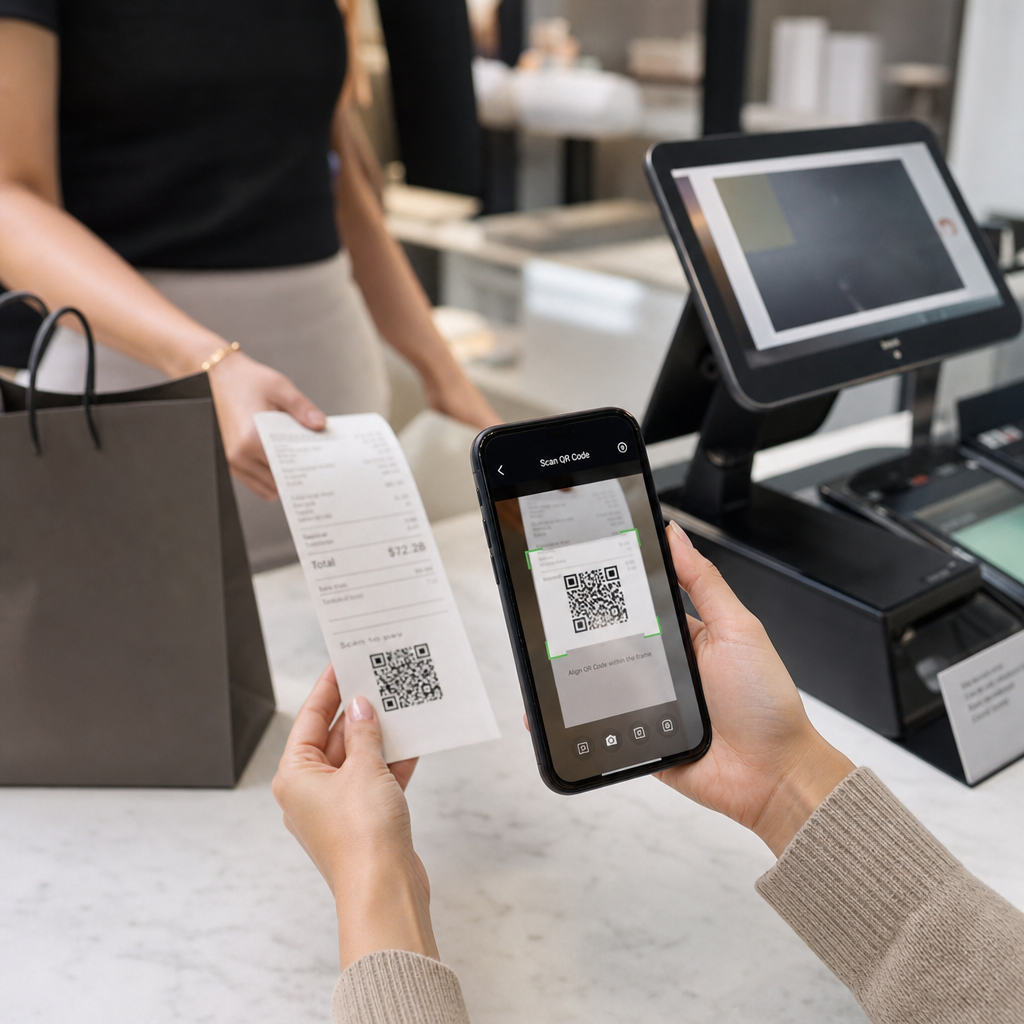
Scanning receipt QR

QR Codes on Receipts: Uses, Setup, and Benefits

Learn how QR codes on receipts simplify tax compliance, boost loyalty programs, and collect reviews. This guide covers setup and printing tips.
Updated on 7月 2, 2026
目次

Are you unsure why QR codes are appearing on receipts – or how to add one to your own? Businesses are using receipt QR codes for everything from digital record-keeping and tax compliance to loyalty programs and review collection. This guide explains how they work and how to set them up.

What a QR Code on a Receipt Actually Does

A QR code is a two-dimensional barcode that a smartphone camera decodes in seconds, directing the user to a URL, form, digital file, or payment page – without any typing required. When printed on a receipt, that code turns a piece of paper your customer was going to pocket or discard into an active digital touchpoint.

The destination behind a receipt QR code can be almost anything:

  • A digital version of the receipt itself (PDF or web page)
  • A loyalty program enrollment or points-redemption page
  • A Google review prompt
  • A post-purchase discount or special offer
  • A feedback form
  • A payment confirmation or tip page

The key distinction worth understanding upfront is 静的QRコードと動的QRコード. A static code encodes the destination directly – change the link and you need to reprint. A ダイナミックQRコード stores a short redirect URL instead, so you can update the destination any time through a dashboard without touching your printed receipts. For receipt use cases where you might want to update offers, swap out loyalty program pages, or refresh post-purchase content, dynamic codes are the practical choice.

Digital Receipts: Reducing Paper and Improving Records

About 75% of consumers prefer digital receipts over paper, citing easier returns and better organization of purchase records. A QR code on a printed receipt bridges the gap: the customer still gets a physical document at the point of sale, but can instantly save or access a digital copy by scanning.

のために customers, this means:

  • A searchable, storable record of their purchase
  • No risk of a faded or lost paper receipt during a return window
  • Immediate access to product warranties or care instructions

のために businesses, this means:

  • Fewer requests to look up old transactions
  • A natural touchpoint for follow-up offers or loyalty program prompts
  • Reduced friction around returns and exchanges

If you operate in retail 或いは hospitality, pairing a digital receipt QR code with a post-purchase offer – such as a discount on the next visit – gives customers a concrete reason to scan rather than ignore the code.

Turn Receipts Into a Digital Channel Want to link your printed receipts to digital content that you can update at any time? Use the ダイナミックQRコードジェネレーター to create a receipt QR code you can redirect whenever your offers change – no reprinting required.

Tax Compliance and Recordkeeping

The IRS requires businesses to keep supporting documents – including sales slips, invoices, and receipts – that support entries in your books and on tax returns. Critically, the IRS states that all requirements applying to hard copy records also apply to electronic records: an electronic system must meet the same basic recordkeeping principles as paper, produce legible records that support return entries, and be backed up to protect against data loss.

QR codes on receipts fit into this framework in two practical ways.

For your customers, a QR code linking to a digital receipt gives them a permanent, accessible copy of their transaction record, supporting their own expense tracking or return documentation. For your business, linking receipts to a digital recordkeeping system – whether that is a cloud-based accounting platform, a PDF receipt archive, or a transaction portal – helps maintain the organized, retrievable records the IRS expects. Records should be kept as long as needed to substantiate the income or deductions on a tax return, and electronic backups are specifically recommended.

A few practical points from IRS guidance are worth keeping in mind:

  • Gross receipts records (cash register tapes, receipt books, invoices) and purchase documents (credit card receipts, invoices) are among the core supporting documents the IRS identifies
  • Electronic systems must reconcile with your books and returns and provide enough detail to identify underlying source documents
  • Records should be kept in an orderly fashion, organized by year and type of income or expense

QR codes do not replace your recordkeeping system – they can make it more accessible by connecting a physical receipt to the digital record behind it. For a broader look at privacy considerations when collecting scan data, see our guide on QR code privacy laws and key regulations.

Loyalty Programs: Replacing the Punch Card at the Register

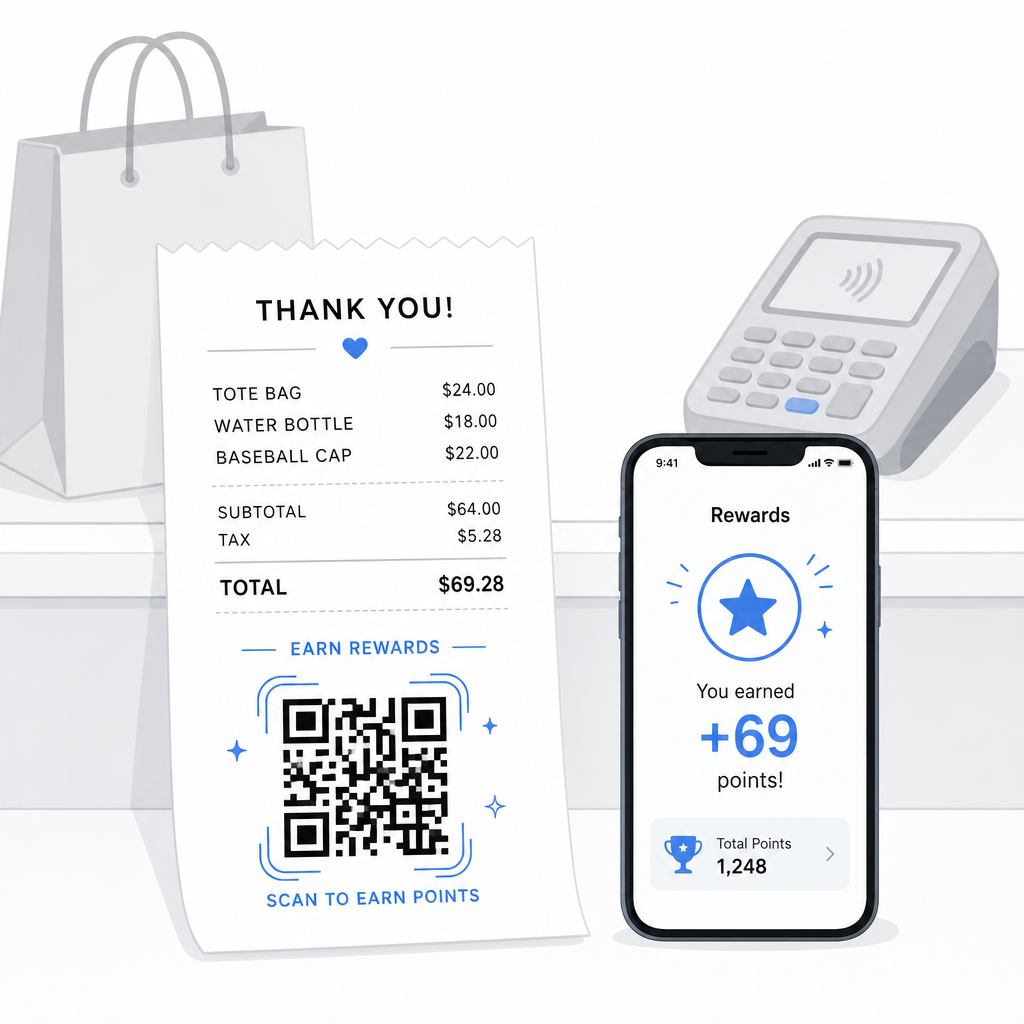
The receipt is one of the most underused loyalty touchpoints in retail and foodservice. The customer already completed a purchase – they are at peak engagement. A QR code at the bottom of the receipt can take them directly into your loyalty program in seconds.

Loyalty receipt rewards

Research shows that loyal customers spend 67% more than new customers, and 72% of U.S. businesses with loyalty programs see a positive return on investment. A QR code on the receipt makes program enrollment and points redemption frictionless – no app download required, no separate card to carry. As Pageloot notes in its retail QR code guide, QR codes already serve as a natural checkout touchpoint for loyalty access and exclusive offers.

Common receipt-based loyalty setups include:

  • Points enrollment: Scan to join and immediately credit points for the current purchase
  • Tier-based rewards: Link to a page showing the customer’s current tier and what they need to reach the next level
  • Instant redemption: Scan to claim a discount or free item on the spot or during the next visit
  • Referral links: A personalized QR code the customer can share with friends to extend your program’s reach

For a full walkthrough on building this kind of program, see how to set up QR code loyalty programs and a comparison of QR codes versus traditional loyalty cards.

Add a Loyalty Program Link to Every ReceiptリンクQRコードジェネレーター lets you create a branded, trackable QR code that connects your printed receipts to any loyalty platform, reward page, or sign-up form.

Google Reviews and Feedback Collection

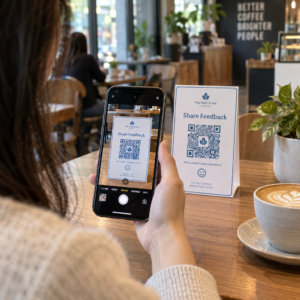
A customer who just completed a purchase is in the best possible state of mind to leave a review – if you make it easy. A QR code at the bottom of the receipt linking directly to your Google review page removes every step between “I had a good experience” and “I posted about it.”

Google review QR codes can be printed on receipts, menus, packaging, or any customer-facing material. For receipt placement, pair the code with a short prompt such as “Enjoyed your visit? Let us know in 30 seconds” to make the ask feel lightweight rather than demanding.

The same approach works for internal feedback forms if you prefer to gather private feedback before it appears publicly. In that case, link the QR code to a short survey rather than a review platform. Either way, the receipt becomes the trigger for post-purchase engagement that would otherwise require a separate email campaign or follow-up message.

Payments and Tipping via QR Code

In food service and some retail environments, a QR code on the receipt can replace or supplement the traditional tip prompt on a card terminal. Customers scan, choose an amount, and complete the payment through a mobile wallet or payment link – without handling a shared device.

This is especially useful for takeout orders, delivery confirmation slips, or any situation where a card terminal is not in front of the customer at the moment they want to pay or add a tip. See the guide on 決済用QRコード for setup options across different payment providers, including a walkthrough for PayPal QR code setup.

How to Print a QR Code on a Receipt: Technical Basics

Once you have generated your QR code, printing it on a receipt involves a few practical considerations that directly affect whether customers can actually scan it.

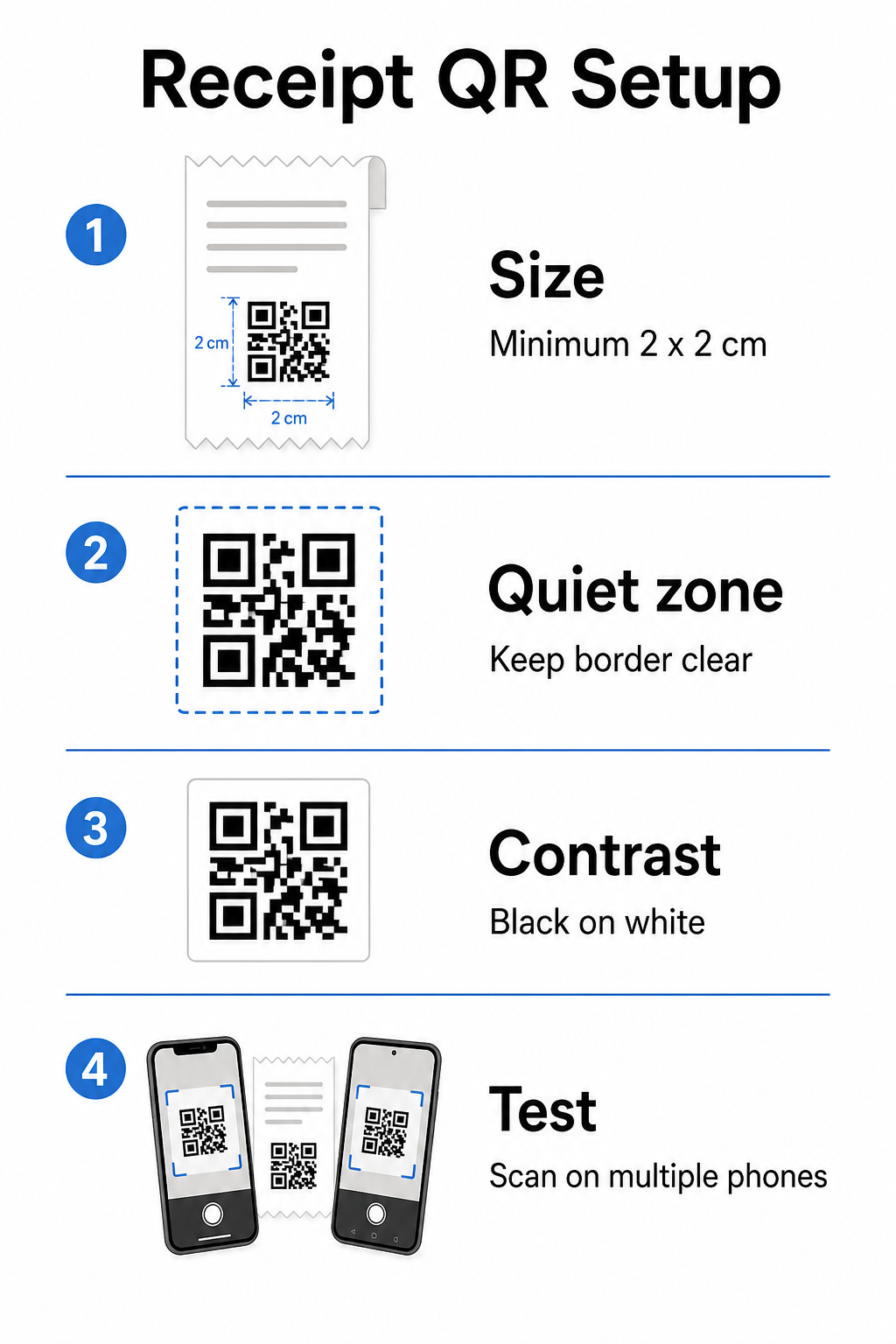
Receipt QR setup

サイズです。 Receipts are narrow – typically 58mm or 80mm wide. The practical minimum print size for reliable smartphone scanning is 2 × 2 cm (about 0.8 × 0.8 inches). On a standard receipt, a code of 2.5–3 cm fits comfortably and scans reliably at the close range a customer would hold a receipt. For a full breakdown of how size affects scannability, see the QRコードサイズガイド.

クワイエットゾーン: Every QR code requires a clear white border – called a quiet zone – of at least 4 modules (small squares) on all sides. Do not let surrounding text or graphics crowd the edges of the code. A missing or narrow quiet zone is one of the most common causes of scanning failures on printed receipts.

Error correction: The ISO/IEC 18004 standard defines four error correction levels: L (7%), M (15%), Q (25%), and H (30%). For a receipt that may be folded or slightly smudged, M-level error correction is a reasonable baseline. If your code includes a logo overlay, step up to Q or H. Keep in mind that higher error correction increases code density, so test your chosen size and error correction level together before finalizing the design.

コントラスト: Print the QR code in black on white whenever possible. Thermal receipt printers can produce lower-contrast output depending on paper stock and print head quality. Test the printed code across several devices before rolling out at scale – including older smartphones with lower-resolution cameras. For detailed guidance, see QRコードの読みやすさに関するベストプラクティス.

POS integration: Most modern POS systems allow receipt template customization. Add your QR code image to the receipt footer in the system’s template editor. For dynamic use cases where the destination may change – seasonal offers, updated loyalty pages, rotating promotions – use a dynamic code so the printed receipt remains valid even after you update the destination URL.

Tracking Receipt QR Code Performance

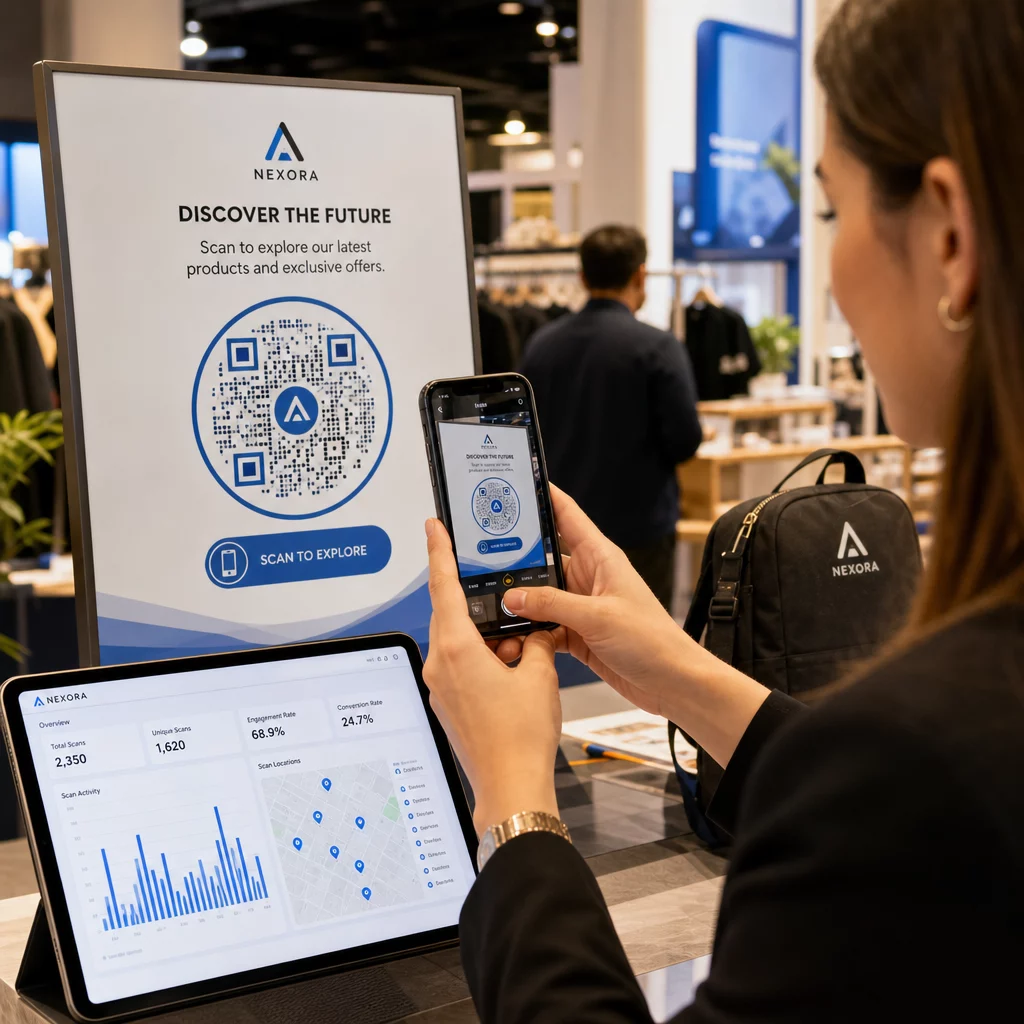
One of the practical advantages of using a QR code management platform rather than a basic generator is access to scan analytics. With QRコードトラッキング, you can monitor:

  • How many customers actually scan the code
  • Which locations or registers generate the most scans
  • What times of day see peak engagement
  • Whether a change in the call-to-action text next to the code affected scan rates

This data turns your receipt into a measurable marketing channel rather than a static piece of paper. If you run multiple locations, per-location scan data tells you where the program is working and where staff may benefit from verbally encouraging customers to scan.

Dynamic QR codes support this tracking natively: the redirect server logs each scan before forwarding the customer to the destination. You can also update the destination URL without issuing new receipts, which means a seasonal promotion can go live or expire without any operational disruption. For a deeper look at how this supports iterative improvement, see how to use QR codes effectively.

Deciding What to Include on Your Receipt QR Code

Before generating your code, settle three things clearly.

Destination: Where does the scan go? Pick one primary action – digital receipt, loyalty enrollment, review page, or payment link. A QR code that tries to serve multiple purposes at once creates confusion and reduces scan rates.

Call-to-action text: Print a short instruction next to the code. “Scan to save your receipt,” “Scan to earn points,” or “Scan to leave a review” each set a clear expectation. Customers are significantly more likely to scan when they understand exactly what they will get.

Code type: を使います。 ダイナミックQRコード if the destination might change, if you want tracking data, or if you plan to run promotions that rotate over time. Use a static code only if the destination is permanently fixed and tracking is not a priority.

Once the code is live, treat scan rate as a metric you review and improve – just as you would any other customer engagement channel. Small adjustments to placement, code size, or call-to-action copy can produce meaningful differences in how many customers follow through.

よくある質問

Can I use the same QR code on every receipt, or do I need a unique code per transaction?

For most use cases – digital receipt portals, loyalty enrollment, review pages, or post-purchase offers – a single QR code works across all receipts. A dynamic QR code lets you update the destination without reprinting. If you need to track individual transactions (for example, to issue personalized discount codes), you would generate unique codes per transaction, which typically requires integration between your POS system and a QR platform that supports bulk generation.

Do QR codes on receipts satisfy IRS electronic recordkeeping requirements?

A QR code itself is not a recordkeeping system – it is a link to one. The IRS requires that electronic records be retrievable, legible, reconcilable with your books, and backed up. If the QR code links to a compliant digital receipt archive or accounting platform that meets those standards, it can be part of an acceptable electronic recordkeeping workflow. Consult a tax professional for guidance specific to your business structure and jurisdiction.

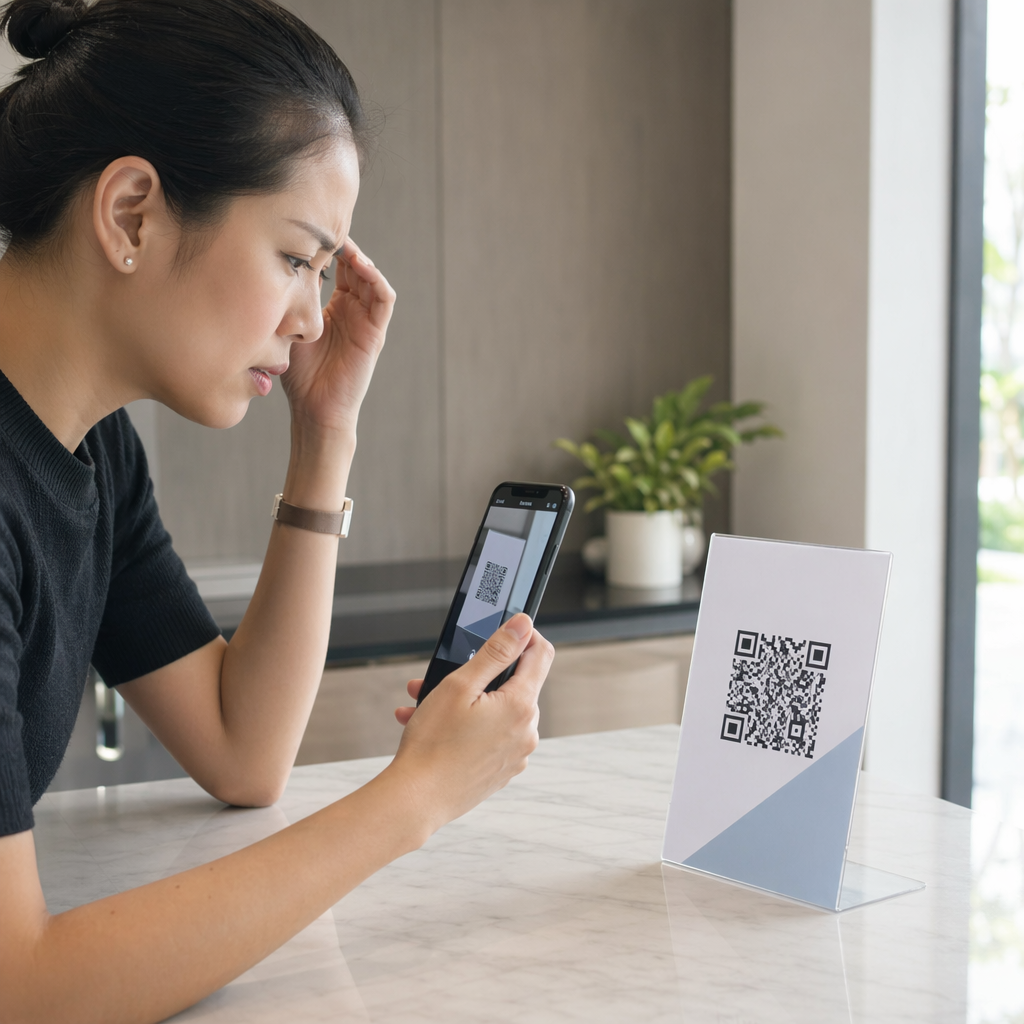
What should I do if customers cannot scan the QR code on their receipt?

The most common causes are a code that is too small, insufficient contrast from thermal printing, or a quiet zone crowded by surrounding text or graphics. Print the code at a minimum of 2 × 2 cm, maintain a clear white border on all sides, and test across multiple devices – including older smartphones – before rolling out. Using M-level error correction or higher adds resilience against minor print imperfections. Always include the destination URL in plain text as a fallback so customers can access the page manually if scanning fails.

著者について

Siim KostabiはPagelootのコンテンツリードです。Pagelootの革新的なQRコード生成サービスについて執筆しています。5年以上にわたるQRコードに関する深い専門知識を持つSiimは、この分野の専門家です。QRテクノロジーを活用してデジタルインタラクションを簡素化・拡張する上で、大きな進歩を遂げています。.

カテゴリー
について詳しくはこちら
QRコードジェネレーターが観光産業を救う方法
QRコードレスキュー 観光業界
✅ QRコードの#1ソリューション

オンラインでQRコードを作成する必要がある場合は QRコードを作る ここで無料で
ページルートは #1のGo-Toソリューション でQRコードを作成してスキャンすることができます。

BL-0303

ブログジェネ

売上、レビュー、フォロワーを増やすために 20,000 を超えるブランドから信頼されています。

クライアントのロゴ
トップブランドから信頼される
5 のうち 4.8 と評価しました

4.86 / 5つ星評価

ユーゴ・ローラン
ユーゴ・ローラン
レストランオーナー
最も簡単で信頼性の高いQRコードジェネレータです。PDFファイルを即座にアップロードできます。レストランのメニューがデジタル化されました。
ルーカス・ジャンセン
ルーカス・ジャンセン
不動産開発業者
これは優れたツールで、QRコードでちょうど欲しいところに連れて行ってくれます。私たちは位置情報のQRコードしか使っていませんが、とても便利な機能がたくさんあります。
エマ・モレッティ
エマ・モレッティ
小売製品
使いやすいし、早い。素晴らしい機能で、完璧な画像を作成してくれるので、社員は私のvCardをダウンロードすることができます。
ユーゴ・ローラン
ユーゴ・ローラン
レストランオーナー
最も簡単で信頼性の高いQRコードジェネレータです。PDFファイルを即座にアップロードできます。レストランのメニューがデジタル化されました。
ルーカス・ジャンセン
ルーカス・ジャンセン
不動産開発業者
これは優れたツールで、QRコードでちょうど欲しいところに連れて行ってくれます。私たちは位置情報のQRコードしか使っていませんが、とても便利な機能がたくさんあります。
エマ・モレッティ
エマ・モレッティ
小売製品
使いやすいし、早い。素晴らしい機能で、完璧な画像を作成してくれるので、社員は私のvCardをダウンロードすることができます。
QRコードをもっと見る
あらゆるものをデジタル体験に変えよう 3分以内に。

14日間の無料トライアル。

クレジットカードは必要ありません。

初回購入で30%オフ

次のコードを使用してください:

MP3ファイルを共有

PDF QRコードを作成するにはサインアップしてください

必要なものをすべてアップロードして表示する。

  • オーディオファイル
  • ポッドキャスト
  • 音楽

サインアップで14日間無料トライアル。.
トライアル終了後、QRコードは期限切れになります。.

オーディオmp3 QRコードを作成するにはサインアップしてください

フレームでより多くのスキャンを獲得

QRコードにフレームを追加するにはサインアップしてください

コールトゥアクションフレームは、お客様が簡単にQRコードと対話できるようにします。ぜひお試しください。

サインアップで14日間無料トライアル。.
トライアル終了後、QRコードは期限切れになります。.

QRコードにフレームを追加するにはサインアップしてください

シェイプでスタイルを追加

より多くの図形を作成するにはサインアップしてください

QRコードは四角いものである必要はありません。あなたのブランドのイメージに合わせて変えてみてください。

サインアップで14日間無料トライアル。.
トライアル終了後、QRコードは期限切れになります。.

より多くの図形を作成するにはサインアップしてください

QRコードにロゴを追加

QRコードにロゴを追加するにはサインアップしてください

QRコードにロゴやブランドを入れることで、目立たせることができます。

サインアップで14日間無料トライアル。.
トライアル終了後、QRコードは期限切れになります。.

QRコードにロゴを追加するにはサインアップしてください

スマートなApp Storeリダイレクト

アプリストアのQRコードを作成するにはサインアップしてください

スマートなApp StoreのQRコードに、あなたのアプリのリンクを追加します。ユーザーは、デバイスに応じてリダイレクトされます。

サインアップで14日間無料トライアル。.
トライアル終了後、QRコードは期限切れになります。.

アプリストアのQRコードを作成するにはサインアップしてください

QRコードに画像をアップロード

画像QRコードを作成するにはサインアップしてください

画像を簡単に共有できます。どんな画像も、数秒でダイナミックに変化します。

サインアップで14日間無料トライアル。.
トライアル終了後、QRコードは期限切れになります。.

画像QRコードを作成するにはサインアップしてください

PDFファイルを共有

PDF QRコードを作成するにはサインアップしてください

必要なものをすべてアップロードして表示する。

  • メニュー&プライスリスト
  • 指示
  • 任意の書類

サインアップで14日間無料トライアル。.
トライアル終了後、QRコードは期限切れになります。.

PDF QRコードを作成するにはサインアップしてください

印刷せずに後で編集

再度印刷せずにQRコードを編集するにはサインアップしてください

ダイナミックQRコードは、新たにQRコードを印刷することなく、QRコードの内容を変更することができます。

サインアップで14日間無料トライアル。.
トライアル終了後、QRコードは期限切れになります。.

再度印刷せずにQRコードを編集するにはサインアップしてください

いつ?どこで?QRコードのスキャンを追跡

QRコードを追跡するにはサインアップしてください

どのQRコードが最も多くスキャンされ、何が最も顧客を喜ばせているのかを知ることができます。

サインアップで14日間無料トライアル。.
トライアル終了後、QRコードは期限切れになります。.

QRコードを追跡するにはサインアップしてください

印刷可能なファイルが利用可能

PDFやSVGのようなベクターQRコードを作成するにはサインアップしてください

.eps、.pdf、.svg

QRコードをHD解像度でダウンロードしたいですか?すぐに印刷できるベクターまたはピクセル形式を入手しましょう。

サインアップで14日間無料トライアル。.
トライアル終了後、QRコードは期限切れになります。.

PDFやSVGのようなベクターQRコードを作成するにはサインアップしてください

しばらくお待ちください。あなたのQRコードは ロード... ロード...

あなただけのものに

サインアップしてQRコードを後で保存してください

異なる色、ロゴ、コールトゥアクションフレームで素晴らしいQRコードを作成することで、より多くのスキャンを得ることができます。

サインアップで14日間無料トライアル。.
トライアル終了後、QRコードは期限切れになります。.

サインアップしてQRコードを後で保存してください