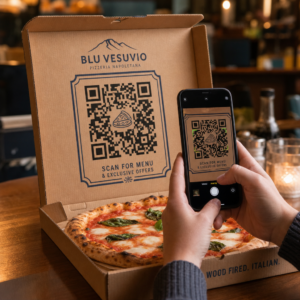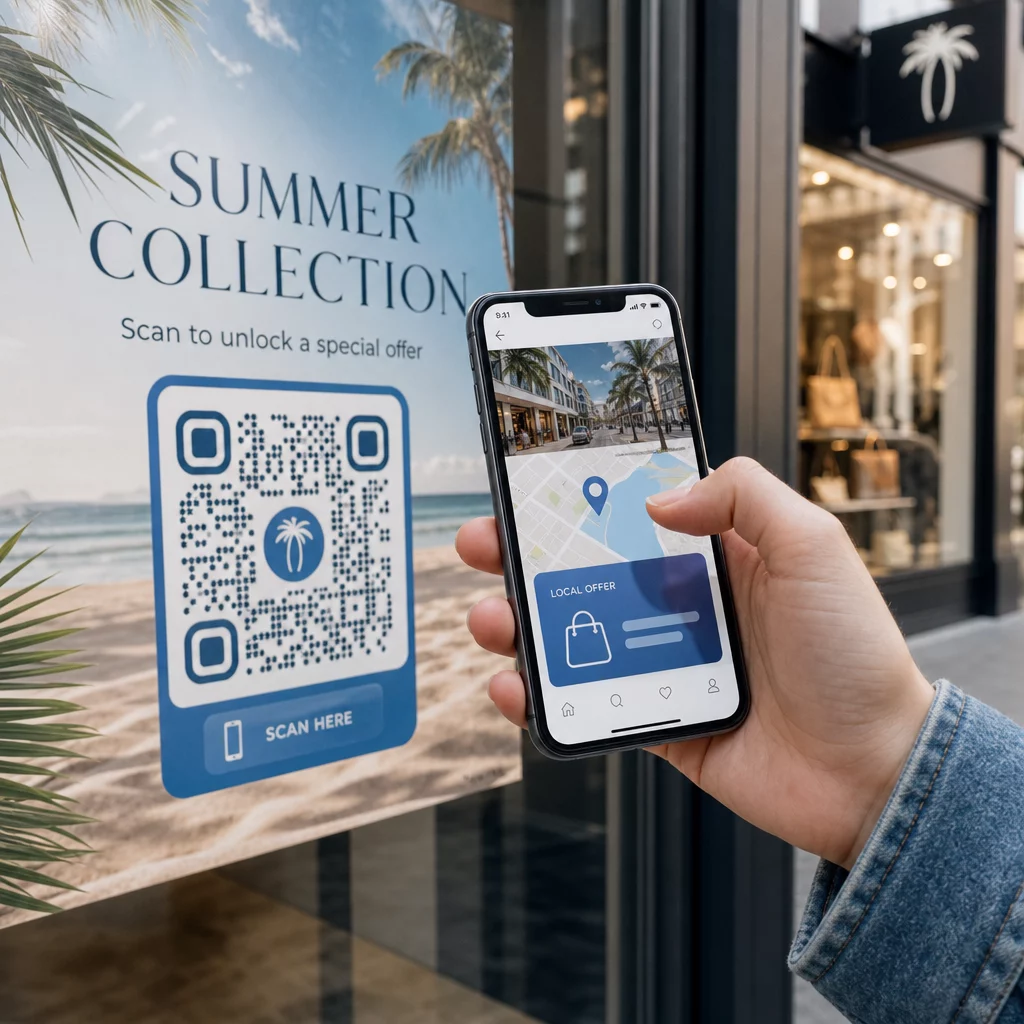
Voulez-vous que chaque scanneur arrive sur un contenu pertinent par rapport à son emplacement ? Lorsqu'un seul code QR envoie tout le monde à la même page, quelle que soit la géographie, vous perdez la chance de parler aux audiences locales avec des offres, une langue et un contexte ciblés. Ce guide explique comment fonctionne la redirection de code QR basée sur la localisation, comment la configurer et ce à quoi il faut faire attention.
Pourquoi la redirection basée sur la localisation nécessite des codes QR dynamiques
Un code QR statique standard encode une URL fixe directement dans son motif. Cette destination ne peut jamais changer – vous devriez imprimer un nouveau code à chaque fois. Codes QR dynamiques fonctionnent différemment : le code lui-même encode une courte URL de redirection, et la destination réelle est contrôlée sur un serveur. Cela signifie que vous pouvez mettre à jour la destination du code à tout moment, sans toucher au matériel imprimé.
La redirection basée sur la localisation s'appuie sur cette fondation. Lorsqu'une personne scanne un code dynamique, la couche de redirection vérifie la localisation géographique du scanneur – généralement dérivée de l'adresse IP de l'appareil – et applique les règles que vous avez configurées pour servir une URL spécifique à un pays ou à une région. Si aucune règle ne correspond, le système revient à une URL par défaut que vous avez définie.
Comprendre les différence entre les codes QR statiques et dynamiques est l'étape la plus importante avant de construire toute campagne sensible à la localisation.
Créer des codes QR sensibles à la localisation Prêt à envoyer les scanneurs vers la bonne destination en fonction de leur emplacement ? Utilisez le Générateur de QR code dynamique pour créer des codes éditables et traçables avec des règles de localisation intégrées.
Comment fonctionne réellement la détection de localisation
La plupart des plateformes utilisent la géolocalisation basée sur l'IP: lorsqu'un appareil scanne le code QR et ouvre la courte URL de redirection, la requête contient une adresse IP. La plateforme recherche cette IP dans une base de données de géolocalisation pour déterminer le pays ou la région du scanneur, puis redirige vers l'URL de destination correspondante.
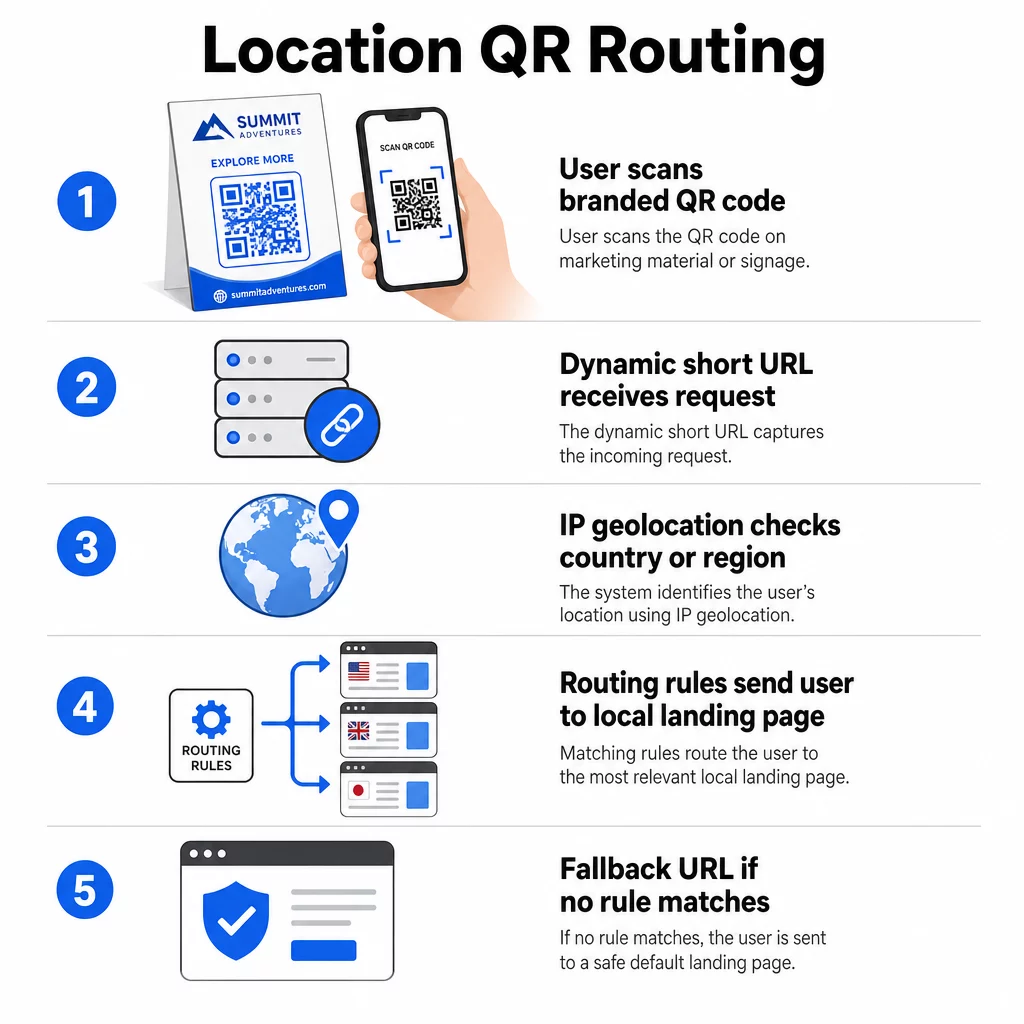
Cette approche est fiable au niveau national – la précision est généralement rapportée dans la fourchette de 90 à 99 % pour la détection de pays – mais diminue considérablement pour les géographies plus petites. La détection au niveau régional ou étatique se situe autour de 55 à 80 % de précision, et la précision au niveau de la ville tombe à 50 à 75 %. Plusieurs facteurs réduisent encore la fiabilité :
- L'utilisation de VPN ou de proxy, où la localisation IP apparente diffère de la localisation physique de l'utilisateur
- Le NAT de niveau opérateur mobile, qui peut attribuer des adresses IP enregistrées loin de l'appareil réel
- Réseaux d'entreprise, où le trafic passe par une adresse IP de bureau central
- Bases de données de géolocalisation obsolètes qui n'ont pas été mises à jour avec les réaffectations d'adresses IP
Pour les campagnes où le ciblage au niveau du pays est suffisant – différentes versions linguistiques, promotions régionales, vitrines spécifiques à un pays – la détection basée sur l'IP fonctionne bien. Pour un ciblage hyper-local au niveau du quartier ou du lieu, la localisation basée sur le GPS (où l'utilisateur accorde la permission) offre une plus grande précision, bien qu'elle nécessite une invite de consentement explicite.
Toujours configurer une URL de secours par défaut pour les scanners dont la localisation ne peut être déterminée ou qui ne correspondent pas à vos règles définies. Cela empêche quiconque de se retrouver dans une impasse.
Ce dont vous avez besoin avant de commencer
Avant de configurer les règles de localisation, ayez ces trois éléments prêts :
- Une plateforme de codes QR dynamiques qui prend en charge le routage géographique. Recherchez-en une qui vous permette de définir des URL de destination par pays ou région, de mettre à jour les règles sans réimpression et de suivre les données de scan par localisation. Les fonctionnalités de Pageloot incluent toutes ces fonctionnalités dans un seul tableau de bord.
- URL de destination pour chaque zone géographique cible. Celles-ci doivent être entièrement construites et optimisées pour les mobiles avant le lancement. Chaque page régionale doit refléter la langue locale, la devise, les offres ou les informations du magasin, selon le cas.
- Une URL de secours qui fonctionne pour tout scanner non correspondant à une règle spécifique – généralement votre site web principal ou une page de destination neutre où les utilisateurs peuvent sélectionner eux-mêmes leur région.
Comment configurer la redirection basée sur la localisation
Étape 1 : Créer un code QR dynamique
Inscrivez-vous à un plan de code QR dynamique et créez un nouveau code en utilisant le Générateur de QR code dynamique. À ce stade, saisissez une URL de destination temporaire – vous configurerez les règles de localisation ensuite. Personnalisez l'apparence du code avec les couleurs et le logo de votre marque pour renforcer la confiance et encourager le scan.
Étape 2 : Configurer les règles de routage géographique
Dans votre tableau de bord de gestion des codes QR, localisez les paramètres de redirection ou de routage pour le code que vous venez de créer. Ajoutez des règles par pays (ou région, si pris en charge) :
- Sélectionnez une zone géographique cible (par exemple, l'Allemagne)
- Saisissez l'URL de destination pour cette zone géographique (par exemple, votre page produit en allemand)
- Répétez pour chaque pays ou région que vous souhaitez cibler
- Définissez votre URL de secours par défaut pour toutes les autres localisations
Le système utilise des redirections HTTP temporaires 302, ce qui signifie que l'URL courte reste toujours la même tandis que la destination peut être mise à jour à tout moment sans affecter le code imprimé.
Étape 3 : Ajouter l'image de marque au code QR
Un code QR de marque – avec votre logo centré dans le motif et des couleurs qui correspondent à votre identité – encourage les utilisateurs à le scanner plutôt qu'à l'ignorer. La plupart des plateformes vous permettent de contrôler la taille du logo, la palette de couleurs et le style des bords. Assurez-vous que le contraste entre le premier plan et l'arrière-plan du code reste suffisamment élevé pour un scan fiable, en particulier si le code apparaît sur des surfaces variées ou dans différentes conditions d'éclairage.
Pour un examen plus approfondi de le géorepérage et les meilleures pratiques de placement, y compris la règle de dimensionnement 10:1 pour les supports imprimés, ce guide couvre la liste de contrôle complète de conception et de déploiement.
Étape 4 : Tester avant le déploiement
Les tests sont non négociables. Avant d'imprimer ou de publier quoi que ce soit, vérifiez que chaque règle géographique achemine correctement. Utilisez un VPN configuré pour chaque pays cible afin de simuler des scans depuis ces emplacements, et confirmez que vous arrivez à l'URL de destination attendue à chaque fois. Testez également l'URL de secours avec un emplacement en dehors de toutes vos règles définies.
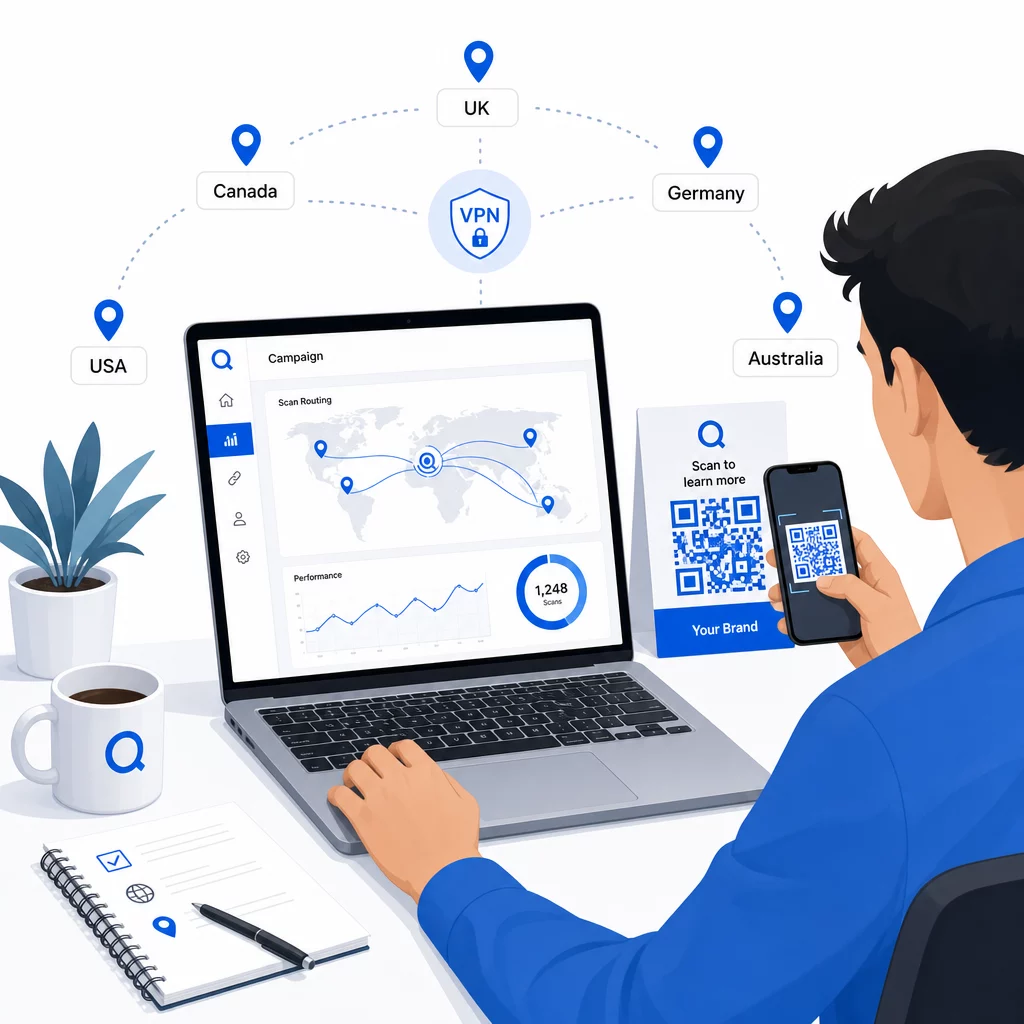
Testez sur plusieurs types d'appareils (iOS et Android), sur des connexions Wi-Fi et de données mobiles, et dans différentes conditions d'éclairage pour confirmer la scannabilité. Documentez tout problème et résolvez-le avant la mise en ligne. Si vous devez apporter des modifications ultérieurement, le processus de modification de la destination d'un code QR dynamique est simple et ne nécessite aucune réimpression.
Créer du contenu régional qui incite au scan
Une règle de localisation qui achemine un scanner vers une page générique va à l'encontre de l'objectif. Le contenu de destination doit refléter ce qui rend chaque géographie distincte :
- Langue : Même au sein des marchés anglophones, la formulation, l'orthographe et le ton diffèrent. Pour les marchés non anglophones, une page entièrement traduite est attendue.
- Offres et prix locaux : La devise, le calendrier promotionnel et la disponibilité des produits varient selon la région. Affichez ce qui est réellement pertinent et achetable à cet endroit.
- Informations sur le magasin ou le contact : Si vous avez des emplacements physiques, affichez le plus proche en fonction de l'endroit où se trouve le scanner.
- Détails réglementaires ou de conformité : Certaines industries – alimentation et boissons, soins de santé, services financiers – ont des exigences de divulgation spécifiques à la région. Assurez-vous que chaque page respecte les normes locales.
La recherche montre que 39 % des clients recherchent activement du contenu de code QR personnalisé. Une page spécifique à une région n'est pas un ajout agréable – c'est de plus en plus l'attente de base. Pour un aperçu plus large de atteindre les audiences locales avec des codes QR géociblés, y compris des exemples de marques réelles, ce guide approfondit la stratégie de localisation.
Mesurer et améliorer les performances
Les codes QR dynamiques génèrent automatiquement des données de scan. Utilisez le tableau de bord d'analyse de votre plateforme pour surveiller :
- Volume de scans par pays ou région, pour identifier où l'engagement est le plus fort
- Moment du scan, pour comprendre quand les utilisateurs sont les plus actifs sur chaque marché
- Types d'appareils, pour vous assurer que vos pages régionales s'affichent correctement pour l'appareil dominant dans chaque zone géographique
- Comportement de conversion, si vous avez connecté des paramètres UTM à vos URL de destination et intégré un outil comme Google Analytics
Pour un aperçu complet de ce qui est traçable et comment interpréter les données, le guide sur le suivi des scans de codes QR et l'analyse couvre toute la gamme de métriques disponibles avec les codes dynamiques.
Utilisez ces données pour effectuer des tests A/B sur les pages de destination régionales, ajuster le placement des codes QR physiques vers des emplacements à fort trafic, et réorienter le budget vers les marchés produisant les meilleurs résultats. Examinez les performances mensuellement et mettez à jour les URL de destination à mesure que les campagnes, les offres ou le contenu changent – sans imprimer un seul nouveau code.
Suivez chaque scan par emplacement Voyez quelles régions génèrent le plus d'engagement et ajustez vos campagnes en temps réel. Commencez par le Générateur de QR code dynamique et obtenir un tableau de bord d'analyse complet dès le premier jour.
Gérer la confidentialité et la conformité des données
La collecte de données de localisation – même basées sur l'IP – crée des responsabilités en matière de conformité. Les règles varient selon les régions :
- RGPD (Union européenne) : Vous avez besoin d'une base légale pour le traitement des données de localisation. À des fins de marketing, un consentement explicite est généralement requis. Soyez transparent sur les données que vous collectez et pourquoi, avant que le scan ne se produise.
- CCPA (Californie) : Les utilisateurs ont le droit de savoir quelles données personnelles vous détenez et de demander leur suppression. Votre plateforme et vos processus doivent prendre en charge ces demandes.
- HIPAA (États-Unis) : Les contextes de soins de santé exigent des garanties supplémentaires concernant toute donnée adjacente au patient, y compris les signaux de localisation liés aux codes QR liés à la santé.
Étapes pratiques pour rester conforme :
- Ne collectez des données de localisation que si cela améliore l'expérience utilisateur d'une manière spécifique et articulable
- Informez clairement les utilisateurs – avant qu'ils ne scannent – quelles données sont collectées et comment elles sont utilisées
- Proposez un chemin alternatif aux utilisateurs qui refusent le partage de localisation (comme une page où ils peuvent sélectionner leur région manuellement)
- Utilisez HTTPS et un stockage de données chiffré partout
- Travaillez avec une plateforme qui respecte les normes de sécurité reconnues et vous permet de gérer la rétention des données
Gardez votre avis de confidentialité bref, en langage clair et facile à trouver – y compris sur tout support imprimé portant le code QR.
Limitations à garder à l'esprit
La géolocalisation basée sur l'IP n'est pas parfaite, et certains utilisateurs seront inévitablement acheminés vers la mauvaise destination régionale – en particulier ceux qui utilisent des VPN, voyagent à l'étranger ou se connectent via un réseau d'entreprise. Quelques façons de réduire l'impact :
- Toujours fournir un sélecteur de langue ou de région visible sur chaque page de destination afin que les utilisateurs mal dirigés puissent corriger leur expérience eux-mêmes
- Évitez de verrouiller le contenu par géographie de manière à frustrer les utilisateurs qui savent qu'ils veulent le contenu d'une autre région
- Surveillez vos analyses pour détecter les anomalies, telles qu'un trafic anormalement élevé provenant d'un pays qui ne correspond pas à votre ciblage, ce qui peut indiquer des erreurs de routage
Questions fréquentes
Non. Parce que les codes QR dynamiques utilisent une URL de redirection courte contrôlée au niveau du serveur, vous pouvez mettre à jour les URL de destination pour toute règle géographique à tout moment sans modifier ni réimprimer le code lui-même. Le code imprimé reste le même ; seule la logique de routage change.
La précision au niveau du pays est généralement élevée – environ 90 à 99 % dans la plupart des cas – ce qui la rend fiable pour diriger les utilisateurs vers des pages spécifiques à un pays ou des versions linguistiques. La précision diminue considérablement au niveau régional, de la ville ou du quartier, et est encore réduite pour les utilisateurs de VPN, les opérateurs mobiles avec routage IP centralisé ou les réseaux d'entreprise. Si vous avez besoin d'un ciblage local plus précis, recherchez des plateformes qui prennent en charge la localisation basée sur le GPS avec le consentement de l'utilisateur.
Le système achemine le scanner vers l'URL de secours par défaut que vous configurez lors de la configuration du code. C'est pourquoi la définition d'une destination de secours fiable – généralement votre site web principal ou une page de destination neutre avec un sélecteur de région manuel – est une partie essentielle de toute configuration de QR basée sur la localisation.