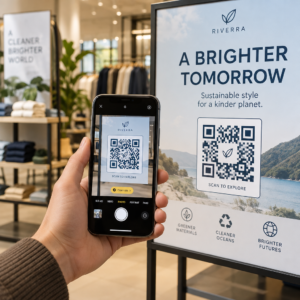
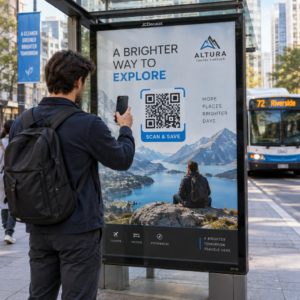
¿Quieres hacer crecer tu lista de correo electrónico a partir de carteles, empaques o eventos presenciales, pero no sabes cómo llevar a la gente de un punto de contacto físico a un formulario de registro? La brecha entre la presencia offline y los suscriptores online te cuesta clientes potenciales reales. Esta página te muestra exactamente cómo cerrar esa brecha usando códigos QR.
Por qué los códigos QR funcionan para la recopilación de correos electrónicos
El marketing por correo electrónico devuelve un promedio de $36 por cada $1 gastado, pero ese retorno solo se materializa si realmente puedes conseguir que la gente se una a tu lista. El desafío para las empresas que utilizan materiales impresos, eventos o ubicaciones físicas es que no hay una forma sin fricciones de dirigir a alguien de un folleto a un formulario de registro. Escribir una URL es una barrera con la que la mayoría de la gente no se molestará.
Un código QR elimina esa barrera por completo. Un solo escaneo envía a alguien directamente a tu formulario de registro, precargado y listo para completar en su teléfono. Con el uso de códigos QR en EE. UU. proyectado para alcanzar los 99.5 millones de usuarios, esto ya no es una táctica de nicho, es un canal principal para el crecimiento de listas.
Hay dos enfoques principales:
- Enlazar a un formulario de registro – Dirige el código QR a una página de destino o formulario (Mailchimp, Mailerlite, Google Forms, etc.) donde los visitantes ingresan su dirección de correo electrónico
- Prellenar una acción de correo electrónico – Usa un código QR de correo electrónico para abrir la aplicación de correo del usuario con un mensaje preescrito, de modo que simplemente pulsen enviar para contactarte o suscribirse
Ambos métodos son legítimos. Tu elección depende de si deseas datos de formulario estructurados o un simple punto de contacto por correo electrónico.
Crea un código QR para registros de correo electrónico Use el Generador de códigos QR de enlace de Pageloot para convertir cualquier URL de formulario de registro en un código escaneable en segundos, sin necesidad de conocimientos técnicos.
Cómo configurar un código QR para suscribirse por correo electrónico
Decide qué estás recopilando
Antes de generar cualquier cosa, define lo que necesitas. Una dirección de correo electrónico por sí sola mantiene el registro rápido y las tasas de conversión altas. Añadir un nombre permite la personalización en las campañas. Cada campo adicional que requieras reduce el porcentaje de personas que lo completan, así que mantén el formulario tan corto como lo permita tu caso de uso.
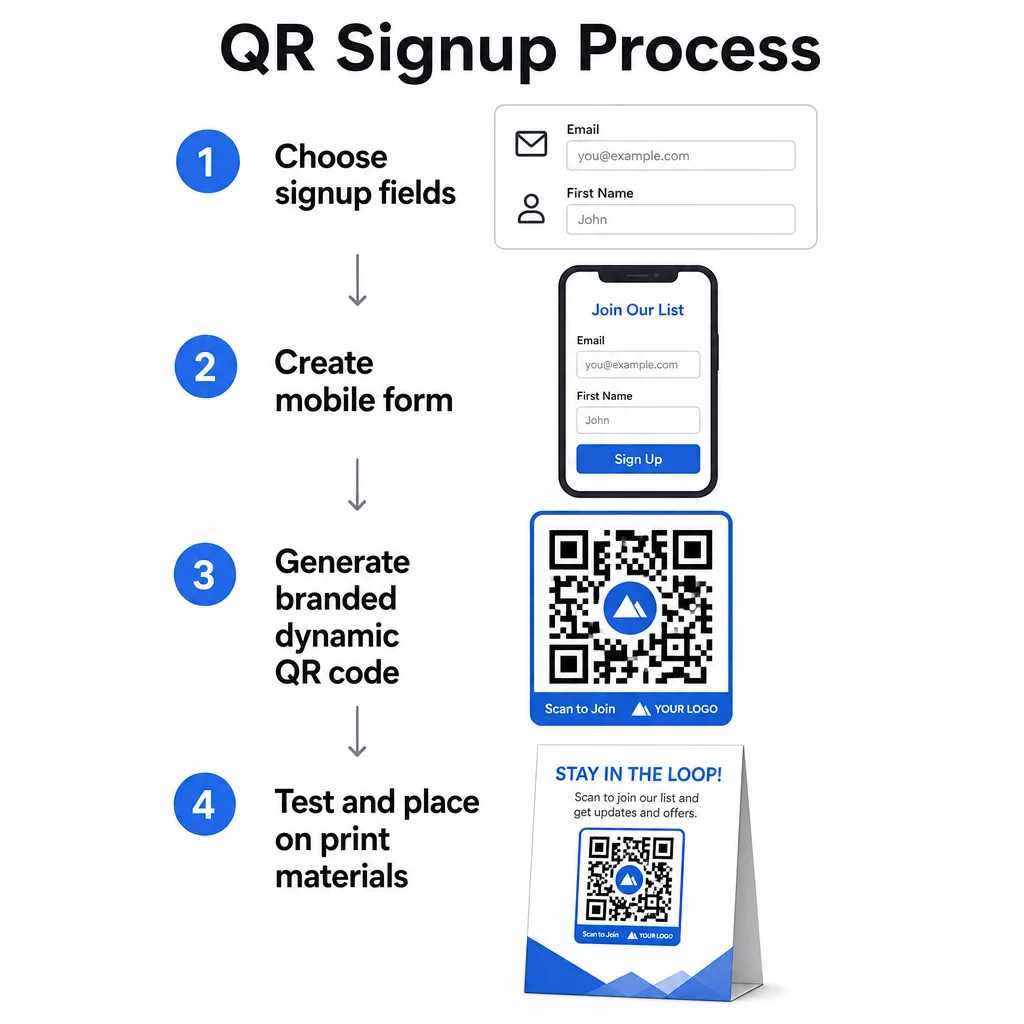
Crea o Elige Tu Formulario de Registro
Necesitas una URL a la que apunte tu código QR. Las opciones incluyen:
- Una página de destino de tu plataforma de email (Mailchimp, Klaviyo, ConvertKit, etc.)
- UNA Google Forms configurada para recopilar direcciones de correo electrónico
- Uno personalizado página de destino de código QR creado dentro de Pageloot, que te permite combinar un enlace de registro con otro contenido relevante en una única página de marca y optimizada para móviles
Asegúrate de que la página de destino se cargue rápidamente en dispositivos móviles y tenga una única acción clara para que el visitante la realice. Para conocer las mejores prácticas sobre cómo crear páginas optimizadas para móviles que conviertan, consulta mejores prácticas para páginas de destino de códigos QR móviles.
Genera tu código QR
Pega la URL de tu formulario de registro en el generador de códigos QR de Pageloot. El generador crea un código escaneable al instante. Desde aquí puedes:
- Añade tu logotipo y los colores de tu marca
- Aplica un marco de llamada a la acción (por ejemplo, “Escanea para suscribirte”)
- Descarga en formatos listos para imprimir, incluyendo PNG, PDF, SVG y EPS
Usa un código QR dinámico en lugar de uno estático. Los códigos dinámicos te permiten cambiar la URL de destino después de que el código ya haya sido impreso o desplegado, por lo que si la URL de tu formulario de registro cambia, actualizas el enlace en tu panel de control en lugar de reimprimir todos tus materiales. Los códigos dinámicos también desbloquean el seguimiento de escaneos.
Pruebe antes de implementar
Escanea el código en múltiples dispositivos – tanto iOS como Android – antes de imprimir. Confirma que el formulario se carga correctamente, que los campos funcionan y que el botón de envío es funcional. Realizar pruebas en las condiciones de iluminación reales y a la distancia real donde aparecerá el código (en un póster, embalaje, tarjeta de mesa, etc.) previene problemas después de que los materiales ya estén distribuidos. Para obtener orientación sobre la ubicación, el guía definitiva para la colocación de códigos QR en marketing cubre en detalle las consideraciones de tamaño, posición y entorno.
Mejores prácticas para la recopilación de correos electrónicos con códigos QR
Escribe una llamada a la acción específica. “Escanear para suscribirse” no le dice nada a la gente. “Escanee para obtener un 15% de descuento en su primer pedido” o “Escanee para unirse a nuestra lista de ofertas semanales” explica exactamente lo que obtendrán. Cuanto más concreto sea el beneficio, mayor será la tasa de escaneo.
Ofrezca algo a cambio. Un descuento, un recurso descargable, acceso anticipado o contenido exclusivo le da a la gente una razón para entregar su dirección de correo electrónico. Sin un incentivo, la mayoría de los transeúntes no tienen motivación para detenerse y escanear.
Mantenga la página de destino enfocada. Una vez que alguien escanea, la página a la que llega debe tener un solo trabajo: recopilar la dirección de correo electrónico. Evite los menús de navegación, los enlaces no relacionados o los elementos que distraigan. Un solo titular, una breve declaración de valor y un campo de formulario con un botón de envío es a menudo todo lo que necesita.
Sea transparente sobre la privacidad. Dígale a la gente qué les enviará y con qué frecuencia. Enlace a su política de privacidad. Según la Ley CAN-SPAM, cada correo electrónico comercial debe incluir una dirección física válida y un mecanismo de cancelación de suscripción que funcione; asegúrese de que su plataforma de correo electrónico lo gestione automáticamente.
Coloque el código donde la gente tenga un momento para detenerse. Los códigos QR en señalización de movimiento rápido o en entornos con poca luz son ignorados. Las buenas ubicaciones incluyen mostradores de pago, carteles de mesa, empaques de productos, programas de eventos y folletos impresos. A la altura de los ojos (aproximadamente de 3.5 a 5.5 pies) y un fondo tranquilo y despejado mejoran las tasas de escaneo.
Rastree qué ubicaciones generan la mayor cantidad de registros Con Seguimiento de códigos QR de Pageloot, puede monitorear el volumen de escaneos, la ubicación, el tipo de dispositivo y la hora del día, para que sepa qué materiales están realmente convirtiendo y dónde invertir más.
Pros y Contras de los Registros con Código QR
| Ventaja | Inconveniente Potencial | Solución |
|---|---|---|
| No se requiere escribir la URL manualmente | Los dispositivos más antiguos pueden carecer de un escáner incorporado | Proporcione una alternativa de URL corta debajo del código |
| Funciona de forma natural en dispositivos móviles | El propósito puede no estar claro sin contexto | Utilice un marco de CTA claro alrededor del código |
| Sin contacto y conveniente | Algunos usuarios desconfían de los códigos QR desconocidos | Muestre su URL y política de privacidad junto con el código |
| Rastreable con códigos dinámicos | Los códigos estáticos no se pueden actualizar si la URL del formulario cambia | Utilice siempre códigos QR dinámicos para las campañas |
Conectando el correo electrónico y los canales fuera de línea
Los códigos QR son más efectivos cuando forman parte de una estrategia deliberada que conecta su marketing físico y digital. Un código en un inserto de producto puede hacer crecer su lista a partir de clientes que ya compraron algo. Un código en un stand de eventos puede capturar clientes potenciales que de otro modo nunca encontrarían su formulario de registro. Un código en una pieza de correo directo ofrece a los destinatarios una ruta instantánea para optar por participar.
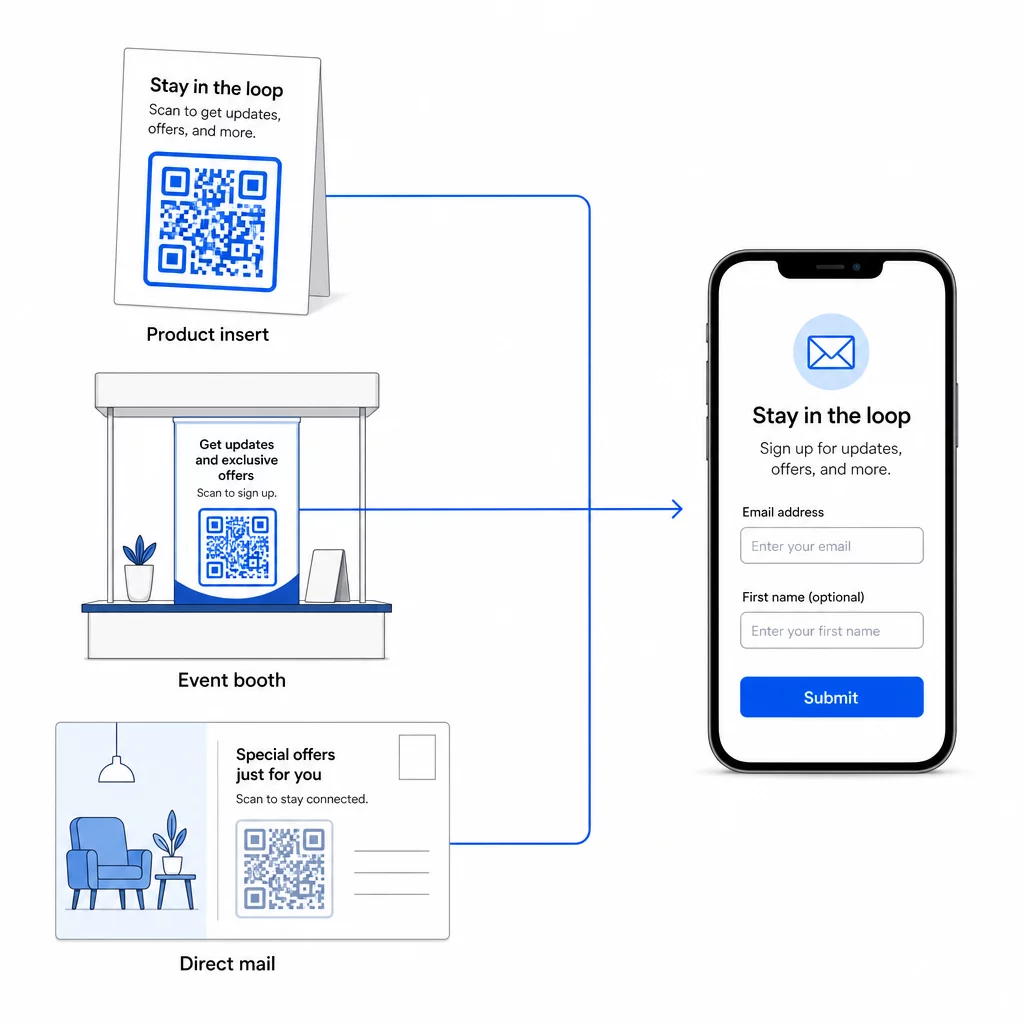
Para una visión más amplia de cómo los códigos QR conectan estos canales, consulte cómo los códigos QR conectan las redes sociales y el correo electrónico y cómo usar códigos QR en marketing.
El principio fundamental es simple: cada punto de contacto físico que tiene su negocio es un punto potencial de adquisición de suscriptores. Un código QR es lo que hace posible esa conversión.
Empiece a recopilar correos electrónicos de materiales físicos Cree un código QR dinámico y rastreable vinculado a su formulario de registro usando el Generador de códigos QR de Pageloot. Prueba gratuita de 14 días – no se requiere tarjeta de crédito.
Preguntas frecuentes
Un código QR de correo electrónico abre la aplicación de correo del usuario con un mensaje prellenado – el destinatario, el asunto y el cuerpo ya están completados, y el usuario simplemente toca enviar. Un código QR de formulario de registro enlaza a una página web donde el usuario introduce su dirección de correo electrónico directamente en un formulario. Utilice el enfoque de QR de correo electrónico para flujos de contacto o consulta simples, y el enfoque de formulario cuando desee añadir suscriptores a una lista de marketing por correo electrónico automáticamente.
No, si usa un código QR dinámico. Los códigos dinámicos almacenan el destino en un enlace de redirección que puede actualizar en su panel de control de Pageloot en cualquier momento. El código impreso en sí no cambia, solo el destino al que apunta. Esto es especialmente útil para campañas donde los materiales ya están impresos o distribuidos.
Sí, con un código QR dinámico puede rastrear el total de escaneos, escaneos únicos, ubicación del escaneo, tipo de dispositivo y hora del día. El panel de control de Pageloot muestra estos datos en tiempo real, para que pueda comparar el rendimiento entre diferentes ubicaciones o campañas y optimizar en consecuencia. Obtenga más información sobre el seguimiento de escaneos de códigos QR y análisis.