Želite povečati svoj seznam e-poštnih naslovov s plakatov, embalaže ali dogodkov v živo – vendar ne veste, kako ljudi iz fizične točke stika pripeljati do obrazca za prijavo? Vrzel med prisotnostjo brez povezave in spletnimi naročniki vas stane resnične potencialne stranke. Ta stran vam natančno pokaže, kako premostiti to vrzel z uporabo QR kod.
Zakaj QR kode delujejo za zbiranje e-poštnih naslovov
E-poštni marketing prinaša povprečno 36 € za vsak porabljen 1 € – vendar se ta donos uresniči le, če lahko ljudi dejansko pridobite na svoj seznam. Izziv za podjetja, ki uporabljajo tiskovine, dogodke ali fizične lokacije, je, da ni brezhibnega načina, kako nekoga usmeriti z letaka na obrazec za prijavo. Vnašanje URL-ja je ovira, s katero se večina ljudi ne bo ukvarjala.
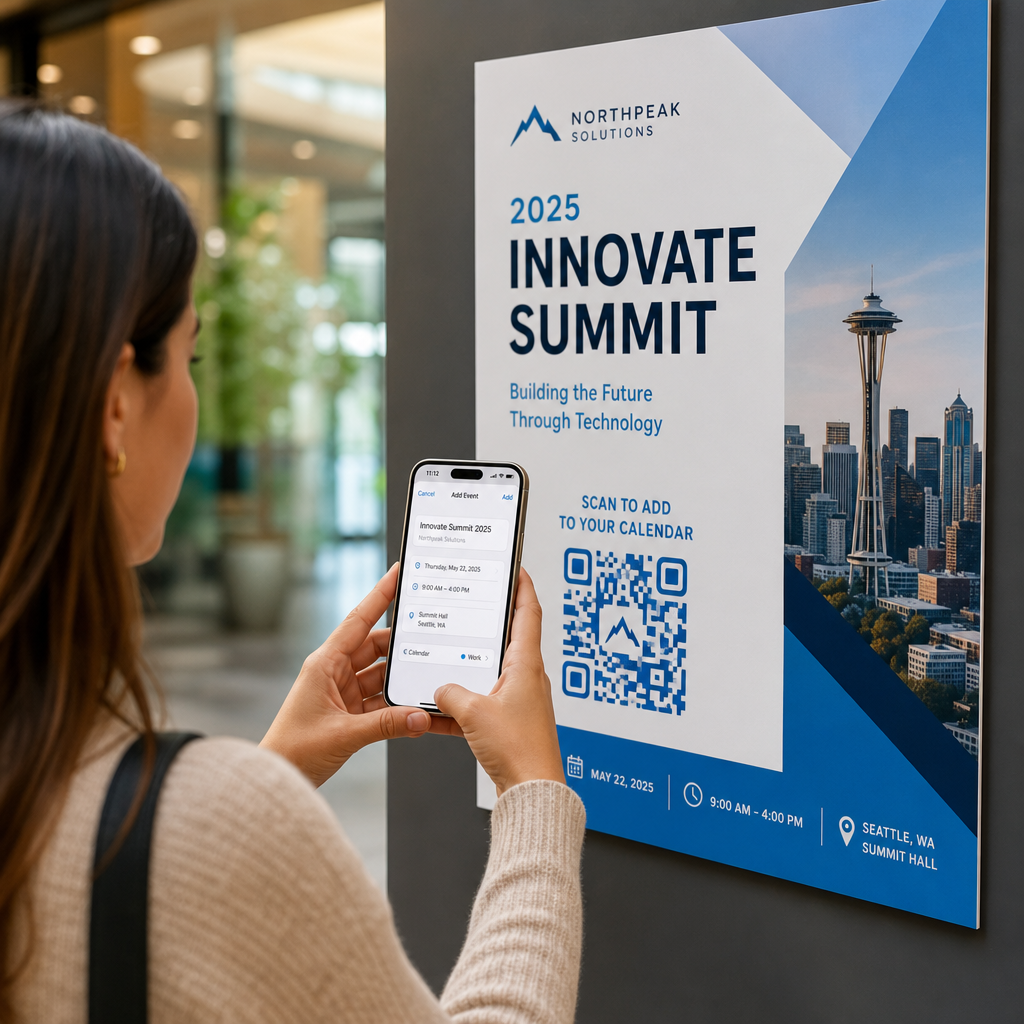
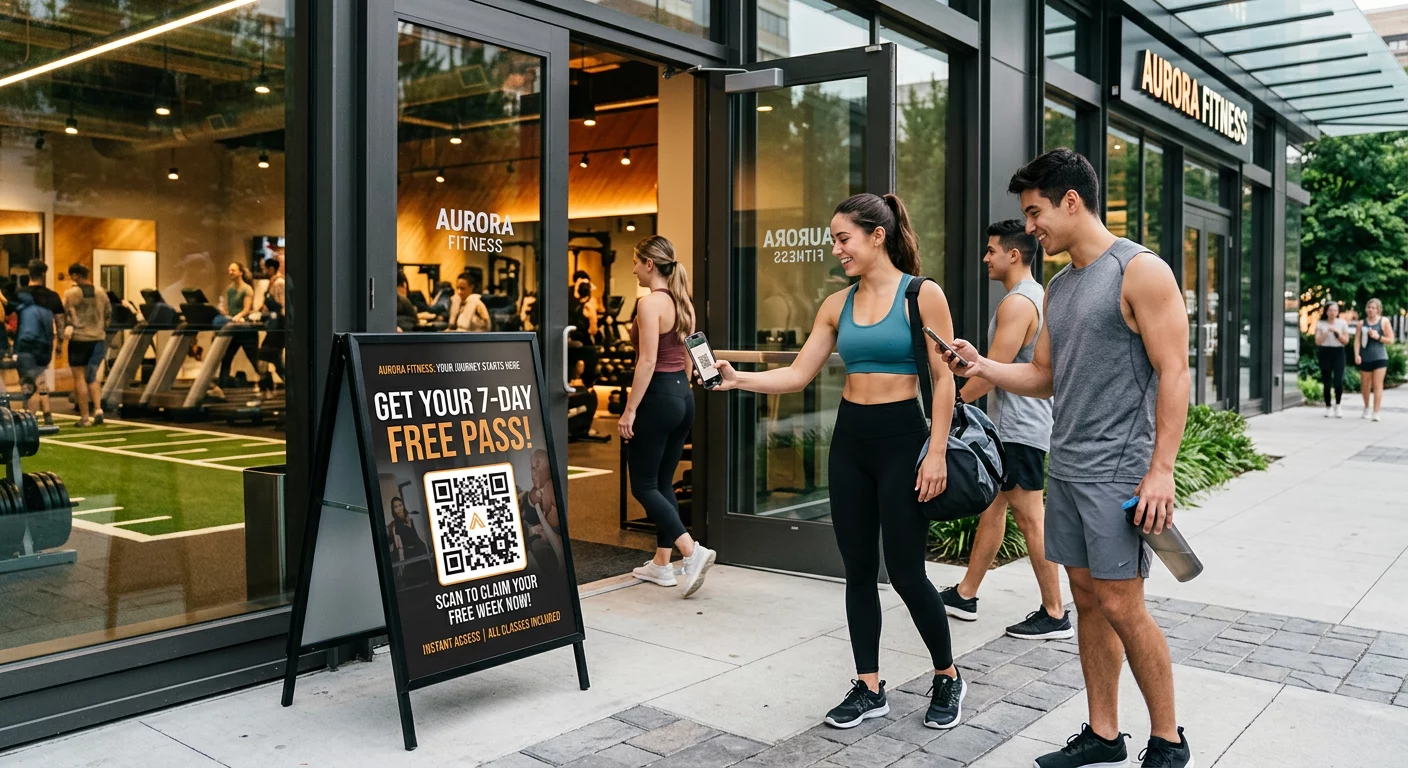
QR koda to oviro popolnoma odstrani. Eno skeniranje pošlje nekoga neposredno na vaš obrazec za prijavo, vnaprej naložen in pripravljen za izpolnjevanje na njihovem telefonu. Ker naj bi uporaba QR kod v ZDA dosegla 99,5 milijona uporabnikov, to ni več nišna taktika – je glavni kanal za rast seznama.
Obstajata dva glavna pristopa:
- Povezava do obrazca za prijavo – QR kodo usmerite na ciljno stran ali obrazec (Mailchimp, Mailerlite, Google Forms itd.), kjer obiskovalci vnesejo svoj e-poštni naslov
- Vnaprej izpolnite e-poštno dejanje – Uporabite QR kodo za e-pošto za odprtje uporabnikove e-poštne aplikacije z vnaprej napisanim sporočilom, tako da preprosto pritisnejo pošlji, da vas kontaktirajo ali se prijavijo
Obe metodi sta legitimni. Vaša izbira je odvisna od tega, ali želite strukturirane podatke iz obrazca ali preprosto e-poštno točko stika.
Ustvarite QR kodo za prijave na e-pošto Uporabi Pageloot Generator QR kod za povezave da v nekaj sekundah spremenite kateri koli URL obrazca za prijavo v kodo, ki jo je mogoče skenirati – tehnično znanje ni potrebno.
Kako nastaviti kodo QR za prijavo v e-pošto
Odločite se, kaj zbirate
Preden karkoli ustvarite, določite, kaj potrebujete. Samo e-poštni naslov ohranja hitro prijavo in visoke stopnje konverzije. Dodajanje imena omogoča personalizacijo v kampanjah. Vsako dodatno polje, ki ga zahtevate, zmanjša odstotek ljudi, ki ga izpolnijo, zato naj bo obrazec čim krajši, kot to dopušča vaš primer uporabe.
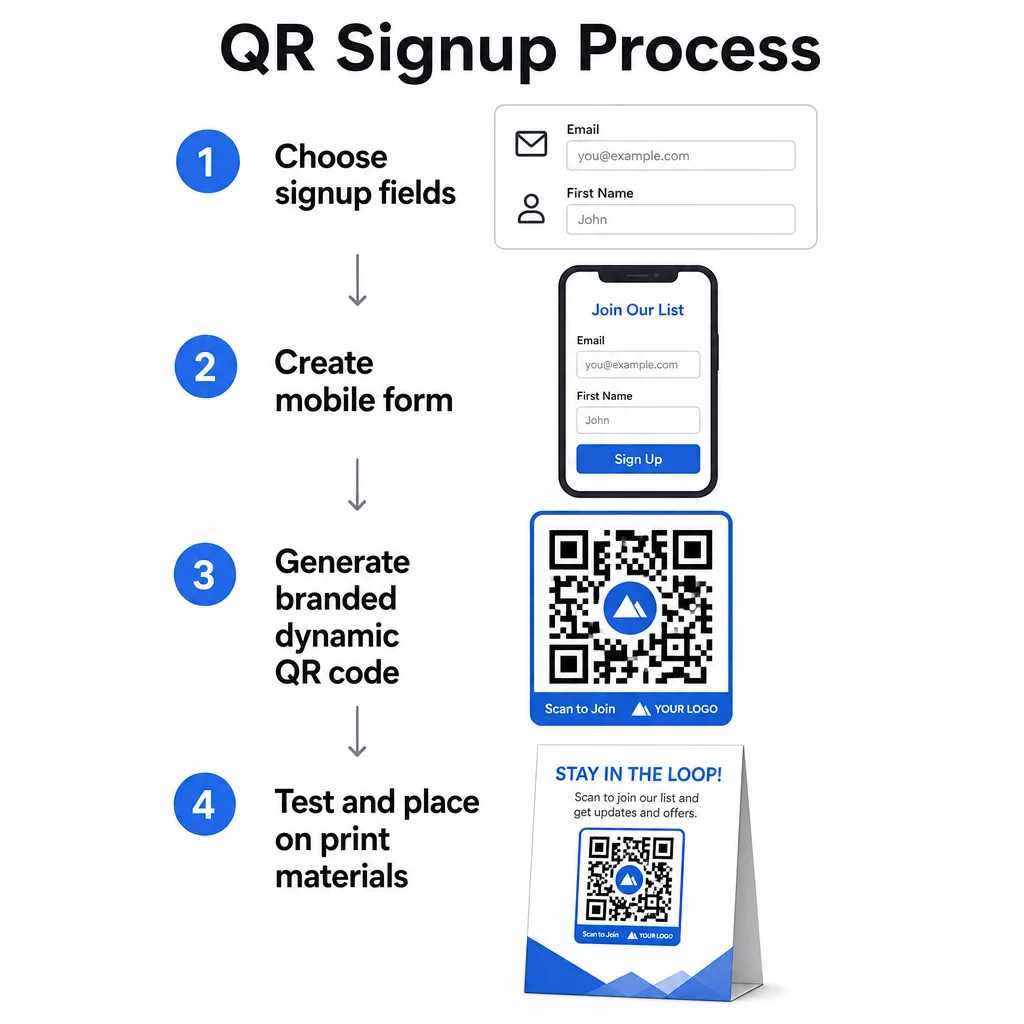
Ustvarite ali izberite svoj obrazec za prijavo
Potrebujete URL, na katerega bo kazala vaša QR koda. Možnosti vključujejo:
- Pristajalno stran z vaše e-poštne platforme (Mailchimp, Klaviyo, ConvertKit itd.)
- A Google obrazec konfigurirano za zbiranje e-poštnih naslovov
- Po meri ciljna stran QR kode zgrajeno znotraj Pageloota, ki vam omogoča, da združite povezavo za prijavo z drugo relevantno vsebino na eni sami blagovni znamki, mobilnim prijazni strani
Prepustite se, da se ciljna stran hitro naloži na mobilnih napravah in ima eno samo, jasno dejanje, ki ga obiskovalec lahko izvede. Za najboljše prakse pri gradnji mobilno optimiziranih strani, ki konvertirajo, glejte najboljše prakse za pristajalne strani mobilnih QR kod.
Ustvarite kodo QR
Prilepite URL vašega obrazca za prijavo v Generator QR kod Pageloot. Generator takoj ustvari kodo, ki jo je mogoče skenirati. Od tu lahko:
- Dodajte logotip in barve blagovne znamke
- Uporabite okvir s pozivom k dejanju (npr. “Skeniraj za naročilo”)
- Prenesite v formatih, pripravljenih za tisk, vključno s PNG, PDF, SVG in EPS
Uporabite dinamično QR kodo namesto statične. Dinamične kode vam omogočajo, da spremenite ciljni URL, potem ko je koda že natisnjena ali nameščena – torej, če se URL vašega obrazca za prijavo spremeni, posodobite povezavo na svoji nadzorni plošči, namesto da ponovno tiskate vse svoje materiale. Dinamične kode omogočajo tudi sledenje skeniranj.
Preizkusite pred uvedbo
Skenirajte kodo na več napravah – tako iOS kot Android – pred tiskanjem. Potrdite, da se obrazec pravilno naloži, da polja delujejo in da je gumb za oddajo funkcionalen. Testiranje v dejanskih svetlobnih pogojih in na dejanski razdalji, kjer se bo koda pojavila (na plakatu, embalaži, namizni kartici itd.), preprečuje težave po tem, ko so materiali že razdeljeni. Za navodila glede postavitve, ultimativni vodnik za postavitev QR kode v marketingu podrobno zajema velikost, položaj in okoljske dejavnike.
Najboljše prakse za zbiranje e-pošte s QR kodo
Napišite specifičen poziv k dejanju. “Skeniraj za naročilo” ljudem ne pove ničesar. “Skeniraj za 15 % popusta na prvo naročilo” ali “Skeniraj za pridružitev našemu seznamu tedenskih ponudb” natančno pojasni, kaj dobijo. Bolj kot je korist konkretna, višja je stopnja skeniranja.
Ponudite nekaj v zameno. Popust, vir za prenos, zgodnji dostop ali ekskluzivna vsebina ljudem dajejo razlog, da posredujejo svoj e-poštni naslov. Brez spodbude večina mimoidočih nima motivacije, da bi se ustavila in skenirala.
Naj bo ciljna stran osredotočena. Ko nekdo skenira, naj ima stran, na katero pristane, eno nalogo: zbrati e-poštni naslov. Izogibajte se navigacijskim menijem, nepovezanim povezavam ali motečim elementom. Enoten naslov, kratka izjava o vrednosti in polje obrazca z gumbom za oddajo so pogosto vse, kar potrebujete.
Bodite transparentni glede zasebnosti. Povejte ljudem, kaj jim boste pošiljali in kako pogosto. Povežite se s svojo politiko zasebnosti. V skladu z zakonom CAN-SPAM mora vsako komercialno e-poštno sporočilo vsebovati veljaven fizični naslov in delujoč mehanizem za odjavo – poskrbite, da vaša e-poštna platforma to obravnava samodejno.
Kodo postavite tja, kjer imajo ljudje trenutek, da se ustavijo. QR kode na hitro premikajočih se napisih ali v slabo osvetljenih okoljih so prezrte. Dobre lokacije vključujejo blagajne, namizne šotore, embalažo izdelkov, programske liste dogodkov in tiskane letake. Višina oči (približno 1 do 1,7 metra) in mirno, neobremenjeno ozadje izboljšata stopnjo skeniranja.
Spremljajte, katere lokacije prinašajo največ prijav S Sledenje QR kodam Pageloot, lahko spremljate obseg skeniranja, lokacijo, vrsto naprave in čas dneva – tako veste, kateri materiali dejansko prinašajo konverzije in kam vložiti več.
Prednosti in slabosti prijav s QR kodo
| Prednost | Potencialna slabost | Rešitev |
|---|---|---|
| Ročno vnašanje URL-ja ni potrebno | Starejše naprave morda nimajo vgrajenega skenerja | Pod kodo navedite kratko alternativo URL-ja |
| Naravno deluje na mobilnih napravah | Namen je lahko nejasen brez konteksta | Okoli kode uporabite jasen okvir CTA |
| Brezstično in priročno | Nekateri uporabniki ne zaupajo neznanim QR kodam | Zraven prikažite svoj URL in politiko zasebnosti |
| Sledljivo z dinamičnimi kodami | Statičnih kod ni mogoče posodobiti, če se URL obrazca spremeni | Za kampanje vedno uporabite dinamične QR kode |
Povezovanje e-pošte in kanalov brez povezave
QR kode so najučinkovitejše, ko so del premišljene strategije, ki povezuje vaše fizično in digitalno trženje. Koda na vložku izdelka lahko poveča vaš seznam strank, ki so že nekaj kupile. Koda na stojnici dogodka lahko zajame potencialne stranke, ki sicer nikoli ne bi našle vašega obrazca za prijavo. Koda v kosu neposredne pošte daje prejemnikom takojšnjo pot do prijave.
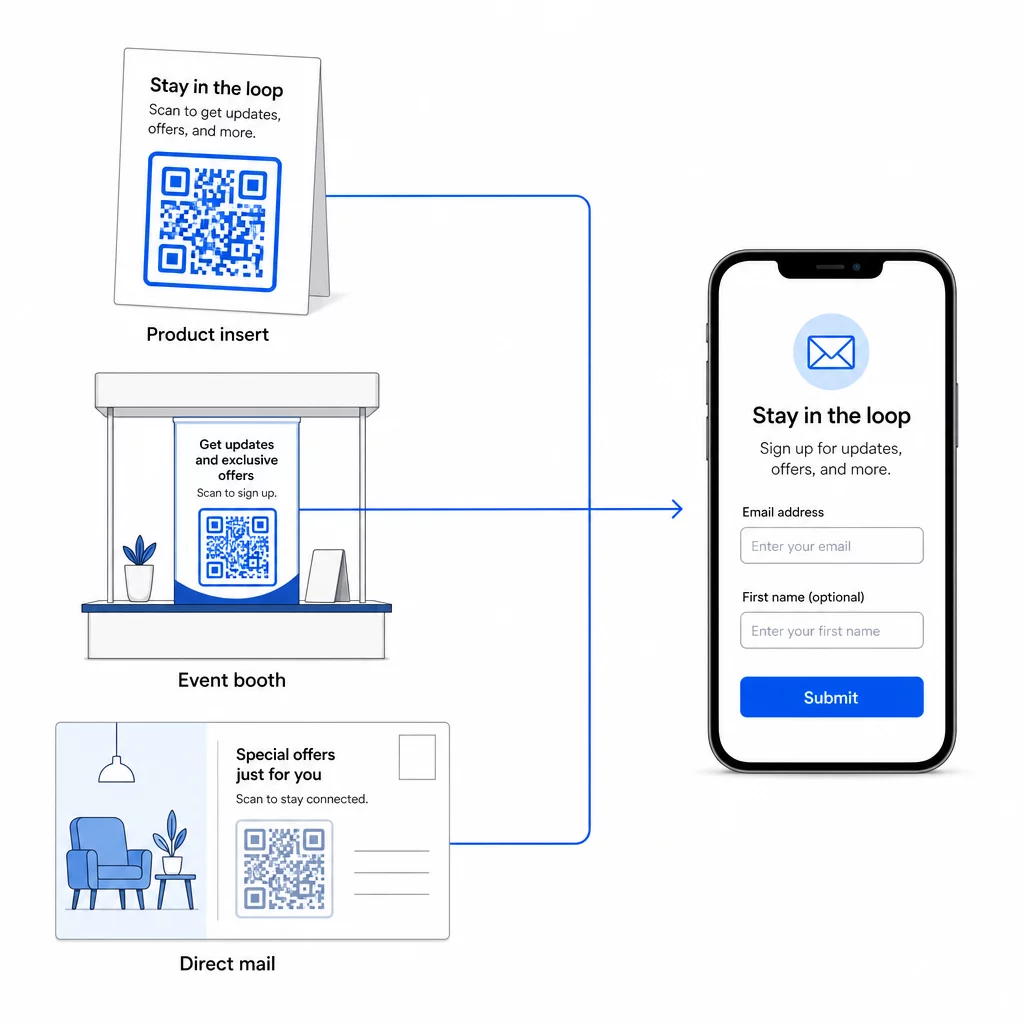
Za širši vpogled v to, kako QR kode povezujejo te kanale, glejte kako QR kode povezujejo družabna omrežja in e-pošto in kako uporabljati QR kode v marketingu.
Osnovno načelo je preprosto: vsaka fizična stična točka vašega podjetja je potencialna točka za pridobivanje naročnikov. QR koda je tisto, kar omogoča to konverzijo.
Začnite zbirati e-poštne naslove iz fizičnih materialov Ustvarite dinamično QR kodo, ki jo je mogoče slediti in je povezana z vašim obrazcem za prijavo, z uporabo Generator QR kode Pageloot. Brezplačna 14-dnevna preizkusna doba – kreditna kartica ni potrebna.
Pogosta vprašanja
E-poštna QR koda odpre uporabnikovo e-poštno aplikacijo z vnaprej izpolnjenim sporočilom – prejemnik, zadeva in vsebina so že izpolnjeni, uporabnik pa preprosto tapne pošlji. QR koda za obrazec za prijavo se poveže na spletno stran, kjer uporabnik vnese svoj e-poštni naslov neposredno v obrazec. Pristop z e-poštno QR kodo uporabite za preproste stike ali povpraševanja, pristop z obrazcem pa, ko želite samodejno dodati naročnike na seznam za e-poštno trženje.
Ne, če uporabljate dinamično QR kodo. Dinamične kode shranijo destinacijo v preusmeritveno povezavo, ki jo lahko kadar koli posodobite na svoji nadzorni plošči Pageloot. Natisnjena koda se sama po sebi ne spremeni – spremeni se le destinacija, na katero kaže. To je še posebej uporabno za kampanje, kjer so materiali že natisnjeni ali razdeljeni.
Da, z dinamično QR kodo lahko spremljate skupno število skeniranj, edinstvena skeniranja, lokacijo skeniranja, vrsto naprave in čas dneva. Nadzorna plošča Pageloot prikazuje te podatke v realnem času, tako da lahko primerjate uspešnost med različnimi umestitvami ali kampanjami in ustrezno optimizirate. Izvedite več o sledenju skeniranj QR kod in analitiki.