Vuoi far crescere la tua lista email da poster, packaging o eventi di persona – ma non riesci a capire come portare le persone da un punto di contatto fisico a un modulo di iscrizione? Il divario tra presenza offline e abbonati online ti costa lead reali. Questa pagina ti mostra esattamente come colmare quel divario usando i codici QR.
Perché i codici QR funzionano per la raccolta di email
L'email marketing restituisce una media di $36 per ogni $1 speso – ma quel ritorno si materializza solo se riesci effettivamente a far entrare le persone nella tua lista. La sfida per le aziende che utilizzano materiali stampati, eventi o luoghi fisici è che non esiste un modo senza attriti per indirizzare qualcuno da un volantino a un modulo di iscrizione. Digitare un URL è una barriera con cui la maggior parte delle persone non si preoccuperà.
Un codice QR rimuove completamente quella barriera. Una scansione invia qualcuno direttamente al tuo modulo di iscrizione, precaricato e pronto per essere compilato sul proprio telefono. Con l'uso dei codici QR negli Stati Uniti che si prevede raggiungerà i 99,5 milioni di utenti, questa non è più una tattica di nicchia – è un canale mainstream per la crescita della lista.
Ci sono due approcci principali:
- Collega a un modulo di iscrizione – Punta il codice QR a una landing page o a un modulo (Mailchimp, Mailerlite, Google Forms, ecc.) dove i visitatori inseriscono il loro indirizzo email
- Precompila un'azione email – Usa un codice QR email per aprire l'app di posta dell'utente con un messaggio pre-scritto, in modo che debbano semplicemente premere invia per contattarti o iscriversi
Entrambi i metodi sono legittimi. La tua scelta dipende dal fatto che tu voglia dati di modulo strutturati o un semplice punto di contatto email.
Crea un codice QR per le iscrizioni via email Utilizzare il Generatore di codici QR Pageloot Link per trasformare qualsiasi URL di modulo di iscrizione in un codice scansionabile in pochi secondi – nessuna conoscenza tecnica richiesta.
Come impostare un codice QR per le iscrizioni via e-mail
Decidi cosa stai raccogliendo
Prima di generare qualsiasi cosa, definisci ciò di cui hai bisogno. Un indirizzo email da solo mantiene l'iscrizione veloce e i tassi di conversione elevati. L'aggiunta di un nome permette la personalizzazione nelle campagne. Ogni campo extra che richiedi riduce la percentuale di persone che lo completano, quindi mantieni il modulo il più breve possibile in base al tuo caso d'uso.
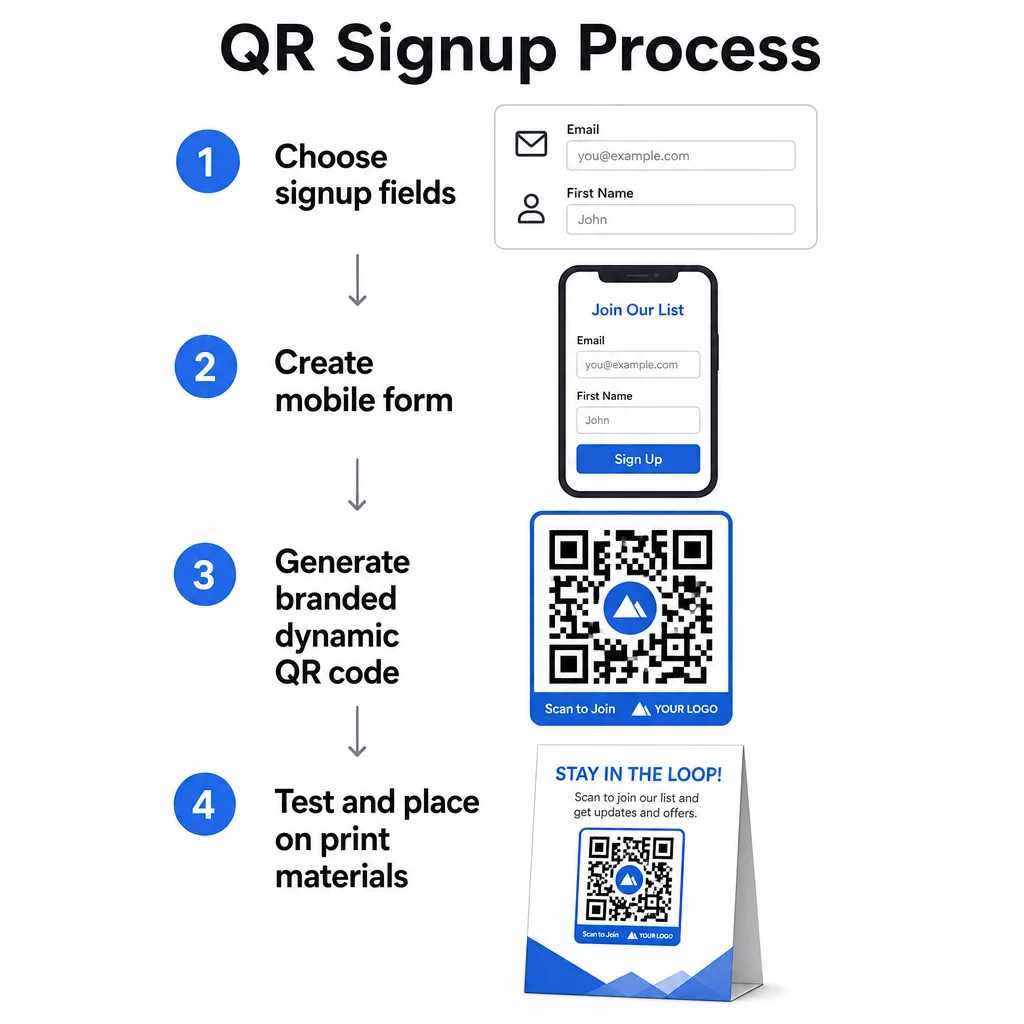
Creare o Scegliere il Tuo Modulo di Iscrizione
Hai bisogno di un URL a cui far puntare il tuo codice QR. Le opzioni includono:
- Una landing page dalla tua piattaforma di email marketing (Mailchimp, Klaviyo, ConvertKit, ecc.)
- UN Google Form configurata per raccogliere indirizzi email
- Un personalizzato pagina di destinazione con codice QR costruito all'interno di Pageloot, che ti permette di combinare un link di iscrizione con altri contenuti pertinenti in un'unica pagina brandizzata e ottimizzata per dispositivi mobili
Assicurati che la pagina di destinazione si carichi rapidamente su dispositivi mobili e abbia una singola, chiara azione da far compiere al visitatore. Per le migliori pratiche sulla creazione di pagine ottimizzate per dispositivi mobili che convertono, vedi migliori pratiche per le landing page di codici QR mobili.
Genera il tuo codice QR
Incolla l'URL del tuo modulo di iscrizione nel generatore di codici QR Pageloot. Il generatore crea un codice scansionabile istantaneamente. Da qui puoi:
- Aggiungi il tuo logo e i colori del brand
- Applicare una cornice con call-to-action (es. “Scansiona per iscriverti”)
- Scaricare in formati pronti per la stampa, inclusi PNG, PDF, SVG ed EPS
Usa un codice QR dinamico piuttosto che uno statico. I codici dinamici ti permettono di cambiare l'URL di destinazione dopo che il codice è già stato stampato o distribuito – quindi se l'URL del tuo modulo di iscrizione cambia, aggiorni il link nella tua dashboard invece di ristampare tutti i tuoi materiali. I codici dinamici sbloccano anche il tracciamento delle scansioni.
Testa prima di implementare
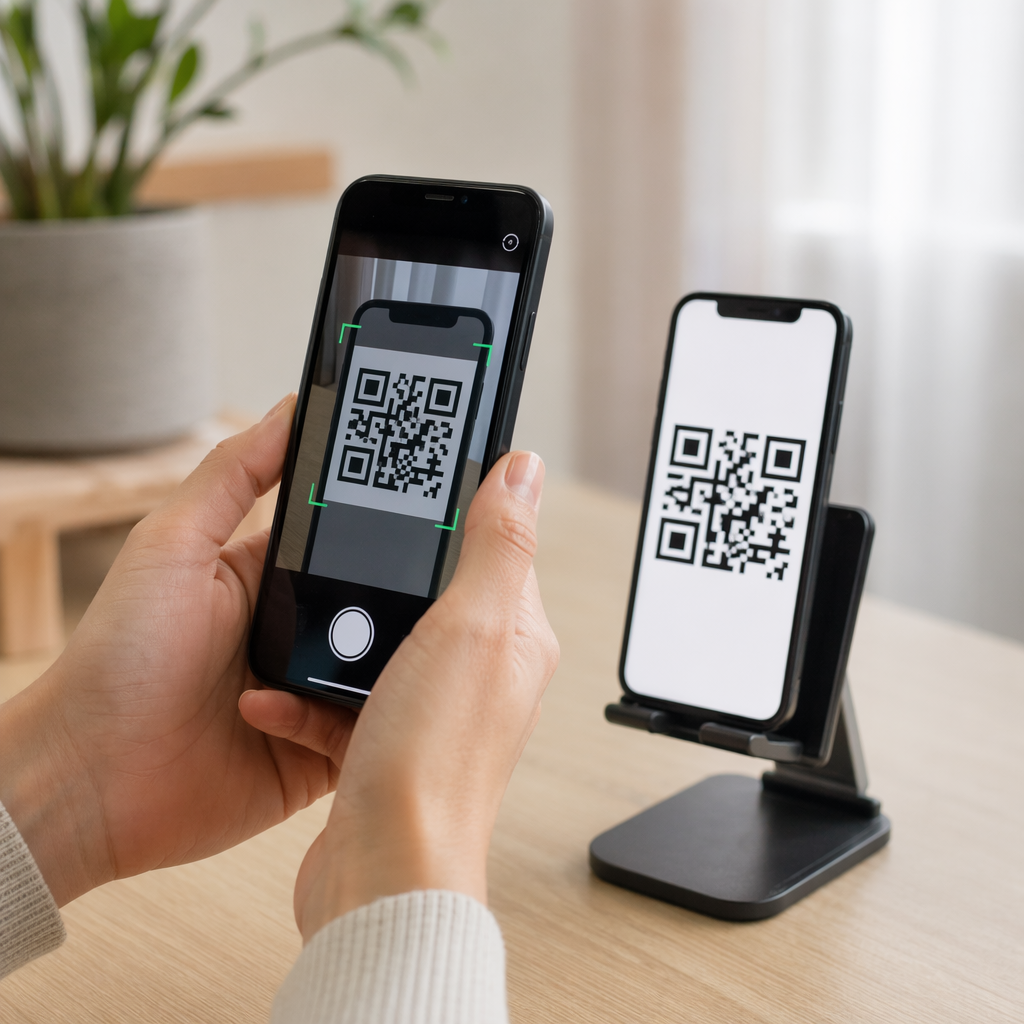
Scansiona il codice su più dispositivi – sia iOS che Android – prima di stampare. Conferma che il modulo si carichi correttamente, che i campi funzionino e che il pulsante di invio sia funzionale. Testare nelle condizioni di illuminazione reali e alla distanza effettiva in cui apparirà il codice (su un poster, un imballaggio, un segnaposto, ecc.) previene problemi dopo che i materiali sono già stati distribuiti. Per indicazioni sul posizionamento, il guida definitiva al posizionamento dei codici QR nel marketing copre in dettaglio le considerazioni su dimensioni, posizione e ambiente.
Migliori pratiche per la raccolta di email tramite codice QR
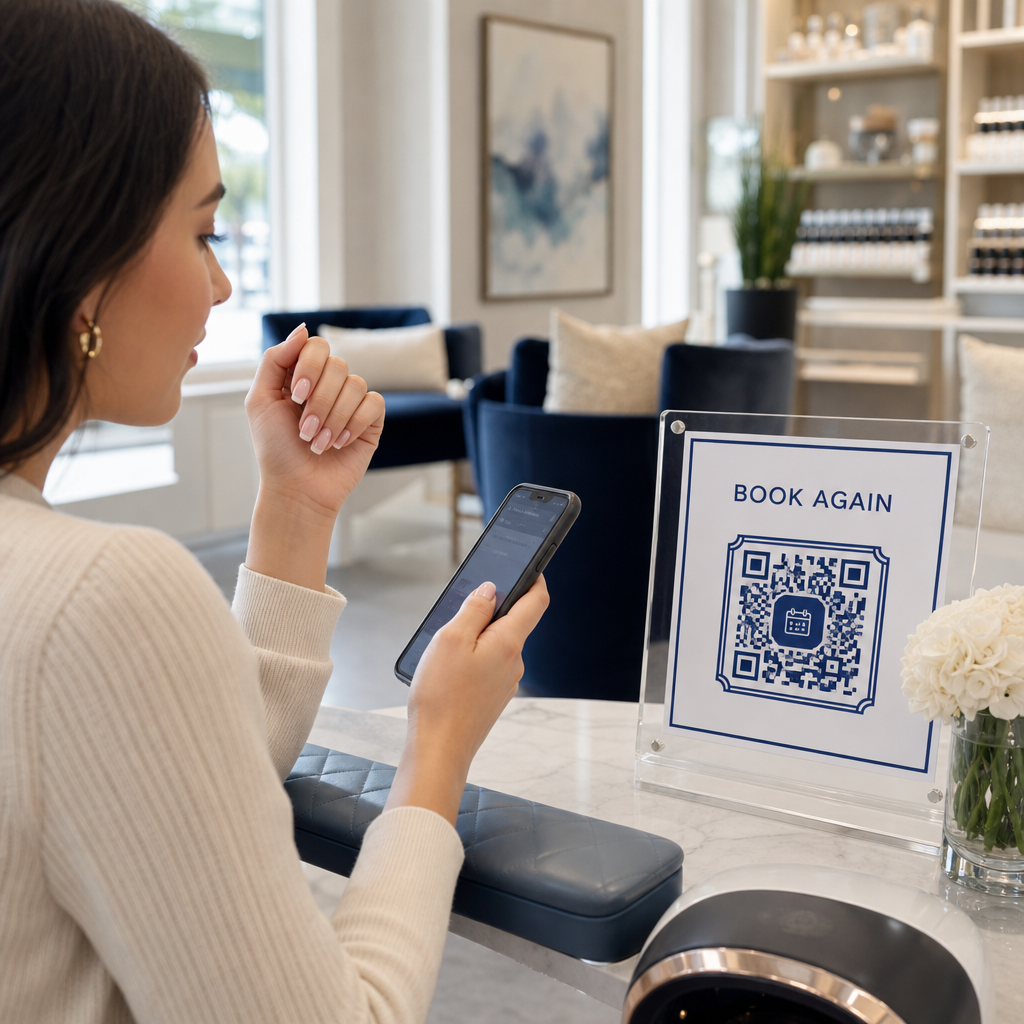
Scrivi una call to action specifica. “Scansiona per iscriverti” non dice nulla alle persone. “Scansiona per il 15% di sconto sul tuo primo ordine” o “Scansiona per unirti alla nostra lista di offerte settimanali” spiega esattamente cosa otterranno. Più concreto è il beneficio, maggiore è il tasso di scansione.
Offri qualcosa in cambio. Uno sconto, una risorsa scaricabile, l'accesso anticipato o contenuti esclusivi danno alle persone un motivo per fornire il loro indirizzo email. Senza un incentivo, la maggior parte dei passanti non ha alcuna motivazione per fermarsi e scansionare.
Mantieni la pagina di destinazione focalizzata. Una volta che qualcuno scansiona, la pagina su cui atterra dovrebbe avere un solo compito: raccogliere l'indirizzo email. Evita menu di navigazione, link non correlati o elementi che distraggono. Spesso tutto ciò di cui hai bisogno è un singolo titolo, una breve dichiarazione di valore e un campo modulo con un pulsante di invio.
Sii trasparente sulla privacy. Dì alle persone cosa invierai loro e con quale frequenza. Collega alla tua politica sulla privacy. Ai sensi del CAN-SPAM Act, ogni email commerciale deve includere un indirizzo fisico valido e un meccanismo di disiscrizione funzionante – assicurati che la tua piattaforma email gestisca questo automaticamente.
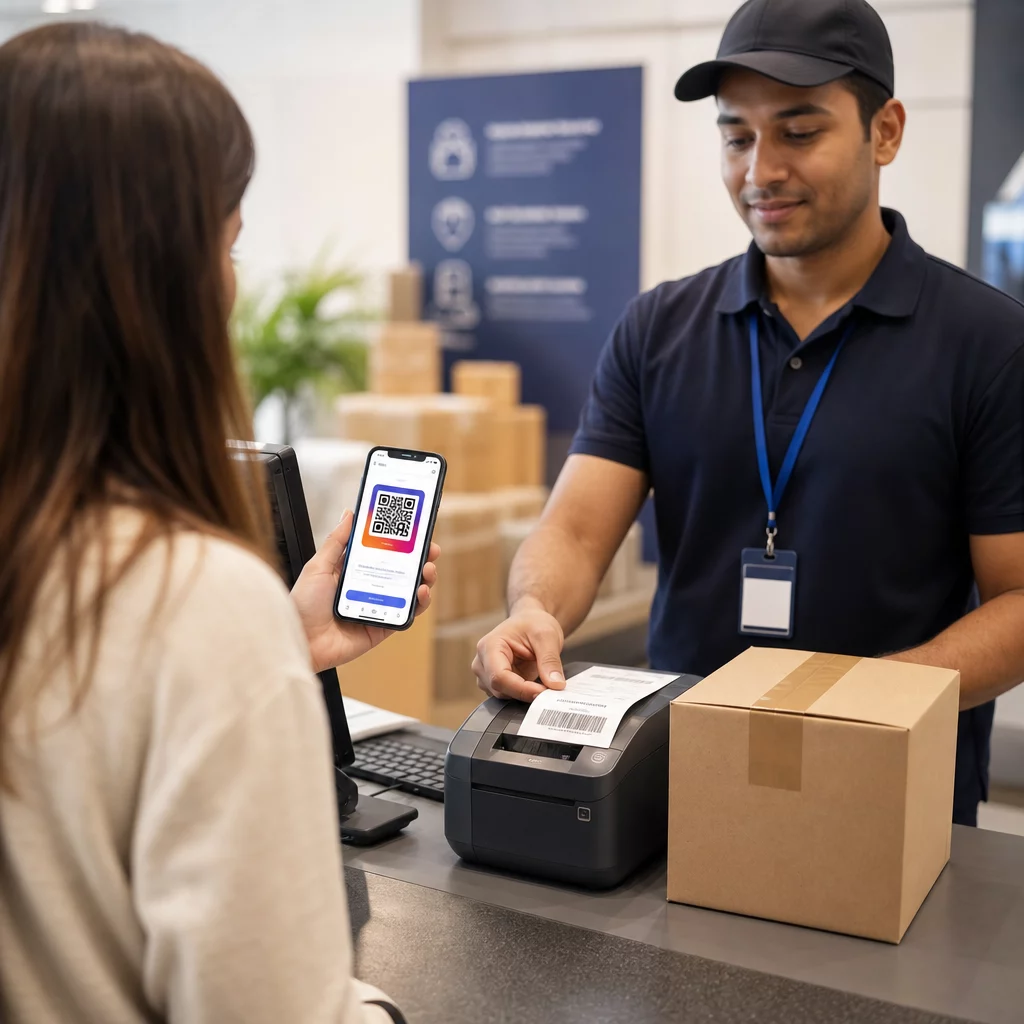
Posiziona il codice dove le persone hanno un momento per fermarsi. I codici QR su segnaletica in rapido movimento o in ambienti con poca luce vengono ignorati. I buoni posizionamenti includono banconi cassa, segnaposto da tavolo, imballaggi di prodotti, programmi di eventi e volantini stampati. L'altezza degli occhi (circa 1,05 a 1,65 metri) e uno sfondo tranquillo e ordinato migliorano i tassi di scansione.
Tieni traccia di quali posizionamenti generano il maggior numero di iscrizioni Con Il tracciamento dei codici QR di Pageloot, puoi monitorare il volume delle scansioni, la posizione, il tipo di dispositivo e l'ora del giorno – così sai quali materiali stanno effettivamente convertendo e dove investire di più.
Pro e contro delle iscrizioni tramite codice QR
| Vantaggio | Potenziale svantaggio | Soluzione |
|---|---|---|
| Nessuna digitazione manuale dell'URL richiesta | I dispositivi più vecchi potrebbero non avere uno scanner integrato | Fornire un'alternativa URL breve sotto il codice |
| Funziona naturalmente su mobile | Lo scopo potrebbe non essere chiaro senza contesto | Utilizzare una cornice CTA chiara attorno al codice |
| Senza contatto e conveniente | Alcuni utenti diffidano dei codici QR sconosciuti | Visualizzare il tuo URL e la politica sulla privacy accanto |
| Tracciabile con codici dinamici | I codici statici non possono essere aggiornati se l'URL del modulo cambia | Utilizzare sempre codici QR dinamici per le campagne |
Collegare e-mail e canali offline
I codici QR sono più efficaci quando fanno parte di una strategia deliberata che collega il tuo marketing fisico e digitale. Un codice su un inserto di prodotto può far crescere la tua lista da clienti che hanno già acquistato qualcosa. Un codice a uno stand di un evento può acquisire lead che altrimenti non troverebbero mai il tuo modulo di iscrizione. Un codice in un pezzo di direct mail offre ai destinatari un percorso istantaneo per l'opt-in.
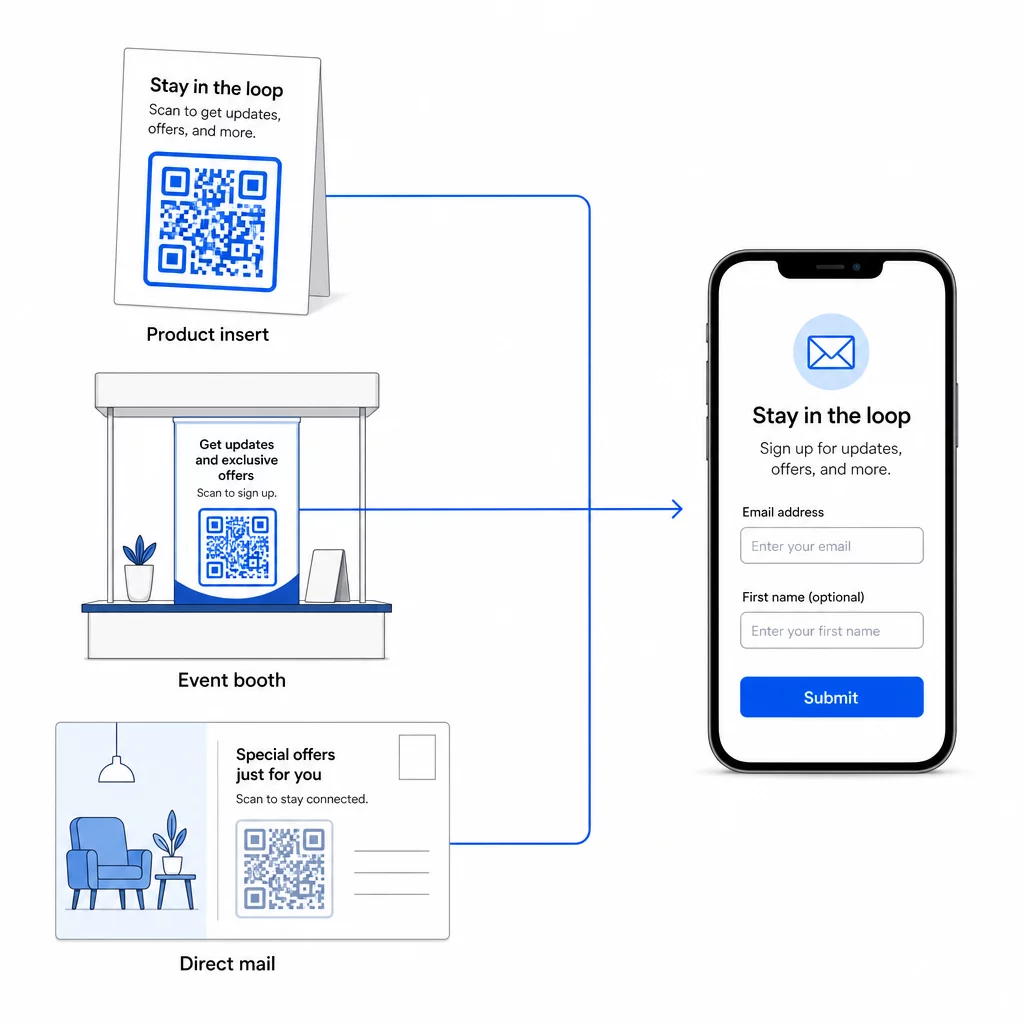
Per uno sguardo più ampio su come i codici QR collegano questi canali, vedi come i codici QR collegano social media ed e-mail e come usare i codici QR nel marketing.
Il principio fondamentale è semplice: ogni punto di contatto fisico che la tua attività ha è un potenziale punto di acquisizione di abbonati. Un codice QR è ciò che rende possibile quella conversione.
Inizia a raccogliere email da materiali fisici Crea un codice QR dinamico e tracciabile collegato al tuo modulo di iscrizione usando il Generatore di codici QR di Pageloot. Prova gratuita di 14 giorni – nessuna carta di credito richiesta.
Domande frequenti
Un codice QR email apre l'app di posta dell'utente con un messaggio precompilato – il destinatario, l'oggetto e il corpo sono già compilati, e l'utente deve semplicemente toccare invia. Un codice QR per modulo di iscrizione si collega a una pagina web dove l'utente inserisce il proprio indirizzo email direttamente in un modulo. Usa l'approccio del QR email per semplici flussi di contatto o richiesta, e l'approccio del modulo quando vuoi aggiungere automaticamente abbonati a una lista di email marketing.
Non se usi un codice QR dinamico. I codici dinamici memorizzano la destinazione in un link di reindirizzamento che puoi aggiornare nella tua dashboard Pageloot in qualsiasi momento. Il codice stampato stesso non cambia – solo la destinazione a cui punta. Questo è particolarmente utile per campagne in cui i materiali sono già stampati o distribuiti.
Sì, con un codice QR dinamico puoi tracciare il totale delle scansioni, le scansioni uniche, la posizione della scansione, il tipo di dispositivo e l'ora del giorno. La dashboard di Pageloot mostra questi dati in tempo reale, così puoi confrontare le prestazioni tra diverse posizioni o campagne e ottimizzare di conseguenza. Scopri di più sul tracciamento delle scansioni dei codici QR e sull'analisi.