¿Están los clientes omitiendo su proceso de registro de producto porque les parece demasiado trabajo? Las bajas tasas de registro significan datos de propiedad incompletos, respuestas de retirada más lentas y oportunidades perdidas para construir relaciones postventa. Esta página le muestra cómo los códigos QR eliminan esa fricción y convierten el registro en un escaneo rápido y sin interrupciones.
Por qué el registro tradicional de productos se queda corto
Las tarjetas de garantía en papel tienen una tasa de finalización notoriamente baja. Los clientes reciben una tarjeta, la guardan y rara vez la envían de vuelta. Incluso los formularios basados en la web mejoran las cosas solo ligeramente si los clientes tienen que escribir manualmente una URL larga o buscar en el empaque para encontrar un enlace de registro.
El resultado es una brecha de datos. Usted envía productos pero tiene poca visibilidad sobre quién los posee. Cuando surge un problema de seguridad o una retirada, la notificación directa se vuelve difícil o imposible. Para los fabricantes de productos duraderos para bebés o niños pequeños, esto no es solo un problema comercial – 16 CFR Parte 1130 requiere mantener registros de información de contacto del consumidor y exige una opción de registro electrónico específicamente porque la CPSC reconoce que las tasas de respuesta a las retiradas son un desafío documentado.
Incluso fuera de las categorías reguladas, el costo operativo de un registro bajo es real: el fraude de garantía es más difícil de detectar, las solicitudes de servicio son más difíciles de validar y los datos del ciclo de vida del producto permanecen escasos.
Cómo un código QR resuelve el problema del registro
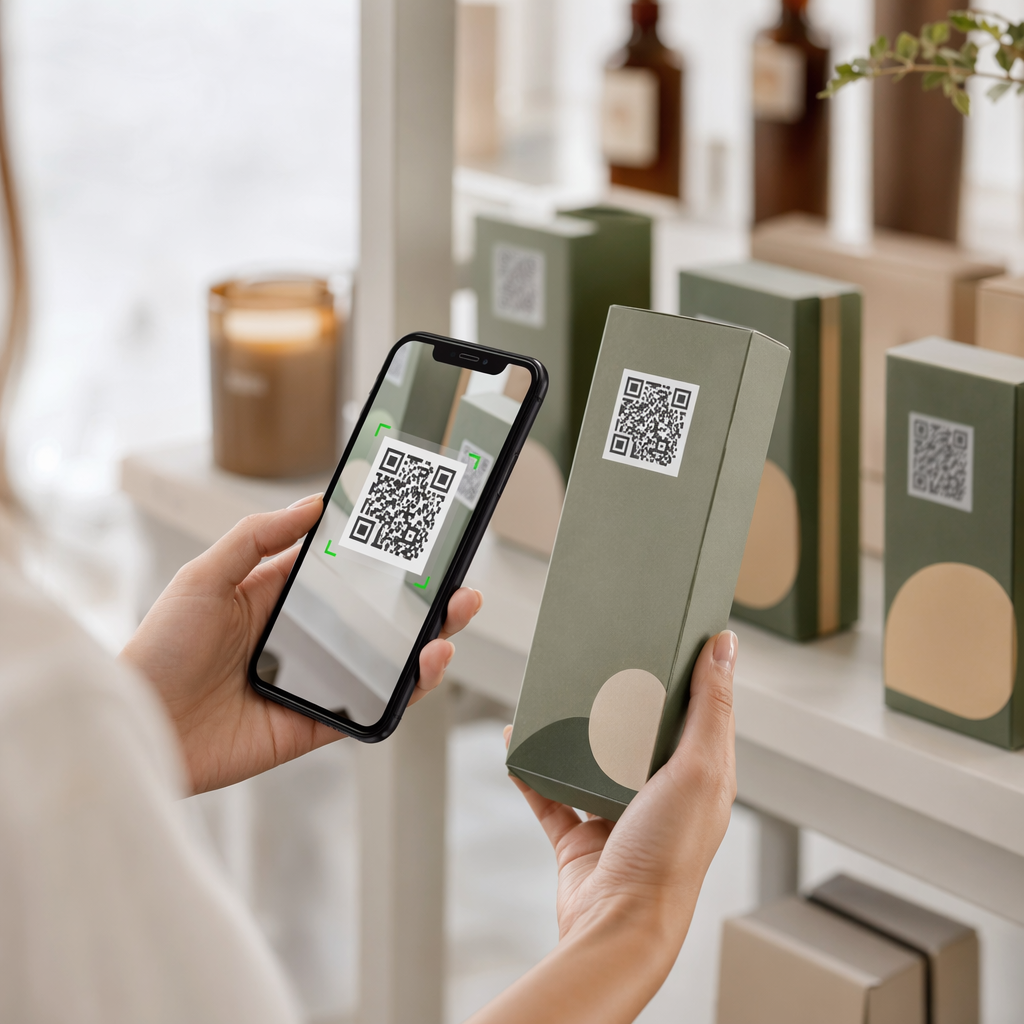
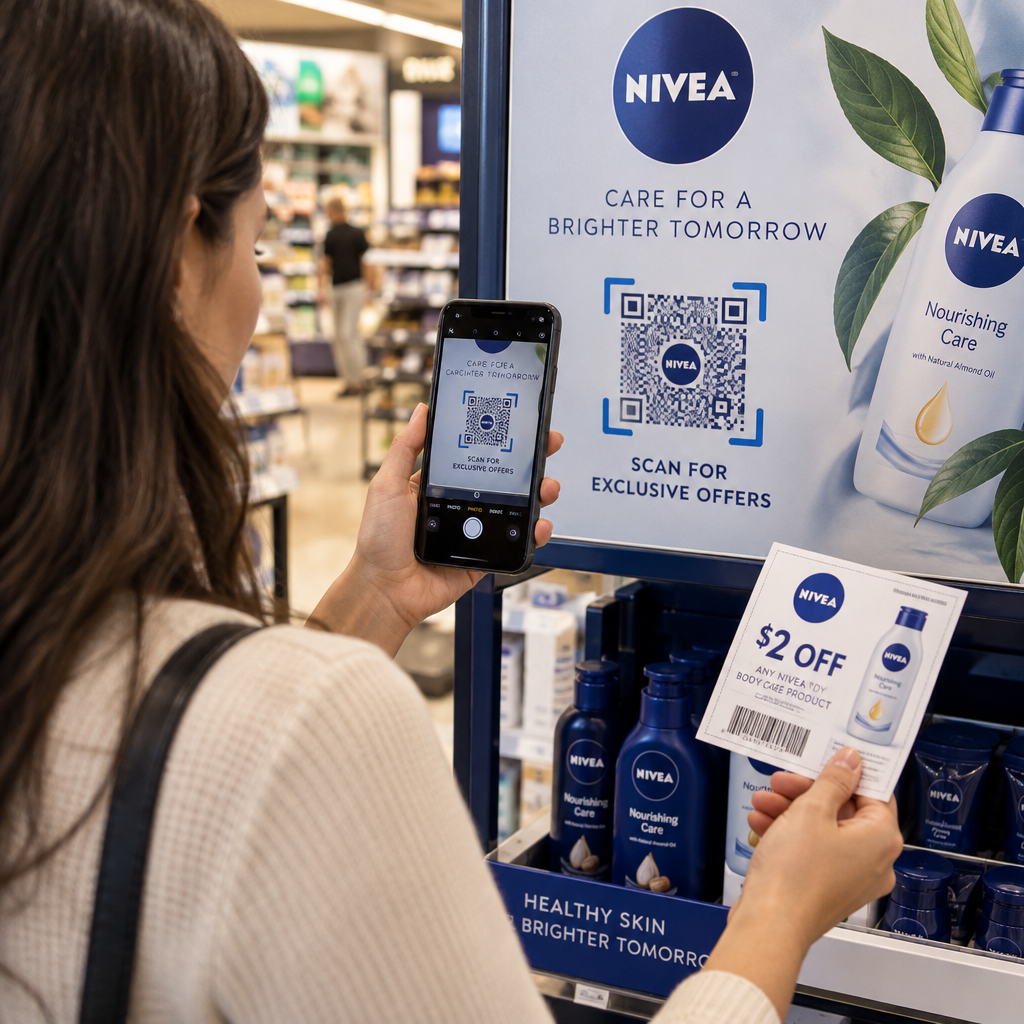
Un código QR impreso en el empaque, una tarjeta insertada o el producto mismo ofrece a los clientes un camino sin fricciones para registrarse. Abren la cámara de su teléfono, escanean el código y aterrizan directamente en un formulario de registro o una página de destino de marca, sin escribir, sin buscar, sin correo.
En el momento en que envían el formulario, usted recibe datos de propiedad estructurados: nombre, información de contacto, fecha de compra y cualquier campo personalizado que configure. Esa información se alimenta directamente a sus registros sin entrada manual de datos por ninguna de las partes.
Este enfoque se alinea con el cambio más amplio en el empaque de productos hacia la conexión de elementos físicos con contenido digital. El reconocimiento en toda la industria de que los códigos QR en el empaque pueden servir como puertas de enlace persistentes a la información del producto, los detalles de la garantía y el registro refleja una función que va mucho más allá de lo que puede llevar un código de barras tradicional. Los códigos QR en el empaque del producto pueden llevar este enlace de registro directamente a las manos del cliente en el momento en que abren la caja.
¿Listo para añadir códigos QR de registro a sus productos? Cree códigos QR rastreables y editables para su empaque o insertos utilizando el Generador de códigos QR dinámicos. Actualice el destino del formulario vinculado en cualquier momento – no se requiere reimpresión.
Elegir el tipo de código QR adecuado para el registro
No todos los códigos QR sirven igualmente bien a un flujo de trabajo de registro de garantía. La distinción crítica es entre códigos estáticos y dinámicos.
UNA código QR estático codifica una URL fija directamente en su patrón. Una vez impreso, no puede cambiar a dónde apunta. Si la URL de su formulario de registro cambia, el código en miles de unidades se vuelve inútil.
UNA código QR dinámico codifica una URL de redirección corta que usted controla desde un panel de control. Puede actualizar el destino en cualquier momento sin tocar el código impreso. Esto es importante para el registro de garantía porque los formularios de registro se migran entre plataformas, las páginas estacionales o específicas de la línea de productos se intercambian, y es posible que deba redirigir los escaneos a una página de aviso durante una actualización o retirada de producto.
Para el registro de productos, los códigos QR dinámicos son el valor predeterminado práctico. La capacidad de editar destinos después de la impresión – combinada con el análisis de escaneos – los hace mucho más útiles para la recopilación continua de datos de propiedad. Puede explorar el desglose completo de las capacidades en el comparación de códigos QR estáticos vs. dinámicos.
Configuración de un flujo de trabajo de registro con código QR
Construir un sistema de registro y activación de garantía impulsado por QR es más sencillo de lo que parece. Los siguientes pasos cubren la configuración completa, desde la selección del formulario hasta el seguimiento posterior al lanzamiento.
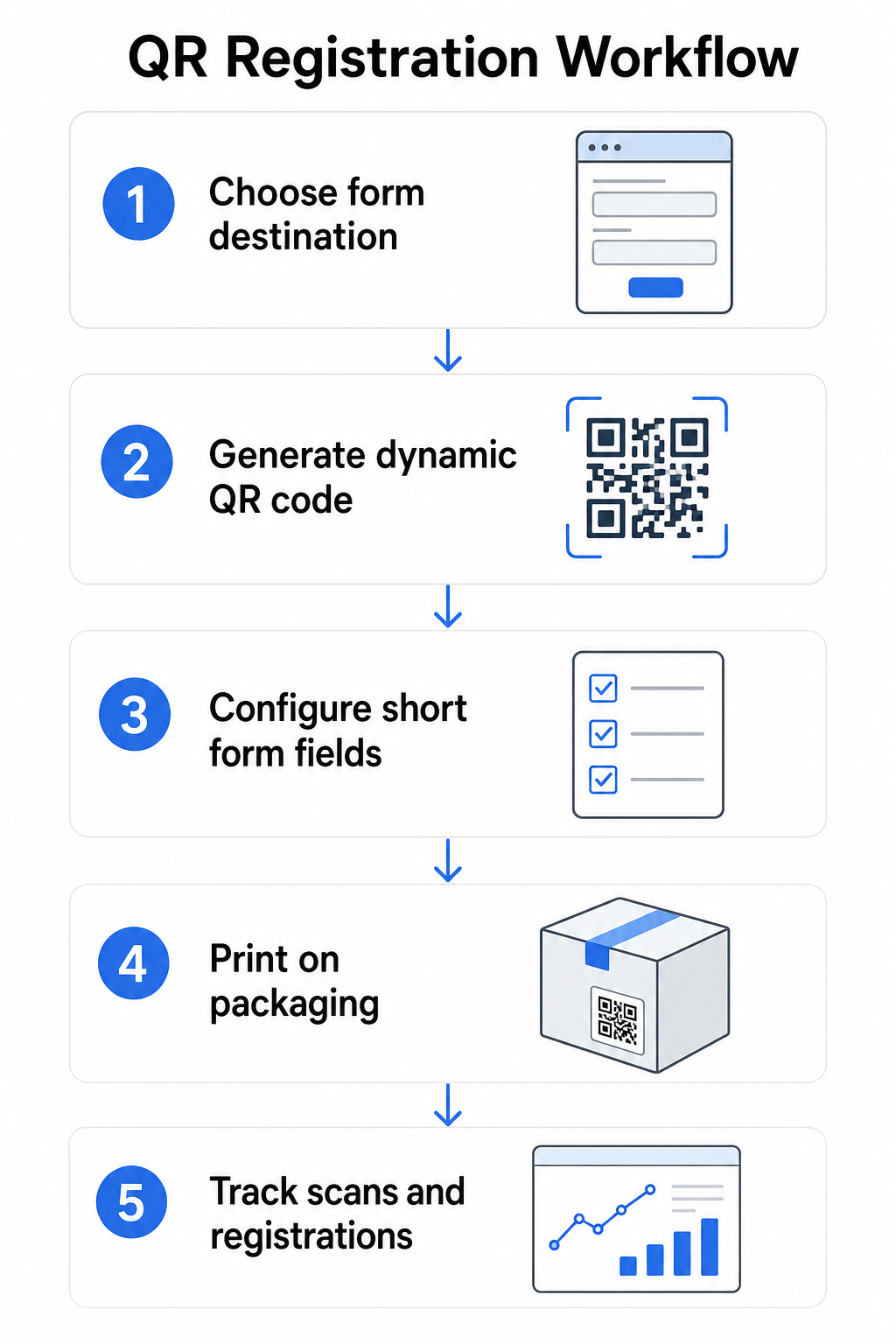
Paso 1: Elija el destino de su formulario
Tiene dos opciones principales para lo que el código QR enlaza. Un Google Forms es rápido de configurar y funciona bien para recopilar campos estructurados. Utilice el Generador de código QR para Google Forms para convertir el enlace compartido de su formulario en un código escaneable.
UNA página de destino de marca es una página optimizada para móviles que presenta su formulario de registro junto con los detalles del producto, los términos de la garantía y los elementos visuales de la marca. Las Páginas de Destino de Pageloot le permite crear y actualizar estas páginas sin ayuda técnica. La opción de página de destino tiende a funcionar mejor para la experiencia del cliente porque usted controla el diseño completo, puede mostrar los términos de la garantía claramente y puede incluir múltiples enlaces o llamadas a la acción, como un enlace al manual del producto junto con el formulario de registro.
Paso 2: Generar un código QR dinámico
Cree el código QR utilizando el de Pageloot Generador de códigos QR dinámicos y apúntelo a su destino elegido. Agregue el logotipo de su marca y colores para que el código sea reconocible en el empaque. Mantenga el logotipo dentro del 30% del área del código para preservar la capacidad de escaneo, y use un nivel alto de corrección de errores (Q o H) al agregar elementos visuales de marca.
Paso 3: Configurar los campos del formulario de registro
Recopile lo que realmente necesita para fines de garantía y propiedad. Los campos típicos incluyen:
- Nombre del cliente y dirección de correo electrónico
- Fecha de compra
- Lugar de compra (minorista o canal)
- Número de serie del producto (si no está precargado)
- Opcional: comentarios sobre el producto o método de contacto preferido
La minimización de datos no es solo una buena práctica de privacidad, también mejora las tasas de finalización. Los formularios más cortos obtienen más envíos.
Paso 4: Coloque el código QR en el empaque o en los insertos
Para un escaneo fiable, la colocación en el empaque del producto sigue algunos principios consistentes:
- Dimensione el código con al menos 1 pulgada (2.5 cm) de ancho
- Imprima en una superficie plana y lisa – evite pliegues, costuras o áreas curvas
- Use alto contraste (negro sobre blanco funciona mejor; mantenga una relación de contraste de al menos 3:1)
- Deje una zona tranquila clara – un margen vacío – alrededor del código
- Pruebe el código impreso en el sustrato real antes de finalizar las tiradas de producción
Para una mirada más profunda a las consideraciones específicas de las etiquetas, consulte la guía de códigos QR en etiquetas de productos y Cómo imprimir un código QR en una etiqueta.
Paso 5: Realice un seguimiento de los registros y los datos de escaneo
Una vez que el código está activo, su panel de control de Pageloot muestra el número de escaneos, la ubicación geográfica de los escaneos, el tipo de dispositivo y la hora del día. Esto le indica no solo cuántos clientes se registraron, sino cuándo y dónde interactuaron, lo cual es útil para identificar si la colocación del empaque está funcionando y si ciertos mercados o canales tienen tasas de registro más bajas que otros.
Vea Quién Se Está Registrando – y Quién No Utilice seguimiento de escaneo de códigos QR para monitorear la participación en el registro por región, dispositivo y tiempo. Detecte las caídas temprano y actualice el destino de su formulario sin reimprimir.
Qué Datos Puede Recopilar – y Cuáles Debe
Los códigos QR admiten dos capas distintas de recopilación de datos, y comprender la diferencia le ayuda a configurar su programa correctamente desde el principio.
Datos a nivel de escaneo se recopila automáticamente cuando alguien escanea un código QR dinámico. Esto incluye el recuento de escaneos, la ubicación del escaneo (país y región), el tipo de dispositivo (iOS o Android) y la marca de tiempo. Estos datos se recopilan sin que el cliente proporcione ninguna información personal; reflejan la interacción con el propio código. Para un desglose completo de lo que se captura, consulte qué datos recopilan los códigos QR dinámicos.
Datos de registro – nombres, direcciones de correo electrónico, fechas de compra y detalles de contacto – se recopila solo cuando un cliente completa voluntariamente el formulario en la página vinculada. Estos son datos de primera parte, proporcionados directamente y con conocimiento por el cliente. La plataforma de Pageloot admite este modelo: los clientes comparten información a través de formularios o páginas de destino después de escanear, manteniendo la recopilación de datos basada en el consentimiento y transparente.
Para fines de garantía y propiedad, necesita datos de registro. Para comprender si su programa de registro está funcionando a escala, los datos a nivel de escaneo proporcionan un contexto valioso.
Consideraciones de Privacidad y Legales
La recopilación de datos de registro de productos conlleva obligaciones de cumplimiento que varían según la categoría del producto y la jurisdicción.
Para productos duraderos para bebés o niños pequeños regulado bajo 16 CFR Parte 1130, la CPSC requiere que usted:
- Proporcione una tarjeta de registro física con franqueo pagado con cada unidad
- Ofrezca una opción de registro electrónico (sitio web o correo electrónico) como un suplemento – no un reemplazo – para la tarjeta física
- Mantenga registros de los nombres, direcciones y direcciones de correo electrónico de los registrantes
- Utilice los datos de registro solo para alertas de seguridad y retiros del mercado, no para fines de marketing
Un código QR que enlaza a su formulario de registro en línea satisface el requisito de registro electrónico bajo este marco, pero no reemplaza el requisito de tarjeta física para los productos cubiertos.
Para el registro de garantía de manera más amplia, la Ley de Garantía Magnuson-Moss distingue entre garantías completas y limitadas. Los productos con una garantía “completa” no pueden requerir el registro como condición de cobertura. Los productos con una garantía “limitada” pueden requerir el registro solo si el requisito se divulga claramente antes de la compra. Cualquier condición de registro debe aparecer en los términos de la garantía a los que los consumidores pueden acceder antes de la venta.
Para la privacidad de los datos, las empresas estadounidenses que recopilan información personal a través de formularios de registro en línea deben proporcionar un aviso de privacidad en o antes del punto de recopilación que describa qué datos se recopilan, por qué y cuánto tiempo se conservarán. Según la CPRA de California, la recopilación y retención deben limitarse a lo que sea razonablemente necesario para el propósito divulgado. Si sus productos pueden llegar a familias con niños menores de 13 años, asegúrese de que su formulario en línea cumpla con los requisitos de COPPA para el consentimiento parental verificable antes de recopilar datos personales de ese grupo de edad.
Para más detalles sobre las obligaciones de privacidad de datos de los códigos QR en todas las jurisdicciones, consulte Leyes de Privacidad de Códigos QR: Regulaciones Clave.
Uso de códigos QR a lo largo del ciclo de vida del producto
El registro de la garantía es una parte de una oportunidad más amplia. El mismo código QR en su producto puede servir para múltiples funciones a lo largo de todo el recorrido de propiedad:
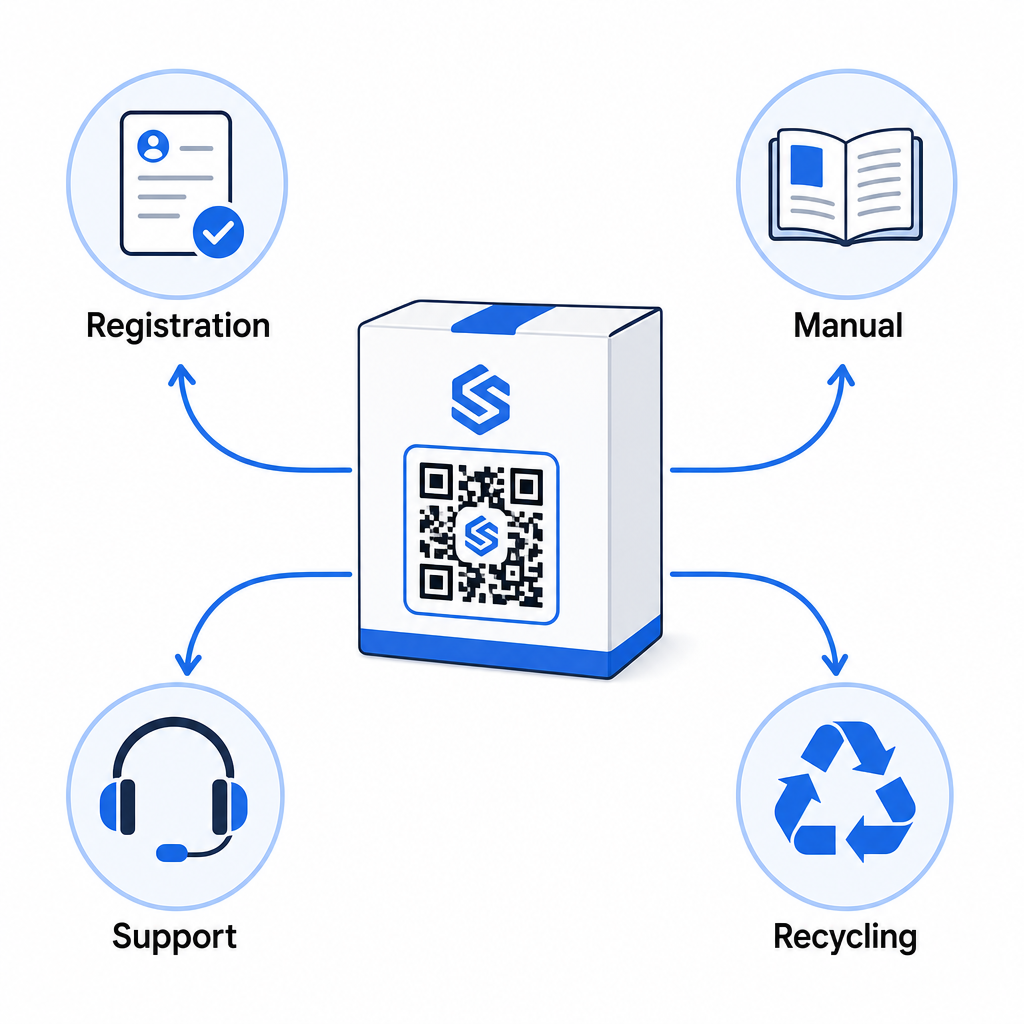
- Al desembalar: dirige al formulario de registro y la activación de la garantía
- Durante la propiedad: enlaza con el manual del producto, las preguntas frecuentes o los videos instructivos
- Para soporte: conecta con un formulario de solicitud de servicio o chat en vivo
- Al final de su vida útil: proporciona instrucciones de reciclaje o intercambio
Debido a que los códigos QR dinámicos le permiten actualizar el destino sin reimprimir, puede evolucionar lo que hace el código con el tiempo. Un código impreso hoy para registro puede apuntar más tarde a una página de actualización de firmware, un aviso de retirada o un programa de fidelización, sin ningún cambio en el embalaje físico.
Este enfoque de ciclo de vida se explora más a fondo en Códigos QR para el seguimiento del ciclo de vida del producto y Códigos QR en la fabricación: Seguimiento de materiales y productos.
Para los fabricantes que gestionan el registro de productos en múltiples SKU o líneas de productos, un panel de control centralizado para la gestión de códigos QR se vuelve esencial. Consulte Herramientas de gestión de códigos QR empresariales para obtener orientación sobre la gestión de códigos QR a escala, incluida la generación masiva y el análisis por código.
Primeros Pasos
Un código QR para el registro de productos no es un proyecto técnico, es una decisión de embalaje. Usted genera un código dinámico, lo dirige a su formulario de registro o página de destino, lo imprime en el inserto o la caja, y comienza a recopilar datos de propiedad en el momento en que los productos llegan a los clientes.
La diferencia entre una tarjeta de registro física y un código QR es la diferencia entre pedirle a alguien que envíe una carta por correo y entregarle un teléfono. Los clientes que nunca devolverían una tarjeta escanearán un código en menos de 10 segundos.
Comience con una línea de productos. Cree un código QR dinámico utilizando el Generador de códigos QR de Pageloot, enlázalo a tu formulario de registro y rastrea cómo se comparan las tasas de escaneo y envío con tu método de registro anterior. Una vez que vea la diferencia en el compromiso, expandirse a su catálogo completo es sencillo.
Preguntas frecuentes
No. Según la Parte 1130 del 16 CFR, los fabricantes e importadores de productos duraderos para bebés o niños pequeños deben incluir una tarjeta de registro física con franqueo pagado con cada unidad. El registro en línea mediante un código QR satisface la opción de registro electrónico requerida, pero debe complementar la tarjeta física, no reemplazarla. Ambos son obligatorios.
Si usted usa un código QR dinámico, puede actualizar la URL de destino desde su panel de control en cualquier momento sin reimprimir o modificar el código físico. Esta es una de las razones principales por las que se recomiendan los códigos QR dinámicos para el registro de productos – le protege de enlaces rotos cuando los formularios son migrados o actualizados. Los códigos QR estáticos no se pueden cambiar después de la impresión.
Recopile solo lo que realmente necesita para cumplir el propósito del registro, típicamente nombre del cliente, dirección de correo electrónico, fecha de compra, lugar de compra y número de serie del producto. Según los principios de minimización de datos requeridos por leyes como la CPRA de California, la recopilación debe limitarse a lo que sea razonablemente necesario para el propósito declarado. Menos campos también mejoran las tasas de finalización del formulario, por lo que un formulario conciso sirve tanto para los objetivos de cumplimiento como para los comerciales.