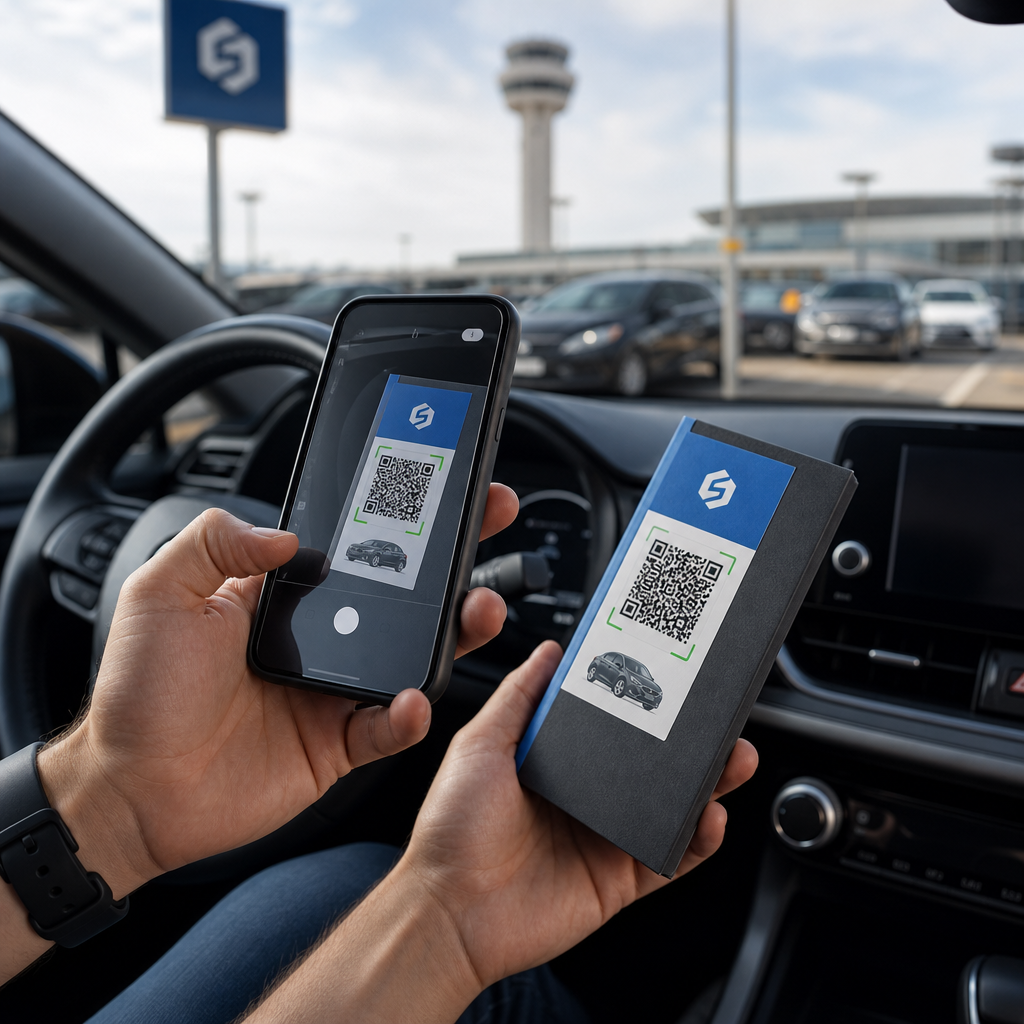
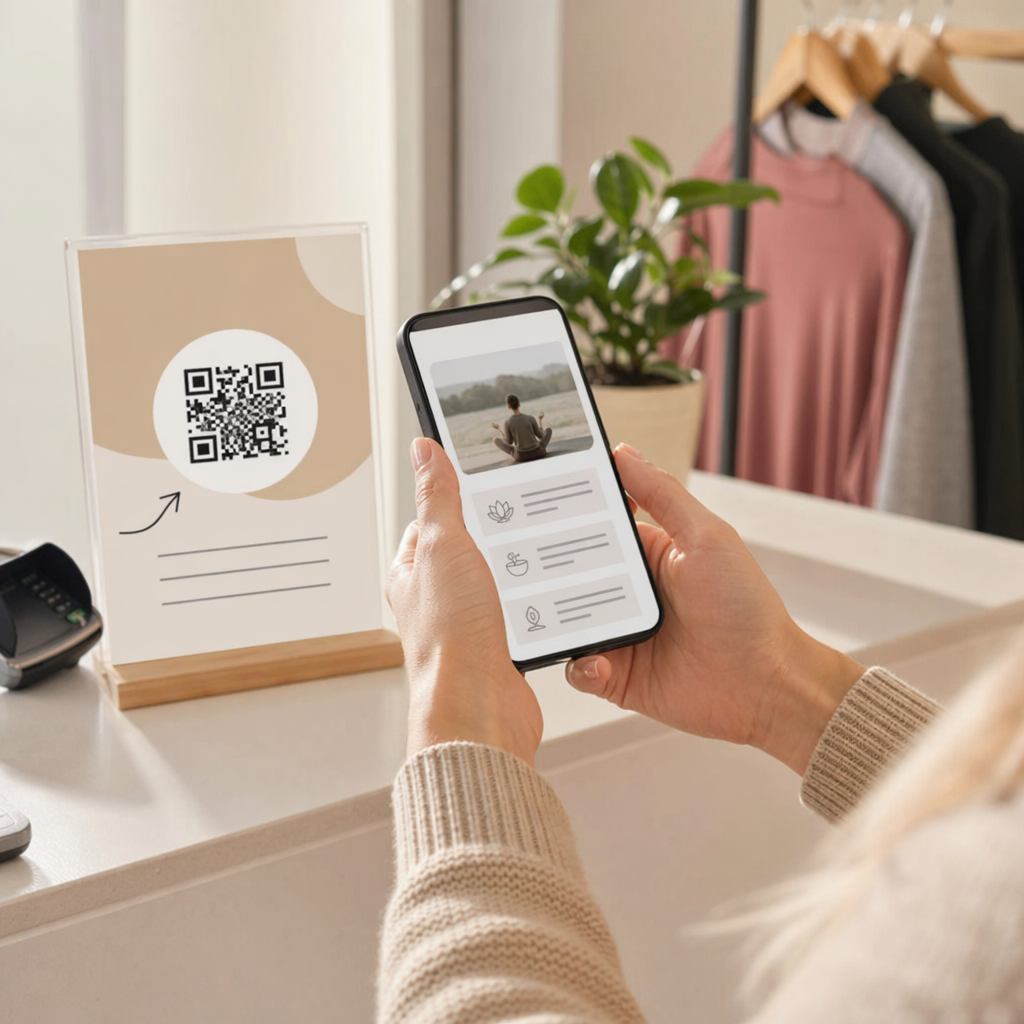
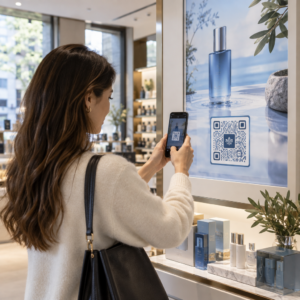
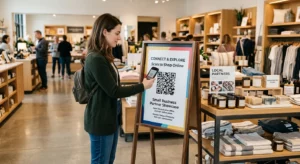
पोस्टर, पैकेजिंग या व्यक्तिगत कार्यक्रमों से अपनी ईमेल सूची बढ़ाना चाहते हैं – लेकिन यह नहीं समझ पा रहे हैं कि लोगों को भौतिक संपर्क बिंदु से साइनअप फ़ॉर्म तक कैसे पहुँचाया जाए? ऑफ़लाइन उपस्थिति और ऑनलाइन ग्राहकों के बीच का अंतर आपको वास्तविक लीड से वंचित करता है। यह पृष्ठ आपको दिखाता है कि क्यूआर कोड का उपयोग करके उस अंतर को कैसे पाटा जाए।.
ईमेल संग्रह के लिए क्यूआर कोड क्यों काम करते हैं
ईमेल मार्केटिंग खर्च किए गए प्रत्येक $1 के लिए औसतन $36 का रिटर्न देती है – लेकिन वह रिटर्न तभी साकार होता है जब आप वास्तव में लोगों को अपनी सूची में ला सकें। प्रिंट सामग्री, कार्यक्रमों या भौतिक स्थानों का उपयोग करने वाले व्यवसायों के लिए चुनौती यह है कि किसी को फ़्लायर से साइनअप फ़ॉर्म तक निर्देशित करने का कोई घर्षण रहित तरीका नहीं है। यूआरएल टाइप करना एक बाधा है जिससे ज़्यादातर लोग परेशान नहीं होंगे।.
एक क्यूआर कोड उस बाधा को पूरी तरह से हटा देता है। एक स्कैन किसी को सीधे आपके साइनअप फ़ॉर्म पर भेजता है, जो उनके फ़ोन पर पहले से लोड और भरने के लिए तैयार होता है। अमेरिका में क्यूआर कोड का उपयोग 99.5 मिलियन उपयोगकर्ताओं तक पहुंचने का अनुमान है, यह अब एक विशिष्ट रणनीति नहीं है – यह सूची वृद्धि के लिए एक मुख्यधारा का चैनल है।.
दो मुख्य दृष्टिकोण हैं:
- साइनअप फ़ॉर्म से लिंक करें – क्यूआर कोड को एक लैंडिंग पृष्ठ या फ़ॉर्म (मेलचिम्प, मेलरलाइट, गूगल फ़ॉर्म आदि) पर इंगित करें जहाँ आगंतुक अपना ईमेल पता दर्ज करते हैं
- एक ईमेल कार्रवाई को पहले से भरें – एक का उपयोग करें ईमेल क्यूआर कोड उपयोगकर्ता के मेल ऐप को एक पूर्व-लिखित संदेश के साथ खोलने के लिए, ताकि वे आपसे संपर्क करने या ऑप्ट-इन करने के लिए बस भेजें पर क्लिक करें
दोनों तरीके वैध हैं। आपकी पसंद इस बात पर निर्भर करती है कि आप संरचित फ़ॉर्म डेटा चाहते हैं या एक साधारण ईमेल संपर्क बिंदु।.
ईमेल साइन-अप के लिए एक क्यूआर कोड बनाएं उपयोग Pageloot लिंक QR कोड जनरेटर किसी भी साइनअप फ़ॉर्म यूआरएल को सेकंडों में एक स्कैन करने योग्य कोड में बदलने के लिए – किसी तकनीकी ज्ञान की आवश्यकता नहीं है।.
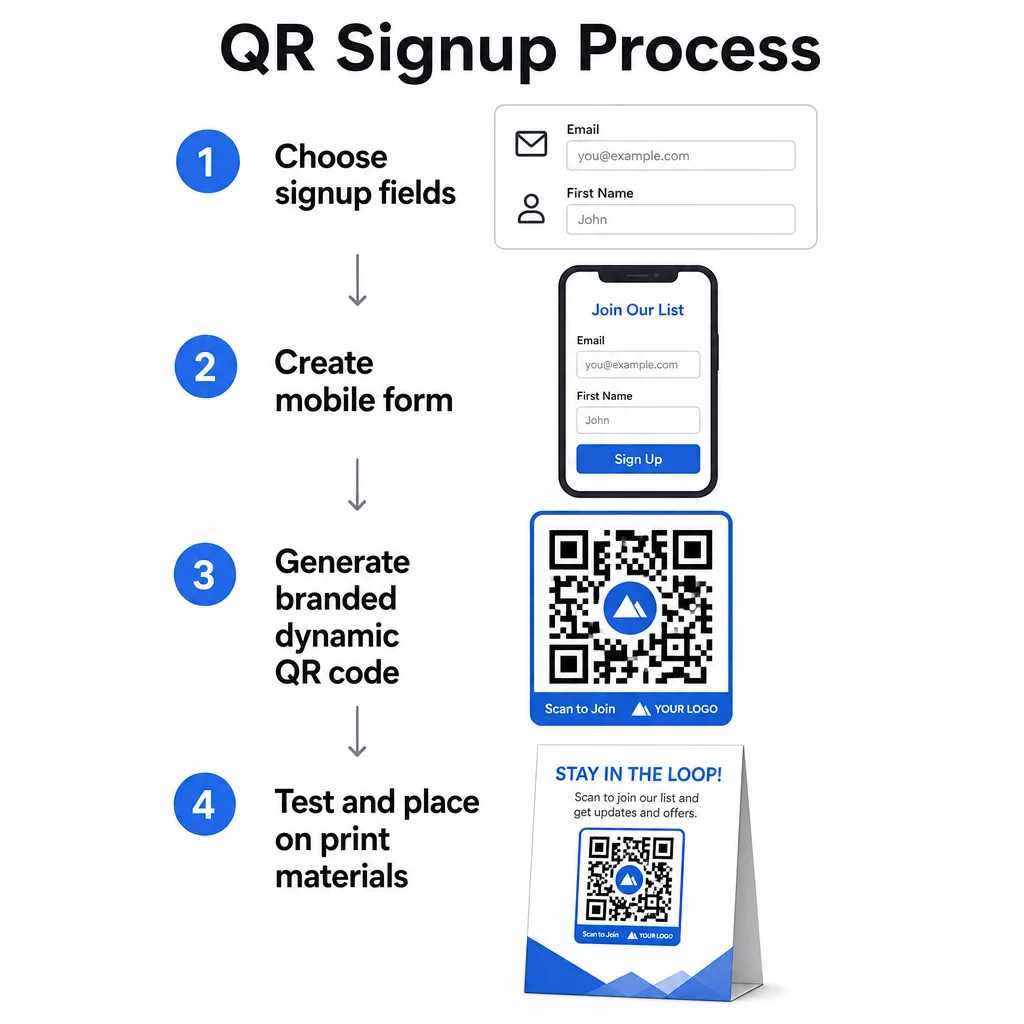
ईमेल साइन-अप के लिए क्यूआर कोड कैसे सेट करें
तय करें कि आप क्या एकत्र कर रहे हैं
कुछ भी उत्पन्न करने से पहले, परिभाषित करें कि आपको क्या चाहिए। केवल एक ईमेल पता साइनअप को तेज़ और रूपांतरण दरों को उच्च रखता है। पहला नाम जोड़ना अभियानों में वैयक्तिकरण की अनुमति देता है। आपके द्वारा आवश्यक प्रत्येक अतिरिक्त फ़ील्ड इसे पूरा करने वाले लोगों का प्रतिशत कम कर देता है, इसलिए फ़ॉर्म को उतना ही छोटा रखें जितना आपका उपयोग-मामला अनुमति देता है।.
साइनअप फ़ॉर्म बनाएँ या चुनें
आपको अपने QR कोड को इंगित करने के लिए एक URL की आवश्यकता है। विकल्पों में शामिल हैं:
- आपके ईमेल प्लेटफ़ॉर्म (Mailchimp, Klaviyo, ConvertKit, आदि) से एक लैंडिंग पृष्ठ
- ए Google Form ईमेल पते एकत्र करने के लिए कॉन्फ़िगर किया गया
- एक कस्टम क्यूआर कोड लैंडिंग पेज Pageloot के अंदर बनाया गया, जो आपको एक साइनअप लिंक को अन्य प्रासंगिक सामग्री के साथ एक ही ब्रांडेड, मोबाइल-अनुकूल पृष्ठ में संयोजित करने देता है
सुनिश्चित करें कि गंतव्य पृष्ठ मोबाइल पर तेज़ी से लोड होता है और आगंतुक के लिए एक ही, स्पष्ट कार्रवाई होती है। मोबाइल-अनुकूलित पृष्ठ बनाने के सर्वोत्तम अभ्यासों के लिए जो परिवर्तित होते हैं, देखें मोबाइल QR कोड लैंडिंग पेज के सर्वोत्तम अभ्यास.
अपना क्यूआर कोड जनरेट करें
अपने साइनअप फ़ॉर्म URL को इसमें पेस्ट करें पेज्लूट QR कोड जनरेटर. । जनरेटर तुरंत एक स्कैन करने योग्य कोड बनाता है। यहाँ से आप कर सकते हैं:
- अपना लोगो और ब्रांड के रंग जोड़ें
- एक कॉल-टू-एक्शन फ़्रेम लागू करें (उदाहरण के लिए, “सदस्यता लेने के लिए स्कैन करें”)
- PNG, PDF, SVG, और EPS सहित प्रिंट-तैयार प्रारूपों में डाउनलोड करें
एक डायनामिक QR कोड का उपयोग करें एक स्थिर कोड के बजाय। डायनामिक कोड आपको कोड प्रिंट या डिप्लॉय होने के बाद गंतव्य URL को बदलने देते हैं – इसलिए यदि आपका साइनअप फ़ॉर्म URL बदलता है, तो आप अपनी सभी सामग्री को फिर से प्रिंट करने के बजाय अपने डैशबोर्ड में लिंक को अपडेट करते हैं। डायनामिक कोड स्कैन ट्रैकिंग को भी अनलॉक करते हैं।.
तैनात करने से पहले परीक्षण करें
प्रिंट करने से पहले कोड को कई डिवाइसों – iOS और Android दोनों पर स्कैन करें। पुष्टि करें कि फ़ॉर्म सही ढंग से लोड होता है, फ़ील्ड काम करते हैं, और सबमिट बटन कार्यात्मक है। वास्तविक प्रकाश स्थितियों में और वास्तविक दूरी पर परीक्षण करना जहाँ कोड दिखाई देगा (एक पोस्टर, पैकेजिंग, टेबल कार्ड, आदि पर) सामग्री वितरित होने के बाद समस्याओं को रोकता है। प्लेसमेंट मार्गदर्शन के लिए, विपणन में क्यूआर कोड प्लेसमेंट के लिए अंतिम मार्गदर्शिका आकार, स्थिति और पर्यावरण संबंधी विचारों को विस्तार से कवर करता है।.
क्यूआर कोड ईमेल संग्रह के लिए सर्वोत्तम अभ्यास
एक विशिष्ट कॉल टू एक्शन लिखें।. “सदस्यता लेने के लिए स्कैन करें” लोगों को कुछ नहीं बताता। “अपने पहले ऑर्डर पर 15% छूट के लिए स्कैन करें” या “हमारी साप्ताहिक डील्स सूची में शामिल होने के लिए स्कैन करें” ठीक-ठीक बताता है कि उन्हें क्या मिल रहा है। लाभ जितना अधिक ठोस होगा, स्कैन दर उतनी ही अधिक होगी।.
बदले में कुछ दें।. एक छूट, एक डाउनलोड करने योग्य संसाधन, शीघ्र पहुंच, या विशेष सामग्री लोगों को अपना ईमेल पता देने का एक कारण देती है। बिना किसी प्रोत्साहन के, अधिकांश राहगीरों के पास रुकने और स्कैन करने की कोई प्रेरणा नहीं होती है।.
लैंडिंग पृष्ठ को केंद्रित रखें।. एक बार जब कोई स्कैन करता है, तो जिस पृष्ठ पर वे उतरते हैं उसका एक ही काम होना चाहिए: ईमेल पता एकत्र करना। नेविगेशन मेनू, असंबंधित लिंक, या विचलित करने वाले तत्वों से बचें। एक एकल शीर्षक, एक संक्षिप्त मूल्य विवरण, और एक सबमिट बटन वाला एक फॉर्म फ़ील्ड अक्सर वह सब होता है जिसकी आपको आवश्यकता होती है।.
गोपनीयता के बारे में पारदर्शी रहें।. लोगों को बताएं कि आप उन्हें क्या भेजेंगे और कितनी बार। अपनी गोपनीयता नीति से लिंक करें। CAN-SPAM अधिनियम के तहत, प्रत्येक वाणिज्यिक ईमेल में एक वैध भौतिक पता और एक कार्यशील सदस्यता समाप्त करने का तंत्र शामिल होना चाहिए - सुनिश्चित करें कि आपका ईमेल प्लेटफ़ॉर्म इसे स्वचालित रूप से संभालता है।.
कोड को ऐसी जगह रखें जहाँ लोगों के पास रुकने का एक पल हो।. तेजी से चलने वाले साइनेज पर या कम रोशनी वाले वातावरण में क्यूआर कोड को अनदेखा कर दिया जाता है। अच्छे स्थानों में चेकआउट काउंटर, टेबल टेंट, उत्पाद पैकेजिंग, इवेंट प्रोग्राम और मुद्रित हैंडआउट शामिल हैं। आंखों का स्तर (लगभग 3.5 से 5.5 फीट) और एक शांत, अव्यवस्थित पृष्ठभूमि स्कैन दरों में सुधार करती है।.
ट्रैक करें कि कौन से स्थान सबसे अधिक साइन-अप लाते हैं साथ में पेज्लूट का क्यूआर कोड ट्रैकिंग, आप स्कैन की मात्रा, स्थान, डिवाइस प्रकार और दिन के समय की निगरानी कर सकते हैं - ताकि आपको पता चले कि कौन सी सामग्री वास्तव में परिवर्तित हो रही है और कहाँ अधिक निवेश करना है।.
क्यूआर कोड साइन-अप के फायदे और नुकसान
| लाभ | संभावित कमी | समाधान |
|---|---|---|
| मैन्युअल यूआरएल टाइपिंग की आवश्यकता नहीं है | पुराने उपकरणों में बिल्ट-इन स्कैनर की कमी हो सकती है | कोड के नीचे एक छोटा यूआरएल विकल्प प्रदान करें |
| मोबाइल पर स्वाभाविक रूप से काम करता है | संदर्भ के बिना उद्देश्य अस्पष्ट हो सकता है | कोड के चारों ओर एक स्पष्ट सीटीए फ्रेम का उपयोग करें |
| संपर्क रहित और सुविधाजनक | कुछ उपयोगकर्ता अपरिचित क्यूआर कोड पर अविश्वास करते हैं | अपना यूआरएल और गोपनीयता नीति साथ में प्रदर्शित करें |
| डायनामिक कोड के साथ ट्रैक करने योग्य | यदि फॉर्म यूआरएल बदलता है तो स्टैटिक कोड अपडेट नहीं किए जा सकते | अभियानों के लिए हमेशा डायनामिक क्यूआर कोड का उपयोग करें |
ईमेल और ऑफलाइन चैनलों को जोड़ना
क्यूआर कोड सबसे प्रभावी तब होते हैं जब वे आपकी भौतिक और डिजिटल मार्केटिंग को जोड़ने वाली एक सुविचारित रणनीति का हिस्सा होते हैं। उत्पाद के अंदर एक कोड उन ग्राहकों से आपकी सूची बढ़ा सकता है जिन्होंने पहले ही कुछ खरीदा है। एक इवेंट बूथ पर एक कोड उन लीड्स को कैप्चर कर सकता है जो अन्यथा आपके साइनअप फॉर्म को कभी नहीं ढूंढ पाते। एक डायरेक्ट मेल पीस में एक कोड प्राप्तकर्ताओं को ऑप्ट-इन करने का एक त्वरित मार्ग प्रदान करता है।.
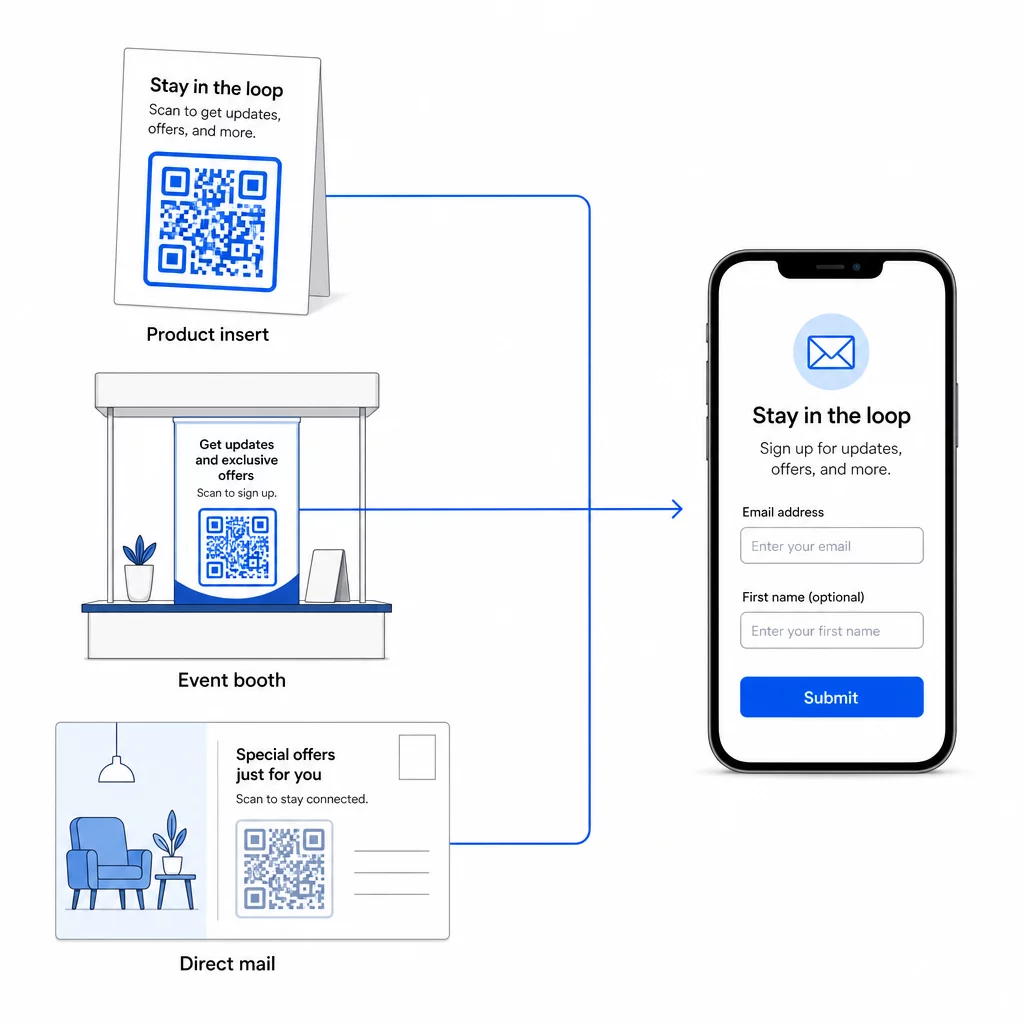
क्यूआर कोड इन चैनलों को कैसे जोड़ते हैं, इस पर व्यापक नज़र डालने के लिए, देखें क्यूआर कोड सोशल मीडिया और ईमेल को कैसे जोड़ते हैं तथा विपणन में क्यूआर कोड का उपयोग कैसे करें.
मूल सिद्धांत सरल है: आपके व्यवसाय का हर भौतिक संपर्क बिंदु एक संभावित ग्राहक अधिग्रहण बिंदु है। एक क्यूआर कोड ही उस रूपांतरण को संभव बनाता है।.
भौतिक सामग्रियों से ईमेल एकत्र करना शुरू करें अपने साइनअप फ़ॉर्म से जुड़ा एक गतिशील, ट्रैक करने योग्य क्यूआर कोड बनाएं, इसका उपयोग करके पगेलूट क्यूआर कोड जनरेटर. 14-दिन का निःशुल्क परीक्षण – किसी क्रेडिट कार्ड की आवश्यकता नहीं।.
अक्सर पूछे जाने वाले सवाल
एक ईमेल क्यूआर कोड उपयोगकर्ता के मेल ऐप को एक पहले से भरे हुए संदेश के साथ खोलता है – प्राप्तकर्ता, विषय और मुख्य भाग पहले से भरे होते हैं, और उपयोगकर्ता बस भेजें पर टैप करता है। एक साइनअप फ़ॉर्म क्यूआर कोड एक वेबपेज से लिंक होता है जहाँ उपयोगकर्ता सीधे एक फ़ॉर्म में अपना ईमेल पता दर्ज करता है। सरल संपर्क या पूछताछ प्रवाह के लिए ईमेल क्यूआर दृष्टिकोण का उपयोग करें, और जब आप ग्राहकों को स्वचालित रूप से एक ईमेल मार्केटिंग सूची में जोड़ना चाहते हैं तो फ़ॉर्म दृष्टिकोण का उपयोग करें।.
नहीं, यदि आप एक गतिशील क्यूआर कोड का उपयोग करते हैं। गतिशील कोड गंतव्य को एक रीडायरेक्टिंग लिंक में संग्रहीत करते हैं जिसे आप अपने पेज्लूट डैशबोर्ड में किसी भी समय अपडेट कर सकते हैं। मुद्रित कोड स्वयं नहीं बदलता है – केवल वह गंतव्य जहाँ वह इंगित करता है। यह उन अभियानों के लिए विशेष रूप से उपयोगी है जहाँ सामग्री पहले से ही मुद्रित या वितरित की जा चुकी है।.
हाँ, एक गतिशील क्यूआर कोड के साथ आप कुल स्कैन, अद्वितीय स्कैन, स्कैन स्थान, डिवाइस प्रकार और दिन का समय ट्रैक कर सकते हैं। पेज्लूट का डैशबोर्ड यह डेटा वास्तविक समय में दिखाता है, ताकि आप विभिन्न प्लेसमेंट या अभियानों में प्रदर्शन की तुलना कर सकें और तदनुसार अनुकूलित कर सकें। क्यूआर कोड स्कैन और एनालिटिक्स को ट्रैक करने के बारे में अधिक जानें।.