Posterlerden, ambalajlardan veya yüz yüze etkinliklerden e-posta listenizi büyütmek istiyor musunuz – ancak insanları fiziksel bir temas noktasından bir kayıt formuna nasıl yönlendireceğinizi bulamıyor musunuz? Çevrimdışı varlık ile çevrimiçi aboneler arasındaki boşluk size gerçek potansiyel müşterilere mal olur. Bu sayfa, QR kodlarını kullanarak bu boşluğu tam olarak nasıl kapatacağınızı gösterir.
E-posta Toplama İçin QR Kodları Neden İşe Yarar?
E-posta pazarlaması, harcanan her $1 için ortalama $36 getiri sağlar – ancak bu getiri, insanları listenize gerçekten alabilirseniz gerçekleşir. Basılı materyaller, etkinlikler veya fiziksel konumlar kullanan işletmeler için zorluk, bir broşürden bir kayıt formuna birini yönlendirmenin sürtünmesiz bir yolu olmamasıdır. Bir URL yazmak, çoğu insanın uğraşmayacağı bir engeldir.
Bir QR kodu bu engeli tamamen ortadan kaldırır. Tek bir tarama, birini doğrudan kayıt formunuza gönderir, önceden yüklenmiş ve telefonunda doldurmaya hazır. ABD'de QR kodu kullanımının 99,5 milyon kullanıcıya ulaşması beklenirken, bu artık niş bir taktik değil – liste büyümesi için ana akım bir kanaldır.
İki ana yaklaşım vardır:
- Bir kayıt formuna bağlantı verin – QR kodunu, ziyaretçilerin e-posta adreslerini girdiği bir açılış sayfasına veya forma (Mailchimp, Mailerlite, Google Forms vb.) yönlendirin
- Bir e-posta eylemini önceden doldurun – Bir e-posta QR kodu kullanıcının posta uygulamasını önceden yazılmış bir mesajla açmak için kullanın, böylece sizinle iletişime geçmek veya kaydolmak için sadece gönder düğmesine basarlar
Her iki yöntem de meşrudur. Seçiminiz, yapılandırılmış form verileri mi yoksa basit bir e-posta temas noktası mı istediğinize bağlıdır.
E-posta Kayıtları İçin Bir QR Kodu Oluşturun Kullan Pageloot Bağlantı QR Kod Oluşturucu herhangi bir kayıt formu URL'sini saniyeler içinde taranabilir bir koda dönüştürmek için – teknik bilgi gerekmez.
E-posta Kayıtları için QR Kodu Nasıl Oluşturulur?
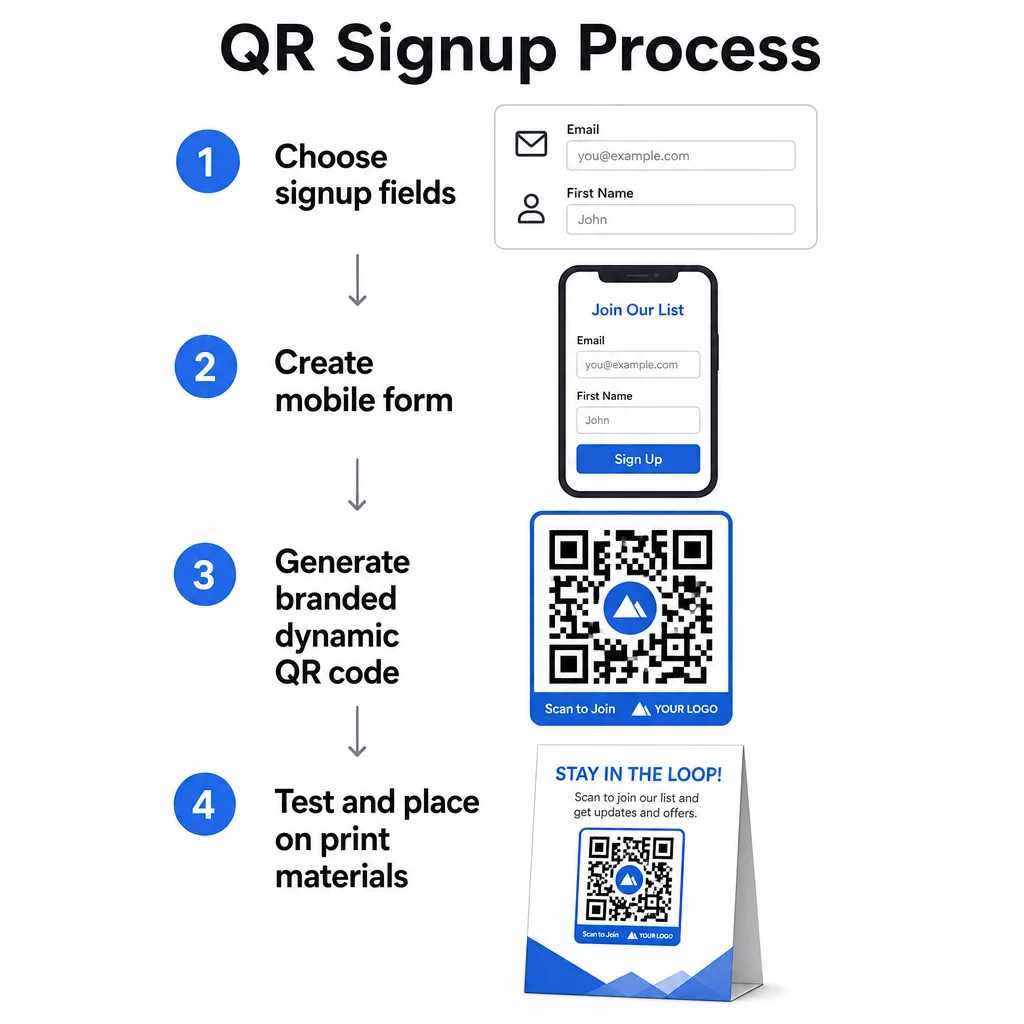
Ne Topladığınıza Karar Verin
Herhangi bir şey oluşturmadan önce neye ihtiyacınız olduğunu tanımlayın. Yalnızca bir e-posta adresi, kaydı hızlı ve dönüşüm oranlarını yüksek tutar. Bir ad eklemek, kampanyalarda kişiselleştirmeye olanak tanır. Gerektirdiğiniz her ek alan, onu tamamlayan kişilerin yüzdesini azaltır, bu nedenle formu kullanım durumunuzun izin verdiği kadar kısa tutun.
Kayıt Formunuzu Oluşturun veya Seçin
QR kodunuzu yönlendireceğiniz bir URL'ye ihtiyacınız var. Seçenekler şunları içerir:
- E-posta platformunuzdan bir açılış sayfası (Mailchimp, Klaviyo, ConvertKit vb.)
- Bir Google Form e-posta adreslerini toplamak üzere yapılandırılmış
- Özel bir QR kod açılış sayfası Pageloot içinde oluşturulmuş, bu da bir kayıt bağlantısını diğer ilgili içeriklerle tek bir markalı, mobil uyumlu sayfada birleştirmenizi sağlar
Hedef sayfanın mobilde hızlı yüklendiğinden ve ziyaretçinin gerçekleştirmesi için tek, net bir eyleme sahip olduğundan emin olun. Dönüşüm sağlayan mobil optimize edilmiş sayfalar oluşturmaya yönelik en iyi uygulamalar için bkz. mobil QR kodu açılış sayfası en iyi uygulamalarını.
QR Kodunuzu Oluşturun
Kayıt formu URL'nizi şuraya yapıştırın Pageloot QR kod oluşturucu. Oluşturucu anında taranabilir bir kod oluşturur. Buradan şunları yapabilirsiniz:
- Logonuzu ve marka renklerinizi ekleyin
- Bir harekete geçirici mesaj çerçevesi uygulayın (örn. “Abone olmak için tarayın”)
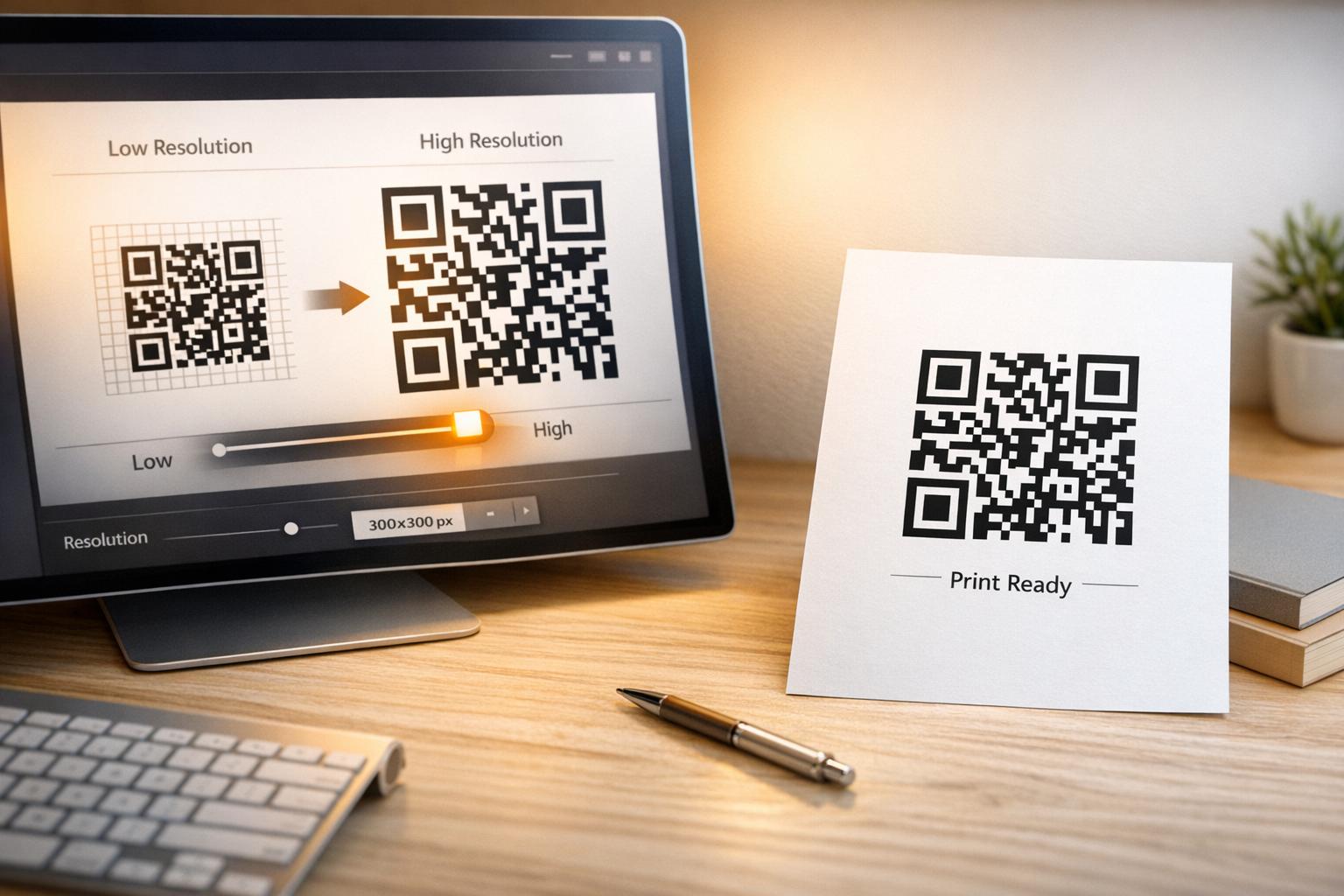
- PNG, PDF, SVG ve EPS dahil olmak üzere baskıya hazır formatlarda indirin
Dinamik bir QR kodu kullanın statik bir kod yerine. Dinamik kodlar, kod zaten basıldıktan veya dağıtıldıktan sonra hedef URL'yi değiştirmenize olanak tanır – böylece kayıt formu URL'niz değişirse, tüm materyallerinizi yeniden basmak yerine bağlantıyı kontrol panelinizde güncellersiniz. Dinamik kodlar ayrıca tarama takibini de etkinleştirir.
Dağıtmadan Önce Test Edin
Yazdırmadan önce kodu birden fazla cihazda – hem iOS hem de Android – tarayın. Formun doğru yüklendiğini, alanların çalıştığını ve gönder düğmesinin işlevsel olduğunu onaylayın. Kodun görüneceği gerçek aydınlatma koşullarında ve gerçek mesafede (bir posterde, ambalajda, masa kartında vb.) test yapmak, materyaller dağıtıldıktan sonra sorunları önler. Yerleştirme rehberliği için, pazarlamada QR kodu yerleşimi için nihai rehber boyut, konum ve ortam hususlarını ayrıntılı olarak kapsar.
QR Kodu ile E-posta Toplama için En İyi Uygulamalar
Belirli bir harekete geçirici mesaj yazın. “Abone olmak için tarayın” insanlara hiçbir şey söylemez. “İlk siparişinizde indirim için tarayın” veya “Haftalık fırsatlar listemize katılmak için tarayın” tam olarak ne alacaklarını açıklar. Fayda ne kadar somut olursa, tarama oranı o kadar yüksek olur.
Karşılığında bir şey sunun. Bir indirim, indirilebilir bir kaynak, erken erişim veya özel içerik, insanlara e-posta adreslerini vermeleri için bir neden sunar. Bir teşvik olmadan, çoğu yoldan geçen kişinin durup tarama motivasyonu olmaz.
Açılış sayfasını odaklanmış tutun. Biri tarama yaptığında, ulaştığı sayfanın tek bir görevi olmalıdır: e-posta adresini toplamak. Gezinme menülerinden, ilgisiz bağlantılardan veya dikkat dağıtıcı unsurlardan kaçının. Tek bir başlık, kısa bir değer beyanı ve bir gönder düğmesi olan bir form alanı genellikle ihtiyacınız olan tek şeydir.
Gizlilik konusunda şeffaf olun. İnsanlara ne göndereceğinizi ve ne sıklıkta göndereceğinizi söyleyin. Gizlilik politikanıza bağlantı verin. CAN-SPAM Yasası uyarınca, her ticari e-posta geçerli bir fiziksel adres ve çalışan bir abonelikten çıkma mekanizması içermelidir – e-posta platformunuzun bunu otomatik olarak hallettiğinden emin olun.
Kodu, insanların durup bekleyebileceği bir yere yerleştirin. Hızlı hareket eden tabelalardaki veya düşük ışıklı ortamlardaki QR kodları göz ardı edilir. İyi yerleşimler arasında ödeme kasaları, masa çadırları, ürün ambalajları, etkinlik programları ve basılı el ilanları bulunur. Göz hizası (yaklaşık 105 ila 165 cm) ve sakin, dağınık olmayan bir arka plan tarama oranlarını artırır.
Hangi Yerleşimlerin En Çok Kayıt Getirdiğini Takip Edin İle Pageloot'un QR kodu takibi, ile tarama hacmini, konumunu, cihaz türünü ve günün saatini izleyebilirsiniz – böylece hangi materyallerin gerçekten dönüşüm sağladığını ve nereye daha fazla yatırım yapmanız gerektiğini bilirsiniz.
QR Kodu Kayıtlarının Artıları ve Eksileri
| Avantaj | Potansiyel Dezavantaj | Çözüm |
|---|---|---|
| Manuel URL yazmaya gerek yok | Eski cihazlarda dahili tarayıcı bulunmayabilir | Kodun altına kısa bir URL alternatifi sağlayın |
| Mobilde doğal olarak çalışır | Bağlam olmadan amaç belirsiz olabilir | Kodun etrafına net bir CTA çerçevesi kullanın |
| Temassız ve kullanışlı | Bazı kullanıcılar bilmedikleri QR kodlarına güvenmez | URL'nizi ve gizlilik politikanızı yanında gösterin |
| Dinamik kodlarla izlenebilir | Form URL'si değişirse statik kodlar güncellenemez | Kampanyalar için her zaman dinamik QR kodları kullanın |
E-posta ve Çevrimdışı Kanalları Bağlama
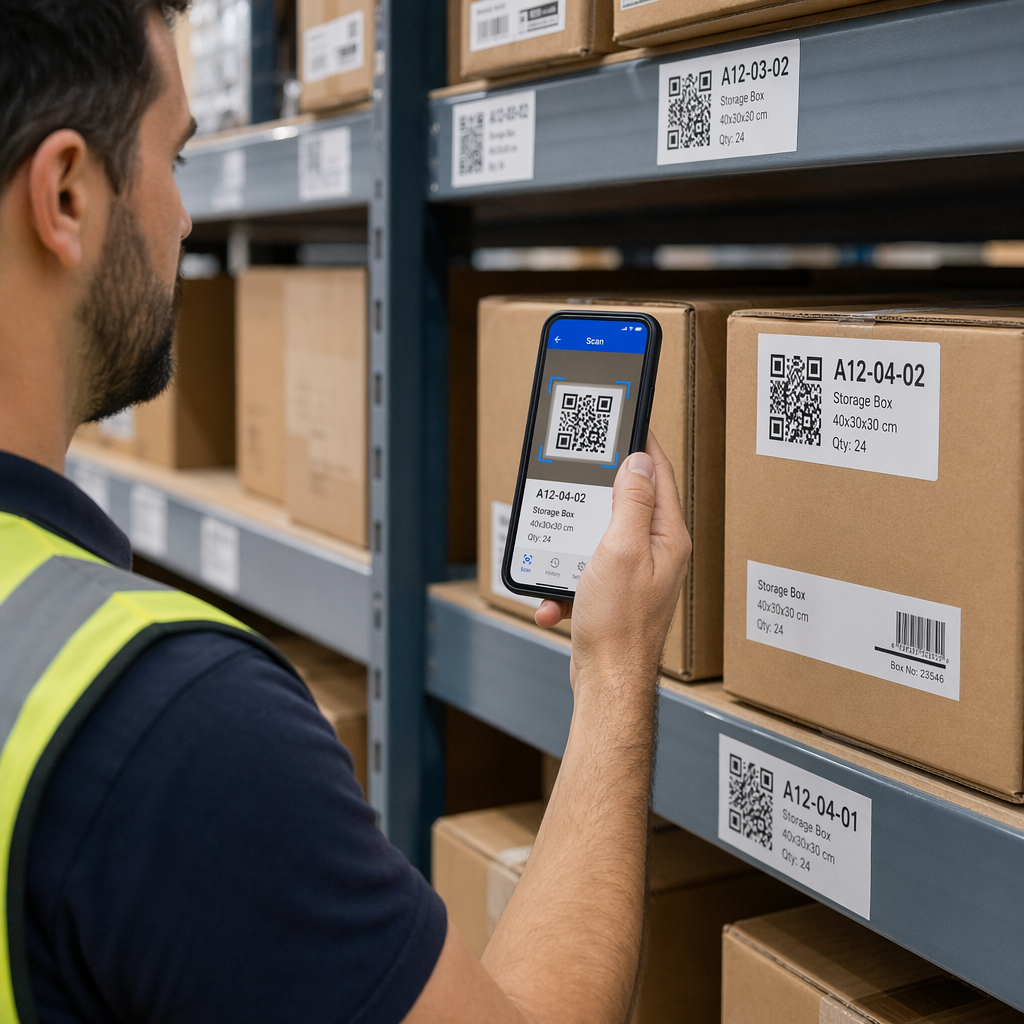
QR kodları, fiziksel ve dijital pazarlamanızı birbirine bağlayan bilinçli bir stratejinin parçası olduklarında en etkilidir. Bir ürün ekindeki kod, zaten bir şeyler satın almış müşterilerden listenizi büyütebilir. Bir etkinlik standındaki kod, kayıt formunuzu asla bulamayacak potansiyel müşterileri yakalayabilir. Bir doğrudan posta parçasındaki kod, alıcılara anında kaydolma yolu sunar.
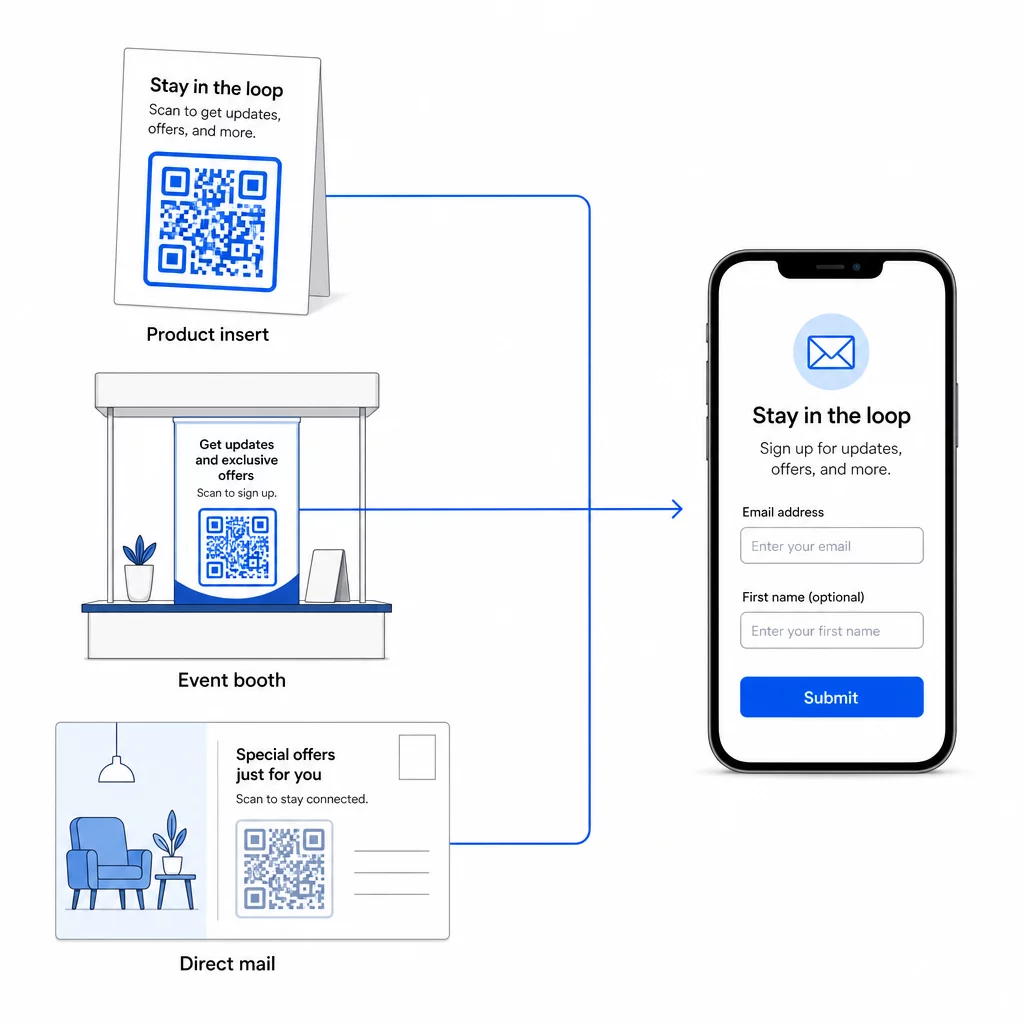
QR kodlarının bu kanalları nasıl bağladığına daha geniş bir bakış için bkz. QR kodları sosyal medyayı ve e-postayı nasıl bağlar ve pazarlamada QR kodları nasıl kullanılır.
Temel prensip basittir: işletmenizin sahip olduğu her fiziksel temas noktası potansiyel bir abone kazanım noktasıdır. Bir QR kodu, bu dönüşümü mümkün kılan şeydir.
Fiziksel Materyallerden E-posta Toplamaya Başlayın Kayıt formunuza bağlı dinamik, izlenebilir bir QR kodu oluşturun Pageloot QR Kodu Oluşturucu. Ücretsiz 14 günlük deneme – kredi kartı gerekmez.
Sıkça sorulan sorular
Bir e-posta QR kodu, kullanıcının posta uygulamasını önceden doldurulmuş bir mesajla açar – alıcı, konu ve gövde zaten doldurulmuştur ve kullanıcı sadece gönder tuşuna basar. Bir kayıt formu QR kodu, kullanıcının e-posta adresini doğrudan bir forma girdiği bir web sayfasına bağlanır. Basit iletişim veya sorgulama akışları için e-posta QR yaklaşımını, aboneleri otomatik olarak bir e-posta pazarlama listesine eklemek istediğinizde ise form yaklaşımını kullanın.
Dinamik bir QR kodu kullanırsanız hayır. Dinamik kodlar, hedefi Pageloot kontrol panelinizde istediğiniz zaman güncelleyebileceğiniz bir yönlendirme bağlantısında saklar. Basılı kodun kendisi değişmez – sadece işaret ettiği hedef değişir. Bu, materyallerin zaten basıldığı veya dağıtıldığı kampanyalar için özellikle kullanışlıdır.
Evet, dinamik bir QR kodu ile toplam taramaları, benzersiz taramaları, tarama konumunu, cihaz türünü ve günün saatini takip edebilirsiniz. Pageloot'un kontrol paneli bu verileri gerçek zamanlı olarak gösterir, böylece farklı yerleşimler veya kampanyalar arasındaki performansı karşılaştırabilir ve buna göre optimize edebilirsiniz. QR kodu taramalarını ve analizlerini takip etme hakkında daha fazla bilgi edinin.