Vai vēlaties palielināt savu e-pasta sarakstu no plakātiem, iepakojuma vai klātienes pasākumiem, bet nevarat izdomāt, kā novirzīt cilvēkus no fiziska saskares punkta uz reģistrācijas veidlapu? Atšķirība starp bezsaistes klātbūtni un tiešsaistes abonentiem jums izmaksā reālus potenciālos klientus. Šī lapa precīzi parāda, kā pārvarēt šo plaisu, izmantojot QR kodus.
Kāpēc QR kodi darbojas e-pasta vākšanai
E-pasta mārketings vidēji atgriež $36 par katru iztērēto $1 – taču šī atdeve materializējas tikai tad, ja jūs patiešām varat iekļaut cilvēkus savā sarakstā. Izaicinājums uzņēmumiem, kas izmanto drukātus materiālus, pasākumus vai fiziskas atrašanās vietas, ir tas, ka nav bezberjeras veida, kā novirzīt kādu no skrejlapas uz reģistrācijas veidlapu. URL ievadīšana ir šķērslis, ar ko lielākā daļa cilvēku nenodarbojas.
QR kods pilnībā novērš šo šķērsli. Viena skenēšana nosūta kādu tieši uz jūsu reģistrācijas veidlapu, kas ir iepriekš ielādēta un gatava aizpildīšanai viņu tālrunī. Tā kā tiek prognozēts, ka QR kodu lietošana ASV sasniegs 99,5 miljonus lietotāju, šī vairs nav nišas taktika – tas ir galvenais kanāls saraksta izaugsmei.
Ir divas galvenās pieejas:
- Saite uz reģistrācijas veidlapu – Novirziet QR kodu uz galveno lapu vai veidlapu (Mailchimp, Mailerlite, Google Forms utt.), kur apmeklētāji ievada savu e-pasta adresi
- Iepriekš aizpildīt e-pasta darbību – Izmantojiet e-pasta QR kodu lai atvērtu lietotāja e-pasta lietotni ar iepriekš uzrakstītu ziņojumu, lai viņi vienkārši nospiestu sūtīt, lai sazinātos ar jums vai pieteiktos
Abas metodes ir likumīgas. Jūsu izvēle ir atkarīga no tā, vai vēlaties strukturētus veidlapas datus vai vienkāršu e-pasta saskares punktu.
Izveidojiet QR kodu e-pasta reģistrācijai Izmantojiet Pageloot saišu QR kodu ģeneratoru lai jebkuru reģistrācijas veidlapas URL pārvērstu skenējamā kodā dažu sekunžu laikā – nav nepieciešamas tehniskas zināšanas.
Kā iestatīt QR kodu e-pasta pierakstīšanai
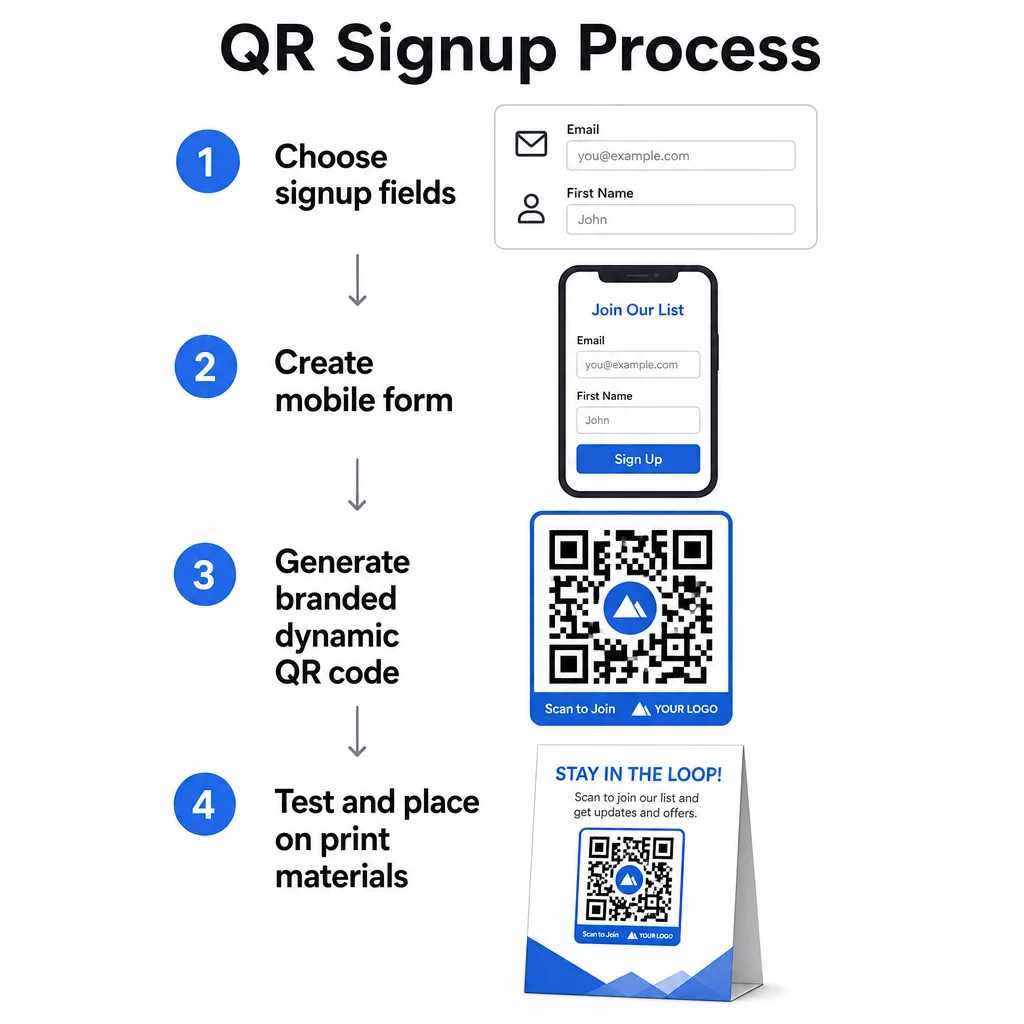
Izlemiet, ko vācat
Pirms kaut ko ģenerējat, definējiet, kas jums nepieciešams. Tikai e-pasta adrese nodrošina ātru reģistrāciju un augstu konversijas līmeni. Pievienojot vārdu, var personalizēt kampaņas. Katrs papildu lauks, ko pieprasāt, samazina to cilvēku procentuālo daudzumu, kuri to aizpilda, tāpēc saglabājiet veidlapu tik īsu, cik atļauj jūsu lietošanas gadījums.
Izveidojiet vai izvēlieties savu reģistrācijas veidlapu
Jums ir nepieciešama URL adrese, uz kuru norādīt savu QR kodu. Iespējas ietver:
- Mērķlapa no jūsu e-pasta platformas (Mailchimp, Klaviyo, ConvertKit utt.)
- A Google Forms konfigurēta e-pasta adrešu vākšanai
- Pielāgota QR koda galvenā lapa izveidota Pageloot iekšienē, kas ļauj apvienot reģistrācijas saiti ar citu atbilstošu saturu vienā zīmola, mobilajām ierīcēm draudzīgā lapā
Pārliecinieties, ka galamērķa lapa ātri ielādējas mobilajā ierīcē un apmeklētājam ir viena, skaidra darbība, ko veikt. Lai uzzinātu par labāko praksi mobilo ierīču optimizētu lapu veidošanā, kas pārvēršas, skatiet mobilās QR koda galvenās lapas labākās prakses.
QR koda ģenerēšana
Ielīmējiet savas reģistrācijas veidlapas URL adresē Pageloot QR kodu ģenerators. Ģenerators nekavējoties izveido skenējamu kodu. No šejienes jūs varat:
- Pievienojiet savu logotipu un zīmola krāsas
- Lietojiet aicinājuma uz darbību rāmi (piemēram, “Skenēt, lai abonētu”)
- Lejupielādējiet drukāšanai gatavos formātos, tostarp PNG, PDF, SVG un EPS
Izmantojiet dinamisku QR kodu nevis statisku. Dinamiskie kodi ļauj mainīt galamērķa URL pēc tam, kad kods jau ir izdrukāts vai izvietots – tādējādi, ja jūsu reģistrācijas veidlapas URL mainās, jūs atjaunināt saiti savā informācijas panelī, nevis pārdrukājat visus savus materiālus. Dinamiskie kodi arī atbloķē skenēšanas izsekošanu.
Pārbaudiet pirms ieviešanas
Skenējiet kodu vairākās ierīcēs – gan iOS, gan Android – pirms drukāšanas. Pārliecinieties, ka veidlapa ielādējas pareizi, lauki darbojas un iesniegšanas poga ir funkcionāla. Testēšana faktiskajos apgaismojuma apstākļos un faktiskajā attālumā, kur kods parādīsies (uz plakāta, iepakojuma, galda kartes utt.), novērš problēmas pēc materiālu izplatīšanas. Lai iegūtu norādījumus par izvietošanu, galīgais ceļvedis QR kodu izvietošanai mārketingā detalizēti aptver izmēra, pozīcijas un vides apsvērumus.
Labākā prakse QR koda e-pasta vākšanai
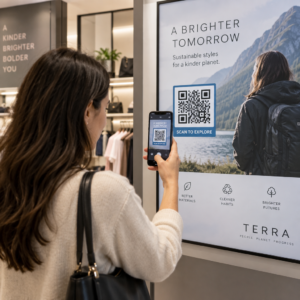
Uzrakstiet konkrētu aicinājumu uz darbību. “Skenēt, lai abonētu” cilvēkiem neko nepasaka. “Skenēt, lai saņemtu 15% atlaidi pirmajam pasūtījumam” vai “Skenēt, lai pievienotos mūsu iknedēļas piedāvājumu sarakstam” precīzi izskaidro, ko viņi saņem. Jo konkrētāks ieguvums, jo augstāks skenēšanas rādītājs.
Piedāvājiet kaut ko pretī. Atlaide, lejupielādējams resurss, agrīna piekļuve vai ekskluzīvs saturs dod cilvēkiem iemeslu nodot savu e-pasta adresi. Bez stimula lielākajai daļai garāmgājēju nav motivācijas apstāties un skenēt.
Saglabājiet galveno lapu fokusētu. Kad kāds skenē, lapai, uz kuru viņš nonāk, jābūt vienam uzdevumam: savākt e-pasta adresi. Izvairieties no navigācijas izvēlnēm, nesaistītām saitēm vai uzmanību novērsošiem elementiem. Bieži vien pietiek ar vienu virsrakstu, īsu vērtības paziņojumu un veidlapas lauku ar iesniegšanas pogu.
Esiet caurspīdīgi attiecībā uz privātumu. Pastāstiet cilvēkiem, ko un cik bieži jūs viņiem sūtīsiet. Ievietojiet saiti uz savu privātuma politiku. Saskaņā ar CAN-SPAM likumu katram komerciālajam e-pastam jāietver derīga fiziskā adrese un funkcionējošs atteikšanās mehānisms – pārliecinieties, ka jūsu e-pasta platforma to apstrādā automātiski.
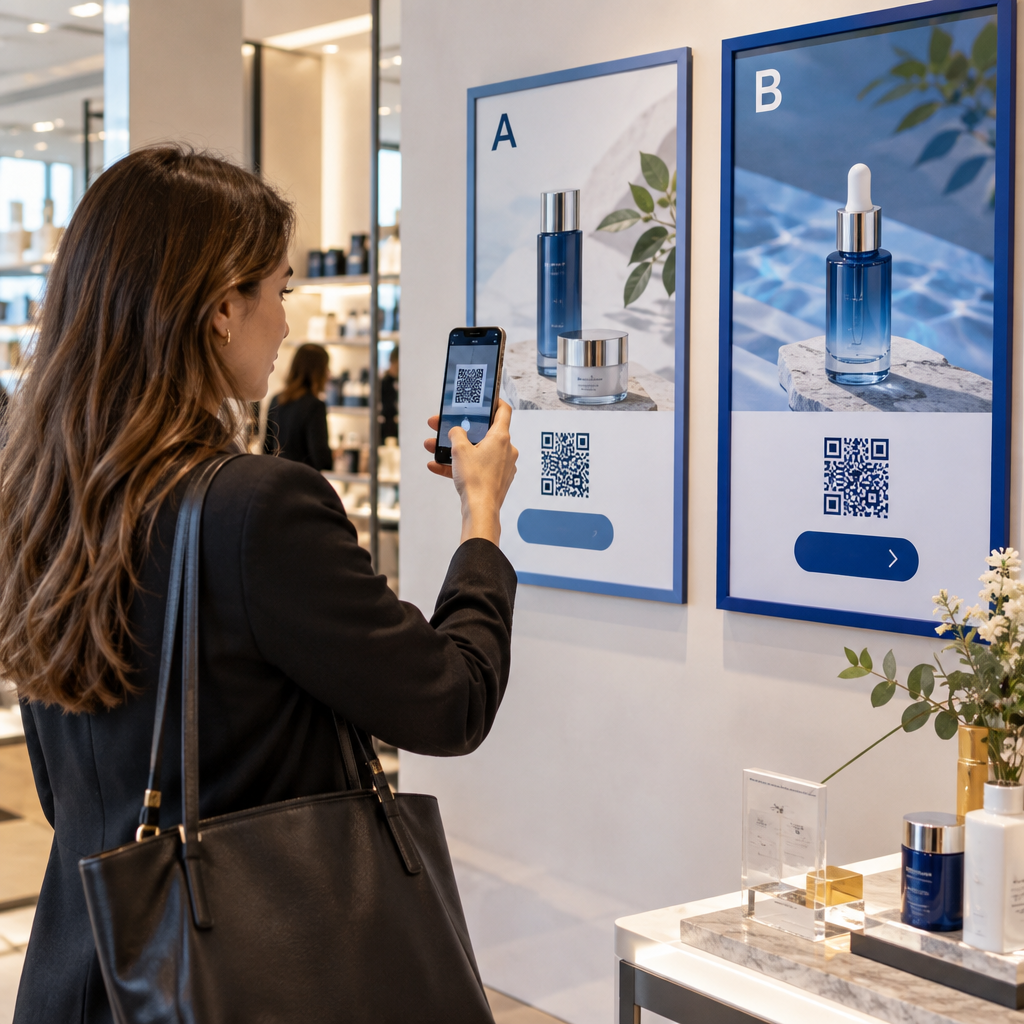
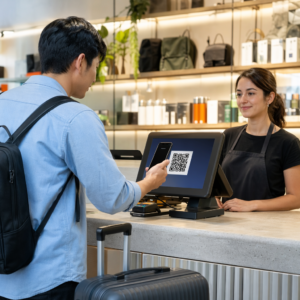
Novietojiet kodu tur, kur cilvēkiem ir brīdis apstāties. QR kodi uz ātri kustīgām zīmēm vai vāji apgaismotās vietās tiek ignorēti. Labas izvietošanas vietas ir kases, galda kartes, produktu iepakojums, pasākumu programmas un drukāti materiāli. Acu līmenis (aptuveni 1,07 līdz 1,68 metri) un kluss, nepārblīvēts fons uzlabo skenēšanas rādītājus.
Izsekojiet, kuri izvietojumi nodrošina visvairāk reģistrāciju Ar Pageloot QR koda izsekošana, jūs varat uzraudzīt skenēšanas apjomu, atrašanās vietu, ierīces veidu un diennakts laiku – lai zinātu, kuri materiāli patiešām nodrošina konversijas un kur ieguldīt vairāk.
QR koda reģistrāciju plusi un mīnusi
| Priekšrocība | Potenciālais trūkums | Risinājums |
|---|---|---|
| Nav nepieciešama manuāla URL ievadīšana | Vecākām ierīcēm var nebūt iebūvēta skenera | Nodrošiniet īsu URL alternatīvu zem koda |
| Dabiski darbojas mobilajās ierīcēs | Mērķis var būt neskaidrs bez konteksta | Izmantojiet skaidru aicinājuma uz darbību (CTA) rāmi ap kodu |
| Bezkontakta un ērts | Daži lietotāji neuzticas nepazīstamiem QR kodiem | Parādiet savu URL un privātuma politiku blakus |
| Izsekojams ar dinamiskiem kodiem | Statiskos kodus nevar atjaunināt, ja mainās veidlapas URL | Kampaņām vienmēr izmantojiet dinamiskos QR kodus |
E-pasta un bezsaistes kanālu savienošana
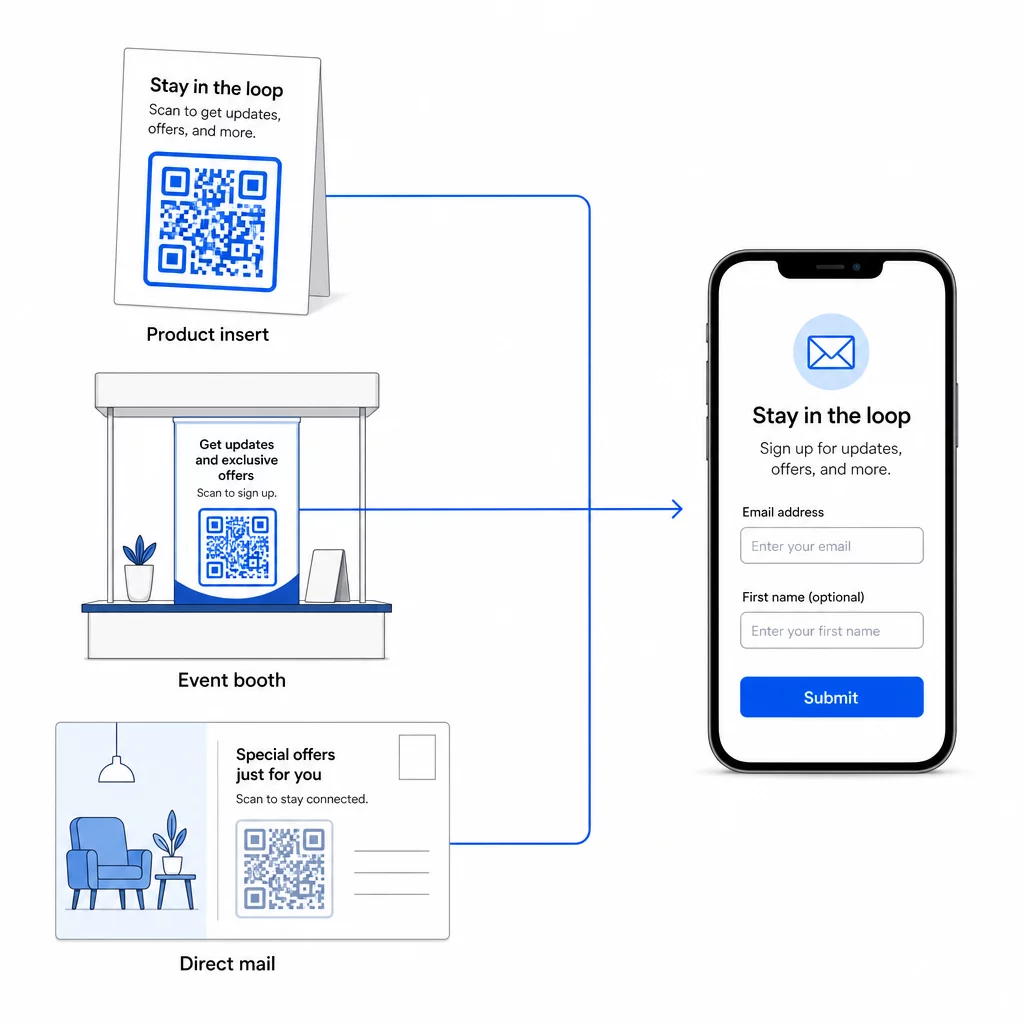
QR kodi ir visefektīvākie, ja tie ir daļa no apzinātas stratēģijas, kas savieno jūsu fizisko un digitālo mārketingu. Kods uz produkta ieliktņa var palielināt jūsu sarakstu ar klientiem, kuri jau kaut ko iegādājušies. Kods pasākuma stendā var piesaistīt potenciālos klientus, kuri citādi nekad neatrastu jūsu reģistrācijas veidlapu. Kods tiešā pasta sūtījumā sniedz saņēmējiem tūlītēju iespēju pieteikties.
Lai iegūtu plašāku ieskatu par to, kā QR kodi savieno šos kanālus, skatiet kā QR kodi savieno sociālos medijus un e-pastu un kā izmantot QR kodus mārketingā.
Pamatprincips ir vienkāršs: katrs fiziskais saskares punkts, kas ir jūsu uzņēmumam, ir potenciāls abonentu piesaistes punkts. QR kods ir tas, kas padara šo konversiju iespējamu.
Sāciet vākt e-pastus no fiziskiem materiāliem Izveidojiet dinamisku, izsekojamu QR kodu, kas saistīts ar jūsu reģistrācijas veidlapu, izmantojot Pageloot QR kodu ģenerators. Bezmaksas 14 dienu izmēģinājuma periods – nav nepieciešama kredītkarte.
Biežāk uzdotie jautājumi
E-pasta QR kods atver lietotāja e-pasta lietotni ar iepriekš aizpildītu ziņojumu – saņēmējs, tēma un saturs jau ir aizpildīti, un lietotājs vienkārši nospiež sūtīt. Reģistrācijas veidlapas QR kods ved uz tīmekļa lapu, kur lietotājs ievada savu e-pasta adresi tieši veidlapā. Izmantojiet e-pasta QR pieeju vienkāršiem kontaktu vai jautājumu plūsmām, un veidlapas pieeju, ja vēlaties automātiski pievienot abonentus e-pasta mārketinga sarakstam.
Ne, ja izmantojat dinamisku QR kodu. Dinamiskie kodi saglabā galamērķi novirzošā saitē, ko jebkurā laikā varat atjaunināt savā Pageloot informācijas panelī. Pats izdrukātais kods nemainās – mainās tikai galamērķis, uz kuru tas norāda. Tas ir īpaši noderīgi kampaņām, kurās materiāli jau ir izdrukāti vai izplatīti.
Jā, ar dinamisku QR kodu varat izsekot kopējo skenējumu skaitu, unikālos skenējumus, skenēšanas vietu, ierīces veidu un diennakts laiku. Pageloot informācijas panelis rāda šos datus reāllaikā, lai jūs varētu salīdzināt veiktspēju dažādās izvietošanas vietās vai kampaņās un attiecīgi optimizēt. Uzziniet vairāk par QR kodu skenēšanas izsekošanu un analīzi.