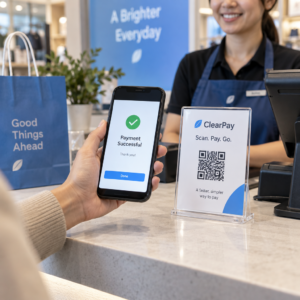
Vill du utöka din e-postlista från affischer, förpackningar eller personliga evenemang – men kan inte lista ut hur du får människor från en fysisk kontaktpunkt till ett anmälningsformulär? Klyftan mellan offline-närvaro och online-prenumeranter kostar dig verkliga leads. Den här sidan visar dig exakt hur du överbryggar den klyftan med hjälp av QR-koder.
Varför QR-koder fungerar för e-postinsamling
E-postmarknadsföring ger i genomsnitt 36 kr tillbaka för varje 1 kr som spenderas – men den avkastningen materialiseras bara om du faktiskt kan få människor till din lista. Utmaningen för företag som använder tryckt material, evenemang eller fysiska platser är att det inte finns något friktionsfritt sätt att dirigera någon från en flyer till ett anmälningsformulär. Att skriva in en URL är en barriär som de flesta inte kommer att bry sig om.
En QR-kod tar bort den barriären helt. En skanning skickar någon direkt till ditt anmälningsformulär, förladdat och redo att fyllas i på deras telefon. Med en beräknad användning av QR-koder i USA som når 99,5 miljoner användare är detta inte längre en nischad taktik – det är en mainstream-kanal för listtillväxt.
Det finns två huvudsakliga tillvägagångssätt:
- Länka till ett anmälningsformulär – Rikta QR-koden till en landningssida eller ett formulär (Mailchimp, Mailerlite, Google Forms, etc.) där besökare anger sin e-postadress
- Förifyll en e-poståtgärd – Använd en e-post-QR-kod för att öppna användarens e-postapp med ett förskrivet meddelande, så att de helt enkelt trycker på skicka för att kontakta dig eller anmäla sig
Båda metoderna är legitima. Ditt val beror på om du vill ha strukturerad formulärdata eller en enkel e-postkontaktpunkt.
Skapa en QR-kod för e-postanmälningar Använd Pageloot Länk QR-kodgenerator för att förvandla vilken anmälningsformulärs-URL som helst till en skanningsbar kod på några sekunder – ingen teknisk kunskap krävs.
Så här ställer du in en QR-kod för e-postregistreringar
Bestäm vad du samlar in
Innan du genererar något, definiera vad du behöver. Enbart en e-postadress håller anmälan snabb och konverteringsgraden hög. Att lägga till ett förnamn möjliggör personalisering i kampanjer. Varje extra fält du kräver minskar andelen människor som fyller i det, så håll formuläret så kort som ditt användningsfall tillåter.
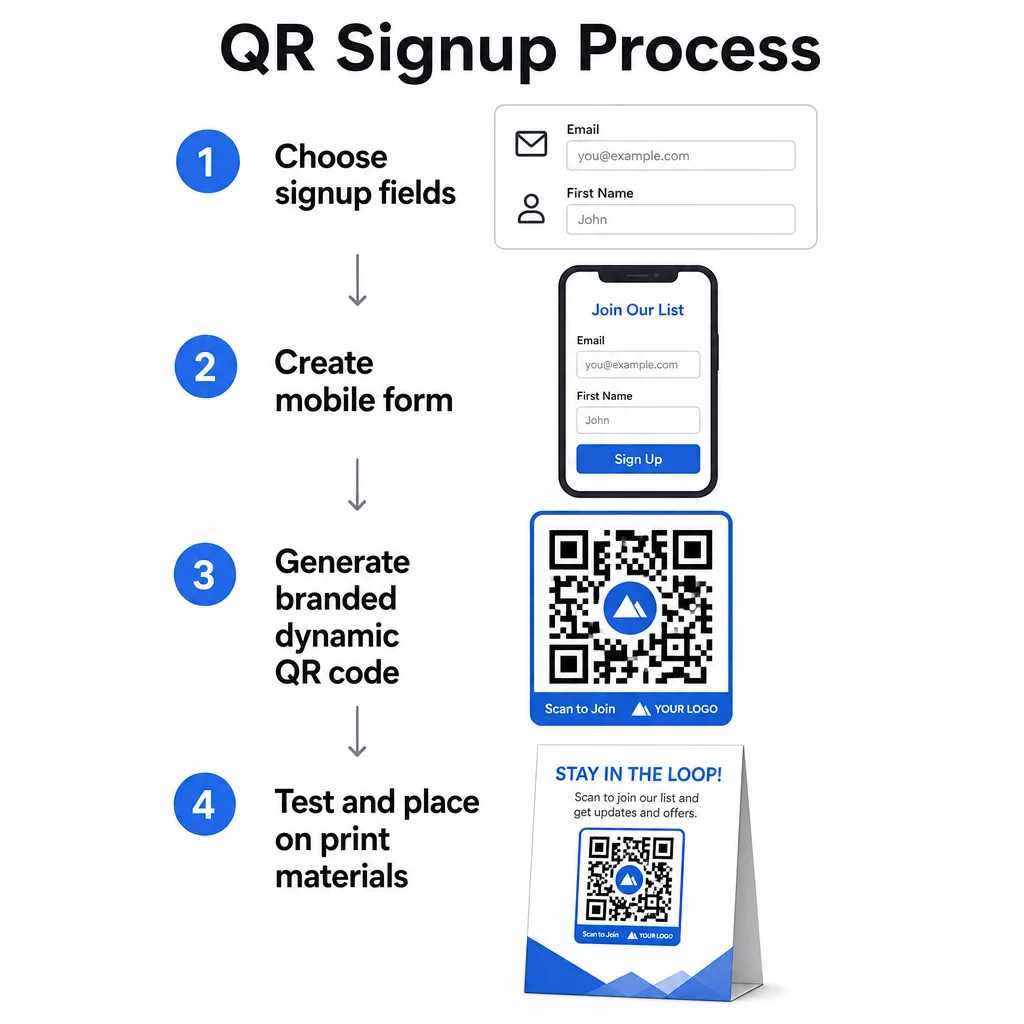
Skapa eller Välj ditt anmälningsformulär
Du behöver en URL att peka din QR-kod mot. Alternativ inkluderar:
- En landningssida från din e-postplattform (Mailchimp, Klaviyo, ConvertKit, etc.)
- A Google Formulär konfigurerad för att samla in e-postadresser
- En anpassad landningssida för QR-kod byggd i Pageloot, som låter dig kombinera en anmälningslänk med annat relevant innehåll på en enda märkesanpassad, mobilvänlig sida
Se till att destinationssidan laddar snabbt på mobilen och har en enda, tydlig åtgärd för besökaren att utföra. För bästa praxis för att bygga mobiloptimerade sidor som konverterar, se bästa praxis för mobila QR-kodlandningssidor.
Generera din QR-kod
Klistra in din anmälningsformulärs-URL i Pageloot QR-kodgenerator. Generatorn skapar en skanningsbar kod omedelbart. Härifrån kan du:
- Lägg till din logotyp och dina varumärkesfärger
- Applicera en uppmaningsram (t.ex. “Skanna för att prenumerera”)
- Ladda ner i utskriftsfärdiga format inklusive PNG, PDF, SVG och EPS
Använd en dynamisk QR-kod snarare än en statisk. Dynamiska koder låter dig ändra destinations-URL:en efter att koden redan har skrivits ut eller distribuerats – så om din anmälningsformulärs-URL ändras, uppdaterar du länken i din kontrollpanel istället för att trycka om allt ditt material. Dynamiska koder möjliggör också skanningsspårning.
Testa innan du distribuerar
Skanna koden på flera enheter – både iOS och Android – innan utskrift. Bekräfta att formuläret laddar korrekt, fälten fungerar och att skicka-knappen är funktionell. Testning under de faktiska ljusförhållandena och på det faktiska avståndet där koden kommer att visas (på en affisch, förpackning, bordskort, etc.) förhindrar problem efter att material redan har distribuerats. För placeringsvägledning, se ultimat guide för placering av QR-koder inom marknadsföring täcker storlek, position och miljöhänsyn i detalj.
Bästa praxis för e-postinsamling med QR-koder
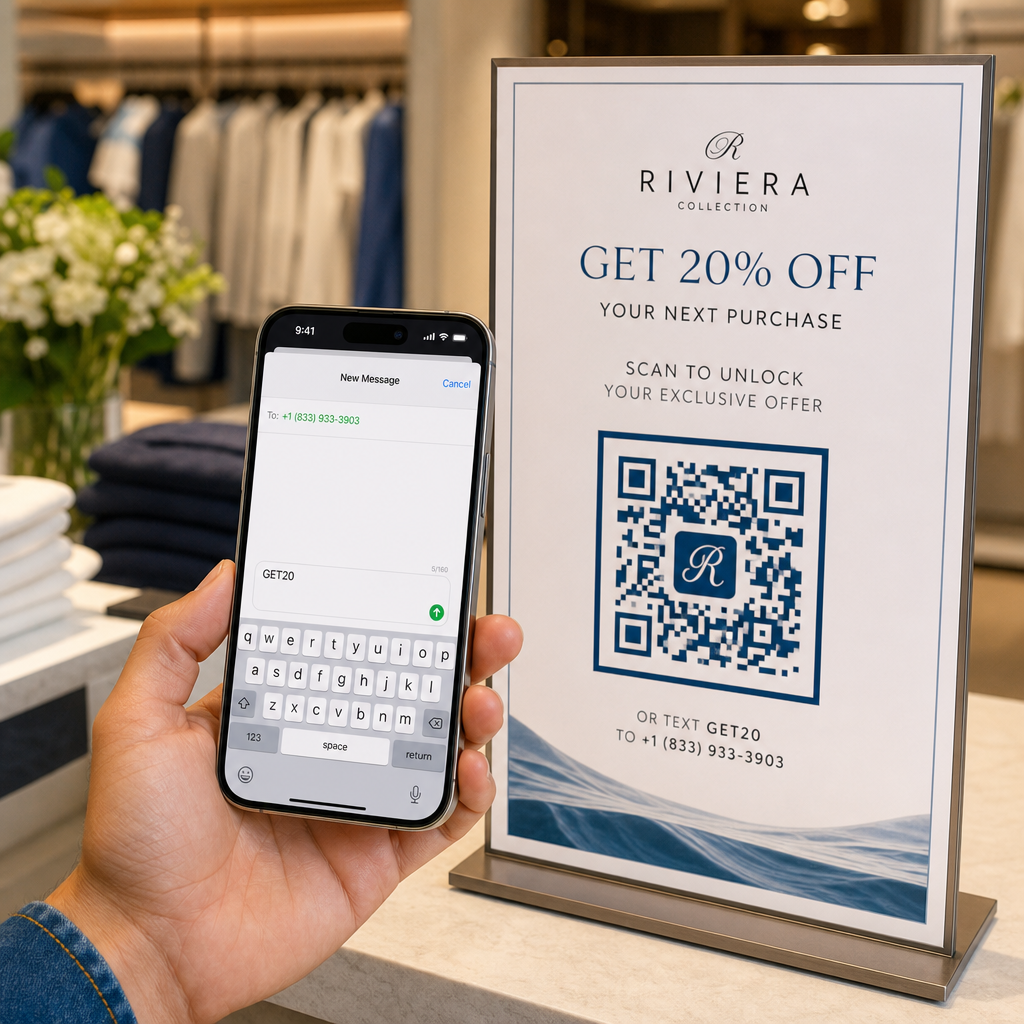
Skriv en specifik uppmaning till handling. “Skanna för att prenumerera” säger folk ingenting. “Skanna för 15% rabatt på din första beställning” eller “Skanna för att gå med i vår lista över veckans erbjudanden” förklarar exakt vad de får. Ju mer konkret förmånen är, desto högre skanningsfrekvens.
Erbjud något i utbyte. En rabatt, en nedladdningsbar resurs, tidig tillgång eller exklusivt innehåll ger människor en anledning att lämna ut sin e-postadress. Utan ett incitament har de flesta förbipasserande ingen motivation att stanna och skanna.
Håll landningssidan fokuserad. När någon skannar bör sidan de landar på ha ett enda syfte: samla in e-postadressen. Undvik navigeringsmenyer, orelaterade länkar eller distraherande element. En enda rubrik, ett kort värdeerbjudande och ett formulärfält med en skicka-knapp är ofta allt du behöver.
Var transparent med integriteten. Berätta för folk vad du kommer att skicka dem och hur ofta. Länka till din integritetspolicy. Enligt CAN-SPAM Act måste varje kommersiellt e-postmeddelande inkludera en giltig fysisk adress och en fungerande avregistreringsmekanism – se till att din e-postplattform hanterar detta automatiskt.
Placera koden där människor har en stund att stanna. QR-koder på snabbrörliga skyltar eller i miljöer med dåligt ljus ignoreras. Bra placeringar inkluderar kassadiskar, bordsställ, produktförpackningar, evenemangsprogram och tryckta utdelningsmaterial. Ögonhöjd (ungefär 1 till 1,7 meter) och en lugn, ostörd bakgrund förbättrar skanningsfrekvensen.
Spåra vilka placeringar som genererar flest registreringar Med Pageloots QR-kodspårning, kan du övervaka skanningsvolym, plats, enhetstyp och tid på dygnet – så att du vet vilka material som faktiskt konverterar och var du ska investera mer.
Fördelar och nackdelar med QR-kodregistreringar
| Fördel | Potentiell nackdel | Lösning |
|---|---|---|
| Ingen manuell URL-inmatning krävs | Äldre enheter kanske saknar en inbyggd skanner | Tillhandahåll ett kort URL-alternativ under koden |
| Fungerar naturligt på mobilen | Syftet kan vara oklart utan sammanhang | Använd en tydlig CTA-ram runt koden |
| Kontaktlöst och bekvämt | Vissa användare misstror okända QR-koder | Visa din URL och integritetspolicy bredvid |
| Spårbar med dynamiska koder | Statiska koder kan inte uppdateras om formulärets URL ändras | Använd alltid dynamiska QR-koder för kampanjer |
Koppla samman e-post och offlinekanaler
QR-koder är mest effektiva när de är en del av en medveten strategi som kopplar samman din fysiska och digitala marknadsföring. En kod på en produktbilaga kan utöka din lista från kunder som redan köpt något. En kod vid en evenemangsmonter kan fånga upp leads som annars aldrig skulle hitta ditt registreringsformulär. En kod i ett direktutskick ger mottagarna en omedelbar väg att anmäla sig.
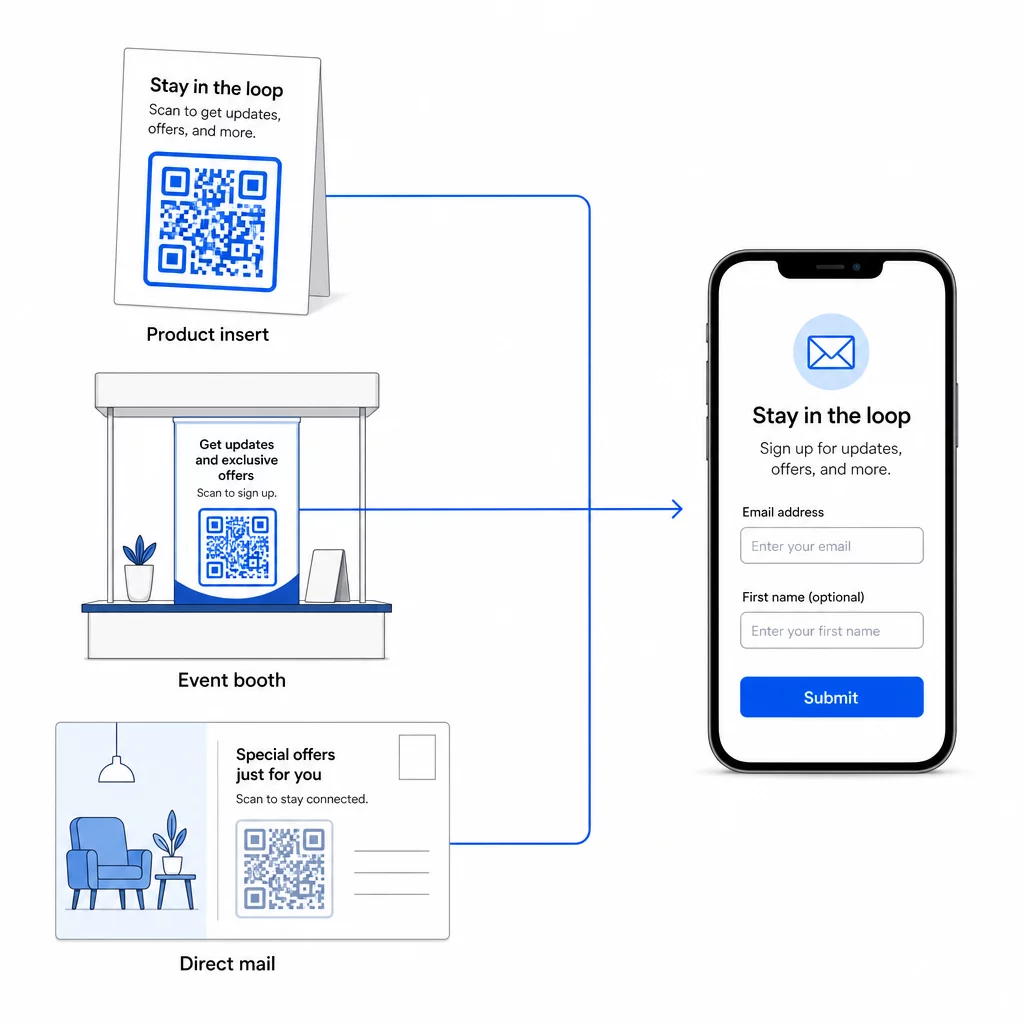
För en bredare titt på hur QR-koder kopplar samman dessa kanaler, se hur QR-koder kopplar samman sociala medier och e-post och hur man använder QR-koder inom marknadsföring.
Grundprincipen är enkel: varje fysisk kontaktpunkt ditt företag har är en potentiell punkt för att skaffa prenumeranter. En QR-kod är det som gör den konverteringen möjlig.
Börja samla in e-postadresser från fysiskt material Skapa en dynamisk, spårbar QR-kod länkad till ditt anmälningsformulär med hjälp av Pageloot QR-kodgenerator. Gratis 14-dagars provperiod – inget kreditkort krävs.
Vanliga frågor
En e-post-QR-kod öppnar användarens e-postapp med ett förifyllt meddelande – mottagare, ämne och meddelandetext är redan ifyllda, och användaren trycker bara på skicka. En QR-kod för anmälningsformulär länkar till en webbsida där användaren anger sin e-postadress direkt i ett formulär. Använd e-post-QR-metoden för enkla kontakt- eller förfrågningsflöden, och formulärmetoden när du automatiskt vill lägga till prenumeranter i en e-postmarknadsföringslista.
Inte om du använder en dynamisk QR-kod. Dynamiska koder lagrar destinationen i en omdirigeringslänk som du kan uppdatera i din Pageloot-panel när som helst. Själva den tryckta koden ändras inte – bara destinationen den pekar på. Detta är särskilt användbart för kampanjer där material redan är tryckt eller distribuerat.
Ja, med en dynamisk QR-kod kan du spåra totalt antal skanningar, unika skanningar, skanningsplats, enhetstyp och tid på dygnet. Pageloots panel visar denna data i realtid, så du kan jämföra prestanda över olika placeringar eller kampanjer och optimera därefter. Läs mer om att spåra QR-kodskanningar och analyser.