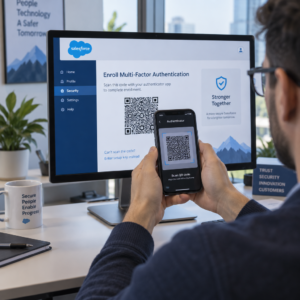
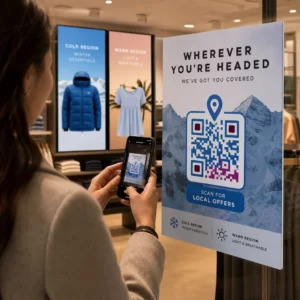
ต้องการเพิ่มรายชื่ออีเมลของคุณจากโปสเตอร์ บรรจุภัณฑ์ หรือกิจกรรมแบบตัวต่อตัว แต่ไม่รู้ว่าจะดึงดูดผู้คนจากจุดสัมผัสทางกายภาพไปยังแบบฟอร์มลงทะเบียนได้อย่างไร? ช่องว่างระหว่างการแสดงตนแบบออฟไลน์และสมาชิกออนไลน์ทำให้คุณเสียโอกาสในการสร้างลูกค้าเป้าหมายที่แท้จริง หน้านี้จะแสดงให้คุณเห็นอย่างชัดเจนถึงวิธีเชื่อมช่องว่างนั้นโดยใช้รหัส QR.
ทำไมรหัส QR จึงใช้ได้ผลสำหรับการรวบรวมอีเมล
การตลาดผ่านอีเมลให้ผลตอบแทนเฉลี่ย 36 ดอลลาร์สำหรับทุกๆ 1 ดอลลาร์ที่ใช้ไป แต่ผลตอบแทนนั้นจะเกิดขึ้นได้ก็ต่อเมื่อคุณสามารถดึงดูดผู้คนเข้าสู่รายชื่อของคุณได้จริง ความท้าทายสำหรับธุรกิจที่ใช้วัสดุสิ่งพิมพ์ กิจกรรม หรือสถานที่จริงคือไม่มีวิธีที่ราบรื่นในการนำใครบางคนจากใบปลิวไปยังแบบฟอร์มลงทะเบียน การพิมพ์ URL เป็นอุปสรรคที่คนส่วนใหญ่ไม่สนใจ.
รหัส QR ช่วยขจัดอุปสรรคนั้นออกไปโดยสิ้นเชิง การสแกนเพียงครั้งเดียวจะส่งใครบางคนไปยังแบบฟอร์มลงทะเบียนของคุณโดยตรง ซึ่งโหลดไว้ล่วงหน้าและพร้อมให้กรอกบนโทรศัพท์ของพวกเขา ด้วยการคาดการณ์ว่าการใช้รหัส QR ในสหรัฐอเมริกาจะสูงถึง 99.5 ล้านคน นี่ไม่ใช่กลยุทธ์เฉพาะกลุ่มอีกต่อไป แต่เป็นช่องทางหลักสำหรับการเพิ่มรายชื่อ.
มีสองแนวทางหลัก:
- เชื่อมโยงไปยังแบบฟอร์มลงทะเบียน – ชี้รหัส QR ไปยังหน้า Landing Page หรือแบบฟอร์ม (Mailchimp, Mailerlite, Google Forms ฯลฯ) ที่ผู้เยี่ยมชมป้อนที่อยู่อีเมลของตน
- กรอกข้อมูลการดำเนินการอีเมลล่วงหน้า – ใช้ รหัส QR อีเมล เพื่อเปิดแอปอีเมลของผู้ใช้พร้อมข้อความที่เขียนไว้ล่วงหน้า เพื่อให้พวกเขากดส่งเพื่อติดต่อคุณหรือเลือกเข้าร่วม
ทั้งสองวิธีถูกต้องตามกฎหมาย ทางเลือกของคุณขึ้นอยู่กับว่าคุณต้องการข้อมูลแบบฟอร์มที่มีโครงสร้างหรือจุดสัมผัสอีเมลที่เรียบง่าย.
สร้างรหัส QR สำหรับการลงทะเบียนอีเมล ใช้ เครื่องสร้าง QR โค้ดลิงก์ Pageloot เพื่อเปลี่ยน URL แบบฟอร์มลงทะเบียนใดๆ ให้เป็นรหัสที่สแกนได้ในไม่กี่วินาที – ไม่ต้องมีความรู้ด้านเทคนิค.
วิธีการตั้งค่ารหัส QR สำหรับการสมัครอีเมล
ตัดสินใจว่าคุณกำลังรวบรวมอะไร
ก่อนสร้างสิ่งใด ให้กำหนดสิ่งที่คุณต้องการ ที่อยู่อีเมลเพียงอย่างเดียวช่วยให้การลงทะเบียนรวดเร็วและอัตราการแปลงสูง การเพิ่มชื่อจริงช่วยให้สามารถปรับแต่งแคมเปญได้ ทุกช่องพิเศษที่คุณต้องการจะลดเปอร์เซ็นต์ของผู้ที่กรอกข้อมูลให้สมบูรณ์ ดังนั้นให้แบบฟอร์มสั้นที่สุดเท่าที่กรณีการใช้งานของคุณจะอนุญาต.
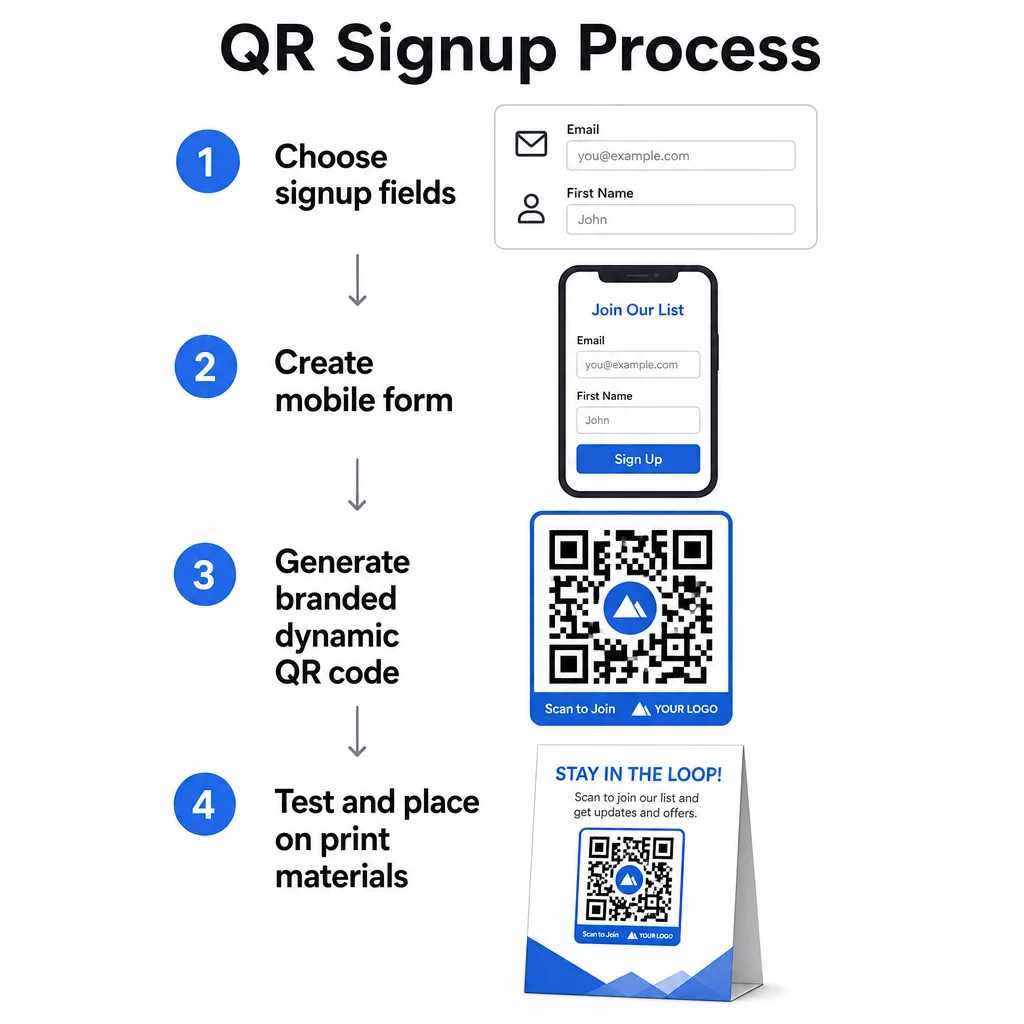
สร้างหรือเลือกแบบฟอร์มลงทะเบียนของคุณ
คุณต้องมี URL เพื่อให้โค้ด QR ของคุณชี้ไปที่นั่น ตัวเลือกได้แก่:
- หน้า Landing Page จากแพลตฟอร์มอีเมลของคุณ (Mailchimp, Klaviyo, ConvertKit, เป็นต้น)
- ก Google Form ที่กำหนดค่าไว้เพื่อรวบรวมที่อยู่อีเมล
- แบบกำหนดเอง หน้า Landing Page ของรหัส QR ที่สร้างขึ้นภายใน Pageloot ซึ่งช่วยให้คุณรวมลิงก์ลงทะเบียนเข้ากับเนื้อหาที่เกี่ยวข้องอื่นๆ ในหน้าเดียวที่มีแบรนด์และเป็นมิตรกับมือถือ
ตรวจสอบให้แน่ใจว่าหน้าปลายทางโหลดได้อย่างรวดเร็วบนมือถือ และมีขั้นตอนเดียวที่ชัดเจนสำหรับผู้เยี่ยมชมที่จะดำเนินการ สำหรับแนวทางปฏิบัติที่ดีที่สุดในการสร้างหน้าเว็บที่ปรับให้เหมาะกับมือถือและสามารถเปลี่ยนเป็นลูกค้าได้ โปรดดู แนวทางปฏิบัติที่ดีที่สุดสำหรับหน้า Landing Page ของรหัส QR บนมือถือ.
สร้างรหัส QR ของคุณ
วาง URL แบบฟอร์มลงทะเบียนของคุณลงใน เครื่องสร้าง QR โค้ด Pageloot. ตัวสร้างจะสร้างโค้ดที่สแกนได้ทันที จากตรงนี้คุณสามารถ:
- ใส่โลโก้และสีประจำแบรนด์ของคุณ
- ใช้กรอบคำกระตุ้นการตัดสินใจ (เช่น “สแกนเพื่อสมัครสมาชิก”)
- ดาวน์โหลดในรูปแบบพร้อมพิมพ์ ได้แก่ PNG, PDF, SVG และ EPS
ใช้โค้ด QR แบบไดนามิก แทนที่จะเป็นแบบคงที่ โค้ดไดนามิกช่วยให้คุณสามารถเปลี่ยน URL ปลายทางได้หลังจากที่โค้ดถูกพิมพ์หรือใช้งานไปแล้ว – ดังนั้นหาก URL แบบฟอร์มลงทะเบียนของคุณเปลี่ยนไป คุณก็สามารถอัปเดตลิงก์ในแดชบอร์ดของคุณได้แทนที่จะต้องพิมพ์วัสดุทั้งหมดใหม่ โค้ดไดนามิกยังปลดล็อกการติดตามการสแกนอีกด้วย.
ทดสอบก่อนนำไปใช้งานจริง
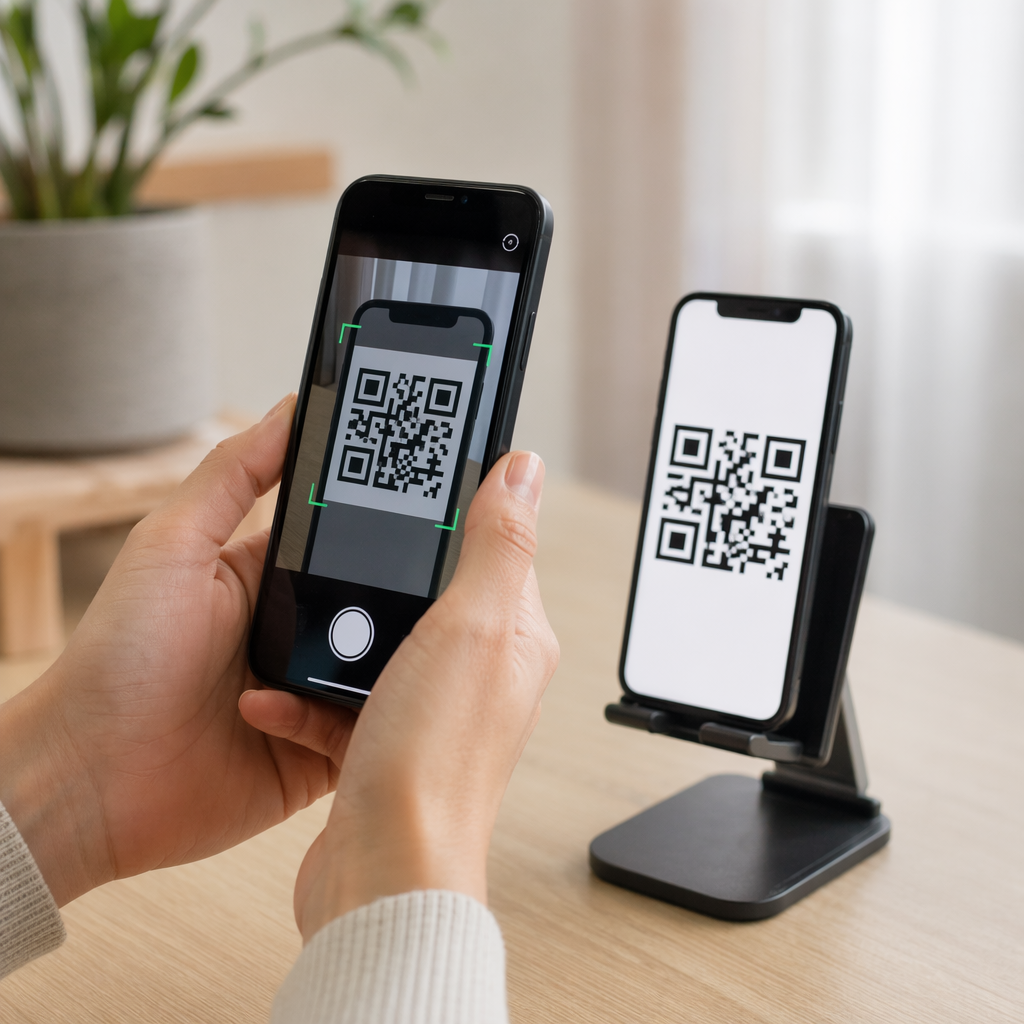
สแกนโค้ดบนอุปกรณ์หลายเครื่อง – ทั้ง iOS และ Android – ก่อนพิมพ์ ยืนยันว่าแบบฟอร์มโหลดถูกต้อง ช่องต่างๆ ทำงาน และปุ่มส่งใช้งานได้ การทดสอบในสภาพแสงจริงและระยะห่างจริงที่โค้ดจะปรากฏ (บนโปสเตอร์ บรรจุภัณฑ์ การ์ดตั้งโต๊ะ เป็นต้น) ช่วยป้องกันปัญหาหลังจากที่วัสดุถูกแจกจ่ายไปแล้ว สำหรับคำแนะนำในการจัดวาง คู่มือฉบับสมบูรณ์สำหรับการจัดวาง QR โค้ดในการตลาด ครอบคลุมรายละเอียดเกี่ยวกับขนาด ตำแหน่ง และข้อควรพิจารณาด้านสภาพแวดล้อม.
แนวทางปฏิบัติที่ดีที่สุดสำหรับการรวบรวมอีเมลด้วย QR Code
เขียนคำกระตุ้นการตัดสินใจที่เฉพาะเจาะจง. “สแกนเพื่อสมัครสมาชิก” ไม่ได้บอกอะไรผู้คนเลย “สแกนเพื่อรับส่วนลด 15% สำหรับการสั่งซื้อครั้งแรก” หรือ “สแกนเพื่อเข้าร่วมรายการข้อเสนอประจำสัปดาห์ของเรา” อธิบายได้อย่างชัดเจนว่าพวกเขาจะได้รับอะไร ยิ่งผลประโยชน์เป็นรูปธรรมมากเท่าไหร่ อัตราการสแกนก็จะยิ่งสูงขึ้นเท่านั้น.
เสนอบางสิ่งบางอย่างเป็นการแลกเปลี่ยน. ส่วนลด, ทรัพยากรที่ดาวน์โหลดได้, การเข้าถึงก่อนใคร, หรือเนื้อหาพิเศษ จะเป็นเหตุผลให้ผู้คนยอมให้ที่อยู่อีเมลของพวกเขา หากไม่มีสิ่งจูงใจ ผู้คนที่เดินผ่านไปมาส่วนใหญ่จะไม่มีแรงจูงใจที่จะหยุดและสแกน.
ทำให้หน้า Landing Page มีจุดมุ่งหมายเดียว. เมื่อมีคนสแกน หน้าที่พวกเขาไปถึงควรมีหน้าที่เดียว: รวบรวมที่อยู่อีเมล หลีกเลี่ยงเมนูนำทาง ลิงก์ที่ไม่เกี่ยวข้อง หรือองค์ประกอบที่ทำให้เสียสมาธิ หัวข้อเดียว คำอธิบายคุณค่าสั้นๆ และช่องกรอกแบบฟอร์มพร้อมปุ่มส่ง มักจะเป็นสิ่งที่คุณต้องการทั้งหมด.
โปร่งใสเกี่ยวกับความเป็นส่วนตัว. บอกผู้คนว่าคุณจะส่งอะไรให้พวกเขาและบ่อยแค่ไหน ลิงก์ไปยังนโยบายความเป็นส่วนตัวของคุณ ภายใต้พระราชบัญญัติ CAN-SPAM อีเมลเชิงพาณิชย์ทุกฉบับต้องมีที่อยู่จริงที่ถูกต้องและกลไกการยกเลิกการสมัครที่ใช้งานได้ – ตรวจสอบให้แน่ใจว่าแพลตฟอร์มอีเมลของคุณจัดการสิ่งนี้โดยอัตโนมัติ.
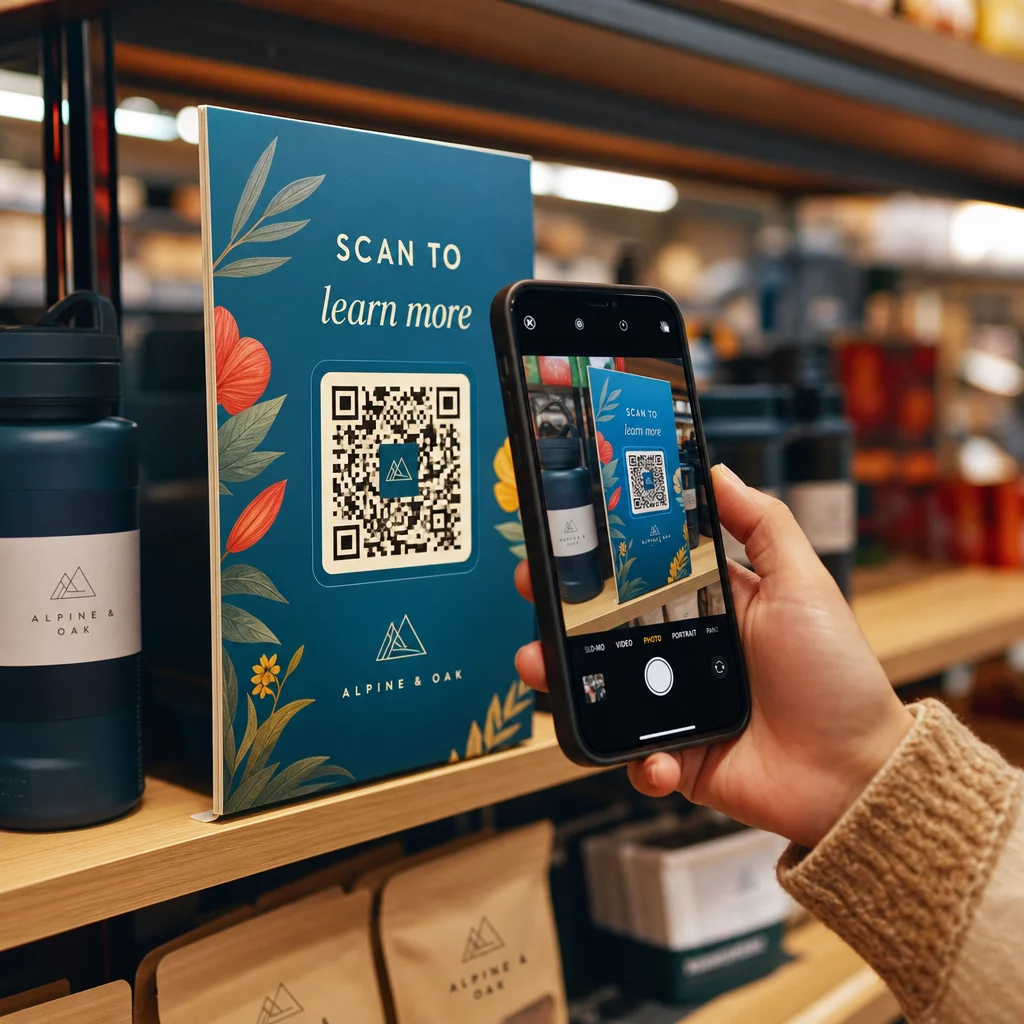
วางโค้ดในที่ที่ผู้คนมีเวลาหยุด. QR Code บนป้ายที่เคลื่อนที่เร็วหรือในสภาพแวดล้อมที่มีแสงน้อยมักถูกละเลย ตำแหน่งที่ดีได้แก่ เคาน์เตอร์ชำระเงิน, ป้ายตั้งโต๊ะ, บรรจุภัณฑ์สินค้า, โปรแกรมงานอีเวนต์ และเอกสารแจก ตำแหน่งระดับสายตา (ประมาณ 3.5 ถึง 5.5 ฟุต) และพื้นหลังที่เงียบสงบ ไม่รก จะช่วยเพิ่มอัตราการสแกน.
ติดตามว่าตำแหน่งใดที่กระตุ้นการสมัครสมาชิกได้มากที่สุด กับ การติดตาม QR Code ของ Pageloot, คุณสามารถตรวจสอบปริมาณการสแกน, ตำแหน่ง, ประเภทอุปกรณ์ และช่วงเวลาของวัน – เพื่อให้คุณทราบว่าสื่อใดที่สร้างการเปลี่ยนแปลงได้จริงและควรลงทุนเพิ่มที่ใด.
ข้อดีและข้อเสียของการสมัครสมาชิกด้วย QR Code
| ข้อดี | ข้อเสียที่อาจเกิดขึ้น | สารละลาย |
|---|---|---|
| ไม่ต้องพิมพ์ URL ด้วยตนเอง | อุปกรณ์รุ่นเก่าอาจไม่มีเครื่องสแกนในตัว | ระบุ URL ทางเลือกแบบสั้นไว้ใต้รหัส |
| ใช้งานได้ดีบนมือถือ | วัตถุประสงค์อาจไม่ชัดเจนหากไม่มีบริบท | ใช้กรอบ CTA ที่ชัดเจนรอบรหัส |
| ไร้การสัมผัสและสะดวกสบาย | ผู้ใช้บางรายไม่ไว้วางใจรหัส QR ที่ไม่คุ้นเคย | แสดง URL และนโยบายความเป็นส่วนตัวของคุณควบคู่กันไป |
| ติดตามได้ด้วยรหัสแบบไดนามิก | รหัสแบบคงที่ไม่สามารถอัปเดตได้หาก URL ของแบบฟอร์มมีการเปลี่ยนแปลง | ใช้รหัส QR แบบไดนามิกเสมอสำหรับแคมเปญ |
การเชื่อมต่ออีเมลและช่องทางออฟไลน์
รหัส QR จะมีประสิทธิภาพสูงสุดเมื่อเป็นส่วนหนึ่งของกลยุทธ์ที่ตั้งใจเชื่อมโยงการตลาดทางกายภาพและดิจิทัลของคุณ รหัสบนใบแทรกผลิตภัณฑ์สามารถเพิ่มรายชื่อของคุณจากลูกค้าที่ซื้อสินค้าไปแล้ว รหัสที่บูธกิจกรรมสามารถดึงดูดลูกค้าเป้าหมายที่ไม่เคยพบแบบฟอร์มลงทะเบียนของคุณได้ รหัสในจดหมายตรงช่วยให้ผู้รับมีเส้นทางทันทีในการเลือกเข้าร่วม.
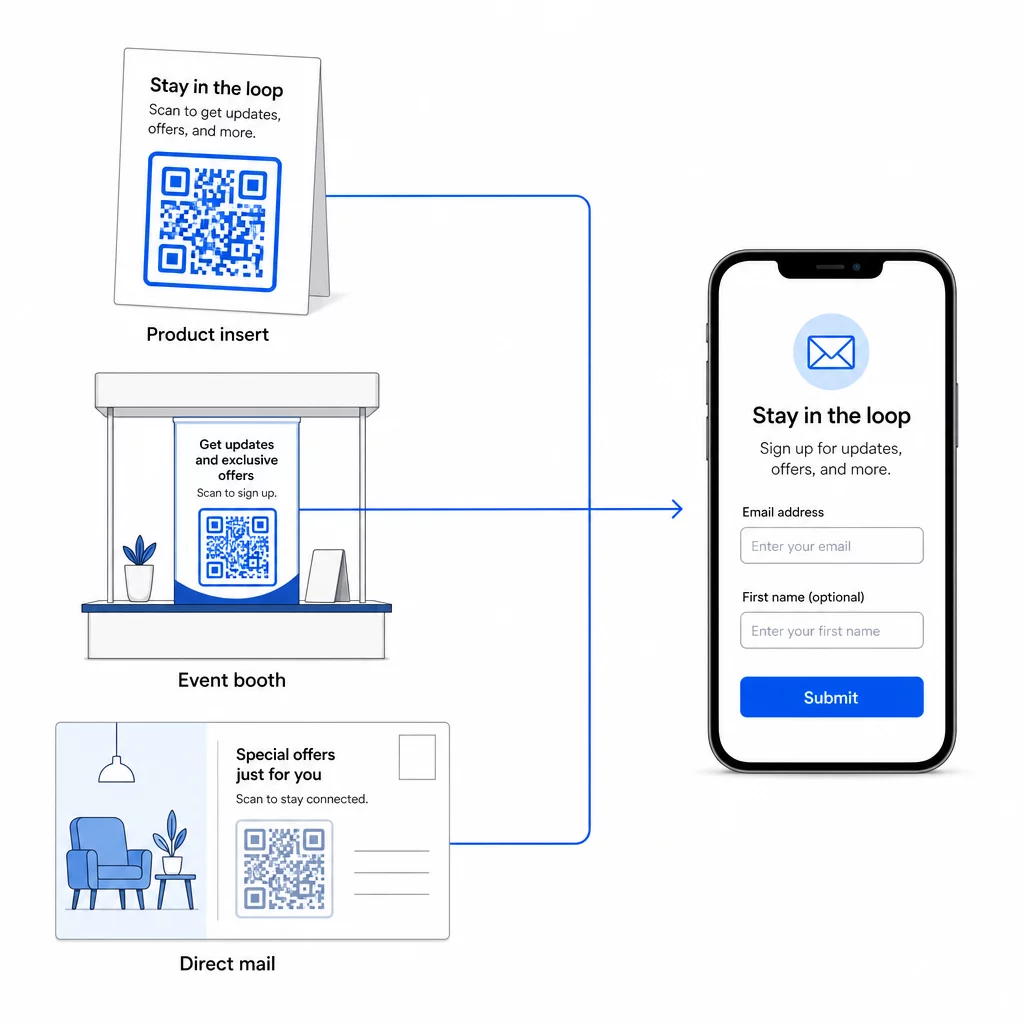
สำหรับภาพรวมที่กว้างขึ้นว่ารหัส QR เชื่อมต่อช่องทางเหล่านี้อย่างไร โปรดดู วิธีที่รหัส QR เชื่อมต่อโซเชียลมีเดียและอีเมล และ วิธีใช้ QR โค้ดในการตลาด.
หลักการสำคัญนั้นง่าย: ทุกจุดสัมผัสทางกายภาพที่ธุรกิจของคุณมีคือจุดที่สามารถดึงดูดผู้ติดตามได้ QR โค้ดคือสิ่งที่ทำให้การเปลี่ยนนี้เป็นไปได้.
เริ่มรวบรวมอีเมลจากสื่อสิ่งพิมพ์ สร้าง QR โค้ดแบบไดนามิกที่สามารถติดตามได้ ซึ่งเชื่อมโยงกับแบบฟอร์มลงทะเบียนของคุณโดยใช้ Pageloot เครื่องสร้างรหัส QR. ทดลองใช้ฟรี 14 วัน – ไม่ต้องใช้บัตรเครดิต.
คำถามที่พบบ่อย
QR โค้ดอีเมลจะเปิดแอปอีเมลของผู้ใช้พร้อมข้อความที่กรอกไว้ล่วงหน้า – ผู้รับ, หัวเรื่อง และเนื้อหาจะถูกกรอกไว้แล้ว และผู้ใช้เพียงแค่แตะส่ง QR โค้ดแบบฟอร์มลงทะเบียนจะเชื่อมโยงไปยังหน้าเว็บที่ผู้ใช้ป้อนที่อยู่อีเมลของตนโดยตรงลงในแบบฟอร์ม ใช้วิธี QR โค้ดอีเมลสำหรับการติดต่อหรือสอบถามง่ายๆ และใช้วิธีแบบฟอร์มเมื่อคุณต้องการเพิ่มผู้ติดตามลงในรายชื่อการตลาดอีเมลโดยอัตโนมัติ.
ไม่ ถ้าคุณใช้ QR โค้ดแบบไดนามิก โค้ดแบบไดนามิกจะเก็บปลายทางไว้ในลิงก์เปลี่ยนเส้นทางที่คุณสามารถอัปเดตได้ในแดชบอร์ด Pageloot ของคุณได้ตลอดเวลา ตัวโค้ดที่พิมพ์ออกมาจะไม่เปลี่ยนแปลง – มีเพียงปลายทางที่โค้ดชี้ไปเท่านั้น นี่มีประโยชน์อย่างยิ่งสำหรับแคมเปญที่สื่อสิ่งพิมพ์ถูกพิมพ์หรือแจกจ่ายไปแล้ว.
ได้ ด้วย QR โค้ดแบบไดนามิก คุณสามารถติดตามจำนวนการสแกนทั้งหมด, การสแกนที่ไม่ซ้ำกัน, ตำแหน่งการสแกน, ประเภทอุปกรณ์ และช่วงเวลาของวัน แดชบอร์ดของ Pageloot แสดงข้อมูลนี้แบบเรียลไทม์ เพื่อให้คุณสามารถเปรียบเทียบประสิทธิภาพในตำแหน่งหรือแคมเปญต่างๆ และปรับปรุงให้เหมาะสม เรียนรู้เพิ่มเติมเกี่ยวกับการติดตามการสแกน QR โค้ดและการวิเคราะห์.