Gestionar campañas de códigos QR para múltiples clientes es más difícil de lo que parece, especialmente cuando se necesita un seguimiento consistente, informes claros y la flexibilidad para actualizar materiales sin reimprimir. Esta guía cubre cómo las agencias de marketing pueden crear, gestionar y medir campañas de códigos QR que ofrezcan resultados medibles para cada cuenta de cliente.
¿Por qué los códigos QR son importantes para las agencias de marketing?
Los códigos QR han ido mucho más allá de la novedad. En 2025, 89 millones de estadounidenses escanearon un código QR, y se proyecta que esa cifra supere los 100 millones en 2026. Para las agencias, esa tasa de adopción significa que los códigos QR son ahora un canal viable –y esperado– en casi todas las industrias de clientes.
Lo que los hace particularmente valiosos a nivel de agencia es su doble función: conectan materiales impresos y físicos con experiencias digitales rastreables. Un póster, una tarjeta de presentación o una etiqueta de producto se convierte en un punto de contacto medible en el momento en que lleva un código QR dinámico.
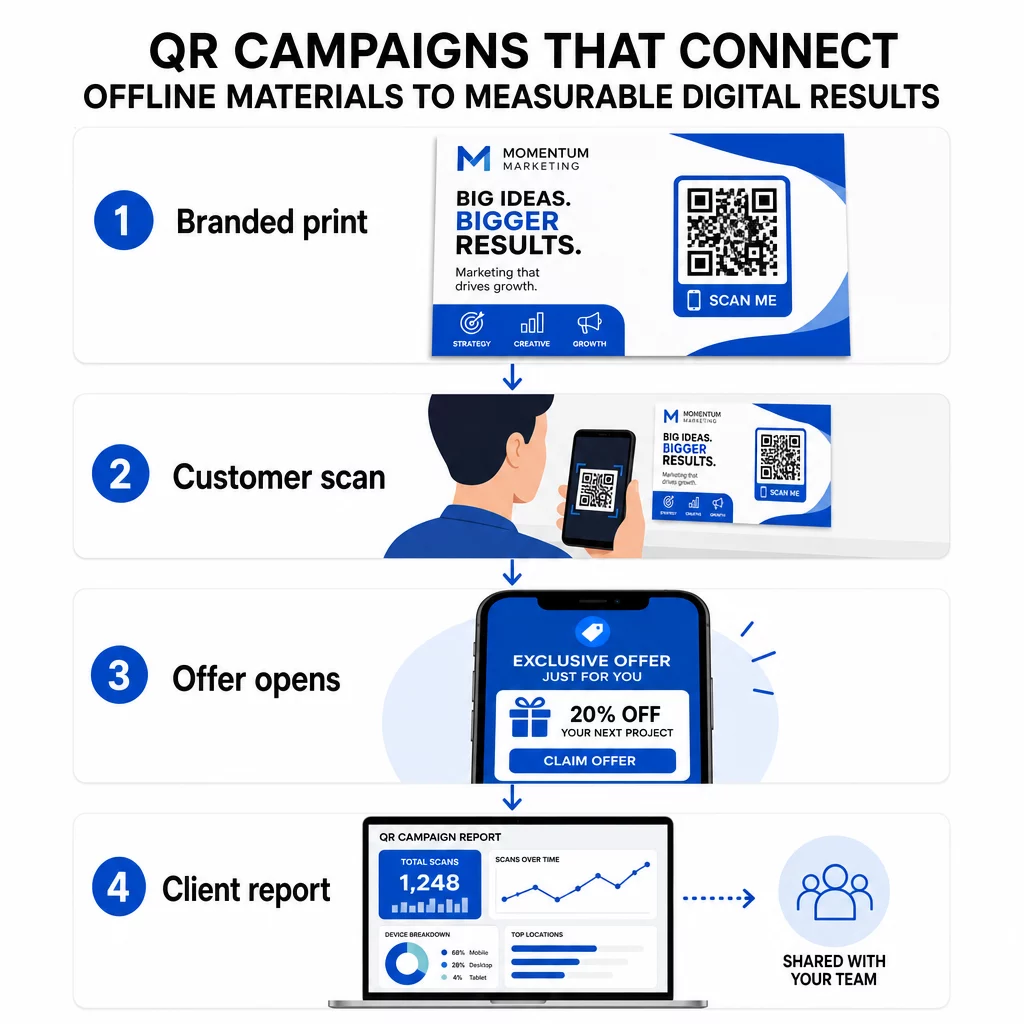
Razones clave por las que las agencias deberían incorporar los códigos QR en su conjunto de herramientas estándar:
- Rendimiento offline medible – Rastrea qué ubicaciones físicas generan la mayor interacción en volumen de escaneos, ubicación y hora del día
- Gestión de campañas flexible – Actualiza las URL de destino sin reimprimir, para que un solo código pueda servir para todo el ciclo de vida de una campaña
- Informes listos para el cliente – Comparte datos de escaneo en vivo directamente con los clientes a través de informes compartibles, sin necesidad de que inicien sesión
- Consistencia de marca – Colores personalizados, logotipos y plantillas de diseño mantienen cada código alineado con la identidad visual de cada cliente
Gestiona cada campaña de cliente en un solo lugar El Plataforma de Agencia Pageloot ofrece a los equipos de marketing informes de clientes compartibles, paneles de control de marca blanca, parámetros UTM integrados y control de acceso basado en roles, para que puedas escalar la gestión de códigos QR a cualquier número de cuentas.
Tipos de códigos QR que las agencias más utilizan
Diferentes objetivos de campaña requieren diferentes formatos de códigos QR. Aquí están los tipos que tienden a ofrecer el mayor valor en el trabajo de agencia:
Códigos QR de Enlace – Dirige Tráfico a Cualquier URL
Un código QR de enlace envía a los usuarios directamente a cualquier página web – una página de destino, una página de producto, un formulario de registro o un perfil social. Estos son el tipo más versátil para el uso en campañas.
Aplicaciones comunes:
- Folletos impresos y correo directo que enlazan a ofertas promocionales
- Invitaciones a eventos que conectan a páginas de confirmación de asistencia (RSVP)
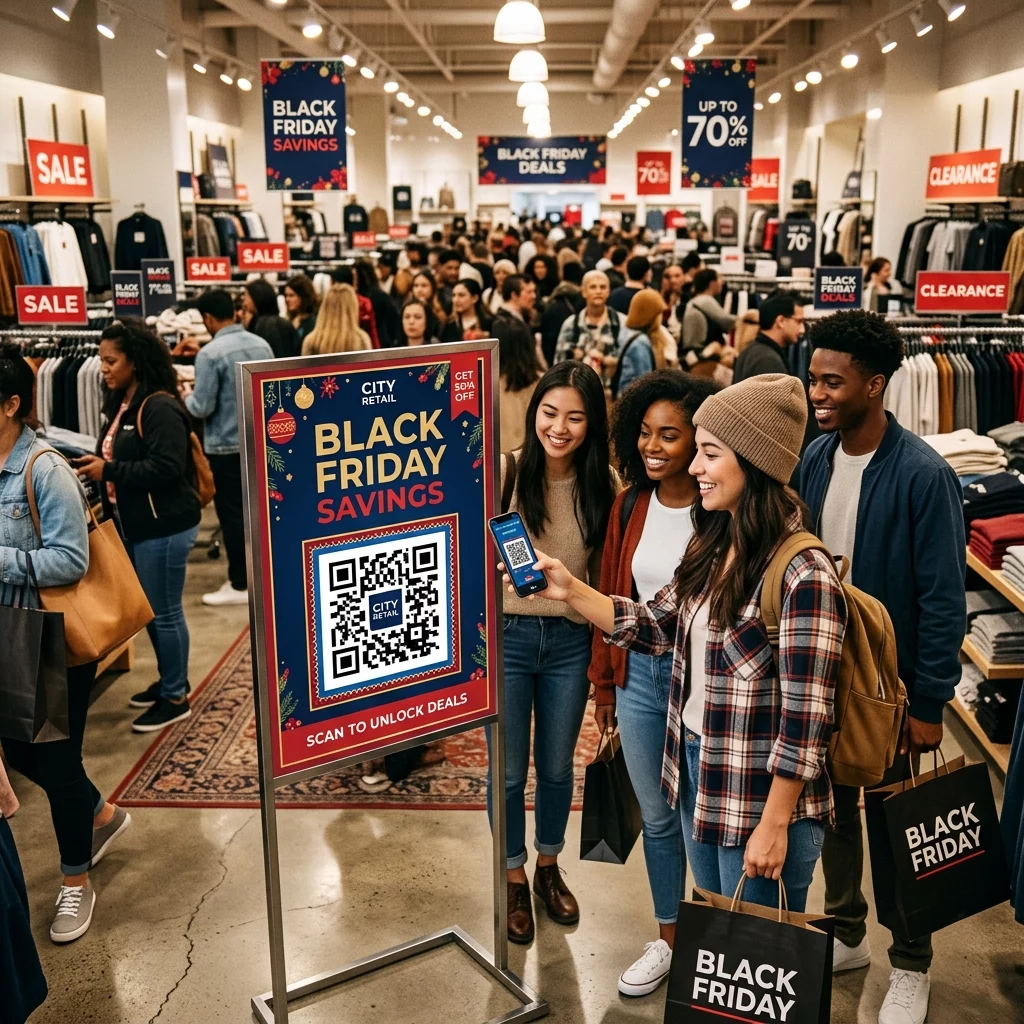
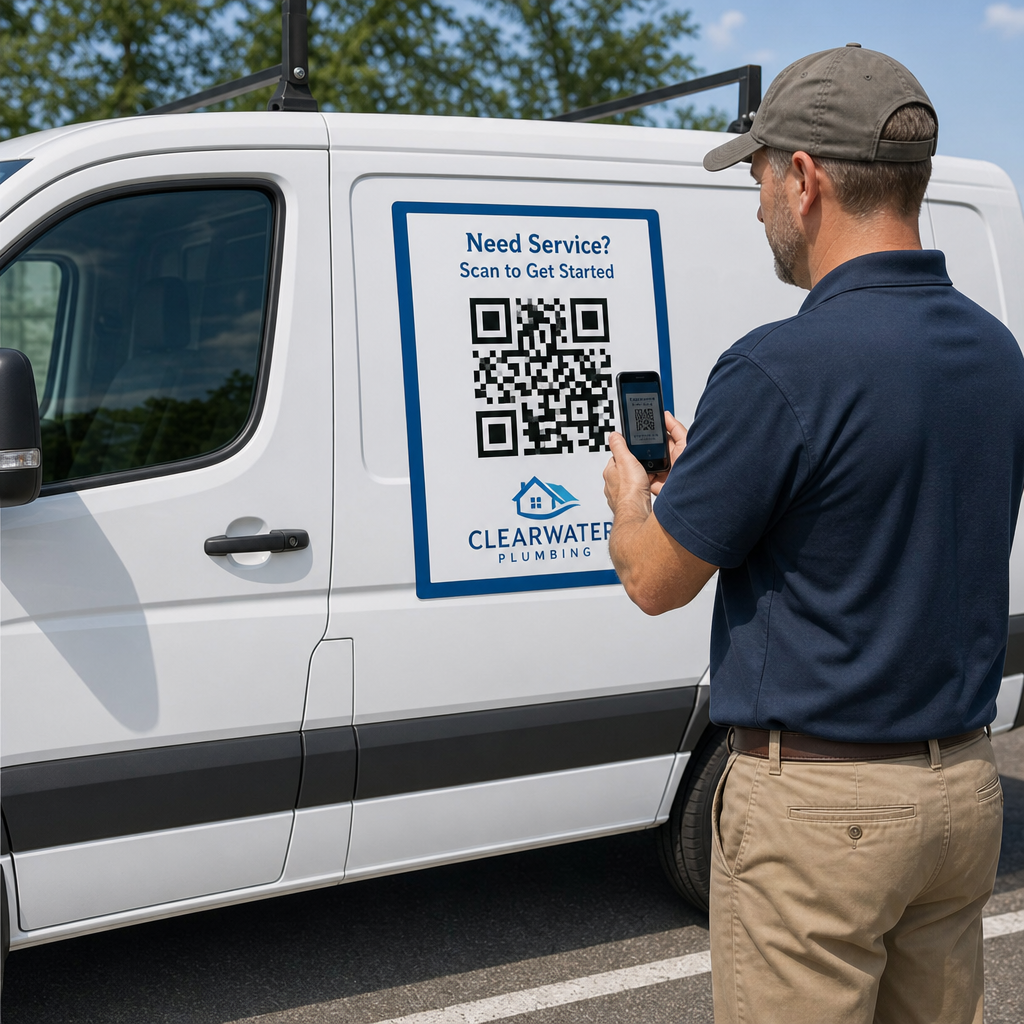
- Ubicaciones de publicidad exterior que dirigen a las audiencias a canales sociales o micrositios de campaña
Códigos QR de PDF – Comparte Documentos Sin Imprimirlos
Cuando la campaña de un cliente involucra activos con mucho contenido – estudios de caso, folletos de productos, informes técnicos – un código QR de PDF permite distribuirlos de forma limpia.
- Adjunta información detallada del producto a la señalización en tienda sin imprimir cada página
- Rastrea con qué frecuencia se accede a un documento y durante cuánto tiempo
- Actualiza el archivo detrás del código cada vez que el contenido cambie, sin emitir un nuevo código
Códigos QR de vCard – Simplifica el Networking y la Captura de Leads
Los equipos de ventas y ejecutivos en ferias comerciales y eventos se benefician de las tarjetas de presentación digitales. Un código QR de vCard comparte instantáneamente los detalles de contacto cuando se escanea, y puede incrustarse en tarjetas de presentación impresas, firmas de correo electrónico y credenciales de eventos.
Las agencias pueden integrarlos con flujos de trabajo de CRM para que cada escaneo de un lead se convierta en una entrada automática, reduciendo la entrada manual de datos y los retrasos en el seguimiento.
Códigos QR de imagen – Contenido visual sin un enlace
Los códigos QR de imagen entregan contenido visual directamente – útiles para exhibiciones de portafolios, galerías de productos o infografías que no requieren una experiencia completa de página de destino.
Códigos QR de correo electrónico – Reduce la fricción en la suscripción a boletines
Colocar un código QR de correo electrónico en materiales físicos – empaques, carteles, folletos de eventos – activa un correo electrónico preescrito o una solicitud de suscripción a un boletín cuando se escanea. Esto elimina la barrera de introducir manualmente una dirección de correo electrónico y funciona especialmente bien en eventos en vivo.
Códigos QR de aplicaciones – Aumenta las tasas de descarga
Para clientes que promocionan una aplicación móvil, un código QR de aplicación inteligente detecta el dispositivo del usuario y los dirige a la tienda de aplicaciones correcta – App Store para iOS, Google Play para Android. Este único código reemplaza dos enlaces separados y reduce la confusión para los usuarios finales.
Configuración de campañas de códigos QR para clientes
La forma en que estructuras y gestionas los códigos QR importa tanto como el tipo que utilizas. Las agencias que manejan múltiples clientes necesitan un sistema que mantenga las campañas organizadas, auditables y fáciles de reportar.
Usa códigos QR dinámicos para cada campaña activa
Códigos QR dinámicos codifican una URL de redirección corta en lugar del destino final. Esto significa que puedes cambiar a dónde apunta el código en cualquier momento – incluso después de que los materiales hayan sido impresos y distribuidos.
Para las agencias, esto elimina uno de los problemas más costosos en el marketing impreso: la necesidad de reimprimir todo cuando una URL cambia, una campaña termina o un cliente cambia el mensaje a mitad de camino.
Los códigos dinámicos también desbloquean la analítica. Cada escaneo se registra con marca de tiempo, ubicación, tipo de dispositivo y sistema operativo – datos que serían invisibles con un código estático. Puedes aprender más sobre lo que se puede rastrear en la guía de seguimiento de códigos QR.
Organiza los códigos por cliente y campaña
Usa carpetas para mantener los códigos QR de cada cliente separados y claramente etiquetados. El sistema de carpetas de Pageloot te permite agrupar códigos por proyecto, comparar el rendimiento entre campañas e identificar inmediatamente las ubicaciones de mejor rendimiento. Se puede conceder acceso a carpetas específicas a los miembros del equipo, y los permisos basados en roles evitan ediciones o eliminaciones no autorizadas.
Aplica los parámetros UTM de forma consistente
Los parámetros UTM son el tejido conectivo entre los datos de escaneo de QR y su pila de análisis más amplia. Al etiquetar cada URL de destino con valores UTM estandarizados, puede atribuir el tráfico de cualquier ubicación de código QR directamente a la campaña, canal y creatividad correctos en Google Analytics o el CRM de su cliente.
Siga estas convenciones de formato para mantener los datos limpios en todas las cuentas:
- Use todo en minúsculas (p. ej., `utm_source=pageloot` no `Pageloot`)
- Evite los espacios – use guiones o guiones bajos para valores de varias palabras
- Mantenga definiciones consistentes: `source` = plataforma o socio, `medium` = tipo de canal (p. ej., `print`, `email`), `campaign` = la iniciativa específica
- Nunca aplique UTM a enlaces internos, ya que esto sobrescribe la fuente de adquisición original y corrompe la atribución
La plataforma de agencia de Pageloot incluye capacidades UTM integradas para que los parámetros se puedan añadir automáticamente durante la creación del código en lugar de manualmente por enlace.
Personalice los códigos para la marca de cada cliente
Los códigos QR genéricos en blanco y negro se mezclan con el fondo de cualquier diseño. Un Código QR con logotipo y los colores de la marca destaca, señala confiabilidad y aumenta las tasas de escaneo.
Al diseñar códigos de marca, tenga en cuenta estos requisitos técnicos:
- Mantenga una zona tranquila de al menos cuatro módulos en todos los lados – sin logotipos, texto o patrones en este margen
- Use alto contraste: un patrón oscuro sobre un fondo claro es la combinación más confiable para el escaneo
- Mantenga los logotipos lo suficientemente pequeños para que no obstruyan el patrón en sí
- Exporte en formatos vectoriales (SVG, EPS o PDF) para impresión para evitar la pixelación
Cree códigos QR de marca para cada cliente Use el Generador de código QR con logo para crear códigos totalmente personalizados que coincidan con los colores, fuentes e identidad visual de cualquier marca – luego descargar en formatos listos para imprimir.
Seguimiento y Elaboración de Informes del Rendimiento de la Campaña
La capa de análisis es donde los códigos QR se ganan su lugar en el flujo de trabajo de una agencia profesional. En lugar de estimar si una campaña impresa generó resultados, obtienes datos concretos.
Qué Puedes Rastrear
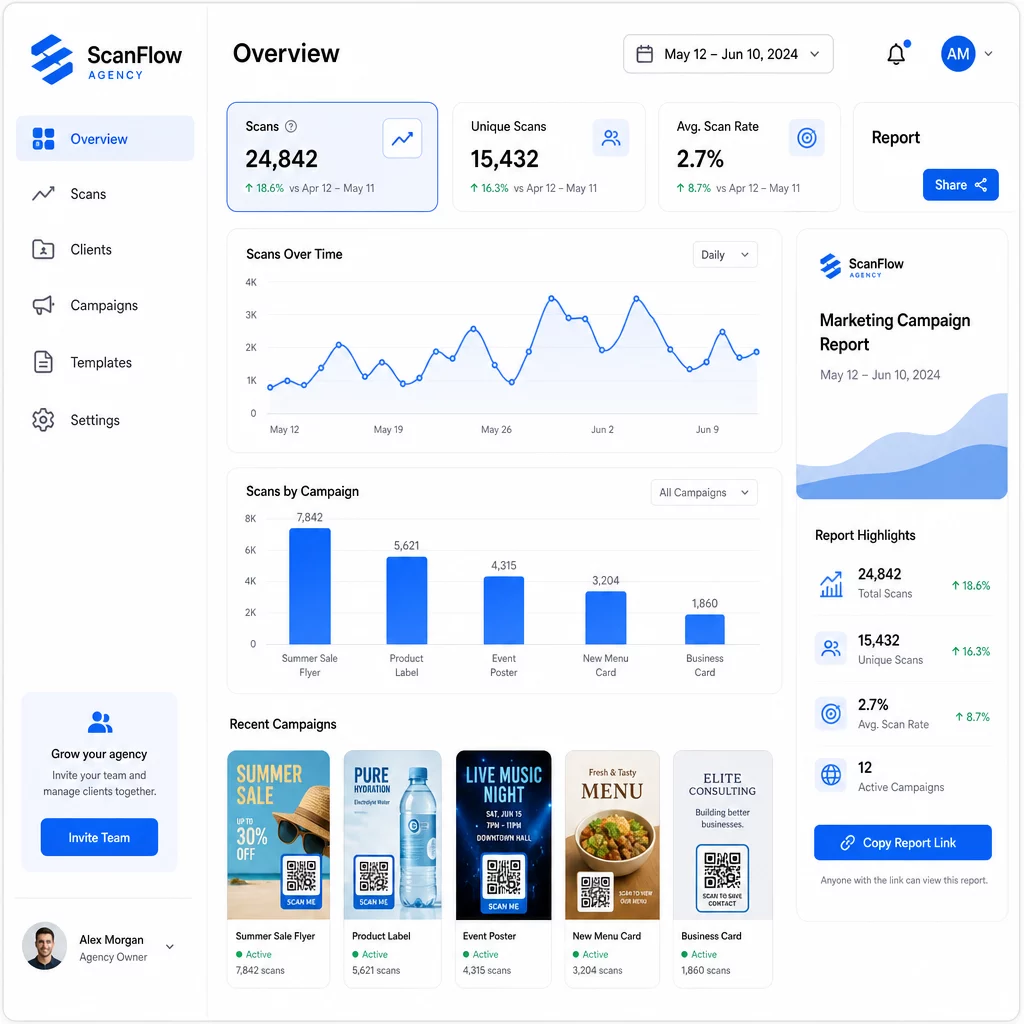
El panel de análisis de códigos QR captura:
- Escaneos totales y escaneos únicos – Distinguir entre la participación general y los usuarios individuales
- Marcas de tiempo de escaneo – Identificar los momentos de mayor participación y los patrones por día de la semana
- Ubicación geográfica – Ver qué mercados, regiones o incluso lugares específicos generan la mayor actividad
- Desglose por dispositivo y sistema operativo – Comprender si tu audiencia es principalmente iOS o Android, de escritorio o móvil
Estos datos te permiten identificar ubicaciones de alto tráfico, redireccionar el presupuesto hacia lo que funciona y hacer recomendaciones concretas a los clientes sobre dónde concentrar futuras campañas.
Compartir Resultados Sin Requerir un Inicio de Sesión
Una de las partes que más tiempo consume en la gestión de clientes de una agencia es la preparación de informes de rendimiento. Los informes de cliente compartibles de Pageloot ofrecen a los clientes una página de estadísticas en vivo – con su propio logotipo – donde pueden consultar los datos de escaneo en tiempo real sin necesidad de tener su propia cuenta. Esto ahorra horas de preparación de informes cada mes mientras mantiene a los clientes informados y seguros del rendimiento de la campaña.
Pruebas A/B de Ubicaciones y Destinos
Los códigos QR dinámicos hacen posible Pruebas A/B significativamente más fácil. Debido a que la URL de destino se puede intercambiar sin emitir un nuevo código, puede ejecutar la misma ubicación física con diferentes páginas de destino, CTA u ofertas y comparar directamente las tasas de escaneo a conversión.
Pruebe una variable a la vez (página de destino, idioma de la oferta o ubicación del código en el material) y utilice el análisis de escaneo para determinar qué versión genera mejores resultados antes de escalar.
Coloque los códigos donde realmente se escanearán
Los análisis solo ayudan si la gente escanea. El Guía de ubicación de códigos QR cubre esto en profundidad, pero las reglas principales son:
- Coloque los códigos a la altura de los ojos (aproximadamente de 1 a 1.7 metros del suelo) en entornos físicos
- Incluya una llamada a la acción clara cerca de cada código: indique lo que el usuario obtendrá al escanear
- Mantenga los códigos lo suficientemente grandes para la distancia de visualización esperada (una guía común: el ancho mínimo en centímetros es igual a la distancia de escaneo en centímetros dividida por 10)
- Pruebe cada código en múltiples dispositivos y condiciones de iluminación antes de que los materiales se impriman
Consideraciones de privacidad y cumplimiento
Los códigos QR recopilan datos: tipo de dispositivo, sistema operativo, navegador, ubicación geográfica y comportamiento después del escaneo. Para las agencias que trabajan con múltiples clientes y mercados, comprender el contexto regulatorio es importante.
Si la audiencia de algún cliente incluye residentes de la UE, la campaña debe tener en cuenta los requisitos del GDPR: consentimiento explícito, avisos de privacidad claros y minimización de datos. Las campañas con sede en California se rigen por la CCPA, que exige transparencia y mecanismos de exclusión voluntaria. Los clientes del sector de la salud conllevan requisitos de HIPAA que se extienden a cualquier plataforma que maneje datos relacionados con pacientes.
El Guía de regulaciones de privacidad de códigos QR cubre los principales marcos en detalle. Los códigos QR dinámicos son particularmente útiles para el cumplimiento porque puede actualizar las políticas de privacidad, los términos o las divulgaciones de recopilación de datos sin emitir un nuevo código o reimprimir materiales.
Preguntas frecuentes
Los códigos QR estáticos codifican un destino fijo y no pueden cambiarse después de su creación – tampoco proporcionan análisis. Los códigos QR dinámicos apuntan a una URL de redirección que puede actualizarse en cualquier momento, y registran datos de escaneo incluyendo marca de tiempo, ubicación y tipo de dispositivo. Para campañas de clientes activas, los códigos QR dinámicos son la elección estándar porque ofrecen flexibilidad y un rendimiento medible.
Utilice una plataforma de gestión de códigos QR que admita la organización basada en carpetas, análisis en tiempo real e informes de clientes compartibles. Al asignar a cada cliente su propia carpeta y aplicar parámetros UTM consistentes a las URL de destino, puede obtener datos limpios y atribuibles para cada cuenta sin mezclar las métricas de la campaña.
Sí. Cada escaneo de código QR puede recopilar datos como información del dispositivo, ubicación y comportamiento de navegación. Dependiendo de la geografía de la audiencia, las campañas pueden necesitar cumplir con GDPR (UE), CCPA (California) o HIPAA (atención médica). El uso de códigos QR dinámicos ayuda porque las páginas de destino y los avisos de privacidad se pueden actualizar sin reimprimir materiales. Consulte las regulaciones relevantes para el mercado de cada cliente antes del lanzamiento.