Fragen Sie sich, ob sich QR-Codes in Ihren Marketing- oder Geschäftsmaterialien noch lohnen? Diese Frage ist häufiger, als Sie vielleicht denken – und die Antwort ist wichtig, wenn Sie eine Kampagne planen, Verpackungen aktualisieren oder die Interaktion von Kunden mit Ihrer Marke überdenken. Dieser Artikel beleuchtet den aktuellen Stand der QR-Code-Akzeptanz, wer sie nutzt und wie man sie effektiv einsetzt.
QR-Codes sind nicht tot – sie wachsen
Die kurze Antwort: QR-Codes sind aktiver denn je. Die Scan-Volumina sind Jahr für Jahr stetig gestiegen, und die Technologie hat ihre frühe, klobige Reputation weit hinter sich gelassen.
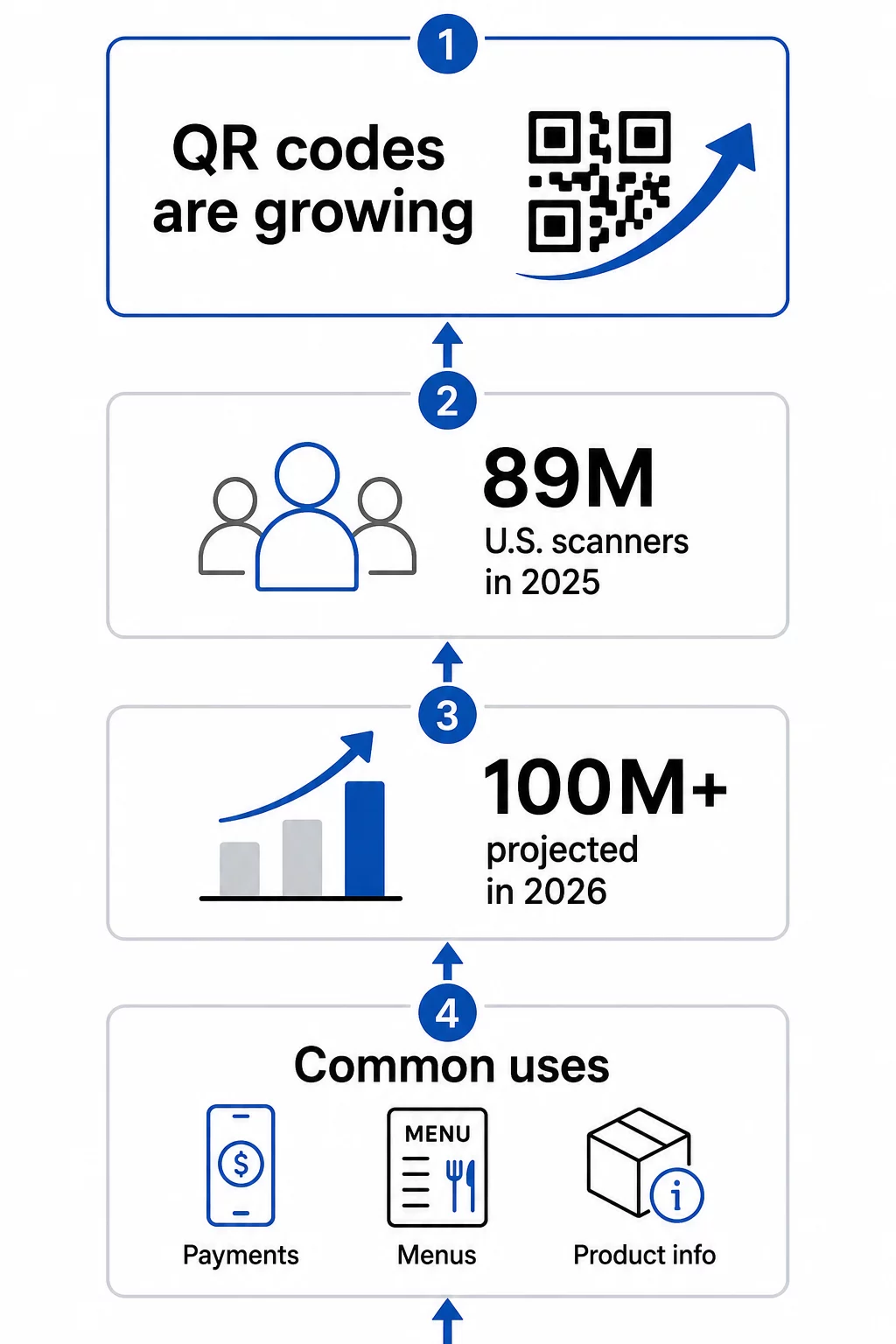
Allein in den Vereinigten Staaten scannten im Jahr 2025 89 Millionen Menschen einen QR-Code. Diese Zahl wird voraussichtlich im Jahr 2026 100 Millionen US-Nutzer überschreiten – etwa jeder dritte Amerikaner. Unter denjenigen, die sie bereits nutzen, scannen die meisten mehrmals im Monat, und etwa jeder Fünfte gibt an, sie wöchentlich zu verwenden.
Global ist die Akzeptanz noch ausgeprägter. Asiatische Märkte führen mit großem Abstand:
- Hongkong liegt bei 100 % relativem Interesse an der Nutzung von QR-Codes
- Macao bei 93%
- Singapur bei 80%
- Malaysia bei 74%
- Taiwan bei 70%
- Philippinen bei 58%
- Thailand bei 39%
- Deutschland bei 38%
- Vereinigte Arabische Emirate bei 37%
- Schweiz bei 37%
- Belgien bei 36%
- Österreich bei 36%
Die Vereinigten Staaten rangieren trotz ihrer großen Verbraucherbasis bei etwa 24 % relativem Interesse – was bedeutet, dass im nordamerikanischen Markt noch erhebliches Wachstumspotenzial besteht.
Warum QR-Codes verschwanden – und dann stärker zurückkamen
QR-Codes erreichten ihren Höhepunkt um 2011, und viele Leute nahmen an, dass sie danach verblassten. Was tatsächlich geschah, ist nuancierter: Die Akzeptanz stagnierte, weil Smartphones dieser Ära spezielle Scan-Apps erforderten und die Benutzererfahrung zu fragmentiert war, um sich natürlich anzufühlen.
Das änderte sich, als Apple und Android das native QR-Scannen direkt in ihre Kamera-Apps integrierten. Kein zusätzlicher Download erforderlich – einfach richten und scannen. Diese einzige Veränderung beseitigte die größte Hürde für die Verbraucherakzeptanz.
Die COVID-19-Pandemie beschleunigte die Dinge zusätzlich. Restaurants ersetzten gedruckte Speisekarten fast über Nacht durch digital mit QR-Codes verknüpfte Versionen. Unternehmen entdeckten, dass ein scannbarer Code physische Berührungspunkte vollständig ersetzen konnte, und Verbraucher passten sich schnell an. Das Verhalten normalisierte sich in Bevölkerungsgruppen, die zuvor noch nie QR-Codes verwendet hatten.
Heute ist die Nutzung von QR-Codes zu einem anhaltenden Trend geworden, nicht zu einer Modeerscheinung. Die Technologie befindet sich seit 2016 auf einem Aufwärtstrend, und die Infrastruktur – sowohl auf der Seite der Verbrauchergeräte als auch auf der Seite der Geschäftstools – ist nun ausgereift genug, um ernsthafte Marketing- und Betriebsanwendungen zu unterstützen.
Wer nutzt QR-Codes tatsächlich im Jahr 2024 und darüber hinaus
Die Frage ist nicht wirklich, ob Menschen QR-Codes scannen – das tun sie eindeutig. Die nützlichere Frage ist: Was scannen sie, und warum ist das für Ihr Unternehmen wichtig?
Laut Umfragedaten von US-Verbrauchern sind die am häufigsten genannten Anwendungsfälle:
- Zahlungen tätigen – kontaktloses Bezahlen per QR-Code ist in vielen Einzelhandels- und Gastronomieumgebungen zum Standard geworden
- Überprüfung von Informationen zu Lebensmittel- und Getränkeprodukten – Transparenz der Inhaltsstoffe, Details zur Herkunft und Werbeinhalte
- Speisekarten für Restaurants – 57 % der US-Verbraucher gaben an, im Jahr 2025 im vergangenen Monat einen QR-Code in einem Restaurant gescannt zu haben
Jenseits des Konsumentenverhaltens ist die geschäftliche Seite ebenso überzeugend. In einer Umfrage aus dem Jahr 2025 gaben 98 % der Unternehmen, die QR-Codes verwenden, an, dass diese einen positiven Einfluss auf das Marketing hatten, und 95 % sagten, dass QR-Codes ihnen helfen, Erstanbieter-Kundendaten zu sammeln – ein bedeutender Vorteil, da die Nachverfolgung durch Dritte weniger zuverlässig wird.
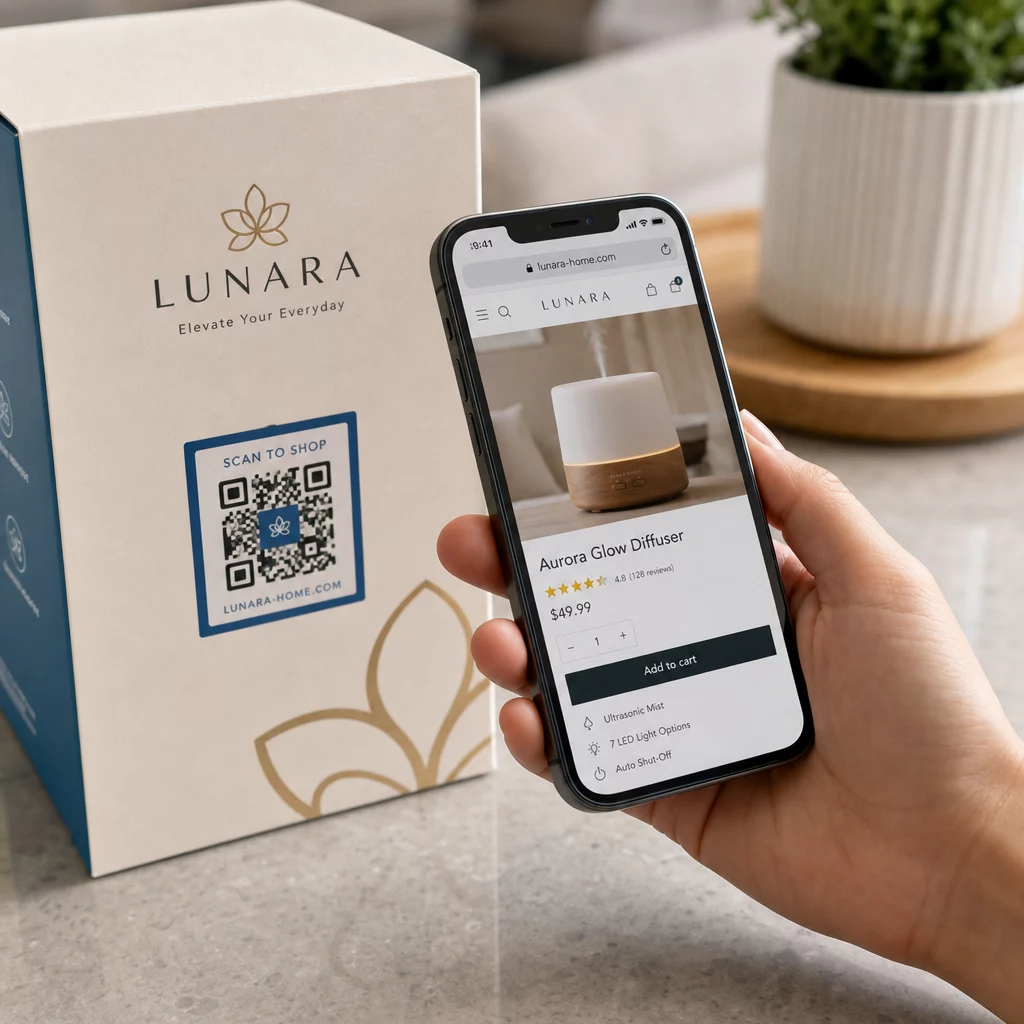
Praktische Ergebnisse bestätigen dies. Eine Capri Sun Gewinnspielkampagne, die QR-Codes auf Produktverpackungen verwendete, generierte mehr als 579.000 Landingpage-Aufrufe und über 28.000 Anmeldungen. Eine große Hotelmarke berichtete, 150.000 US-Dollar an Druckkosten gespart zu haben, indem sie physische Speisekarten und Flyer durch QR-Code-basierte digitale Versionen ersetzte.
Die nützlichsten QR-Code-Typen für Unternehmen
Es gibt über ein Dutzend verfügbarer QR-Code-Typen, aber eine Handvoll macht den Großteil der geschäftlichen Anwendungsfälle aus. Zu verstehen, welcher Typ zu Ihrem Ziel passt, spart Zeit und führt zu besseren Ergebnissen.
URL-/Link-QR-Codes sind die häufigsten. Sie leiten Scanner zu jeder Webadresse – einer Produktseite, einer Landingpage, einem sozialen Profil oder einer hochgeladenen Datei. Wenn Sie eine Kampagne durchführen und Flexibilität wünschen, ist ein dynamischer Link-QR-Code ermöglicht es Ihnen, das Ziel nach dem Drucken zu ändern, ohne einen neuen Code erstellen zu müssen.
PDF-QR-Codes ermöglichen es Ihnen, ein Dokument direkt an den Code anzuhängen – Broschüren, Bedienungsanleitungen, Speisekarten oder Kataloge. Im Gegensatz zur Verknüpfung mit einer Cloud-Speicherdatei bleibt der Inhalt stabil und zugänglich, wenn das PDF über eine QR-Plattform gehostet wird, ohne von Drittanbieterdiensten abhängig zu sein.
vCard QR-Codes funktionieren als digitale Visitenkarten. Beim Scannen übertragen sie Kontaktdaten direkt auf das Telefon des Benutzers, wodurch die manuelle Dateneingabe entfällt. In professionellen Umgebungen ist dies messbar schneller und genauer als der Austausch von Papierkarten.
E-Mail-QR-Codes füllen beim Scannen eine an Sie gerichtete E-Mail vorab aus, wodurch die Hemmschwelle zwischen jemandem, der Sie kontaktieren möchte, und der tatsächlichen Kontaktaufnahme gesenkt wird.
WLAN-QR-Codes teilen Netzwerkanmeldeinformationen automatisch beim Scannen. Anstatt ein Passwort mündlich oder auf einer gedruckten Karte zu teilen, verbinden sich Gäste sofort – eine kleine Verbesserung des Erlebnisses, die sich in Gastgewerbe-, Büro- und Einzelhandelsumgebungen summiert.
Entdecken Sie, was mit dynamischen QR-Codes möglich ist Möchten Sie Codes erstellen, die nach dem Drucken aktualisiert und in Echtzeit verfolgt werden können? Entdecken Sie die Dynamischer QR-Code Generator um flexible, messbare QR-Codes für jeden Anwendungsfall zu erstellen.
Statisch vs. Dynamisch: Warum der Unterschied wichtig ist
Nicht alle QR-Codes verhalten sich gleich. Statische QR-Codes kodieren Informationen direkt in das Muster – einmal erstellt, ist das Ziel fest. Sie eignen sich für dauerhafte Informationen wie ein WLAN-Passwort, das sich nie ändert, oder eine einfache URL, die Sie nie aktualisieren müssen.
Dynamische QR-Codes funktionieren anders. Sie kodieren eine kurze Weiterleitungs-URL, und das tatsächliche Ziel kann jederzeit aktualisiert werden, ohne einen neuen Code zu generieren oder neu zu drucken. Diese Flexibilität allein ist in Marketingkontexten wertvoll, aber der größere Vorteil ist das Tracking.
Mit einem dynamischen Code können Sie überwachen:
- Gesamtzahl der Scans und Anzahl der eindeutigen Scans
- Geografischer Standort der Scans
- Gerätetyp und Betriebssystem
- Uhrzeit und Datum jedes Scans
- Scan-Häufigkeit über einen Kampagnenzeitraum
Diese Daten ermöglichen es Ihnen zu messen, welche Platzierungen funktionieren, welche nicht und wo Sie zukünftige Anstrengungen konzentrieren sollten. Mehr darüber, wie das Tracking funktioniert, erfahren Sie in Pageloots Leitfaden für QR-Code-Tracking und -Analyse.
Für jede Kampagne, bei der Sie Materialien in großen Mengen drucken – Verpackungen, Beschilderungen, Direktwerbung – sind dynamische QR-Codes die praktische Wahl. Wenn sich das Ziel ändert oder die Kampagne weiterentwickelt wird, aktualisieren Sie den Link, anstatt alles neu zu drucken. Sie können beide Ansätze detailliert auf der Seite für statische vs. dynamische QR-Codes.
Wie man QR-Codes effektiv einsetzt
Einen QR-Code zu generieren ist unkompliziert. Damit er tatsächlich funktioniert, bedarf es einiger bewusster Entscheidungen.
Für die Scannbarkeit gestalten. Verwenden Sie einen dunklen Vordergrund auf einem hellen Hintergrund – niemals umkehren. Vermeiden Sie unruhige Hintergründe oder dekorative Elemente, die den Kontrast verringern. Wenn Sie ein Logo hinzufügen, verwenden Sie eine höhere Fehlerkorrekturstufe (Q oder H), um die abgedeckten Module zu kompensieren.
Für die Scan-Entfernung dimensionieren. Ein praktisches Minimum beträgt etwa 0,8 × 0,8 Zoll (2 × 2 cm) für Materialien, die aus nächster Nähe gescannt werden. Bei Postern oder Beschilderungen erhöhen Sie die Größe proportional – etwa 1 cm Code pro 10 cm erwarteter Scan-Entfernung. Ein Poster, das aus 20 Zoll Entfernung betrachtet wird, sollte mindestens 2 × 2 Zoll groß sein. Detaillierte technische Anleitungen finden Sie im Artikel über Best Practices zur Benutzerfreundlichkeit von QR-Codes.
Platzieren Sie ihn dort, wo Menschen ihn natürlich scannen können. Vordergründig und mittig auf gedruckten Materialien, auf Augenhöhe auf Postern, fern von Falten und Rändern und niemals an einem Ort ohne zuverlässiges Mobilfunksignal. Eine Platzierung, die unbequeme körperliche Verrenkungen erfordert, wird die Scans merklich reduzieren.
Schreiben Sie eine klare Handlungsaufforderung. “Scannen Sie, um das Menü zu sehen”, “Scannen Sie für Ihren Rabatt” oder “Scannen Sie, um mehr zu erfahren” funktionieren alle besser als ein QR-Code ohne Erklärung. Platzieren Sie die CTA direkt über oder unter dem Code und stellen Sie sicher, dass die Anweisung dem entspricht, was der Benutzer tatsächlich erhält, wenn er scannt.
Optimieren Sie das Ziel für Mobilgeräte. Der verlinkte Inhalt sollte schnell laden, auf einem kleinen Bildschirm sauber angezeigt werden und genau das liefern, was die CTA versprochen hat. Jemanden auf Ihre Homepage zu schicken, wenn der Code “Scannen Sie für das Menü” sagt, ist ein schneller Weg, das gerade gewonnene Engagement zu verlieren.
Testen Sie, bevor Sie veröffentlichen. Scannen Sie den Code auf mehreren Geräten, unter verschiedenen Lichtverhältnissen, aus der beabsichtigten Betrachtungsentfernung und auf tatsächlichen gedruckten Materialien. Überprüfen Sie, ob der Link funktioniert. Überprüfen Sie ihn während der Kampagne regelmäßig erneut, um zu bestätigen, dass das Ziel aktiv bleibt.
Für einen tieferen Einblick in effektives Kampagnendesign, der Leitfaden für die besten QR-Code-Kampagnen und der Seite zur Verwendung von QR-Codes bieten praktische Beispiele aus verschiedenen Branchen.
Wo QR-Codes in Ihre Marketingstrategie passen
QR-Codes lösen ein spezifisches und hartnäckiges Problem: die Lücke zwischen physischen Materialien und digitalen Erlebnissen. Ein Flyer, eine Verpackung, eine Visitenkarte oder ein Schaufenster können nur eine begrenzte Menge an Informationen enthalten – aber ein QR-Code verwandelt jede dieser Oberflächen in ein Tor zu unbegrenzten digitalen Inhalten.
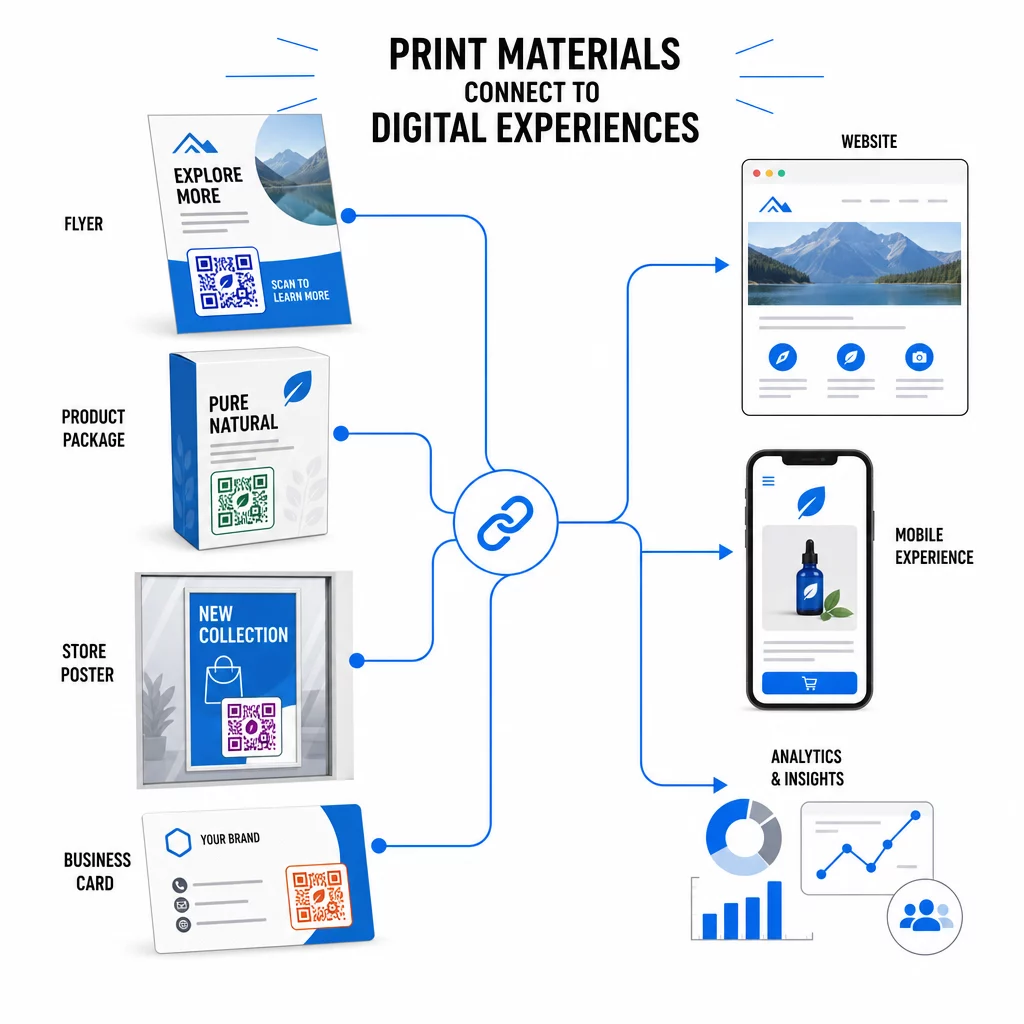
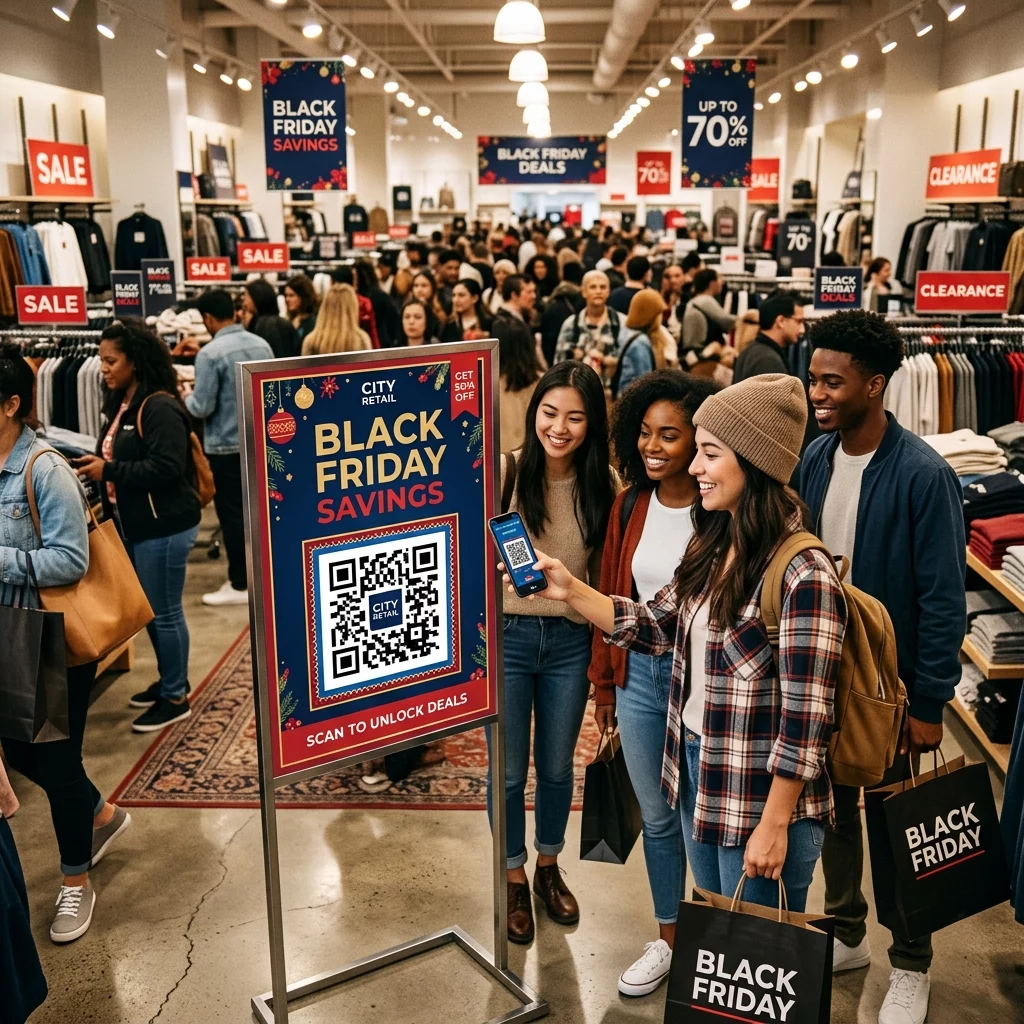
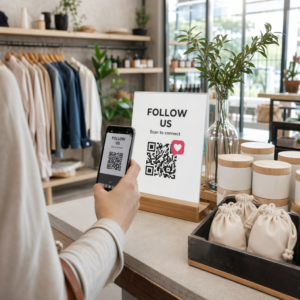
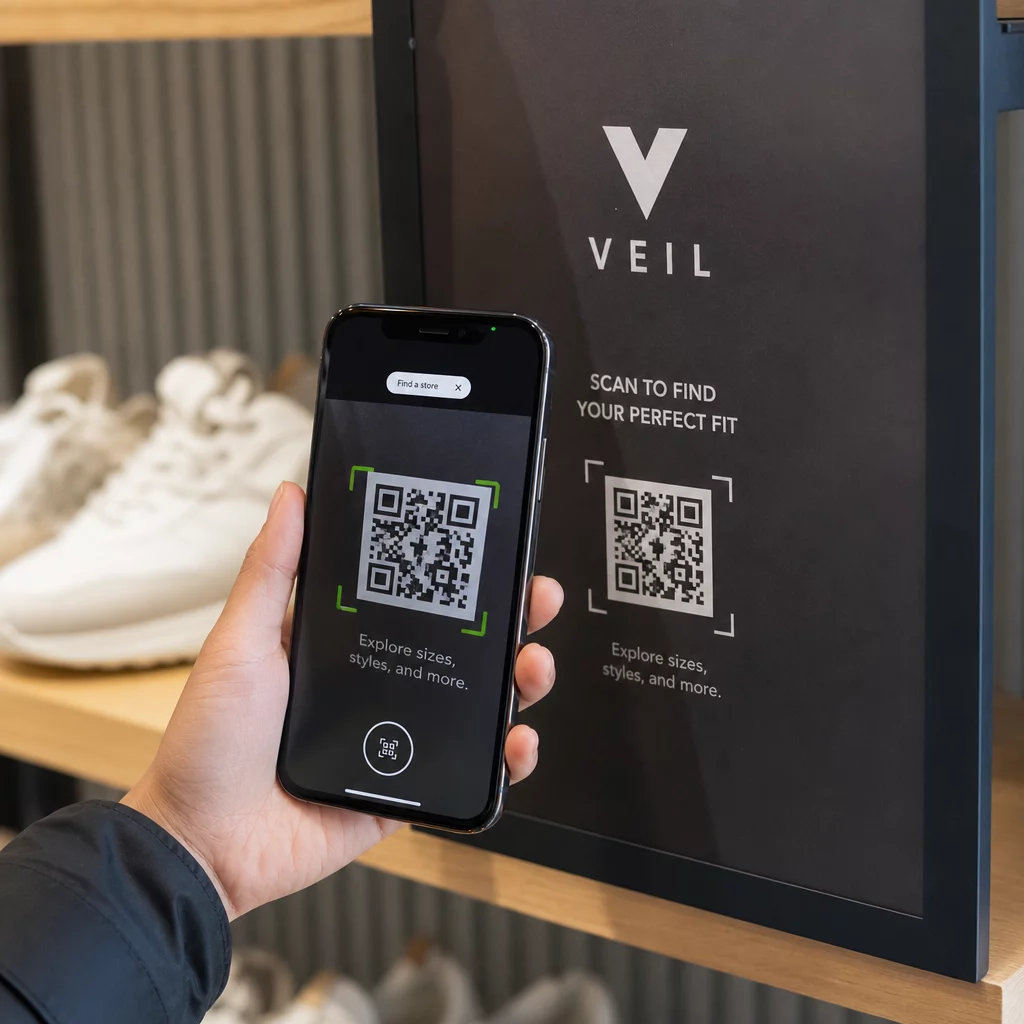
Einzelhändler verwenden Codes auf Regalen, Quittungen und Fenstern, um physische Displays mit Kampagnen-Landingpages, Treueprogrammen und der Kundenbindung nach dem Kauf zu verbinden. Die Scan-Daten zeigen, welche Platzierungen das größte Interesse wecken, was eine kontinuierliche Optimierung ermöglicht. Branchenspezifische Anwendungen können Sie auf der Seite zu QR-Code-Lösungen nach Branche oder spezifische Funktionsoptionen auf der Funktionsseite.
Speziell für Marketingexperten dienen QR-Codes als Tool zur Erfassung von Erstanbieterdaten. Jeder Scan generiert einen Datenpunkt. Aggregieren Sie diese über eine Kampagne hinweg, und Sie erhalten Verhaltensdaten – wann, wo und wie oft Menschen mit Ihren physischen Materialien interagieren – ohne auf Cookies oder Drittanbieterplattformen angewiesen zu sein.
Die Übersicht über QR-Code-Marketing behandelt den strategischen Fall detaillierter, und der Leitfaden zur Verbindung von Print- und Digitalmarketing zeigt, wie spezifische Kampagnen QR-Codes genutzt haben, um beide Kanäle messbar zu verbinden.
Beginnen Sie mit der Verfolgung Ihrer QR-Code-Leistung Sehen Sie genau, wann, wo und wie oft Ihre Codes gescannt werden. Der Dynamischer QR-Code Generator enthält ein vollständiges Analyse-Dashboard, damit Sie messen können, was funktioniert, und Ihre Inhalte aktualisieren können, ohne neu drucken zu müssen. QR-Codes sind ein praktisches, messbares Tool mit bewährter Akzeptanz und echten Geschäftsanwendungen. Die Frage ist nicht, ob sie funktionieren – sondern ob Sie sie so einsetzen, dass sie die Daten und das Engagement erfassen, die sie generieren können. Beginnen Sie mit einem klaren Anwendungsfall, wählen Sie den richtigen Codetyp und stellen Sie sicher, dass das Erlebnis auf der anderen Seite des Scans den Klick wert ist.
Häufig gestellte Fragen
Ja. Allein in den USA scannten im Jahr 2025 89 Millionen Menschen einen QR-Code, und diese Zahl wird voraussichtlich im Jahr 2026 100 Millionen überschreiten. Die Akzeptanz wächst weltweit, und QR-Codes werden häufig im Einzelhandel, im Gastgewerbe, in der Lebensmittel- und Getränkeindustrie, bei Veranstaltungen und in Marketingkampagnen eingesetzt.
Ein statischer QR-Code hat ein festes Ziel, das nach der Erstellung nicht mehr geändert werden kann. Ein dynamischer QR-Code verwendet eine Weiterleitungs-URL, die jederzeit aktualisiert werden kann, ohne den Code neu drucken zu müssen. Dynamische Codes unterstützen auch die Scan-Verfolgung, die Ihnen Daten darüber liefert, wann, wo und wie oft Ihr Code gescannt wird.
Verwenden Sie hohen Kontrast (dunkel auf hell), passen Sie die Größe des Codes an die Scan-Entfernung an, platzieren Sie ihn dort, wo Benutzer ihn bequem erreichen können, und fügen Sie immer einen klaren Call-to-Action hinzu, der erklärt, was sie beim Scannen erhalten. Testen Sie den Code auf mehreren Geräten, bevor Sie gedruckte Materialien verteilen.