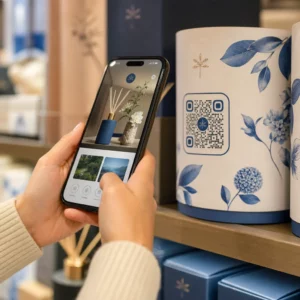
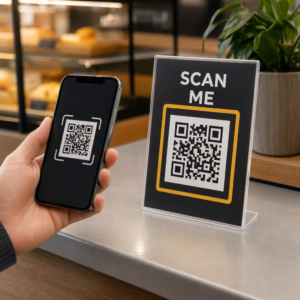
Leisten Ihre Einkaufstaschen noch Arbeit, nachdem ein Kunde die Tür verlassen hat? Die meisten nicht – und das ist eine verpasste Gelegenheit, das Gespräch am Laufen zu halten. Diese Seite zeigt Ihnen, wie Sie effektive QR-Codes für Einkaufstaschen gestalten, womit Sie sie verknüpfen und wie Sie die Ergebnisse messen.
Warum Einkaufstaschen eine wertvolle QR-Code-Oberfläche sind
Eine Einkaufstasche reist weit über den Point of Sale hinaus. Sie fährt U-Bahn, liegt auf einem Bürotisch, wird auf einem Bauernmarkt wiederverwendet. Jede Reise ist ein potenzieller Eindruck – und ein potenzieller Scan.
Eine Verbraucherumfrage von World Sync 2024 ergab, dass 64 % der Käufer bereits einen QR-Code auf einem Produkt gescannt haben, während sie im Geschäft einkauften, und 42 % sagen, dass QR-Codes ihr persönliches Einkaufserlebnis erheblich verbessert haben. Käufer sind bereit zu scannen. Die Frage ist, ob Ihre Tasche ihnen einen Grund dazu gibt.
Im Gegensatz zu Produktverpackungen, die ein Kunde oft nach dem Öffnen entsorgt, wird eine Einkaufstasche häufig wiederverwendet. Diese verlängerte Lebensdauer bedeutet, dass Ihr QR-Code wiederholt sichtbar ist – für den ursprünglichen Käufer und für alle um ihn herum. Für Einzelhändler, die mehr Wert aus physischen Berührungspunkten ziehen möchten, ist die Tasche einer der einfachsten Ausgangspunkte. Sie können die gesamte Bandbreite von QR-Code-Anwendungsfälle für Einzelhandelsunternehmen um zu sehen, wie andere Berührungspunkte im Vergleich abschneiden.
Womit Sie Ihren Einkaufstaschen-QR-Code verknüpfen sollten
Das Ziel ist genauso wichtig wie der Code selbst. Ein QR-Code, der nirgendwohin führt, wird einmal gescannt und vergessen. Hier sind die effektivsten Ziele für Einzelhandelstaschen:
- Exklusive Rabatte oder Gutscheine – Belohnen Sie Kunden, die nach dem Kauf scannen, mit einem Rabatt auf ihre nächste Bestellung. Ein Gutschein-QR-Code ermöglicht es Ihnen, mehrere Angebote auf einer einzigen Marken-Landingpage anzuzeigen.
- Anmeldung zum Treueprogramm – Verwandeln Sie einen einmaligen Käufer in einen Stammkunden, indem Sie den Beitritt zu Ihrem Prämienprogramm mühelos gestalten.
- Neuheiten oder saisonale Kollektionen – Verlinken Sie auf eine kuratierte Produktseite, die den Einkaufs-Schwung aufrechterhält, nachdem sie das Geschäft verlassen haben.
- Profile in den sozialen Medien – Erhöhen Sie Ihre Followerzahl, indem Sie Taschenempfängern einen direkten Weg zu Ihrer Instagram-, TikTok- oder Pinterest-Seite bieten.
- Anleitungen oder Markengeschichte – Ein kurzes Video oder ein Artikel darüber, wie Ihre Produkte hergestellt werden, schafft Markenaffinität und Vertrauen.
- Produktregistrierungs- oder Garantieseiten – Besonders nützlich für Technik, Haushaltsgeräte oder Premium-Waren.
- Bewertungsseite – Fordern Sie Kunden auf, eine Google- oder soziale Bewertung zu hinterlassen, solange der Kauf noch frisch ist.
EIN Link-QR-Code bewältigt die meisten dieser Anwendungsfälle sauber – Sie geben eine URL ein, passen den Code an Ihre Marke an, und schon können Sie drucken.
Verwandeln Sie Ihre Einkaufstasche in einen Marketingkanal Verwenden Sie die QR-Code-Generator um einen gebrandeten, verfolgbaren Code für Ihren nächsten Taschendruck zu erstellen. Keine technischen Kenntnisse erforderlich.
Warum Sie dynamische QR-Codes auf Taschen verwenden sollten
Statische QR-Codes kodieren eine feste URL. Sobald Sie sie drucken, ist dieses Ziel dauerhaft. Wenn die Aktion endet, sich die Landingpage ändert oder der Link defekt ist, wird jede im Umlauf befindliche Tasche zu einer Sackgasse.
Dynamische QR-Codes lösen dies, indem sie Scans über eine Weiterleitung leiten, sodass Sie das Ziel jederzeit aktualisieren können, ohne die Taschen neu drucken zu müssen. Dies macht sie zur praktischen Wahl für Einzelhandelsverpackungen, wo der Taschenbestand oft Monate hält.
Über die Flexibilität hinaus bieten dynamische QR-Codes detaillierte Scan-Analysen: Gesamt- und einzigartige Scan-Zahlen, Scan-Zeiten, Gerätetypen und geografische Daten bis auf Stadt- oder Regionsebene. Diese Daten verwandeln eine passive Tasche in ein aktives Kampagnen-Asset, das Sie messen und verbessern können. Sie können mehr darüber lesen welche Daten dynamische QR-Codes sammeln und wie man es verwendet.
Für Einzelhändler, die saisonale Kampagnen durchführen oder verschiedene Angebote an verschiedenen Ladenstandorten testen, ist die Möglichkeit, Ziele zu aktualisieren und die Scan-Leistung nach Standort zu vergleichen, besonders wertvoll. Pageloots QR-Code-Lösungen für Einzelhändler sind genau für diese Art von Kampagnenmanagement konzipiert.
Aktualisieren Sie Ihre Taschenkampagne ohne Neudruck Erstellen Sie einen dynamischen QR-Code unter Pageloot's QR-Code-Generator und ändern Sie Ihre Ziel-URL jederzeit – Ihre bedruckten Taschen bleiben automatisch aktuell.
Wie man einen QR-Code gestaltet, der zuverlässig auf einer Tasche scannt
Ein QR-Code, der nicht scannt, ist schlimmer als gar kein QR-Code – er frustriert Kunden und verschwendet das Druckbudget. Taschen stellen spezifische Design-Herausforderungen dar: strukturierte Oberflächen, gefaltete Paneele, Griffe, die den Druckbereich unterbrechen, und unterschiedliche Lichtverhältnisse am Scanpunkt. Hier ist, was man richtig machen sollte.
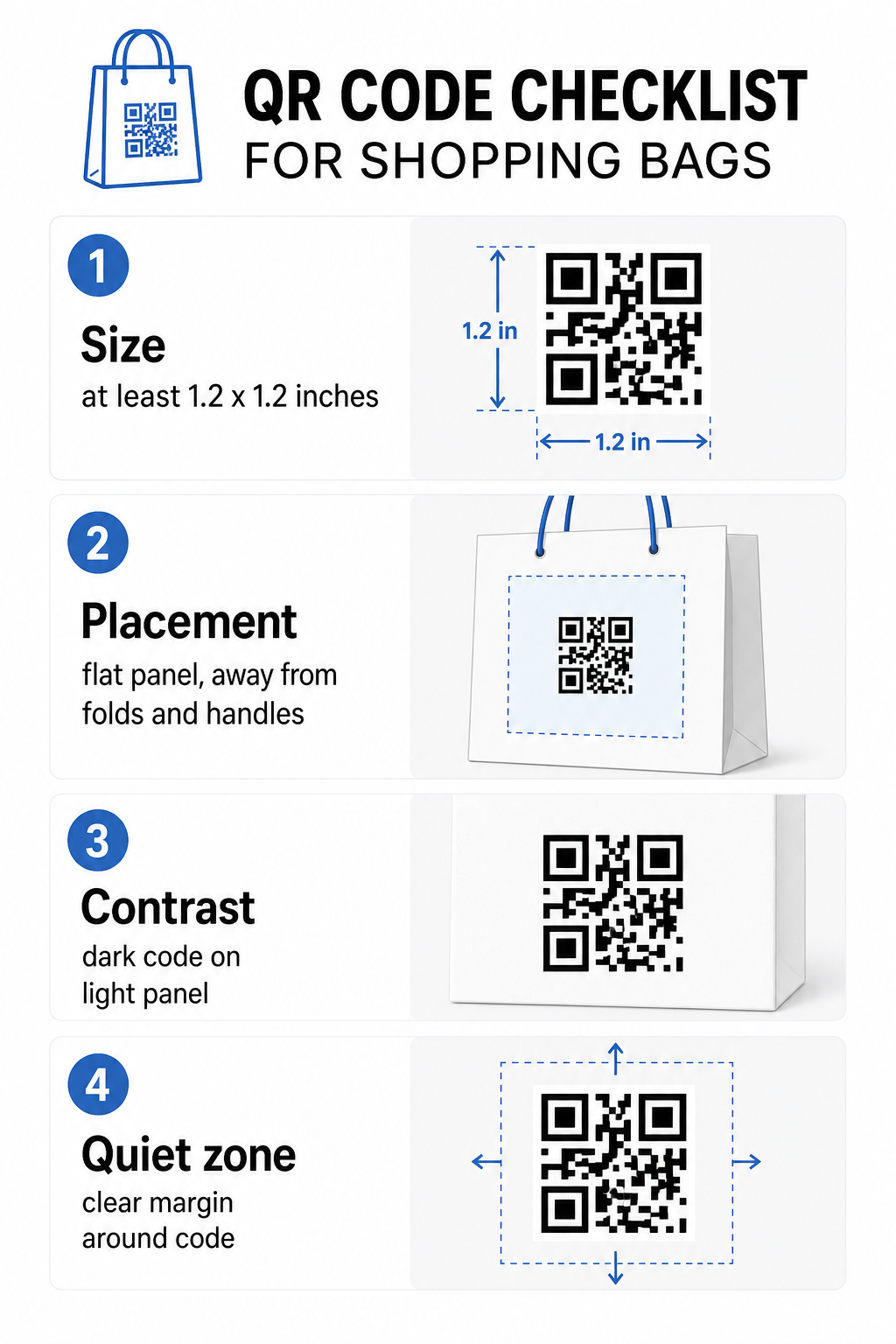
Größe
Die minimal empfohlene Druckgröße für zuverlässiges Scannen auf Armeslänge ist 0,8 × 0,8 Zoll (2 × 2 cm). Für eine Einkaufstasche, bei der der Scanabstand typischerweise größer ist und die Tasche sich bewegen kann, streben Sie mindestens an 1,2 × 1,2 Zoll (3 × 3 cm).
Eine nützliche Faustregel ist die 10:1 Verhältnis von Abstand zu Größe: der Code sollte 1 cm breit sein für alle 10 cm erwarteter Scan-Distanz. Wenn jemand Ihre Tasche wahrscheinlich aus etwa 30 cm (12 Zoll) Entfernung scannt, sollte der Code mindestens 3 cm breit sein. Dichterere QR-Codes – solche, die längere URLs oder mehr Daten kodieren – erfordern zusätzliche Größe, um lesbar zu bleiben, daher die Verwendung von verkürzten oder dynamischen URLs hält das Code-Muster weniger dicht und leichter scannbar.
PLATZIERUNG
Vermeiden Sie es, den Code in der Nähe von Falten, Nähten, Griffen oder verstärkten Kanten zu platzieren. Diese Bereiche verzerren die Geometrie des Codes, was Scanner verwirrt. Das flache Mittelteil – vorne oder hinten – ist der sicherste Ort. Wenn Ihr Taschendesign einen Seitenfalz enthält, funktioniert dieses Panel auch, vorausgesetzt, die Oberfläche ist flach, wenn die Tasche offen gehalten wird. Für strategischere Platzierungsüberlegungen, der Leitfaden zu Top-QR-Code-Platzierungen für Einzelhandelsgeschäfte behandelt, wie man Oberfläche, Sichtbarkeit und Kontext zusammen betrachtet.
Kontrast
QR-Code-Scanner erkennen den Unterschied zwischen dunklen Modulen und einem hellem Hintergrund. Dunkles Muster auf hellem Hintergrund ist die zuverlässigste Kombination. Streben Sie ein Kontrastverhältnis von mindestens 4:1 zwischen dem Code und seinem Hintergrund an – höher ist besser. Vermeiden Sie Farbverläufe, die einen ungleichmäßigen Kontrast erzeugen, und halten Sie sich von umgekehrten Farbschemata (heller Code auf dunklem Hintergrund) fern, die einige Scanner nicht lesen können.
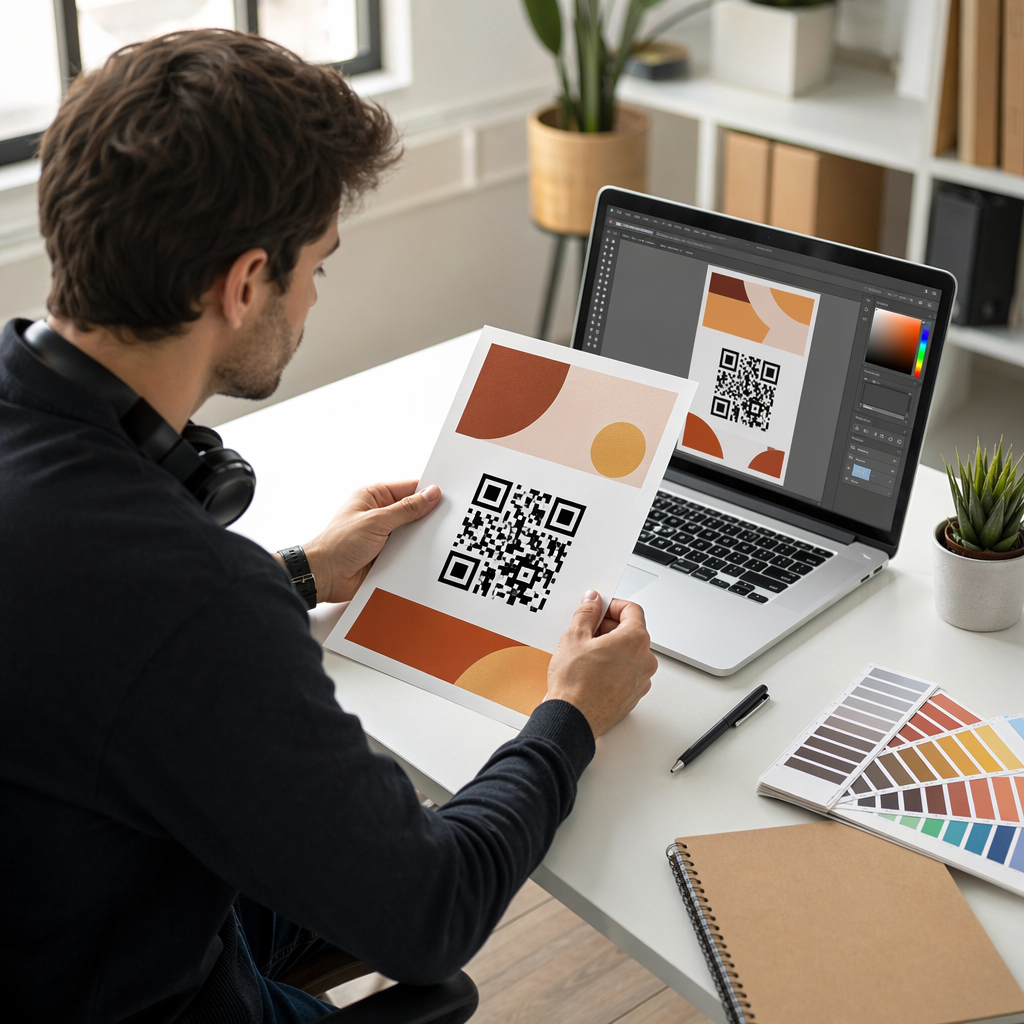
Wenn Ihre Tasche eine dunkle Grundfarbe hat, platzieren Sie den QR-Code in einem weißen oder hellfarbigen Feld, anstatt direkt auf die dunkle Oberfläche zu drucken. Für eine vollständige Übersicht, welche Farbkombinationen funktionieren und welche zu vermeiden sind, siehe den Leitfaden für Best Practices zum Farbkontrast von QR-Codes.
Ruhige Zone
Die Ruhezone ist der leere Rand, der einen QR-Code umgibt. Er signalisiert dem Scanner, wo der Code beginnt und endet. Der Standard erfordert mindestens vier Module freien Platz auf allen Seiten – wobei ein Modul die kleinste quadratische Einheit im Code-Raster ist. Auf einer bedruckten Tasche in typischen Größen entspricht dies etwa 3–4 mm leerem Raum auf jeder Seite.
Lassen Sie keine Texte, Logos, Markenmuster oder dekorativen Elemente in diesen Rand eindringen. Selbst ein teilweises Eindringen kann zu Scan-Fehlern führen. Wenn Ihr Taschendesign dicht mit Grafiken ist, platzieren Sie den QR-Code in einem umrandeten weißen Feld, um die Ruhezone zu schützen.
Den Code branden
Ein gebrandeter QR-Code – einer, der Ihr Logo und Ihre Markenfarben enthält – wird eher gescannt als eine einfache Schwarz-Weiß-Version. Kunden engagieren sich eher, wenn sie die Quelle erkennen und verstehen, dass es etwas Wertvolles zu scannen gibt. Sie können den QR-Code Generator mit Logo verwenden, um Ihr Logo in der Mitte des Codes einzubetten, während die Scannbarkeit erhalten bleibt.
Beim Hinzufügen eines Logos verwenden Sie eine höhere Fehlerkorrekturstufe (Q oder H), damit der Code auch bei teilweiser Abdeckung des Musters lesbar bleibt. Halten Sie das Logo auf nicht mehr als 30% der gesamten Code-Fläche. Der Leitfaden für bewährte Verfahren zur Lesbarkeit von QR-Codes behandelt die Logo-Platzierung zusammen mit Kontrast- und Größenrichtlinien ausführlich.
Testen vor dem Druck
Testen Sie den endgültigen Code immer auf mehreren Geräten und unter Bedingungen, die der realen Nutzung entsprechen – unterschiedliche Lichtverhältnisse, verschiedene Scan-Winkel und in der erwarteten Scan-Distanz. Testen Sie sowohl auf iOS als auch auf Android. Drucken Sie ein physisches Muster, bevor Sie eine vollständige Taschenproduktion in Auftrag geben, da ein Code, der auf dem Bildschirm gut aussieht, auf einer strukturierten oder laminierten Taschenoberfläche fehlschlagen kann.
Einen Call-to-Action in der Nähe des Codes hinzufügen
Eine Studie von Scantrust ergab, dass Verbraucher, die normalerweise keine QR-Codes scannen, dies eher tun würden, wenn der Code klar kommuniziert, was sie erhalten würden. Ein kurzer, direkter Call-to-Action, der in der Nähe des Codes platziert wird, bewirkt genau das.
Halten Sie es kurz und spezifisch. Beispiele, die gut auf Taschen funktionieren:
- Scannen Sie für 15% Rabatt auf Ihre nächste Bestellung
- Scannen Sie, um unserem Prämienprogramm beizutreten
- Scannen Sie für Neuheiten
- Exklusives Angebot im Inneren – scannen, um freizuschalten
Vage Aufforderungen wie “Scannen Sie mich” oder “Mehr erfahren” geben Kunden keinen Grund zum Handeln. Sagen Sie ihnen, was sie bekommen, bevor sie scannen. Dieses Prinzip gilt für alle physischen QR-Code-Platzierungen – Sie können sehen, wie es funktioniert in breiteren Einzelhandels-QR-Code-Kontexten ebenfalls.
Kampagnenleistung verfolgen
Eines der stärksten Argumente für QR-Codes auf Einkaufstaschen ist die Messbarkeit. Im Gegensatz zu einer gedruckten Telefonnummer oder Website-URL ist ein QR-Code-Scan ein verfolgbares Ereignis. Mit dynamischen QR-Codes protokolliert jeder Scan wichtige Datenpunkte, die Ihre Tasche zu einem messbaren Kampagnen-Asset machen:
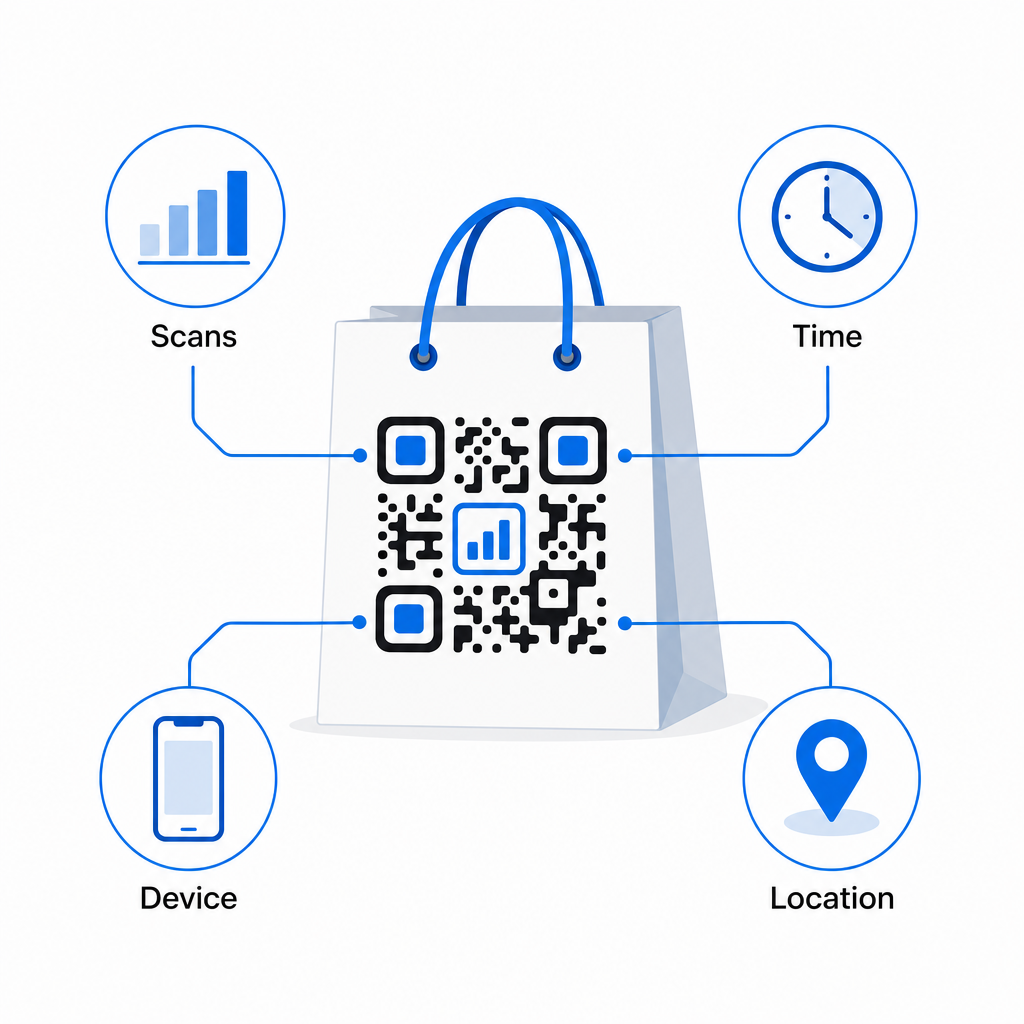
- Gesamtzahl der Scans und eindeutige Scans – unterscheidet die Gesamtreichweite von wiederholtem Engagement
- Scan-Zeit und -Datum – zeigt, wann Kunden am ehesten nach dem Kauf interagieren
- Gerätetyp – hilft Ihnen, die Landingpage für das gängigste Gerät zu optimieren, das Ihre Kunden verwenden
- Standortdaten – nützlich für Einzelhändler mit mehreren Standorten oder regionalen Kampagnen
Diese Daten ermöglichen es Ihnen, die Leistung über verschiedene Taschenversionen, Filialstandorte oder Kampagnenzeiträume hinweg zu vergleichen. Wenn eine bestimmte Aktion deutlich mehr Scans generiert, können Sie sie verlängern. Wenn die Scans nach zwei Wochen zurückgehen, wissen Sie, dass das Angebot seinen Zweck erfüllt hat und können das Ziel aktualisieren, ohne die Tasche zu berühren. Die QR-Code-Analyse- und Tracking-Funktion erklärt, was das Dashboard anzeigt und wie Scan-Daten in Echtzeit zu interpretieren sind.
Für Einzelhändler, die Kampagnen über mehrere physische Formate außerhalb von Taschen durchführen, bietet der Hub für Branchenlösungen einen breiteren Überblick darüber, wie QR-Codes in eine koordinierte Strategie passen.
Design- und technische Checkliste
Bevor Sie Ihr Taschendesign zum Drucken senden, bestätigen Sie jeden der folgenden Punkte:
| Element | Anforderung |
|---|---|
| Code-Größe | Mindestens 1,2 × 1,2 Zoll (3 × 3 cm) für Taschen |
| Kontrastverhältnis | Mindestens 4:1 zwischen Code und Hintergrund |
| Ruhezone | Mindestens 4 Module Freiraum auf allen Seiten |
| PLATZIERUNG | Flache Fläche, abseits von Falten, Nähten und Griffen |
| Code-Typ | Dynamischer QR-Code für aktualisierbare Ziele |
| Handlungsaufforderung | Spezifisch und nutzenorientiert, in der Nähe des Codes platziert |
| Logo (falls verwendet) | Fehlerkorrekturstufe Q oder H, ≤30% der Code-Fläche |
| Testen | Bestätigt scannbar auf iOS und Android bei realen Lichtverhältnissen |
Eine Einkaufstasche ist eines der wenigen Einzelhandelsmaterialien, das auch nach Abschluss der Transaktion weiterarbeitet. Mit einem gut gestalteten, dynamisch verknüpften QR-Code wird sie zu einer verfolgbaren Verbindung zwischen dem physischen Kauf und Ihrer fortlaufenden digitalen Beziehung zu diesem Kunden. Gestalten Sie sie sorgfältig, geben Sie Kunden einen klaren Grund zum Scannen und nutzen Sie die Analysen, um die Kampagne im Laufe der Zeit kontinuierlich zu verbessern.
Starten Sie den Aufbau Ihrer Taschenkampagne Verwenden Sie die Pageloot QR-Code-Generator um einen gebrandeten, dynamischen QR-Code zu erstellen, der für den Druck auf Einzelhandelstaschen bereit ist – mit vollständigen Analysen inklusive.
Häufig gestellte Fragen
Ja. Mit einem dynamischen QR-Code können Sie einen einzigen Code an allen Standorten verwenden und Scan-Daten nach Geografie verfolgen, was Ihnen ermöglicht zu sehen, welche Geschäfte die höchste Interaktion erzielen. Alternativ können Sie separate Codes pro Standort erstellen, um die Leistung direkt zu vergleichen.
Mit einem dynamischen QR-Code aktualisieren Sie einfach die Ziel-URL in Ihrem Pageloot-Dashboard. Kunden, die alte Taschen scannen, landen automatisch auf Ihrer neuen Seite. Sie müssen nie neu drucken, um das Erlebnis aktuell zu halten.
Drucken Sie den Code auf eine flache, matte Oberfläche und vermeiden Sie es, ihn in der Nähe von Falten, Nähten oder glänzenden laminierten Bereichen zu platzieren, die Blendung verursachen. Wenn Ihre Tasche durchgehend eine strukturierte Oberfläche hat, ziehen Sie in Betracht, ein kleines flaches Etikett oder ein bedrucktes Feld speziell für den QR-Code anzubringen, um eine saubere, scanbare Oberfläche zu gewährleisten.