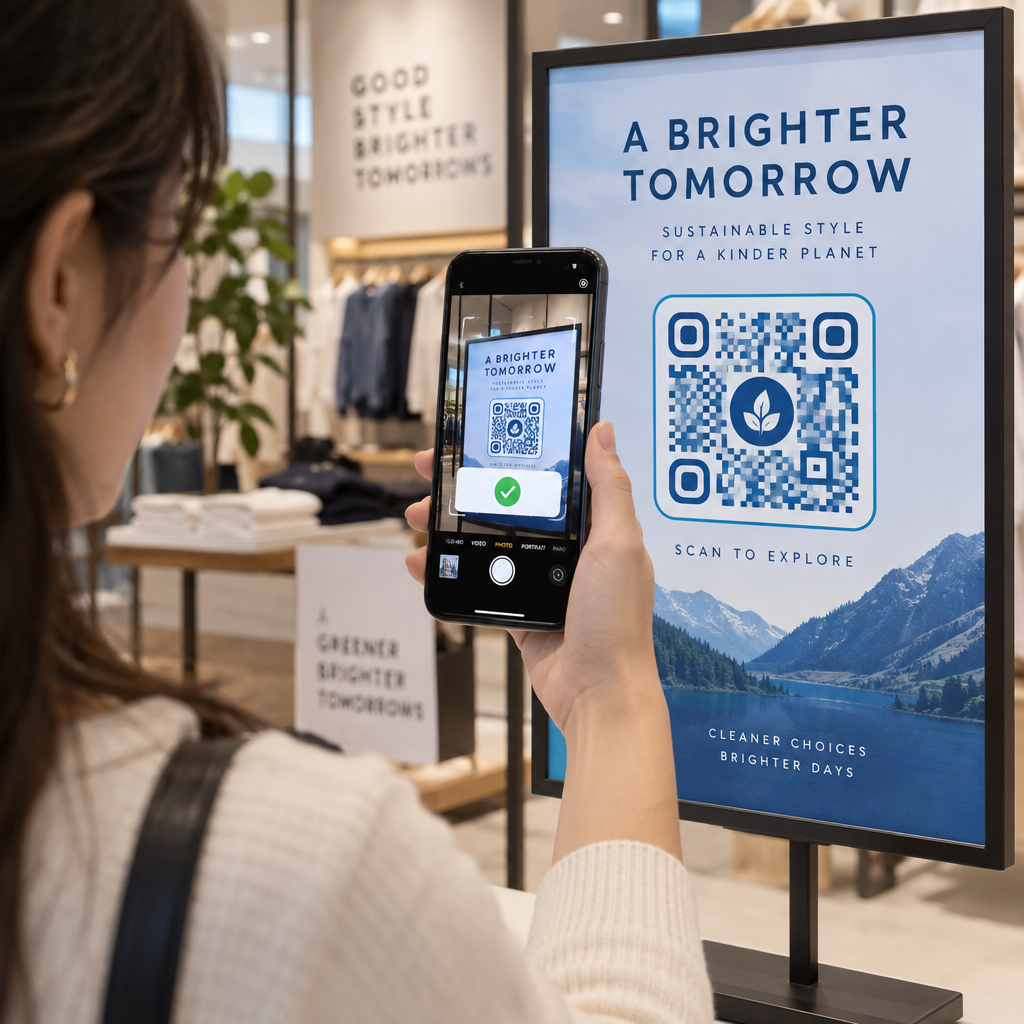
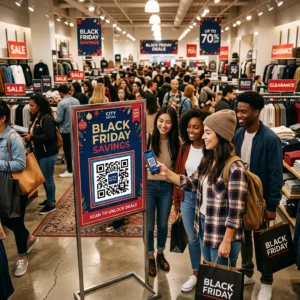
Obavljaju li vaše shopping torbe ikakav posao nakon što kupac izađe iz trgovine? Većina ne – a to je propuštena prilika za nastavak razgovora. Ova stranica vam pokazuje kako dizajnirati učinkovite QR kodove za shopping torbe, na što ih povezati i kako mjeriti rezultate.
Zašto su shopping torbe vrijedna površina za QR kodove
Shopping torba putuje daleko izvan prodajnog mjesta. Vozi se podzemnom željeznicom, stoji na uredskom stolu, ponovno se koristi na tržnici. Svako putovanje je potencijalni dojam – i potencijalno skeniranje.
Istraživanje potrošača World Sync 2024. pokazalo je da je 64% kupaca već skeniralo QR kod na proizvodu tijekom kupovine u trgovini, a 42% kaže da su QR kodovi značajno poboljšali njihovo iskustvo kupovine uživo. Kupci su spremni skenirati. Pitanje je daje li im vaša torba razlog za to.
Za razliku od pakiranja proizvoda, koje kupac često odbaci nakon otvaranja, shopping torba se često ponovno koristi. Taj produženi vijek trajanja znači da je vaš QR kod više puta izložen – izvornom kupcu i svima oko njega. Za trgovce koji žele izvući više vrijednosti iz fizičkih dodirnih točaka, torba je jedno od najjednostavnijih mjesta za početak. Možete istražiti cijeli raspon slučajeva upotrebe QR kodova za maloprodajna poduzeća kako biste vidjeli kako se uspoređuju druge dodirne točke.
Na što povezati QR kod vaše shopping torbe
Odredište je jednako važno kao i sam kod. QR kod koji ne vodi nikamo korisno skenira se jednom i zaboravi. Evo najučinkovitijih odredišta za maloprodajne torbe:
- Ekskluzivni popusti ili kuponi – Nagradite kupce koji skeniraju nakon kupnje popustom na sljedeću narudžbu. A QR kod kupona omogućuje vam prikaz više ponuda na jednoj brendiranoj odredišnoj stranici.
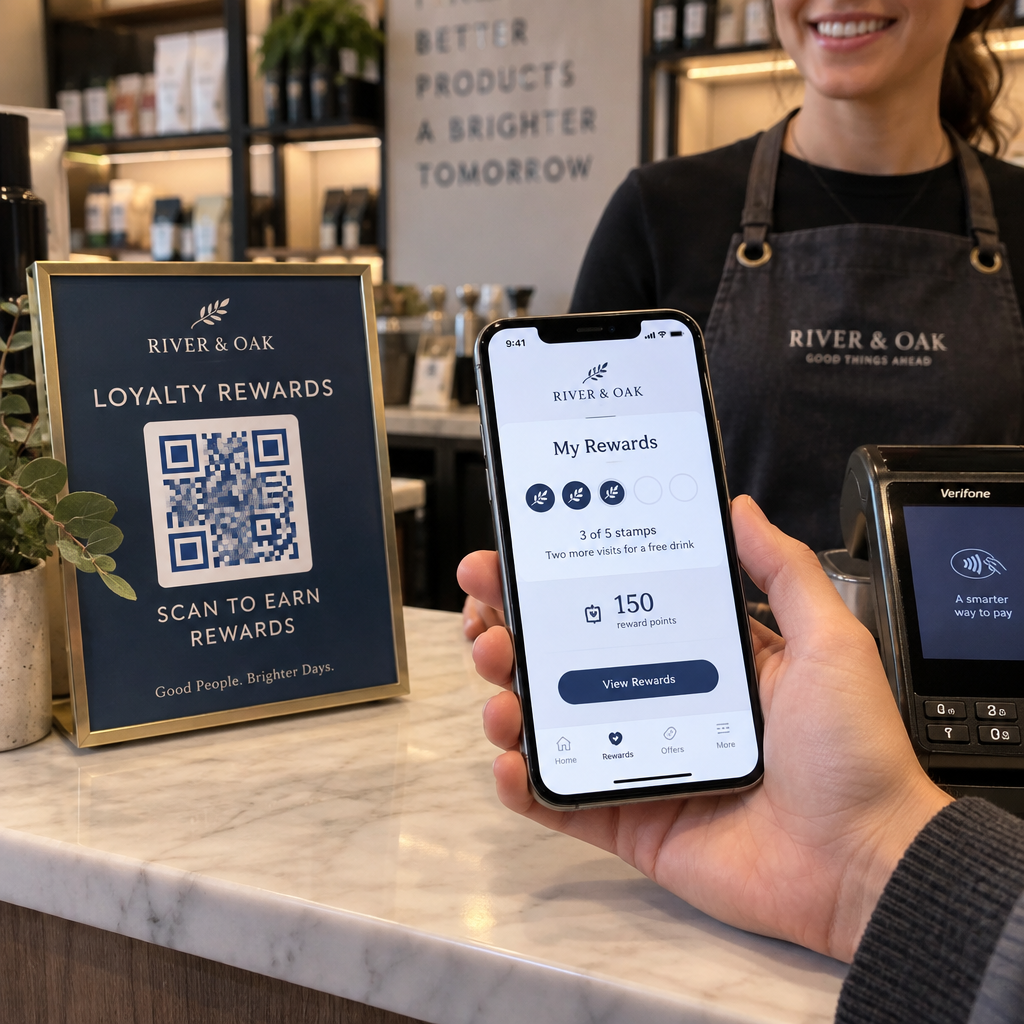
- Prijava za program vjernosti – Pretvorite jednokratnog kupca u stalnog kupca tako što ćete mu olakšati pridruživanje vašem programu nagrađivanja.
- Novi dolasci ili sezonske kolekcije – Povežite se s odabranom stranicom proizvoda koja održava zamah kupovine nakon što napuste trgovinu.
- Profili na društvenim mrežama – Povećajte broj pratitelja dajući primateljima vrećica izravan put do vaše Instagram, TikTok ili Pinterest stranice.
- Sadržaj s uputama ili priča o brendu – Kratak videozapis ili članak o tome kako se vaši proizvodi izrađuju gradi privrženost i povjerenje u brend.
- Stranice za registraciju proizvoda ili jamstvo – Posebno korisno za tehnologiju, uređaje ili premium robu.
- Stranica s recenzijama – Potaknite kupce da ostave Google ili društvenu recenziju dok je kupnja još svježa.
A QR kod za poveznicu rješava većinu ovih slučajeva upotrebe čisto – unesete URL, prilagodite kod da odgovara vašem brendu i spremni ste za ispis.
Pretvorite svoju shopping vrećicu u marketinški kanal Koristiti Generator QR kodova za stvaranje brendiranog koda koji se može pratiti za vašu sljedeću seriju ispisa vrećica. Nije potrebno tehničko znanje.
Zašto biste trebali koristiti dinamičke QR kodove na vrećicama
Statički QR kodovi kodiraju fiksni URL. Jednom kada ih ispišete, to odredište je trajno. Ako promocija završi, odredišna stranica se promijeni ili se veza prekine, svaka vrećica u optjecaju postaje slijepa ulica.
Dinamički QR kodovi to rješavaju preusmjeravanjem skeniranja, tako da možete ažurirati odredište u bilo kojem trenutku bez ponovnog ispisa vrećica. To ih čini praktičnim izborom za maloprodajnu ambalažu, gdje zalihe vrećica često traju mjesecima.
Osim fleksibilnosti, dinamički QR kodovi pružaju detaljnu analitiku skeniranja: ukupan i jedinstven broj skeniranja, vrijeme skeniranja, vrste uređaja i geografske podatke do razine grada ili regije. Ti podaci pretvaraju pasivnu vrećicu u aktivno sredstvo kampanje koje možete mjeriti i poboljšavati. Možete pročitati više o koje podatke prikupljaju dinamički QR kodovi i kako ga koristiti.
Za trgovce koji provode sezonske kampanje ili testiraju različite ponude na različitim lokacijama trgovina, mogućnost ažuriranja odredišta i usporedbe performansi skeniranja po lokaciji posebno je vrijedna. Pagelootova rješenja QR kodova za trgovce su izgrađena upravo za ovakvo upravljanje kampanjama.
Ažurirajte svoju kampanju s vrećicama bez ponovnog ispisa Izradite dinamički QR kod na Pageloot-ov generator QR kodova i promijenite svoj odredišni URL bilo kada – vaše ispisane vrećice automatski ostaju ažurne.
Kako dizajnirati QR kod koji se pouzdano skenira na vrećici
QR kod koji se ne može skenirati gori je od nikakvog QR koda – frustrira kupce i troši proračun za tisak. Vrećice predstavljaju specifične dizajnerske izazove: teksturirane površine, presavijene panele, ručke koje prekidaju područje ispisa i različite uvjete osvjetljenja na mjestu skeniranja. Evo što treba ispravno napraviti.
Veličina
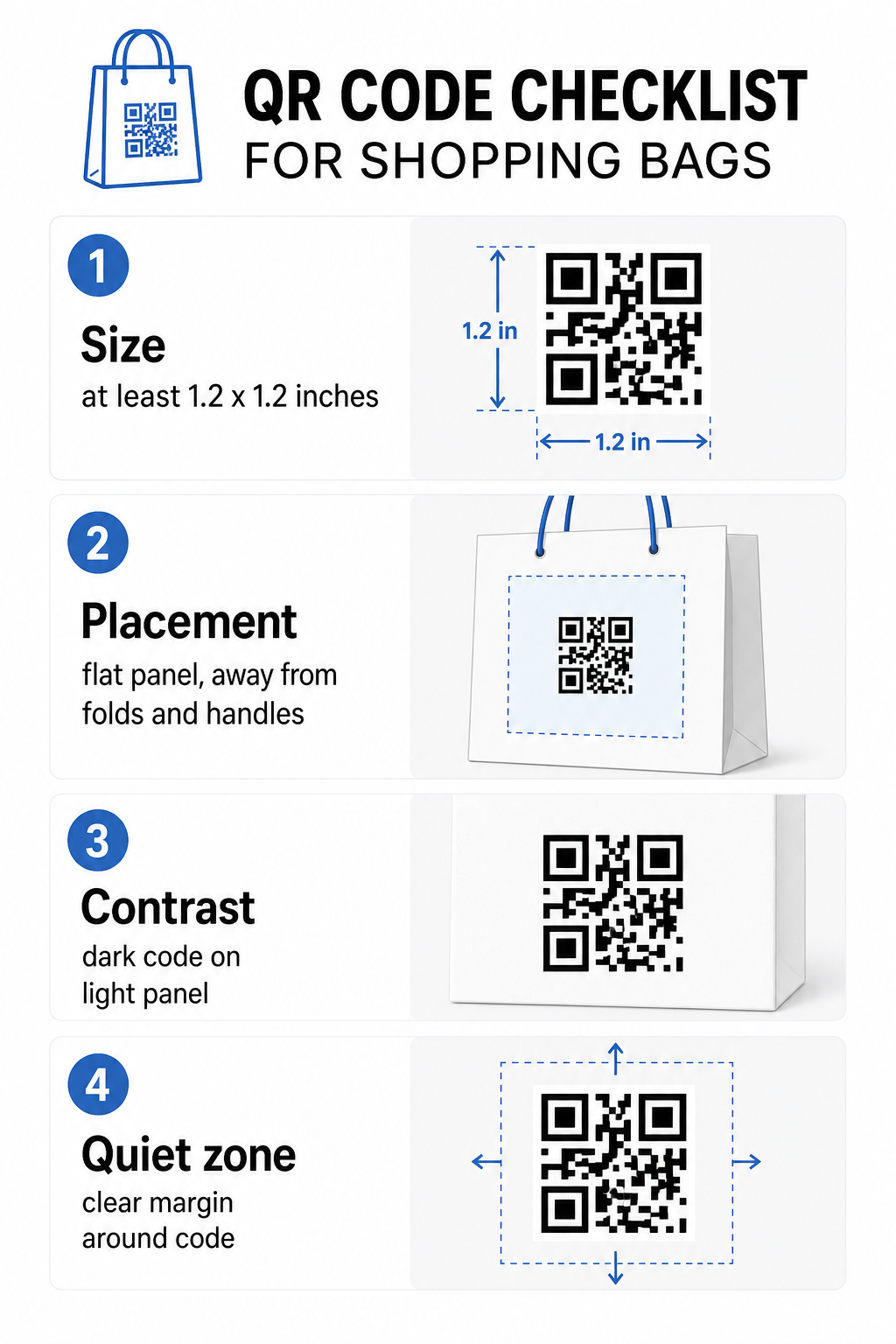
Minimalna preporučena veličina ispisa za pouzdano skeniranje s udaljenosti ruke je 0.8 × 0.8 inča (2 × 2 cm). Za torbu za kupovinu, gdje je udaljenost skeniranja obično veća i torba se može pomicati, ciljajte na najmanje 1,2 × 1,2 inča (3 × 3 cm).
Korisno pravilo je omjer udaljenosti i veličine 10:1: kod bi trebao biti širok 1 cm za svakih 10 cm očekivane udaljenosti skeniranja. Ako će netko vjerojatno skenirati vašu torbu s udaljenosti od oko 30 cm (12 inča), kod bi trebao biti širok najmanje 3 cm. Gušći QR kodovi – oni koji kodiraju duže URL-ove ili više podataka – zahtijevaju dodatnu veličinu kako bi ostali čitljivi, stoga korištenje skraćenih ili dinamičkih URL-ova čini uzorak koda manje gustim i lakšim za skeniranje.
SMJEŠTAJ
Izbjegavajte postavljanje koda blizu nabora, šavova, ručki ili ojačanih rubova. Ta područja iskrivljuju geometriju koda, što zbunjuje skenere. Ravna središnja ploča – prednja ili stražnja – najsigurnija je lokacija. Ako vaš dizajn torbe uključuje bočni umetak, ta ploča također funkcionira, pod uvjetom da je površina ravna kada je torba otvorena. Za više strateškog razmišljanja o postavljanju, vodič za najboljim pozicijama za QR kodove u maloprodajnim trgovinama pokriva kako zajedno razmišljati o površini, vidljivosti i kontekstu.
Kontrast
Skeneri QR kodova detektiraju razliku između tamnih modula i svijetle pozadine. Tamni uzorak na svijetloj pozadini je najpouzdanija kombinacija. Ciljajte na omjer kontrasta od najmanje 4:1 između koda i njegove pozadine – veći je bolji. Izbjegavajte gradijente, koji stvaraju neravnomjeran kontrast, i klonite se obrnutih shema boja (svijetli kod na tamnoj pozadini), koje neki skeneri ne uspijevaju pročitati.
Ako vaša torba ima tamnu osnovnu boju, postavite QR kod unutar bijele ili svijetle ploče umjesto da ga ispisujete izravno na tamnu površinu. Za potpuni pregled koje kombinacije boja funkcioniraju, a koje treba izbjegavati, pogledajte vodič za najbolje prakse kontrasta boja QR koda.
Mirna zona
The tihu zonu je prazna margina koja okružuje QR kod. Ona signalizira skeneru gdje kod počinje i završava. Standard zahtijeva najmanje četiri modula čistog prostora sa svih strana – gdje je modul najmanja kvadratna jedinica u mreži koda. Na tiskanoj vrećici tipičnih veličina, to se prevodi u otprilike 3–4 mm praznog prostora sa svake strane.
Ne dopustite da tekst, logotipi, uzorci robne marke ili dekorativni elementi zadiru u ovu marginu. Čak i djelomično zadiranje može uzrokovati neuspjeh skeniranja. Ako je dizajn vaše vrećice bogat grafikom, postavite QR kod unutar bijelog okvira s obrubom kako biste zaštitili tihu zonu.
Brendiranje koda
Brendirani QR kod – onaj koji uključuje vaš logotip i boje robne marke – vjerojatnije će biti skeniran nego obična crno-bijela verzija. Kupci će se vjerojatnije angažirati kada prepoznaju izvor i shvate da postoji nešto vrijedno skeniranja. Možete koristiti QR kod generator s logotipom za ugradnju vašeg logotipa u središte koda uz zadržavanje mogućnosti skeniranja.
Prilikom dodavanja logotipa, koristite višu razinu ispravljanja pogrešaka (Q ili H) kako bi kod ostao čitljiv čak i s djelomično prekrivenim uzorkom. Logotip neka ne zauzima više od 30% ukupne površine koda. vodič za najbolje prakse čitljivosti QR kodova pokriva smještaj logotipa, zajedno sa smjernicama za kontrast i veličinu, u potpunosti.
Testiranje prije tiska
Uvijek testirajte konačni kod na više uređaja i u uvjetima koji odgovaraju stvarnoj upotrebi – različite razine osvjetljenja, različiti kutovi skeniranja i na očekivanoj udaljenosti skeniranja. Testirajte na iOS-u i Androidu. Ispišite fizički uzorak prije nego što se obvežete na punu seriju vrećica, jer kod koji izgleda dobro na zaslonu može zakazati na teksturiranoj ili laminiranoj površini vrećice.
Dodavanje poziva na akciju blizu koda
Istraživanje tvrtke Scantrust pokazalo je da su potrošači koji obično ne skeniraju QR kodove rekli da bi to vjerojatnije učinili ako bi kod jasno komunicirao što će dobiti. Kratak, izravan poziv na akciju postavljen blizu koda upravo to i čini.
Neka bude kratko i specifično. Primjeri koji dobro funkcioniraju na vrećicama:
- Skenirajte za 15% popusta na vašu sljedeću narudžbu
- Skenirajte za pridruživanje našem programu nagrađivanja
- Skenirajte za nove proizvode
- Ekskluzivna ponuda unutra – skenirajte za otključavanje
Nejasni pozivi poput “Skeniraj me” ili “Saznaj više” ne daju kupcima razlog za djelovanje. Recite im što će dobiti prije nego što skeniraju. Ovo načelo vrijedi za sva fizička postavljanja QR kodova – možete vidjeti kako to funkcionira u širim maloprodajnim kontekstima QR kodova također.
Praćenje učinkovitosti kampanje
Jedan od najjačih argumenata za QR kodove na vrećicama za kupovinu je mjerljivost. Za razliku od otisnutog telefonskog broja ili URL-a web stranice, skeniranje QR koda je događaj koji se može pratiti. S dinamičkim QR kodovima, svako skeniranje bilježi ključne podatkovne točke koje vašu vrećicu pretvaraju u mjerljivu imovinu kampanje:
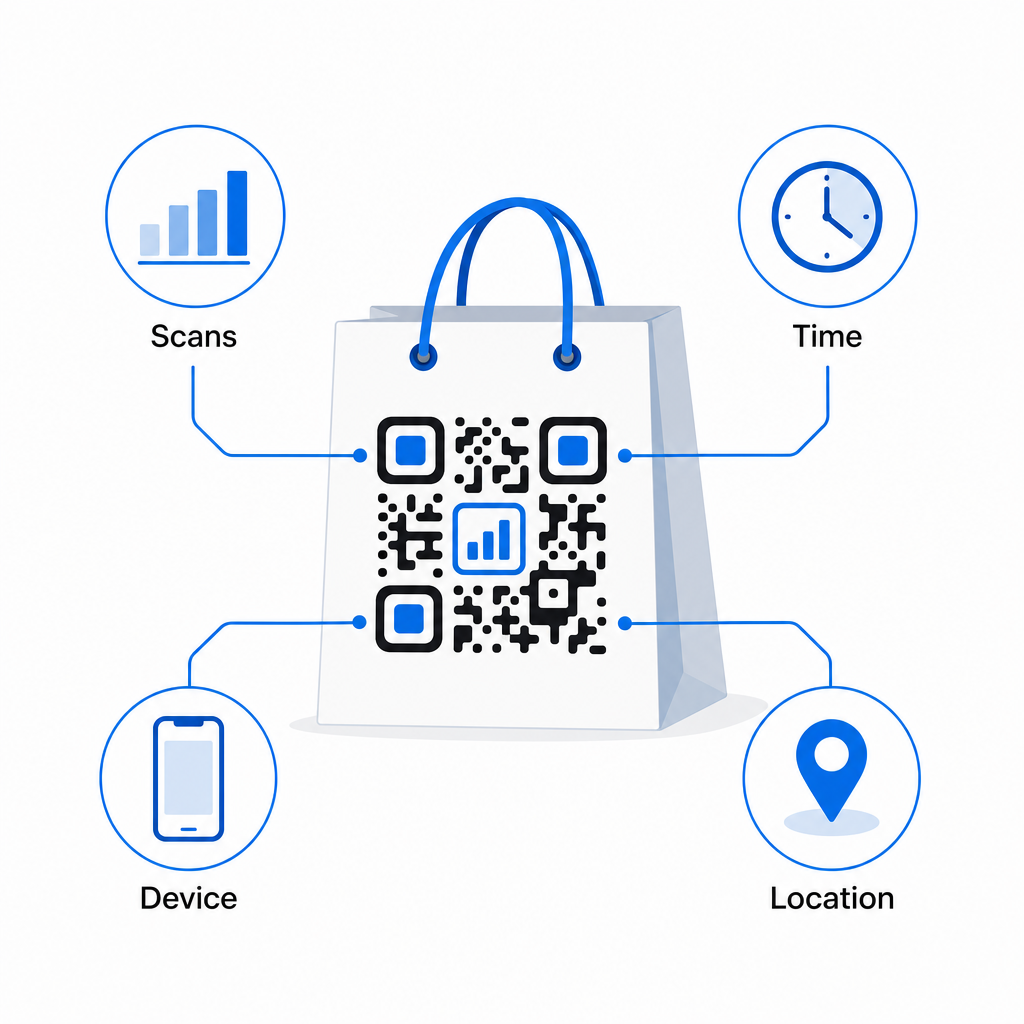
- Ukupna skeniranja i jedinstvena skeniranja – razlikuje ukupni doseg od ponovnog angažmana
- Vrijeme i datum skeniranja – otkriva kada će se kupci najvjerojatnije angažirati nakon kupnje
- Vrsta uređaja – pomaže vam optimizirati odredišnu stranicu za najčešći uređaj koji vaši kupci koriste
- 4. Podaci o lokaciji – korisno za trgovce s više lokacija ili regionalne kampanje
Ovi podaci omogućuju vam usporedbu performansi između verzija torbi, lokacija trgovina ili razdoblja kampanja. Ako određena promocija potakne znatno više skeniranja, možete je produžiti. Ako se skeniranja smanje nakon dva tjedna, znate da je ponuda ispunila svoju svrhu i možete ažurirati odredište bez diranja torbe. Analitika QR koda i značajka praćenja objašnjava što nadzorna ploča prikazuje i kako interpretirati podatke o skeniranju u stvarnom vremenu.
Za trgovce koji provode kampanje kroz više fizičkih formata izvan torbi, središte industrijskih rješenja daje širi pogled na to kako se QR kodovi uklapaju u koordiniranu strategiju.
Popis za provjeru dizajna i tehničkih specifikacija
Prije slanja dizajna vaše torbe za tisak, potvrdite svaku od sljedećih stavki:
| Element | Zahtjev |
|---|---|
| Veličina koda | Minimalno 1,2 × 1,2 inča (3 × 3 cm) za torbe |
| Omjer kontrasta | Najmanje 4:1 između koda i pozadine |
| Tiha zona | Minimalno 4 modula slobodnog prostora sa svih strana |
| SMJEŠTAJ | Ravna površina, daleko od nabora, šavova i ručki |
| Vrsta koda | Dinamički QR kod za odredišta koja se mogu ažurirati |
| Poziv na akciju | Specifičan i usmjeren na korist, postavljen blizu koda |
| Logotip (ako se koristi) | Razina ispravljanja pogrešaka Q ili H, ≤30% površine koda |
| Testiranje | Potvrđeno skeniranje na iOS-u i Androidu u stvarnom osvjetljenju |
Vrećica za kupovinu jedan je od rijetkih maloprodajnih materijala koji nastavlja raditi nakon završetka transakcije. S dobro dizajniranim, dinamički povezanim QR kodom, postaje veza koja se može pratiti između fizičke kupnje i vašeg stalnog digitalnog odnosa s tim kupcem. Pažljivo ga dizajnirajte, dajte kupcima jasan razlog za skeniranje i koristite analitiku za stalno poboljšavanje kampanje tijekom vremena.
Započnite s izradom svoje kampanje za torbe Koristiti Pageloot Generator QR kodova za izradu brendiranog, dinamičkog QR koda spremnog za tisak na maloprodajnim torbama – s uključenom potpunom analitikom.
Često postavljana pitanja
Da. S dinamičnim QR kodom, možete koristiti jedan kod na svim lokacijama i pratiti podatke o skeniranju po geografiji, što vam omogućuje da vidite koje trgovine ostvaruju najveći angažman. Alternativno, možete kreirati zasebne kodove po lokaciji kako biste direktno uporedili performanse.
S dinamičnim QR kodom, vi jednostavno ažurirate odredišni URL u vašoj Pageloot nadzornoj ploči. Kupci koji skeniraju stare torbe će automatski sletjeti na vašu novu stranicu. Nikada ne trebate ponovno ispisivati kako biste zadržali iskustvo aktualnim.
Ispišite kod na ravnu, mat površinu i izbjegavajte ga postavljati blizu nabora, šavova ili sjajnih laminiranih područja koja uzrokuju odsjaj. Ako vaša torba ima teksturiranu završnu obradu po cijeloj površini, razmislite o postavljanju male ravne naljepnice ili otisnute ploče posebno za QR kod, osiguravajući čistu površinu pogodnu za skeniranje.