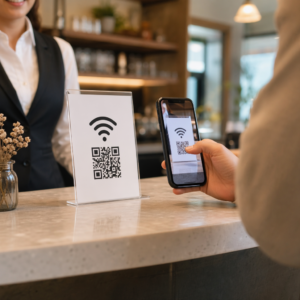
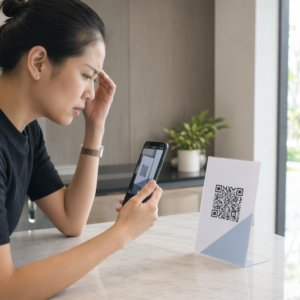
Teilen Sie sensible Dokumente oder exklusive Inhalte über QR-Codes, sind aber besorgt über unbefugten Zugriff? Wenn physische Codes in öffentlichen Bereichen erscheinen, kann jeder sie scannen, um vertrauliche Dateien oder interne Landingpages einzusehen. Das Hinzufügen von Passwortschutz zu Ihren Ziellinks und Dateien stellt sicher, dass nur autorisierte Benutzer auf Ihre Inhalte zugreifen können.
Kann ein QR-Code selbst passwortgeschützt sein?
Standard statische QR-Codes können keine Passwörter in ihren Pixelmustern speichern. Ein statischer Code übersetzt einfach Klartext oder einen festen Weblink in eine scannbare Grafik, was bedeutet, dass jeder Smartphone-Reader die exakt gleichen Endpunktdaten sofort nach dem Scannen decodiert.
Um den Zugriff zu sichern, muss der Passwortschutz entweder auf der Umleitungsebene oder am Zielort erfolgen. Dies kann mit zwei Hauptansätzen erreicht werden:
- Schutz auf Umleitungsebene: Verwendung eines Dynamischer QR-Code Generator um den Scan abzufangen und eine Passwortauthentifizierung zu verlangen, bevor Besucher zur Zielressource weitergeleitet werden.
- Schutz auf Zielebene: Absicherung der Host-Umgebung oder direkter Schutz der Datei (z. B. durch Erstellung eines passwortgeschützten Dokuments), bevor diese verlinkt wird.
Beide Methoden verhindern, dass unbefugte Benutzer vertrauliche Ressourcen einsehen können, selbst wenn Ihr physischer QR-Code an einem öffentlichen Ort ausgestellt ist.
Wichtige Methoden zur Sicherung von QR-Code-Inhalten
Die Wahl der richtigen Implementierung hängt davon ab, ob Sie einen Website-Link, ein internes Dokument oder temporäre Veranstaltungsinhalte sichern.
Zugriffssteuerungen für dynamische QR-Codes
Dynamische QR-Codes basieren auf einem kurzen Umleitungslink, anstatt die endgültige URL direkt in das Bild zu programmieren. Dieser Kurzlink ermöglicht es Ihnen, Sicherheitseinstellungen auf der Plattform zu verwalten, die den Code hostet. Sie können Passwörter vorschreiben, den Ziellink jederzeit aktualisieren oder den Zugriff vollständig entziehen, ohne Ihre physischen Materialien neu drucken zu müssen.
Passwortgeschützte Dateiuploads
Wenn Sie Dateien direkt teilen, können Sie die Datei mit einem Passwort schützen, bevor Sie sie in eine scannbare Grafik umwandeln. Bei Verwendung eines PDF QR-Code Generator, können Sie ein verschlüsseltes PDF hochladen oder Ihr Dokument auf einer sicheren Plattform hosten, die eine Authentifizierung erfordert. Benutzer, die den Code scannen, gelangen zum Dokumenten-Viewer, müssen jedoch die richtigen Anmeldeinformationen eingeben, um die Datei zu öffnen und zu lesen.
Ablaufdaten und Nutzungslimits
Die Zugriffskontrolle geht über Passwörter hinaus. Sie können Anmeldeanforderungen mit Regeln wie Kalenderabläufen oder maximalen Scan-Zahlen kombinieren. Das Festlegen dieser Parameter stellt sicher, dass sich der Link automatisch deaktiviert, sobald ein Angebot oder ein internes Meeting abgeschlossen ist. Erfahren Sie mehr über die Steuerung von Inhaltslebenszyklen in unserem Leitfaden zu wie man Ablaufdaten für QR-Codes festlegt.
Sichern Sie Ihre digitalen Inhalte noch heute Schützen Sie Ihre sensiblen Dateien und eingeschränkten Links mit flexiblen Zugriffskontrollen, indem Sie Codes mit unserem Dynamischer QR-Code Generator.
So richten Sie einen passwortgeschützten QR-Code Schritt für Schritt ein
Befolgen Sie diese Schritte, um einen passwortgeschützten Zugangsfluss für Ihre Geschäfts- oder Marketingmaterialien zu erstellen:
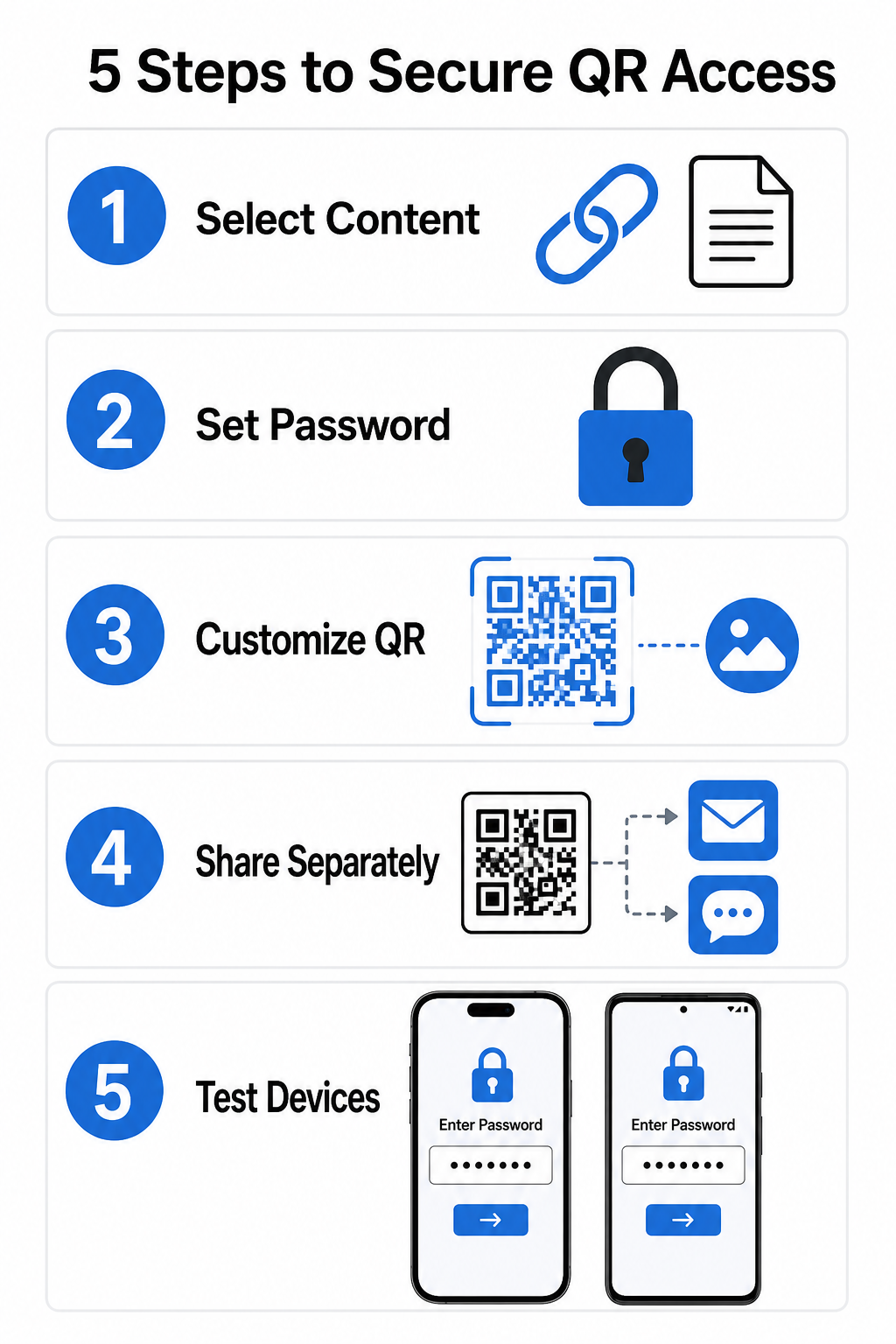
- Wählen Sie Ihren Inhaltstyp: Wählen Sie das Format, das Sie teilen möchten, z.B. eine Website-URL mit einem Link-QR-Code-Generator oder eine Dokumentendatei.
- Zugriffssicherheit konfigurieren: Aktivieren Sie die Passwortanforderungen in Ihrem dynamischen Management-Dashboard oder wenden Sie den Passwortschutz direkt auf Ihre Zieldatei an, bevor Sie sie hochladen.
- Visuelles Design anpassen: Fügen Sie Markenfarben, benutzerdefinierte Rahmen und ein offizielles Logo mit einem flexiblen QR-Code-Generator , um das Vertrauen der Benutzer aufzubauen und Betrugsrisiken zu reduzieren.
- Anmeldeinformationen separat verteilen: Teilen Sie das Passwort mit autorisierten Benutzern über einen separaten Kanal, wie z.B. E-Mail-Bestätigung, Willkommenspakete oder Direktnachrichten, anstatt es in der Nähe des Codes zu platzieren.
- Testen Sie auf mehreren Geräten: Scannen Sie den Code sowohl mit iOS- als auch mit Android-Kamera-Apps, um zu bestätigen, dass die Passworteingabeaufforderung korrekt ausgelöst wird, bevor Sie drucken oder veröffentlichen.
Best Practices für die sichere Bereitstellung von QR-Codes
Die Implementierung des Zugriffsschutzes erfordert die Einhaltung von Cybersicherheitsstandards, um Datenlecks und unautorisierte Scans zu verhindern:
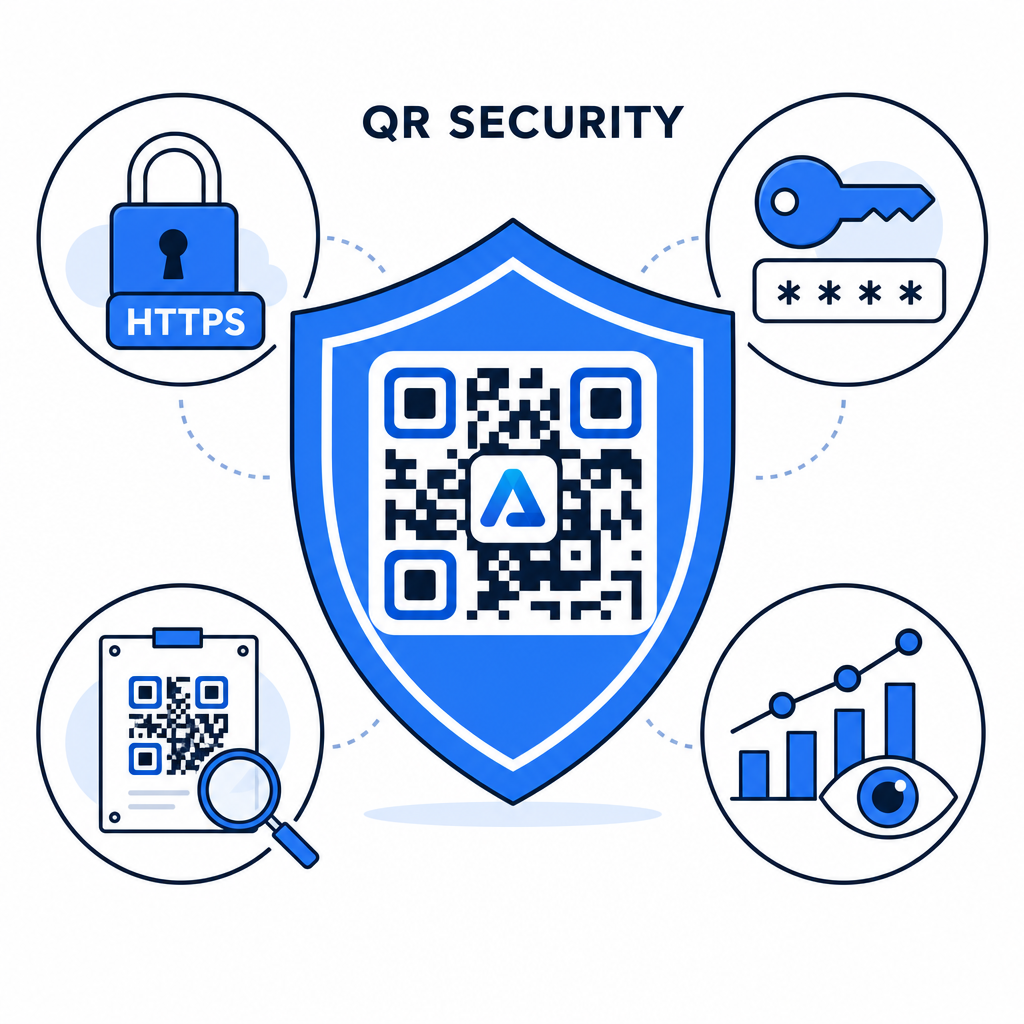
- Starke Passwortstandards verwenden: Verlangen Sie Passwörter, die mindestens 15 Zeichen lang sind, für den Einzelfaktorschutz, um automatisierte Rateversuche zu verhindern.
- HTTPS-Endpunkte vorschreiben: Stellen Sie sicher, dass der Zielserver SSL-Verschlüsselung verwendet, um Daten während der Übertragung zu schützen. Weitere Informationen finden Sie unter wie Verschlüsselung QR-Code-Daten schützt für tiefere Sicherheitseinblicke.
- Physische Anzeigen regelmäßig überprüfen: Überwachen Sie routinemäßig gedruckte Kontaktpunkte in öffentlichen Bereichen, um sicherzustellen, dass physische Codes nicht manipuliert oder durch unbefugte Überlagerungen verdeckt wurden, wodurch wichtige QR-Code-Datenschutzrisiken.
- Zugriffsanalysen überwachen: Verfolgen Sie Scan-Häufigkeit, Standorte und Benutzeragentendaten in Ihrem Management-Dashboard, um verdächtige Verkehrsmuster oder unbefugte Zugriffsversuche zu identifizieren.
Dateien mühelos verwalten und schützen Wandeln Sie Ihre vertraulichen Handbücher und Dokumente in verfolgbare, sichere digitale Links um mit unserem PDF QR-Code Generator.
Sichern Sie Ihre Kontaktpunkte mit Passwort-Zugriffskontrollen
Die Kombination von physischen QR-Kontaktpunkten mit digitalen Zugriffskontrollen bietet ein nahtloses Benutzererlebnis, während proprietäre Dokumente, interne Formulare und exklusive Marketingmaterialien privat bleiben. Durch den Einsatz dynamischer Codes mit Passwortabfragen, verschlüsselten Endpunkten und proaktiver Überwachung behalten Sie die vollständige Kontrolle über Ihre geteilten Inhalte.
Entdecken Sie unseren umfassenden Leitfaden zu Best Practices für die sichere QR-Code-Generierung , um noch heute eine durchgängige Sicherheit über Ihre gedruckten und digitalen Kontaktpunkte hinweg zu implementieren.
Häufig gestellte Fragen
Nein. Statische QR-Codes kodieren feste Daten direkt in das Muster und können keine Passworteingabeaufforderungen auslösen. Um den Zugriff zu beschränken, verwenden Sie eine dynamische QR-Code-Plattform oder sichern Sie die Zielseite oder Datei selbst.
Senden Sie Passwörter über einen separaten Kommunikationskanal, wie z.B. eine E-Mail-Bestätigung, SMS, Event-Badge oder ein sicheres Onboarding-Paket. Drucken Sie das Passwort niemals neben dem physischen QR-Code aus.
Dynamische QR-Codes ermöglichen es Ihnen, Ziellinks, Sicherheitseinstellungen oder Regeln für den Passwortzugriff jederzeit direkt von Ihrem Dashboard aus zu aktualisieren, ohne physisches Material neu drucken zu müssen.