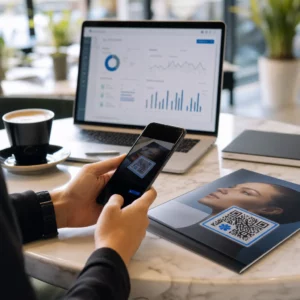
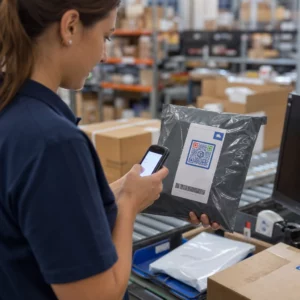
Sacosele tale de cumpărături mai fac vreo treabă după ce un client iese pe ușă? Majoritatea nu – și asta e o ocazie ratată de a menține conversația. Această pagină îți arată cum să creezi coduri QR eficiente pentru sacosele de cumpărături, la ce să le legi și cum să măsori rezultatele.
De ce sacosele de cumpărături sunt o suprafață valoroasă pentru codurile QR
O sacoșă de cumpărături călătorește mult dincolo de punctul de vânzare. Merge cu metroul, stă pe un birou, este refolosită la o piață de fermieri. Fiecare călătorie este o potențială impresie – și o potențială scanare.
Un sondaj de consumatori World Sync 2024 a constatat că 64% dintre cumpărători au scanat deja un cod QR pe un produs în timp ce făceau cumpărături în magazin, iar 42% spun că codurile QR le-au îmbunătățit semnificativ experiența de cumpărături în persoană. Cumpărătorii sunt pregătiți să scaneze. Întrebarea este dacă sacoșa ta le oferă un motiv.
Spre deosebire de ambalajul produselor, pe care un client îl aruncă adesea după deschidere, o sacoșă de cumpărături este refolosită frecvent. Această durată de viață extinsă înseamnă că codul tău QR are o expunere repetată – către cumpărătorul inițial și către toți cei din jurul lor. Pentru comercianții cu amănuntul care doresc să obțină mai multă valoare din punctele de contact fizice, sacoșa este unul dintre cele mai simple locuri de început. Poți explora întreaga gamă de cazuri de utilizare a codurilor QR pentru afacerile de retail pentru a vedea cum se compară alte puncte de contact.
La ce să legi codul QR de pe sacoșa ta de cumpărături
Destinația contează la fel de mult ca și codul în sine. Un cod QR care nu duce nicăieri util este scanat o dată și uitat. Iată cele mai eficiente destinații pentru sacosele de retail:
- Reduceri sau cupoane exclusive – Recompensează clienții care scanează post-cumpărare cu o reducere la următoarea comandă. Un cod QR pentru cupon îți permite să afișezi mai multe oferte pe o singură pagină de destinație branduită.
- Înscriere în programul de fidelitate – Transformă un cumpărător ocazional într-un client fidel, făcând aderarea la programul tău de recompense fără efort.
- Sosiri noi sau colecții sezoniere – Link către o pagină de produs selectată care menține impulsul de cumpărături după ce părăsesc magazinul.
- Profiluri social media – Crește-ți numărul de urmăritori oferind destinatarilor pungilor o cale directă către pagina ta de Instagram, TikTok sau Pinterest.
- Conținut explicativ sau povestea brandului – Un scurt videoclip sau articol despre cum sunt fabricate produsele tale construiește afinitate și încredere în brand.
- Paginile de înregistrare a produsului sau de garanție – Deosebit de util pentru tehnologie, electrocasnice sau bunuri premium.
- Pagina de recenzii – Îndeamnă clienții să lase o recenzie pe Google sau pe rețelele sociale cât timp achiziția este încă proaspătă.
A cod QR cu link gestionează majoritatea acestor cazuri de utilizare în mod eficient – introduci o adresă URL, personalizezi codul pentru a se potrivi brandului tău și ești gata de imprimare.
Transformă-ți Punga de Cumpărături Într-un Canal de Marketing Folosește Generator de coduri QR pentru a crea un cod personalizat, urmăribil pentru următoarea ta serie de imprimare a pungilor. Nu sunt necesare cunoștințe tehnice.
De ce ar trebui să folosești Coduri QR Dinamice pe Pungi
Codurile QR statice codifică o adresă URL fixă. Odată imprimate, acea destinație este permanentă. Dacă promoția se încheie, pagina de destinație se schimbă sau linkul se rupe, fiecare pungă în circulație devine o fundătură.
Coduri QR dinamice rezolvă acest lucru prin redirecționarea scanărilor printr-o redirecționare, astfel încât poți actualiza destinația oricând fără a reimprima pungile. Acest lucru le face alegerea practică pentru ambalajele de retail, unde stocul de pungi durează adesea luni de zile.
Pe lângă flexibilitate, codurile QR dinamice oferă analize detaliate ale scanărilor: număr total și unic de scanări, timpi de scanare, tipuri de dispozitive și date geografice până la nivel de oraș sau regiune. Aceste date transformă o pungă pasivă într-un activ de campanie activ pe care îl poți măsura și îmbunătăți. Poți citi mai multe despre ce date colectează codurile QR dinamice și cum să-l folosești.
Pentru comercianții cu amănuntul care derulează campanii sezoniere sau testează oferte diferite în diverse locații de magazine, abilitatea de a actualiza destinațiile și de a compara performanța scanărilor în funcție de locație este deosebit de valoroasă. Soluțiile Pageloot de coduri QR pentru comercianți cu amănuntul sunt construite exact pentru acest tip de gestionare a campaniilor.
Actualizează-ți Campania pentru Pungi Fără o Reimprimare Creează un cod QR dinamic la Generatorul de cod QR Pageloot și schimbă-ți adresa URL de destinație oricând – pungile tale imprimate rămân actuale automat.
Cum să Proiectezi un Cod QR Care Scanează Fiabil pe o Pungă
Un cod QR care nu scanează este mai rău decât niciun cod QR deloc – frustrează clienții și irosește bugetul de imprimare. Pungile introduc provocări specifice de design: suprafețe texturate, panouri pliate, mânere care întrerup zona de imprimare și condiții de iluminare variabile la punctul de scanare. Iată ce trebuie să faci corect.
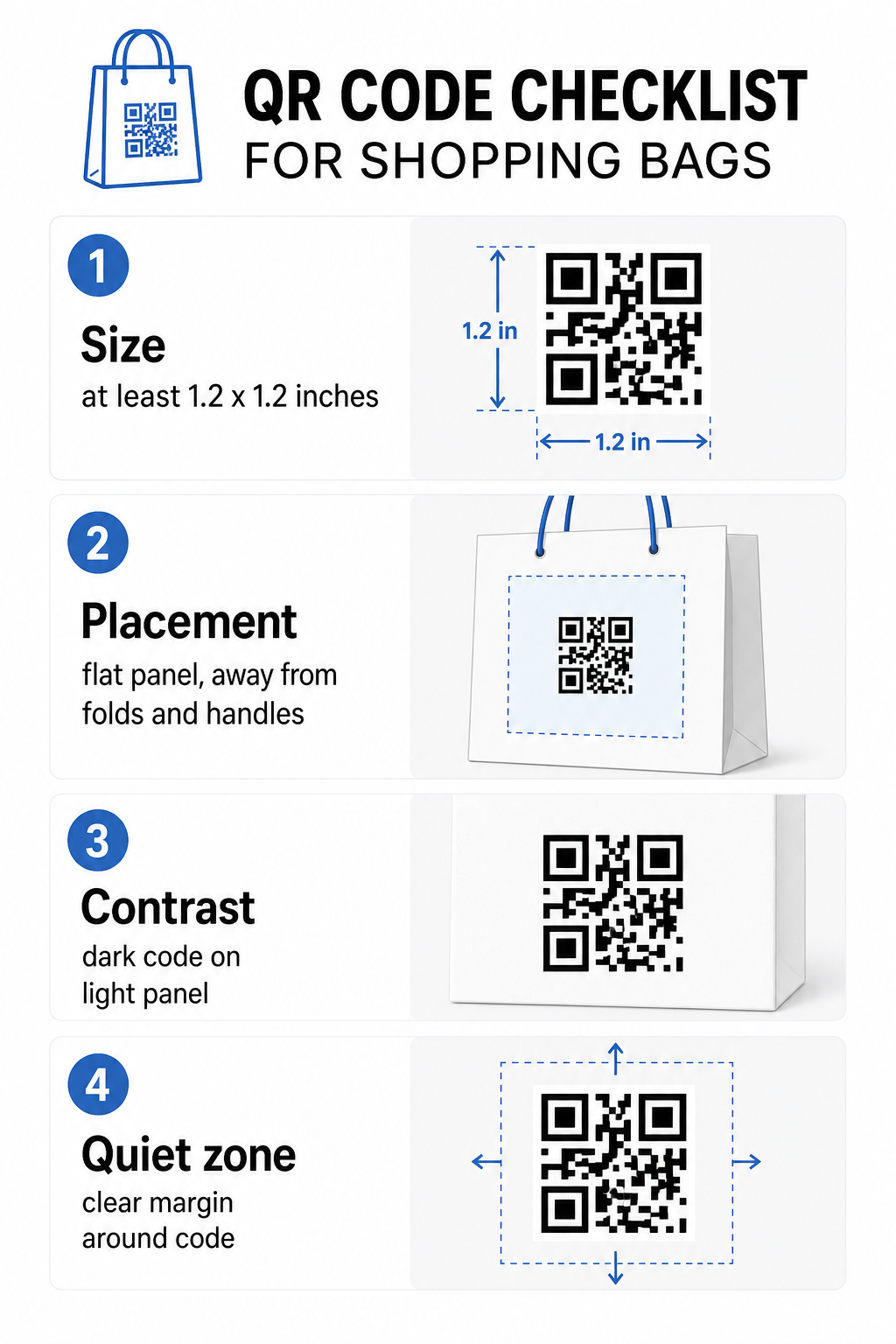
mărimea
Dimensiunea minimă recomandată de imprimare pentru scanare fiabilă la lungimea brațului este 0,8 × 0,8 inchi (2 × 2 cm). Pentru o pungă de cumpărături, unde distanța de scanare este de obicei mai mare și punga se poate mișca, vizează cel puțin 1.2 × 1.2 inchi (3 × 3 cm).
O regulă utilă este raportul distanță-dimensiune 10:1: codul ar trebui să aibă o lățime de 1 cm pentru fiecare 10 cm de distanță de scanare așteptată. Dacă cineva este probabil să scaneze punga ta de la aproximativ 30 cm (12 inci) distanță, codul ar trebui să aibă o lățime de cel puțin 3 cm. Codurile QR mai dense – cele care codifică URL-uri mai lungi sau mai multe date – necesită o dimensiune suplimentară pentru a rămâne lizibile, deci utilizarea URL-urilor scurtate sau dinamice menține modelul codului mai puțin dens și mai ușor de scanat.
POZIȚIE
Evită plasarea codului lângă pliuri, cusături, mânere sau margini întărite. Aceste zone distorsionează geometria codului, ceea ce derutează scanerele. Panoul central plat – față sau spate – este cea mai sigură locație. Dacă designul pungii tale include un burduf lateral, acel panou funcționează și el, cu condiția ca suprafața să fie plată atunci când punga este ținută deschisă. Pentru o gândire mai strategică privind plasarea, ghidul pentru plasări de top ale codurilor QR pentru magazinele de retail acoperă modul de a gândi împreună despre suprafață, vizibilitate și context.
Contrast
Scanerele de coduri QR detectează diferența dintre modulele întunecate și un fundal deschis. Model întunecat pe un fundal deschis este cea mai fiabilă combinație. Vizează un raport de contrast de cel puțin 4:1 între cod și fundalul său – mai mare este mai bine. Evită gradienții, care creează un contrast neuniform, și evită schemele de culori inversate (cod deschis pe fundal întunecat), pe care unele scanere nu reușesc să le citească.
Dacă punga ta are o culoare de bază închisă, plasează codul QR într-un panou alb sau de culoare deschisă, mai degrabă decât să-l imprimi direct pe suprafața închisă. Pentru o defalcare completă a combinațiilor de culori care funcționează și a celor de evitat, consultă de bune practici privind contrastul culorilor codurilor QR.
Zona de liniste
Cel zonă de liniște este marginea goală care înconjoară un cod QR. Semnalează scanerului unde începe și se termină codul. Standardul cere cel puțin patru module de spațiu liber pe toate laturile – unde un modul este cea mai mică unitate pătrată din grila codului. Pe o pungă imprimată, la dimensiuni tipice, aceasta se traduce prin aproximativ 3–4 mm de spațiu gol pe fiecare latură.
Nu lăsați textul, logo-urile, modelele de brand sau elementele decorative să pătrundă în această margine. Chiar și o intruziune parțială poate cauza eșecuri de scanare. Dacă designul pungii dvs. este dens cu grafică, plasați codul QR într-o casetă albă cu chenar pentru a proteja zona de liniște.
Personalizarea codului
Un cod QR personalizat – unul care încorporează logo-ul și culorile brandului dvs. – este mai probabil să fie scanat decât o versiune simplă alb-negru. Clienții sunt mai predispuși să interacționeze atunci când recunosc sursa și înțeleg că există ceva ce merită scanat. Puteți utiliza Creare cod QR cu logo pentru a încorpora logo-ul dvs. în centrul codului, menținând în același timp scanabilitatea.
Când adăugați un logo, utilizați un nivel mai ridicat de corecție a erorilor (Q sau H) astfel încât codul să rămână lizibil chiar și cu o parte din model acoperită. Păstrați logo-ul la cel mult 30% din suprafața totală a codului. Ghidul de bune practici pentru lizibilitatea codurilor QR acoperă plasarea logo-ului împreună cu ghidurile de contrast și dimensiune în detaliu.
Testare înainte de tipărire
Testați întotdeauna codul final pe mai multe dispozitive și în condiții care corespund utilizării reale – niveluri variate de lumină, unghiuri diferite de scanare și la distanța de scanare așteptată. Testați atât pe iOS, cât și pe Android. Imprimați o mostră fizică înainte de a vă angaja la o producție completă de pungi, deoarece un cod care arată bine pe ecran poate eșua pe o suprafață de pungă texturată sau laminată.
Adăugarea unui apel la acțiune lângă cod
Cercetările Scantrust au arătat că consumatorii care nu scanează de obicei coduri QR au declarat că ar fi mai predispuși să o facă dacă codul ar comunica clar ce ar obține. Un apel la acțiune scurt și direct, plasat lângă cod, face exact acest lucru.
Păstrați-l scurt și specific. Exemple care funcționează bine pe pungi:
- Scanați pentru 15% reducere la următoarea comandă
- Scanați pentru a vă alătura programului nostru de recompense
- Scanează pentru noutăți
- Ofertă exclusivă în interior – scanează pentru a debloca
Solicitări vagi precum “Scanează-mă” sau “Află mai multe” nu oferă clienților niciun motiv să acționeze. Spune-le ce vor obține înainte de a scana. Acest principiu se aplică tuturor plasărilor fizice de coduri QR – poți vedea cum funcționează în contexte mai largi de coduri QR în retail de asemenea.
Urmărirea performanței campaniei
Unul dintre cele mai puternice argumente pentru codurile QR pe pungile de cumpărături este măsurabilitatea. Spre deosebire de un număr de telefon tipărit sau o adresă URL a unui site web, o scanare a unui cod QR este un eveniment urmăribil. Cu codurile QR dinamice, fiecare scanare înregistrează puncte de date cheie care transformă punga ta într-un activ de campanie măsurabil:
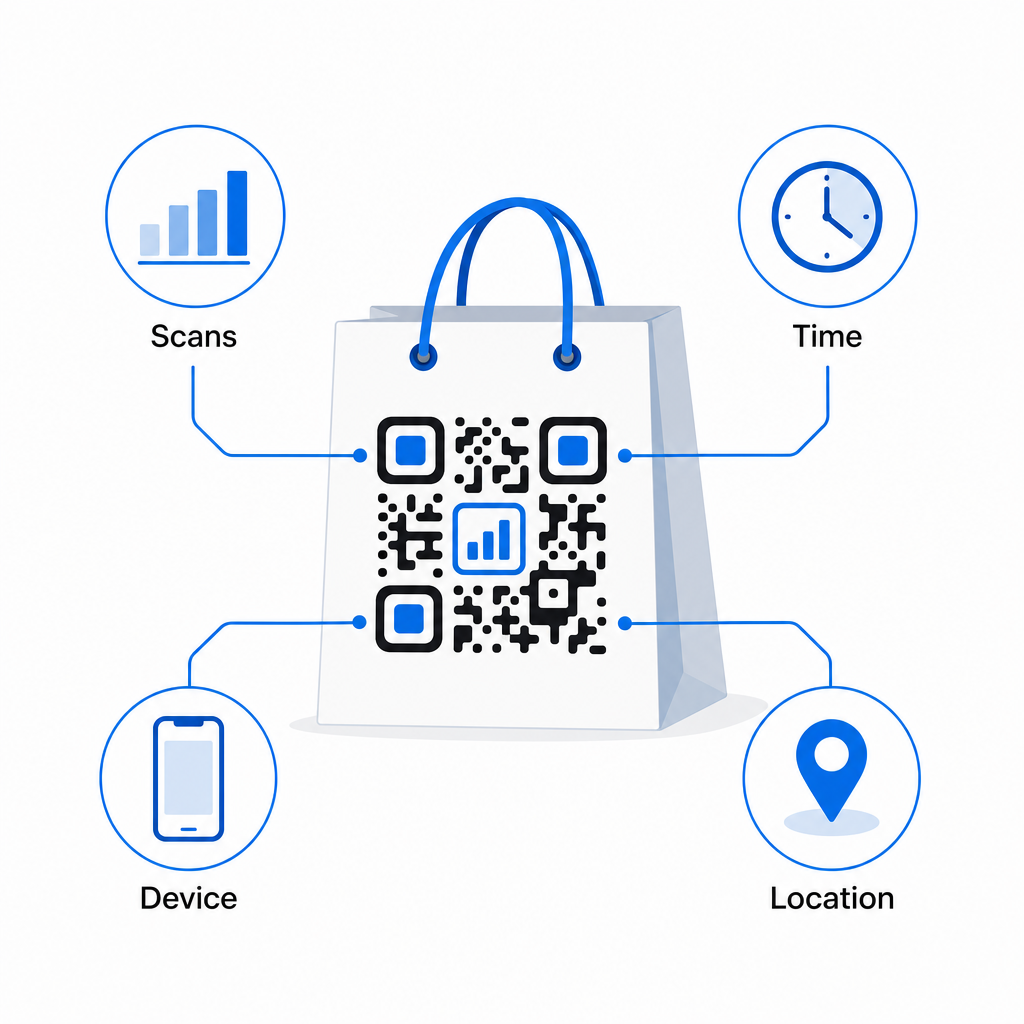
- Scanări totale și scanări unice – distinge acoperirea generală de implicarea repetată
- Ora și data scanării – dezvăluie când clienții sunt cel mai probabil să interacționeze post-cumpărare
- Tipul dispozitivului – te ajută să optimizezi pagina de destinație pentru cel mai comun dispozitiv pe care îl folosesc clienții tăi
- Date de locație – util pentru comercianții cu amănuntul cu mai multe locații sau campanii regionale
Aceste date vă permit să comparați performanța între versiuni de genți, locații de magazine sau perioade de campanie. Dacă o anumită promoție generează semnificativ mai multe scanări, o puteți extinde. Dacă scanările scad după două săptămâni, știți că oferta și-a atins scopul și puteți actualiza destinația fără a atinge geanta. Funcția de analiză și urmărire a codurilor QR explică ce arată tabloul de bord și cum să interpretați datele de scanare în timp real.
Pentru comercianții cu amănuntul care derulează campanii pe mai multe formate fizice dincolo de genți, centrul de soluții pentru industrie oferă o perspectivă mai largă despre cum se încadrează codurile QR într-o strategie coordonată.
Lista de verificare tehnică și de design
Înainte de a trimite designul genții la imprimare, confirmați fiecare dintre următoarele:
| Element | Cerință |
|---|---|
| Dimensiunea codului | Minim 1.2 × 1.2 inchi (3 × 3 cm) pentru genți |
| Raport de contrast | Cel puțin 4:1 între cod și fundal |
| Zonă liniștită | Minim 4 module de spațiu liber pe toate laturile |
| POZIȚIE | Panou plat, departe de pliuri, cusături și mânere |
| Tipul codului | Cod QR dinamic pentru destinații actualizabile |
| Apel la acțiune | Specific și orientat spre beneficii, plasat lângă cod |
| Logo (dacă este utilizat) | Nivel de corecție a erorilor Q sau H, ≤30% din suprafața codului |
| Testare | Confirmat scanabil pe iOS și Android în lumină reală |
O geantă de cumpărături este unul dintre puținele materiale de retail care continuă să funcționeze după încheierea tranzacției. Cu un cod QR bine conceput, legat dinamic, devine o conexiune urmăribilă între achiziția fizică și relația dvs. digitală continuă cu acel client. Proiectați-o cu atenție, oferiți clienților un motiv clar pentru a scana și utilizați analizele pentru a continua să îmbunătățiți campania în timp.
Începeți să vă construiți campania pentru genți Folosește Generator de coduri QR Pageloot pentru a crea un cod QR dinamic, de marcă, gata pentru imprimarea pe genți de retail – cu analize complete incluse.
Întrebări frecvente
Da. Cu un cod QR dinamic, puteți utiliza un singur cod în toate locațiile și urmări datele de scanare în funcție de geografie, ceea ce vă permite să vedeți care magazine generează cel mai mare angajament. Alternativ, puteți crea coduri separate pentru fiecare locație pentru a compara direct performanța.
Cu un cod QR dinamic, pur și simplu actualizați URL-ul de destinație în tabloul de bord Pageloot. Clienții care scanează genți vechi vor ajunge automat pe noua dumneavoastră pagină. Nu va trebui niciodată să retipăriți pentru a menține experiența actuală.
Printează codul pe o suprafață plată, mată și evită să-l plasezi lângă pliuri, cusături sau zone laminate lucioase care provoacă reflexii. Dacă geanta ta are un finisaj texturat pe toată suprafața, ia în considerare aplicarea unei mici etichete plate sau a unui panou imprimat special pentru codul QR, asigurând o suprafață curată, scanabilă.