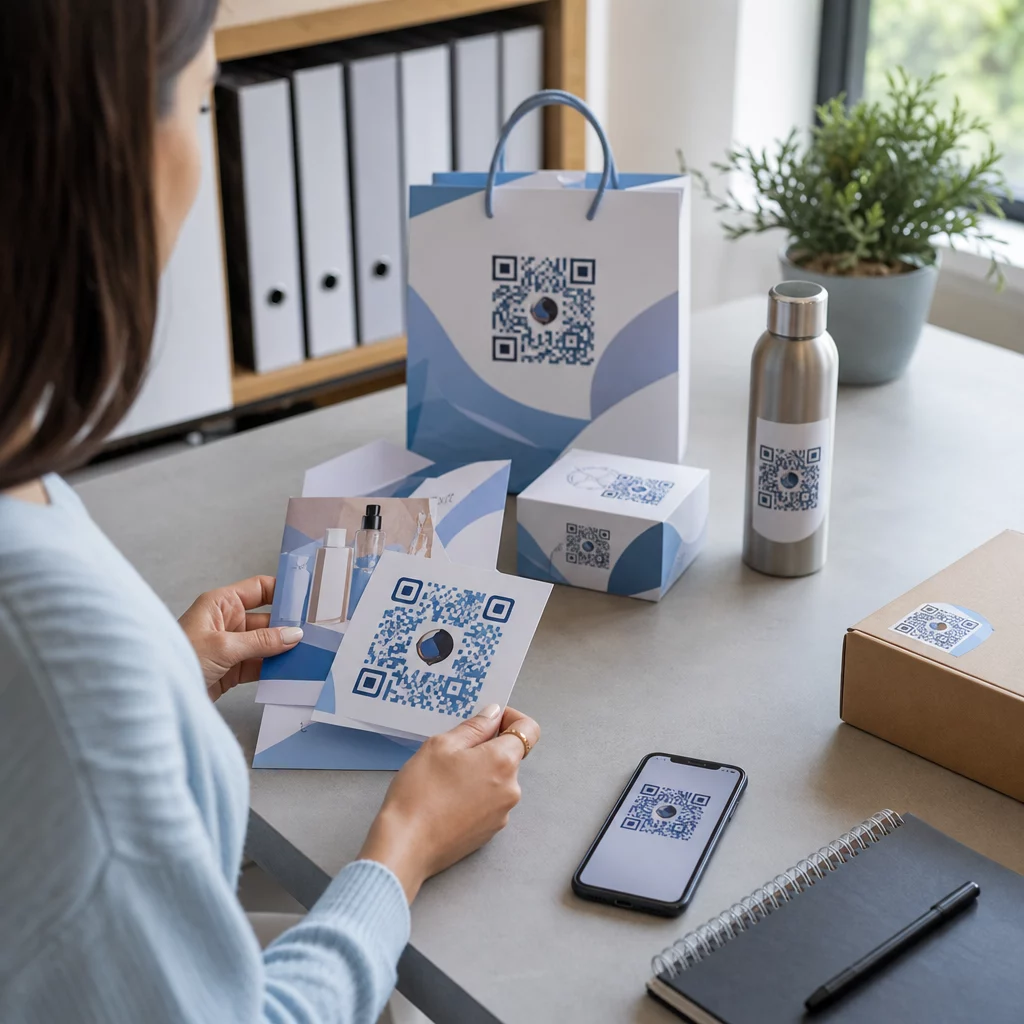
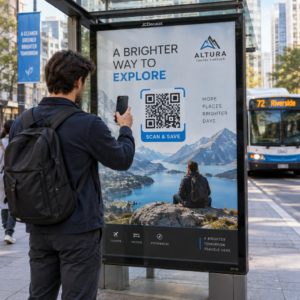
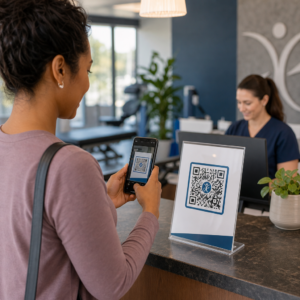
Végeznek-e a bevásárlótáskái valamilyen munkát, miután egy vásárló kilép az ajtón? A legtöbb nem – és ez egy elszalasztott lehetőség a beszélgetés folytatására. Ez az oldal megmutatja, hogyan tervezzen hatékony QR-kódokat bevásárlótáskákhoz, mihez kapcsolja őket, és hogyan mérje az eredményeket.
Miért értékes QR-kód felület a bevásárlótáska
Egy bevásárlótáska messze túlmutat az értékesítési ponton. Utazik a metrón, ül egy irodai asztalon, újra felhasználják egy termelői piacon. Minden út potenciális benyomás – és potenciális szkennelés.
Egy World Sync 2024 fogyasztói felmérés szerint a vásárlók 64%-a már beolvasott egy QR-kódot egy terméken, miközben az üzletben vásárolt, és 42%-uk szerint a QR-kódok jelentősen javították a személyes vásárlási élményüket. A vásárlók készen állnak a szkennelésre. A kérdés az, hogy a táskája ad-e nekik okot erre.
Ellentétben a termékcsomagolással, amelyet a vásárló gyakran kidob felbontás után, egy bevásárlótáskát gyakran újra felhasználnak. Ez a meghosszabbított élettartam azt jelenti, hogy a QR-kódja ismételt expozíciót kap – az eredeti vásárló és mindenki számára, aki körülötte van. Azoknak a kiskereskedőknek, akik több értéket szeretnének kihozni a fizikai érintkezési pontokból, a táska az egyik legegyszerűbb kiindulópont. Felfedezheti a teljes skáláját a QR-kód felhasználási esetek kiskereskedelmi vállalkozások számára hogy lássa, hogyan viszonyulnak más érintkezési pontok.
Mihez kapcsolja a bevásárlótáska QR-kódját
Az úti cél legalább annyira számít, mint maga a kód. Egy QR-kód, amely nem vezet sehova hasznos helyre, egyszer beolvasásra kerül és elfelejtődik. Íme a leghatékonyabb úti célok kiskereskedelmi táskákhoz:
- Exkluzív kedvezmények vagy kuponok – Jutalom a vásárlóknak, akik a vásárlás után beolvasnak, kedvezménnyel a következő rendelésükre. A kupon QR-kód lehetővé teszi több ajánlat megjelenítését egyetlen márkás céloldalon.
- Hűségprogram regisztráció – Alakítson egy egyszeri vásárlót visszatérő vásárlóvá azáltal, hogy könnyedén csatlakozhat a jutalomprogramjához.
- Új érkezések vagy szezonális kollekciók – Link egy válogatott termékoldalra, amely fenntartja a vásárlási lendületet, miután elhagyják az üzletet.
- Közösségi média profilok – Növelje követőinek számát azáltal, hogy a táska átvevőinek közvetlen utat biztosít Instagram, TikTok vagy Pinterest oldalára.
- Hogyan-tartalom vagy márkatörténet – Egy rövid videó vagy cikk arról, hogyan készülnek a termékei, építi a márka iránti vonzalmat és bizalmat.
- Termékregisztrációs vagy garanciaoldalak – Különösen hasznos technológiai, háztartási gépek vagy prémium termékek esetén.
- Vélemények oldal – Kérje meg a vásárlókat, hogy hagyjanak Google vagy közösségi véleményt, amíg a vásárlás még friss.
A link QR-kóddal tisztán kezeli ezen felhasználási esetek többségét – beír egy URL-t, testreszabja a kódot a márkájához, és készen áll a nyomtatásra.
Alakítsa át bevásárlótáskáját marketingcsatornává Használja a QR Kód Generátor hogy márkás, nyomon követhető kódot hozzon létre a következő táskanyomtatáshoz. Nincs szükség technikai ismeretekre.
Miért érdemes dinamikus QR-kódokat használni a táskákon
A statikus QR-kódok rögzített URL-t kódolnak. Miután kinyomtatta őket, az úti cél állandó. Ha a promóció véget ér, a céloldal megváltozik, vagy a link megszakad, minden forgalomban lévő táska zsákutcává válik.
Dinamikus QR-kódok ezt úgy oldják meg, hogy a szkenneléseket átirányításon keresztül irányítják, így bármikor frissítheti az úti célt a táskák újranyomtatása nélkül. Ez teszi őket praktikus választássá a kiskereskedelmi csomagoláshoz, ahol a táskakészlet gyakran hónapokig tart.
A rugalmasságon túl a dinamikus QR-kódok részletes szkennelési analitikát biztosítanak: összes és egyedi szkennelési számok, szkennelési idők, eszköz típusok és földrajzi adatok városi vagy regionális szintig. Ez az adat egy passzív táskát aktív kampányeszközzé alakít, amelyet mérhet és javíthat. Többet olvashat a milyen adatokat gyűjtenek a dinamikus QR-kódok és annak használatáról.
Azoknak a kiskereskedőknek, akik szezonális kampányokat futtatnak, vagy különböző ajánlatokat tesztelnek az üzletekben, különösen értékes az úti célok frissítésének és a szkennelési teljesítmény helyszínenkénti összehasonlításának képessége. A Pageloot QR-kód megoldások kiskereskedők számára pontosan ilyen kampánymenedzsmentre készültek.
Frissítse táskakampányát újranyomtatás nélkül Hozzon létre dinamikus QR-kódot a Pageloot QR Code Generator és bármikor módosítsa a cél URL-t – nyomtatott táskái automatikusan naprakészek maradnak.
Hogyan tervezzünk QR-kódot, amely megbízhatóan szkennelhető egy táskán
Egy QR-kód, amely nem szkennelhető, rosszabb, mint egyáltalán nem lévő QR-kód – frusztrálja a vásárlókat és pazarolja a nyomtatási költségvetést. A táskák specifikus tervezési kihívásokat jelentenek: texturált felületek, hajtogatott panelek, a nyomtatási területet megszakító fogantyúk és változó fényviszonyok a szkennelés pontján. Íme, mire kell figyelni.
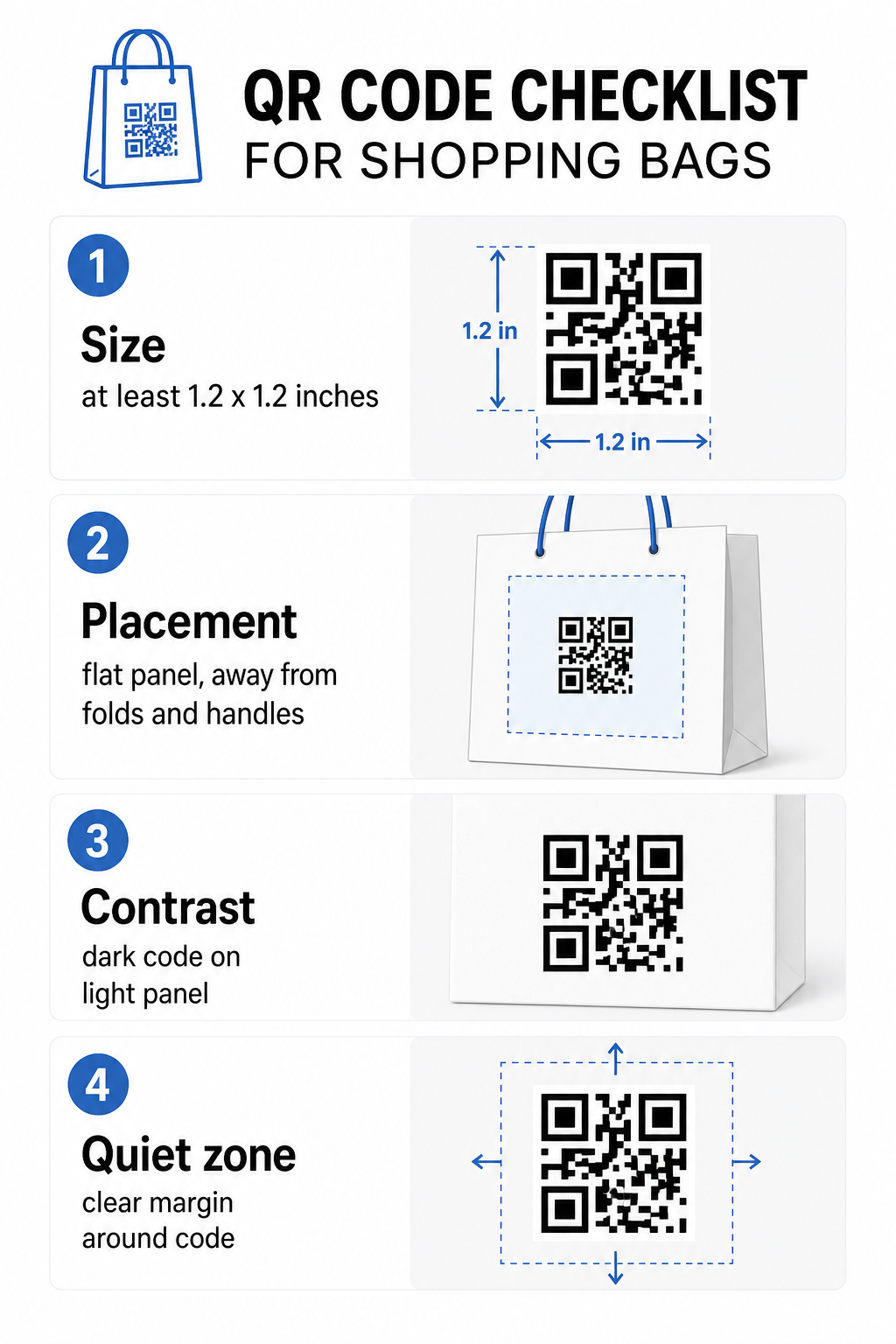
Méret
A megbízható szkenneléshez karhosszúságból ajánlott minimális nyomtatási méret 0,8 × 0,8 hüvelyk (2 × 2 cm). Egy bevásárlótáska esetében, ahol a szkennelési távolság jellemzően nagyobb, és a táska mozoghat, célozzon legalább 1,2 × 1,2 hüvelyk (3 × 3 cm).
Egy hasznos ökölszabály a 10:1 távolság-méret arány: a kód legyen 1 cm széles minden 10 cm várható szkennelési távolságra. Ha valaki valószínűleg beolvassa a táskáját körülbelül 30 cm (12 hüvelyk) távolságból, a kód legyen legalább 3 cm széles. A sűrűbb QR-kódok – azok, amelyek hosszabb URL-eket vagy több adatot kódolnak – további méretet igényelnek, hogy olvashatók maradjanak, ezért rövidített vagy dinamikus URL-ek használata kevésbé sűrűvé és könnyebben szkennelhetővé teszi a kódmintát.
elhelyezés
Kerülje a kód elhelyezését hajtások, varratok, fogantyúk vagy megerősített élek közelében. Ezek a területek torzítják a kód geometriáját, ami összezavarja a szkennereket. A lapos középső panel – elöl vagy hátul – a legbiztonságosabb hely. Ha a táska kialakítása oldalsó betétet tartalmaz, az a panel is működik, feltéve, hogy a felület sík, amikor a táska nyitva van. A stratégiaibb elhelyezési gondolkodásért az útmutató legjobb QR-kód elhelyezések felé a kiskereskedelmi üzletekben tárgyalja, hogyan gondolkodjunk a felületről, a láthatóságról és a kontextusról együtt.
Kontraszt
A QR-kód szkennerek érzékelik a különbséget a sötét modulok és a világos háttér között. Sötét minta világos háttéren a legmegbízhatóbb kombináció. Törekedjen legalább 4:1 kontrasztarányra a kód és a háttere között – a magasabb jobb. Kerülje a színátmeneteket, amelyek egyenetlen kontrasztot hoznak létre, és kerülje a fordított színvilágokat (világos kód sötét háttéren), amelyeket egyes szkennerek nem olvasnak be.
Ha a táskája sötét alapszínű, helyezze a QR-kódot egy fehér vagy világos színű panelbe ahelyett, hogy közvetlenül a sötét felületre nyomtatná. A színpárosítások teljes áttekintéséért, hogy melyek működnek és melyeket kell elkerülni, lásd a QR-kód színkontraszt legjobb gyakorlatok útmutatója.
Csendes zóna
A csendes zónára az üres margó, amely egy QR-kódot körülvesz. Jelzi a szkennernek, hol kezdődik és hol végződik a kód. A szabvány legalább négy modult tiszta teret igényel minden oldalon – ahol egy modul a legkisebb négyzet alakú egység a kód rácsában. Egy nyomtatott táskán tipikus méretekben ez körülbelül 3–4 mm üres teret jelent minden oldalon.
Ne engedje, hogy szöveg, logók, márkajelzések vagy dekoratív elemek behatoljanak ebbe a margóba. Még a részleges behatolás is szkennelési hibákat okozhat. Ha a táska kialakítása sűrű grafikával, helyezze a QR-kódot egy szegélyezett fehér dobozba a csendes zóna védelmére.
A kód márkázása
Egy márkázott QR-kód – olyan, amely magában foglalja a logóját és a márkaszíneit – nagyobb valószínűséggel lesz beolvasva, mint egy egyszerű fekete-fehér változat. Az ügyfelek nagyobb valószínűséggel fognak interakcióba lépni, amikor felismerik a forrást, és megértik, hogy van valami érdemes beolvasni. Használhatja a QR kód generálás logóval a logó beágyazására a kód közepébe, miközben fenntartja a szkennelhetőséget.
Logó hozzáadásakor használjon magasabb hibajavítási szintet (Q vagy H), hogy a kód olvasható maradjon még a minta egy részének elfedése esetén is. Tartsa a logót legfeljebb a teljes kódterület 30%-án. A QR-kód olvashatósági legjobb gyakorlatok útmutató teljes részletességgel tárgyalja a logó elhelyezését a kontraszt- és méretirányelvekkel együtt.
Tesztelés nyomtatás előtt
Mindig tesztelje a végső kódot több eszközön és olyan körülmények között, amelyek megfelelnek a valós használatnak – változó fényviszonyok, különböző szkennelési szögek és a várható szkennelési távolságon. Tesztelje iOS-en és Androidon is. Nyomtasson fizikai mintát, mielőtt elkötelezné magát egy teljes táska gyártása mellett, mert egy kód, amely jól néz ki a képernyőn, meghibásodhat texturált vagy laminált táskafelületen.
Cselekvésre ösztönzés hozzáadása a kód közelében
A Scantrust kutatása szerint azok a fogyasztók, akik általában nem szkennelnek QR-kódokat, azt mondták, nagyobb valószínűséggel tennék meg, ha a kód egyértelműen kommunikálná, mit kapnak. Egy rövid, közvetlen cselekvésre ösztönzés, amelyet a kód közelében helyeztek el, pontosan ezt teszi.
Legyen rövid és konkrét. Példák, amelyek jól működnek táskákon:
- Szkennelje be a következő rendeléséből 15% kedvezményért
- Szkennelje be, hogy csatlakozzon jutalomprogramunkhoz
- Szkennelje be az új érkezésekért
- Exkluzív ajánlat belül – szkennelje be a feloldáshoz
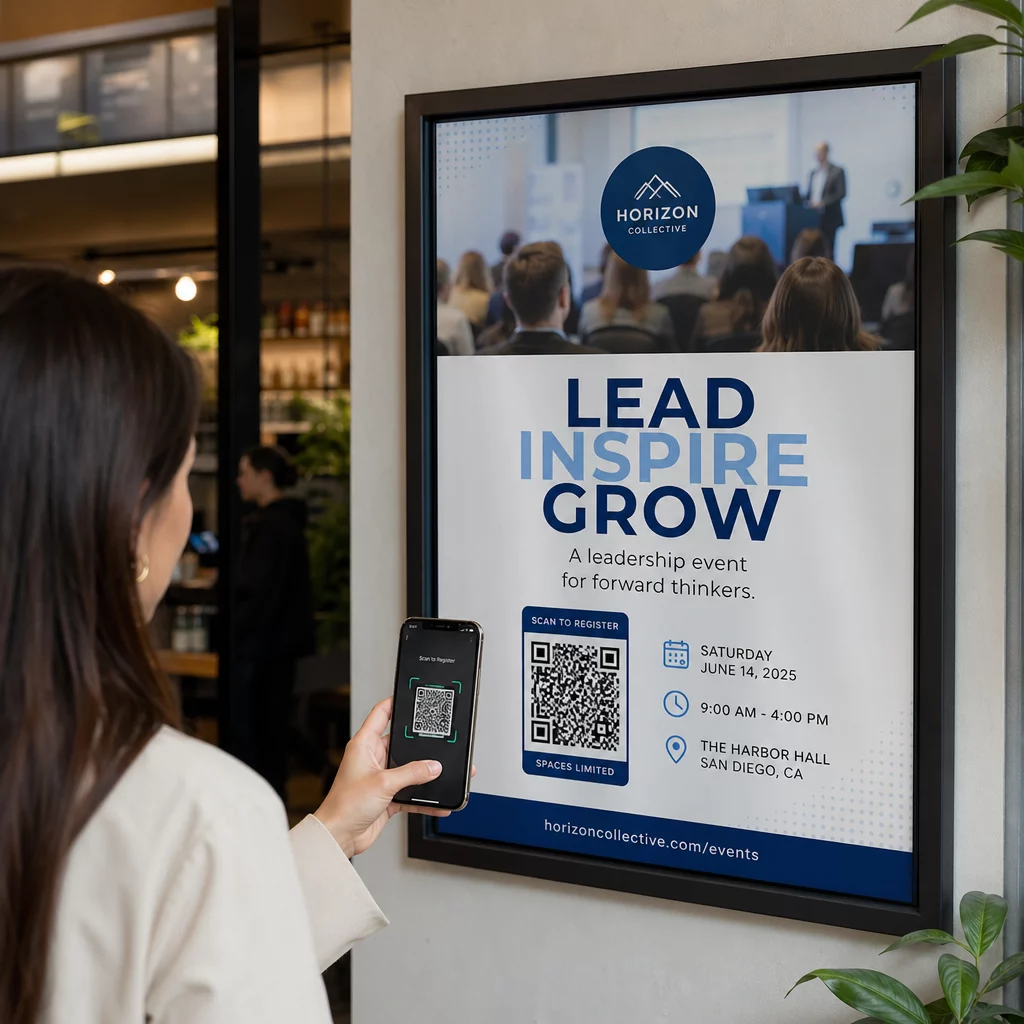
Homályos felszólítások, mint például “Szkennelj be” vagy “Tudj meg többet”, nem adnak okot az ügyfeleknek a cselekvésre. Mondja el nekik, mit kapnak, mielőtt szkennelnek. Ez az elv minden fizikai QR-kód elhelyezésre vonatkozik – láthatja, hogyan működik szélesebb kiskereskedelmi QR-kód kontextusokban is.
Kampányteljesítmény nyomon követése
Az egyik legerősebb érv a QR-kódok mellett a bevásárlótáskákon a mérhetőség. Ellentétben egy nyomtatott telefonszámmal vagy weboldal URL-lel, egy QR-kód beolvasás nyomon követhető esemény. Dinamikus QR-kódokkal minden beolvasás kulcsfontosságú adatpontokat rögzít, amelyek a táskáját mérhető kampányeszközzé alakítják:
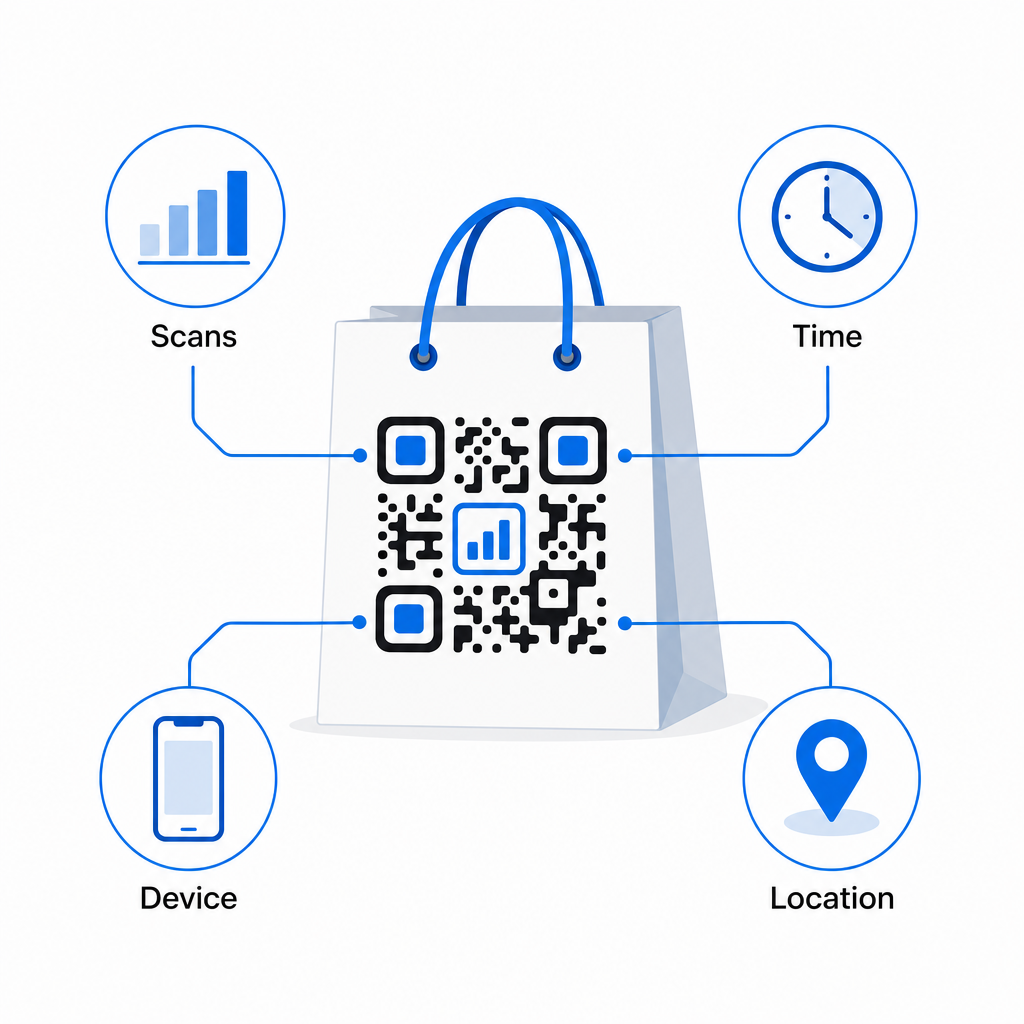
- Összes szkennelés és egyedi szkennelés – megkülönbözteti az általános elérést az ismételt elkötelezettségtől
- Szkennelés ideje és dátuma – felfedi, mikor a legvalószínűbb, hogy az ügyfelek a vásárlás után interakcióba lépnek
- Eszköztípus – segít optimalizálni a céloldalt a leggyakoribb eszközhöz, amelyet ügyfelei használnak
- Helyadatok – hasznos a kiskereskedők számára több helyszínnel vagy regionális kampányokkal
Ez az adat lehetővé teszi a teljesítmény összehasonlítását a táskaverziók, üzlethelyszínek vagy kampányidőszakok között. Ha egy adott promóció jelentősen több beolvasást eredményez, meghosszabbíthatja. Ha a beolvasások két hét után csökkennek, tudja, hogy az ajánlat kifutotta magát, és frissítheti a célállomást anélkül, hogy a táskához nyúlna. A QR-kód elemzési és nyomon követési funkció elmagyarázza, mit mutat a műszerfal, és hogyan kell értelmezni a beolvasási adatokat valós időben.
Azoknak a kiskereskedőknek, akik a táskákon túl több fizikai formátumon keresztül futtatnak kampányokat, az iparági megoldások központja szélesebb képet ad arról, hogyan illeszkednek a QR-kódok egy összehangolt stratégiába.
Tervezési és műszaki ellenőrzőlista
Mielőtt elküldené a táska tervét nyomtatásra, erősítse meg az alábbiakat:
| Elem | Követelmény |
|---|---|
| Kódméret | Minimum 1,2 × 1,2 hüvelyk (3 × 3 cm) táskákhoz |
| Kontrasztarány | Legalább 4:1 a kód és a háttér között |
| Csendes zóna | Minimum 4 modul szabad hely minden oldalon |
| elhelyezés | Sima felület, távol a hajtásoktól, varratoktól és fogantyúktól |
| Kódtípus | Dinamikus QR-kód frissíthető célállomásokhoz |
| Cselekvésre ösztönzés | Specifikus és előnyalapú, a kód közelében elhelyezve |
| Logó (ha használják) | Hibajavítási szint Q vagy H, ≤30%-a a kód területének |
| Tesztelés | Megerősítetten beolvasható iOS-en és Androidon valós megvilágításban |
Egy bevásárlótáska azon kevés kiskereskedelmi anyagok egyike, amely a tranzakció befejezése után is tovább működik. Egy jól megtervezett, dinamikusan kapcsolt QR-kóddal nyomon követhető kapcsolattá válik a fizikai vásárlás és az Ön folyamatos digitális kapcsolata között az adott ügyféllel. Tervezze meg gondosan, adjon az ügyfeleknek egyértelmű okot a beolvasásra, és használja az elemzéseket a kampány folyamatos fejlesztésére az idő múlásával.
Kezdje el építeni táskakampányát Használja a Pageloot QR Kód Generátor hogy létrehozzon egy márkás, dinamikus QR-kódot, készen a kiskereskedelmi táskanyomtatásra – teljes elemzéssel együtt.
Gyakori kérdések
Igen. Dinamikus QR-kóddal egyetlen kódot használhat az összes helyszínen, és nyomon követheti a szkennelési adatokat földrajzi eloszlás szerint, ami lehetővé teszi, hogy lássa, mely üzletek generálják a legnagyobb elkötelezettséget. Alternatív megoldásként létrehozhat külön kódokat helyszínenként a teljesítmény közvetlen összehasonlításához.
Dinamikus QR-kóddal egyszerűen frissítheti a cél URL-t a Pageloot irányítópultján. A régi táskákat szkennelő ügyfelek automatikusan az Ön új oldalára kerülnek. Soha nem kell újra nyomtatnia, hogy az élmény naprakész maradjon.
Nyomtassa ki a kódot sík, matt felületre, és kerülje az elhelyezését redők, varratok vagy fényes, laminált területek közelében, amelyek tükröződést okoznak. Ha a táskája teljes felületén texturált bevonattal rendelkezik, fontolja meg egy kis sík címke vagy nyomtatott panel felhelyezését kifejezetten a QR-kód számára, tiszta, szkennelhető felületet biztosítva.