Túi mua sắm của bạn có hoạt động gì sau khi khách hàng rời khỏi cửa hàng không? Hầu hết là không – và đó là một cơ hội bị bỏ lỡ để duy trì cuộc trò chuyện. Trang này chỉ cho bạn cách thiết kế mã QR hiệu quả cho túi mua sắm, liên kết chúng với cái gì và cách đo lường kết quả.
Tại Sao Túi Mua Sắm Là Bề Mặt Mã QR Giá Trị
Một chiếc túi mua sắm di chuyển xa hơn nhiều so với điểm bán hàng. Nó đi tàu điện ngầm, nằm trên bàn làm việc, được tái sử dụng tại chợ nông sản. Mỗi chuyến đi là một ấn tượng tiềm năng – và một lượt quét tiềm năng.
Một cuộc khảo sát người tiêu dùng của World Sync 2024 cho thấy 64% người mua sắm đã quét mã QR trên sản phẩm khi mua sắm tại cửa hàng, và 42% nói rằng mã QR đã cải thiện đáng kể trải nghiệm mua sắm trực tiếp của họ. Người mua sắm đã sẵn sàng quét. Câu hỏi là liệu túi của bạn có cho họ lý do để làm vậy không.
Không giống như bao bì sản phẩm mà khách hàng thường vứt bỏ sau khi mở, túi mua sắm thường xuyên được tái sử dụng. Tuổi thọ kéo dài đó có nghĩa là mã QR của bạn được tiếp xúc lặp đi lặp lại – với người mua ban đầu và với mọi người xung quanh họ. Đối với các nhà bán lẻ muốn tận dụng nhiều giá trị hơn từ các điểm tiếp xúc vật lý, túi là một trong những nơi đơn giản nhất để bắt đầu. Bạn có thể khám phá toàn bộ phạm vi của các trường hợp sử dụng mã QR cho doanh nghiệp bán lẻ để xem các điểm tiếp xúc khác so sánh như thế nào.
Liên Kết Mã QR Túi Mua Sắm Của Bạn Với Cái Gì
Điểm đến quan trọng không kém gì bản thân mã. Một mã QR dẫn đến nơi không hữu ích sẽ được quét một lần và bị lãng quên. Dưới đây là những điểm đến hiệu quả nhất cho túi bán lẻ:
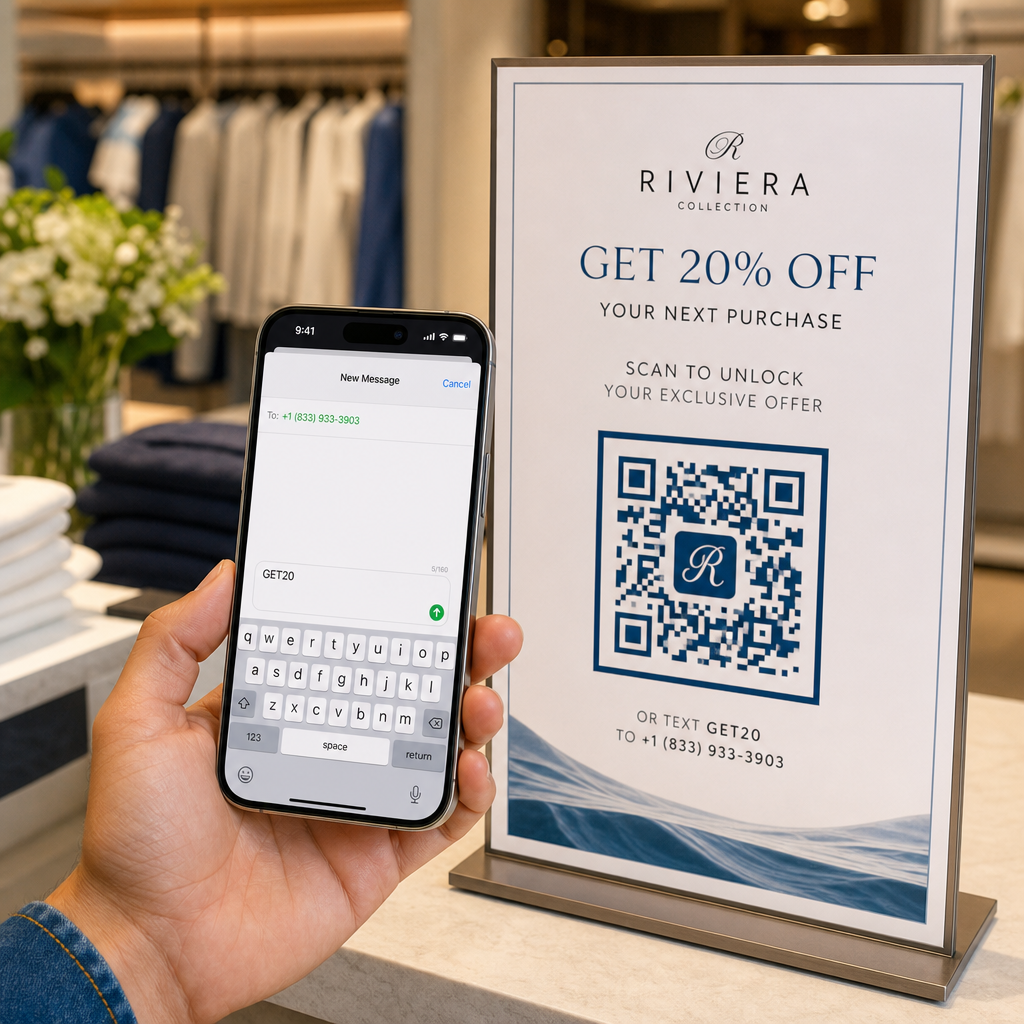
- Giảm giá hoặc phiếu giảm giá độc quyền – Thưởng cho khách hàng quét sau khi mua hàng bằng một khoản giảm giá cho đơn hàng tiếp theo của họ. Một mã QR phiếu giảm giá cho phép bạn hiển thị nhiều ưu đãi trên một trang đích có thương hiệu duy nhất.
- Đăng ký chương trình khách hàng thân thiết – Biến một người mua một lần thành khách hàng thân thiết bằng cách giúp họ dễ dàng tham gia chương trình khách hàng thân thiết của bạn.
- Hàng mới về hoặc bộ sưu tập theo mùa – Liên kết đến một trang sản phẩm được tuyển chọn giúp duy trì đà mua sắm sau khi họ rời cửa hàng.
- Hồ sơ truyền thông xã hội – Tăng lượng người theo dõi của bạn bằng cách cung cấp cho người nhận túi một đường dẫn trực tiếp đến trang Instagram, TikTok hoặc Pinterest của bạn.
- Nội dung hướng dẫn hoặc câu chuyện thương hiệu – Một video ngắn hoặc bài viết về cách sản phẩm của bạn được tạo ra sẽ xây dựng sự gắn kết và lòng tin vào thương hiệu.
- Trang đăng ký sản phẩm hoặc bảo hành – Đặc biệt hữu ích cho công nghệ, thiết bị gia dụng hoặc hàng hóa cao cấp.
- Trang đánh giá – Nhắc nhở khách hàng để lại đánh giá trên Google hoặc mạng xã hội khi việc mua hàng vẫn còn mới mẻ.
A mã QR link xử lý hầu hết các trường hợp sử dụng này một cách gọn gàng – bạn nhập URL, tùy chỉnh mã để phù hợp với thương hiệu của mình và bạn đã sẵn sàng in.
Biến Túi Mua Sắm Của Bạn Thành Kênh Tiếp Thị Sử dụng Trình tạo mã QR để tạo một mã có thương hiệu, có thể theo dõi cho lần in túi tiếp theo của bạn. Không cần kiến thức kỹ thuật.
Tại Sao Bạn Nên Sử Dụng Mã QR Động Trên Túi
Mã QR tĩnh mã hóa một URL cố định. Một khi bạn in chúng, điểm đến đó là vĩnh viễn. Nếu chương trình khuyến mãi kết thúc, trang đích thay đổi hoặc liên kết bị hỏng, mọi chiếc túi đang lưu hành đều trở thành ngõ cụt.
Mã QR động giải quyết vấn đề này bằng cách định tuyến các lượt quét thông qua một chuyển hướng, để bạn có thể cập nhật điểm đến bất cứ lúc nào mà không cần in lại túi. Điều này làm cho chúng trở thành lựa chọn thực tế cho bao bì bán lẻ, nơi tồn kho túi thường kéo dài hàng tháng.
Ngoài tính linh hoạt, mã QR động còn cung cấp phân tích quét chi tiết: tổng số và số lượt quét duy nhất, thời gian quét, loại thiết bị và dữ liệu địa lý xuống cấp thành phố hoặc khu vực. Dữ liệu đó biến một chiếc túi thụ động thành một tài sản chiến dịch chủ động mà bạn có thể đo lường và cải thiện. Bạn có thể đọc thêm về dữ liệu mà mã QR động thu thập và cách sử dụng nó.
Đối với các nhà bán lẻ đang chạy các chiến dịch theo mùa hoặc thử nghiệm các ưu đãi khác nhau trên các địa điểm cửa hàng, khả năng cập nhật điểm đến và so sánh hiệu suất quét theo địa điểm là đặc biệt có giá trị. Pageloot’s giải pháp mã QR cho nhà bán lẻ được xây dựng chính xác cho loại quản lý chiến dịch này.
Cập Nhật Chiến Dịch Túi Của Bạn Mà Không Cần In Lại Tạo mã QR động tại Trình tạo mã QR của Pageloot và thay đổi URL đích của bạn bất cứ lúc nào – túi đã in của bạn sẽ tự động được cập nhật.
Cách Thiết Kế Mã QR Quét Đáng Tin Cậy Trên Túi
Một mã QR không quét được còn tệ hơn là không có mã QR nào cả – nó làm khách hàng thất vọng và lãng phí ngân sách in ấn. Túi mang đến những thách thức thiết kế cụ thể: bề mặt có kết cấu, các tấm gấp, quai cầm làm gián đoạn khu vực in và điều kiện ánh sáng khác nhau tại điểm quét. Đây là những gì cần làm đúng.
Kích thước
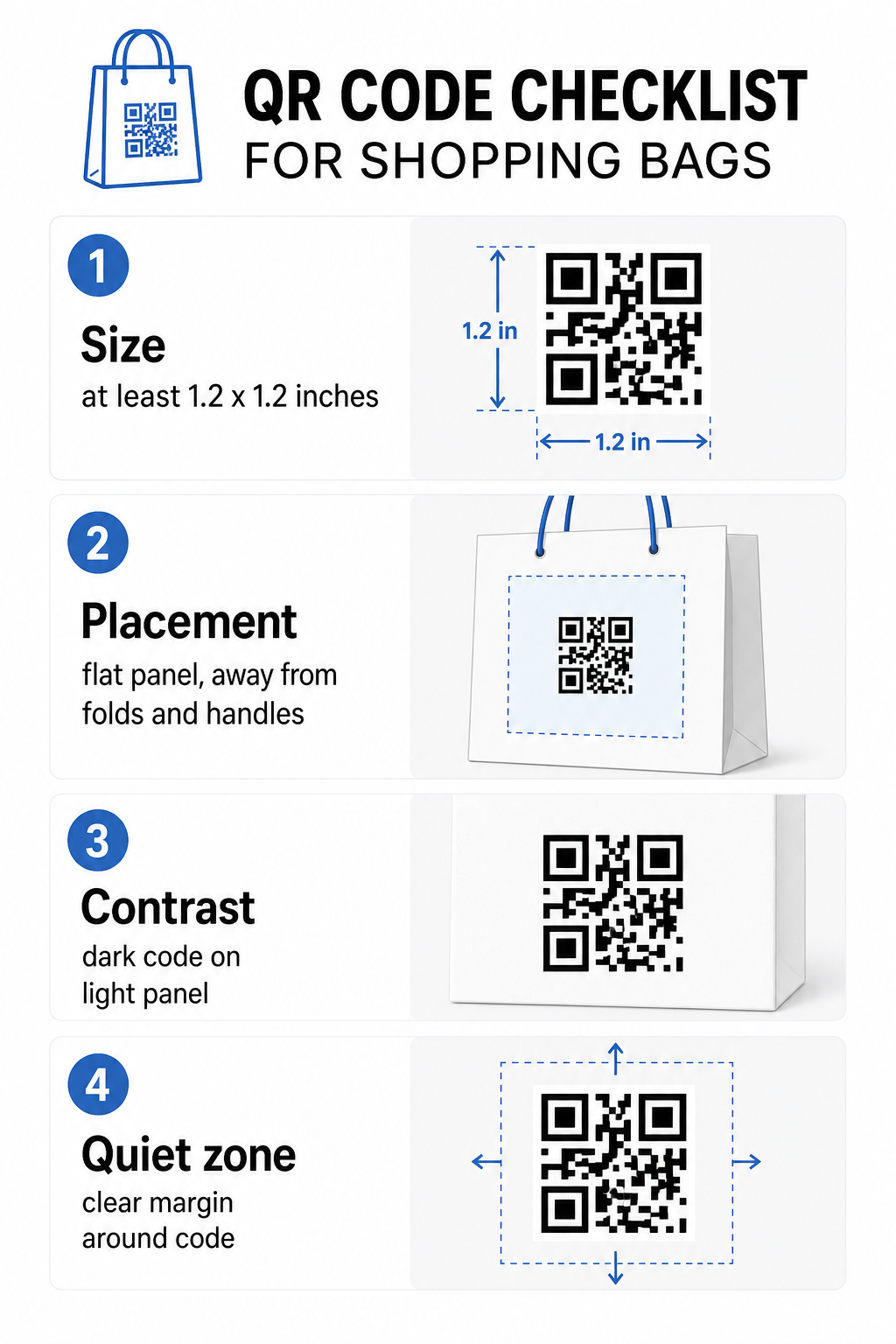
Kích thước in tối thiểu được khuyến nghị để quét đáng tin cậy ở khoảng cách sải tay là 0,8 × 0,8 inch (2 × 2 cm). Đối với một chiếc túi mua sắm, nơi khoảng cách quét thường lớn hơn và túi có thể di chuyển, hãy đặt mục tiêu ít nhất 1.2 × 1.2 inch (3 × 3 cm).
Một quy tắc hữu ích là tỷ lệ khoảng cách-đến-kích thước 10:1: mã nên rộng 1 cm cho mỗi 10 cm khoảng cách quét dự kiến. Nếu ai đó có khả năng quét túi của bạn từ khoảng 30 cm (12 inch) xa, mã nên rộng ít nhất 3 cm. Mã QR dày đặc hơn – những mã mã hóa URL dài hơn hoặc nhiều dữ liệu hơn – yêu cầu kích thước bổ sung để duy trì khả năng đọc, vì vậy sử dụng URL rút gọn hoặc động giúp giữ mẫu mã ít dày đặc hơn và dễ quét hơn.
VỊ TRÍ ĐẶT MÃ
Tránh đặt mã gần các nếp gấp, đường may, quai cầm hoặc cạnh được gia cố. Những khu vực này làm biến dạng hình học của mã, điều này gây nhầm lẫn cho máy quét. Bảng điều khiển trung tâm phẳng – mặt trước hoặc mặt sau – là vị trí an toàn nhất. Nếu thiết kế túi của bạn bao gồm một nếp gấp bên, bảng điều khiển đó cũng hoạt động, miễn là bề mặt phẳng khi túi được giữ mở. Để có tư duy đặt vị trí chiến lược hơn, hướng dẫn về đặt mã QR hàng đầu cho các cửa hàng bán lẻ bao gồm cách suy nghĩ về bề mặt, khả năng hiển thị và ngữ cảnh cùng nhau.
Sự tương phản
Máy quét mã QR phát hiện sự khác biệt giữa các mô-đun tối và nền sáng. Mẫu tối trên nền sáng là sự kết hợp đáng tin cậy nhất. Đặt mục tiêu tỷ lệ tương phản ít nhất 4:1 giữa mã và nền của nó – cao hơn thì tốt hơn. Tránh các gradient, tạo ra độ tương phản không đồng đều, và tránh xa các bảng màu đảo ngược (mã sáng trên nền tối), mà một số máy quét không đọc được.
Nếu túi của bạn có màu nền tối, hãy đặt mã QR bên trong một bảng màu trắng hoặc sáng thay vì in trực tiếp lên bề mặt tối. Để biết phân tích đầy đủ về các cặp màu nào hoạt động và cặp nào nên tránh, xem hướng dẫn thực hành tốt nhất về độ tương phản màu sắc của mã QR.
Vùng yên tĩnh
Các vùng yên tĩnh là lề trống bao quanh một mã QR. Nó báo hiệu cho máy quét nơi mã bắt đầu và kết thúc. Tiêu chuẩn yêu cầu ít nhất bốn mô-đun không gian trống ở tất cả các mặt – trong đó một mô-đun là đơn vị vuông nhỏ nhất trong lưới mã. Trên một túi in với kích thước thông thường, điều này tương đương với khoảng 3–4 mm không gian trống ở mỗi bên.
Không để văn bản, logo, mẫu thương hiệu hoặc các yếu tố trang trí xâm phạm vào lề này. Ngay cả sự xâm phạm một phần cũng có thể gây ra lỗi quét. Nếu thiết kế túi của bạn dày đặc đồ họa, hãy đặt mã QR bên trong một hộp trắng có viền để bảo vệ vùng yên tĩnh.
Thương hiệu hóa Mã
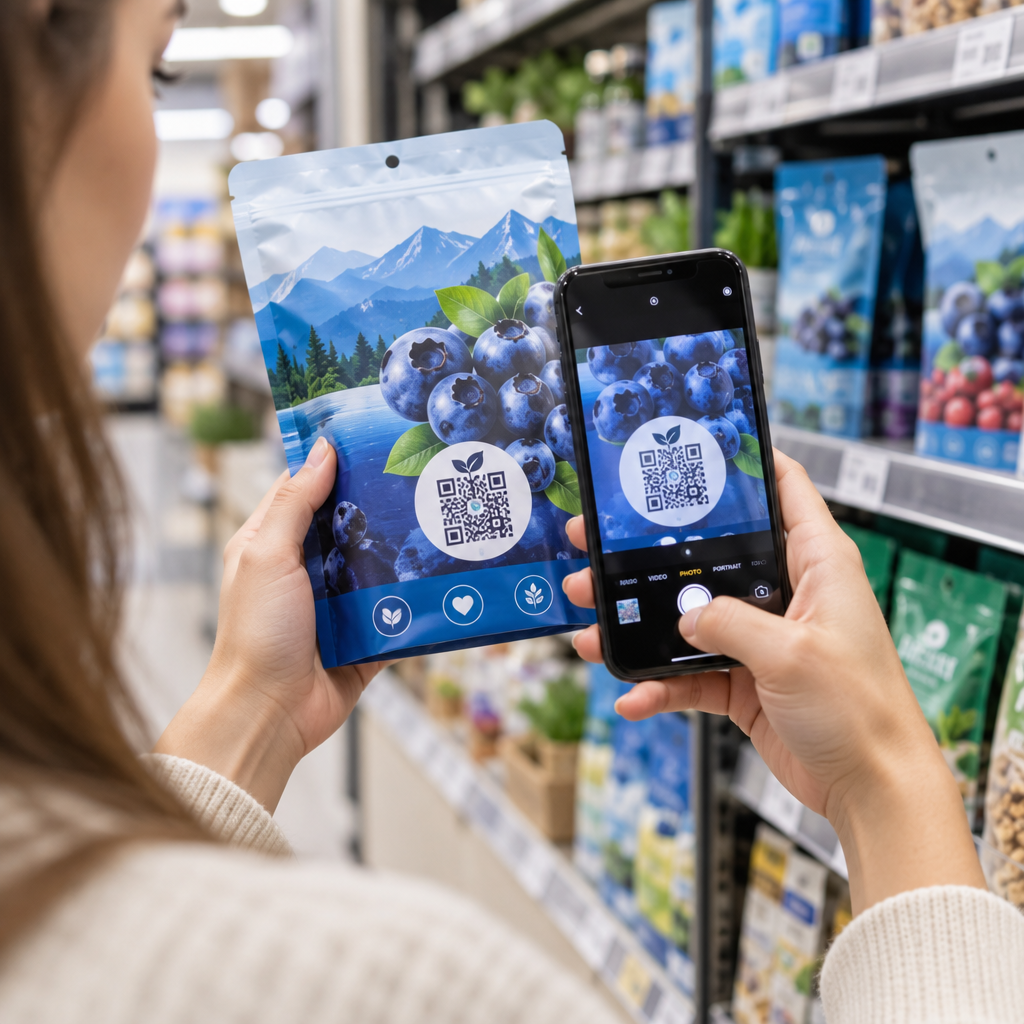
Một mã QR có thương hiệu – một mã tích hợp logo và màu sắc thương hiệu của bạn – có nhiều khả năng được quét hơn so với phiên bản đen trắng đơn giản. Khách hàng có nhiều khả năng tương tác hơn khi họ nhận ra nguồn và hiểu rằng có điều gì đó đáng để quét. Bạn có thể sử dụng Tạo mã QR có logo ở giữa để nhúng logo của bạn vào trung tâm của mã trong khi vẫn duy trì khả năng quét.
Khi thêm logo, hãy sử dụng mức sửa lỗi cao hơn (Q hoặc H) để mã vẫn có thể đọc được ngay cả khi một phần của mẫu bị che. Giữ logo không quá 30% diện tích mã tổng thể. Cái thực hành tốt nhất về khả năng đọc mã QR bao gồm vị trí logo cùng với hướng dẫn về độ tương phản và kích thước chi tiết đầy đủ.
Kiểm tra trước khi in
Luôn kiểm tra mã cuối cùng trên nhiều thiết bị và trong các điều kiện phù hợp với việc sử dụng thực tế – mức độ ánh sáng khác nhau, các góc quét khác nhau và ở khoảng cách quét dự kiến. Kiểm tra trên cả iOS và Android. In một mẫu vật lý trước khi cam kết sản xuất hàng loạt túi, vì một mã trông ổn trên màn hình có thể không hoạt động trên bề mặt túi có kết cấu hoặc cán màng.
Thêm Kêu gọi hành động Gần Mã
Nghiên cứu từ Scantrust cho thấy rằng người tiêu dùng thường không quét mã QR cho biết họ sẽ có nhiều khả năng làm như vậy hơn nếu mã truyền đạt rõ ràng những gì họ sẽ nhận được. Một lời kêu gọi hành động ngắn gọn, trực tiếp đặt gần mã làm chính xác điều đó.
Giữ nó ngắn gọn và cụ thể. Các ví dụ hoạt động tốt trên túi:
- Quét để nhận 15% giảm giá cho đơn hàng tiếp theo của bạn
- Quét để tham gia chương trình khách hàng thân thiết của chúng tôi
- Quét để xem hàng mới về
- Ưu đãi độc quyền bên trong – quét để mở khóa
Các lời nhắc mơ hồ như “Quét tôi” hoặc “Tìm hiểu thêm” không cho khách hàng lý do để hành động. Hãy cho họ biết họ sẽ nhận được gì trước khi họ quét. Nguyên tắc này áp dụng cho tất cả các vị trí mã QR vật lý – bạn có thể thấy nó hoạt động như thế nào trong các ngữ cảnh mã QR bán lẻ rộng hơn cũng vậy.
Theo dõi Hiệu suất Chiến dịch
Một trong những lập luận mạnh mẽ nhất cho mã QR trên túi mua sắm là khả năng đo lường. Không giống như số điện thoại hoặc URL trang web được in, một lần quét mã QR là một sự kiện có thể theo dõi. Với mã QR động, mỗi lần quét ghi lại các điểm dữ liệu chính biến túi của bạn thành một tài sản chiến dịch có thể đo lường được:
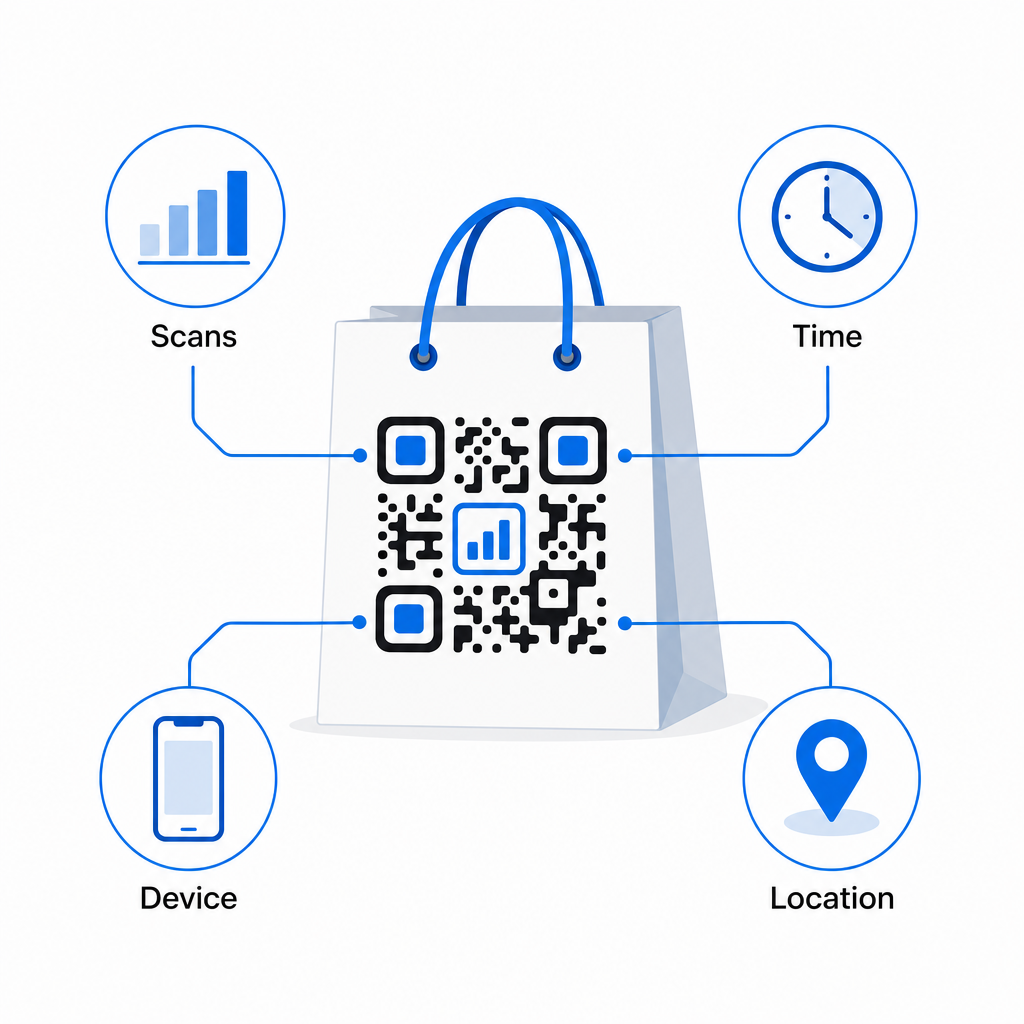
- Tổng số lượt quét và lượt quét duy nhất – phân biệt phạm vi tiếp cận tổng thể với sự tương tác lặp lại
- Thời gian và ngày quét – tiết lộ thời điểm khách hàng có nhiều khả năng tương tác nhất sau khi mua hàng
- Loại thiết bị – giúp bạn tối ưu hóa trang đích cho thiết bị phổ biến nhất mà khách hàng của bạn sử dụng
- Dữ liệu vị trí – hữu ích cho các nhà bán lẻ có nhiều địa điểm hoặc chiến dịch khu vực
Dữ liệu này cho phép bạn so sánh hiệu suất giữa các phiên bản túi, địa điểm cửa hàng hoặc các giai đoạn chiến dịch. Nếu một chương trình khuyến mãi cụ thể thúc đẩy số lượt quét tăng đáng kể, bạn có thể kéo dài nó. Nếu số lượt quét giảm sau hai tuần, bạn biết ưu đãi đã hết hiệu lực và có thể cập nhật điểm đến mà không cần chạm vào túi. Tính năng phân tích và theo dõi mã QR giải thích những gì bảng điều khiển hiển thị và cách diễn giải dữ liệu quét trong thời gian thực.
Đối với các nhà bán lẻ đang chạy các chiến dịch trên nhiều định dạng vật lý ngoài túi xách, trung tâm giải pháp ngành cung cấp một cái nhìn rộng hơn về cách mã QR phù hợp vào một chiến lược phối hợp.
Danh sách kiểm tra thiết kế và kỹ thuật
Trước khi gửi thiết kế túi của bạn để in, xác nhận từng mục sau:
| Yếu tố | Yêu cầu |
|---|---|
| Kích thước mã | Tối thiểu 1,2 × 1,2 inch (3 × 3 cm) cho túi |
| Tỷ lệ tương phản | Ít nhất 4:1 giữa mã và nền |
| Vùng yên tĩnh | Tối thiểu 4 mô-đun không gian trống ở tất cả các cạnh |
| VỊ TRÍ ĐẶT MÃ | Bề mặt phẳng, tránh xa các nếp gấp, đường may và quai cầm |
| Loại mã | Mã QR động cho các điểm đến có thể cập nhật |
| Kêu gọi hành động | Cụ thể và hướng đến lợi ích, đặt gần mã |
| Logo (nếu sử dụng) | Mức độ sửa lỗi Q hoặc H, ≤30% diện tích mã |
| Kiểm tra | Đã xác nhận có thể quét được trên iOS và Android trong điều kiện ánh sáng thực |
Một chiếc túi mua sắm là một trong số ít vật liệu bán lẻ vẫn tiếp tục hoạt động sau khi giao dịch kết thúc. Với một mã QR được thiết kế tốt, liên kết động, nó trở thành một kết nối có thể theo dõi giữa giao dịch mua hàng vật lý và mối quan hệ kỹ thuật số liên tục của bạn với khách hàng đó. Thiết kế cẩn thận, cung cấp cho khách hàng một lý do rõ ràng để quét và sử dụng phân tích để tiếp tục cải thiện chiến dịch theo thời gian.
Bắt đầu xây dựng chiến dịch túi của bạn Sử dụng Trình tạo mã QR Pageloot để tạo một mã QR động, có thương hiệu sẵn sàng để in túi bán lẻ – với đầy đủ phân tích đi kèm.
Câu hỏi thường gặp
Vâng. Với mã QR động, bạn có thể sử dụng một mã duy nhất trên tất cả các địa điểm và theo dõi dữ liệu quét theo địa lý, điều này cho phép bạn thấy cửa hàng nào thúc đẩy mức độ tương tác cao nhất. Ngoài ra, bạn có thể tạo các mã riêng biệt cho từng địa điểm để so sánh hiệu suất trực tiếp.
Với một mã QR động, bạn chỉ cần cập nhật URL đích trong bảng điều khiển Pageloot của bạn. Khách hàng quét túi cũ sẽ tự động truy cập trang mới của bạn. Bạn không bao giờ cần in lại để giữ cho trải nghiệm luôn cập nhật.
In mã trên bề mặt phẳng, mờ và tránh đặt nó gần các nếp gấp, đường may, hoặc các khu vực cán màng bóng gây chói. Nếu túi của bạn có bề mặt có vân nổi khắp nơi, hãy cân nhắc dán một nhãn phẳng nhỏ hoặc một bảng in riêng cho mã QR, đảm bảo một bề mặt sạch, có thể quét được.